
Quick Answer
The best API testing tool is the one that fits your total cost, client compliance requirements, and CI/CD workflow. Instead of choosing by feature list alone, test one real endpoint, one auth flow, and one automated pipeline run, then verify where request history, logs, and reports live. For solo client work, fast setup, clear handoff, and evidence-ready reporting matter more than brand.
Why Your Decision Framework is More Important Than the Tool Itself#
The best api testing tools only matter inside a decision framework. Treat this as an operating decision for your solo business, not a feature-shopping exercise. A checklist can narrow the field, but it will not tell you whether a tool will waste billable time, create client risk, or hold up once your projects move into CI/CD and shared delivery.
A quick way to see the difference:
| Decision lens | Feature-first selection | Framework-first selection |
|---|---|---|
| Risk exposure | Easy to miss where test data, logs, and credentials flow | Forces you to ask where data lives, who can access it, and what evidence you can show a client |
| Time cost | Optimizes for impressive demos, not setup and upkeep | Measures real effort to get tests running locally and in CI/CD |
| Long-term maintainability | Can break when client needs change or you hand work off | Favors tools you can document, repeat, and extend without rebuilding from scratch |
Total cost of ownership#
For a solo operator, TCO is often about time. Automated API testing matters because teams rely on it in continuous testing, and it helps catch issues early, often before the UI exists. Those benefits only matter if you can get productive quickly.
| Checkpoint | What the section says |
|---|---|
| Test set | How long does it take to import or build a test set for one real endpoint? |
| Authentication | How much setup is needed for authentication? |
| Environments and repeatable runs | How much setup is needed for environments and repeatable runs? |
| Local and CI/CD runs | Can the same test run locally and inside your CI/CD pipeline without extra glue work? |
| Cloud vs self-hosted | Cloud tools can reduce admin overhead, while self-hosted options can offer more control over where artifacts live. |
Keep the evaluation practical. How long does it take to import or build a test set for one real endpoint? How much setup is needed for authentication, environments, and repeatable runs? Can the same test run locally and inside your CI/CD pipeline without extra glue work?
A useful checkpoint is a small proof using one real client-like endpoint, one auth flow, and one automated run in your delivery pipeline. Cloud versus self-hosted belongs here too. Depending on your setup, cloud tools can reduce admin overhead, while self-hosted options can offer more control over where artifacts live. A common failure mode is choosing something that looks free or flexible, then spending too much time maintaining it instead of shipping paid work.
Compliance risk#
Compliance risk comes down to what your tool touches, stores, and syncs. API traffic now accounts for over 71% of web interactions, so a testing setup can surface reliability, authentication, and security issues quickly. It can also create handling problems if you are careless with real payloads.
Ask direct questions before you commit. Will you use production-like data? Where are request histories, test logs, and reports stored? Can sensitive values be separated from shared test assets?
At minimum, keep a short data-handling note and sanitized sample reports, and align with client requirements before using any cloud service for testing artifacts. A red flag is any setup where convenience leads you to connect live credentials before you have clear client permission.
Scalability#
Scalability matters as soon as projects get more complex. A testing tool should validate endpoints, automate execution, and fit CI/CD. For client work, it also needs to survive handoff. Another developer, QA contact, or client engineer should be able to understand your tests, variables, and reports without reverse-engineering your setup.
Use a simple comparison matrix with criteria like use cases, protocols, ease of use, and pricing. Then add two columns of your own: CI/CD fit and handoff clarity. One common failure mode is forcing every project into an existing automation structure just because you already built it. If that structure limits flexibility, it is no longer helping your business.
If you want a deeper dive, read Value-Based Pricing: A Freelancer's Guide.
Calculating the True Cost: Why "Free" Can Be Your Most Expensive Choice#
Use total cost as your first filter: if a tool saves license fees but eats billable hours, it is not the lower-cost option for your business.
- Price your time before you price the tool.
Use a fill-in formula: direct spend + setup hours + recurring upkeep hours + reporting/admin hours + lost billable work = true cost. Add your own verified values only.
That gives you a real comparison baseline. API testing work covers security, performance, and usability checks, so effort usually includes onboarding, authentication setup, request creation/import, and response validation, including mock behavior when needed. Selection time also counts, especially when your shortlist starts broad.
- Include the hidden work that starts after setup.
Your ongoing cost often comes from onboarding friction after breaks, flaky test maintenance, CI/CD troubleshooting, and client reporting prep.
Run one practical checkpoint before you commit: test one client-like endpoint, confirm the expected result, for example, HTTP 200, then run the same test in CI/CD. If CI/CD needs extra glue, manual retries, or repeated fixes, treat that as recurring overhead.
- Decide from a worksheet, not memory.
Fill a short comparison table only after your local and CI/CD proof run.
| Option | Verification status |
|---|---|
| Tool A | Local run: pending; CI/CD run: pending |
| Tool B | Local run: pending; CI/CD run: pending |
| Tool C | Local run: pending; CI/CD run: pending |
Also check cost visibility. In some subscription workflows, usage is not clearly shown in dashboards, so you may need logs/session records to confirm actual consumption.
- Choose free vs paid based on your real constraint.
Free or open-source is usually strategic when you need tighter control, expect long-term reuse, and can absorb upkeep. Paid is usually strategic when faster onboarding, easier reporting, and smoother CI/CD support protect margin and delivery speed.
- Choose free/open-source when control and long reuse matter more than setup and maintenance time.
- Choose paid when reduced non-billable work is likely to offset subscription cost.
- Pause either choice if you still cannot explain where request history, logs, and reports will live. Cost is your first filter; compliance is your second.
The Client Compliance Minefield: How Your Tool Choice Protects Your Reputation#
After cost, compliance should be your next filter. Once your testing tool touches a client system, your process becomes part of their risk profile, so your setup needs to be contract-ready and easy to defend.
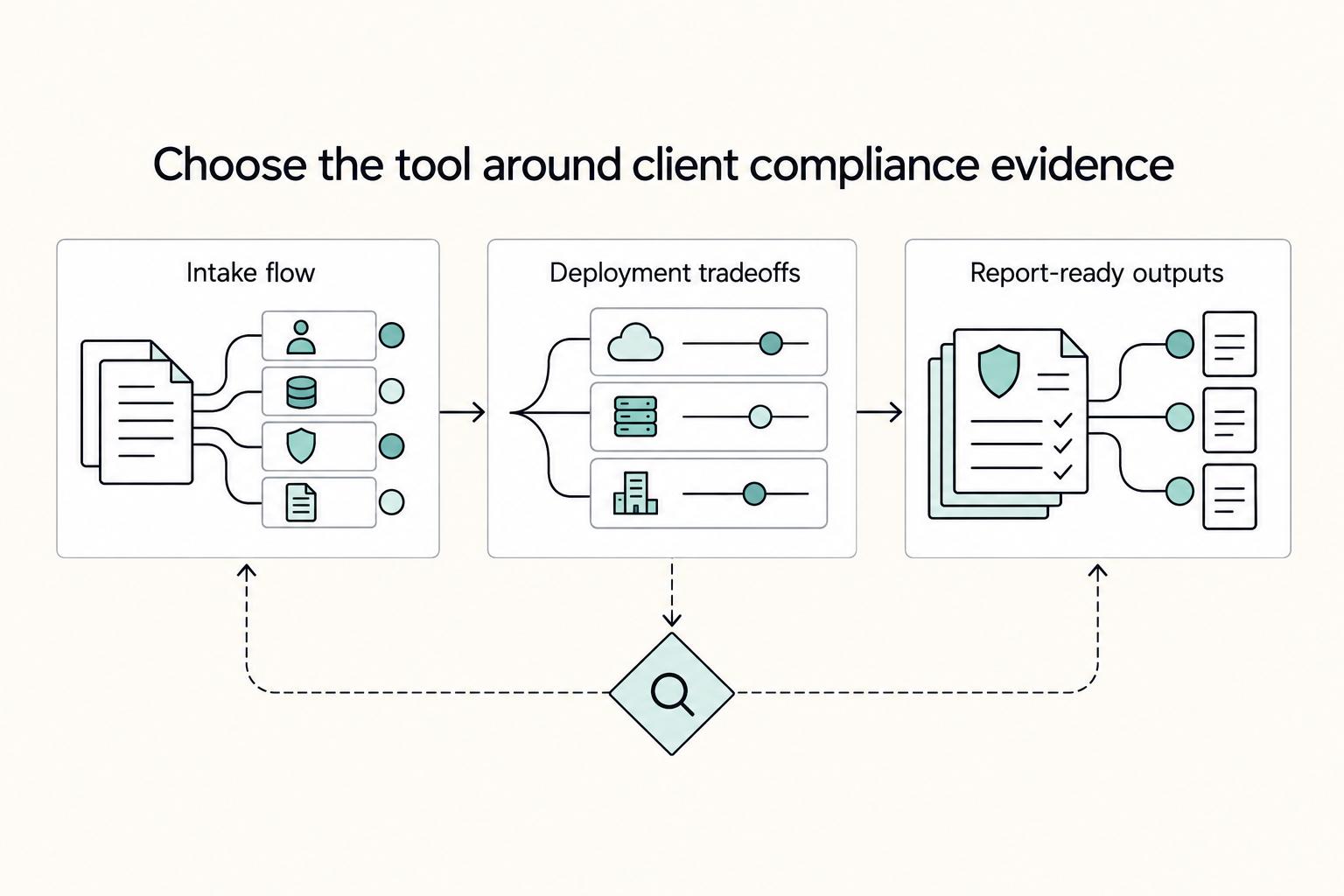
Pre-project intake flow#
| Intake item | What to confirm | Article note |
|---|---|---|
| Data handling boundaries | Written confirmation on data residency and security boundaries before the first request | Treat data storage location as a contract term. |
| Vendor and deployment model | Whether subprocessors are involved, what retention/deletion controls exist, whether access logs can be reviewed, and who owns incident response | Ask this before importing secrets, collections, or production-like payloads. |
| Audit and reporting expectations | What the acceptance package must include and whether results must appear in GitHub, Jira, or CI logs | Validate at least one real assertion there, not only locally. |
| Explicit sign-off | Approved environment, data class, deployment approach, reporting format, and approver | One written approval before testing starts prevents avoidable disputes later. |
- Set data handling boundaries first. Before you send the first request, get written confirmation on data residency and security boundaries. Treat data storage location as a contract term, and confirm whether request history, sample payloads, or synced collections may include real client data.
If the client cannot approve where data may be stored or processed, pause your preferred setup. Start in a client-approved sandbox or with scrubbed sample data until boundaries are signed off.
- Review the vendor and deployment model at practical depth. You do not need a legal memo, but you do need clear answers: Are subprocessors involved? What retention/deletion controls exist? Can access logs be reviewed? Who owns incident response? Ask this before importing secrets, collections, or production-like payloads.
Use one verification step instead of marketing claims. Confirm you can restrict credentials, view workspace/run access history, and export evidence the client can retain.
- Define audit and reporting expectations before testing starts. Some clients accept a short pass/fail summary; others require auditable reports tied to actual requests, assertions, and approvals. Confirm what the acceptance package must include and whether results must appear in GitHub, Jira, or CI logs.
If policy checks are expected in CI/CD, validate at least one real assertion there, not only locally. Scattered manual workflows can create duplicated alerts, missed risks, and alert fatigue.
- Get explicit sign-off on the setup. Send a short intake note listing approved environment, data class, deployment approach, reporting format, and approver. One written approval before testing starts prevents avoidable disputes later.
This makes the setup a shared decision. If a reviewer later questions tool or storage choices, you have a record.
Practical deployment tradeoffs#
| Deployment approach | Control surface | Approval friction | Auditability | Incident response ownership | Portability |
|---|---|---|---|---|---|
| Managed cloud workspace | Lower direct control over stored artifacts and synced data | Usually higher because third-party review is needed | Often good when exports and activity history are available | Shared between vendor, client, and you | Usually easy across devices and collaborators |
| Client-hosted deployment | More client control over data location and access paths | Often moderate because it aligns with internal review | Strong when logs and storage remain inside approved boundaries | More clearly assigned in the client environment, with your actions still attributable | Often harder to reuse outside that client |
| Local-only or sandbox-first setup | High control for early discovery work | Often lower for initial approval when no real client data is used | Limited unless you capture and package evidence carefully | Mostly on you for local handling, with less vendor involvement | Good for quick starts, weaker for shared traceability |
No option is automatically compliant. The practical rule is simple: if a cloud or shared setup places data in the wrong jurisdiction, you can breach client agreements and create privacy-law exposure, including under laws like GDPR. If residency or subprocessor questions are unresolved, stay in a non-production sandbox.
Report-ready deliverables#
Client acceptance is usually faster when you hand over an evidence pack instead of a generic "tests passed" note. A practical package includes:
| Deliverable | Should include |
|---|---|
| Signed intake summary | Approved data boundaries, environment, and deployment choice |
| Request/response proof | Timestamp, endpoint, status code, relevant headers, and the assertion checked |
| Findings register | Severity, reproduction notes, and links to GitHub, Jira, or CI jobs |
| Execution/access evidence | Exported run logs, activity history, and a short note on what was deleted, retained, or left in place |
If your tool cannot produce that package without heavy manual patchwork, treat it as a meaningful warning. Interface polish matters less than proving what you tested, where data went, and who approved the setup. Related: How to Calculate ROI on Your Freelance Marketing Efforts.
The Review: Evaluating Top API Tools as Strategic Business Assets#
After you clear cost and compliance, pick by job-to-be-done, not brand: functional API checks, broader platform-style coverage, or performance-heavy validation with CI/CD gates.
| Tool group | Setup effort | Maintenance burden | Collaboration workflow | Compliance fit | Reporting depth | Scalability path |
|---|---|---|---|---|---|---|
| Postman / Insomnia | Fast path for day-to-day endpoint testing; Postman also includes design, mock servers, automated testing, and analytics | Usually manageable at first, then rises as collections, environments, and secrets grow | Postman supports shared workspaces, version control, and documentation; validate Insomnia handoff/governance in your own workflow | Depends on where synced artifacts, request history, and related data are stored | Solid when you can export run evidence and docs cleanly | Practical when solo testing needs to become repeatable client-facing process |
| Katalon | Verify in a real pilot before committing | Track upkeep in a real pilot before committing | Confirm with your actual client handoff flow | Confirm against client-approved controls and storage boundaries | Confirm export quality using a real acceptance-style package | Keep on the shortlist when a broader platform review is justified |
| JMeter / SoapUI | More deliberate setup; SoapUI aligns with functional testing, JMeter with load/performance work | Increases as CI/CD checks and ongoing suite upkeep expand | Typically centers on owned test assets rather than lightweight shared workspace habits | Depends on deployment model and evidence handling | Strong fit for deeper performance reporting, including P95/P99 checkpoints | Strong for specialized, repeatable validation tied to release gates |
Choose this way:
- Choose Postman when you need fast REST or GraphQL validation and clean handoff. Avoid assuming cloud-sync fit until you verify where artifacts live and confirm one real export and access trail.
- Choose Insomnia only after you run the same proof steps in your own client context. Avoid parity assumptions.
- Choose Katalon when a client asks for broader coverage and you can prove acceptance-ready outputs in a live trial. Avoid committing before that proof.
- Choose SoapUI when functional API checks are the core job.
- Choose JMeter when the assignment requires performance gates in CI/CD and explicit go/no-go thresholds.
Decision sequence before you commit:
- Confirm the primary test job: functional behavior, contract-checking loop, or performance gating.
- Re-run your compliance filter from the prior section for storage, residency, and evidence expectations.
- Estimate maintenance time as part of TCO, not just license cost.
- Run one acceptance-style proof, export + traceability + reporting, before standardizing.
You might also find this useful: The Best API Documentation Tools for Developers.
Your Final Decision: An Investment in Confidence and Control#
Treat this as a business decision: choose the tool that passes these three checks in order: Total Cost of Ownership, client compliance risk, then scalability. If it fails any one check, it is not the right fit for your current operation, even if it appears on a lot of "best api testing tools" lists.
- Total Cost of Ownership
Measure real effort, not just license price. A "free" option that takes 20 hours to configure, learn, and maintain can cost more than a paid option once you count your billable time. Verify this with one manual request check, one automated check, and one client-readable report.
- Client compliance risk
Before you sync real data, get written confirmation of your client's data residency and security policies. Then verify where histories, shared artifacts, and exports are stored. If you cannot verify those points, use scrubbed data only.
- Scalability
Confirm tests can run on every commit in CI/CD and that outputs are understandable without your live explanation. As workload grows, you need clean handoff and integration support, not only local test convenience.
| Shortlist tool | TCO check | Compliance risk check | Scalability check | Best fit for your current client mix |
|---|---|---|---|---|
| Tool A | Time to first useful test + weekly upkeep | Written policy alignment + data handling verified | CI/CD run + readable report confirmed | Fast-turn solo delivery |
| Tool B | Onboarding effort + maintenance burden tracked | Storage, exports, and shared access verified | Handoff quality validated with a reviewer | Policy-heavy client work |
| Tool C | Setup effort compared to real usage pattern | Scrubbed-data workflow until verification complete | Collaboration readiness as volume increases | Growing retainer workload |
Next step: shortlist 2 to 3 tools, run this checklist on one real endpoint, and document why the winner passed. That written rationale is what makes your decision defensible later.
We covered this in detail in The Best Tools for Managing a Remote Development Team's Workflow. If you want to pressure-test your shortlist, talk to Gruv.
Frequently Asked Questions
How should you choose an API testing tool for a client project?
Start with the job, not the brand. Decide whether you need manual request and response inspection, repeatable automated checks in CI/CD, or contract testing against the API contract. Then pick the tool that lets you validate early and hand off clearly.
What should you check before using a cloud-based tool?
Treat the cloud service as a third party until you verify it in writing. Check where request payloads and histories live, who can access shared artifacts, and whether a current client requirement applies. If anything is unclear, keep client-sensitive data out and use scrubbed examples.
How should you compare Postman vs Katalon as a solo operator?
Do not assume either tool wins by default. Compare them in your own workflow on onboarding effort, handoff, reporting for non-technical readers, compliance controls, and maintenance overhead. Use a real pilot and track what it takes to get a client-ready result.
Is an open-source or self-hosted option worth the extra setup?
It can be worth it when control and long-term reuse matter more than speed. The tradeoff is setup and maintenance overhead. More setup does not guarantee better signal, so judge it with a real endpoint and real proof, not coverage claims alone.
Which tools fit stricter compliance requirements?
This article does not support calling any single tool compliant by default. Map the tool to the client's written requirements, then verify where data, histories, exports, and shared artifacts are stored and processed. If you cannot verify that, do not put client data into the tool.
How do you run a proof-of-fit trial before committing to a stack?
Keep the trial small and evidence-based. Use one real endpoint, run one manual check, one automated CI/CD check, and one contract test against the API spec. Save the setup time, sample output, export or handoff artifact, and notes on what broke before you commit.
Try a related tool
Researched and edited by the Gruv editorial team. Gruv builds cross-border billing, payouts, and finance-operations software for global businesses.
Sources
Includes 7 external sources outside the trusted-domain allowlist.
- ntrs.nasa.gov/api/citations/19710010856/downloads/19710010...trusted
- abstracta.us/blog/testing-tools/api-testing-toolsexternal
- appsentinels.ai/blog/api-management-tools-gartnerexternal
- arxiv.org/html/2410.12547v2external
- blog.postman.com/api-testing-interview-questionsexternal
- gartner.com/reviews/market/api-and-mcp-testing-toolsexternal
- gruv.ai/blog/the-best-api-testing-tools-for-developersexternal
- ip-label.com/best-automated-api-testing-toolsexternal
Educational content only. Not legal, tax, or financial advice.
Related Posts

Value-Based Pricing for Freelancers Under Real Payment Risk
Value-based pricing works when you and the client can name the business result before kickoff and agree on how progress will be judged. If that link is weak, use a tighter model first. This is not about defending one pricing philosophy over another. It is about avoiding surprises by keeping pricing, scope, delivery, and payment aligned from day one.
How to Calculate ROI on Your Freelance Marketing Efforts
If you want ROI to help you decide what to keep, fix, or pause, stop treating it like a one-off formula. You need a repeatable habit you trust because the stakes are practical. Cash flow, calendar capacity, and client quality all sit downstream of these numbers.
The Best API Documentation Tools for Developers
If you are comparing the **best api documentation tools** for your team, do not start with the slickest demo. Start with the stack you can actually own, review, roll back, and maintain when releases get busy. If that discipline is weak, a prettier portal can hide the problem until documentation drift shows up.