
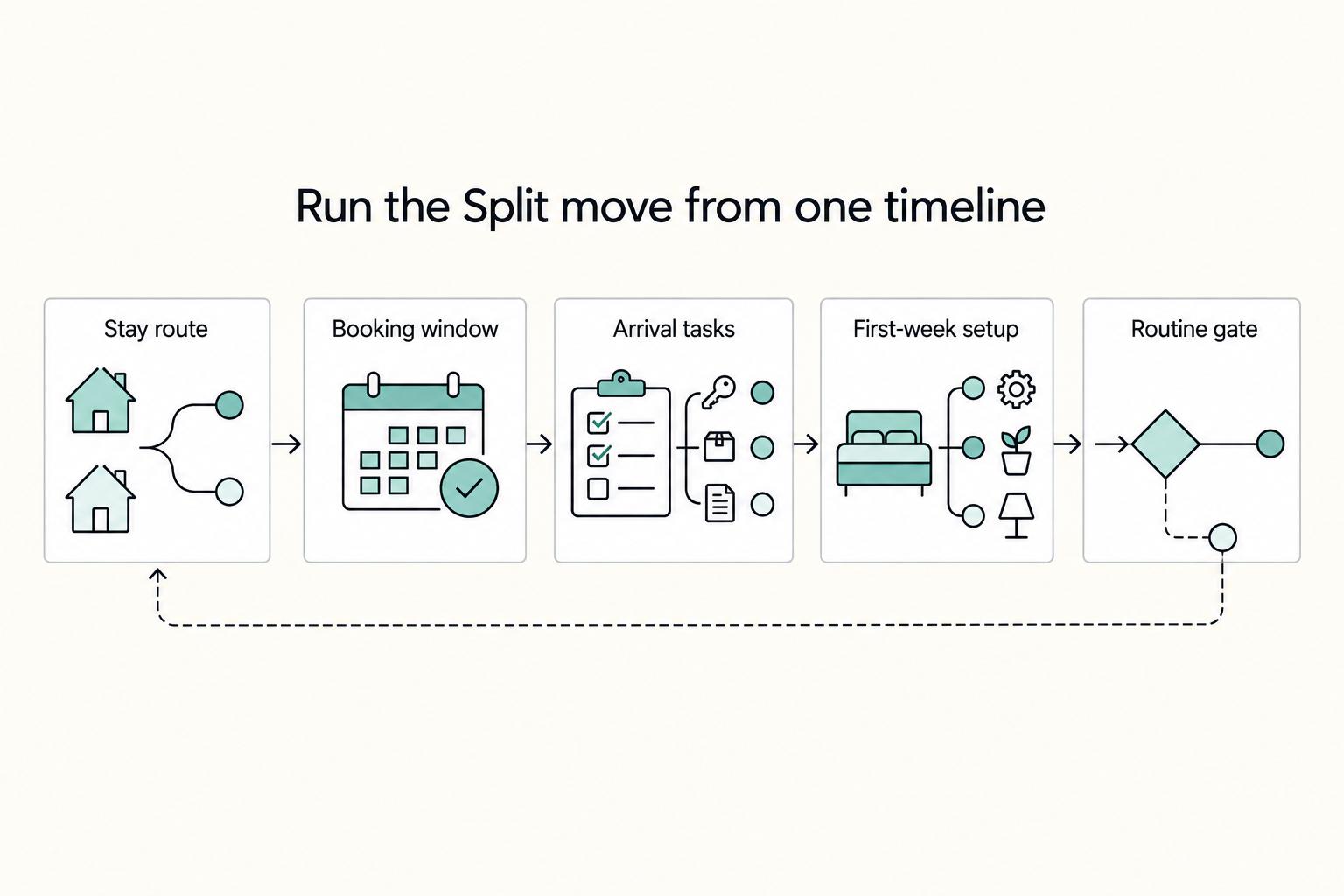
Quick Answer
Yes - plan a Split move by selecting your stay route (Croatia’s digital nomad residence permit for longer stability or a short stay), choosing a walkable neighborhood that fits your meetings, and prebooking a dependable workspace with café backups. Run a meeting-hour call test on arrival and, if dates allow, target shoulder season for smoother housing and setup.
Split, Croatia for Digital Nomads in 2026#
Split works well for long-stay remote professionals if you plan around one reality first: this is a seasonal coastal city. The Adriatic setting is a real draw, and Croatia's remote-work residence route has drawn more nomads in recent years. But summer also brings the biggest visitor wave, and tourism shapes a lot of daily life. That shows up fast in housing availability, street noise, and how dependable a café seat is once the day gets busy.
The cleanest way to avoid churn is to make four decisions in order. First, choose your legal stay path. Second, choose a neighborhood by how your workday actually runs, not by postcard appeal. Third, secure a primary workspace and one backup before you land. Fourth, time your arrival to avoid peak pressure if your schedule gives you that choice. This is not complicated, but it does punish vague planning.
If you need stability beyond a short visit, look at the remote-work residence route and verify the current requirements before you book anything nonrefundable. If flexibility matters more, or you are testing the city before committing, a standard short stay may be the better fit. Keep that decision clear, because your allowed stay length affects everything that comes next, from housing dates to exit planning. For longer-stay details, see Croatia Digital Nomad Visa: Live and Work on the Adriatic Coast.
Your housing choice should follow your work pattern. The historic center gives you walkable cafés and quick access to the waterfront, but it can get loud when the streets fill up. Beach-adjacent blocks are great for breaks and morning swims, though they also get busier in peak periods. Hillside and residential districts usually trade nightlife for quieter evenings and easier access to local shops. Before you sign anything, visit at the hour you actually take meetings and then again after 9 p.m. If street noise or foot traffic spikes at either time, keep looking.
Your workspace needs the same realism. Decide early whether you need a guaranteed desk most days or whether you can rotate between cafés and more formal workspaces. A simple, durable setup is to prebook a coworking plan for your first two weeks and keep one café in the same area as a backup. Then test both during your actual call window on Day 1. Check connectivity, background noise, and whether you can actually work there without improvising. If a café gets too full or too loud, stop forcing it and move core work to the desk you control.
Arrival timing is one of the few easy levers you fully control. Shoulder-season arrivals usually mean calmer streets, more housing choice, and less friction during setup. If your dates are fixed in summer, reserve earlier, expect tighter inventory, and leave extra buffer days for move-in tasks and basic errands. This guide reflects 2026 context, so confirm current steps before you lock flights.
Quick checks:
- Legal path: confirm the latest requirements for the stay route you actually plan to use.
- Housing: shortlist places by noise tolerance and walking commute, not just listing photos.
- Work setup: secure a primary desk and a café backup before Week 1 starts.
- On arrival: run a connection and call-quality test at your actual meeting hour, then adjust fast if the environment fails.
Everything else gets easier once those basics are settled, so start with the legal path and build outward from there.
Choose your legal path without confusion#
Do not start with flights. Start with eligibility and stay length, because the most expensive mistakes usually happen when people choose dates before they choose the right route.
If you want a stable base beyond a short visit while working remotely for a non-Croatian employer, choose Croatia's digital nomad residence permit. It is a residence permit, not a visa. If you only need a tourism or business window, plan a short stay. The length depends on your citizenship and is often 30 or 90 days. EU/EEA citizens are not eligible for the nomad residence program, so confirm your status before you plan paperwork or long housing dates.
| Route | Use when | Anchor rules | Primary risk |
|---|---|---|---|
| Digital nomad residence permit | You need a longer, stable base to work remotely for a non-Croatian employer | Croatia offers temporary residence to digital nomads; the permit is for remote work for a business registered outside Croatia | Misfit if you work for a Croatian entity or if you are EU/EEA and not eligible |
| Short stay (tourism/business) | You prefer flexibility and a defined, shorter visit | In Croatia, a visa refers to short stays for tourism or business; length depends on passport, often 30 or 90 days | Overstay risk if you do not track day counts and exit dates |
The practical rule is simple. If you want to settle in once and reduce mid-stay uncertainty, start the residence route. If your dates are fixed, or you are using Split as a trial run before deciding on a longer base, plan a short stay with clear arrival and exit milestones. Either way, keep bookings refundable until your route is verified. That one habit prevents a lot of sunk-cost decisions.
A few checkpoints matter more than the rest:
- Eligibility: confirm that you are not an EU/EEA citizen if you are considering the residence program.
- Work status: make sure your employer or business registration is outside Croatia for the residence path.
- Stay length: check your passport's short-stay allowance and pre-calculate day counts against a 30 or 90-day cap.
- Current-year specifics: read the latest official guidance for documents and steps instead of assuming last year's list still applies.
In practice, route choice is less about what sounds attractive and more about what you can prove cleanly. A longer permit can be the right answer, but only if your work setup matches the rule that the business is registered outside Croatia. A short stay can be perfectly workable, but only if you treat the end date as fixed and track it with the same discipline you would apply to a client deadline.
Common failure modes are predictable:
- Applying for the residence permit while contracting with a Croatian-registered entity.
- Treating a short stay as flexible and only checking day counts near the end.
- Booking flights or longer housing before confirming route-specific requirements.
- Assuming a residence permit is the right move simply because the stay feels "long."
Use a calendar alert seven days before your final permitted day if you are on a short stay, and keep a booked exit route. If you are pursuing the residence path, verify the current document list before you commit to dates that are expensive to change.
If you are comparing countries before you commit, use The 2026 Global Digital Nomad Visa Index for 50+ Countries for context. Keep tax treatment as a separate, country-specific check. Once your stay route is confirmed, the next decision is timing, because your calendar should match what your paperwork actually allows.
Timeline from 60 days out to arrival plus seven#
Once your stay route is set, let the calendar drive everything else. Croatia's digital nomad path is a residence permit, not a visa, and short stays for tourism or business often cap at 30 or 90 days depending on citizenship. Every booking should fit inside the limit you actually have, not the one you hope will work.
| Window | Focus | Key checks |
|---|---|---|
| T-60 to T-30 | Choose your route and prepare evidence | Confirm current requirements on official channels; shortlist neighborhood types to test on arrival |
| T-30 to T-7 | Lock dates and Week 1 workspace | Match accommodation to your allowed stay; reserve a coworking desk; sketch a home-workspace-grocery loop |
| Arrival day to Day 3 | Test housing and commute | Run a call-window test where you live; walk the commute both directions; pivot to your reserved desk if home fails |
| Day 4 to Day 7 | Stabilize backups and routine | Trial a second workspace; map grocery and bus patterns; watch how popular areas change by hour |
T-60 to T-30 is decision time, not shopping time. Choose your route first: residence permit if you will be working remotely for a business registered outside Croatia and want a steadier base, or a short stay if you only need a defined window. Prepare your evidence pack and confirm the current requirements on official channels instead of leaning on old screenshots or secondhand lists. At the same time, pencil in the neighborhood types you want to test on arrival, whether that means the historic center, beachfront areas, hillside streets, or quieter residential blocks. A short list now lets you move quickly later.
T-30 to T-7 is where you turn that plan into something usable. Lock accommodation dates that match your allowed stay and leave a buffer for move-in tasks. Reserve a desk at a coworking space for Week 1 so your first workdays do not depend on luck, then treat cafés as backups rather than your main plan. Sketch a practical first-week loop: home, workspace, and a grocery outside the busiest core. Split can get expensive if you default to convenience purchases in the most crowded areas, so a little intention here helps.
Arrival day to Day 3 should be about testing, not sightseeing. Check in and run a call-window test where you live: join a video call, verify stability, and listen for echo, street noise, and anything else that would make normal meetings harder than they should be. Walk your commute in both directions. Central lanes and waterfront routes often feel very different at mid-day than they do later in the evening, so pay attention to the version you will actually use. If home fails the call test, pivot to your reserved desk the same day and move focused work there.
Day 4 to Day 7 is when you stabilize the routine. Trial a second workspace so you have a weather or crowd backup. Map grocery and bus patterns that fit your real schedule, not an idealized one. Keep walking as the default for short loops, then use buses as support rather than the core of your plan. Watch how popular areas change by hour. If noise keeps interfering with calls, either shift your hours or move your housing search toward the quieter parts of your shortlist.
A couple of small checks save disproportionate pain. If you chose a short stay, track day counts against the 30 or 90-day cap from the start and set a calendar alert seven days before your final day. If you chose the residence route, re-read the latest steps before you commit to flights, then move forward with dates that fit the process. For the longer-stay path, see Croatia Digital Nomad Visa: Live and Work on the Adriatic Coast. Confirm the current year's details before booking.
By the time you land, you should already know what you are testing. That makes the neighborhood decision much easier, because you are judging it against your actual routine rather than vague preferences.
Pick the right neighborhood for your workday#
Neighborhood choice in Split is really a noise-and-friction decision. The views matter, but your week will rise or fall on whether you can move between home, work, groceries, and short breaks without fighting crowds or background noise every day.
| Area | Good fit | Main check |
|---|---|---|
| Old Town near Diocletian's Palace | Dense café choice and fast seafront access | Activity can stay lively into the evening; test the exact unit with windows closed and open |
| Bačvice | Shoreline access and beach breaks within minutes | Activity rises in peak periods; test an indoor call and consider housing a few streets back |
| Varoš or Meje | Neighborhood feel without the immediate core | Walk the full home-café or desk-grocery loop at the hour you would actually use it |
| Spinut or Poljud | Beyond the busiest center and quieter evenings | Map the route from door to desk on a real workday schedule and confirm backup options are close enough |
Split's coastline, warm weather, and ancient architecture are a big part of the appeal for remote workers. The center around Diocletian's Palace and the café-lined Riva gives you convenience and energy in equal measure. That can work well if you like stepping out for coffee or a quick walk by the water between tasks. It can also be the wrong choice if your calendar is heavy on calls and your housing sits on a lane that stays lively deep into the evening.
Old Town near Diocletian's Palace is the obvious walkable option. You get dense café choice and fast access to the seafront for breaks, errands, and short resets between meetings. The tradeoff is activity. If you like living in the middle of things, test the exact unit during your usual meeting window with the windows both closed and open. If that feels marginal, a common compromise is to live just outside the busiest blocks and still work in the center.
Bačvice makes sense if shoreline access is part of your day and you want beach breaks within minutes. That can be a real quality-of-life upgrade if you work in long blocks and benefit from stepping outside between them. The caution is straightforward: activity rises in peak periods, so test an indoor call while viewing the place and shortlist housing a few streets back if you want some separation from the waterfront flow.
Varoš or Meje fit better if you want a neighborhood feel without being pinned to the immediate core. These areas reward a practical walk test. Do the loop you would actually run on a normal day: home, your preferred café or desk, grocery, then back home. If that loop feels easy at the hour you normally move around, you are probably close to a good fit. If it already feels long or awkward before you have settled in, it will only get more annoying.
Spinut or Poljud are sensible options if you would rather live beyond the busiest center and keep evenings quieter. That trade often suits people who want a clearer separation between where they sleep and where the city feels busiest. Here, the main check is commute realism. Map your route from door to desk on an actual workday schedule, then confirm that your backup options are close enough to use without blowing up your calendar.
Before you commit, run a few simple checks that tell you more than listing photos ever will:
- Test the unit during your real meeting hour with windows closed and open.
- Walk home to your main café or desk and back at mid-day and in the evening.
- Identify one backup workspace in the same area for busy periods.
- If your evenings are call-heavy, favor homes where you can control ambient activity more easily.
In practice, neighborhood names are just a first filter. The real decision is whether your block supports your calendar. Once that part is clear, lock a work setup that does not depend on luck.
Lock a work setup that survives busy season#
Treat your workspace like infrastructure, not a bonus. In busy periods, a setup that feels good enough for two easy afternoons can fall apart the moment you have a full week of calls.
Peak season exposes weak routines fast. Quiet seats get less predictable, foot traffic rises, and the table you used once without trouble suddenly disappears when you need it most. The safest approach is to anchor your days around a dependable base you can walk to, then layer simple backups around it. If your street behaves more like a beach corridor than a residential block, assume more foot traffic and plan calls somewhere you control.
Start with a primary base that does not wobble. Choose a desk close to home and commit your first week to it so meetings are not riding on chance. Test it during your normal call window on Day 1. Join a short video call, check audio echo, confirm steady connectivity, and make sure outlet access works for your real setup rather than some idealized version of it. If chatter bleeds into the mic or the room gets busier than expected, move deeper inside and note which areas stay workable at your regular call times.
Distance matters more than people think. A desk within a short walk gives you room to recover from small mistakes like a late start, sudden rain, or a forgotten charger without losing half your morning. It also makes it easier to split your day if home is fine for heads-down work but not strong enough for calls. The goal is not to optimize every hour. It is to remove the small forms of friction that pile up.
Use cafés as your secondary option, not your boardroom. Keep a two-café rotation within a short walk so you can switch when one fills up or gets louder than expected. Buy regularly, keep calls brief, and reserve longer or more important meetings for your primary desk. If a beachfront spot is comfortable for writing early in the day but chaotic at lunch, use it that way. There is no prize for forcing a café to do a job it is not suited to.
Pack for the mistake you will eventually make. Forgetting something important happens even on well-planned trips, and busy days make small gear failures feel bigger than they are. Carry a small redundancy kit: a spare charger, universal adapters, a compact headset that isolates your voice, and a short Ethernet cable if your building offers a port. Keep an offline folder on your laptop with your passport ID page, your Croatia address details, and travel confirmations. Add a prepaid hotspot plan as a last resort for short calls, then test the switch once so you are not figuring it out mid-meeting.
Match your work rhythm to the street you chose. Livelier areas reward early focus blocks and more controlled call windows at your desk later in the day. Quieter residential streets let you stretch home work blocks longer, but you should still watch for the occasional event night or weekend shift in noise. Check the pattern in person and adjust by hour instead of hoping it will somehow settle itself.
Week 1 setup checklist:
- Primary desk within a 10 to 15 minute walk. Extend only after it passes your call test.
- A real call-window drill: short video call, audio check, outlet check, and a note of quieter zones by time.
- Two nearby café backups mapped, with a plan to swap or leave when they get crowded.
- A small redundancy kit packed and an offline folder ready, with the hotspot tested for a short call.
- Calendar buffer around important meetings so you can relocate without stress if the environment changes.
A durable setup should feel slightly boring by the end of Week 1. That is a good sign. Once work stops feeling fragile, the rest of the city becomes much easier to enjoy.
Control costs with seasonality-aware tactics#
If your remote work includes selling online to EU customers, the cost question is not just rent and groceries. Tax timing is often the bigger risk, especially if a busy period hits while your filing setup is still half-finished.
Lock your VAT setup before busy periods so invoices and rates stay consistent. Plan against EU OSS and SME thresholds and the processing time they involve, not just short-term price noise. This matters most when your demand is seasonal or when you expect a sharp rise in cross-border B2C sales while you are getting settled in a new city.
Since 1 July 2021, the EU's VAT One Stop Shop lets eligible sellers declare and pay VAT on cross-border B2C sales through a single Member State. Two figures drive the timing decision: an EU-wide EUR 10 000 threshold relevant to distance sales under OSS, and a EUR 100 000 Union turnover cap for the cross-border SME scheme. SME scheme registration can take up to 35 working days. The practical move is to build a T-35 buffer before your high-demand window and file early if your forecast suggests you may cross a threshold.
Here is a seasonality checklist for EU-facing online sellers:
- Recalculate trailing 12-month Union turnover monthly, record the date and method, and schedule the next check.
- Forecast B2C distance sales by channel. If you may exceed EUR 10 000, prepare OSS enrollment so invoice tax lines switch cleanly.
- Start SME or OSS registration early. Hold a T-35 target before peak demand and track submission receipts.
- Dry-run one quarter in a workbook using the rates, invoice fields, and export formats your accountant will need later.
- Set an automatic VAT set-aside in your accounting tool to avoid margin shocks when receipts surge.
- If product mixes or bundles raise classification questions, request a VAT Cross-border Ruling before volume arrives.
The common failure mode is not dramatic. It is usually a mid-peak threshold crossing followed by the wrong tax being charged, or an exemption being treated as if it still applies after growth changed the picture. Both create retroactive cleanup that burns time and trust when you should be focused on delivery. If you are in doubt, registering early for the applicable scheme is usually cleaner than correcting a messy quarter later.
Keep a dated memo that explains your timing and the basis for it. That makes later review easier, especially if you are aligning travel, arrival, and any residence paperwork at the same time. The goal is to keep your first busy weeks in Split focused on work, not on chasing preventable admin errors.
If you are budgeting personal life rather than business tax, keep the same discipline in simpler form: separate personal spend from business taxes, and compare monthlies across EU cities on the same currency basis and stay length. If tax treatment is one of the deciding factors across countries, skim Tax-Free Digital Nomad Visas: A Complete List as a conceptual reference before you commit.
Move around without wasting time#
A tight walking loop beats a complicated transport plan in Split. The city rewards keeping home, your main workspace, and groceries within a compact radius, especially if you want your days to feel flexible instead of overplanned.
Walking should be your default. Expect plenty of sunshine and a fair amount of time on foot, so keep daily errands within a short radius whenever possible. That gives you more room to adapt when a café is full, a call runs long, or you need to change course quickly without turning the whole day into a logistics problem.
Do one timing pass at your real meeting hour. Walk the loop once, note any bottlenecks, and save one quieter detour. If your route cuts through Old Town, keep a parallel street in mind so you have an alternative when the main path gets slower or louder than expected.
You do not need an elaborate backup plan, but you do need a simple one. On days with heat, rain, or heavy bags, local buses can fill the gap. Confirm routes, nearby stops, and how payment works once you arrive, then save those notes somewhere you will actually check. That is usually enough. Normal urban awareness still applies.
Daily mobility checklist:
- Time your home-to-workspace loop at your real meeting hour and save one alternate.
- Identify a shaded version and a rainy-day path you are comfortable using.
- Carry sun protection and water for longer, sunnier walks.
- If you plan to use buses, save the nearest stops and confirm payment locally.
- Add a small buffer before any call that requires moving between locations.
Once the route works, stop tinkering with it. The point is not to know every transport option in the city. It is to remove friction from the handful of movements you will repeat most days.
First seven days checklist in Split#
Your first week should produce a boring, repeatable routine on purpose. Split gets easier once your daily loop feels automatic, and the fastest way to get there is to set a few anchors early instead of treating every day like a fresh decision.
Make walking your default and orient yourself around two fixed points: the Old Town around Diocletian's Palace and the seaside promenade known as the Riva. From there, build a compact home-to-desk-to-groceries loop and test it at the same hours you normally work. That matters more than trying to see every corner of the city in the first few days.
Day 1 to Day 7 checklist:
- Map your core loop: walk home to your primary workspace and back, using the Riva if that is part of your route, at your real meeting hour. Record the minutes, shade, stairs, and any cobbles that slow you down with a laptop.
- Run a 10-minute call test at your main desk. Check audio, background noise, and outlet reach. Note one quiet corner you can claim on short notice if the room changes later in the day.
- Save one café fallback near the center for brief calls only. Treat it as an emergency option rather than a place for deep work, and note the quieter window you observed.
- Do two evening noise passes near the Old Town lanes you use most. If one lane consistently crowds up, pick a parallel side street and add it to your notes.
- Set a grocery routine. Identify a nearby market that fits your schedule, draft a repeatable weekly list, and track one receipt to baseline your restocks. Keep business expenses separate from personal spend.
- Treat buses as a backup you confirm on arrival. Locate the nearest stops to home and your workspace, confirm how payment works locally, and time your walk to each stop.
- Map the transport points you expect to use for weekend trips, such as the ferry port, and note the walking time so travel days do not start with guesswork.
- Prep a small daily kit: water, sunscreen, a compact hat, and a light layer for the waterfront breeze. That keeps short errands from turning into recovery time.
- Create calendar buffers around moves. Add 10 minutes before and after any call that requires changing locations.
- Keep an offline folder with your passport ID page and your local address details. It saves time during check-ins, deliveries, and the small admin tasks that always appear in Week 1.
By the end of the week, your loop should feel automatic: home, desk, errands, with one reliable detour. Batch any paperwork or setup errands along that same path so workdays stay predictable instead of fragmented.
What to do next#
Make the next move in the same order the article laid out: route, neighborhood, workspace, then spending plan. That sequence keeps you from solving the wrong problem first.
Begin with your stay route and only then touch nonrefundable bookings. If you need a longer, stable stay, confirm whether the remote-work residence permit applies to you before you commit to flights or long housing dates. Write down any unknowns, such as eligibility, current requirements, or process steps, and clear those first. For a practical primer, start with Croatia Digital Nomad Visa: Live and Work on the Adriatic Coast. If you are still comparing countries, use the Global Digital Nomad Visa Index and review tax-free digital nomad programs where relevant.
Then choose a neighborhood by tradeoff, not by hype. Old Town around Diocletian's Palace is convenient but often comes with higher rents. Bačvice gives you beach access and more summer energy, which can also mean more noise. Varoš and Meje sit by Marjan Hill, which is great for nature access but can mean hill walks. Spinut and Poljud are usually quieter and can be easier on the budget than the center. The right move is to walk your daily loop at your actual meeting hour and mark the pinch points, not just the nice views.
Next, lock a work setup you can trust on Day 1. Coworking options are narrower than café options, and there are many laptop-friendly cafés such as Stow Coffee and Gallerija. If you want a more controlled desk, Re.Split on the University campus is a practical place to test. Whatever you choose, verify it by running a short video call at your peak meeting time. If café audio falls apart in summer, move core work to a coworking day and keep a second café in reserve for short sessions.
Finally, price the month realistically. Costs have risen since euro adoption in 2023, and summer usually pushes prices higher. Shopping outside the center can help, and longer stays often make it easier to find more budget-friendly options while avoiding the worst tourist pricing. The city is highly walkable, and local buses run all day, so design a home-to-desk-to-groceries loop you can do mostly on foot, with a bus backup for heat or heavier errands.
Use this closing checklist:
- Write down your stay decision and list the open questions you still need to confirm.
- Shortlist Old Town, Bačvice, Varoš or Meje, or Spinut or Poljud based on your actual loop.
- Book cancellable housing, then do both an evening and a morning noise check.
- Reserve a first workday desk at Re.Split and keep a café backup near home.
- Test Wi-Fi and call quality at your meeting hour at both the primary and backup location.
- Map one grocery outside the center and one simple bus route as contingency.
Frequently Asked Questions
Is Split good for digital nomads?
Yes for many. A dedicated residence route exists for digital nomads, and many nomads already live in Split. The Old Town is compact and largely pedestrian, so getting around the center on foot is practical. Your fit still depends on how well your daily work loop matches the city’s layout.
What are the best neighborhoods in Split for remote work?
Start with proximity and walkability over names. The area around Diocletian’s Palace in the Old Town is small and pedestrian, which helps if your schedule involves frequent moves between home, desk, and errands. Walk your route at your usual meeting hour and note any bottlenecks. Pick housing that keeps the loop tight.
Which coworking spaces should I try first in Split?
Choose a primary desk close to home and test it during a real call. Check audio, background noise, and outlets, then keep a cafe fallback for short meetings only. Rotate only after your first option passes your call test consistently. Naming a venue matters less than proving reliability.
How much does it cost to live in Split as a nomad?
Costs vary by timing and location, so avoid anchoring on a single number. Separate personal spend from business expenses, and compare monthlies on the same basis and stay length when you weigh options across cities. Lock your commute on foot where possible to keep transport low.
When is the best time to arrive in Split for lower housing costs?
There is no single right week for everyone. Compare multiple arrival windows and hold off on nonrefundable bookings until you confirm availability that matches your work schedule. The closer you live to your primary desk, the easier it is to absorb small pricing or timing shifts without disrupting work.
How do I get around Split without a car?
Walk first. The Old Town near Diocletian’s Palace is largely pedestrian and compact, so most central errands are doable on foot. Keep a simple backup option you verify on arrival rather than assuming details in advance.
Do I need the Croatia Digital Nomad Visa for a long stay?
The so-called visa is actually a temporary residence permit for people who work remotely for a business registered outside Croatia. EU/EEA citizens are not eligible for this permit. Depending on your citizenship, you may be able to stay short term without it for up to 30 or 90 days. For a deeper overview, see Croatia Digital Nomad Visa: Live and Work on the Adriatic Coast.
Try a related tool
Researched and edited by the Gruv editorial team. Gruv builds cross-border billing, payouts, and finance-operations software for global businesses.
Sources
Includes 1 external source outside the trusted-domain allowlist.
- sme-vat-rules.ec.europa.eu/sme-scheme/cross-border-sme-scheme_entrusted
- taxation-customs.ec.europa.eu/archives/taxable-persons/vat-cross-border-ru...trusted
- vat-one-stop-shop.ec.europa.eu/index_entrusted
- vat-one-stop-shop.ec.europa.eu/one-stop-shop_entrusted
- laptoplifestyleco.com/split-croatia-digital-nomad-guide-2external
Educational content only. Not legal, tax, or financial advice.
Related Posts
Croatia Digital Nomad Visa: Temporary Stay Rules, Eligibility, and Application Planning
Treat this as a **temporary residence permit** route, not a tourist-stay workaround. People often say "digital nomad visa," but for move planning, the distinction that matters is simpler: short-stay entry and temporary residence solve different problems.

The 2026 Global Digital Nomad Visa Index for 50+ Countries
Start with legal fit, not lifestyle filters. The practical order is simple: choose a route you can actually document, then decide where you want to live. That single change cuts a lot of wasted comparison work and stops you from falling in love with places that were never a real filing option.
Tax Free Digital Nomad Visas and the Tax Outcome You Can Defend
A digital nomad visa can support a lower-tax plan, but it does not create a tax-free result on its own. Treat every promise as conditional until you map tax residency, filing duties, and income type in writing.