
Quick Answer
MoneySaver publishes a standard 1% transfer fee plus applicable GST. Skydo publishes $19 up to $2,000, $29 for $2,001–$10,000, and 0.3% above $10,000, plus GST. Compare these fees separately from FX, bank deductions and custom terms, then check the enabled rail, settlement evidence and refund process.
How Razorpay MoneySaver and Skydo compare for Indian exporters#
For Indian exporters collecting bank transfers, invoice size changes the starting MoneySaver versus Skydo fee comparison. The final choice also depends on the enabled rail, documentation and actual bank credit.
This comparison is for Indian freelancers, creators, and small teams billing overseas clients while paying INR-side expenses. That audience faces a specific pressure point: cash comes in through international rails, but payroll, rent, tax payments, and vendor bills happen in INR. A route that looks cheap on a pricing page can still reduce margin once fee layers, taxes, and conversion effects show up on real invoices.
MoneySaver’s published standard transfer plan charges 1% plus applicable GST with no FX markup. Skydo publishes amount bands. These transfer prices are separate from Razorpay gateway card and PayPal checkout prices.
Use one decision lens across the full article:
- Net INR received after all deductions
- Route risk by client payment method, especially card and PayPal-routed flows
- Record quality for reconciliation
A payment gateway is a transaction bridge, not proof of best cross-border economics. The better setup is the one that repeatedly gives you predictable INR outcomes with fewer exceptions.
Razorpay vs Skydo at a glance#
Compare published transfer terms first, then verify the account-level conditions below before sending client instructions.
| Transfer comparison | MoneySaver | Skydo | Verify |
|---|---|---|---|
| Provider fee | 1% plus GST; custom enterprise terms possible | $19 up to $2,000; $29 for $2,001–$10,000; 0.3% above $10,000, plus GST | Approved schedule; marketplace terms may differ |
| Method | ACH, FPS, SEPA and SWIFT documented | Global accounts and bank-connected links advertised | Enabled currency, country and export activity |
| FX | Publishes zero markup | Advertises live FX, zero margin | Execution time, reference and net INR |
| Exceptions | Invoice/buyer evidence required; transfer refunds unsupported in docs | SWIFT deductions depend on sender charge choice | Missing-document process, returns and refund plan |
Lower advertised fees do not always mean lower landed cost. After every test invoice cycle, add one short internal note for each row: what changed, which factor caused it, and whether it affects scaling. That turns a static comparison into a decision record you can trust at month-end.
What you are actually comparing#
The main comparison is MoneySaver bank transfers versus Skydo international collections. Razorpay’s broader gateway is a separate option when card checkout is needed.
| Use case | Practical rule | What to evaluate first |
|---|---|---|
| Checkout-led | Clients insist on card checkout | Evaluate gateway economics first |
| Invoice-led | Clients can pay by bank transfer | Evaluate virtual-account clarity and payout flow first |
| Mixed book | Do not mix rails in one sample | Do not call it a provider outcome |
MoneySaver documents local collection routes such as USD ACH, GBP FPS and EUR SEPA alongside SWIFT. Skydo advertises global collection accounts and bank-connected payment links. Confirm what is enabled for your export activity and payer country.
That product-scope difference matters because checkout-led and invoice-led businesses run different workflows and surface different issues. It is better to evaluate them separately.
Start with the transfer method your client can use, then compare the enabled product and account terms.
You will also see pages that include Wise Business as a Razorpay alternative. Keep this decision focused on your current Razorpay vs Skydo choice, then expand if needed. If you need a structure for tracking line items, use this financial analysis guide.
Before you start testing, label each active client as transfer-first, card-first, or mixed. That helps prevent blended comparisons where mixed behavior gets treated as a single provider verdict. If you need a fast checklist for transfer-led collections, use Decoding International Wire Transfers before you issue the next invoice batch.
The real cost stack behind each invoice#
Compare matched routes, not brand labels. The useful output is simple: which route leaves you with higher net INR and fewer exception costs.
| Stage | Action |
|---|---|
| At invoice issue | Record expected route and expected fee categories |
| At payout credit | Record actual route and actual posted deductions |
| At close | Compare expected vs actual and classify any delta as route change, fee-category mismatch, tax handling difference, or conversion impact |
| Illustrative USD amount | MoneySaver fee at 1% | Skydo published fee | Fee-only difference |
|---|---|---|---|
| $1,000 | $10 | $19 | MoneySaver $9 lower |
| $5,000 | $50 | $29 | Skydo $21 lower |
| $15,000 | $150 | $45 | Skydo $105 lower |
The examples compare only provider fees, before GST, FX or bank costs, using standard transfer terms checked October 3, 2026. They are arithmetic illustrations, not observed receipts. Use equivalent enabled rails and the same gross amount when comparing account-approved quotes.
If the client pays through card or PayPal checkout, record a separate route and its account-specific schedule. Do not attribute those fees to these bank-transfer products.
Record the quote time and conversion reference. A no-markup claim alone does not establish that providers executed FX at the same time or rate.
This sequence helps you catch hidden cost drift early. For example, if your expected route was transfer but posted deductions include partner-rail costs, you can investigate immediately instead of discovering the issue after several invoices.
Choose a variance and exception threshold based on your invoice sizes, cash buffer and rework costs. Set it before testing and investigate breaches; a small sample does not establish long-run reliability.
Another useful guardrail is to track exception cost separately from normal cost. If one route shows slightly better average net INR but keeps triggering manual rework, ticket follow-up, or delay handling, the true operating cost may be worse. Keep that tradeoff visible instead of hiding it in comments.
Choose payment rails based on client behavior#
Start with how your clients actually pay, not provider branding. Your rails should follow payer behavior.
| Route pattern | Often useful for | Operational note |
|---|---|---|
| Bank transfer | Invoice-led B2B collections where finance teams pay against invoices | If the client can pay by bank transfer, test that route first |
| Card | Smaller-ticket, online, or urgent payments | Keep card acceptance available when the client prefers it or when speed matters |
| Mixed clients | Payment behavior can change by region and banking context | Define a fallback threshold in plain terms |
Cards and bank transfers solve different needs. Card rails are often useful for smaller-ticket, online, or urgent payments. Bank-transfer rails are often better for invoice-led B2B collections where finance teams pay against invoices.
Do not force one route across all clients. Payment behavior can change by region and banking context, so set defaults client by client.
When bank transfer works for the client, compare the enabled local route first. Give exact currency, beneficiary details and invoice reference, rather than assuming every international transfer needs SWIFT.
For each active client, define these five items. Meanwhile, keep payout-account setup in one place so payment instructions stay consistent across invoices. If you need account-structure benchmarks, see The Best Business Bank Accounts for Freelancers.
- Region
- Preferred payment method
- Whether invoices are required before payment
- Fallback method if the first route fails
- What remittance details you need to match payment to invoice
When cards are in scope, make security and compliance checks explicit before you scale. Confirm card-data handling against PCI DSS expectations and verify what authentication steps apply in each corridor. If any of this is unclear, keep cards as an exception path until clarified.
Add one more practical step: set a route trigger before invoicing. Choose transfer-first when invoice-based payment is likely. Choose card-first when urgency or payer preference makes transfer less likely. Pre-setting this trigger can reduce route switching after invoice issue.
For mixed clients, define a fallback threshold in plain terms. If payment is not received within your expected window on the primary route, move the next invoice to the backup route instead of extending the same pattern. That can keep cash timing more predictable and reduce repeated debates each cycle.
Client communication also affects route performance. Keep instructions short and route-specific: one method, one reference format, one fallback path. Ambiguous payment instructions can create method drift and make reconciliation harder. Clear instructions at invoice issue can save time at month-end.
Settlement reliability and cashflow risk#
Settlement reliability matters more than speed claims. Promised settlement times are a starting point, but your cash planning should also weigh security, pricing transparency, real status visibility, and exception handling.
Actual credit timing can vary across providers and payment methods, and by how quickly mismatches are resolved. For freelancers and small teams, a practical standard is clear status movement, predictable withdrawable timing, and fewer manual chases.
Track client-reported payment, provider receipt, document completion, payout initiation and bank credit where available. Mark unavailable events instead of assuming every method exposes identical timestamps.
| Settlement check | MoneySaver | Skydo | Evidence |
|---|---|---|---|
| Clock | Docs describe T+1 after invoice capture/details | Advertises fast receipt and tracking; confirm method-specific timing | Receipt, document completion and bank credit |
| Return/refund | Transfer refunds unsupported in docs | Obtain applicable return/refund procedure | Reason, fees and customer repayment |
| Document | FIRS after settlement described | FIRA in inbox/dashboard advertised | Sample linked to invoice and credit |
Use support cases and invoice records to judge reliability. Public review scores can mix unrelated products and countries, so they should not decide this transfer comparison.
Set failure checkpoints before scaling volume:
- Delayed credit: if payout misses your expected window, raise one ticket with invoice ID, payer proof, amount, currency, and timestamps.
- Return or reversal: pause the next invoice cycle until reason codes and re-credit timing are confirmed in writing.
- Unmatched deposit: hold reconciliation until transfer reference, remittance note, and provider ledger entry align.
If two consecutive invoices on one route breach your internal timing window, move the next invoice to your backup route until stability returns.
A simple reliability dashboard makes this easier to run. Keep one row per invoice with route, expected credit window, actual credit window, and whether support intervention was needed. Over one month, this usually gives you a clearer view of route quality than public sentiment pages.
Escalation quality is worth measuring. Track how quickly support asks for the right evidence and whether the case can move without repeated document requests. Fast first-response messages matter less than fast issue resolution with clear evidence requirements.
When reliability is borderline, use a holdout approach for one more cycle. Keep most invoices on the better route and send a small controlled share through the weaker route. If timing and exception rate do not improve, remove that route from default use and keep it only as backup.
Compliance evidence you need every time#
Compliance risk usually starts as a documentation problem. The safer route is the one that gives you complete, traceable invoice evidence every time, not just faster credits.
Use one checkpoint across routes: capture Foreign Inward Remittance Advice (FIRA), or the route-equivalent remittance document, for each export receipt where that document is provided. Reserve Bank of India and Payment Aggregator references can support trust in a provider, but they do not remove your record-keeping burden.
Do not keep different record styles by provider. Keep one evidence pack for every invoice:
- Invoice copy
- Payment confirmation
- Foreign Inward Remittance Advice (FIRA) or equivalent remittance document, when provided by the route
- FX conversion record
- Reconciliation note linking invoice, provider reference, and bank credit entry
Before month-end close, run a strict tie-back check on each payout line: bank credit to source payment record to invoice to remittance document to FX record. If one link is missing, flag and resolve it before using that route again.
Consistency saves time here. Use the same naming pattern for all files and the same reference key in your sheet, payout record, and bank ledger note. When references differ across those three places, close becomes a manual investigation instead of a verification step.
If unresolved lines remain, do not normalize them as business-as-usual noise. Repeated documentation gaps are a route-quality problem. Route quality is not only about speed or fee. It is also about whether evidence is complete when you need to reconcile and report.
Non-obvious failure modes most comparison pages skip#
The biggest risk is rarely the headline fee. It is what changes after invoicing, especially when route behavior or fee layers shift.
A route instruction can be wrong even when the client pays the full invoice. Check the currency, local versus SWIFT method and invoice reference before asking them to resend or change payment routes.
| Failure mode | Why teams miss it | What to check the same day |
|---|---|---|
| SWIFT deductions | Gross invoice and credited receipt can differ by sender charge choice | Sender fee instruction, received amount and bank deductions |
| Missing invoice/buyer evidence | Payment may be received before settlement conditions are complete | Required document, owner and submission status |
| Wrong currency or rail | A local account instruction is not interchangeable with SWIFT | Actual beneficiary details and enabled currency |
| Refund request | Transfer refund capability differs from card checkout | Agreed customer repayment procedure and fees |
Keep card checkout disputes separate from transfer exceptions. For this comparison, investigate missing documents, SWIFT deductions, unmatched references and any customer refund request using the selected method’s rules.
Use these checks to reduce repeat issues:
- Confirm final rail and payer market at receipt, not only at invoice issue.
- Compare expected fee categories with posted categories before payout summaries.
- Review dispute and chargeback entries regularly for card-heavy accounts.
- Flag invoices where posted market labels or fee categories do not match the expected schedule.
Another failure mode is delayed detection. Teams may notice route shifts only after several invoices because they review only aggregate totals. You can prevent that by adding one same-day exception review after each payout batch. If posted route or fee categories differ from expected categories, mark that invoice immediately and investigate before issuing the next invoice.
Ownership gaps also create recurring errors. If no single owner is responsible for market-label checks and fee-category review, issues bounce between finance and operations without closure. Assign one owner per invoice cycle, even in small teams. Clear ownership shortens resolution time and improves data quality.
Use a practical stop rule for repeat failures. If the same failure type appears twice in one cycle, pause that route for new invoices until root cause is clarified. This is especially important for repeated market-label mismatches and recurring dispute or chargeback fee surprises, where delays compound at close.
Scenario-based recommendations for freelancers and small teams#
Make a scenario-first decision. Choose the route that protects net amount received at invoice level and keeps incidents low for your real client mix.
| Scenario | Recommended starting path | What to verify in the first cycle | Red flag |
|---|---|---|---|
| Few high-value B2B clients, bank transfer accepted | Bank-transfer-first setup with cards as fallback | Net amount received per invoice and clean month-end tie-back | Repeated manual exceptions on simple transfer invoices |
| Mixed rails needed, including payment links and cards | Evaluate card checkout separately from this transfer comparison | Rail-level cost lines, payout-status consistency, and exception counts | Card convenience rises but landed cost drifts up |
| Client geography and payer preference keep changing | Dual-path test for one cycle | Compare net amount received and incident count across both paths | Frequent payment-method switching after invoice issue |
Use the table above as an initial route map, then stress-test it with your own invoice mix. A scenario is only useful if it maps to real behavior: client approval pattern, payment urgency, ticket size, and exception frequency.
For example, a high-value transfer-first book may still need a card fallback for a minority of clients. That does not invalidate transfer-first as your default. It means your default should be transfer, with explicit fallback triggers and documented exception handling.
For mixed rails, avoid one global rule across the whole book. Split by client cluster and set route ownership by cluster. This keeps your decision grounded in observable behavior instead of forcing one policy on conflicting payment patterns.
When geography and payer preference keep shifting, extend the dual-path test long enough to capture one full close cycle. If one path shows better net amount received but weaker reconciliation quality, decide based on your current risk priority: margin preservation, close stability, or timing predictability. Write that priority down before selecting the primary route.
A 30-day decision checklist you can reuse for every new client#
Use this as a sample internal schedule and adapt it to your invoice frequency and close cycle.
| Week | Action | What to track | Decision checkpoint |
|---|---|---|---|
| Week 1 | Build a baseline from recent invoices | Route used, payment outcome notes, and documentation completeness | You have a clear starting record for comparison |
| Week 2 | Run like-for-like test invoices across routes | Similar invoice band, similar client profile, same tracking fields | You can compare routes using consistent inputs |
| Week 3 | Draft contingency steps for delays or failures | Delay/failure events, escalation owner, and switch notes | Team has a documented response path |
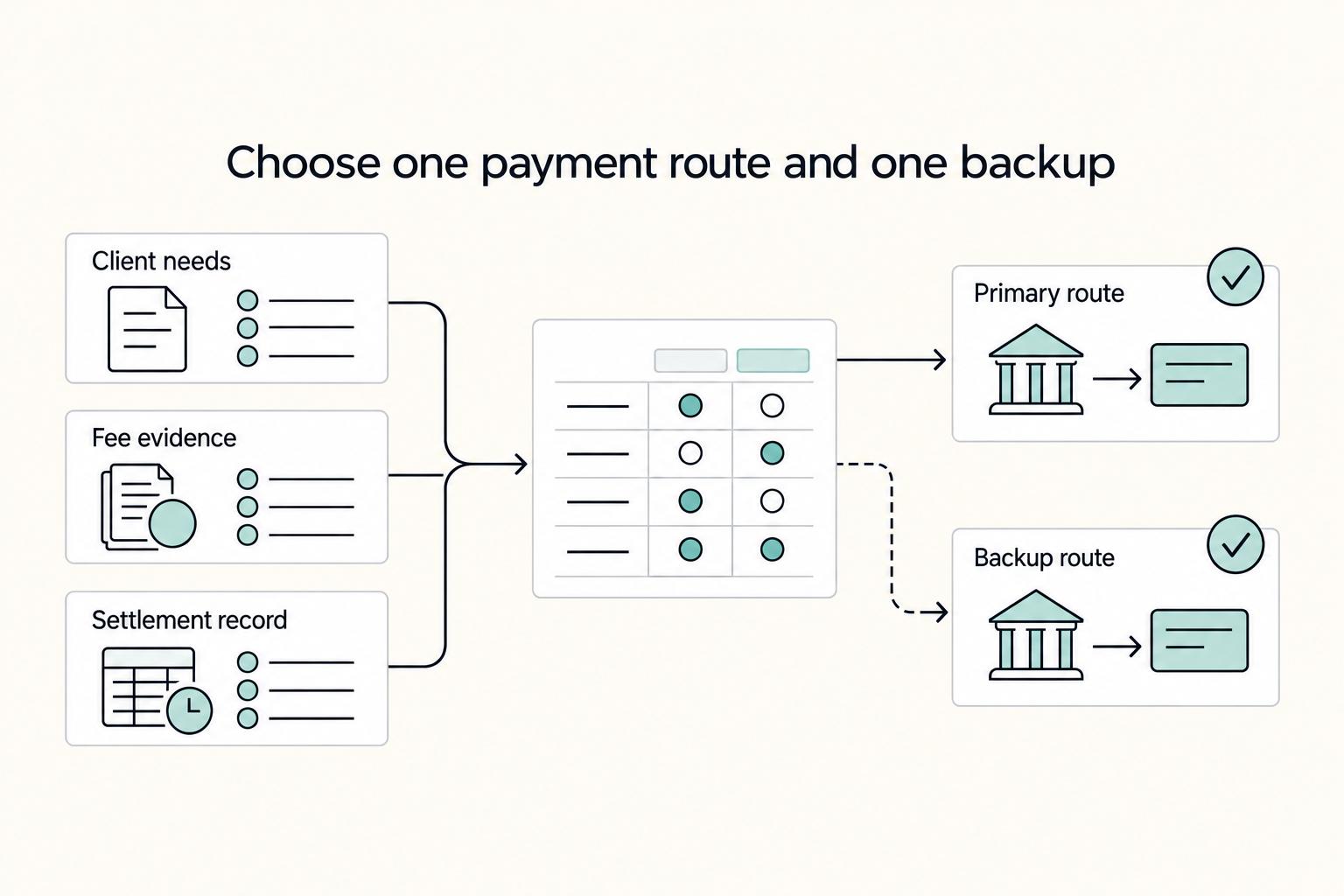
| Week 4 | Finalize one default route and one backup route (for now) | Client-facing payment instructions and internal verification checks | New invoices follow one documented default-plus-backup pattern |
Keep execution disciplined: standardize records first, compare like-for-like tests, and assign escalation ownership before locking your decision. If one route keeps creating manual fixes, choose the option your team can run more consistently.
At the end of 30 days, write a one-page decision note with three items: primary route, backup route, and the conditions that trigger a switch. This helps keep future decisions consistent as team members change or invoice volume grows.
Conclusion#
The right call is the route that gives you predictable net INR, cleaner reconciliation, and fewer payment surprises over repeated invoices.
Treat this as a rail decision tied to client behavior, not a brand decision. If clients can pay by bank transfer, prioritize the path with clearer landed-cost visibility and fewer manual corrections. If card checkout is necessary, plan for extra fee layers and closer monitoring.
Start with the published transfer fee, then account separately for GST, FX execution and sender/intermediary deductions. Reconcile all components to actual bank credit.
Reliability claims need the same discipline. Public comparison pages and review platforms can flag potential issues, but they are weak proof of your real payout outcomes. Therefore, your own invoice log should be the deciding evidence. For operating-control language around route switches and response windows, align this with How to Create a Service Level Agreement (SLA) for Your Freelance Services.
Before scaling, run one month of invoice-level testing and then lock one primary route plus one fallback route:
- Use a controlled sample with similar invoice size, client-country mix, and billing terms.
- Track each payment line by line: provider fee, partner-rail fee where relevant, GST, FX outcome, final INR credited, and time to credit.
- Flag every exception: delayed credit, unexpected deduction, unmatched reference, or return.
- Close only after every receipt maps to invoice and payment evidence in your books.
Once the month closes, make one final decision note and use it for every new client onboarding. Keep the default route clear, keep the fallback trigger explicit, and review outcomes after each close cycle. The setup that survives real operations with fewer exceptions is the one worth scaling.
Frequently Asked Questions
Is Razorpay or Skydo usually cheaper for international payments?
On published provider fees alone, a $1,000 transfer costs $10 with MoneySaver versus $19 with Skydo; a $5,000 transfer costs $50 versus $29. These are fee-only calculations before GST, FX and bank deductions. Custom terms and actual settlement results can change the choice. Compare the account-approved transfer route rather than mixing card and transfer prices.
What is the practical difference between Razorpay gateway and Razorpay MoneySaver Export Account?
MoneySaver is the international bank-transfer product; Razorpay’s broader gateway supports checkout use cases such as cards. A payment link is an interface, so confirm its underlying method. For MoneySaver, check export-purpose eligibility, enabled currency and invoice/buyer evidence. Its transfer documentation says refunds are unsupported; establish customer repayment handling before choosing it for refund-heavy sales.
When should freelancers prefer bank transfer or SWIFT over card checkout?
Choose based on how the client can and prefers to pay, then compare full landed cost. If a client can reliably pay via bank rails, test bank transfer or SWIFT against card checkout on matched invoices. Use card checkout when payer convenience is the main blocker to on-time payment. In practice, keep the decision invoice-level and recheck it when payment behavior changes.
What hidden costs should Indian exporters check before choosing a provider?
Do not stop at headline pricing. Check provider fee, partner-rail fee where applicable, for example PayPal fee if used, GST, and final INR after conversion for each invoice. If pricing is bundled and not rail-wise, ask for a line-item breakup before deciding. Track whether expected and actual fee categories match on each payout. Hidden costs often show up when route or fee components differ from what was expected at invoice issue.
Does Payment Aggregator status automatically make cross-border compliance easy?
No. Authorization status is a trust signal, but it does not by itself prove your internal reconciliation and record-keeping process is complete. You still need complete invoice-to-receipt traceability. Verify the provider’s current authorization and scope for the proposed route separately from your records. Complete invoice-to-credit evidence supports reconciliation; it does not by itself establish export, tax or payment-regulatory compliance.
What documents should I keep to avoid FIRA and reconciliation issues later?
Keep the invoice, payment reference, fee/FX records, bank credit and supplied remittance document. MoneySaver uses FIRS/eFIRC terminology in its materials; Skydo advertises FIRA. Confirm the document required by your bank and export workflow. At minimum, keep records that let you tie each client invoice to the incoming payment, applied fees and taxes, and final INR receipt in your books so month-end tie-back stays clean.
Try a related tool
Researched and edited by the Gruv editorial team. Gruv builds cross-border billing, payouts, and finance-operations software for global businesses.
Sources
Includes 4 external sources outside the trusted-domain allowlist.
Educational content only. Not legal, tax, or financial advice.
Related Posts

Indian Freelancer Payment Analysis That Protects Net INR
A USD 1,000 invoice can produce several partial payments and a bank credit reduced by fees. Track three amounts separately: the invoice balance, what the client paid, and net INR available in your bank. The last number helps cash planning; it is not automatically your profit or taxable income.

The Freelance Payment Penalty: A Modeled Audit of Platform Fees, FX Spreads, and Payout Delays
The money rarely disappears through a single, easy-to-spot fee. The real loss is stacked. A marketplace takes its commission, a processor adds a charge for international cards, a bank or payment company converts the currency at a spread, a platform holds the funds before release, and a wire sheds a little to intermediaries on the way in. Each layer looks defensible on its own, but the worker feels the combined result as a smaller deposit and a later payday.

How to Respond to a Subpoena for Business Records
Move fast, but do not produce records on instinct. If you need to **respond to a subpoena for business records**, your immediate job is to control deadlines, preserve records, and make any later production defensible.