
Quick Answer
Prototype Notion first when pages, SOPs and client context dominate; include Coda when table-driven formulas and actions are central. Both support relational data and automation. Choose the implementation that passes client access, approved-scope revision, duplicate-action and invoice-to-payment reconciliation tests in the plan you would buy.
Notion vs. Coda: Compare Them on Four Operating Tests#
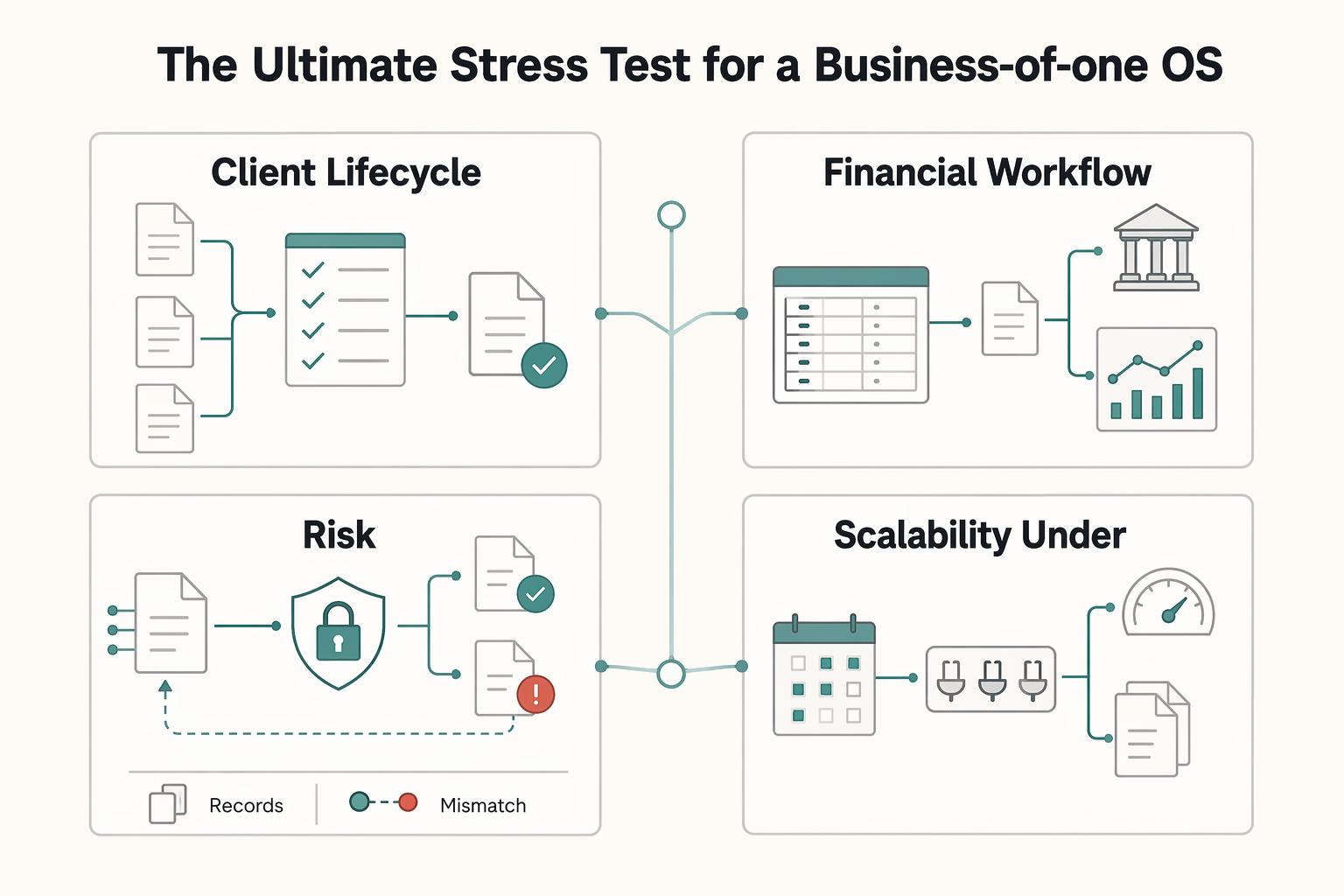
Choose a workspace around the work you repeat: presenting a proposal, receiving a client decision, checking an invoice balance, and handing a project to someone else. The four tests below give you a small pilot to run in either product before moving your operations.
| Operating test | Core lens |
|---|---|
| Client lifecycle execution | Present, collaborate, execute |
| Financial workflow reliability | Data capture, reconciliation process, calculation integrity, permission control, audit trail readiness |
| Compliance risk handling | Capture the event, classify the possible obligation, validate the calculation, log review, sign-off, and escalation |
| Scalability under operational load | Early solo, higher client load, multi-contributor operations |
These are proposed workflow tests, not measured product benchmarks. Both tools support connected records and automation. A manually entered value can be checked; an automated import can still be wrong. The useful test is whether missing records, duplicate entries, stale data and failed actions become visible before you act on them.
Start with Notion when pages, SOPs and client context dominate your work. Shortlist Coda when you want formulas, buttons and connected tables to drive a process inside a document. These are workflow preferences rather than exclusive capabilities: Notion also has relations, rollups, forms, database buttons and paid-plan database automations.
Coda became Superhuman Docs on July 8, 2026. This guide uses Coda for the familiar product name; its existing tables, formulas, Packs and workflows continue. Keep accounting entries, filings and executed agreements linked to their authoritative source rather than assuming a dashboard status proves completion. For more Notion examples, read A Guide to Notion for Freelance Business Management.
The First Test: The Client Lifecycle Hub#
Use the sequence present, collaborate, execute. Build the same client lifecycle in each candidate: one proposal, one decision, one delivery handoff. Compare how clearly the client can act and how much upkeep the operator needs.
Proposal pages, portals, and delivery trackers can look similar at first, but they break in different places once client changes start.
| Stage | Notion candidate | Coda candidate | Pass condition |
|---|---|---|---|
| Proposal | Page with scope, price and decision; link its approved artifact | Doc with scope fields, options and decision record | Client can identify the version and evidence of acceptance |
| Client portal | Shared pages; use actual permissions or plan-supported page-level rules | Separate client doc when other clients’ records must remain private | Test account cannot open, search or navigate to another client’s data |
| Delivery | Related project/task databases and a button or eligible automation | Related tables and an action or automation rule | One decision produces the intended task, with visible failure and safe retry |
Present#
At proposal stage, clarity comes first. You need scope, timeline, price, and the next decision in a format the client can absorb quickly. If your proposal is mainly a communication artifact, Notion often fits that job well.
Standardize intake fields, approval states and handoff artifacts. Keep the accepted scope and the evidence of acceptance together. A live page is editable: save the approved version or executed agreement with its date and approver. A later scope change needs a new revision and decision rather than silently overwriting what the client accepted.
An interactive proposal can work in either product. Notion forms collect submissions into a database, including from people outside the workspace; its buttons can take database actions. Coda combines table inputs, buttons and formulas inside a doc. Test the actual input and approval path, including a client who has only the access you intend to grant.
Collaborate#
Client access is a stronger deciding factor than page appearance. A filtered view is not an access boundary. In Notion, share the intended pages and check inherited permissions; Business and Enterprise support database page-level rules. Broader database or workspace access can override a restrictive rule. In Coda, sharing a doc gives access to the doc, not just the page a link opens. Hidden pages are an organizational feature, not security. Use a separate client doc containing only that client’s data when isolation is needed.
The first failure point is split context: documentation in one place and execution in another. That slows handoffs and increases missed details. Prevent that by standardizing the same core touchpoints in your chosen tool: intake fields, clear approval states, and one handoff artifact location.
Execute#
Test one status change through to its delivery task and notification. Notion paid plans support database automations, but one automation cannot trigger another; user button actions can trigger them. Coda supports event and time triggers, conditions and actions. Verify permissions, integration credentials, quota and the activity record for the actual rule. A visible Approved label alone does not prove a downstream action ran.
| Workflow item | Pilot test | Pass condition |
|---|---|---|
| Approved proposal | Create a new scope revision after acceptance | Original accepted artifact stays available; new price/date requires a new decision |
| Client decision | Submit input with the intended client access | Decision has identity, date and scope version; other clients’ data stays inaccessible |
| Final handoff artifact | Create the delivery record, then repeat the action | Correct artifact and owner appear once; retry does not duplicate the handoff |
Run the three tests in the table with sample records. Then click the approval action twice and interrupt one downstream step. You should see one intended handoff, an identifiable failure and a way to retry without duplicating work. Do this in a pilot before connecting actions that send client messages or change financial records.
Check the access model before buying. Notion charges for paid workspace members; guests are free and limited to invited pages, with plan-specific guest limits. Coda’s Docs Maker model charges paid Makers, including workspace admins; editors and viewers are free within that model. An editor can update an existing page but cannot create docs or pages. New Superhuman suite subscriptions and legacy Coda workspaces have different purchase paths, so compare the exact checkout for your workspace. For new subscriptions, the Superhuman suite page currently displays Pro at US$12 per member per month billed annually (US$15 monthly) and Business at US$33 annually billed per month (US$40 monthly). Existing Docs workspaces can retain legacy pricing. The suite uses member pricing language while Docs help describes Maker billing: confirm which roles are billable in your actual purchase path before multiplying a headline price by seats. Rates, tax and entitlements can vary by region and contract.
For the client test, favor the implementation that gives the client the right information and action without exposing another client’s records. A readable Notion portal is a useful starting point for documentation; a Coda doc is worth testing when several related records drive a decision. Either candidate must pass the same access and change-control checks.
For an agency workspace example, see How Agencies Use Notion Teamspaces. Review sharing separately from the layout: putting a page in a teamspace does not establish client isolation.
Financial Operations: Can You Trust the Numbers on Your Dashboard?#
Both products can connect invoice, payment and project records. Notion offers relations and rollups; Coda offers relation columns and formulas that reference related rows. Decide by whether you can inspect the calculation and reconcile it to your accounting and payment sources, rather than by a presumed winner for financial accuracy.
Treat this as a reliability check before you trust any number:
- Data capture: define where each value is entered first so it is not retyped in multiple places.
- Reconciliation process: compare dashboard totals against your accounting source on a fixed cadence.
- Calculation integrity: test key formulas with manual spot checks before relying on outputs.
- Permission control: limit who can edit source tables and logic fields.
- Audit trail readiness: confirm you can explain what changed, by whom, and when.
| Decision criterion | Notion build | Coda build | Reliability check |
|---|---|---|---|
| Connected records | Relations and rollups between database pages | Relation columns and related-row formulas | Invoice, payment and allocation have stable source IDs |
| Calculations | Inspect properties, formula and rollup definitions | Inspect formula columns and referenced tables | Partial payment, fee and reversal reproduce the expected amounts |
| Actions | Database buttons and eligible paid-plan automations | Buttons and event/time automation rules | Action result is verified, not inferred from a status label |
| Error exposure | Missing links or incorrectly included rollup records | Incorrect relations, formula scope or duplicated actions | Show stale, duplicate and unmatched records as exceptions |
| Handoff | Explain linked sources and database access | Explain base tables, relations and connected accounts | Another operator can trace and correct a discrepancy |
Use the dashboard to monitor invoice balances, expected receipts and project status. Keep posted accounting entries and reconciled payment records in their established systems. Give each imported record a source ID and timestamp, and show the last successful refresh. Unknown, stale and unmatched are useful states; do not display them as paid or complete.
For an illustrative single-currency test with no tax or credits, invoice A is $1,200 and invoice B is $800: invoiced total is $2,000. Payment P1 settles $600 of A; payment P2 settles $800 of B. Gross receipts are $1,400 and outstanding receivables are $600. A processor fee of $42 means the bank receives $1,358, not $1,400. Match invoice total to the invoice source, gross receipts to settled payments and net cash to the bank, with fees separately identified. None of these totals should be forced to equal another.
Model Invoices, Payments and Allocations separately. An allocation links a payment to an invoice and records the amount applied; this handles partial payments and one payment covering several invoices without duplicating the payment total. Reject duplicate source IDs, flag allocations above the payment or invoice amount, and test a reversal. Compare each currency separately before applying a documented exchange rate. For a simple project contribution example, $2,000 earned revenue less $700 direct delivery costs is $1,300 before overhead and tax; the invoice alone does not establish that all revenue has been earned. In a legacy Maker-billed workspace, one builder and three editors means one paid Maker, provided the editors do not need to create pages or use paid Maker AI features. A Notion owner and three invited page guests can also have one paid member, within guest rules. Cost depends on the required roles and features, not the headcount alone.
At month-end, compare each metric on the same date, currency and accounting basis as its source. Keep unmatched items in an exception list with an owner and next action. A bookkeeper should be able to follow an invoice to its allocations, payments, fees and bank settlement. Do not have a dashboard button initiate a refund or payout merely because a formula says a balance exists.
The Compliance and Risk Dashboard: Its Job and Its Limits#
Use this dashboard to control process quality, not to make final tax or legal decisions. Both tools can help you monitor obligations and review flow, but neither replaces specialist advice or your final determination workflow.
The key test is simple: does your setup help you capture events, classify obligations, validate calculations, and escalate edge cases before deadlines slip?
What a reliable compliance dashboard should do#
Run the same four-step workflow every time:
- Capture the event.
- Classify the possible obligation.
- Validate the calculation against a current source.
- Log review, sign-off, and escalation.
Store source records, not just conclusions. A practical record includes event date, jurisdiction, entity or client, obligation type, source document link, status, reviewer, and notes. Use a note like: Current threshold pending legal or source-record verification. That keeps you from hard-coding assumptions that may be outdated.
Where each tool fits in practice#
Either tool can hold the event register, supporting links, review state and reminders. Notion is a useful candidate for an obligation page with narrative context; Coda is a useful candidate when related events feed a calculation or action. Both support relational tracking, so choose the build you can explain and maintain.
Automation helps with follow-through, but it does not remove input risk. If an event is entered late, classified wrong, or tied to the wrong jurisdiction, the system can scale the error just as quickly as it scales the workflow.
| Decision point | Notion implementation | Coda implementation | Control check |
|---|---|---|---|
| Primary role | Obligation pages with context, related records and review states | Obligation rows with relations, formulas and review states | Start with one obligation and preserve the supporting event |
| Workflow actions | Eligible automation or button updates a task or reminder | Rule or button updates a related task or reminder | Verify completion evidence independently of the dashboard status |
| Main failure mode | Readable page based on incomplete or stale source data | Formula or automation based on incomplete or stale source data | Trace the result to a dated source and last review |
| Handoff | Document page structure, properties and permissions | Document tables, formula definitions and Pack dependencies | Someone else can inspect the result and operate the fallback |
Advanced Coda builds can be powerful, but they also raise adoption and handoff risk if the logic is hard to inspect. If future-you or an advisor cannot quickly follow the system, the dashboard is too complex for compliance monitoring.
Control checklist before you trust the dashboard#
| Control | What to confirm |
|---|---|
| Source records | Every item links to the underlying event, document, or advisor note |
| Reconciliation cadence | Review on a fixed schedule against current source materials |
| Change log | You can see what changed, when, and why |
| Permission boundaries | Separate who can edit source data from who can review |
| Reviewer sign-off | Record who verified and whether advisor escalation was required |
Use the workspace for preparation, monitoring and the evidence index. A filing is complete when the filing system supplies its receipt, not when a row turns green. Escalate genuinely uncertain classifications or calculations to the appropriate advisor, and record the decision and source date. Straightforward checklist items can be reviewed by their responsible owner without turning every update into a legal consultation.
For a related workflow walkthrough, read How to Create a Content Workflow in Notion for a Marketing Team.
The Scalability Test: More Records, Clients and Contributors#
Use a stage-based lens here: early solo, higher client load, then multi-contributor operations. Choose the platform that matches your workflow complexity and the maintenance you are realistically willing to own over time.
Performance under real operating load#
At the early solo stage, try one workflow with a few realistic exceptions. At higher client load, use the approximate number of records, attachments and simultaneous contributors you expect next quarter. At a multi-contributor stage, add another person who must understand the model, fix an exception and operate the manual fallback.
Measure the views and actions you will actually use: opening the client page, filtering overdue work, recalculating a balance and finishing an approval. Record the sample size, device and connection, elapsed time and any failures. Repeat after adding the expected next-quarter load. A slow view or formula is evidence about that build; it does not establish a universal platform ranking.
Check plan limits as well as observed performance. Coda Free personal docs have no object or row cap, but shared docs are limited to 50 objects and 1,000 table rows per doc; exceeding a limit starts a 14-day grace period before read-only status. Notion Free has unlimited blocks for individuals and limited blocks with two or more members, plus a 5 MB file-upload limit. Paid features and technical limits still need checking against the real workflow. Revenue of $80,000 or $250,000 does not predict record volume or complexity.
Automation and the admin tax#
At higher volume, the bottleneck is usually admin tax, not just page speed. The question is whether routine handoffs and approvals stay reliable without constant manual babysitting.
Use native automation when it makes the process easier to inspect. Notion’s automation-chaining restriction matters if one status update is meant to start another rule. Coda rules can combine conditions and actions, but quotas and connected-account permissions still matter. Test an expired integration credential, a missing required field and a duplicate trigger. The owner needs a visible failure record and a safe manual path.
Use a simple automation register so failures do not turn into silent rework:
- Trigger
- Expected result
- Owner
- Manual fallback
- Last test date
Add the affected record ID, last successful run and retry result to that register. Before retrying a failed rule, check whether part of the action already happened. A client email, created invoice or handoff task should not be duplicated because a later step failed.
| Cost and upkeep | Notion | Coda / Superhuman Docs | What to test |
|---|---|---|---|
| Access economics | Paid workspace members; page-specific guests are free within plan limits | Paid Makers and admins in Docs Maker billing; editors/viewers free | List builders, editors, reviewers and AI users; verify suite versus legacy checkout |
| Integrations | Map each native or external connection and required permissions | Map Packs, connected accounts and sync dependencies | Price required connections and test credential failure |
| Automation | Paid-plan eligibility and non-chaining behavior affect design | Free/Pro quotas and higher-plan entitlement affect design | Estimate monthly runs, retries and exception handling |
| Governance | Page hierarchy, database sharing and source definitions need ownership | Doc-wide sharing, base tables and formula definitions need ownership | A second person can inspect and safely operate the workflow |
| Exit | Export pages and databases; document relation and automation logic | Export pages/tables; document formulas, Packs and actions | Retrieve evidence outside the app and identify what must be rebuilt |
Choose the implementation that survives the pilot with manageable upkeep and access rules. If the next stage is mainly documentation and client context, start with a Notion prototype. If it depends on formula-driven actions across tables, prototype Coda as well. Compare your recorded results rather than assumed speed or scaling claims. For another shortlist, see Airtable vs. Notion vs. ClickUp.
The Verdict: Choose by How Your Work Actually Runs#
Choose by the workflow that consumes your time. Documentation-heavy work makes Notion a sensible first prototype; table-driven actions make Coda a sensible additional candidate. Neither preference removes the need to test the other tool’s relevant capabilities.
Choose Notion when a clear page hierarchy, SOP library and client context solve most of the problem. Choose Coda when formulas and actions inside connected tables are central to the process and you are willing to maintain them. If your existing Notion build already passes those tests, complexity alone is not a reason to switch. Conversely, a simple Coda doc can work well without a large custom system.
| Tool | Start here when | Tradeoff to test | Reconsider when |
|---|---|---|---|
| Notion | Pages, SOPs, proposal context and client documentation dominate | Required formulas, actions and page-level permission features work in the chosen plan | The tested workflow still needs repeated copying or unsafe access |
| Coda / Superhuman Docs | Related tables, formulas and actions drive daily work | Doc isolation, Maker/editor roles, rule quotas and maintainability fit | You spend more time maintaining the model than using it, or cannot isolate client data |
Keep an explicit source map: accounting system for posted entries, payment provider and bank for settled funds, filing portal for submission receipts, and executed-document repository for signed terms. The workspace can index and coordinate those records. Its suitability for storing other records depends on your retention, access and export requirements; a product name alone does not decide that.
After you choose, pilot one core workflow first, for example intake, delivery, or approvals. Validate it with real records, test what happens when something fails, and document the manual fallback. Once that pilot is reliable, layer specialized tools where risk is higher.
For a step-by-step walkthrough, see How to Create a Help Center for Your Product Using Notion.
Make the Choice with One Complete Pilot#
Pick one representative client project and take it from intake to approved scope, delivery handoff and reconciled payment. Keep the four tests together: a workspace that is pleasant to read but exposes client data, duplicates a handoff or hides a settlement mismatch has not passed.
Use AI to draft a summary or suggest a table structure, then inspect the result against the source record. Do not let a generated answer silently change an approved price, payment status or filing deadline. The current products offer broader AI capabilities than the old page-only description, but useful automation still needs permission, review and a record of what happened.
Test exit and recovery before the workspace becomes hard to replace. Export a sample page and table, then retrieve the approved proposal and supporting files outside the app. Notion’s workspace export is not an instant full restore. A CSV or PDF also does not reproduce a working automation. Save source IDs, field definitions, formulas, permissions and integration dependencies so the next operator can rebuild the process.
| Function | Useful workspace role | Change the design when | Required result |
|---|---|---|---|
| Notes and SOPs | Drafting, context and shared reference | Search or access causes repeated errors | Clear ownership and correct permissions |
| Tasks and connected records | Status, actions and handoffs | Partial failures or duplicate actions recur | Visible exceptions and safe retries |
| Invoice and payment tracking | Dashboard linked to accounting and settlement sources | Source IDs, allocations or reconciliation cannot be explained | Authoritative entries and traceable settlement evidence |
| Compliance checklist | Deadline, owner, evidence links and review state | Status drifts from actual filing or signed artifact | Dated source evidence and documented completion |
For your next operating cycle, do three things:
- Mark the source of each critical record and assign its owner.
- Run client access, revision, duplicate-action and reconciliation tests in one pilot.
- Retrieve an export and supporting evidence outside the app; redesign any part that fails before expanding it.
This pairs well with our guide on A guide to using Notion 'Databases' for freelance project management.
Frequently Asked Questions
Is Notion or Coda better if you run a solo business?
Prototype Notion first for pages, SOPs and client context; include Coda when formulas and actions across connected tables dominate the work. Both offer relational data and automation. Run the same intake, approval, handoff and reconciliation tests, then choose the build with clearer permissions and less maintenance for you.
When should you choose Notion first vs Coda first?
Choose Notion first for a knowledge hub or documentation-led client portal. Include Coda first when the main task is a table-driven workflow with calculations and actions. These are starting preferences, not capability boundaries: test one real status change, a missing input and a failed action in the plan you would buy.
Which tool is better for client management and proposals?
Both can present proposals and collect structured client input. Notion offers forms and database buttons as well as readable pages; Coda combines forms, tables, formulas and actions in a doc. Save the approved scope version and evidence of acceptance. Test client isolation: a filtered view or hidden page is not sufficient protection.
Can you build a financial dashboard in either one?
Yes. Use relations to connect invoice, payment and allocation records and reconcile each metric to its own source. In the example, $2,000 invoiced, $1,400 gross receipts and $1,358 net bank cash are different valid totals. Keep fees and outstanding balances visible; do not infer settled funds or earned revenue from an invoice status.
What are the main limitations as your business grows?
Check actual record volume, formulas, attachments, contributors and access rules. Coda Free shared docs have 50-object and 1,000-row limits; Notion Free collaboration and upload limits can also affect a pilot. Measure your own views and actions at expected load, test integration failures, and make sure another person can operate the fallback. There is no benchmark in this guide establishing a universal scaling winner.
How should pricing affect your decision?
List who needs to create pages, edit records, review and use AI. Notion paid membership and page-specific guest access differ from Docs Maker billing, where editors and viewers are free. Coda is now Superhuman Docs; existing workspaces can retain legacy plans while new subscribers use the suite purchase path. Compare the exact plan, billing period, region, required features and checkout instead of applying an old $10 or $30 price to everyone.
Can either tool handle finance or compliance tracking by itself?
Either can coordinate deadlines, review and evidence links. Keep posted accounting, settled-payment evidence, filing receipts and executed agreements linked to their authoritative sources. A dashboard status does not prove a filing or payment occurred. Store other records only after checking retention, permissions and export requirements for the workflow.
Try a related tool
Researched and edited by the Gruv editorial team. Gruv builds cross-border billing, payouts, and finance-operations software for global businesses.
Sources
Includes 7 external sources outside the trusted-domain allowlist.
- help.coda.io/hc/en-us/articles/39556004184077-Roles-in-Co...external
- help.coda.io/hc/en-us/articles/39555738876813-Share-your-docexternal
- help.superhuman.com/hc/en-us/articles/46210093285773-What-s-chan...external
- help.superhuman.com/hc/en-us/articles/46210161369741-Superhuman-...external
- notion.com/pricingexternal
- notion.com/help/relations-and-rollupsexternal
- superhuman.com/plansexternal
Educational content only. Not legal, tax, or financial advice.
Related Posts

A Guide to Notion for Freelance Business Management
If your workspace feels busy but fragile, you do not need more pages. You need one connected system. Treat your freelance business like a business-of-one and use Notion as the control layer that connects client decisions, delivery, and billing in one place.
Airtable vs Notion vs ClickUp for Freelancers Building a Reliable Stack
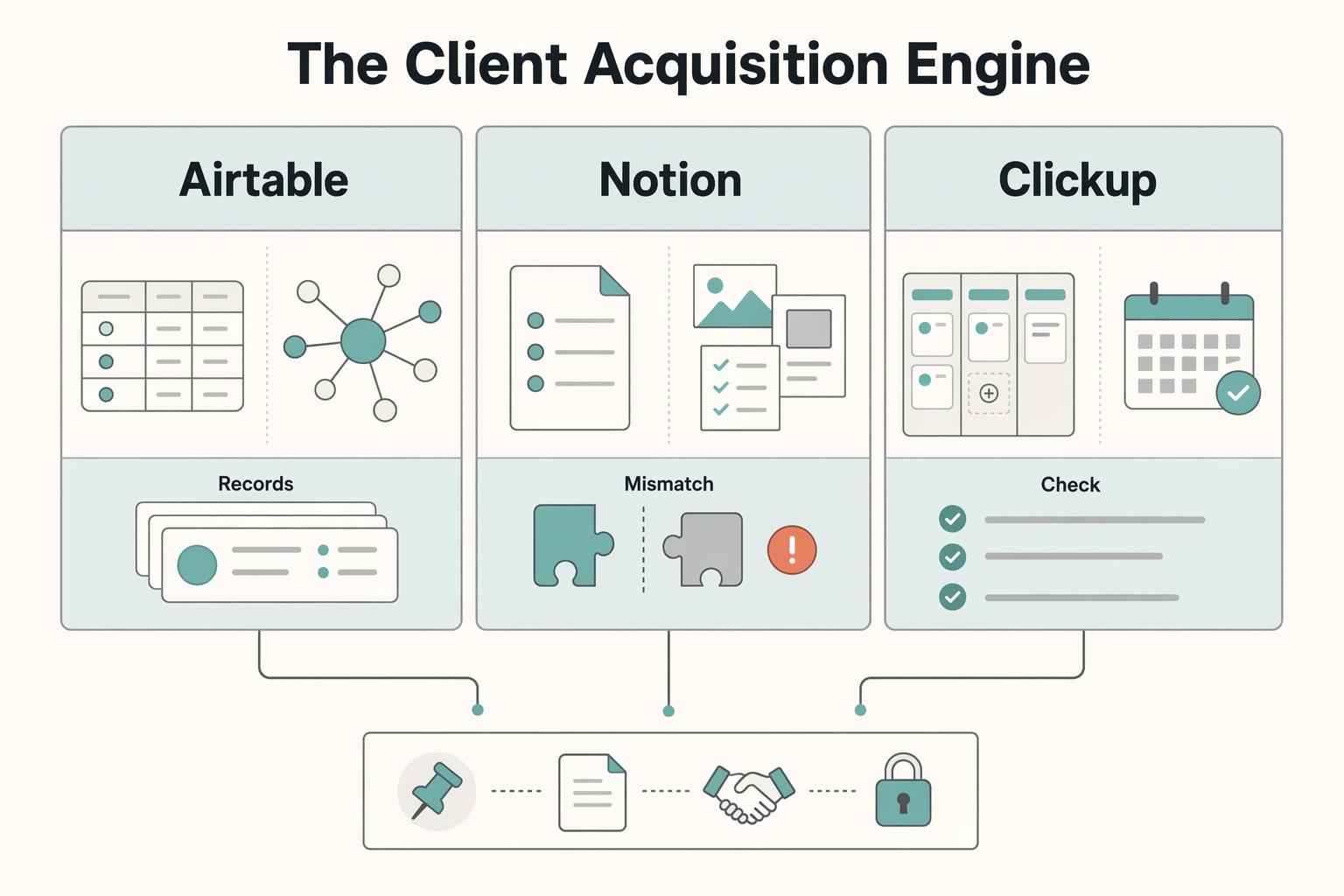
Airtable, Notion, and ClickUp solve different operating problems. Airtable is strongest when clients, contacts, projects, and deliverables need to stay linked. Notion fits doc-led selling and delivery. ClickUp works best when assigned follow-up and visible stage control matter most.

The Freelance Payment Penalty: A Modeled Audit of Platform Fees, FX Spreads, and Payout Delays
The money rarely disappears through a single, easy-to-spot fee. The real loss is stacked. A marketplace takes its commission, a processor adds a charge for international cards, a bank or payment company converts the currency at a spread, a platform holds the funds before release, and a wire sheds a little to intermediaries on the way in. Each layer looks defensible on its own, but the worker feels the combined result as a smaller deposit and a later payday.