
Quick Answer
Start with one clear Asana operating sequence: pick the right structure, launch from a reusable Project template, run a weekly decision cadence, and close with approval and record checks. For managing consulting project in asana, keep each change request in a visible lane, convert approved asks into scheduled tasks, and link status updates to milestone evidence so your client sees what shipped, what is blocked, and what decision is needed.
Build one working record before kickoff#
If your delivery record is split across email threads, meeting notes, chat messages, and your own memory, you take on avoidable risk before the project even starts. The goal here is simple: set up one consistent working record for ownership, deadlines, dependencies, and status decisions so nobody has to guess what happens next.
Most people searching for "managing consulting project in asana" are trying to fix exactly that. The problem is not learning where to click. It is keeping important decisions from scattering the moment a client adds stakeholders, asks for changes, or wants faster updates. Once that happens, the project can still look active while the basics stay unclear: who owns the next step, which date is committed, what is blocked, and where the last decision was actually recorded.
Communication quality often determines whether capable teams deliver cleanly or spend their time fighting preventable confusion. The discipline that helps is deliberate planning: identify stakeholder needs early, choose the right communication channels in advance, and use consistent protocols so updates are predictable instead of improvised. In practice, that means not waiting until week three to decide where approvals live, how status gets shared, or which issues belong in a meeting instead of an email thread.
A good opening checkpoint is blunt. If someone new joined the engagement tomorrow and opened your project record, could they verify the current owner of each major task, the next milestone, the dependency path, the latest status call, and any active blocker without asking you for a separate briefing? If the answer is no, your record is incomplete. That is the standard this article works toward.
You also need to be honest about failure modes early. One common pattern is assuming shared understanding without validating it. A client says "looks good," your subcontractor hears "ready to start," and you hear "approved for final delivery." Another is using email for communication that is too complex or sensitive for a loose thread. If the project has a hard decision, a dependency conflict, or a scope-impacting request, resolve it in the right channel. Then reflect the outcome back into the project record so the team can act on it.
Here's the operating sequence that matters most:
- Setup
You will choose a structure and create a project layout that makes ownership, milestones, and blocker visibility obvious before work starts.
- Weekly control loop
You will build a repeatable review habit so status updates are tied to real progress, real risks, and real decisions instead of optimistic summaries.
- Closeout sanity checks
You will finish with a short verification pass that catches missing approvals, loose ends, and undocumented decisions before they become expensive follow-up work.
That sequence matters because setup errors are cheap to fix early and annoying to fix late. If you start execution before ownership is clear, every later status update gets weaker. If blockers are visible but not tied to a decision owner, they linger. If milestones exist but acceptance is not documented, closeout turns into reconstruction work. This article is built to prevent that pattern.
Before you move on, make one decision: which project communications belong in your project record and which need a different channel, then make sure the outcome comes back into the record. Match the channel to the message complexity and the audience. A simple progress note can stay lightweight. A sensitive issue, approval decision, or disputed change needs more care, more context, and a clear written result.
If your bigger challenge is coordinating several client engagements at once, the next useful read is Use Asana Portfolios to Manage Multiple Agency Clients. For this article, though, we are staying focused on one engagement and building the project record correctly from the start. We covered this in detail in How to Manage a Software Project in ClickUp with a Remote Team.
Choose the right Asana structure before you create anything#
Before kickoff, decide your operating model. If objectives, scope, cost estimates, and stakeholder approval are not clear yet, pause setup and resolve those first.
Asana can organize execution, but it cannot fix missing project controls. Treat your budget as both a planning tool and a control mechanism, and set up your record so budget-affecting decisions always map to a clear owner and approval point. Start with the simplest structure you can run consistently, then add layers only when a real reporting need appears.
Decide these three things first#
| Decision | Verify before kickoff | Action trigger | Do not do this yet |
|---|---|---|---|
| Access boundaries | Which people need day-to-day working access | When access needs are stable, place work where that group can operate without constant exceptions | Do not split structures just because many stakeholders exist |
| Record ownership | One person is accountable for keeping status, dates, and approvals current | If ownership is unclear, assign it before setup | Do not make reusable setups while ownership is shared or vague |
| Cross-project reporting | A defined audience needs the same summary across active engagements | If leaders review multiple engagements together on a recurring cadence, define the exact rollup questions first | Do not add reporting layers before project-level status is reliable |
Pre-setup validation checklist#
- Where status lives
Use one primary status location. If updates are split across email and chat, fix that before you build.
- Who approves phase gates
Name the approver for each major handoff. If a decision changes spend or timing, tie it to the budget record, not a loose comment.
- Who needs rollup access
List the specific people and the exact question each person needs answered.
A common failure mode is adding reporting structure before the team agrees on what statuses and approvals mean. Keep your pre-kickoff evidence simple: approved scope, cost estimate, named approver, and one status location people actually use.
If your main challenge is cross-client visibility, read Use Asana Portfolios to Manage Multiple Agency Clients.
Build a reusable project template that matches consulting reality#
Build your template around phase gates, not task volume, so approvals and delays show up before they become delivery risk.
Use the five-phase model as your base shape: initiation, planning, execution, performance, and closure. Keep initiation explicit, because it is where you define purpose, scope, and business value, then secure stakeholder buy-in before heavy execution starts.
Define each phase gate the same way#
For every phase, document these three items in the gate task or phase notes:
- Entry criteria: what must already be true before work starts
- Exit criteria: what must be completed or approved before work moves
- Dependency visibility: what downstream work is waiting on this gate
If something is waiting on review, approval, or a decision, track it on the gate itself, not only in comments. That keeps waiting work visible and makes delays easier to diagnose.
Standardize handoff data so decisions are clear#
Keep handoffs simple and consistent across projects in the same service line. At minimum, each handoff should show the owner, the decision needed, and what is blocking movement.
If you use Approval tasks for internal signoff, keep client decision tracking separate so you can quickly tell whether the blocker is internal review or external response.
Run a template QA pass before live kickoff#
Test the template in a non-client project, then verify:
- Ownership clarity: each active task and gate has one accountable owner
- Dependency integrity: waiting work is linked to what it depends on
- Gate readiness: each phase has clear entry and exit checks
For template versioning, keep service-line variants only where delivery actually differs. Log client-specific exceptions in the live project first, and only promote them into the master template after they repeat and prove useful.
After this is stable, use Use Asana Portfolios to Manage Multiple Agency Clients for cross-project rollups.
Launch your first project in 30 minutes with a strict order of operations#
Once your template is stable, launch discipline matters more than speed. Use this order every time: assign owners first, map dependencies second, and only then set milestone dates. If you reverse it, your timeline can look clear while the work is still unowned or sequenced incorrectly.
| Order | You do this | Output artifact |
|---|---|---|
| 1 | Create a new project from your saved template, rename it for the client and engagement, and confirm the phase gates and milestones imported correctly. | Project created from template; phases and milestones visible |
| 2 | Assign one owner to each gate and each task that unlocks downstream work, starting with approvals, discovery inputs, and client-facing deliverables. | Single-owner assignment complete on critical tasks |
| 3 | Link blocking and blocked tasks, review the path in Timeline, and resolve any red dependency conflicts before kickoff. Set milestone dates only after owner and dependency checks are complete. | Dependency path confirmed; conflicts resolved; milestone dates set after gating checks |
| 4 | Create a decision log inside the project, then post the initial status update with project health and meeting rhythm. | Decision log location set; kickoff status update posted |
| 5 | Run a capacity check and reassign, defer, or flag overloaded work before start. Use Workload if your plan includes it. | Capacity check completed; overload actions recorded |
Step 3 is the main control point in practice. Milestones mark significant checkpoints, but they do not fix sequencing by themselves. Keep the gate explicit: no milestone dates until critical owners are assigned and the dependency path is verified. If you rely on dependency auto-shifting, make sure both linked tasks have due dates first.
Communication setup belongs in the same launch sequence. Keep kickoff decisions in the project record instead of scattering them across inboxes. Post a status update right after the internal pre-kickoff so health is visible, for example on track or at risk, and project members get the update in Asana inbox. If you want a clean handoff into this moment, The Client Onboarding Blueprint fits naturally before this step.
Go or no go launch check#
Before you bring the client into active delivery, run this check for each phase:
- One key task has a named owner, and that owner is one person
- One key task has a visible due date
- One dependency path shows what must finish before the next step can start
If any phase fails one check, treat launch as no-go and fix it first. The usual failure mode is fake clarity: milestones exist, but the tasks that make them possible are still unowned or unclear.
If Workload is not available#
Workload is tier-dependent, so keep a fallback in the project. Add a temporary Capacity Check section with one task per delivery owner, log their current commitments, and record a clear yes/no on whether they can take this project as planned. It is simpler than a centralized capacity view, but it still forces a real kickoff decision before overbooking turns into missed dates.
Run a weekly delivery cadence that surfaces risk early#
Hold one weekly decision review, and do not end it until you have updated tasks, owners, dates, or an escalation in Asana.
Weekly run-of-show (in order)#
| Step | Owner | Output in Asana |
|---|---|---|
| Health check | Delivery lead | Current health label plus the evidence behind it |
| Capacity rebalance | Delivery lead with task owners | Reassigned owners or updated due dates on affected tasks |
| Risk log review | Risk owner for each issue | Updated issue records with a clear next decision point |
| Escalation decision | Named escalation owner | Escalation record plus synced updates on impacted tasks |
- Health check: Set health first, before discussion drifts.
- Capacity rebalance: Check who owns the next blocking work and whether dates are still realistic.
- Risk log review: Review your risk/blocker lane with a consistent format.
- Escalation decision: Escalate immediately when the room cannot approve the fix or when client-facing commitments are affected.
Use a compact status framework#
| Health label | Task-level evidence | Blocked dependency | Next decision needed |
|---|---|---|---|
| On track | What is complete now | What could still block | What to confirm next |
| At risk | What is late/slipping now | What is currently blocked | What tradeoff to decide now |
| Off track | What cannot be met as planned | What is preventing recovery | What must be escalated now |
If you are not using Workload#
Run the same capacity check inside the project: view tasks by assignee, scan near-term due dates, and focus on tasks that unblock other work. If ownership or timing is not credible, update it during the meeting.
Keep one risk/blocker format#
For each issue, track the same fields every week:
- Impact on delivery or client commitment
- Current owner
- Decision required
- Next review point
- Linked task(s) or milestone affected
Need the full breakdown? Read Using Airtable for Freelance Project Management That Stays Reliable.
Control scope changes before they erode margin#
Control scope by forcing every new ask through one intake path: decide it there, then schedule only approved changes with a clear owner, due date, and sequence.
Keep each change item easy to audit. Capture:
- requester
- affected deliverable
- short delivery impact note
- decision owner
- decision status
- commercial outcome
That keeps delivery and commercial decisions in one record instead of split across comments or email.
| Area | Included now | Needs change request |
|---|---|---|
| Deliverables | Clarifying a point already covered in the agreed deck | Adding a new analysis section, workshop, or revised deliverable |
| Timeline | Small date adjustment inside the current phase with no milestone change | Moving a client-facing milestone or extending a review window |
| Coordination | Using the standing project check-in already planned | Adding extra stakeholder meetings, approval rounds, or reporting prep |
Use one completeness check: a request is not finished until both delivery impact and commercial treatment are recorded on the same item, then reflected in the live plan. If a request changes staffing or weekly hours, treat it as a margin decision, not just a scheduling update. Generic project management tools can handle tasks and flat hourly assumptions, but effective cost can shift with utilization; in the source example, a $10,000/month employee is effectively $200/hour at 50 project hours and $1,000/hour at 10 hours.
If you use Asana rules, keep them narrow: decision status changes to approved, the item moves to the approved lane, and the follow-up approval or implementation task is created. Keep manual review for high-impact requests before scheduling, especially when they affect scope, staffing, or client-facing dates.
You might also find this useful: How to Write a Proposal for a Six-Figure Consulting Project.
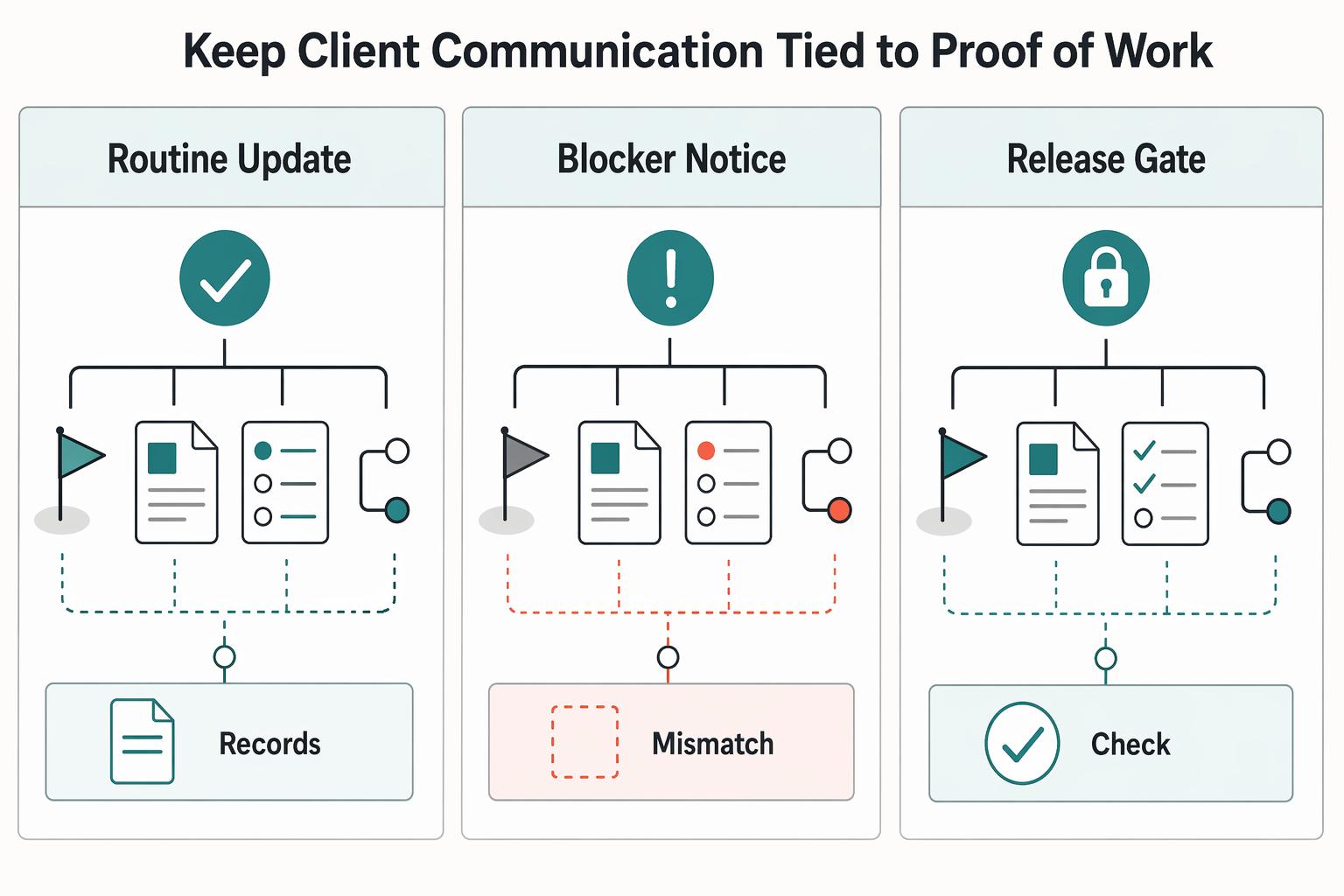
Keep client communication tied to proof of work#
Keep every client update tied to visible work in your project record. If a status note cannot be traced to evidence, you are more likely to say "on track" while a key dependency is slipping.
Use this format in every update: what you completed, what is at risk, and what you need from the client now. For each point, link to the same record: the milestone, the deliverable or draft, the current task state, and the open dependency. That keeps your updates verifiable instead of subjective.
| Update type | Required proof | Client response needed |
|---|---|---|
| Routine update | Current milestone, completed task or deliverable link, next dependency | Confirm alignment or no action |
| Blocker notice | Blocked item, cause of block, affected date or deliverable | Unblock, reprioritize, or assign reviewer |
| Approval request | Final draft or decision memo, named reviewer, due-by date | Approve, reject, or request changes |
Before you send any update, run one check: every claim should have a clickable trail. If you say a workstream is complete, include the deliverable link. If you say something is at risk, name the exact dependency and who owns it.
After meetings, turn every decision into a tracked record with an owner, due state, and a dependency link to the delivery work it changes. Then close each phase with one proof-of-completion checklist: deliverable link, reviewer, and explicit acceptance signal before you mark the phase complete.
Related reading: The 3-Stage Notion Setup for Freelance Project Management.
Sanity checks that prevent expensive mistakes#
Protect delivery and margin by running three checks every time: before dates are locked, during active delivery, and before archive. In each check, verify proof in the project record, not good intentions.
| Checkpoint | Risk signal | Proof to confirm in Asana | Immediate corrective action |
|---|---|---|---|
| Kickoff check | Timeline commitments start before accountability and acceptance are clear | Each deliverable has a named owner, a named reviewer, a defined signoff method, and a clear capacity confirmation before dates are finalized | Pause timeline commitments. Set owner and reviewer, define signoff, confirm capacity, then reset dates |
| Mid-project audit | Work appears busy, but control is slipping through drift | Active deliverables do not have orphaned subtasks, dependencies are current, and each change request has a resolved state instead of sitting in discussion | Reassign or close orphaned subtasks, refresh dependency links and dates, and force each open change request to approve, reject, or rescope |
| Closeout check | Work is marked done, but acceptance and loose ends are incomplete | Every deliverable shows an approval outcome, linked artifact, and reviewer trace, and every remaining item is explicitly marked defer, close, or schedule next phase | Do not archive. Complete the evidence trail, resolve open issues, and close only when every remaining item has a clear disposition |
At kickoff, this is where preventable leakage usually starts. If ownership, review, signoff, and capacity are not operationally clear, your dates are still assumptions.
At closeout, treat closure as active work. Confirm acceptance, archive the right records, and clear loose ends before you close the project; otherwise, disputes, missing documentation, and admin follow-up tend to surface later.
Conclusion#
If you want cleaner delivery in Asana, set simple standards early. A practical approach is to pick your container first, start from a maintained template when the work repeats, run a steady decision cadence, and keep key project records in one place instead of scattered across chat and email.
Those four rules are operating guidance, not guarantees. In practice, clear structure can make ownership easier to see, a weekly decision rhythm can speed decisions, and a visible scope/evidence trail can reduce confusion when timing, approvals, or billable changes are questioned.
Four rules worth keeping#
- Pick the container before you add work.
Start at initiation, not task entry. Define the project purpose, scope, and business value first, then get stakeholder approval before the project fills up with dates and activity. That early checkpoint is not admin theater. It helps you avoid spending serious time on work that is not yet aligned or worth pursuing.
- Use one maintained template per repeatable service.
If your engagement pattern repeats, your setup should repeat too. Build from the version that reflects how you deliver now, not from memory and not from a noisy old client project. A practical verification step after creation is to check whether each major phase has a visible owner, a due date, and a clear review point.
- Run a cadence that ends in a decision.
Status matters only if it changes what happens next. In a weekly review, aim to end with a decision such as reassigning work, moving a date, escalating a blocker, or holding scope. If no decision is made, you are mostly collecting updates.
- Keep the evidence trail in the project.
Keep the record where the work lives: deliverable links, dated status updates, approval notes, and acceptance signals. This makes it easier to answer what was delivered, when it was reviewed, and why a change request affected timing or cost.
One more operator warning: verify your workspace constraints before you promise a reporting or client-access approach. If you are inviting external clients as guests, or working in a client-owned environment, do not assume permissions, visibility, or account architecture will behave the way you want. Check it in your actual workspace first. That small check helps prevent designing around assumptions that turn out to be narrower than expected.
| Use this | When it fits | Main failure mode to avoid |
|---|---|---|
| Project | One engagement has one clear delivery lane, one review rhythm, and ownership you can inspect in a single weekly pass | Cramming every workstream and reporting need into one crowded project until handoffs disappear |
| Project template | Your service repeats and you want the same phase structure, review points, and ownership pattern each time | Copying an outdated live project and carrying stale tasks, dates, or habits into the next client |
| Portfolio | If your workspace supports it, use it for a rollup across related projects and a higher-level view of status and performance/KPIs | Adding rollup reporting before the underlying projects are clean, which can give you cleaner-looking confusion |
That is the real closeout standard: keep the project-level record complete enough that another person can see the purpose, approved scope, current status, and proof of completion without chasing side conversations. If you want to tighten the commercial side next, read Value-Based Pricing: A Freelancer's Guide and make sure your delivery discipline and pricing discipline support each other.
This pairs well with our guide on Managing Scope Creep in a Large-Scale Branding Project.
Frequently Asked Questions
Should you use a Project template, a Portfolio, or separate Teams for consulting clients?
This thread does not establish a universally best structure. It documents one setup (consultant Organization, clients as guests, Team + Project) and raises limitation concerns. If you are deciding between templates, portfolios, or separate teams, treat that as account-specific and verify permissions and feature availability in your admin settings before rollout.
What is the minimum Asana structure for a multi-month consulting engagement?
The setup described in the thread is: create a Team, add clients, then create a Project and assign it to that Team. Use that as a starting pattern, not a universal rule, and confirm it does not create limitations for your workflow.
How do you set up repeatable programs like executive coaching without duplicating bad habits?
This thread does not provide a validated template design or repeatability standard. If repeatability is important, define your own operating pattern explicitly and confirm it with your admin configuration rather than assuming forum-era behavior is still current.
When should you split one client into multiple projects?
The thread does not claim one structure is always best. What it does surface is a handoff risk: if a client does not continue on retainer, they may need to take over project management, and project transfer was raised as a concern. Plan handoff early and do not assume full cross-account project transfer is guaranteed.
How do you use workload views to prevent burnout and missed dates?
This thread does not confirm workload-view behavior, capacity rules, or plan-tier availability. If workload views are part of your process, verify current access rights and feature availability in your own workspace first.
What should you do first if a client asks for out-of-scope work mid-project?
This thread does not define required intake fields, statuses, or workflow schema for out-of-scope requests. Set a clear internal decision path in your workspace and confirm the right people have the access needed to execute it.
Try a related tool
Researched and edited by the Gruv editorial team. Gruv builds cross-border billing, payouts, and finance-operations software for global businesses.
Sources
Includes 3 external sources outside the trusted-domain allowlist.
- clame.nyu.edu/Download_PDFS/E1AJ1F/316147/MicrosoftAccessP...trusted
- dfa.ms.gov/sites/default/files/Procurement%20Contracts%...trusted
- northland.edu/wp-content/uploads/2025/06/2013-2014-Northla...trusted
- sec.gov/Archives/edgar/data/1477720/0001140361250166...trusted
- warren-wilson.edu/wp-content/uploads/2024/07/2024-25-Warren-Wi...trusted
- asana.com/resources/project-management-interview-quest...external
- asana.com/templates/work-breakdown-structureexternal
- forum.asana.com/t/consulting-with-external-clients-in-asana/...external
Educational content only. Not legal, tax, or financial advice.
Related Posts

Value-Based Pricing for Freelancers Under Real Payment Risk
Value-based pricing works when you and the client can name the business result before kickoff and agree on how progress will be judged. If that link is weak, use a tighter model first. This is not about defending one pricing philosophy over another. It is about avoiding surprises by keeping pricing, scope, delivery, and payment aligned from day one.

Best CRM for Freelancers Who Need Reliable Client Follow-Up
If your client work is solid but your admin lives across email, notes, calendar alerts, and a spreadsheet, your CRM choice will succeed or fail on operations, not features. That is why so much advice on the **best crm for freelancers** misses the real issue. The main risk is not choosing a tool with too few buttons. It is choosing one that looks polished in a demo but still lets follow-ups slip when work gets busy.
How to Calculate ROI on Your Freelance Marketing Efforts
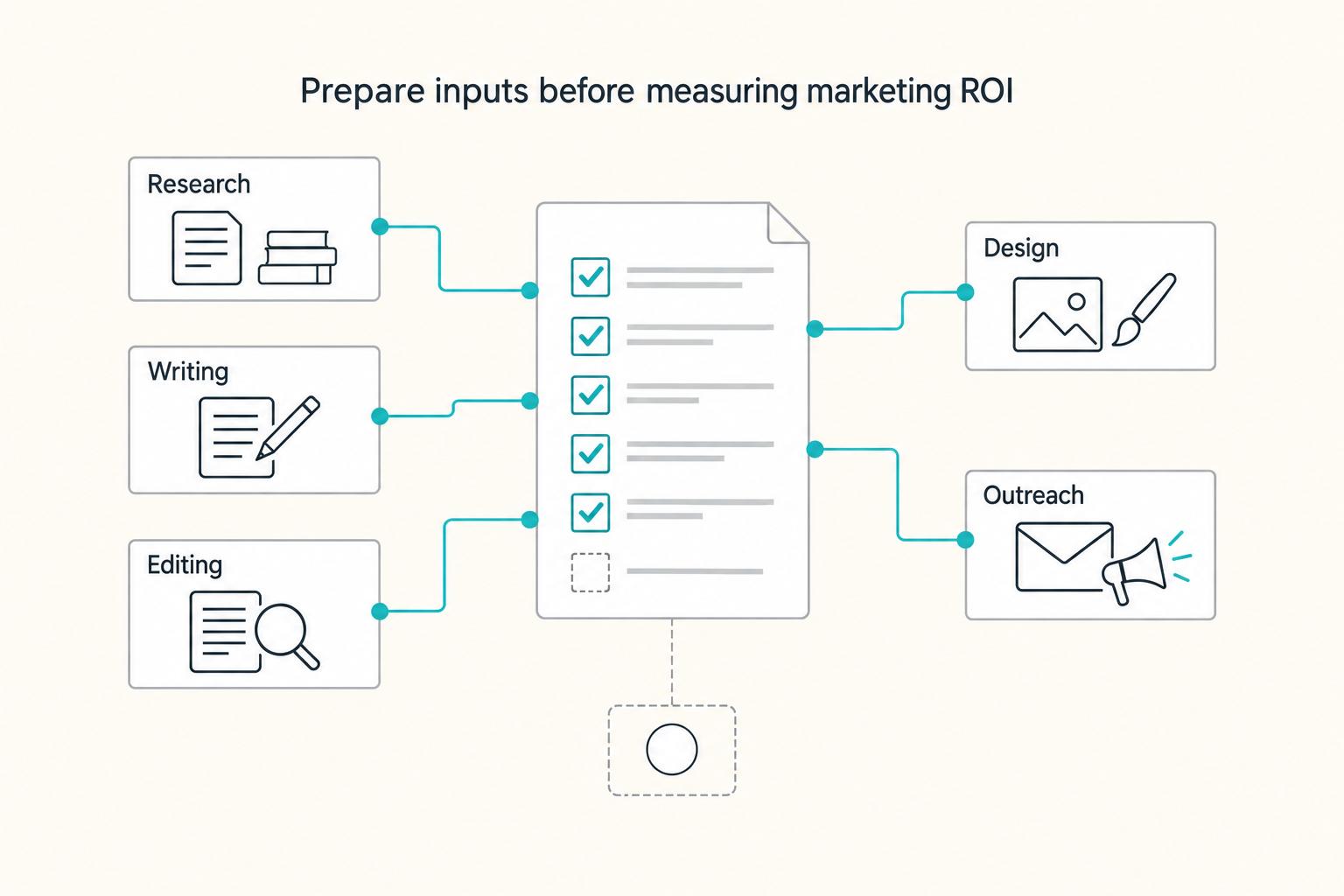
If you want ROI to help you decide what to keep, fix, or pause, stop treating it like a one-off formula. You need a repeatable habit you trust because the stakes are practical. Cash flow, calendar capacity, and client quality all sit downstream of these numbers.