
Quick Answer
Use a tracker-led sequence: research fit first, send a 50-125-word first email with one verified business signal and one proof point, then schedule follow-up on the same day. Score success by stage movement, especially qualified replies, calls booked, and signed projects, not sends or opens. Keep four outcome statuses (engaged, nurture, not a fit, no reply) and run one weekly review where each lead ends with a next action date and stop rule.
Build a Cold Email Process You Can Run Every Week#
If you want this channel to produce clients, track movement through your pipeline, not noise in your inbox. The goal is simple: move the right prospects from researched to contacted to qualified reply to booked call to signed project.
That matters because a cold pitch is never just one email. It is a sequence with follow-ups, and the sequence only improves when you can see where it stalls. If you judge success by sends or opens alone, you can end up rewriting copy when the real problem is list quality, weak research, or inconsistent follow-up.
Before you start#
Set up three things before your first send:
- Stage labels: use one shared set from week one, such as
Researched,Contacted,Qualified reply,Call booked,Proposal sent,Signed,Not a fit, andDo not contact. - Update ownership: decide who updates status after each touch. If it is just you, update the tracker right after sending or replying, not at the end of the week from memory.
- Weekly review rhythm: put one recurring review block on your calendar now. This is where you decide what to fix next, so it cannot be optional.
A plain spreadsheet is enough if you keep it current. The practical check is simple: every contacted prospect should show a first touch date, next action date, current stage, and one research note you can still understand a week later.
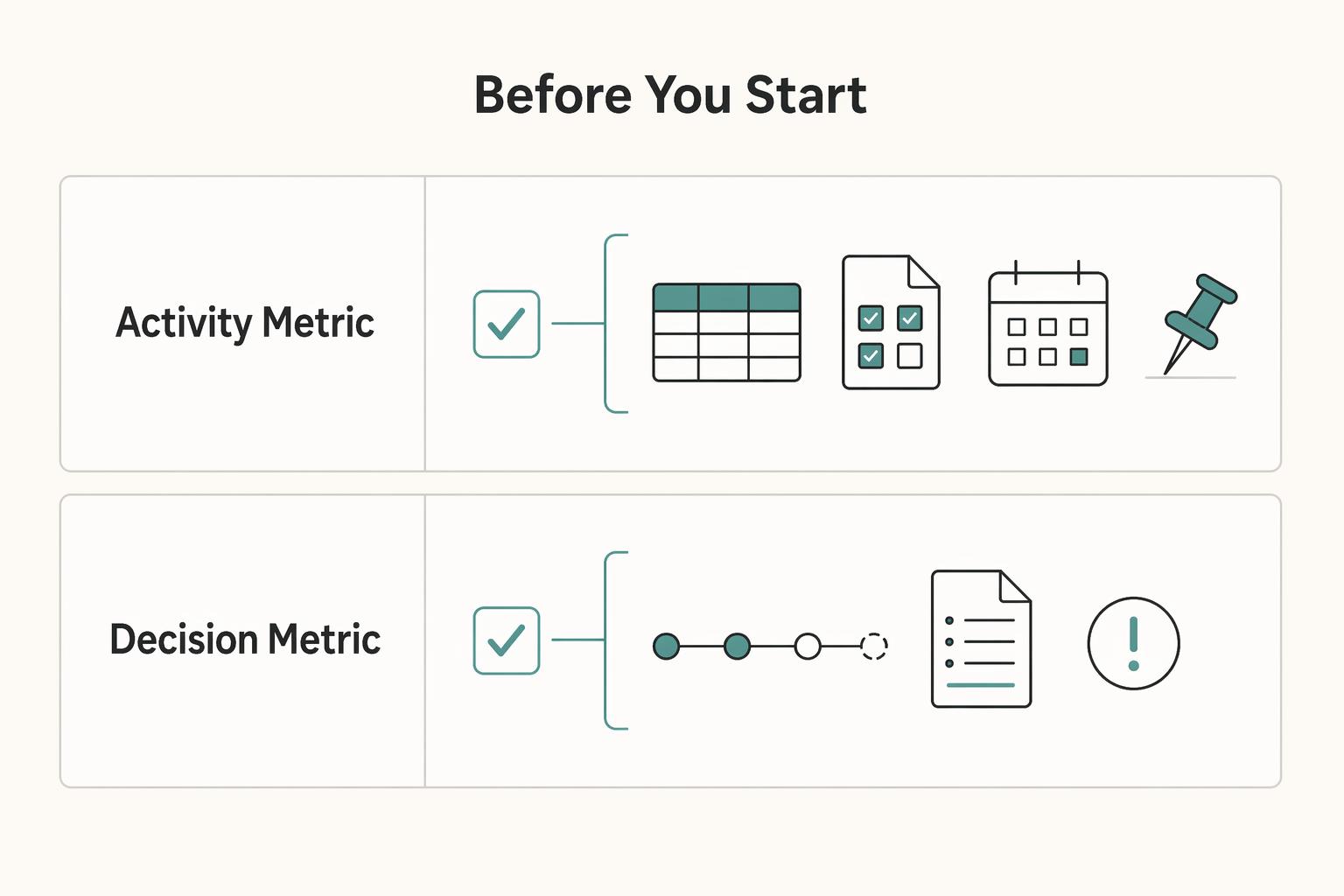
| Metric type | Signal | What it tells you | Action to take |
|---|---|---|---|
| Activity metric | Prospects researched with a note on recent launches, campaigns, or content | Whether list prep actually happened before outreach | If this is thin, stop adding sends and finish research first |
| Activity metric | First touches sent | Whether you are creating new opportunities consistently | If this is erratic, protect a fixed send block in your week |
| Activity metric | Follow-ups due versus follow-ups sent | Whether your sequence is being completed | If follow-ups are slipping, pause new names until the queue is current |
| Decision metric | Qualified replies | Whether your targeting and first message are relevant enough to start a real conversation | If flat, check fit and personalization before changing copy |
| Decision metric | Calls booked or projects signed | Whether replies are turning into commercial movement | If replies happen but deals do not move, inspect offer clarity and later-stage handling |
Step 1. Define the outcome you want from outreach. For most freelancers, the first useful win is not just any reply. It is a qualified reply: a response that shows fit, asks a relevant question, or opens a real next step. Write your definitions in the tracker itself so you score the same way every week. If every reply counts as a win, you hide the difference between polite deflection and real buyer interest.
Step 2. Run the same weekly sequence in the same order. Start with list prep, because personalization depends on prospect homework. A prospect should only move out of Researched when you have the contact, the reason for fit, and one specific context note, such as a recent launch, campaign, or piece of content. Then move to first touches. Those messages should be brief and value-forward, with enough context to show the email was meant for that person.
After first touches, hand every prospect to the follow-up queue right away by assigning the next action date. Do not rely on your inbox to remember it. At the end of the week, review the queue and update outcomes: still waiting, engaged, not a fit, or stop.
Step 3. Troubleshoot setup before you rewrite copy. When results feel weak, resist the urge to rewrite everything after a quiet day or two. Check in this order: Is the tracker current? Are stage labels being used consistently? Does each prospect have real research behind the outreach? Are follow-ups actually going out? Only after those checks should you test message changes.
Use your own early ranges as placeholders until you have enough data to trust them. External benchmarks vary, and unsupported targets create panic edits. One common failure mode is treating outreach like emergency work after a dry spell. That can mean rushed targeting, generic emails, and data you cannot compare.
You might also find this useful: How to Write a Freelance Proposal That Wins Clients.
Set weekly targets and choose where cold outreach fits#
Treat cold outreach as a weekly system, not ad-hoc sending. Set commitments, track outcomes, then decide whether to hold, increase, or reduce effort. Increase it when your top-of-pipeline is thin and you still have delivery capacity; keep it as baseline support when calls, proposals, or delivery already need attention.
Use one tracker for both inputs and outputs so your decision is based on pipeline movement, not inbox noise.
Before you start#
In the same tracker from the last section, add commitment inputs: New prospects researched and First touches sent. Review them beside outputs: Qualified reply, Call booked, Proposal sent, and Signed.
That split keeps your diagnosis clean. Weak output can come from weak targeting or follow-up discipline, not just weak copy.
Step 1. Set commitments backward from the outcome. Start with the result you want by a date, then map the activity you control this week. A planning example is 100 prospects -> 80 first emails -> 30 conversations -> 15 proposals -> 3 projects. Use this as planning math, not a promise.
| This week's condition | Cold outreach role | Next action |
|---|---|---|
| Few qualified conversations, open capacity, low proposal load | Primary | Protect research, first-touch, and follow-up blocks first |
| Warm deals are moving, but you still need new top-of-funnel names | Baseline support | Keep a smaller fixed outreach volume and protect follow-ups |
| Calls/proposals/delivery are heavy and follow-ups are slipping | Baseline support | Reduce new sends and clean up active opportunities before scaling |
| Replies come in, but calls are not booking | Baseline support | Hold send volume; test the ask because booking is a separate conversion step |
Step 2. Make one weekly decision from one bottleneck. Pick one trigger and map it to one action. If research and first touches are below plan, fix execution first. If sends are on plan but qualified replies are weak, hold volume and tighten fit and personalization. If replies happen but calls do not, test a lower-friction next step instead of increasing volume.
Change one variable per review cycle. If you change targeting, copy, and follow-up behavior together, you cannot trust the signal.
Step 3. Keep scaling decisions operationally clean. Maintain your Do not contact/opt-out handling and update it immediately. Keep follow-up discipline until you get a clear no or a real next step. Keep stage definitions consistent across channels so comparisons stay valid.
Increase send volume only after fit criteria and contact-path quality are stable. If those are unstable, more volume multiplies noise. Related: How to Get Health Insurance in Portugal as a Digital Nomad.
Build a prospect list that matches your offer#
Your list should be a qualification system, not a contact dump. Define your offer, ideal buyer context, and exclusions before you add any prospect, because personalization quality depends on fit quality first.
Before you start#
Use the same tracker from the last section, and make each row decision-ready with: Segment, Buyer role, Pain-fit signal, Freelancer-hiring evidence, Contact path, and Disqualification reason. If you cannot explain a lead in one plain sentence from those fields, do not send yet.
- Define scope before names.
Start with one offer, one segment, and one buyer role. Write who this is for, what problem you solve, and who you exclude. Exclusions keep weak-fit leads out and keep your results comparable week to week.
- Use two separate gates: research signals and send-ready signals.
Research signals confirm fit: segment match, likely buyer role, and a real pain-fit signal. Send-ready signals confirm execution: evidence they hire freelancers or outside specialists, a believable contact path, suppression or unsubscribe status checked, and a note on why this lead is eligible for outreach. If either gate is incomplete, do not send yet.
| Lead status | What it looks like | Next action |
|---|---|---|
| High-fit | Clear segment match, clear buyer role, specific pain-fit signal, freelancer-hiring evidence, usable contact path | Move to first-touch queue |
| Unclear-fit | Partial match, but buyer clarity or pain signal is weak, or hiring evidence is missing | Do one more research pass, then decide |
| Low-fit | Outside offer scope, no believable problem match, no contact path, or suppressed/unsubscribed | Disqualify and log reason |
- Log disqualification reasons immediately.
Fast notes prevent intuition drift and rework. Use Disqualification reason consistently (for example: wrong segment, wrong role, weak pain signal, no hiring evidence, unclear lawful contact context, or no valid contact path) so the same weak leads do not return next week.
If you treat list building like a scavenger hunt, your sends become generic and your data gets noisy. A clean, decision-ready list sets up the next section: stronger proof and personalization for real-fit prospects. For a step-by-step walkthrough, see Build a Platform-Independent Freelance Business in 90 Days.
Prepare your outreach evidence before sending any cold email#
Before you send anything, run three pass/fail gates: relevance is verified, claims are bounded, and proof sources are logged. If one gate fails, do not send. In crowded inboxes, weak evidence usually hurts performance more than imperfect wording.
Before you start#
Keep one proof kit per offer in send-ready language. For each draft, you should be able to show what you do, who it helps, what you observed, and which example supports the message. If you cannot point to the source behind a personalized line, the message is not ready.
Step 1. Build reusable blocks around verified relevance#
Write reusable blocks for your opening, self-introduction, and ask. Personalize only with details tied to a verified business signal, not surface details. A clear product or hiring signal can support relevance; a generic company detail usually cannot.
Two common deal-breakers are contacting the wrong person and being non-specific. Log the buyer role and the exact signal you observed in your tracker before drafting.
| Evidence type | Strong evidence | Weak evidence |
|---|---|---|
| Business signal | Verified issue or priority tied to your offer and buyer role | Company fact with no clear link to your service |
| Contextual example | Past project example that clearly matches this prospect type | Broad line like "I help brands grow" |
| Personalization line | Observation you can defend if asked | Flattering line that could be sent to anyone |
Step 2. Keep a claim ledger for every draft#
Use a short claim ledger in your tracker for each outbound draft:
| Ledger item | What to record | Draft rule |
|---|---|---|
| Allowed claims | What you do, who you help, what you observed, and what your examples support | Use for each outbound draft |
| Prohibited claims | Guessed priorities, implied guarantees, invented metrics, or outcomes you cannot support | If a sentence depends on exaggeration, remove it |
| Required backing | Proof source for each assertion | Research note, portfolio reference, or internal proof note |
| Unverified fields | Numbers or scope details that still need confirmation | Mark unresolved until verified; do not guess |
In practice, the ledger should cover only four things: what you can say, what you cannot, what backs each claim, and which fields still need verification. If a sentence depends on exaggeration, remove it. Cold email is for starting a relationship, not promising outcomes you cannot support.
Step 3. Log proof sources and template only after testing#
Document each proof source and each outreach assertion in the same tracker row so your decisions stay consistent and follow-ups are easier to handle. Then test messages with a small set of similar prospects first. Only blocks that show repeatable relevance across that group should become templates. If a message works only when fit is stretched or certainty is implied, discard it.
This pairs well with our guide on Build a Freelance Sales Funnel You Can Run in One Hour a Week.
Write a cold email people can answer quickly#
Your cold email should make three things clear in seconds: why you chose this person, why you are relevant, and what reply you want. Keep it short and direct, because crowded inboxes and generic phrasing make cold outreach easy to ignore.
Before you start#
Use the same backbone from your evidence prep: greeting, reason for reaching out, concise introduction, low-friction ask. Tighten each line to one purpose. Make this a hard gate: if the draft could be sent unchanged to multiple recipients, rewrite the reason-for-reaching-out line and proof detail before you send.
Step 1. Draft for one fast answer#
Lead with the recipient context, not your background. Open with one verified business signal, then connect it to your relevant work. Introduce yourself before asking for information, but keep that intro brief so your value does not get buried.
| Decision point | Weak draft | Strong draft |
|---|---|---|
| Opening | Generic praise, vague urgency, or wording that could fit anyone | One verified reason you chose them, tied to your offer |
| Ask | High-friction: "Can we book 30 minutes this week to discuss your growth goals?" | Low-friction: "Is this something you handle, or is there a better person to ask?" |
If you are not sure you have the right contact, use a quick-question ask. It is easier to answer and can help you get routed to the right person.
Step 2. Match every claim to proof#
Map every value statement to evidence you already logged in your claim ledger, portfolio notes, screenshots, or research notes. If a result detail is not verified, mark it as unresolved until you can support it. Cut broad promises, implied certainty, and specifics you cannot defend in a reply.
Step 3. Test small batches and score reply quality#
Do not template too early. Send a small batch to similar prospects, then evaluate reply quality, fit clarity, and next-step readiness, not just response volume. Before each batch, run one light compliance-safe check: keep the tone professional, keep claims non-misleading, and keep your CTA within the suppression and contact-policy rules already set in your workflow.
We covered this in detail in How to Write a Cold Email Sequence That Converts for a SaaS Product.
Run follow-up emails with clear stop rules#
After your first email, stop improvising. Plan your follow-up sequence in advance, write your stop rules in the tracker, and run from that tracker so your data stays comparable and dead threads do not consume your week.
Step 1. Define statuses before you send anything#
Set four statuses now: engaged, nurture, not a fit, and no reply.
| Status | What it means | Review action |
|---|---|---|
| Engaged | They respond with intent, ask a real question, or route you to the right contact | Reply or advance the conversation |
| Nurture | The fit still looks real, but there is no active buying motion right now | Pause active follow-up and set a revisit date |
| Not a fit | They decline, confirm a mismatch, or show clear non-alignment | Close the thread and remove it from active follow-up |
| No reply | No response yet after the current touch | Send the next planned touch, or stop per your written rule |
Use these labels consistently across your own pipeline. Before any follow-up goes out, each row should already show current status, touch number, and next action. If one field is blank, do not send yet.
| Approach | Data quality | Time use | Bottleneck diagnosis |
|---|---|---|---|
| Improvised follow-up | Inconsistent and hard to compare | Feels faster today, creates cleanup later | Weak, because timing, angle, and ask all drift |
| Preplanned follow-up | Consistent across leads | Small setup cost, faster weekly execution | Stronger, because you can isolate what failed |
Step 2. Change one input at a time#
Cold outreach has no one-size-fits-all formula, so test in a way you can learn from. Change one variable per touch:
- Angle only (why this matters to them now)
- Proof only (the specific evidence you include)
- CTA only (the next step you ask for)
Do not change all three in one pass. Keep each follow-up specific, because generic check-ins are easy to ignore.
Step 3. Close the loop every week#
Run one short weekly review and force each lead to a clear outcome:
- Engaged: reply or advance the conversation.
- No reply: send the next planned touch, or stop per your written rule.
- Nurture: pause active follow-up and set a revisit date.
- Not a fit: close the thread and remove it from active follow-up.
By the end of review, every lead should have one status and one next action. If either is missing, that lead is drifting.
Manage your client pipeline with weekly review checkpoints#
Use your weekly review to find one bottleneck in stage movement and set one change for the next cycle. Keep everything in one pipeline so you can see where each prospect stands and prioritize work by stage, not by whoever replied last.
Before analysis, run a quick hygiene gate on every active row: current stage, next action, and due follow-up must all be filled. If any field is blank, fix that first. A clean pipeline gives you usable signals; a messy one gives you noise.
Keep one stage set stable for a full review cycle (for example: contacted, replied, discovery call, proposal, closed). Then review movement, not activity counts.
| Stall pattern | Likely root cause in your pipeline | Fix first | Do not change yet |
|---|---|---|---|
| Early-stage silence | Prospect fit or opening relevance is weak | Tighten list criteria and first-message angle | Do not rewrite offer and follow-up sequence in the same cycle |
| Late-stage drop-off | Interest exists, but positioning, scope framing, or proposal clarity is weak | Tighten call handling, proposal language, or offer framing | Do not increase send volume yet |
Choose one variable to test next cycle, and define the stage movement you expect before you ship it. Example: "If list fit improves, more leads should move from contacted to replied." Then hold other levers steady until the next review, so the result is interpretable.
Keep a short learning log tied to stage transitions. For each change, record: what you changed, which transition you targeted, what happened, and your keep/drop decision for next cycle. This turns review notes into reusable operating guidance.
As reply volume grows, this discipline matters more. Manual reply handling can become a scaling failure mode, and high-intent leads can cool down while you triage your inbox. Weekly checkpoints help you catch that before it turns into a larger pipeline problem.
Fix common cold-email failures before they compound#
When results stall, do not rewrite everything. Triage in order: confirm compliance and sending conditions first, then test targeting or copy one variable at a time.
Before you start#
Use your tracker as a send gate, not just a record. Before any new send or follow-up, every active row should include last contact date, next allowed contact date, and unsubscribe status.
If any field is blank, pause that row. If unsubscribe is active, suppress that contact. If the next allowed contact date has not arrived, wait. If you use a volume trigger, leave the trigger unresolved until the limit is verified.
This protects your diagnostics. If suppression or timing is inconsistent, weak engagement no longer tells you whether the list or message is the issue.
| Failure pattern | Likely cause | First fix | Hold constant |
|---|---|---|---|
| Low-fit list | Prospect criteria are too broad, so relevance is weak before open | Tighten list rules and remove marginal accounts | Keep opener, proof point, and follow-up timing the same |
| Generic opener | Opening lines feel mass-sent and not specific to the company | Rewrite only the opening context for that segment | Keep the same list segment and CTA |
| Unstable sending setup | Inbox placement is weak, so copy edits will read as noise | Stabilize sender conditions and review analytics first | Keep targeting and body copy unchanged |
| Follow-up timing errors | Contacts are hit too early, too often, or after suppression should apply | Fix tracker discipline and contact timing rules | Keep list criteria and opener unchanged |
Step 1. Check sender signals before you touch copy#
If performance drops on a segment you trust, check sending conditions first. Subject lines affect inbox placement, not just opens, and sender reputation is influenced by complaint, bounce, unsubscribe, and engagement signals. Even compliant body copy can still be filtered when engagement stays low.
Use analytics to separate deliverability from copy before rewriting. If open rates fall below 15%, treat that as a likely deliverability or targeting issue first.
Step 2. Run a single-variable troubleshooting loop#
After setup is stable, pick one change based on where the drop appears. If messages are seen but ignored, test list fit or the opener first. Generic outreach gets ignored; relevance is what improves response quality.
Do not change list criteria, opener, proof, and CTA in the same cycle. Change one variable, run a clean batch, then log keep or drop.
Step 3. Keep outside experiments contained#
Keep core outreach running while you test other channels in a separate, tagged segment. Use a fixed audience and a clear keep/drop rule so side tests do not contaminate your baseline.
If the experiment improves stage movement, keep it. If it adds activity without progress, drop it.
Use this weekly checklist and keep it simple#
Once your stages and stop rules are set, weekly outreach should feel routine. That routine gives you cleaner data, faster decisions, and fewer sender-reputation mistakes.
| Checkpoint | Pass if | Log |
|---|---|---|
| Build your list | Every new row has a clear fit reason | fit reason |
| Send one focused batch | The first screen clearly shows reason, proof, and CTA | first touch date |
| Schedule follow-up at first send | The row already shows the next allowed contact date and stop rule | next allowed contact date |
| Protect sending conditions | Each batch has inbox and deliverability status recorded | deliverability warning status |
| Review and change one variable only | Exactly one planned change is active and expected movement is written down | one planned change with one expected stage shift |
-
Build your list. Add only leads that match your ICP by industry, role, company size, or pain point, and target a named person instead of a generic inbox. Pass if every new row has a clear fit reason. Fail if you cannot explain why that person is on your list. Log: fit reason.
-
Send one focused batch. Keep each email in the 50 to 125 words range, with a personalized opener, one relevant proof point, and one easy reply ask. Pass if the first screen clearly shows reason, proof, and CTA. Fail if the same draft could go to everyone unchanged. Log: first touch date.
-
Schedule follow-up at first send. Set sequence length and timing before the first email. If a numeric limit is still unverified, mark it unresolved instead of guessing. Pass if the row already shows the next allowed contact date and stop rule. Fail if follow-up timing is still undecided after send. Log: next allowed contact date.
-
Protect sending conditions. If the inbox is new, warm it for 2 to 3 weeks before scaling. Keep daily volume conservative, and if the cap value is still unverified, record it as unresolved. Sending to private addresses can increase spam-complaint risk. Pass if each batch has inbox and deliverability status recorded. Fail if bounces or warnings are untracked. Log: deliverability warning status.
-
Review and change one variable only. Pick one variable for the next cycle, write the stage movement you expect, and hold everything else constant until the next review. Pass if exactly one planned change is active and expected movement is written down. Fail if multiple variables changed at once. Log: one planned change with one expected stage shift.
| Checkpoint | Stable weekly system | Ad hoc outreach |
|---|---|---|
| Data quality | Every lead has stage, dates, and fit reason | Rows are incomplete or missing next steps |
| Decision speed | Stage stalls are visible quickly | Copy gets blamed without evidence |
| Pipeline consistency | Follow-ups run on schedule and outcomes close | Leads drift, repeat, or disappear |
Weekly closeout: every active lead leaves review with one stage, one next action, and one due checkpoint. Related reading: How to Use LinkedIn Sales Navigator for Freelance Lead Generation.
Frequently Asked Questions
What should a freelance cold email include to get a real response?
Start with why you picked that person or company, then state what you do, add one proof point that matches their situation, and end with a next step they can answer quickly. You are asking for attention before trust exists, so relevance and specificity matter more than clever wording. If the first screen does not show reason, proof, and CTA, cut it before you send, then test it before turning it into a template.
How many follow-up emails should I send before I stop?
Decide the sequence before the first send and log it in your tracker, because follow-up is part of execution, not an optional extra when the first message gets ignored. Your active rows should already show last contact date, next step, and stop rule, so you are not inventing touches out of frustration. If a numeric target or timing limit still needs confirmation, mark it as unresolved in the tracker, then keep the sequence stable long enough to learn from it.
Is cold emailing better than platform work for independent professionals?
Use the channel that moves more opportunities through the same stages, not the one that creates the most activity. Direct outreach starts from zero interest, while platform work can start with people already looking, so compare both with one pipeline and one definition of success. | Stage | Direct outreach | Platform work | What to compare | |---|---|---|---| | Contacted | You sent a targeted email to a selected prospect | You sent a proposal or application to a live listing | Which channel creates more real first conversations per block of effort | | Replied | Prospect responded in any form | Client replied to your proposal | Raw response movement, not just sent volume | | Qualified | Reply shows budget, need, timing, or fit | Listing and response match your offer and terms | Whether replies are actually usable | | Booked | Discovery call or next-step meeting is scheduled | Discovery call or next-step meeting is scheduled | Which channel creates meetings from qualified leads | | Signed | Project is agreed and closed won | Project is agreed and closed won | Which channel produces actual revenue, not just replies | Keep the channel that advances qualified replies, booked calls, and signed projects. Pause the one that looks busy but stalls before those stages.
How do I track cold outreach without a CRM?
Use a spreadsheet until you can no longer keep it current. Each active row can include the lead name, current stage, first touch date, last contact date, next step, and goal/checkpoint notes from your testing. In your weekly review, make sure no active row is missing a stage or next step before you send follow-ups.
Why do cold emails fail even when the writing is good?
Because good writing only fixes the visible layer. If relevance is weak, details are not specific, or the pitch is too long, polished sentences will not rescue the result. When a batch stalls, check relevance and specificity before you rewrite the body, and change one variable at a time.
Should I focus on agencies first or pitch end clients directly?
Start with the segment where you can show clearer relevance, stronger evidence, and a believable contact path. Test agencies and end clients in separate batches, keep the offer structure consistent, and score both with the same stages and goals so the comparison stays clean. Keep the segment that moves further through your pipeline, and stop mixing both audiences in the same test batch.
Try a related tool
Researched and edited by the Gruv editorial team. Gruv builds cross-border billing, payouts, and finance-operations software for global businesses.
Sources
Includes 6 external sources outside the trusted-domain allowlist.
- kings.edu/pdf/Catalog2014-2015.pdftrusted
- mendocino.edu/sites/default/files/2023-08/2023-24%20Catalo...trusted
- artisan.co/blog/cold-email-to-potential-clientexternal
- b2bhero.co/2022/02/08/the-best-cold-email-follow-up-seq...external
- copyhackers.com/2017/09/cold-emailsexternal
- freelancecake.com/blog/how-freelancers-can-win-with-cold-email...external
- freelancemagic.co/2024/11/14/how-to-write-a-cold-emailexternal
- freelancemagic.co/2024/11/06/cold-pitching-for-freelancersexternal
Educational content only. Not legal, tax, or financial advice.
Related Posts

Georgia 1% Tax for Entrepreneurs Without Filing Surprises
Treat Georgia's 1% tax path as a compliance question first and a rate discussion second. The goal is a setup you can defend under review, not a shortcut that fails at filing time.
How to Get Health Insurance in Portugal as a Digital Nomad
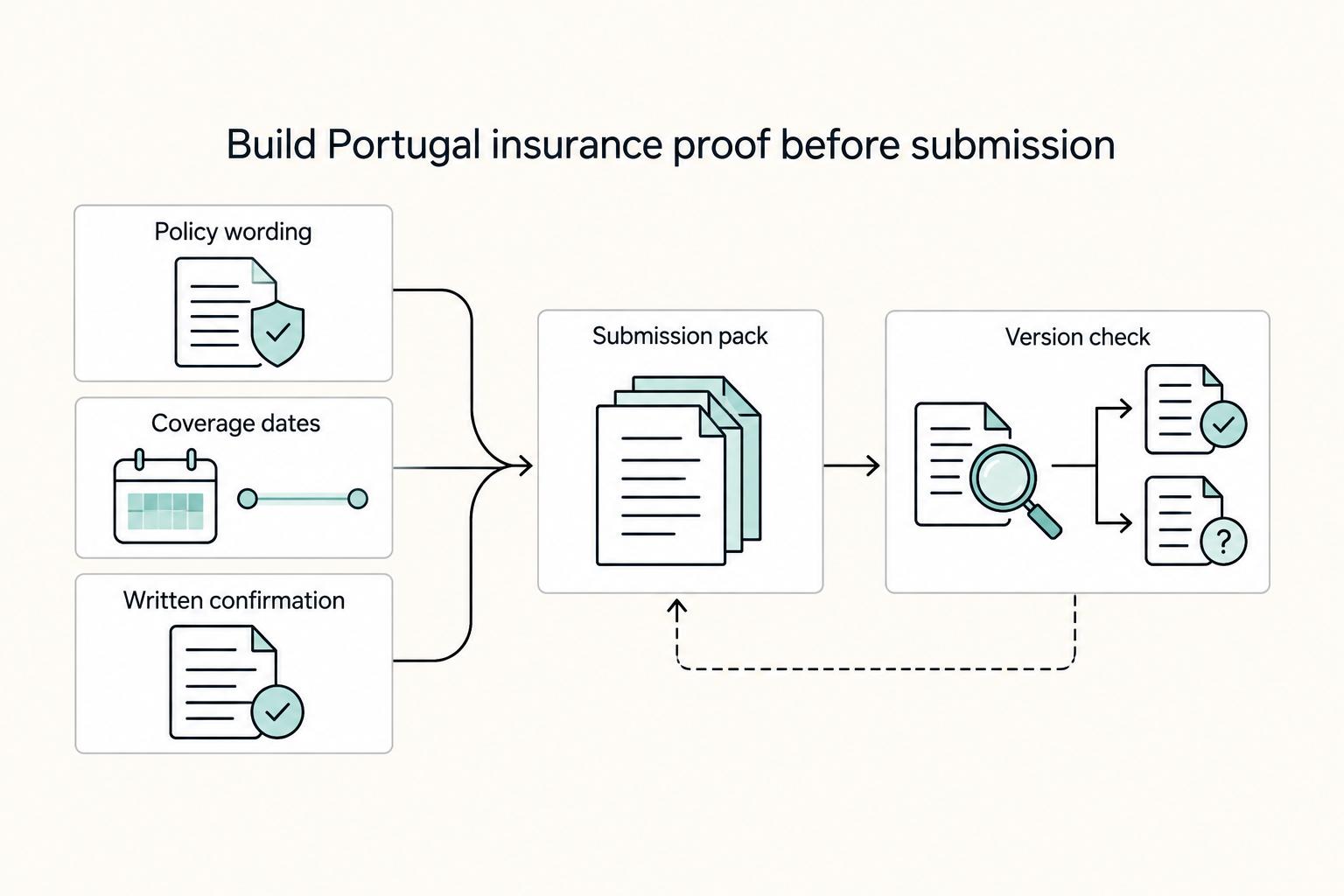
If you are searching for health insurance portugal nomad options, treat the decision as part of your visa file before you treat it as a product search. The policy matters, but timing, wording, and document quality often determine whether your file moves cleanly or turns into a clarification request.
Renting in Europe as a Foreigner on a 90-Day Timeline
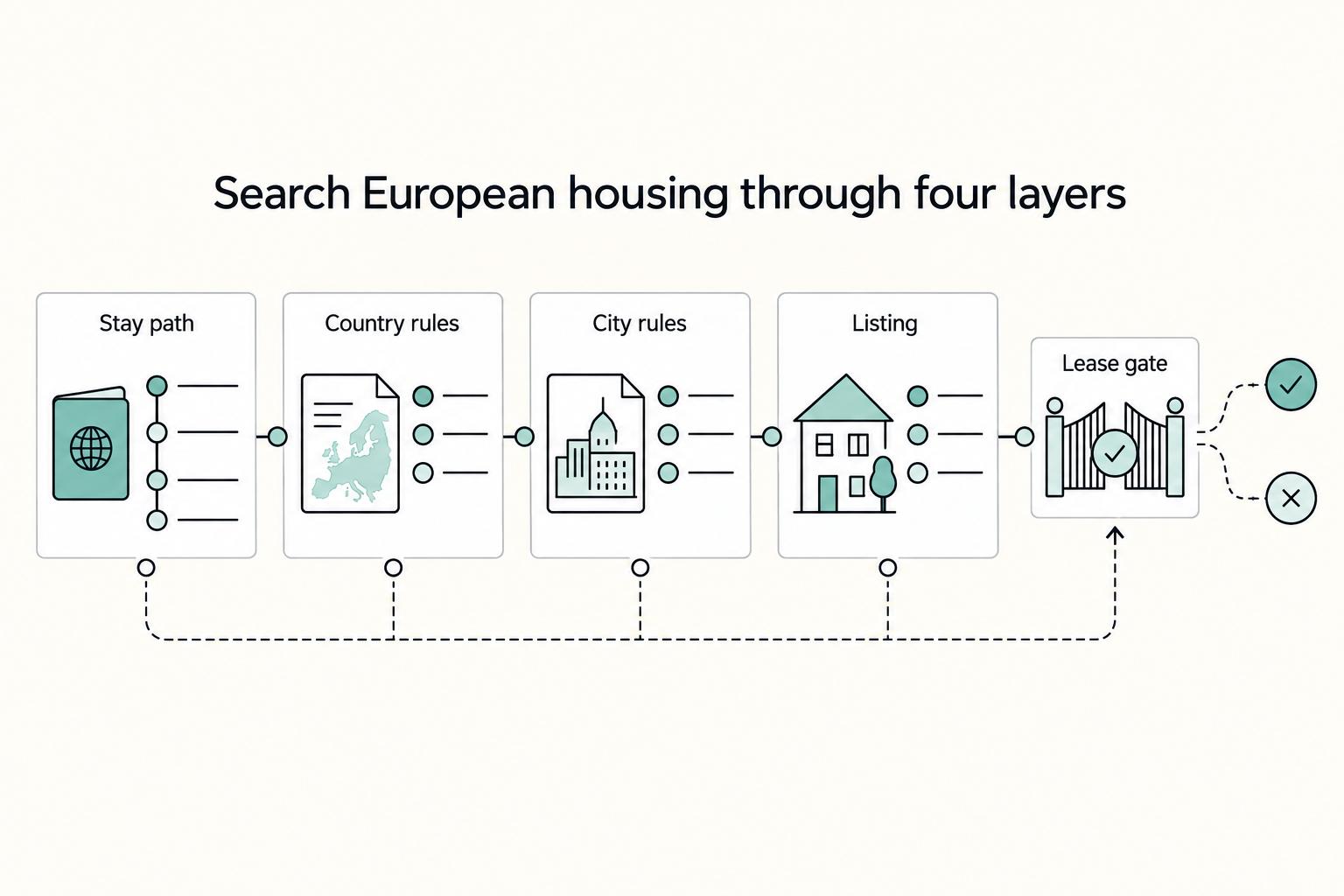
If you're **renting in Europe as a foreigner**, treat the move as a staged long-term housing plan, not a booking sprint. Your first decision is not which listing looks best. It is which city you're targeting, which legal stay track applies there, and when you'll be ready to sign without guessing.