
Quick Answer
Use your freelance instagram bio as a qualification filter, not a personality pitch. State what you do, who you help, and the result you deliver, then direct people to one structured next step such as an application or inquiry page. Keep wording tight because bio space is limited, and verify your routing on mobile by checking whether your CTA, landing headline, and first action match. If those elements align, you reduce vague messages and improve buyer-fit conversations.
Your Instagram Bio Isn't a Billboard. It's a Bouncer.#
A useful way to frame an Instagram bio is as a filter. It helps people see where to go next, but the material here does not prove Instagram-specific performance outcomes.
Decide what job your bio is doing#
Treat your bio as a filter, not a poster. The concrete lesson here comes from a routing pattern on an illustration portal: visitors are sent to labeled destinations such as Portfolio, Stock Collection, and News instead of one vague catch-all path. That routing lesson is supported. Any direct Instagram impact is still a hypothesis, not a verified result here.
| Billboard bio behavior | Bouncer bio behavior | What to test |
|---|---|---|
| Describes you in broad, personality-heavy terms | States what kind of work or client fit you want | Whether first messages are more relevant |
| Invites anyone to "DM me" | Points people to one clear next step | Whether intake feels more structured |
| Mixes offers, updates, and identity into one blur | Separates paths the way labels like Portfolio, Stock Collection, and News do | Whether handoff from profile view is clearer |
Build the filter before you write a line#
Do not start with wording. Start with the filter you want the bio to enforce. Use this simple three-part structure:
| Part | What to include | Why it matters |
|---|---|---|
| Positioning | Say what you do | Helps the right person recognize themselves |
| Qualification | Add one boundary such as project type or client category | So not every inquiry starts from zero |
| Handoff | Send people to a named destination | Avoids an unstructured chat thread |
- Positioning: say what you do so the right person can recognize themselves.
- Qualification: add one boundary, such as project type or client category, so not every inquiry starts from zero.
- Handoff: send people to a named destination, not straight into an unstructured chat thread.
Here is a quick clarity check. Ask someone who does not know your business to look at your profile for ten seconds. If they cannot tell who it is for and what they should do next, your bio may still be acting like a billboard.
You might also find this useful: How to Use Social Media to Build Your Freelance Brand.
Why Your "Creative" Bio is a Liability#
If your bio tries to appeal to everyone, you usually get more attention but less buyer intent. Judge it by lead quality and next-step clarity, not by how expressive it sounds or how many follows it might attract.
Follower count, likes, and profile visits can become vanity metrics when they are not tied to business outcomes. Your bio should drive one conversion-oriented action for the right prospect, like viewing your portfolio, starting an intake form, or booking a call.
Read your bio like a buyer, not a peer#
Most prospects see your bio before they click anything else. In that first glance, they are looking for three basics: what you do, who you do it for, and what they should do next.
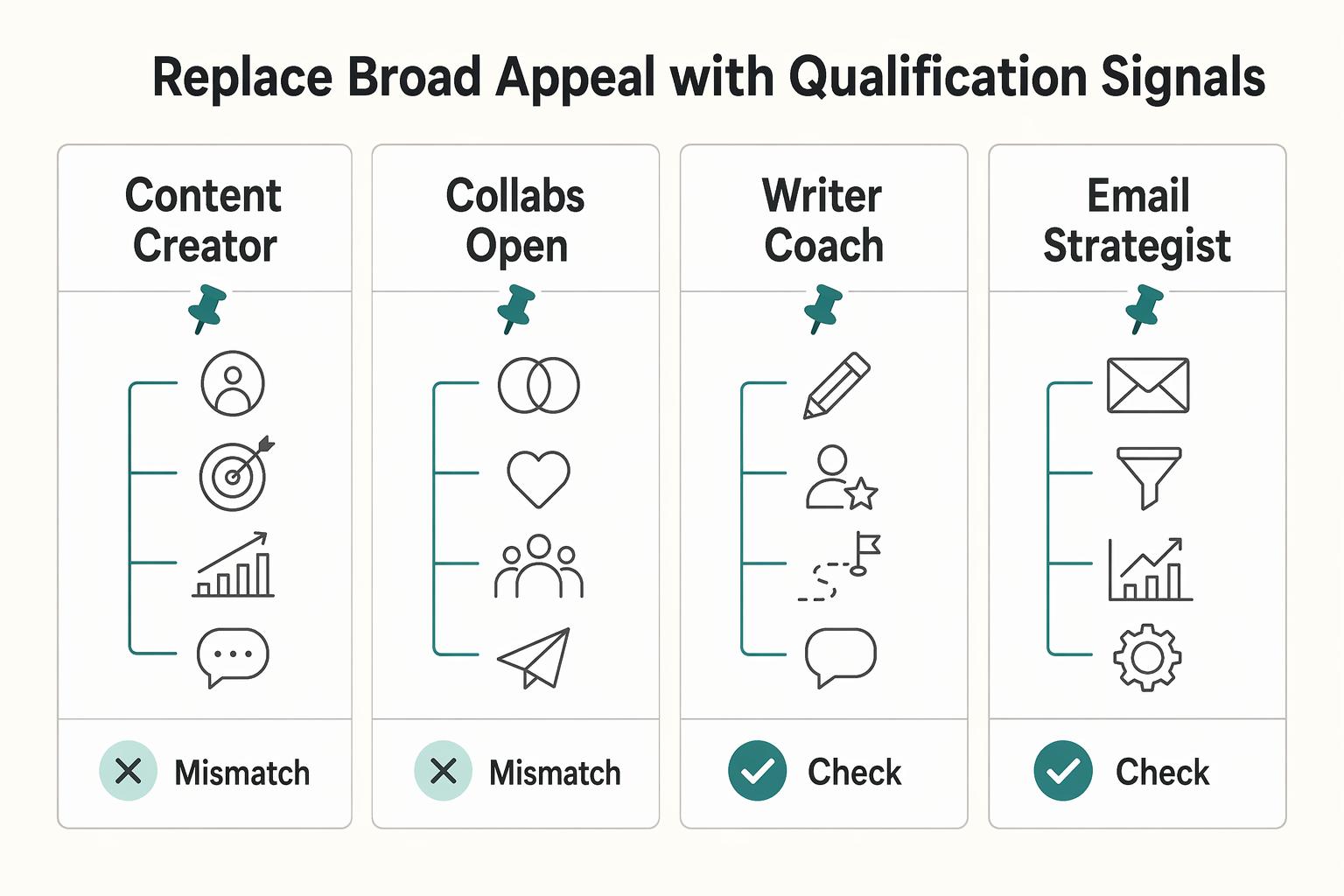
If you lead with broad identity language, you may be signaling that the prospect has to figure out fit on their own. Phrases like "multi-passionate creative," "brand lover," or "DM for collabs" can increase messages, but they often increase low-intent messages too.
The 150-character limit is a useful constraint: prioritize role clarity, niche specificity, outcome, and a CTA. If you use a business or creator account, category and contact details can reinforce those signals without overloading the bio line.
Replace broad appeal with qualification signals#
The real tradeoff is not creative vs serious. It is visibility metrics vs conversion readiness, and inquiry volume vs fit.
| Bio pattern | What prospects infer | Downstream cost to your workflow |
|---|---|---|
| `Content creator | storyteller | coffee lover` |
DM for collabs | Open door for vague outreach | More manual triage and dead-end chats |
| `Writer | Coach | Speaker` |
| `Email strategist for SaaS founders \ | I improve onboarding and launch flows \ | Apply below` |
A strong bio can still sound human. It just needs to communicate four things quickly: role, niche, outcome, and a process-oriented CTA.
Do one quick operator check: is the next action singular and obvious? Older guidance often described one bio link, while newer reporting says Instagram supports up to five. If you use multiple links, keep one clearly primary so your routing stays clear.
Audit what your current bio is inviting#
- Can someone identify your role in one read, without opening DMs?
- Do you name a client type, industry, or project category?
- Do you state an outcome, not only a skill?
- Does your CTA point to one intended action?
- If you use multiple links, is one path clearly primary?
- Are category and contact details set up through a business or creator account where relevant?
- Would a bad-fit prospect feel filtered out by your wording?
If several answers are "no," your bio is likely optimized for visibility over lead quality. Fix that first, then polish tone. Related: How to Manage Your Personal Brand as a Freelancer.
The Four Bio Pillars, from Positioning to Funnel Control#
Build your bio in sequence: positioning first, promise second, action path third, then funnel control. Each line should make the next decision easier for the buyer.
Build it in sequence#
- Step 1: Name your role clearly.
Start with role clarity. With only 150 characters, you do not have room for vague identity language if a buyer still cannot tell what you do. Name your service, then add niche or client context when useful.
What to include: your service and market context, such as Email strategist for SaaS founders. What to avoid: broad labels, personality traits, or stacked titles that read as unfocused.
- Step 2: State the outcome you help create.
After role clarity, state the buyer-facing result. Describe the problem you solve, not just the tasks you perform.
What to include: a clear result, problem solved, or project category. What to avoid: generic claims like "helping brands grow," internal process wording, or promises your destination page cannot support.
- Step 3: Add a qualification CTA.
Your CTA should tell visitors exactly what to do next. Apply below, View portfolio, or Start here gives a defined next step. DM me usually opens unstructured conversations you have to sort manually.
What to include: one clear action tied to a specific page path, meeting link, or external URL. What to avoid: dead-end prompts, competing asks, or CTA text that does not match the destination.
- Step 4: Control the funnel behind the link.
Instagram supports up to five links, but the first link may be the one shown most prominently, with others behind a tap. Put your primary intake path first. If you use a business profile action button like Book now, keep it aligned with the same intake path as your bio CTA.
What to include: one primary link to your portfolio, inquiry form, or scheduler. What to avoid: a mixed link stack that sends buyers to unrelated destinations first.
| Pillar | Weak version | Strong version | Why it pre-qualifies |
|---|---|---|---|
| Role clarity | `Writer \ | Coach \ | Speaker` |
| Buyer outcome | I help brands grow | I fix onboarding and launch flows | Names a concrete business problem |
| Qualification CTA | DM for info | Apply below | Moves intent into a defined next step |
| Professional funnel | Random link hub | Portfolio, form, or scheduler first | Keeps the path controlled and business-focused |
Run a fast publish check#
Before you publish, check each pillar against four buyer questions: What do you do? What result do you help create? What should I do next? Where does that action lead?
Then click your own link and verify consistency. If your bio promises one service but the destination offers something else, fix that mismatch first.
For a step-by-step walkthrough, see How to Write a Compelling 'About Me' Page for Your Freelance Website.
Your CTA Is the Filter on Who Enters Your Pipeline#
Your CTA is your filter. You are choosing how people enter your pipeline, not inviting every visitor into the same conversation.
Choose the CTA by how you sell#
Pick CTA friction based on your service model, then send people into the matching intake path.
| CTA wording | Who it attracts | Operational effect |
|---|---|---|
| Apply to work with me | People willing to complete a structured intake before contact | Routes interest into an application form so qualification happens before a live conversation |
| Book a paid consult | People ready to pay for focused advice or diagnosis | Routes to a paid consult flow and separates consulting from open-ended discovery chats |
| Start your project inquiry | People with a real project but incomplete scope | Routes to a scoped inquiry form so you can review fit before scheduling |
Use higher friction when you need tighter qualification. Use lower friction when your offer is earlier-stage and you still need more conversation volume.
Match the promise to the destination workflow#
Your CTA only works when the destination fulfills the promise.
If your bio says "Apply," the linked page should clearly be an application flow. If it says "Book a paid consult," the page should clearly be a paid consult flow. If it says "Start your project inquiry," the first step should be a scoped inquiry form.
Quick alignment check:
- CTA wording in bio
- Landing page headline
- First required action
If those three do not describe the same process, your filtering breaks.
Set CTA intensity by offer type#
Use this simple decision rule, then define the thresholds that match your own sales process.
| Intake path | Use when | Workflow effect |
|---|---|---|
| Application form | For selective, high-touch projects | Pre-qualify before any live conversation |
| Paid consult | When advice time is part of what you sell directly | Separates consulting from open-ended discovery chats |
| Scoped inquiry form | When you need project details before deciding on a call | Review fit before scheduling |
- Use an application form for selective, high-touch projects.
- Use a paid consult when advice time is part of what you sell directly.
- Use a scoped inquiry form when you need project details before deciding on a call.
- Document the budget context, timeline window, and readiness signals you use to decide whether someone is a fit.
Before publishing, run one final quality check: if your CTA invites contact, your linked page should pre-qualify scope, budget context, and readiness before any live conversation.
This pairs well with our guide on How to Create a YouTube Channel to Showcase Your Freelance Skills.
Beyond the Bio: Connecting Your Profile to Operations#
Your bio only works if the next step is just as clear as the promise. If the handoff after the click is messy, you lose trust fast.
Audit the handoff from bio to landing page#
Treat your linked page as your first business interaction. Keep one focused action, and remove avoidable friction like extra navigation, competing CTAs, or forms that ask for too much too early.
| Bio promise | Landing destination | Operational signal |
|---|---|---|
| Apply to work with me | Dedicated application page with one clear submit action | Aligned: your process is selective from the first click |
| Book a paid consult | Scheduler page that clearly defines the session | Aligned: your time is structured, not open-ended |
| Start your project inquiry | Intake page that collects project basics before booking | Aligned: you qualify fit before a live call |
| Apply to work with me | Generic homepage, portfolio grid, or link hub with many options | Misaligned: your bio sounds selective, but the path is unclear |
| Book a paid consult | Open DMs or a generic contact form | Misaligned: your CTA signals structure, but the process feels informal |
Quick check: open your own link on mobile and confirm your bio CTA, landing-page headline, and first button describe the same next step.
State location and availability like an operator#
Include location only when it helps a client decide. If geography is not part of the decision, broad wording like "Remote" or "Global" can be clearer than a specific city.
Then state your working window plainly, for example: "Replies Mon-Thu, 9am-5pm ET" or "Primary client hours in CET." If you reference a policy, eligibility rule, or threshold after the click, make sure the linked page states the exact detail once confirmed.
Build an intake sequence you can run every time#
Use a simple sequence you will actually run:
- CTA click goes to one page with one primary action.
- Qualification form captures essentials (project type, timeline, budget context, readiness).
- Scope-fit check happens before calendar access.
- Next-step routing is explicit: accept, decline, redirect, or request details.
If your form answers are ignored later, the funnel feels performative and you end up back in manual triage.
Keep the message consistent across touchpoints#
Before you publish, check that the same core message appears in:
| Touchpoint | What should stay consistent |
|---|---|
| Instagram bio | Who you help, core outcome, CTA |
| Website service page | Same offer and qualification standard |
| Scheduler description | Same session purpose and boundaries |
| Proposal opener | Same positioning and next step |
Consistency lowers ambiguity and makes your process easier to trust. We covered this in detail in How to Build a Freelance Portfolio Clients Trust.
Conclusion: Your Bio Is the Gatekeeper at the Door#
Treat your bio like a gatekeeper at the door. Its job is not to please everyone. Its job is to let the right people through fast.
That means your profile should communicate value at a glance, attract the right people, and make the next step clear.
- Write your authority statement.
Name what you do in a way a buyer can place immediately. Your verification check is simple: read only your username, name field, and first bio line on mobile. If a good prospect still cannot tell who you help or what category of work you do, your positioning is still too vague.
- State the outcome you create.
Lead with the result, not a loose list of tasks. That is how you attract the right people instead of building a random, unengaged audience that looks active but does not turn into qualified conversations. If you save examples for inspiration, tag them by hook, format, and goal before you reuse any wording so you do not copy messaging built for the wrong audience.
- Match your CTA to your real qualification path.
If you screen for fit, send people to an application, inquiry form, or another structured next step. Click your own link and confirm the CTA, page headline, and first action all match. If you are posting consistently but not seeing follower growth, revisit your profile message and CTA alignment.
Keep the operational side honest. The bio should match your intake flow, response boundaries, and any qualification wording you actually use. If location, registration, tax residency, or eligibility language matters, confirm the right wording before you publish.
Open your live profile now and revise it against those three checks. Aim for professional clarity first, personality second.
Frequently Asked Questions
How do you make your bio attract better-fit clients?
Lead with clarity: who you are, what you do, and what is in it for the visitor. Your bio is a first-impression field, and your username plus bio are also often treated as key visibility fields, so make those lines specific and easy to scan. Quick-check: if someone reads your username, name field, and first bio line, can they understand your offer without clicking away?
Should you use the name field for more than your name?
Yes, if your role or niche helps people place you faster. One source specifically notes that the name field can describe you, and relevant keywords in the bio can support discoverability, so “Jane Doe | Email Strategist” usually works harder than a name alone. Keep it readable, not stuffed with every service you have ever sold. Quick-check: read only your username, name field, and first bio line on mobile. If your role is still fuzzy, tighten those three fields first.
What CTA should you use?
Use the CTA that matches your real next step and the page behind your link. Bio-link results are strategy-driven, and a common failure mode is sending people to a generic homepage that does not help conversion. Quick-check: click your own link and confirm the bio CTA, page headline, and first button all describe the same next action.
Is it okay to use emojis?
Use emojis only if they improve clarity. The main constraint is limited bio space, and one source reports a 150-character bio limit, so treat each character as budget and verify the current platform limit before publishing. Quick-check: remove every emoji and reread the bio. If clarity improves, leave them out.
Should you list prices or rates in the bio?
This guide does not establish a universal rule that listing prices always helps or hurts. Keep the bio focused on clear positioning and a clear next step, then make sure the linked page explains scope and offer details well enough for that step to make sense.
Should you include your location if you work remotely or move around?
Use location text only when it helps a visitor decide; otherwise prioritize role clarity, offer clarity, and the next step within the limited bio space. Quick-check: if the location line does not improve trust, eligibility, or timing context, replace it with clearer service or availability wording.
Try a related tool
Researched and edited by the Gruv editorial team. Gruv builds cross-border billing, payouts, and finance-operations software for global businesses.
Sources
Includes 7 external sources outside the trusted-domain allowlist.
- snap.berkeley.edu/project/9274006trusted
- blog.hootsuite.com/social-media-bioexternal
- blog.hootsuite.com/instagram-bio-ideas-businessexternal
- blog.hubspot.com/vanity-metrics-to-stop-measuring-and-better-...external
- buffer.com/resources/instagram-bioexternal
- facebook.com/business/help/138925576505882external
- github.com/friuns2/BlackFriday-GPTs-Prompts/blob/main/2...external
- instagram.com/reel/DVEgISjD1bzexternal
Educational content only. Not legal, tax, or financial advice.
Related Posts

Georgia 1% Tax for Entrepreneurs Without Filing Surprises
Treat Georgia's 1% tax path as a compliance question first and a rate discussion second. The goal is a setup you can defend under review, not a shortcut that fails at filing time.

How to Manage Your Personal Brand as a Freelancer
Your brand is not a mood board. Think of it as the experience people have of your work: the promise you make, the proof you can show, and the way you present yourself across client touchpoints. Get that clear first, and your fit is easier to read from profile to proposal.
How to Use Social Media to Build Your Freelance Brand
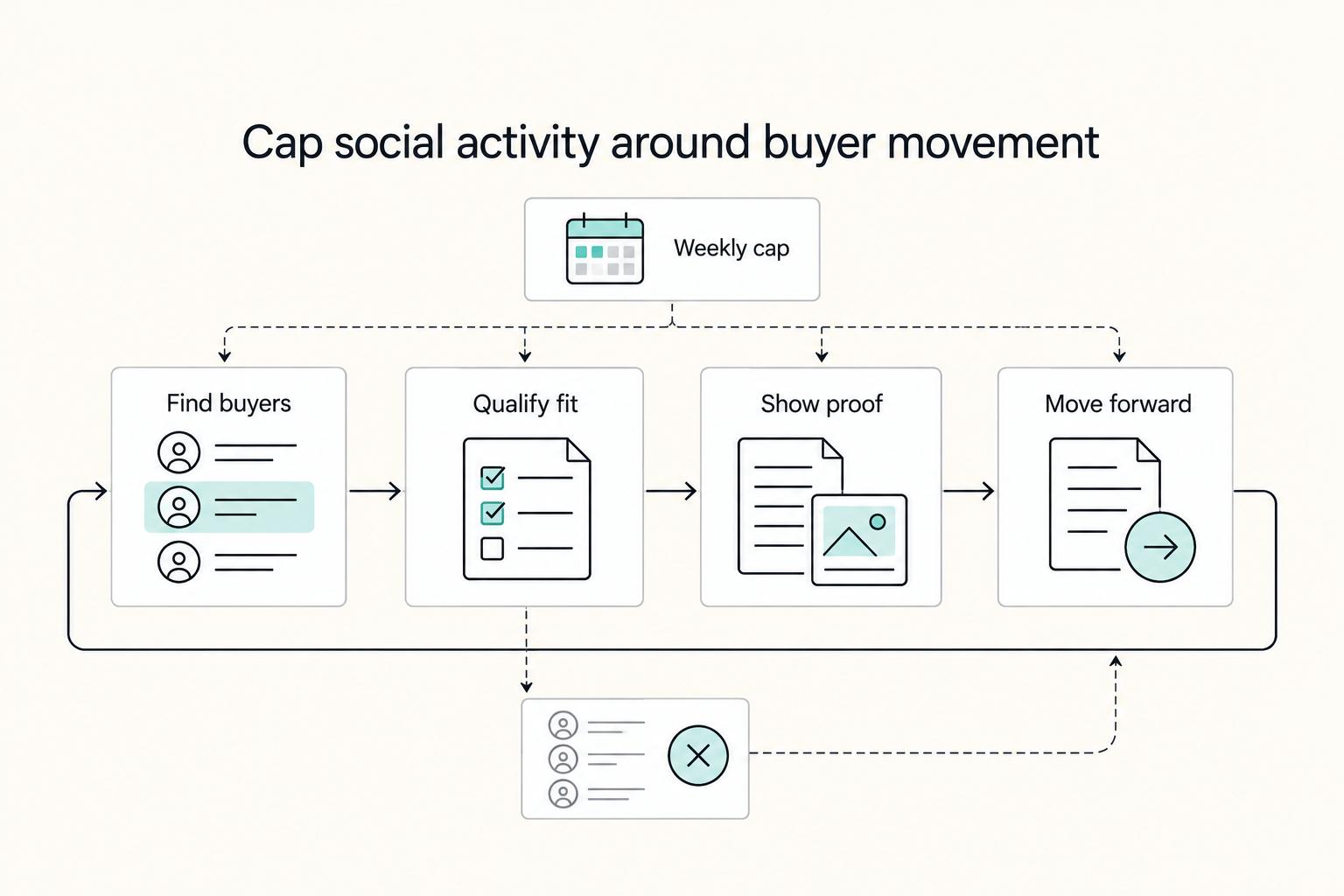
Treat your social presence as a capped client-acquisition block, not a daily posting race. If an activity does not help you find, qualify, or move real buyers forward, it does not belong on your weekly calendar.