
Quick Answer
Webflow ended native User Accounts on January 29, 2026. Use a supported external membership service: install its integration, create accounts and paid plans, connect payment prices to checkout and define access rules. Add a discussion or event tool if the offer needs it. Verify billing, cancellation and content security separately.
Start with the current Webflow membership options#
Webflow is still useful for a paid community’s public site and CMS, but its native User Accounts feature, formerly Memberships, ended on January 29, 2026. New projects need a separate service for login and paid access. The setup below uses Memberstack as one supported example, rather than treating native memberships as an available shortcut.
A working community combines several jobs: public content and sales pages, member authentication, billing, access to the promised resources, and discussion or events when included. Webflow plus a membership layer does not automatically provide a forum, moderation queue or live workshop. Choose the delivery tool that matches the offer and account for its extra login or integration.
Start here checklist:
- Define the member offer and delivery location
- Choose a supported membership service and payment connection
- Map access, billing, cancellation and support responsibilities
Map every payment and access point#
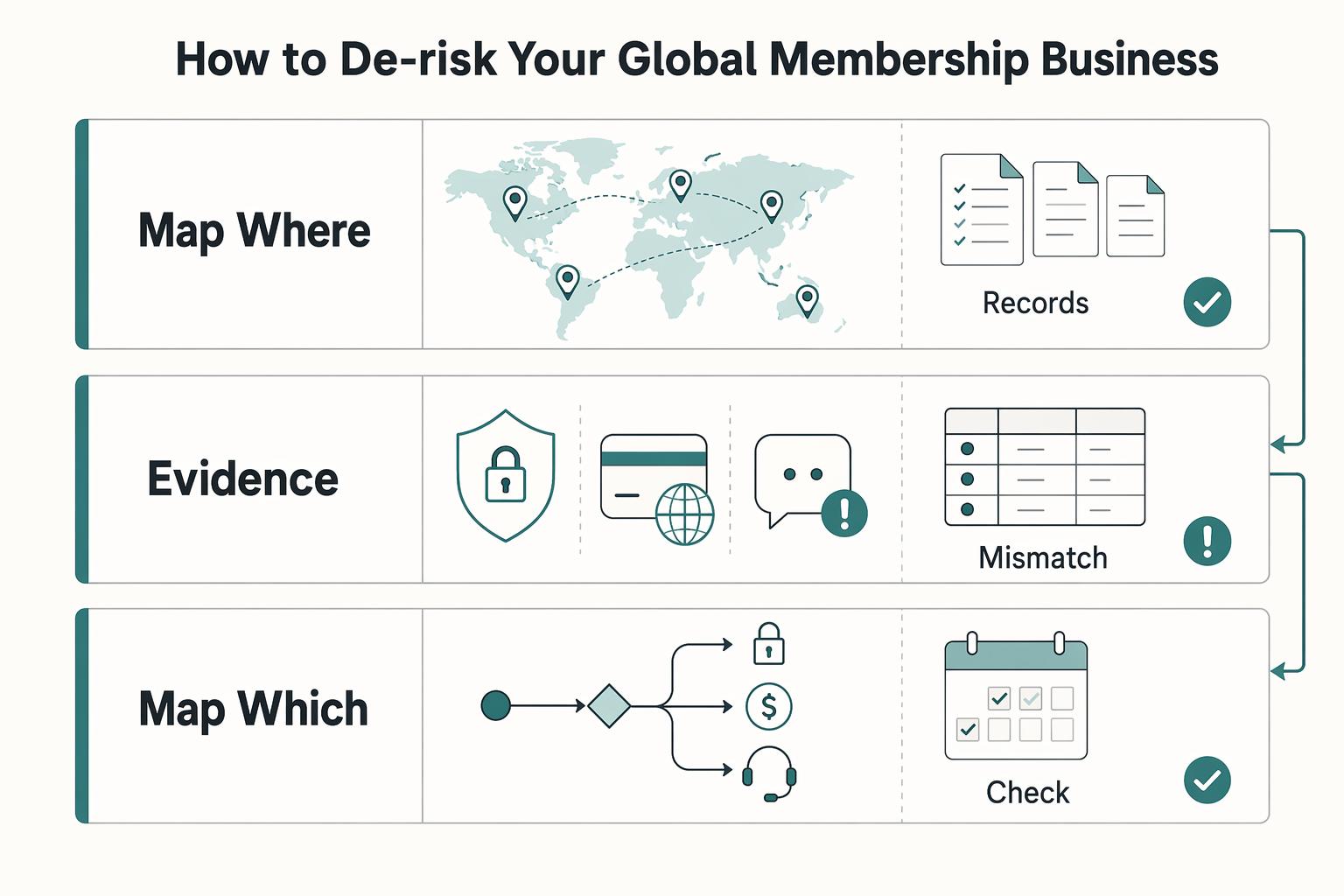
List every place a member can pay, sign up, or request access. Then note whose name appears on the charge, whose terms are accepted, and who handles the post-purchase issue when something goes wrong.
Your members need your own purchase terms and privacy information. A freelancer accepting Webflow’s vendor terms when opening a Webflow account is a different transaction. Show the recurring price, renewal cadence, included access, cancellation method and refund position at member checkout; retain the applicable terms version and acceptance record where required.
Price the real operating cost#
Budget for the Webflow site, membership service, payment fees and any discussion, video or event tools, plus setup and support work. A template purchase covers design assets, not all these recurring costs. Use your actual provider plan and fee schedule when calculating margin.
A common failure mode is time risk: once access or verification breaks, the issue stops being purely technical and becomes a refund, churn, and trust problem. If a user hits a "Verification failed" state, you are dealing with support load and potential revenue leakage at the same time.
Once you have this map, the next decisions get simpler. You can choose the right stack, shape monetization around real risk, and add legal controls that match how your paid community actually sells.
Choose a stack you can maintain and migrate#
Your stack decision is a control decision. For a paid community on Webflow, compare options by how much they preserve your ability to move data, change workflows, and avoid brittle dependencies, not by feature checklists alone.
Audit migration and export requirements#
Start with one test: if you had to migrate in six months, what can you export cleanly, and what would you rebuild by hand?
| Approach | Where the work lives | Main check |
|---|---|---|
| Webflow + Memberstack | Webflow pages/CMS; Memberstack accounts and access; connected Stripe billing | Can the content protection and billing rules support your offer? |
| Webflow + Outseta | Webflow frontend with an external membership service | Check its current billing, access, data export and community integrations |
| Dedicated community platform linked from Webflow | Webflow marketing site; member discussions and events in the community platform | Check separate-login friction, exports and recurring cost |
| Option | Responsibility check | Flexibility check | Migration risk check | Operational burden check |
|---|---|---|---|---|
| Webflow + membership service | Which service manages accounts and entitlements? | Does it support your actual tiers and integrations? | Can you export member records and map existing billing? | Who resolves access/payment mismatches? |
| Dedicated community platform | Which service hosts discussions and manages event access? | Can you deliver the offer without custom features? | What content and member data can you export? | Who moderates and supports members? |
| MoR-compatible access stack | Who is the contractual seller and who gates access? | Does the MoR support this community product? | What billing records and entitlements remain portable? | Which refund, tax and dispute duties stay with you? |
Webflow identifies Memberstack and Outseta as membership alternatives. Neither choice makes all your workflows portable automatically: confirm member exports, subscription identifiers, custom fields and the access rules you would need to rebuild.
Resolve legacy User Accounts before adding a new checkout#
The native feature is already gone. Webflow’s sunset notice says logins and native gates were removed, user data was not moved into the CMS, and Stripe subscriptions can continue charging. If you missed migration, check previously saved exports, your Stripe customer/subscription records and any separate CRM; the former User Accounts export and API are not a current recovery route.
Protect any formerly gated material that became public. Then reconcile each paying customer with the replacement account and access tier. Keep the existing subscription identifier and renewal date where the migration supports them; do not create a second recurring subscription as a substitute for restoring access. Get provider migration help for unsupported mappings, missing records or complex billing.
Member communication should explain where to log in, whether a password reset or invitation is needed, how existing paid time carries over, and how to cancel. Do not promise password portability or automatic recovery of Webflow data.
Choose membership and billing behavior before building#
Memberstack is a supported Webflow integration and is the example used below. Check the features and cost of your chosen plan against the actual offer. A resource library, public member directory, private client portal and moderated discussion community have different needs.
Verify these four items in docs or a demo:
| Check | What to verify |
|---|---|
| Member data export | Member record and custom-field export path |
| Integrations | API/webhook/integration paths you will actually use |
| Billing model | Billing model fit for your planned tiers |
| Connected tools | Connection points for CRM, analytics, and support workflows |
Run one end-to-end test member flow: signup, plan change, cancellation, and support handoff. Confirm the same member identifier stays consistent across systems.
A self-serve library may need fewer tools than a workshop or discussion community. Add integrations only for the promised delivery. Export sample member data and record a source of truth for payment status, membership entitlements and public profile fields.
Set up one paid tier with Webflow and Memberstack#
This example creates a monthly resource tier at an illustrative $25. Use a Webflow plan that permits the required custom code, a compatible Memberstack plan and an eligible Stripe account. Add your own discussion or event tool if the tier includes one.
1. Connect the account integration#
In Memberstack Settings > Install, copy the app’s header script. In Webflow Site Settings > Custom Code, put it in Head Code, save and publish when ready. Use the correct application and domain, and keep private API keys out of site code. The supported-platform guide explains the installation.
2. Add member signup, login and profile access#
For Memberstack’s prebuilt signup modal, add the custom attribute name data-ms-modal with value signup to a Webflow button. Use the provider’s corresponding login and profile actions for returning members and billing management. Alternatively, use its documented custom signup form. Collect only the fields needed for this offer; a working account form alone does not grant a paid tier. See the signup instructions.
3. Create the paid plan and its recurring price#
In Memberstack Plans, add a Paid Plan called Resource Member. Connect Stripe if prompted. Add a recurring $25 monthly price in the chosen currency. Copy that price’s installation attribute to the purchase control; do not reuse another tier’s price identifier. Members need an account before purchasing a price. Use the provider’s plan guide and paid-site guide for the current connection and checkout sequence.
4. Grant the tier access and choose appropriate protection#
In Gated Content, add the resource page or folder path, choose the plan allowed access and set an access-denied destination. Assign the generated content identifier to elements that need tier visibility. These frontend controls are useful for ordinary navigation, but are not a substitute for keeping private material off public pages. For supported protected HTML or links, use Hosted Content and replace public page content with placeholders. See gating, the security checklist and Hosted Content.
5. Verify billing and access across the member lifecycle#
In an authorized test configuration, verify signup, checkout, receipt, login, paid access, denied access, password reset and the billing-management route. Check failed payment, tier changes and cancellation effective dates against the payment and membership records. Use test-mode payment credentials supported by the integration; a dummy name does not make a live checkout harmless. Any final live transaction needs authorization and its own refund/cancellation cleanup. Confirm cancellation does not remove already-paid access prematurely and that expired accounts cannot obtain protected material.
Price tiers around delivery and support#
Recurring revenue has recurring delivery costs. Define the value of each tier and the work required to serve it, then compare that work with the price and likely member count.
Step 1 Define tiers by delivery reality, not content volume#
Define tiers by delivery work
| Tier example | Offer scope | Operational risk | Best for |
|---|---|---|---|
| Resource member | Content library, member directory, async discussion access | Lower risk if access rules are clear and delivery is mostly self-serve | Members who want structure without direct support |
| Workshop member | Everything above plus live group Q&A or monthly replay access | Medium risk from scheduling friction, replay expectations, and refund pressure | Members who want guided momentum without private access |
| Advisory member | Everything above plus capped reviews, office hours, or direct feedback | Higher risk from scope creep and support intensity if boundaries are loose | Small cohort that needs closer access to you |
For each tier, state response windows, what feedback includes, replay availability, rescheduling limits and access after cancellation. For example, cap an advisory tier at two reviews per month instead of advertising unlimited feedback that your calendar cannot support.
Verification point: before launch, run one test purchase per tier and confirm accepted terms, assigned access level, and a visible cancellation path.
Calculate the money left after delivery costs#
One currency can simplify initial reporting if it fits your customers. Multiple currencies may also be appropriate; track gross sales, currency conversions, fees and net settlements distinctly. Use your current provider settings and account-specific fee schedule rather than a universal assumed rate.
For an illustrative monthly tier, 40 members at $25 produce $1,000 gross. Assume $70 payment and membership transaction costs, $130 fixed tools and $300 allocated support/workshop labor: $500 remains before tax, refunds and other overhead. These are invented cost assumptions, not vendor prices. Ten hours of additional support at $30 would reduce that remainder to $200. Check the delivery burden before offering more live access.
Step 3 Lock operations before opening sales#
Before launch, confirm these basics:
| Operational item | What to confirm before launch |
|---|---|
| Billing descriptor | Clearly matches your brand and community name |
| Cancellation and refunds | Cancellation and refund path is easy to find before and after purchase |
| Dispute evidence | Workflow is ready: invoices, access logs, policy acceptance, cancellation timestamps |
| Support coverage | Model states response windows across member regions and time zones |
Always-available content can coexist with regional support hours. State both clearly: for example, library access at any time and replies within two business days. Avoid promising around-the-clock support unless you provide it. Related: Webflow for Freelance Designers.
Assign billing, tax and member-support duties#
A membership service controls some account and access behavior; that does not automatically make it the seller of your community or take over its tax and consumer obligations. Check the agreement and actual checkout for the role of each provider.
Verify who actually carries each transaction duty#
Start with a five-line liability map before launch: seller of record, indirect tax, chargebacks/fraud, refunds, and payment-compliance obligations. Do not use checkout UX or marketing copy as proof. Confirm each line in the agreement and support terms tied to your active account.
For each connected tool, identify who takes the member’s request and who can resolve it. An unclear refund or tax boundary needs clarification; it does not automatically transfer legal responsibility to a different party.
For direct payment processing, tax calculation is separate from registration and filing. Stripe Tax supports tax workflows, but enabling calculation alone does not settle all your registration, remittance or filing obligations. Check the supported product, account setup and service scope.
Verification point: save one evidence pack with the current agreement, relevant help-page screenshots, checkout terms acceptance proof, and the exact clause or page for each liability line.
Compare direct payments vs. a Merchant of Record candidate#
A Merchant of Record may handle specified sales and tax tasks as contractual seller, if it accepts your product and works with your access layer. It does not remove all obligations associated with your content, member data or promises. Compare the actual contract and integration rather than the label.
| Area | Direct setup: verify | MoR candidate: verify | Evidence to keep |
|---|---|---|---|
| Legal liability ownership | Whether you are the named seller on checkout/receipts | Whether provider is contractually seller/reseller | Contract clause, sample receipt, checkout screen |
| Indirect tax operations | Who calculates, collects, files, remits | Which tax tasks provider explicitly assumes | Tax policy page, account settings screenshot |
| Dispute operations | Who answers chargebacks and who absorbs losses | Whether provider runs disputes and where your role starts/ends | Dispute policy, escalation workflow |
| Refund handling boundaries | Who can approve/process refunds and exceptions | Which refunds provider handles vs. routes to you | Refund policy, dashboard steps |
| Payment-compliance duties | Which verification/security duties remain with you | What coverage provider maintains and your remaining tasks | Compliance docs, onboarding checklist |
| Evidence/documentation burden | What records you must retain for disputes/audits | What records provider retains vs. what you must store | Retention policy, export sample, folder checklist |
Resolve a disputed or unclear boundary before relying on provider coverage for that duty. Routine work with clear responsibilities can continue.
Turn Terms and Privacy into an operating checklist#
Your policies should match exactly how the paid community runs. Check that they clearly state:
| Policy area | What should be clear |
|---|---|
| Tier scope | what each tier includes, access limits, and what changes after cancellation |
| Billing and cancellations | billing cadence, failed-payment handling, cancellation steps, and refund position |
| Member conduct | member conduct rules and when access can be suspended or removed |
| Content ownership | content ownership and limits on sharing, reposting, or account sharing |
| Personal data | what personal data you process and how members can request access, correction, or deletion |
| Policy updates | how policy updates are communicated and which version applied at signup |
Verification point: run a test purchase and confirm Terms/Privacy are visible before payment, acceptance is logged, and cancellation is visible after signup.
Implement in sequence#
Document how payment status changes access and who answers tax, refund, dispute and privacy requests. Verify those handoffs in an authorized test environment before accepting new paid members. A signed privacy-policy acknowledgement alone does not demonstrate that all data processing or consumer obligations have been met.
Check the three operating decisions before launch#
Keep a short record of access ownership, tier economics and member-facing billing promises. Review it when you change prices, integrations or the offer.
Ask who controls the stack#
Webflow hosts the site and CMS content; the membership service manages accounts and entitlement rules; Stripe maintains payment and subscription records in this example. A discussion tool manages its own roles and moderation. These operational roles do not establish contractual ownership of your content or member data. Check the provider agreements and keep identifiers and responsibility boundaries clear across handoffs.
Ask where margin leaks#
Compare collected revenue with provider charges, refunds and delivery hours. A free trial or introductory tool discount can hide a recurring cost, so budget for the ordinary price before relying on the margin.
Ask who owns compliance in practice#
Confirm the member sees the recurring amount, renewal period, included access, cancellation route and relevant policies. Test the actual purchase flow, rather than assuming that Webflow’s vendor signup page proves your checkout behavior.
Capture the next work session#
In your next work session, verify:
- platform portability assumptions
- monetization leakage points
- policy-to-checkout alignment
Capture all decisions in one operating document, mark each owner as you or the relevant partner tool, then use that document to update your tools, policies, and member-facing flows.
We covered this in detail in How to create a 'Help Center' for your product using Notion.
Frequently Asked Questions
How should you handle VAT or sales tax for a global membership?
Map the product, seller and customer locations before choosing a tax workflow. A content subscription and a live advisory service may receive different treatment. Direct processing can leave registrations and filings with your business; a Merchant of Record handles only the duties within its contract and supported product. Keep buyer-location and tax records appropriate to that setup rather than assuming a membership integration covers worldwide tax.
Which stack can you use for a paid community on Webflow now?
Use an external membership service or link to a dedicated community platform. Webflow’s native User Accounts ended on January 29, 2026. Memberstack is one supported option for accounts, plans and access; compare Outseta or a community platform against your delivery, data-export and security needs.
What legal pages and checkout cues should you ship before launch?
Publish your Terms of Service and Privacy Policy before the first payment, and place both links where a buyer can see them before completing checkout. Exact policy language and legal requirements vary by jurisdiction and program, so confirm specifics with qualified counsel; location-based items must be verified from legal or policy source records before use. Your verification step is simple: open the live site and confirm those links are visible outside the designer preview.
How should you handle cancellations and disputes?
Make cancellation easy to find and distinguish the request date from the effective subscription end. Stripe supports immediate or period-end cancellation. Period-end cancellation can preserve prepaid access until expiry; refunds are a separate decision subject to the offer and applicable rights. Confirm the membership layer follows the chosen status and paid-through date, and record member ID, subscription ID, request time, effective end and confirmation.
How do you protect paid content without creating more admin?
Ordinary Memberstack page redirects and hidden elements depend on frontend JavaScript and can fail open if it does not load. Do not place confidential content or secrets in public Webflow HTML and rely on hiding them. Hosted Content can withhold supported HTML or links until authorized; a file at a public URL can still be shared once that URL is known. Use authenticated file delivery or appropriate backend authorization where needed, plus clear sharing terms and a proportionate misuse process.
Where should members go for help, and how should your FAQ live on site?
Publish a concise member FAQ and one monitored support destination covering login, access, billing, cancellation and workshop attendance. Member support should reach your business or designated operator; Webflow and membership-vendor support handle their respective platform issues. Keep those routes distinct so a billing request is not sent into a public builder forum.
Try a related tool
Researched and edited by the Gruv editorial team. Gruv builds cross-border billing, payouts, and finance-operations software for global businesses.
Sources
Includes 4 external sources outside the trusted-domain allowlist.
- docs.stripe.com/billing/subscriptions/canceltrusted
- docs.stripe.com/taxtrusted
- developers.webflow.com/home/changelog/2026/1/29external
- docs.memberstack.com/hc/en-us/articles/51630886281499-Supported-W...external
- docs.memberstack.com/hc/en-us/articles/7424129003547-Create-a-Sig...external
- help.webflow.com/hc/en-us/articles/36046006227731-User-Accoun...external
Educational content only. Not legal, tax, or financial advice.
Related Posts

How to Create a Productized Service for Your Freelance Business
If your recent client work produces similar results from similar inputs, you may be ready to turn it into a defined offer. The shift is operational, not cosmetic. You are deciding what you sell, what the client gets, what it costs, and how delivery happens, instead of rebuilding every job from scratch.

How to Create Your Own Online Course
If you want this to become a real revenue line, treat it like a product decision, not a content project. This guide helps you make the important calls in the right order: define the offer, choose the platform that fits it, and move from outline to published course without avoidable rework.

Webflow for Freelance Designers Who Want Predictable Client Work
If you want **webflow for freelance designers** to pay like a business rather than a string of one-off builds, you need three things working together: a way to accept only the right projects, a repeatable delivery path, and controls for the moments when scope and risk start drifting. By the end of this guide, you should have a practical way to qualify leads faster, run one clear approval path, and reduce the chance of mid-project expansion quietly hurting your margin.