
Quick Answer
Run a one-week pilot and judge results by missed follow-ups and thread retrieval speed, not inbox aesthetics. Set Reminder rules on invoice, proposal, and dormant-lead threads, then use Done so only active work stays visible. Add a pre-send QA pause for proposals, invoices, and timeline changes to catch recipient, attachment, and date errors. Before rollout, verify account fit (Google or Microsoft 365), because Exchange is unsupported and alias-only login will fail.
Pillar 1: The Profit Engine - How Superhuman Recaptures Billable Hours and Secures Revenue#
Your inbox affects two numbers you feel every month: billable capacity and days to cash. If you are evaluating superhuman for email management, start there. The only useful question is whether it helps you recover sellable time and keeps revenue-critical threads from going cold.
Step 1 Measure recovered time against your own rate#
Do not start with someone else's ROI story. Start with your number: your rate x time recovered x working periods. If you use your verified hourly rate, measured recovered time, and a defined working period, you have a usable estimate. You do not need to pretend the result is guaranteed.
Use the inputs below only after you verify your current habits and the features available in your plan. Keep the baseline clean when you measure. Count repeat handling, drafting the same kind of reply, hunting for a thread you already touched, and remembering to follow up later. Do not count deep client work that belongs to the project itself. The point is to isolate inbox friction, not inflate the result.
| Revenue point | Manual inbox workflow | Tool-assisted workflow |
|---|---|---|
| Qualified lead reply | Draft from scratch when noticed | Send a prepared first response faster if saved replies are available in your plan |
| Proposal follow-up | Flag it and hope you remember | Resurface the thread on a set date if your workflow supports reminders |
| Invoice chase | Review aging invoices elsewhere | Bring the invoice thread back after the verified grace period using your reminder workflow |
| Scheduling | Trade availability emails back and forth | Reduce booking friction if your workflow supports calendar sharing |
Checkpoint: after one week, you should be able to point to a real baseline, such as measured daily time spent handling repeat replies. You should also know where the time actually goes. For some people it is drafting. For others, it is re-reading old threads, checking whether someone replied, or trying to remember which proposals need a nudge. That distinction matters because it tells you which workflow to test first.
Step 2 Turn follow-up into a cash collection habit#
The first win is not inbox tidiness. It is a reminder rule tied to the thread that moves money. If your setup supports thread reminders, use them for cash and pipeline first.
| Thread | Trigger | Reminder | Next action | Owner |
|---|---|---|---|---|
| Invoices | invoice sent | resurface after the verified grace period if no reply or payment confirmation | send a short note with invoice number, amount, and due date | You or assigned owner |
| Proposals | proposal sent | resurface after the verified follow-up window without response | ask one decision question and offer a call | You or assigned owner |
| Dormant leads | "circle back next month/quarter" | resurface on the promised date or 30 days before the likely buying window | reopen with context, not "just checking in" | You or assigned owner |
Test each reminder on an internal thread first and confirm it returns on the right date with the original conversation intact. Then check one more thing: make sure the reminder comes back in a way you will actually notice during a normal workday. A reminder that technically exists but gets buried in the same clutter does not protect revenue follow-through.
A common failure mode is lots of activity with no buyer progression. Another is setting the reminder but not deciding the exact next action in advance. If no owner is named, reminders stay as nice ideas instead of turning into collection and follow-up actions. If no next step is written, the thread resurfaces and still requires fresh thinking, which slows the follow-up you were trying to make routine.
Step 3 Use prepared replies and scheduling to move deals forward this week#
Once follow-up is handled, reduce delay in the messages you send most. If your current plan includes saved replies and calendar options, use them in a revenue sequence. Start with a fast first response, then consistent proposal follow-up, then low-friction booking from a qualified conversation. The goal is not more email volume. It is moving a real buyer from interest to decision with less delay and less retyping.
| Message type | Use note | What it should do |
|---|---|---|
| First response | Start with a fast first response | Confirm you saw the inquiry and point to the next step |
| Proposal nudge | Use for consistent proposal follow-up | Reopen the decision, not restart the whole sales conversation |
| Invoice follow-up | Use for invoice follow-up | Make payment details easy to act on without sounding vague or apologetic |
| Scheduling | Use only after the thread is clearly qualified | Reduce back-and-forth instead of pushing every lead into a calendar link too early |
Keep the prepared replies short enough to personalize in seconds. A first response should confirm you saw the inquiry and point to the next step. A proposal nudge should reopen the decision, not restart the whole sales conversation. An invoice follow-up should make payment details easy to act on without sounding vague or apologetic. If you add scheduling, use it only after the thread is clearly qualified. That way you reduce back-and-forth instead of pushing every lead into a calendar link too early.
This week, implement four things:
- Record your current billable rate and track inbox handling time for five working periods.
- Create three approved messages: first-response, proposal nudge, and invoice follow-up.
- Set and test three reminder rules on non-client threads before using them live.
- Verify Superhuman's current plan name, pricing, and available features on the product page before you depend on any feature in client-facing work.
By the end of the week, you should have one time baseline, three reusable revenue messages, and three follow-up triggers that support cash-flow follow-through. You might also find this useful: How to Handle Taxes on Rental Income from Abroad.
Pillar 2: Set a visible communication standard for client threads#
Clients experience professionalism as reliability, not speed. Here, the goal is a visible communication standard: every thread is triaged, acknowledged, resolved, and followed through.
Step 1 Set a client communication SLA#
Define one four-stage standard for every client thread, then insert your own verified targets after one working week of measurement.
| Stage | What the client should see | Your verified target |
|---|---|---|
| Triage | Message is classified and owned | Pending one-week measurement |
| Acknowledge | Short confirmation that you saw it | Pending one-week measurement |
| Resolve | Clear answer or explicit next step | Pending one-week measurement |
| Follow-through | Update delivered when promised | On the promised date or time recorded in the thread |
Use one quick thread audit each week: check 10 recent client emails for stage, owner, and next action. If an acknowledgement does not include a committed next step, it reads as activity, not reliability.
Step 2 Use a pre-send QA check for high-stakes emails#
For high-stakes emails, add a short control step before you send. If your setup includes Undo Send, use that window as a final QA pause, especially for proposals, invoices, timeline changes, and scope language.
Pre-send workflow:
- Draft the email and write one explicit summary line for the decision or change.
- Check numbers and dates.
- Check attachments and file version.
- Check recipient(s) and scope language for clarity.
Keep this check short and repeatable to prevent avoidable trust damage from wrong files, wrong recipients, or unclear commitments.
Step 3 Standardize repeat replies by client stage#
If Snippets are available in your workflow, map them to client stages so your tone and structure stay consistent under load.
| Client stage | Ad hoc replies | Standardized snippets |
|---|---|---|
| New inquiry | Varies by timing and mood | Consistent first response and next step |
| Active project update | Easy to miss status or asks | Repeatable format: status, risk, next action |
| Scope or delay discussion | Can become vague or defensive | Clear language and fewer clarification loops |
Build each snippet around what the client needs to act on: current status, next step, owner, and timing.
Implement this pillar#
- Configure now: your four-stage SLA, one pre-send QA checklist, and three stage-based snippets.
- Review weekly: missed acknowledgements, unclear promises, and threads with repeated clarification.
- Working signals: fewer "just checking in" emails, fewer correction follow-ups after send, and cleaner handoffs between acknowledgement and resolution.
If you want a deeper dive, read Value-Based Pricing: A Freelancer's Guide.
Pillar 3: Your Inbox as an Evidence Locker - How Superhuman Mitigates Compliance Risk#
When money, terms, or tax records move through email, you need a system that produces usable proof, not just a cleaner inbox.
Step 1 Build a records architecture you can defend#
Treat your inbox as intake, not long-term storage. Use four record categories for intake: finance, contracts, receipts, and tax. If your setup includes Split Inbox, use it as a triage layer; if not, mirror the same structure with labels, folders, or your document system. The standard is simple: each record type has one obvious destination, then a saved copy in your permanent records.
| Record type | Manual filing outcome | Routed intake outcome |
|---|---|---|
| Finance | Invoices and payment notices stay mixed with routine thread traffic | Money-related messages are grouped for faster matching to invoices and payment follow-ups |
| Contracts | Signed files and scope edits get buried in long threads | Agreements and amendments are easier to review together before final storage |
| Receipts | Expense evidence is often found late | Receipts are visible earlier, so they get saved while context is still clear |
| Tax | Tax-related notices compete with daily inbox noise | Time-sensitive tax messages are easier to flag and process |
Quick check: pick one recent message from each category and retrieve the permanent copy without relying on memory. If retrieval depends on guessing, tighten the structure.
Step 2 Treat read receipts as supporting evidence only#
Use read or open signals as supporting context, not as final proof of receipt, acceptance, or compliance.
Use this high-stakes send protocol as internal policy:
- Send one clean message with a clear subject, concise summary of what changed, and the final attachment version.
- Keep a proof pack: sent email, attachment filenames, any read/open signal, any reply or approval, and your note of the requested action.
- Store that pack in the client or matter record, not only in the live thread.
Before sending, confirm recipient list, attachment version, and the exact action or deadline stated in plain language.
Step 3 Govern templates and AI use like controlled records#
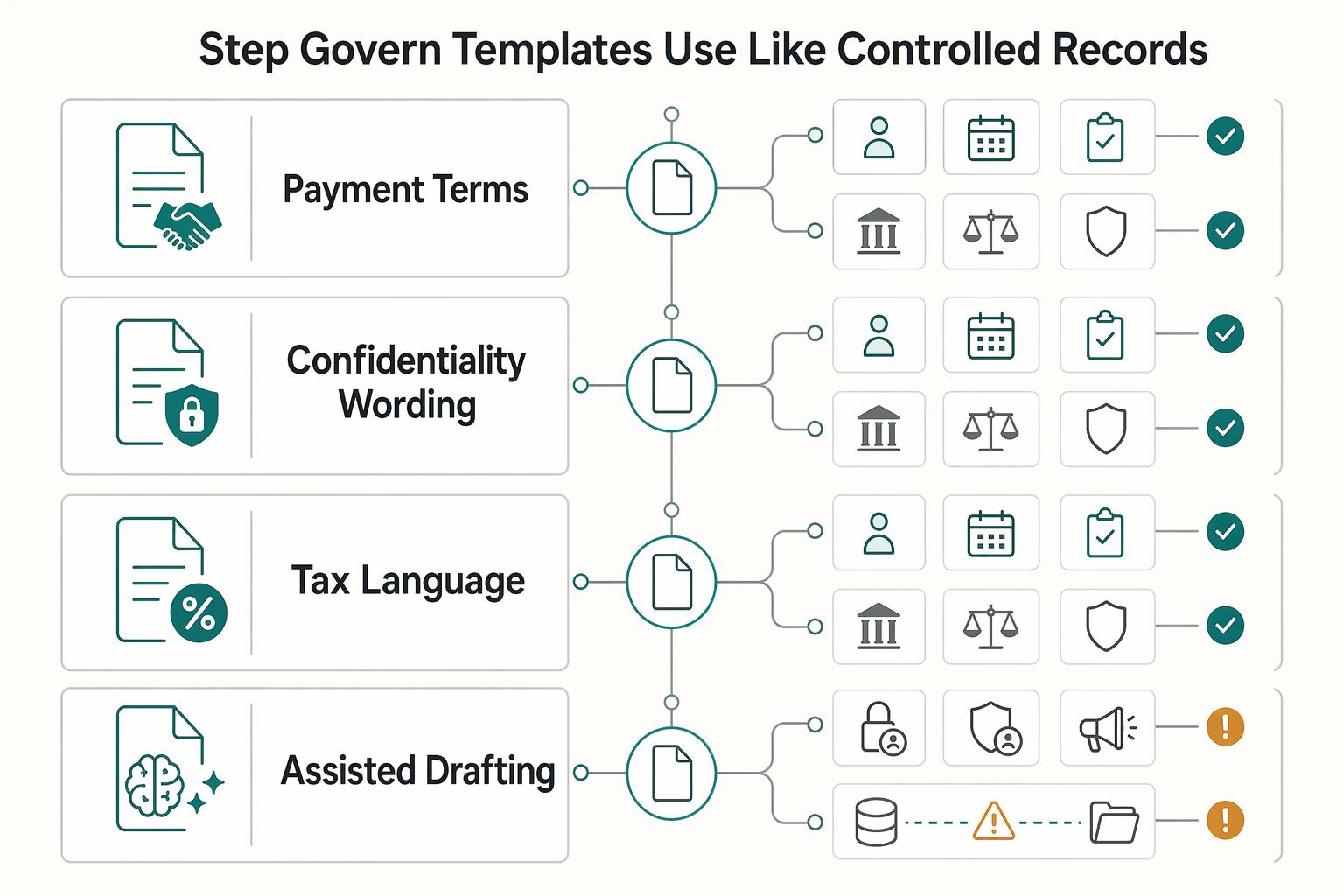
If you use Snippets for payment terms, confidentiality wording, or tax language, manage them as controlled templates. Keep an approved template library with an owner, approval date, and review date for each clause. Where local rules apply, verify the current threshold or required wording from official, legal, policy, provider, contract, or source records before use.
| Item | Control | Additional note |
|---|---|---|
| Payment terms snippets | Manage them as controlled templates in an approved template library | Keep an owner, approval date, and review date for each clause |
| Confidentiality wording snippets | Manage them as controlled templates in an approved template library | Keep an owner, approval date, and review date for each clause |
| Tax language snippets | Manage them as controlled templates in an approved template library | Confirm the current tax threshold with the relevant tax authority or advisor where local rules apply |
| AI-assisted drafting | Keep drafting inside approved tools | Review network logs (or equivalent admin records) for unapproved use and retain rights documentation for reused text, images, or data |
This same governance applies to AI-assisted drafting. Superhuman's legal-first AI guidance flags Shadow AI as hidden liability, notes risk areas such as privacy, confidentiality, and false-advertising claims, and warns that uncontrolled data flows can leak trade secrets. Keep AI drafting inside approved tools, review network logs (or equivalent admin records) for unapproved use, and retain rights documentation for reused text, images, or data.
Step 4 Retrieve proof with a repeatable routine#
When you need to produce evidence, start with stable anchors: sender, recipient, date range, and one fixed term, for example invoice ID, contract title, or attachment name. Pull the smallest complete set that proves the point: initiating message, final sent version, attachments, replies or approvals, and related payment or receipt messages. Check timestamps, filenames, and unrelated confidential content before sharing.
Use this weekly maintenance checklist:
- Clear uncategorized record emails.
- Spot-check recent finance, contract, receipt, and tax messages for proper storage.
- Remove outdated snippets and confirm template owner and review date.
- Confirm high-stakes sends include a complete proof pack.
- Review exceptions involving unapproved AI use or missing network-log checks.
Related: How to Create a Professional Email Signature That Gets Results.
The Verdict: From Productivity Tool to Strategic Business Asset#
Use Superhuman only if you are ready to standardize how mail gets handled. If you want isolated shortcuts, postpone. If you want a repeatable follow-up method, more consistent client replies, and cleaner thread retrieval, pilot it as a method, not just an app.
| Area | Tool-centric usage | System-centric usage |
|---|---|---|
| Revenue follow-up | You use a few shortcuts when you remember | You process every message with the Four D's: Delete, Delegate, Defer, Do |
| Client communication | You reply faster on good days | You route active mail through Action, reference mail through Read, and pending threads through Waiting |
| Record readiness | You search a crowded inbox when needed | You close, file, and retrieve threads consistently, so they are easier to find later |
Step 1 Tighten the handling rules before you judge the result#
Judge fit by maturity, not email volume alone. If your inbox is still acting as memory, you need the basic operating rules first: the 3-folder system of Action, Read, Waiting plus the Four D's. That is what turns speed into something useful. Checkpoint: early in your pilot, you should be able to decide where every incoming message goes without inventing a new category. If you cannot, do not blame the tool yet. Tighten the handling rules before you judge the result.
Step 2 Pilot first if client load is rising#
Pilot first if client load is rising or if missed follow-ups are already costing attention, trust, or cash timing. The practical test is simple: can you keep live work visible, keep reference mail searchable, and stop revisiting the same thread three times? A common failure mode shows up fast: email setups often fall apart within weeks when they are not operationalized. A short pilot can be enough to reveal whether you will actually use the rules daily or drift back to a crowded inbox.
Step 3 Adopt now if you already have handling discipline#
Adopt now if you already have handling discipline and, if someone else touches your inbox, you can define escalation criteria and communication protocols in the first few weeks. Postpone if you need compliance certainty from the tool itself, because record readiness still depends on your process and separate retention rules. If integrations matter, verify whether your existing stack connects within hours rather than months before you commit. The right decision is not whether the software feels fast on day one. It is whether your team can repeat the method without constant cleanup.
For a step-by-step walkthrough, see How to Use Linear for Agile Project Management as a Freelance Developer.
Frequently Asked Questions
Is it worth it for a solo operator?
Yes, if you regularly revisit the same messages, miss follow-ups, or keep your inbox as a to-do list. Probably not if your email volume is modest and you already clear it daily without things slipping. Set up Reminders and the Done habit first, then judge after one week whether the change is real.
Can it help you stay on top of client follow-ups?
Yes, if you stop using unread mail as a memory aid. Superhuman's own guidance warns that leaving messages unread often leads to revisiting the same messages again and again. Reminders move a message out of the inbox and bring it back later. Test Cmd+K or Ctrl+K to open Remind Me, or use H, on three active threads you actually need to revisit, then confirm the reminder date matches when you want to act.
Can you use it for contracts, invoices, receipts, and tax mail?
Yes, as a handling layer, not as your only archive. Messages marked Done are still saved and fully searchable, and if someone replies, the conversation returns to your inbox, which is useful for ongoing matters. If your workflow depends on features beyond Done, Reminder, and search, verify current behavior before you rely on them for compliance-sensitive work.
What should you verify before switching?
First, confirm your account is Google-hosted or Microsoft 365-hosted. Exchange accounts are not supported, and you cannot log in with an alias unless that alias is a real account login. One easy-to-miss failure mode is billing access: a past-due subscription invoice can also block login and may require support.
What about security and AI claims?
Verify both directly before you buy. Do not assume hard claims about security guarantees, certifications, or AI output quality; treat both as items to confirm in current vendor documentation. Best fit is reviewed human use, not blind reliance, especially if you need assurance language for regulated, contractual, or client-security promises.
What is the right setup order for your first week?
Start by verifying account support and that you can log in with the actual account, not just an alias. Then practice Done, Reminder, and search every day until your inbox contains only messages that still need attention. On day five, confirm you can find one Done conversation and one scheduled Reminder quickly, then verify current feature availability from vendor documentation before you standardize anything else.
Try a related tool
Researched and edited by the Gruv editorial team. Gruv builds cross-border billing, payouts, and finance-operations software for global businesses.
Sources
Includes 3 external sources outside the trusted-domain allowlist.
- cs.princeton.edu/courses/archive/spring18/cos226/assignments/...trusted
- digitalarchives.sjc.edu/itemstrusted
- digitalarchives.sjc.edu/itemstrusted
- dlg.usg.edu/record/asc_iaasc_profile198687trusted
- snap.berkeley.edu/project/10053261trusted
- anthropic.com/claude-sonnet-4-5-system-cardexternal
- arxiv.org/pdf/2502.16810external
- blog.superhuman.com/generative-ai-strategyexternal
Educational content only. Not legal, tax, or financial advice.
Related Posts

Value-Based Pricing for Freelancers Under Real Payment Risk
Value-based pricing works when you and the client can name the business result before kickoff and agree on how progress will be judged. If that link is weak, use a tighter model first. This is not about defending one pricing philosophy over another. It is about avoiding surprises by keeping pricing, scope, delivery, and payment aligned from day one.
How to Create a Professional Freelance Email Signature
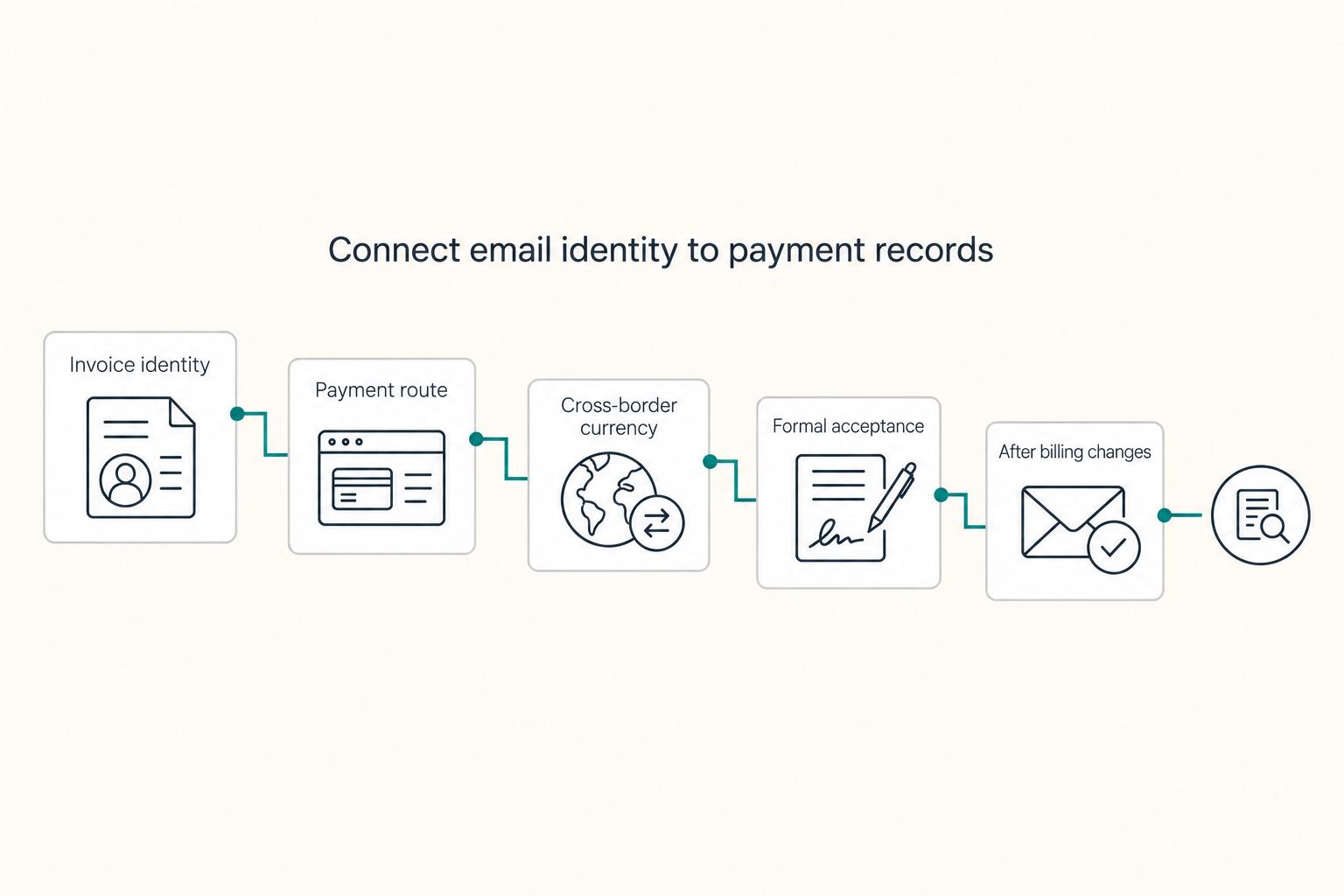
Treat your signature like a working document, not a decorative footer. If you want clearer client verification and fewer avoidable questions, your email block needs to make your identity, your role, and the next action clear at a glance.

How to Report Foreign Rental Income on a U.S. Tax Return
When dealing with `us tax on foreign rental income`, start conservatively: treat reportability and treatment as unresolved until primary IRS authority for your facts says otherwise.