
Quick Answer
Yes, notion api for freelancers can connect your core tools so contracts, invoices, approvals, and scope changes land in linked Notion records instead of scattered apps. The reliable path is to start with one narrow workflow, validate field mapping and permissions, and confirm timestamps and status values on real records. Use Zapier or Make as the routing layer, then expand only after exceptions are visible and resolved.
Beyond To-Do Lists: Why Your Notion Setup Is a Hidden Business Risk#
Step 1 Replace the illusion of productivity with risk-aware operations#
A tidy dashboard can make you feel organized while still leaving the business exposed. If your Notion setup mostly helps you move tasks around faster, you may be buying the feeling of productivity instead of building the records you actually need to run the business safely. A faster to-do list will not help when you need to resolve a scope dispute, handle payment follow-up with clear documentation, or pull together an audit-ready history.
Use a simple test. Can you answer business questions quickly, not just task questions? If a client asks what was approved, when the contract was signed, what changed, and whether the latest invoice is still open, you should not have to search email, Stripe, a call summary, and three Notion pages to piece it together.
Checkpoint: if you cannot reconstruct a client timeline without switching across multiple tools, you do not have a reliable operating record. You have notes.
Step 2 Map where your records live and follow the breakpoints#
The risk usually creeps in one tool at a time. Contracts sit in Google Drive or an e-signature inbox. Invoices live in Stripe. Tasks live in Notion. Key client decisions stay buried in email or call notes. Each tool works on its own, but once those records are disconnected, you lose cause and effect.
That break shows up in ordinary work. Payment follow-up gets sloppy because you can see invoice status but not the signed scope next to it. Scope creep becomes hard to challenge because the request happened on a call, the summary stayed in your inbox, and the project page never changed. At that point, even basic questions about project history, profitability, or compliance start depending on guesswork.
The real value of the Notion API in a freelance business is not prettier dashboards. It is using connected records to create one auditable source of truth.
| Common freelance stack | Notion API driven behavior | Practical outcome |
|---|---|---|
| Contract in email or drive, project plan in Notion | Signed contract is logged to the client record with a timestamp and linked file | You can verify start date, scope baseline, and approver without hunting |
| Invoice status in Stripe, payment follow-up in your inbox | Invoice records can be synced into the client or project record through automation | You can review payment status and project context together before following up |
| Scope changes discussed on calls, tasks managed separately | Change requests and critical client communications are logged to the same client timeline | You can show what changed, when it changed, and what work followed |
| Contracts, invoices, and project records all managed in separate places | Key records are connected in one client view | You can answer project-history and profitability questions with less guesswork |
Checkpoint: open one active client and ask, "What was promised, what changed, what has been paid, and what is still outstanding?" If the answer requires tool switching, your records are still siloed.
Step 3 Build a defensible asset instead of a pile of pages#
A defensible record is more than a well-designed page. In practice, each client should have time-stamped events and linked source records. Signed contract logged. Scope change logged. Critical client communication logged. Invoice status linked.
The common failure mode is manual patchwork where key events never make it back to one central record. That can feel efficient in the moment, but it leaves you with weak evidence when memory and documentation do not match. If scope changes still happen in calls or DMs without a logged follow-up, treat that as the first red flag to fix.
One practical detail matters here. Notion pages are private by default when created, but sharing depends on your permission choices. If you use client portals or shared pages, verify access settings every time you publish or invite. "Private by default" is a good starting point, not a substitute for checking who can actually see what.
That shift is what the rest of this article builds on: from isolated notes to an integrated operating setup powered by the Notion API and an automation layer like Zapier or Make. For more background, see A Guide to Notion for Freelance Business Management.
Define Shared Records First, Then Layer Automation on Top#
If you're building around the Notion API, start by defining shared records, then layer automation on top. Build in this order: client lifecycle first, financial tracking second, compliance records third. Each pillar should use the same client and project records so your data stays consistent.
| Pillar | Purpose | Primary connected tools | Key Notion objects | Risk if missing |
|---|---|---|---|---|
| Client lifecycle | Keep client, project, task, approval, and change history connected | Email, forms, calendar, e-signature | Clients, Projects, Tasks, Contracts, optional Team Directory | Delivery continues without a reliable scope or approval trail |
| Financial command center | Keep billing context tied to project execution | Invoicing, payments, time tracking | Invoices, Projects, Clients | You can see invoices but not project-level health in context |
| Compliance vault | Keep versions and key records easy to verify | E-signature, file storage, email | Contracts, Compliance Records, Clients, Projects | You retain files but lose clear change history |
Step 1 Create the shared record spine#
Set up six databases first: Clients, Projects, Tasks, Contracts, Invoices, and Compliance Records. Link them so one Client can connect to many Projects, and each Project can connect to Tasks, Contracts, Invoices, and Compliance Records.
Keep this structure as flat as possible. Overly nested pages can make the workspace harder to understand, and critical records become difficult to track. If you assign work across multiple people, add a Team Directory so ownership stays clear.
Checkpoint: Open one Project and confirm you can reach the linked Client, active Contract, open Tasks, latest Invoice, and related Compliance Records without searching.
Step 2 Add operating standards that keep records trustworthy#
Trust comes from consistent properties, not page design. Standardize at least Status, Owner, Last updated, Source link, and Version where iteration history matters.
Use version tracking for contracts, scope changes, and approvals so you can compare updates instead of overwriting them. Keep space for stakeholder feedback and scope decisions inside the Project record, and require assignee, deadline, and progress on each Task. Keep core properties consistent, but allow a few flexible fields when project needs differ.
Step 3 Route automation with clear ownership#
Use Zapier or Make as a routing layer, but keep the logic simple: define the trigger source, normalize data before write-back, update the owning record first, and log sync failures in one visible place. For example, a contract event should update the Contract record first, then roll up to Project and Client.
Assign one human owner to each automation. Apply naming standards such as Client - Project - Record Type so records stay searchable. Add an admin checklist, then set the review rhythm only after run history or source records support it. If two tools can edit the same field or sync errors start stacking up, simplify before adding more connections.
With this blueprint in place, the next step is implementing the client lifecycle automation flow. You might also find this useful: How to Use Zapier to Connect Your Freelance Tech Stack.
How to Automate Your Client Lifecycle for Zero-Friction Professionalism#
Automate the lifecycle in three linked moves: contract signed -> portal created -> scope request logged. This gives you one auditable client history in Notion instead of scattered updates across tools.
Step 1 Trigger onboarding from the signed contract#
Start with one trigger: a signed contract event from your e-signature tool. In Notion, run the actions in this order: create or update the Client record, create the linked Project record, then attach the signed contract to both records.
Use a consistent minimum field set every time: client name, project name, contract link, status, owner, and source link. If the client already exists, update that record rather than creating a second one, so tasks, invoices, and later scope changes stay on one record path.
Checkpoint: open the new project and confirm you can click directly to the linked client, contract, and owner.
| Tool | Setup complexity (this use case) | Branching needs to test | Maintenance burden to watch |
|---|---|---|---|
| Zapier | Build the contract-signed flow first and verify field mapping into Client and Project | New client vs existing client paths | Can one owner trace every Notion write back to the source event? |
| Make | Build the same flow and verify mapping/readability before expanding | Different project templates from the same trigger | Are failed runs visible, and are duplicates caught quickly? |
Step 2 Create a client portal with clear control boundaries#
Your portal should be client-facing and linked to the same Client and Project records created during onboarding. Keep it separate from internal admin views so external updates do not blur internal operations.
Define three safeguards up front: who can access what, how document versions are tracked, and who owns stakeholder handoffs. When client stakeholders change, update the client record, transfer ownership cleanly, and keep prior versions intact so your project history remains clear.
Step 3 Log scope changes before work starts#
Treat every new request as a record, not a message thread. Capture each request in a linked Request Log entry tied to the same client and project, with a time stamp, classification (in scope, needs review, out of scope), and owner.
Then route each class immediately: in-scope requests become tasks, needs-review requests go to you for decision, and out-of-scope requests trigger approval or billing follow-up before execution. This keeps scope decisions in your system of record and reduces the risk created by inbox-only decisions.
For a step-by-step walkthrough, see Best No-Code Tools for Freelancers Who Need Clean Handoffs.
Judge Project Profitability From One Connected Project Record#
You should be able to judge project profitability from one project record, not from scattered tabs. Build a single command-center view around one Projects database linked to Invoices, Time Entries, and Expenses, then keep the project fields that affect financial decisions visible (due date, priority, progress status, owner, and linked records).
Step 1: Configure the minimum connected model. Start with that four-database structure and avoid extra nesting or heavy tagging that slows updates. Check one active project and confirm you can see related invoices, time logs, and direct expenses from that record.
Step 2: Define a clear payment-to-invoice event path. Use one capture route for payment confirmations from your invoicing or payment tool into your Notion finance tracker (for example, an integration path or a unique email intake flow). When a confirmation lands, match it to the correct invoice record and mark status consistently (for example, Paid).
Create an explicit exception state (for example, Needs review) for confirmations that do not match cleanly. Then review those exceptions on a recurring basis so unmatched items are resolved and linked back to the right project record.
Step 3: Use one profitability method. Keep gross revenue, delivery cost, and margin logic separate so your decisions stay consistent.
| Metric | Data source | Formula input | Decision enabled |
|---|---|---|---|
| Gross revenue | Invoices | Sum of paid invoice amounts for the project | Whether the project is generating cash |
| Delivery cost | Time Entries + Expenses | [hours logged × internal cost rate] + [direct expenses]; current fee/tax treatment pending finance/tax/source-record verification. | Whether delivery cost is eroding returns |
| Margin value | Projects rollups | [gross revenue] - [delivery cost] | Whether to keep, reprice, or narrow this work type |
| Margin percent | Projects formula | [margin value] / [gross revenue] | Which project types or clients are strongest fits |
Use one internal cost-rate assumption consistently, and label any fee or tax treatment assumptions clearly as pending verification.
Step 4: Run reserves as a tracked assumption workflow. Track reserves as estimates, not fixed truth: for each paid invoice, record the assumption used, reserved amount, and review date. Recheck on a recurring cadence (such as monthly or quarterly), and if assumptions change, log an effective date instead of rewriting old entries.
If these numbers will drive pricing or client choices, keep the trail reviewable. For a deeper pricing strategy layer, see Value-Based Pricing: A Freelancer's Guide.
Standardize Every Record So the Evidence Holds Up in a Dispute#
If you want evidence you can use in a dispute, standardize every record. In Notion, each audit entry should carry the same four fields: source system, timestamp, linked client or project record, and status. That is how disconnected files become a single, auditable source of truth.
Step 1 Standardize contract and evidence logging#
Use contract signature as your trigger. With the Notion API plus Zapier or Make, route the signed contract and completion event into the correct client and project records as soon as signing is complete.
Then run one quick verification check: confirm the signed artifact is attached, client/project links are correct, the timestamp is present, and status is set (for example, Logged or Verified). Keep a fallback status like Needs review for records that arrive with missing metadata, and resolve those before treating onboarding as complete.
Step 2 Record cross-border context with the invoice#
For cross-border work, your goal is a clear internal record of what you checked and what you applied. Keep a consistent client tax/profile field set in your system, link that context to the invoice record, and add a jurisdiction note or flag so treatment is easy to trace later.
Where local rules vary, do not guess. Verify the current threshold or requirement from official tax, finance, policy, or source records before using it.
Step 3 Capture approvals where they actually happen#
Your communication log is only defensible if it matches real behavior. Decide which channels count as evidence, then capture them consistently, including approvals and scope changes.
Use internal labels (for example Approval, Scope change, Billing, Contract) and one search convention such as Client | Project | Topic so you can retrieve decisions quickly when challenged.
| Method | Traceability | Dispute response speed | Risk of missing evidence |
|---|---|---|---|
| Manual recordkeeping | Depends on memory and filing habits | Slow | High |
| Automated audit trail | Time-stamped, linked records per client/project | Faster | Lower |
Once contracts, invoice context, and communication approvals are searchable in one place, the next questions are implementation details. That is where the FAQ helps. This pairs well with The Best Notion Templates for Freelancers.
From Notes App to Operating System: Take Command of Your Business#
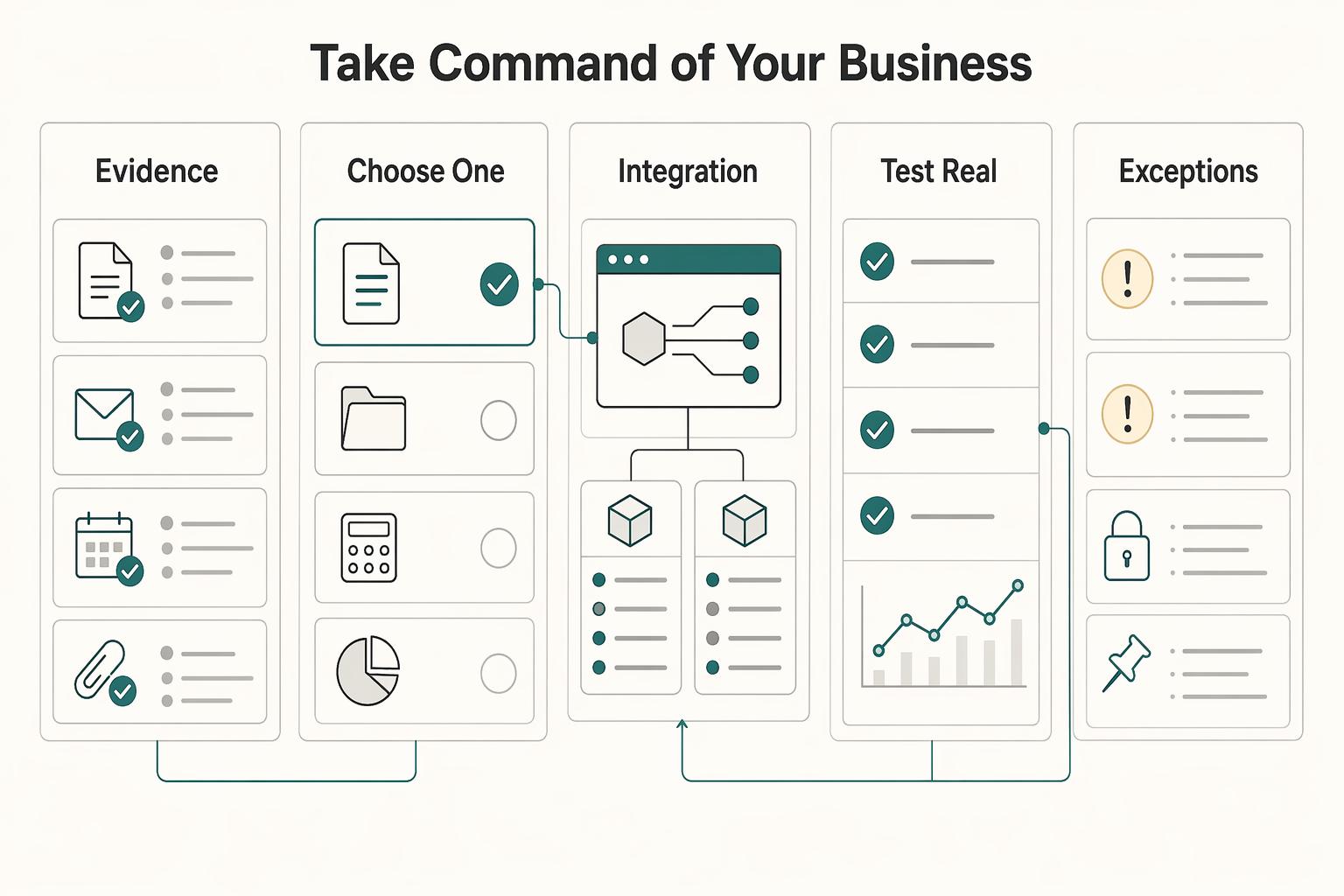
Run this as a staged rollout: build one workflow that lands clean data in Notion, confirm it works in real use, then expand to the next pillar.
- Client Lifecycle Engine: Outcome: signed agreements consistently create or update the correct client and project records.
Implementation cue: pick one contract event as your trigger and map it to your client/project databases.
- Financial Command Center: Outcome: payment or time activity is visible on the related project record for review.
Implementation cue: connect one source app and update one linked Notion record path first.
- Compliance Vault: Outcome: key approvals, scope changes, and signed documents are logged in one searchable place.
Implementation cue: store source, timestamp, and attachment link on each log entry.
In Notion, open Workspace settings, go to Integrations, and choose Develop your integration. Since the Notion API connects pages and databases, define your source-of-truth table before mapping fields so your first flow is easy to validate and maintain.
Keep tool choice tied to workflow complexity: test Zapier first for straightforward flows, and test Make when your flow needs more branching or multi-step logic. Use the one that gives you clearer field mapping and failure handling in your setup, and review permissions carefully because a Notion-only process can get difficult when you need granular access control.
First rollout checklist
- Choose one workflow from one pillar.
- Define one trigger and one Notion action in your integration tool.
- Test with a real sample and verify links, timestamp, and status.
- Fix exceptions, then expand to the next pillar.
We covered this in detail in How to use Airtable's API to Build a Custom Client Dashboard.
Frequently Asked Questions
Do you need to code to start using notion api for freelancers?
Not always. Notion positions the API as a way to connect with the other tools you already use, but setup complexity depends on your workflow. Start with one narrow workflow, then verify the right content lands in the right Notion location before you expand.
How should you choose between Zapier and Make for Notion?
Run the same small end-to-end test with each option and keep the one that reliably creates or updates the Notion records you actually need.
Can you create a client portal in Notion and keep access under control?
Treat access control as a configuration task, not an assumption. If you need a hard boundary between internal work and client-facing material, separate workspaces can help, and you can switch from the current workspace name dropdown. Then verify the right people are in the right workspace before rollout.
What can go wrong with workspace access?
If you rely on domain-based joining, remember that personal or school email addresses cannot auto-join other workspaces. Plan for a manual invite from a workspace admin instead of assuming the client will appear in the right place automatically. It is a small setup detail, but it is a common failure mode when access control looks fine on paper and breaks at handoff time.
Can the Notion API automate profitability tracking well enough to trust?
It can help move project data between tools, but it cannot guarantee financial accuracy by itself. Treat outputs as decision support, then reconcile against source systems before you use the numbers for pricing or staffing decisions.
Is Notion enough to create a legal or audit-proof record?
Use it as a searchable evidence layer, not as proof that outcomes are guaranteed. Also check the content itself when formatting matters, because Notion has to translate richly formatted, tree-structured content into API data, and one representation option is Markdown, which Notion describes as "low fidelity, high portability."
Should you use Q&A to answer client or compliance questions from your workspace?
You can use Q&A to find records faster, but you should still open the underlying pages before you act. Ask through Search in the sidebar, or use Ctrl/cmd + shift + K in the desktop app, then verify details in the workspace content directly. Since Notion announced Q&A as a beta feature on November 14, 2023, treat it as retrieval help, not as a final decision-maker.
What should you automate first if you care most about business risk?
Start with the minimum setup that prevents silent failures: workspace access and one end-to-end record flow. Confirm people can join and switch to the correct workspace, then verify one integration writes the expected Notion content structure. Expand only after that path is stable.
Try a related tool
Researched and edited by the Gruv editorial team. Gruv builds cross-border billing, payouts, and finance-operations software for global businesses.
Sources
Includes 6 external sources outside the trusted-domain allowlist.
- occ.gov/topics/charters-and-licensing/public-comment...trusted
- sec.gov/Archives/edgar/data/1579878/0001628280250337...trusted
- alibaba.com/product-insights/how-to-build-a-self-updatin...external
- appsmith.com/blog/using-the-notion-api-to-build-a-content...external
- github.com/jim-schwoebel/awesome_ai_agentsexternal
- gruv.ai/blog/how-to-use-notions-api-to-connect-with-...external
- news.ycombinator.com/itemexternal
- notion.com/templates/collections/top-10-paid-design-ite...external
Educational content only. Not legal, tax, or financial advice.
Related Posts

Value-Based Pricing for Freelancers Under Real Payment Risk
Value-based pricing works when you and the client can name the business result before kickoff and agree on how progress will be judged. If that link is weak, use a tighter model first. This is not about defending one pricing philosophy over another. It is about avoiding surprises by keeping pricing, scope, delivery, and payment aligned from day one.

A Guide to Notion for Freelance Business Management
If your workspace feels busy but fragile, you do not need more pages. You need one connected system. Treat your freelance business like a business-of-one and use Notion as the control layer that connects client decisions, delivery, and billing in one place.
Use Zapier to Run a Reliable Freelance Tech Stack
If your stack feels messy, the fix is usually not one more app. Zapier works best here as the connective layer in your business, so client work, paperwork, invoicing, and follow-up keep moving without you babysitting every handoff.