
Quick Answer
Start by running HubSpot as an end-to-end client record, not a simple lead list. Keep deals moving past Closed Won into delivery and final payment stages, and require stage-exit proof such as a proposal, signed agreement, and invoice status. Automate proposal checks, onboarding tasks, and payment reminders, but keep human review for disputed invoices and judgment calls. Then run a weekly pass to fix missing next actions before forecast reports drift.
Is HubSpot Overkill for a Solo Operator?#
HubSpot can feel like overkill if you set it up as though you are running a sales team. For a business of one, the real question is simpler: do you need tighter control over follow-up and client records, or will a bigger tool mostly add admin you will not maintain?
Step 1. Define the problem you need the tool to solve right now#
If you are considering it for pipeline management, start with your current friction rather than the product tour. A sales pipeline is just a visual way to see where each deal sits in your process. For a solo operator, the fit usually comes down to four questions: are opportunities getting harder to track, are follow-ups inconsistent, can tasks slip through the cracks, and do you need one place to see the full history of a client engagement?
Before you sign up or upgrade, make two short lists: must-haves and nice-to-haves. Your must-haves should solve current pain, such as seeing every live opportunity, knowing the next action on each one, and keeping notes, emails, and key documents in one record. If that list is thin and your nice-to-haves are full of advanced extras, you are probably looking at feature bloat. The risk is practical, not theoretical. A poor CRM fit turns into lost time, sunk cost, and a tool you eventually stop using.
Use this checkpoint: if you cannot quickly review your active work and spot stalled deals or missed follow-ups, you likely need a better setup now.
Step 2. Reframe the default Sales Hub language around your actual client lifecycle#
What makes the tool feel excessive is often the terminology, not the underlying value. You do not need to think like a sales manager. You need a clean model of your engagement lifecycle, the risk checks inside it, and the records you cannot afford to lose.
| Default term | Solo-operator meaning | Risk checkpoint | Record to keep |
|---|---|---|---|
| Deal | One client engagement or project | Is the scope and value clear enough to proceed? | Proposal, quoted value, decision notes |
| Pipeline stage | The current step in your client lifecycle | What must be true before this moves forward? | Next action, target date, status notes |
| Closed won | Ready to onboard, not "finished" | Has the agreement been accepted and the commercial terms confirmed? | Signed agreement, invoice status, start date |
| Contact record | Your single source of truth for that client | Do you have the latest decision-maker details and commitments? | Emails, call notes, promised deliverables |
That reframe matters more than raw capacity. The free CRM contact capacity is described as up to a million contacts. For most businesses of one, volume is not the issue. Clarity and consistency are.
Step 3. Decide whether to use it now or later#
Use HubSpot now if you have multiple active opportunities, follow-up is becoming inconsistent, or you need one reliable place for client history and checkpoints. Many small businesses start with free tools and add paid functions later; the paid options are modular rather than all or nothing.
Wait if your engagements are still simple, your current tracker reliably shows next actions, and nothing important is slipping. Before you pay for anything, verify current plan limits and feature access on the live product pages, especially if a specific automation or reporting feature is your reason for upgrading.
If you decide it is worth using, the next job is to make the pipeline reflect your full client lifecycle rather than stopping at the sale.
If you want a deeper dive, read The Best CRMs for a B2B SaaS Sales Team.
Beyond 'Closed Won': Track the Full Engagement in One Pipeline#
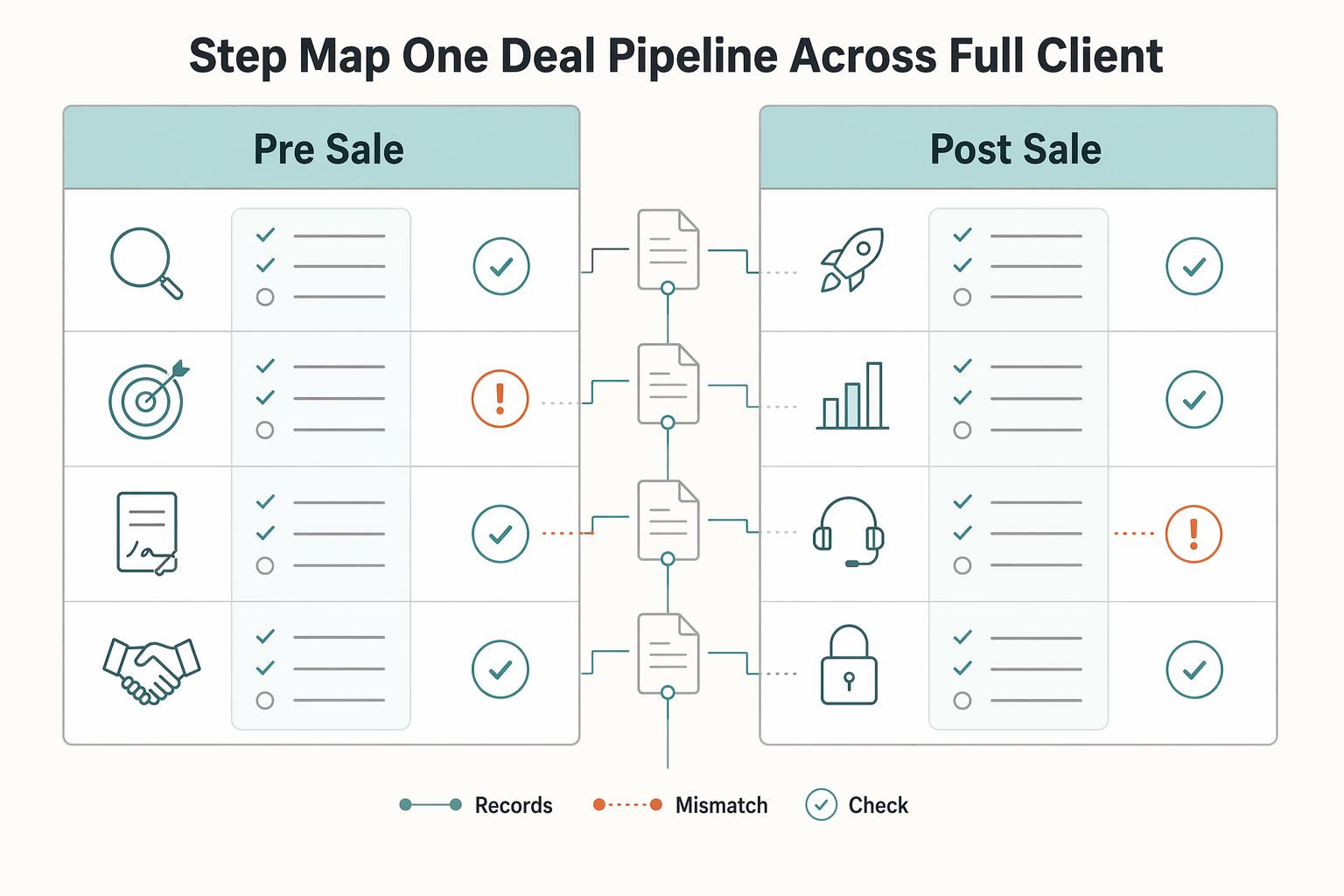
Your pipeline should not end at Closed Won; for a business of one, that is where delivery and payment risk usually begins. Use one deal pipeline to track the full engagement with clear stage purpose, a required owner action, and explicit stage-exit evidence.
Step 1. Map one deal pipeline across the full client lifecycle#
Treat deal stages as your operating record from first qualification through post-sale completion, not just pre-sale progress. Keep stage names simple, but make each stage decision-ready: what the stage means, what you must do, and what must be documented before moving forward.
| Phase | Stage (example label) | Purpose | Required owner action | Stage-exit evidence | Risk if skipped |
|---|---|---|---|---|---|
| Pre-sale | New inquiry | Confirm this is a real opportunity worth review | Record contact, need, owner, and next step | Next qualification action is scheduled | Leads stall and go cold |
| Pre-sale | Qualified | Confirm fit before scoping | Capture goals, decision context, timeline, and commercial notes | You can state what problem you are solving and for whom | You scope from assumptions |
| Pre-sale | Scope defined | Prepare a workable commercial offer | Document scope, deliverables, assumptions, and pricing basis | Proposal is ready without major gaps | Scope drift starts early |
| Pre-sale | Proposal sent | Move from internal plan to client decision | Send proposal and set follow-up date | Proposal is sent and next decision checkpoint is dated | Follow-up becomes inconsistent |
| Pre-sale | Agreement in progress | Finalize terms before work starts | Track contract/SOW status and open approvals | Approval path is complete and terms are confirmed | Work starts without clear terms |
| Post-sale | Booked | Confirm the engagement is commercially live | Record booking condition and planned start | Booking condition is met and documented | Time is reserved without commitment |
| Post-sale | Onboarding ready | Gather required inputs for clean kickoff | Confirm onboarding artifacts and responsibilities | Required onboarding items are complete | Delivery starts with missing inputs |
| Post-sale | Delivery active | Run execution with visible status | Update progress, blockers, and next client action | Current status and next step are clear in-record | Progress lives in memory |
| Post-sale | Delivered, awaiting final payment | Close delivery while protecting collection | Log delivery/acceptance status and final invoice state | Delivery is acknowledged and payment status is explicit | Revenue looks finished before cash clears |
| Post-sale | Paid and closed | Complete the lifecycle cleanly | Confirm payment and close remaining admin items | No open delivery or payment loose ends | Small gaps become later disputes |
Step 2. Define handoff governance at each transition#
Handoffs are where pipelines usually fail. For each transition, decide what must be present in the deal record before you advance the stage.
Use a consistent handoff set:
- Scope record (what is included, assumptions, and boundaries)
- Approval record (who approved and how approval was captured)
- Payment status record (current status and next billing checkpoint)
- Onboarding record (materials, contacts, and access needed to start)
Keep any process-specific checks explicit, then verify them against your current operating process before enforcing them.
Step 3. Keep fields and exit checks tight enough to maintain#
HubSpot provides the structure, but reliability still comes from process discipline. For each stage, keep only the deal properties you will maintain consistently (for example: owner, next action, target date, scope status, approval status, payment status).
Pressure-test your setup on any active deal:
- What stage is it in right now?
- What is blocking the next move?
- What record proves current status?
- What is the next action and date?
If those answers are not immediate, tighten stage definitions and exit evidence. That is what reduces scope drift, improves delivery handoffs, and prevents payment surprises after Closed Won.
Related: A Deep Dive into the UK's Statutory Residence Test for Nomads.
How to Automate Your Pipeline to Mitigate Risk (Not Just Save Time)#
Use automation as a risk-control layer: automate the checkpoint, not the judgment. If an update could confuse a client or lock in a bad assumption, require a human check before anything is sent.
Step 1. Automate diligence at the proposal and agreement stages#
Automate diligence at the proposal and agreement stages so incomplete records cannot quietly move forward.
- Trigger: deal enters
Proposal sentorAgreement pending. - Automation action: create an owner task, flag incomplete records, and pause your next internal step until required fields are complete.
- Required data fields: billing country or jurisdiction, legal client name, proposal or scope document attached, any document requirement confirmed for the engagement, and the tax form required, confirmed with the relevant tax authority.
- Owner check: open the deal and confirm the artifact is actually attached or logged in notes, not just mentioned in email. Keep documents, tasks, and communication history visible in the deal record.
- Failure mode if skipped: paperwork and invoices are sent from partial records, and fixes happen after work has already started.
Step 2. Automate onboarding only after the booking condition is verified#
Automate onboarding only after your booking condition is verified, so delivery does not start on verbal approval alone.
- Trigger: deal enters
Booked, awaiting payment, payment status reaches your verified start condition, then moves toOnboarding ready. - Automation action: send the welcome message, create internal onboarding tasks, and queue handoff items.
- Required data fields: intake form link or status, kickoff scheduling link, scope confirmation note, primary contact, contact roles, and required client-provided files or access items.
- Owner check: before moving to
Delivery active, verify intake submitted, kickoff scheduled, scope confirmed against the latest proposal, and named contacts for approvals and day-to-day coordination. Use board placement for stage visibility and list filtering for missing fields. - Failure mode if skipped: delivery starts with missing inputs, unclear ownership, or preventable scope drift.
Step 3. Automate payment follow-up as an escalation sequence#
Automate payment follow-up as an escalation sequence tied to payment status, not memory.
- Trigger: deal is in
Delivered, awaiting final paymentand payment status is still open past your verified threshold. - Automation action: create a follow-up task, queue a reminder draft, and escalate internally at the reminder cadence verified from invoice terms, client finance records, or your operating process.
- Required data fields: invoice number, invoice date, due status, amount outstanding, reminder status, and next owner action.
- Owner check: before each reminder, confirm invoice details, last client reply, and any delivery acceptance note. If there is a dispute, move the deal into an exception path so reminders do not keep firing.
- Failure mode if skipped: overdue invoices stay buried in late stages and client communication becomes inconsistent.
Keep workflow governance tight: define enrollment criteria, add suppression for paid or disputed deals, and set one exception path to avoid duplicate tasks or conflicting messages.
For a step-by-step walkthrough, see How to Build a Sales Pipeline for Your Freelance Business.
From Sales Tool to Financial Foresight: Using HubSpot for Cash Flow Planning#
Use HubSpot's weighted forecast view as an internal planning signal, not as accounting truth. It helps you spot income gaps months in advance, but you should still check contracts, invoices, and payment status before making spending decisions.
Before you start#
Keep your forecast inputs current on every active deal, especially:
- amount
- expected close timing
- payment status
- service type
If those fields go stale, the forecast can look clean while your real cash picture drifts.
Step 1. Read weighted forecasting as confidence-adjusted pipeline value#
Read weighted forecasting as confidence-adjusted pipeline value, not booked revenue. CRM reporting is often activity/date-based (deal dates, stage changes, closed timing), while finance checks trace revenue to executed agreements, invoice schedules, and accounting records.
Use a reusable planning table like this:
| Deal stage | Deal amount | Stage probability | Weighted forecast value | Expected close timing | Payment status | Service type |
|---|---|---|---|---|---|---|
| Your early-stage deal | From the deal record | From HubSpot stage settings | Deal amount x stage probability | From the deal record | Not invoiced / pending | From the deal record |
| Your mid-stage deal | From the deal record | From HubSpot stage settings | Deal amount x stage probability | From the deal record | Deposit pending / partial | From the deal record |
| Your late-stage deal | From the deal record | From HubSpot stage settings | Deal amount x stage probability | From the deal record | Deposit received / invoice sent | From the deal record |
Then verify the late-stage deals carrying most of the weighted total: confirm the proposal, signed agreement, and invoice status are actually attached or logged. If a deal is marked closed before invoicing, HubSpot can show revenue earlier than your ledger recognizes it.
Step 2. Run forecast hygiene on a fixed operating cadence#
Run forecast hygiene on a fixed operating cadence. Use scheduled or event-based workflow conditions to trigger review tasks, then do a human check on stage movement, close timing, amount, payment status, and service type.
Small alignment gaps add up. A delayed proposal, unsigned scope, or unpaid invoice can overstate the next period if nobody refreshes the deal record.
Step 3. Map forecast signals to an operating response#
Map forecast signals to response playbooks before a shortfall becomes urgent.
| Forecast signal | What it usually means | Operating response |
|---|---|---|
| Soft period visible in weighted view | Future pipeline may not cover expected cash needs | Shift near-term cadence toward pipeline fill: outreach, follow-ups, and conversion-focused conversations |
| Strong forecast concentrated in one client | Concentration risk | Prioritize expansion in other accounts to reduce single-client exposure |
| Forward view weakening while payment status slips | Collection risk plus pipeline risk | Tighten optional spend and focus on collections and near-term opportunities |
Step 4. Use forecasting to improve client selection#
Use forecasting to improve client selection, not just top-line totals. Review closed and active deals by service type, payment behavior, and source quality so you can see which work supports steadier capacity and cleaner cash collection.
A service line can sell well and still strain cash if payment behavior is slow. A smaller offer can be easier to deliver and collect. Apply the same lens to lead sources, then rebalance your effort toward sources and deal types that support reliable operations. For pricing alignment, see Value-Based Pricing: A Freelancer's Guide.
You might also find this useful: The Best CRMs with Sales Pipeline Features for Freelancers.
Conclusion: Treat HubSpot as Your Client-Lifecycle Record#
Step 1: Treat HubSpot as your client-lifecycle record, not a loose task list. A useful pipeline is built on stages that match real buyer and delivery checkpoints, clean CRM data, and a weekly rhythm that forces real next steps onto the calendar. If you only use it to remember follow-ups, you get activity without much control. If you use it to track the whole engagement, you get clearer ownership, more predictable follow-through, and fewer surprises in review.
| Area | Task-list management | Lifecycle-system management |
|---|---|---|
| Ownership | Tasks live in your head or scattered tools | One record holds contact details, interactions, stage, and next step |
| Risk control | Problems show up late | Critical follow-up tasks are attached to the deal at the right checkpoint |
| Decision quality | A full pipeline can still hide slips and stalls | Weekly review and documented next steps make forecast and workload planning more believable |
Step 2: Lock down the four points you actually control. Start with stage design that reflects handoffs, not generic sales labels. Capture follow-up work inside the same record so overdue items stay visible. Add task capture for the documents or approvals you repeatedly need. Your verification point is simple: every active deal should show its current stage, the next action, and the record that justifies that stage.
Step 3: Make one immediate pass through your setup today. Rename your stages around real checkpoints, require a next-step field on open deals, and create task templates for follow-ups and document requests. Then put a weekly pipeline review on your calendar. If a deal has no next step or no supporting record, fix that before you touch reports. That is how HubSpot becomes a working control point instead of another place to store half-finished admin.
We covered this in detail in How to Automate Your Freelance Sales Process.
Try a related tool
Researched and edited by the Gruv editorial team. Gruv builds cross-border billing, payouts, and finance-operations software for global businesses.
Sources
Includes 5 external sources outside the trusted-domain allowlist.
- doee.dc.gov/sites/default/files/dc/sites/ddoe/page_conte...trusted
- par.nsf.gov/servlets/purl/10267580trusted
- snap.berkeley.edu/project/9274006trusted
- bigredjelly.com/blog/embrace-hubspot-and-say-goodbye-to-the-...external
- blog.hubspot.com/sales/sales-pipelineexternal
- clicksgeek.com/hubspot-vs-salesforce-for-small-businessexternal
- community.hubspot.com/t5/Tips-Tricks-Best-Practices/What-are-best-...external
- durity.com/en-us/blog/hubspot-revenue-reports-that-fail...external
Educational content only. Not legal, tax, or financial advice.
Related Posts

Value-Based Pricing for Freelancers Under Real Payment Risk
Value-based pricing works when you and the client can name the business result before kickoff and agree on how progress will be judged. If that link is weak, use a tighter model first. This is not about defending one pricing philosophy over another. It is about avoiding surprises by keeping pricing, scope, delivery, and payment aligned from day one.
The Best CRMs for a One-Person B2B SaaS
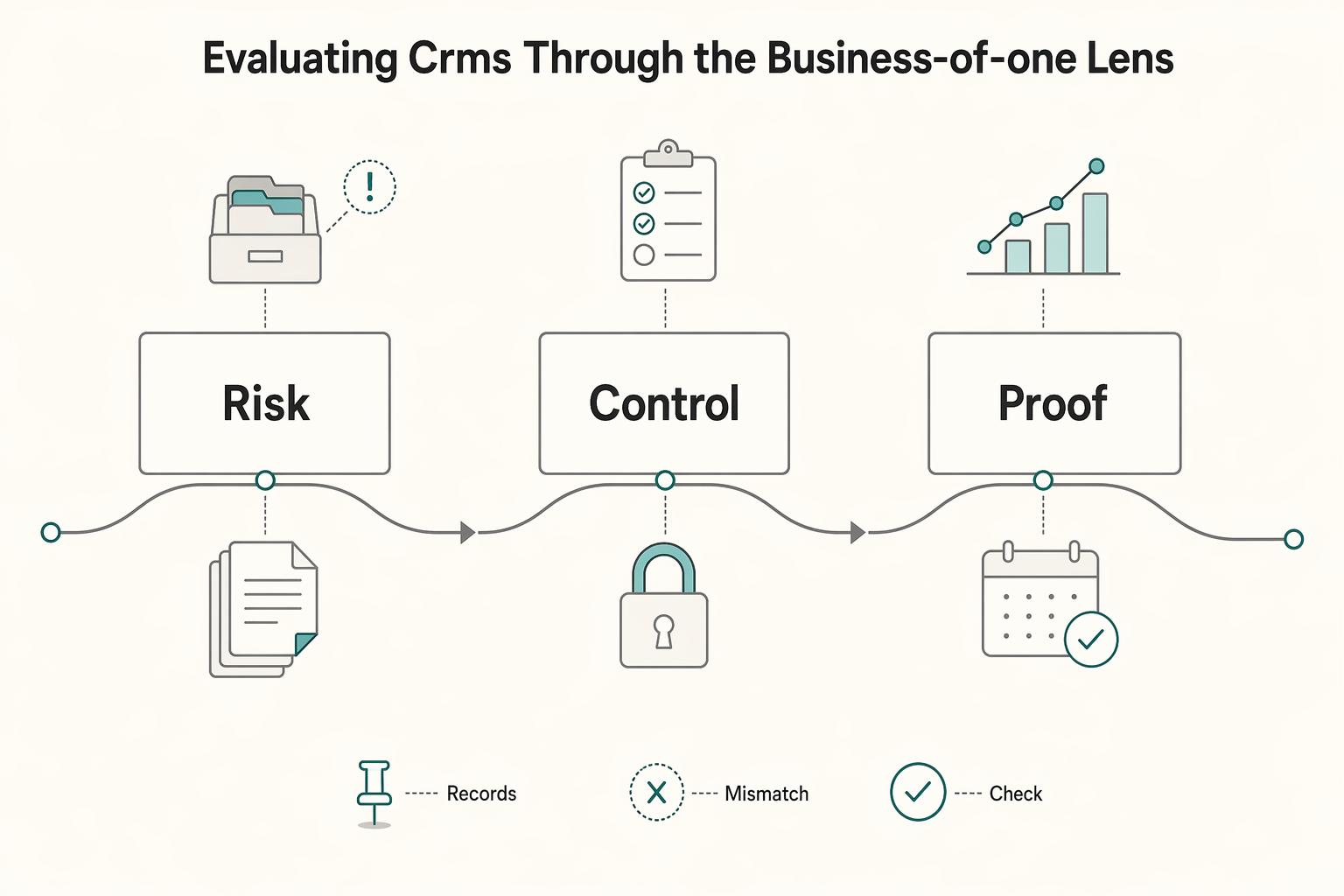
You are not choosing a sales tracker. For a Business-of-One, you are choosing the system for revenue execution, client delivery, and risk control. The right [CRM for a B2B SaaS](https://aimers.io/blog/best-crm-platforms-for-b2b-saas) should pay off in three practical ways: more consistent client execution, lower admin friction, and cleaner compliance records.

A Deep Dive into the UK's Statutory Residence Test for Nomads
If you get your residence status wrong, it is not a technical footnote. It can change whether the UK taxes only your UK income or normally taxes income from both the UK and abroad for that tax year.