
Quick Answer
Use google drive for client collaboration through a repeatable three-stage workflow: controlled onboarding, structured review, and verified offboarding. Start with a standard five-folder setup, keep General access restricted, and assign roles by purpose so review happens in comments while edits stay limited. Track approvals in a Deliverables_Log, then close each project by confirming handoff, removing outside access, and checking separately shared items.
Why Your "Easy" Google Drive Workflow is a Ticking Time Bomb#
If your setup relies on broad folder sharing, forwarded links, and a vague "we'll clean it up later" promise, you do not have a client process. You have a stack of small exposure points that can turn into version confusion, unclear accountability, rework, and avoidable damage to client trust.
That is the problem with casual Google Drive collaboration. It feels fast until someone edits the wrong file, moves a folder, or keeps access longer than intended because offboarding was never closed out.
| Risk pattern | How it usually happens | Business impact | Control introduced in later stages |
|---|---|---|---|
| Overbroad editor access | You share a project folder as Editor so the client can "do whatever they need" | Files can be edited, moved, or deleted; and people with edit access can also change sharing and reshare files | Stage 1 onboarding permissions and folder boundaries |
| Open-link exposure | You switch General access away from Restricted and use "Anyone with the link" for convenience | Access can spread beyond the people you intended, and folder restrictions do not contain it | Stage 2 controlled sharing rules |
| Inherited access creep | You try to lock down one file inside a shared parent folder | Child items inherit parent permissions, so tighter access may not stick | Stage 2 limited-access collaboration zones |
| Messy handoff and ghost access | Project ends, but the shared folder stays active or ownership is handled loosely | Former clients or team members may keep access if revocation is not completed; final delivery ownership can stay unclear | Stage 3 offboarding and revocation checklist |
Check who can actually change or remove work#
Open one active client folder and review the people with access. If the client or outside collaborators have folder-level Editor access, be clear on what that usually includes. They can open, edit, delete, or move files inside that folder. On Drive files, people with edit access can also change sharing permissions and share the file.
This is a common cause of "I can't find the latest version" or "I thought that file was approved." The check is straightforward. If someone only needs to review, comment, or upload source material, they should not be sitting on top of your full working folder as an editor.
Make sure your sharing rules match your intent#
Open the Share panel for the folder and a few key files. If General access is not set to Restricted, or if you used "Anyone with the link," your access model is already looser than most people realize. If you allow access to anyone with the link, the folder stops acting like a real boundary.
The second check matters just as much. Permissions flow downward. Files and subfolders inherit parent access, so tightening one file later may not work if the parent is too open. That is why the later collaboration stage uses limited-access subfolders instead of one giant shared space.
Check how a project actually ends#
If your handoff is "send the final folder and move on," you probably still own more than you think. Transferring ownership of a folder does not transfer ownership of the files inside it. That can leave responsibility and access boundaries unclear after delivery.
Be just as careful with your evidence trail. The Activity Dashboard can help you understand what changed, but it is not an audit-grade or legal record. From here, the fix is a repeatable sequence: secure onboarding, controlled collaboration, and clean offboarding. You might also find this useful: How to Handle Sales Objections as a Freelancer.
Stage 1: The Secure Onboarding Protocol#
Start every client project with the same setup: create the workspace from your template, keep sharing restricted by default, invite named people, and confirm both membership and role before the first upload. That one routine prevents much of the confusion weak onboarding creates.
Use this control matrix as your default:
| Folder | Default client role | Why this role | Common mistake to avoid |
|---|---|---|---|
01_Contracts_and_Admin | No access | Keeps agreements, invoices, and internal notes separate from delivery work | Sharing the parent folder and exposing admin files by accident |
02_Client_Inputs | Editor | Gives the client one upload zone for source files and requested materials | Mixing uploads with your active working files |
03_Work_in_Progress | No access | Protects drafts and internal work from premature edits or review | Granting visibility "for convenience" and losing draft control |
04_Drafts_for_Review | Commenter | Lets the client review and comment without changing your master file | Upgrading to Editor here and creating version chaos |
05_Final_Deliverables | Viewer | Keeps approved files in a clean handoff space | Using this folder for half-finished files |
Follow this sequence every time:
- Create the workspace from your standard five-folder template.
- Set sharing to restricted defaults before adding anyone.
- Invite named client accounts, then assign access intentionally.
- Confirm both who is included and each person's access level before first upload.
Set filename rules at setup, not mid-project. For files that move through review or delivery, require: client-or-project + asset + stage + version.
| Good filename | Unclear filename |
|---|---|
Acme_homepage-copy_review_v2 | homepage final new |
Place each file type where it belongs: client uploads in 02_Client_Inputs, your active drafts in 03_Work_in_Progress, review copies in 04_Drafts_for_Review, and approved outputs in 05_Final_Deliverables.
Keep delegated access narrow. Prefer approved business domains when possible, use role-based groups for your team if you already manage access that way, and treat elevated access as temporary with a reminder to downgrade it. Before work starts, record who was invited and which role was approved in 01_Contracts_and_Admin so you have a clean access trail if issues come up later. If you want a deeper dive, read Value-Based Pricing: A Freelancer's Guide.
Stage 2: The Controlled Collaboration System#
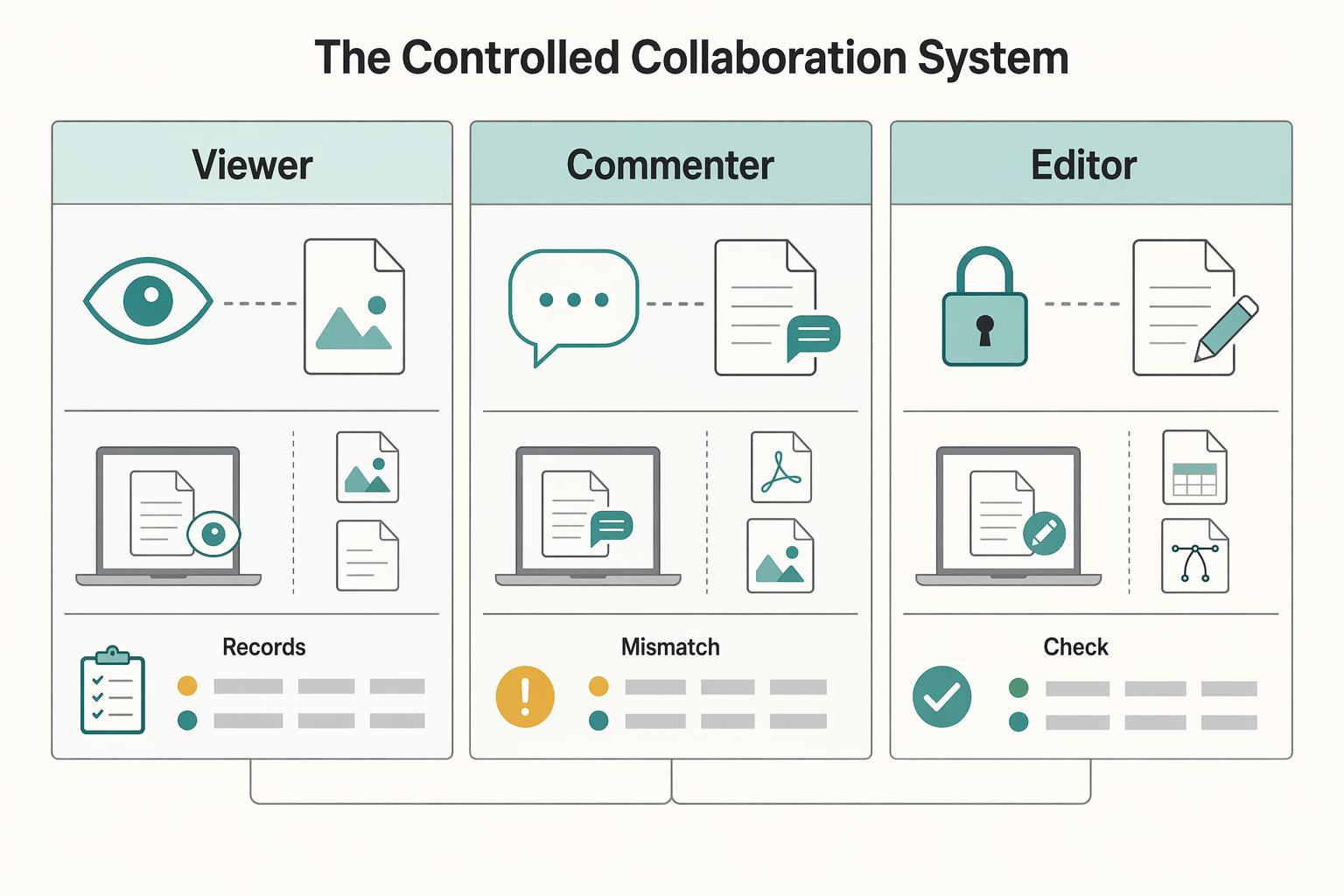
Use one collaboration lane at a time: comments for review, narrow edit access only when needed, and a simple log that shows what is waiting, approved, and delivered. If you use shared drives, keep active client files there instead of scattering work across My Drive, since shared drives are team-owned and My Drive is personal.
Step 1: Run review in comments first. In 04_Drafts_for_Review, ask the client to comment before anyone edits source files. This works across common deliverables, including PDFs and images, so your review process stays consistent. At project start, leave a test comment on the first draft and confirm the approver can view and reply. If content changes without a clear comment trail, check version history before moving forward.
| Permission choice | Best use case | Risk if misused | Safer default |
|---|---|---|---|
| Viewer | Approved files in 05_Final_Deliverables | Feedback gets fragmented across email threads and chat | Use for delivered assets that should not change |
| Commenter | Review rounds in 04_Drafts_for_Review | Slows progress if true co-editing is actually required | Default for anything under review |
| Editor | 02_Client_Inputs or a specific file that needs joint editing | Overwrites, moved files, and unclear ownership | Grant only where required, then reduce access |
Step 2: Keep one live deliverables log. Create Deliverables_Log (Google Sheet) in the main project space with these columns: deliverable, version, date shared, review owner, feedback status, approval status, approval date, final file link. You update deliverable/version/date shared/status/final link. The client-side approval owner confirms feedback and approval (in comments or email), and you record it in the log. Move a file to 05_Final_Deliverables only after one named approval owner has clearly marked it approved.
Step 3: Triage collaboration signals by urgency. Treat comment activity as active review work, because Drive can send email summaries and you can reply from email. Treat access requests as immediate blockers because permission gaps stop work. Treat new uploads in 02_Client_Inputs as scheduled checks unless they block the next draft. If feedback is late, edits conflict, or approval ownership is unclear, pause revisions and ask the client to name one decision owner before the next handoff.
For a step-by-step walkthrough, see How to Create Fillable PDF Forms for Client Onboarding.
Stage 3: Close out access, ownership, and archiving after approval#
Start offboarding as soon as approval is logged. The goal is to remove lingering access, protect IP boundaries, and leave a clear action record if questions come up later.
Use one closeout record per project in your Deliverables_Log (or a dedicated offboarding log), and complete each step in order.
| Action | Who confirms it | What to document |
|---|---|---|
| Step 1: Send the offboarding notice | You and the client's named approver | Date sent, access-change timeline, where final files will live, and what the client must download or accept |
| Step 2: Complete the ownership handoff | You and the receiving client contact | Files transferred or delivered, acceptance status, and any exceptions |
| Step 3: Downgrade access | You | Date of permission change, prior access level, new access level, and affected folders/files |
| Step 4: Revoke final access | You | Date/time of removal, email addresses removed, and post-removal verification result |
| Step 5: Complete the archive | You | Archive location, approved access list, restore test result, and deletion-trigger note |
Step 1: Send the notice. Tell the client exactly when access changes will happen and what comes next. Include final-file availability, downgrade date, revoke date, and archive handling. Completion proof is a reply from the named approver or a recorded delivery artifact.
Step 2: Complete the ownership handoff. For files in your own area, ownership transfer may be possible, but verify first. If the work sits in a shared drive, or the client domain blocks external ownership changes, confirm the rule with the client or Workspace admin before you act. If transfer is blocked, deliver clean finals into a client-controlled folder and log the accepting email, timestamp, and exact files delivered.
Step 3: Downgrade access. If you want a short retrieval window, reduce access (for example, from editor/commenter to viewer) before full removal. Check both folder-level and link-level permissions, including separately shared items in 05_Final_Deliverables.
Step 4: Revoke final access. Remove every external address tied to the project. Do not stop after clicking remove. Verify the client no longer appears in sharing settings or active link access where they should not.
Step 5: Complete the archive. Store one final archive in your business archive location with access limited to you and approved admins. Run a restore test by opening at least one archived file. If the retention policy or deletion trigger still needs confirmation, leave a clear unresolved note in the log instead of filling in a guess.
A repeatable system you can verify, from onboarding to offboarding#
You do not need more complexity. You need a repeatable system you can verify: clear onboarding, consistent collaboration rules, and a clean offboarding review.
| Operating outcome | Ad hoc sharing | Controlled operating model |
|---|---|---|
| Access control clarity | Access is granted case by case, and later checks are inconsistent | You review who is listed on each shared item and confirm scope before handoff |
| Retrieval speed | Work gets split across email, chat, and Drive, so finding the live file takes longer | You keep files in a fixed structure with consistent names so the current draft is easier to locate |
| Revision handling | Teams restart or rewrite too much when feedback is fragmented | You refine specific sections in place instead of reworking whole drafts and keep review flow predictable |
| Handoff quality | Final delivery can happen without a durable record | You log each delivered item with Gdrive ID, Name, Full Path, and URL, then open each saved link once to verify |
| Ownership boundaries | Cleanup is easy to miss on separately shared items | You run an offboarding check on the main folder and any directly shared files |
What to implement this week#
- Standardize one reusable project folder template.
- Set one default review-share role for client review rounds.
- Define one naming convention your team will follow consistently.
- Schedule an offboarding access review at project close.
When source material is scattered across email, chat, and Drive, drafting gets harder. Keep your workspace organized and use Docs workflows that let you refine specific sections without redoing everything. This system helps you deliver files reliably, protect your work, and scale client operations without more admin chaos. Related: A Guide to Using Google Workspace for Your Freelance Business. Want help pressure-testing your setup? Talk to Gruv.
Frequently Asked Questions
Is Google Drive secure enough for client files?
Drive is positioned as secure cloud storage for file sharing and collaboration, and your real control still sits in Stage 1 through Stage 3: who gets invited, what level of access they get, and when that access is removed.
What is the safest way to share with a client?
Share directly with the specific person’s name or email address. That gives you a visible access list you can review during onboarding, collaboration, and offboarding. Before work starts, open Share and confirm the exact user identity is listed.
When should you give a client edit access?
Give Can Edit only when the client truly needs to make real changes in the file. For most review and delivery moments, keep access tighter and reserve edit rights for the one place where active collaboration or client-supplied material actually requires it. That keeps real-time work possible without widening edit access everywhere else.
Can a client change or delete your files?
A client can change files if you give them editing ability on the file or folder. That is why Stage 2 matters: keep the working area separate from the area where the client is expected to contribute, and verify the permission on the specific file or folder before you send it. One mistaken edit setting can affect live files, not just copies.
How do you remove access cleanly at the end of a project?
Use the Stage 3 sequence, not a one-click guess. Complete the handoff, downgrade access if you want a short retrieval window, then remove every outside address tied to the project. After that, reopen sharing settings and verify the client no longer appears on the root folder, key subfolders, or any separately shared final files.
What is the best way to handle versions with clients?
Name files consistently and use a clear draft/approval pattern. Keep the Stage 1 naming pattern in place and confirm everyone is working in the intended draft before edits. That gives you a practical way to verify what changed when email threads get messy.
Why is real-time collaboration sometimes unreliable?
First check whether both people actually have Can Edit on the same file. If they do, refresh the page and check the connection, because weak or unstable internet can break real-time collaboration behavior. These issues are often tied to permissions or connection quality.
What if a client asks for broad access to everything?
Push back and offer scoped access instead. Tell them you will share the exact project folder or file set they need, because that keeps delivery clean and makes later offboarding much easier to verify. Broad access feels convenient early on, but it creates harder cleanup and weaker separation later.
What if you need offline access during delivery or review?
Decide up front whether you are downloading files directly or using Drive for Desktop. If you disconnect Drive later, offline streamed files may be removed while mirrored files remain, so confirm which mode you are using before travel or deadline work. The safest check is to open one needed file offline before you depend on it.
Do you need more than one admin if you use shared drives?
If you use an organization-scoped shared drive, assigning a second admin is a sensible continuity rule. It helps with absence and account-change scenarios. Access control is not just about clients. It is also about making sure your own files do not get stuck behind one account.
Try a related tool
Researched and edited by the Gruv editorial team. Gruv builds cross-border billing, payouts, and finance-operations software for global businesses.
Sources
Includes 6 external sources outside the trusted-domain allowlist.
- pmc.ncbi.nlm.nih.gov/articles/PMC10623210trusted
- usdkb.sandiego.edu/s/article/Frequently-Asked-Questions-About-G...trusted
- bettercloud.com/monitor/anatomy-of-the-perfect-bettercloud-o...external
- birdviewpsa.com/blog/client-onboarding-best-practicesexternal
- docs.google.com/spreadsheets/d/1NlgAubZNkJd155aBnVbtZ_rH7oyb...external
- knowledge.workspace.google.com/admin/drive/manage-external-sharing-for-your...external
- knowledge.workspace.google.com/admin/drive/manage-shared-drives-as-an-adminexternal
- stfm.orgexternal
Educational content only. Not legal, tax, or financial advice.
Related Posts

Value-Based Pricing for Freelancers Under Real Payment Risk
Value-based pricing works when you and the client can name the business result before kickoff and agree on how progress will be judged. If that link is weak, use a tighter model first. This is not about defending one pricing philosophy over another. It is about avoiding surprises by keeping pricing, scope, delivery, and payment aligned from day one.
Google Workspace for Freelancers Who Want Cleaner Operations
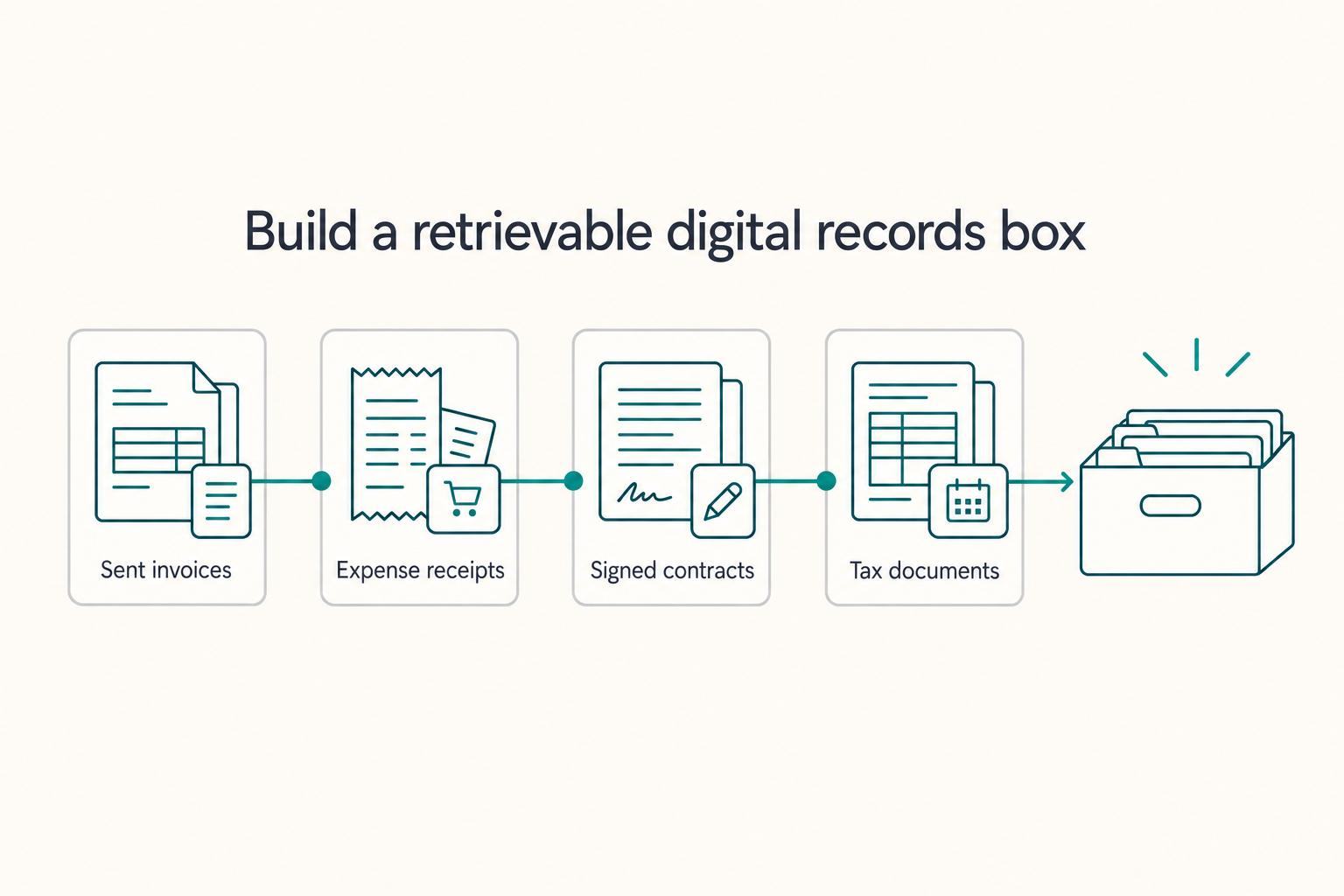
If you want cleaner operations, set up a business workspace early. You are deciding where client records, files, calendar history, and account ownership will live. You are also deciding whether those things stay inside the business or remain mixed with your personal life.
How to Handle Sales Objections as a Freelancer
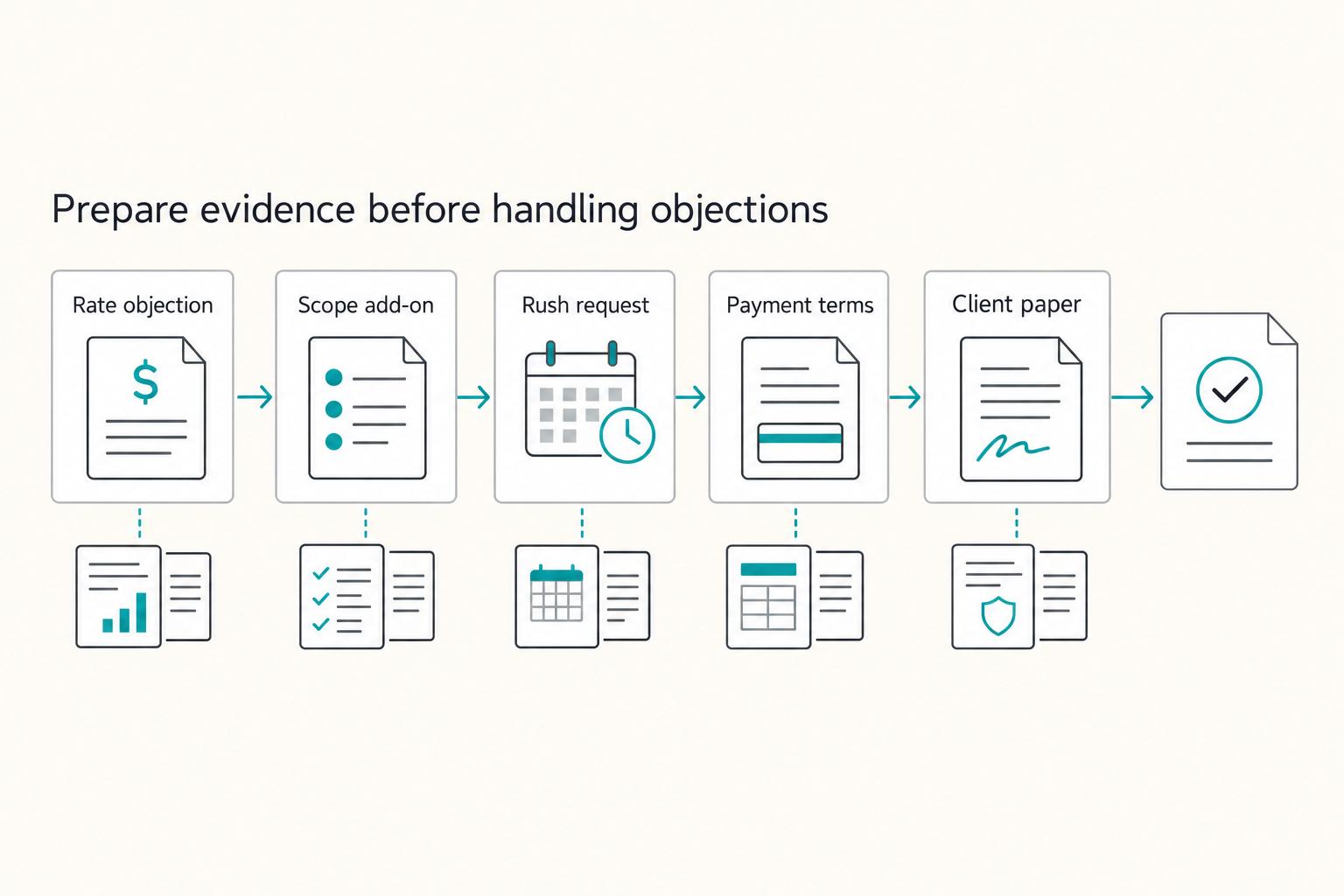
When you hear an objection in cold outreach, treat it as a risk signal, not an immediate "no." A simple loop can help: clarify the risk, choose one next step, write down what was agreed, and confirm timing.