
Quick Answer
Start by using gmail aliases and filters as a two-part system: give each workflow its own plus address, then route by that exact recipient into the right label. Use separate lanes for client threads, finance items like `+invoices` and `+receipts`, and non-urgent updates you can review later. After each new rule, send a test email, confirm label and archive behavior, and verify your outgoing identity in Send Mail As so replies still present the address you expect.
Your Inbox Isn't a To-Do List - It's a Liability. Here's How to Secure It.#
Use Gmail address variants to mark incoming mail by purpose, then pair them with narrow filters and test each rule before you trust it. The point is not inbox zero. It is cleaner client routing and fewer missed messages.
Step 1. Treat inbox disorder as an operations risk, not a productivity problem#
If you run client work, billing, and approvals through email, a messy inbox is not just distracting. It raises the odds that you miss a deadline, lose a paper trail, send the wrong reply, or fail to find a key message when you need it.
That matters even at modest volume. Many independent professionals use one mailbox for contracts, receipts, scheduling, support emails, and newsletters. Once it all lands in the same place, you start triaging by memory and search. That is where avoidable errors creep in. A client thread gets buried under vendor notices. A receipt sits unread until tax time. A system alert looks like low-priority noise.
The goal is not inbox zero. It is cleaner triage and lower error risk. You want mail to arrive with context already attached so you do less manual sorting now and less guesswork later.
Step 2. Use aliases to mark intent, and filters to route it#
An email alias using plus addressing is a modified version of your existing address. You add +text after your username, and the message still lands in the same inbox. For example, yourname+clienta@... or yourname+receipts@... tells you, on receipt, what that address was meant for.
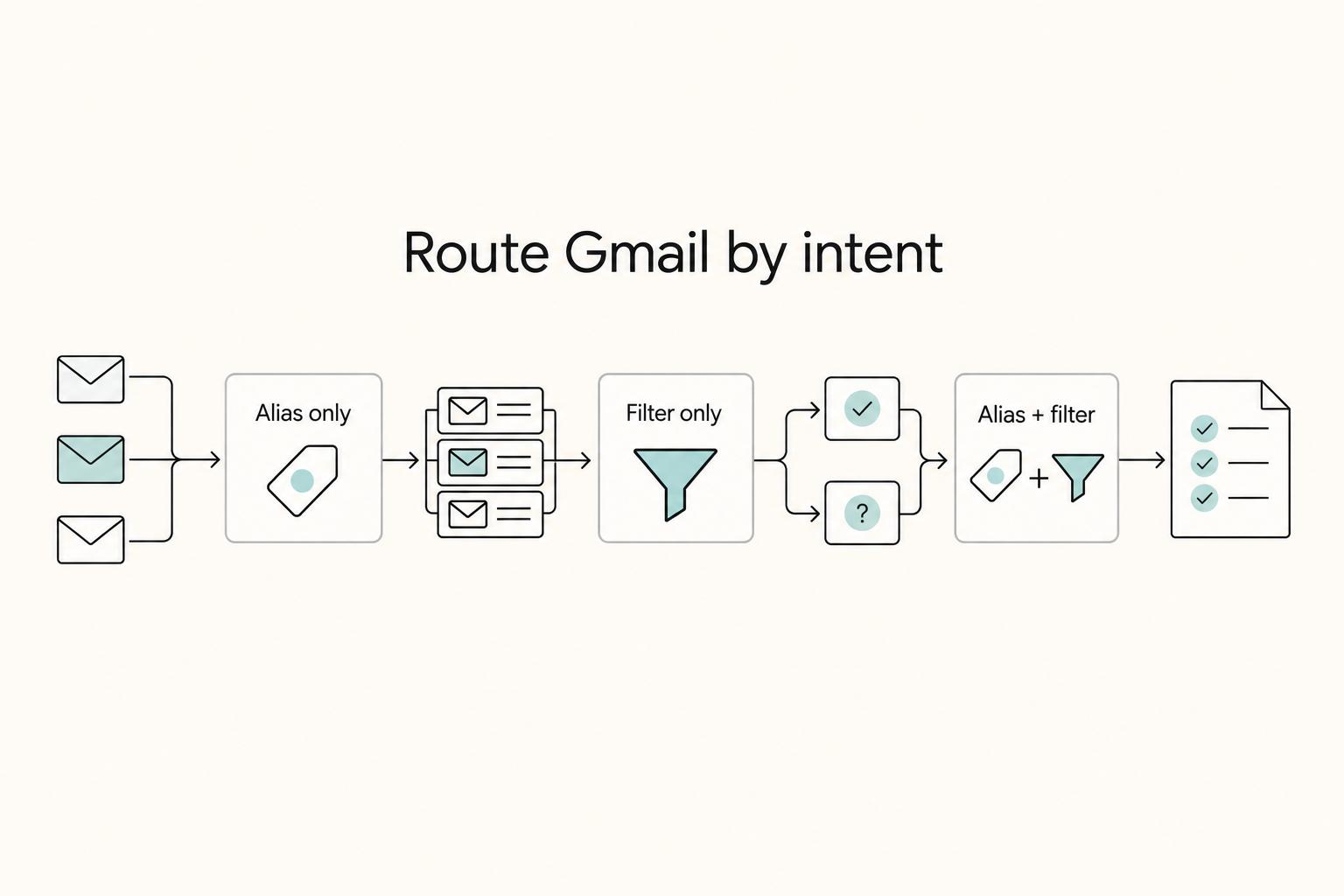
A Gmail filter is the rule that acts on that clue. It looks for messages sent to a specific alias and routes them to the label or folder you choose. That is the practical value of this setup. One part marks the mail at entry. The other handles repetitive filing. Use the table below as your decision rule.
| Setup | When to use | What it automates | Common mistake to avoid |
|---|---|---|---|
| Alias only | You want to know which address was used, or you want a signal if an address starts attracting spam | Captures source and context in the To: address | Creating aliases but never filtering or labeling them, which leaves you reading everything manually |
| Filter only | You already receive mail at one address and can sort it by sender, subject, or keywords | Labels or routes recurring mail after it arrives | Using broad keyword rules that catch the wrong messages and hide important mail |
| Alias + filter together | You want consistent intake for clients, receipts, project traffic, or low-priority updates | Applies labels and routing based on the exact address used | Forgetting to test the alias, or renaming labels without reviewing the matching rules |
There are limits. Some websites reject plus aliases, and some account recovery flows get harder when you do not remember which variation you used. Filters also need occasional maintenance. If you change naming conventions, archive behavior, or client labels, review the rules instead of assuming they still match.
Step 3. Add verification and basic security checks before you trust the setup#
Do not stop at creating the rules. Send a test email to each new alias. Confirm three things: it lands in the correct mailbox, the right label is applied, and the message is not skipped into a place you will forget to check. That five-minute check prevents a common failure mode where a typo in the alias or filter quietly misroutes real work.
| Check | Confirm | What it prevents |
|---|---|---|
| Mailbox delivery | The test email lands in the correct mailbox | A typo in the alias |
| Labeling | The right label is applied | A typo in the filter |
| Visibility | The message is not skipped into a place you will forget to check | Quiet misrouting of real work |
Also remember what these tools do not solve. If your Google credentials are stolen through phishing or malware, an attacker may gain mailbox access and tamper with inbox rules. Aliases and filters help you organize mail and spot patterns. They do not prevent account takeover on their own.
If something looks off, such as missing mail, unfamiliar forwarding, or changed rules, run your address through Have I Been Pwned and review active devices in your Google security dashboard. One cited breach analysis noted that only about .03 percent of breached records included an alias. That makes aliases useful as a clue, not proof of where exposure happened.
The operating model is simple. Give incoming mail a purpose-specific address, match it with a narrow rule, and verify that it behaves the way you expect. With that in place, you can turn the same logic into a practical setup for clients, finance, and lower-priority mail.
Pillar 1: Set up client and project routing before kickoff#
Set up client routing before kickoff so project communication enters one consistent lane from day one.
- Create one client intake address path before work starts. Put it in the proposal acceptance message, kickoff notes, shared brief, and project portal profile so the client keeps using the same contact point.
- Make that path the default in kickoff. Send a short kickoff email and ask for a reply there first so you can confirm the client saved the right address.
- Apply one narrow routing rule. Use a client label for recordkeeping, archive only if you are sure urgent mail will still be seen, and add a priority marker only if you already use that marker system consistently.
- Run a live test before relying on automation. Send a test message from another account, confirm it lands in the right client record, then reply and confirm the recipient sees the sender identity you intended.
| Routing pattern | Best use case | Maintenance effort | Risk if misapplied |
|---|---|---|---|
| Single address per client | Ongoing retainer work or one primary contact | Low | Different projects can blur together, which weakens change tracking |
| Client plus project address | Multiple parallel workstreams, phases, or teams | Medium to high | Too many address paths can confuse the client and split records |
| Single client address plus manual sublabels | Lower-volume clients with occasional project splits | Medium | Filing quality depends on your consistency under pressure |
Use extra granularity only where scope risk is real. Done well, this gives you cleaner approval trails, faster dispute reconstruction, and quicker handoff when bookkeeping or legal review needs thread history.
Treat inbound routing and outbound sender identity as separate settings, and verify both in your test loop instead of assuming one controls the other. If you use a Cloud Identity or Google Workspace managed account, confirm with your admin what identity-related settings you can change before rolling this out broadly. Related: A Guide to Using Google Workspace for Your Freelance Business.
Pillar 2: Forging an Audit-Proof "Digital Shoebox" for Compliance#
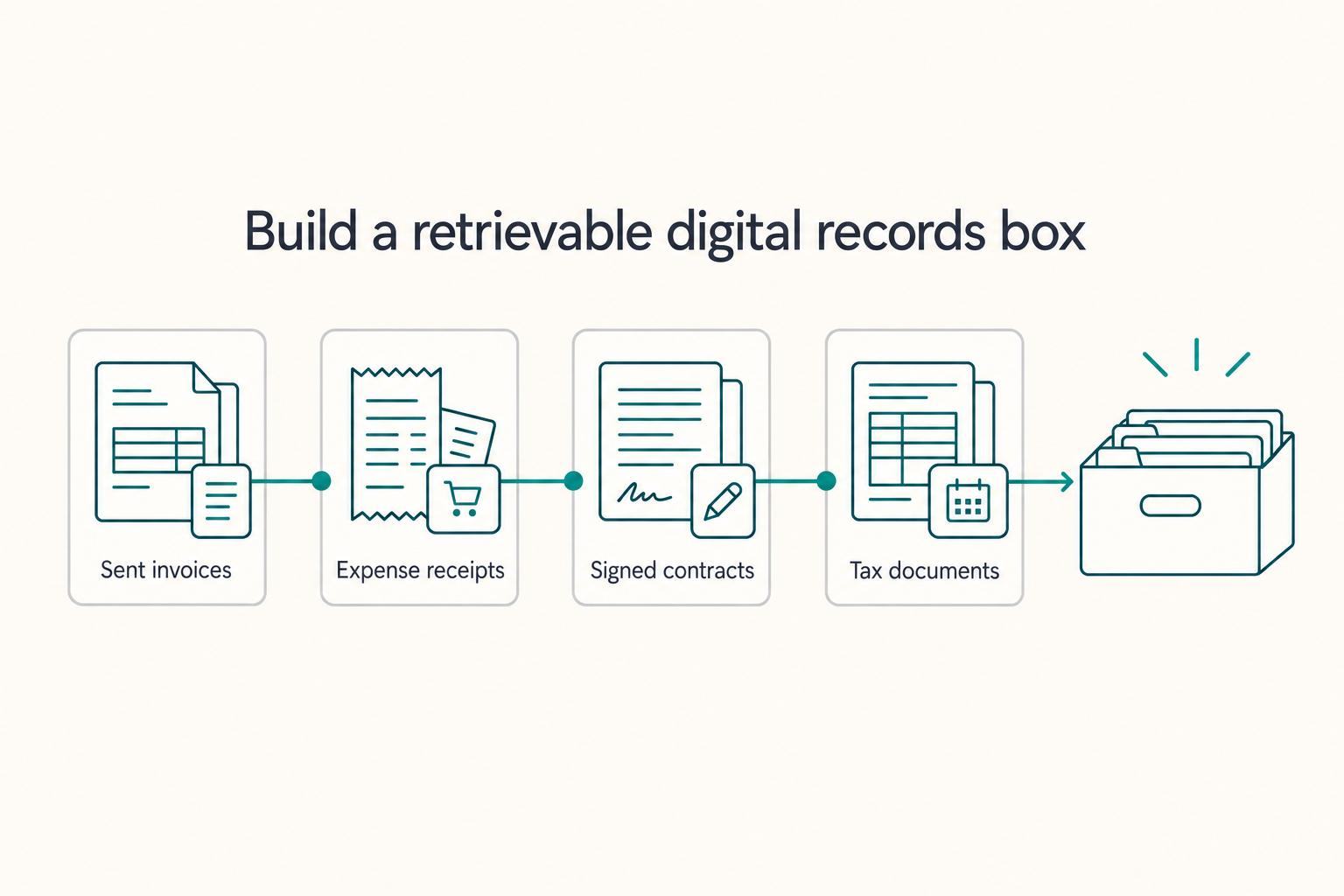
Use three separate finance intake lanes and keep each lane narrow. This will not guarantee perfect compliance, but it does make document retrieval faster, accountant handoff cleaner, and missing records easier to catch before review.
Step 1. Define invoices, receipts, and taxdocs as separate lanes#
Route each message by document purpose, not by how urgent it feels. Keep promos, newsletters, and regular project chatter out of these lanes so finance labels stay useful.
| Intake lane | Document type to route here | Recommended filter action to test | Retention label pattern | Common setup mistake |
|---|---|---|---|---|
invoices | Invoice copies, billing replies, payment confirmations | Apply finance label; keep visible until reviewed, then archive | FINANCE/Invoices | Mixing proposals or scope-change threads into billing records |
receipts | Vendor receipts, subscription renewals, travel purchase records, expense proof | Apply finance label and file on arrival | FINANCE/Receipts | Mixing personal purchases with business records |
taxdocs | Accountant communication, filing notices, tax-software notices, agency correspondence | Apply finance label; prioritize manual review before filing | FINANCE/TaxDocs | Turning this into a catchall for any "important" email |
Step 2. Test with sample messages before relying on automation#
Send one sample message into each lane from a separate account and confirm it lands under the expected label. Keep checking for misroutes over time, because false positives and filtering mistakes do happen.
Step 3. Add a cross-border lane only if this applies to you#
If you handle cross-border work, you can keep travel evidence, foreign account communication, and dedicated banking-related messages in a separate lane for easier review. Treat this as organization support, not a legal conclusion. Leave any possible requirement in a pending lane until you verify it against current official or source records before using it.
Step 4. Run a short maintenance checklist#
| Task | When | Note |
|---|---|---|
| Audit finance labels | On a regular schedule | The article gives quarterly as an example |
| Re-test each filter | After any rule change | Use one sample message |
| Escalate edge cases | When mixed-use expenses, foreign account edge cases, or tax treatment are unclear | Use a qualified tax professional |
We covered this in detail in How to Create a Business Email Address for Your Freelance Business.
Pillar 3: Taming the Noise to Reclaim Your Focus#
This pillar works when your inbox stays reserved for messages that can change your day. Route only messages you want to keep but do not need to see immediately.
Step 1. Decide what stays visible before you create anything#
Use this rule before every new alias or filter: if a message could require same-day action, clarification, or damage control, keep it in your primary inbox. That usually includes direct human replies, client questions, payment or access issues, and any sender that mixes urgent notes with routine updates.
For lower-priority traffic, route by category:
| Noise category | Alias pattern (example) | Recommended filter actions | Review cadence | Risk if over-filtered |
|---|---|---|---|---|
| System alerts | yourname+system@yourdomain.com | Apply System Alerts; skip inbox; do not auto-delete | Set a recurring review block | Urgent billing, access, or platform notices can be missed |
| Learning | yourname+learning@yourdomain.com | Apply Learning; skip inbox | Set a recurring review block | Useful deadlines or links can get buried |
| Networking | yourname+events@yourdomain.com | Apply Networking; skip inbox | Set a recurring review block | Event confirmations or warm intros can disappear into backlog |
Step 2. Route system alerts without hiding real problems#
System alerts are good archive candidates only when sender behavior is predictable. Update notification addresses in your core tools, then create a filter that applies System Alerts and skips the inbox. Keep deletion off.
After setup, verify immediately: send a test message, confirm label + archive behavior, then search by sender and subject to confirm retrieval is easy. If one sender mixes routine updates and urgent human follow-up, keep that sender in the inbox.
Step 3. Route learning and networking on purpose#
Use your learning lane for newsletters, webinars, and course signups. Use your networking lane for communities, event platforms, and industry groups. For both, apply label + archive, then run the same verification check: test message, correct label, inbox skip, easy search retrieval.
If a message seems "missing," treat routing as the first suspect. Messages are often delivered but hidden in labels, category tabs, or archives created by your own filters.
Step 4. Handle exceptions and maintain the setup#
If a signup form rejects the address variation you planned, use your primary address for that sender. If a sender mixes low- and high-priority messages, keep delivery in inbox and use a dedicated label with a narrow sender/domain filter only when the pattern is reliable.
| Situation | Recommended response | Note |
|---|---|---|
| A signup form rejects the address variation | Use your primary address for that sender | Do not force the plus version |
| A sender mixes low- and high-priority messages | Keep delivery in inbox | Use a dedicated label with a narrow sender or domain filter only when the pattern is reliable |
| Mail appears to vanish | Search first, then check Spam, filters, forwarding rules, and any POP/IMAP client | Messages are often delivered but hidden by your own filters |
| The sender reports a bounce | Review sender-side authentication checks | SPF, DKIM, and DMARC may be involved |
Keep the system simple: clean up stale filters, move recurring false positives back to inbox delivery, and keep high-priority human conversations unfiltered. If mail seems to vanish, run a quick two-minute check: search first, then check Spam, filters, forwarding rules, and any POP/IMAP client that could move mail. If the sender reports a bounce, sender-side authentication checks (SPF, DKIM, DMARC) may be involved.
You might also find this useful: How to Use Superhuman to Manage a High-Volume Inbox.
What the setup handles, what stays manual, and what comes next#
Step 1. Move from reacting to checking#
Your alias-and-filter setup should move you from reactive inbox sorting to simple review. Instead of deciding where every client note, invoice, receipt, or newsletter belongs, you check that routing worked as intended. That gives you cleaner client threads, faster document retrieval, a lower chance of missing critical messages, and more consistent records when you need to look back.
Step 2. Keep ownership of what Gmail will not do for you#
This remains a manual system. You still need to create new address variants for new clients or categories, update rules when sender behavior changes, and handle exceptions that do not fit your pattern.
Use a short checkpoint every time you add a route: send one test from another account, confirm the expected label and archive action, and verify your reply identity still shows the right outgoing address. The common failure is an overly broad rule that archives mixed sender traffic, including urgent human messages.
| Approach | Workflow ownership | Maintenance load | Decision support |
|---|---|---|---|
| Gmail aliases + filters only | You define every route and exception | Moderate and ongoing as clients, forms, and senders change | Limited to the rules you wrote |
| Aliases + filters + co-pilot | You still own routing, with support for what needs attention next | Lower day-to-day triage load, but rule upkeep still matters | Can suggest priorities, triage, and handoffs for your approval |
Step 3. Add a co-pilot when sorting is no longer the hard part#
Once routing is stable, the harder part is deciding what to act on first. That is where Gruv can fit as a next step, not a replacement for your rules. Filters sort messages; a co-pilot layer can support prioritization, triage suggestions, and workflow handoffs while you keep final control.
Keep expectations grounded when you evaluate tools: confirm what is released now, what needs separate access or licensing, and what is still roadmap-only. Microsoft's Copilot Chat roadmap, for example, is updated monthly, separates released items from features still being built, and states roadmap details can change without notice.
For a step-by-step walkthrough, see How to Set Up Your First Sales Call Funnel Using Calendly and a Typeform Quiz.
Frequently Asked Questions
How should I organize client email in Gmail?
Use one client, one address variant: yourname+clientname@.... Then build a filter on that recipient so Gmail applies a client label consistently. Validate it with a test message from another account, then search by the label and the exact variant so you know retrieval is easy. If that client mixes fast-turn requests with routine traffic, keep urgent human conversations in the inbox.
What is the cleanest way to route invoices, receipts, and tax documents?
Create separate finance lanes such as +invoices, +receipts, and +taxdocs, and have each filter apply a clear label. Validate with one real message in each lane and confirm you can find it by label and sender during your next bookkeeping check. Review those labels on a set cadence, and keep recovery in mind before you add any destructive actions.
Should I filter by sender or by the address variant I gave out?
If you are using address variants, start with recipient-variant filters and apply the labeling behavior you want. Add sender-only rules when the sender pattern is stable and trusted in your workflow.
Can I do this on a personal Gmail account, or do I need Google Workspace?
For personal gmail.com, the cited Gmail Community guidance says there is no way to create a true alias, so you are usually working with dot variants or +suffix variants instead. Those versions can still be recognized by filters and labels, but they do not mask your real address. If you need a separate alternate email address rather than a trackable variant, that is generally a Google Workspace admin topic. Also note that the cited community guidance is dated and may not always reflect current behavior.
Will people see the variant when I reply?
Your outgoing identity depends on your send-as configuration, so verify it before you rely on this setup externally. In Gmail, check Settings > Accounts and Import > Send Mail As, then send yourself a test from another account and inspect the actual From line. Re-check after account changes, because labels and filters can stay correct while outgoing identity changes.
Why did a message “disappear” after I created a filter?
Start with search, then inspect the filter logic and any forwarding path involved. One important edge case is forwarding: alias-targeted filters have been reported as failing in some forwarding setups even when direct sends to that same variant applied the label correctly, so test both paths if forwarding is involved.
What if a signup form rejects the `+` address, or a sender mixes routine updates with urgent notes?
If you encounter a form that rejects the plus version, use your normal address, create a dedicated label, and add sender-based filtering only after you trust the pattern in live traffic. If one sender mixes low-priority updates with real human escalation, do not auto-archive that whole source just to keep things tidy. Validate with a live test thread, then review for false positives until you are confident the rule is not hiding same-day priorities.
Try a related tool
Researched and edited by the Gruv editorial team. Gruv builds cross-border billing, payouts, and finance-operations software for global businesses.
Sources
Includes 6 external sources outside the trusted-domain allowlist.
- federalregister.gov/documents/2025/04/22/2025-05904/childrens-on...trusted
- federalregister.gov/documents/2025/04/22/2025-05904/childrens-on...trusted
- atomicmail.io/blog/google-gmail-data-breach-fast-checks-an...external
- developers.google.com/workspace/gmail/api/guides/filter_settingsexternal
- docs.cloud.google.com/architecture/identity/overview-google-authen...external
- docs.trendmicro.com/en-us/documentation/article/trend-vision-one...external
- getinboxzero.com/blog/post/gmail-not-receiving-emails-from-sp...external
- github.com/steipete/gogcliexternal
Educational content only. Not legal, tax, or financial advice.
Related Posts

Value-Based Pricing for Freelancers Under Real Payment Risk
Value-based pricing works when you and the client can name the business result before kickoff and agree on how progress will be judged. If that link is weak, use a tighter model first. This is not about defending one pricing philosophy over another. It is about avoiding surprises by keeping pricing, scope, delivery, and payment aligned from day one.
Google Workspace for Freelancers Who Want Cleaner Operations
If you want cleaner operations, set up a business workspace early. You are deciding where client records, files, calendar history, and account ownership will live. You are also deciding whether those things stay inside the business or remain mixed with your personal life.
How to Use Superhuman to Manage a High-Volume Inbox
Your inbox affects two numbers you feel every month: billable capacity and days to cash. If you are evaluating **superhuman for email management**, start there. The only useful question is whether it helps you recover sellable time and keeps revenue-critical threads from going cold.