
Quick Answer
In QuickBooks Online, review existing accounts, then add only the balances and reporting categories your business needs. Choose the correct account type, use supported opening balances, separate gross sales from fees, and match deposits to recorded payments. A $1,000 invoice less a $30 fee produces a $970 deposit, not a second sale.
Set up accounts that distinguish income from cash movement#
A client paying a $1,000 invoice and a processor depositing $970 are two views of the same sale. Your chart of accounts should show the revenue, the $30 fee and where the money sits without counting the deposit as another sale. This guide uses the U.S. QuickBooks Online account-creation workflow; menus and available account types vary by country and subscription.
Start with the accounts your business actually uses: bank and other assets, liabilities, owner equity, income and expenses. Reuse QuickBooks’ existing system accounts and connector-created accounts before adding your own. Customers, invoices and products/services identify work; a separate ledger account for every client usually makes reports harder to read.
Start with a durable freelancer baseline in your first setup pass. Keep it minimal, then expand only when a clear trigger appears. That keeps your QuickBooks setup practical for daily use and stable enough for month-end bookkeeping.
Build a lean account map#
Account type determines where an account appears on financial statements. Detail type describes its purpose more closely. An income account and a bank account can both receive entries, but only the income account represents revenue. Changing a name does not correct a wrong account type.
Set rail-specific rules before transactions pile up#
Write down where each payment actually lands. ACH may go directly into your business bank; PayPal or Venmo may involve a wallet, a settlement service or an approved QuickBooks Payments integration. Choose the posting path from the account statement and connection you use, rather than from the payment method’s name.
| Rail | Operational reality | Rule for your Chart of Accounts |
|---|---|---|
| ACH paid directly to your bank | Match the existing invoice payment or deposit to the bank feed. Add a clearing account only if a real settlement interval needs tracking. | Bank receipt, invoice and any separate fee. |
| PayPal balance or connector | Reuse the mapped PayPal balance account; review gross amounts, fees and transfers before confirming. | PayPal activity, fee detail and withdrawal reference. |
| Venmo or another processor | Check whether transactions arrive through QuickBooks Payments, a wallet feed or a manual statement import. | Actual gross payment, deductions, held balance and final deposit. |
Add expansion triggers, not account sprawl#
Add an account when it represents a separate balance you must reconcile or a recurring category that changes a reporting decision. A new client using Venmo does not itself require a new income or clearing account. If you prepare invoices outside QuickBooks with the free invoice generator, keep one invoice number and record the sale once in your books.
Prepare the records and review owner#
Before creating accounts, confirm the product, obtain opening-balance evidence, map direct and marketplace receipts, and name the person who will check the first close. These four preparations prevent a tidy-looking account list from hiding duplicate history or missing liabilities.
| Prep step | What to confirm |
|---|---|
| Choose your product lane first | You choose a path that matches real control needs, not marketing labels. |
| Gather transaction evidence by rail and source | You can explain each transaction by rail, source, and business purpose without guessing. |
| Map income origins before category names | Your Chart of Accounts reflects how money actually enters the business. |
| Assign review cadence and escalation path | Every unclear transaction gets an owner, a due date, and an escalation path. |
Before you start#
Choose your product lane first#
Confirm that your subscription exposes the Chart of accounts and the controls you need. QuickBooks Online is the workflow used below. Solopreneur supports transaction categories, but its available controls and plans differ; do not assume that every Online menu or accountant tool is present. QuickBooks Self-Employed is a separate legacy product.
| Product lane | Good fit | What it means for your Chart of Accounts |
|---|---|---|
| QuickBooks Online | Use this guide when you can create accounts, choose account types and review both financial statements. | Check the required bank integrations and accountant permissions in your plan. |
| QuickBooks Solopreneur | Use its supported categories and reports; verify whether its controls cover the balances you need. | Do not translate an Online chart of accounts tutorial into unsupported menus. |
| Existing QuickBooks Self-Employed account | Maintain its supported tax-category workflow or assess a migration. | Intuit directs new customers to other products; export history and confirm what will migrate before switching. |
For an existing legacy account, the QuickBooks Self-Employed guide provides product context. Before migration, export reports and transactions, agree a cutover date and reconcile opening balances. Moving software does not automatically repair misclassified or duplicated records.
Gather transaction evidence by rail and source#
Collect bank and card statements, processor activity, marketplace payout reports, unpaid invoices and balances at your chosen start date. Confirm the connection’s import window instead of mixing instructions for different PayPal apps or countries. Avoid overlapping historical imports with transactions already entered, and retain statements for periods the feed does not cover.
Map income origins before category names#
Map direct client invoices separately from marketplace sales where that distinction helps reporting. Also distinguish earning money on Fiverr or Freelancer.com from buying another freelancer’s services there: purchases belong in the appropriate expense category, not your platform-income account. Save gross sale, fees, withdrawals and adjustments, not just the bank deposit.
Assign review cadence and escalation path#
Choose who checks the initial mapping and first reconciliation. Product support can explain menus and connection errors; a bookkeeper or accountant should review accounting classifications, opening balances, tax treatment and corrections to closed periods. Give them the actual statements and transaction examples.
Create the starter chart of accounts#
Keep the chart small enough to understand, but include every balance your business really holds or owes. Separate accounts are useful for reconciliation and decisions, not as a substitute for client or project records. Use the expansion tests below before adding another account.
| Expansion trigger | Action |
|---|---|
| Current reports cannot answer a recurring operating question | Add an account. |
| A new income stream needs separate visibility | Add an account. |
| Fees or unsettled balances are material enough that separate tracking improves decisions | Add an account. |
Review existing accounts first. When you need a new one, go to All apps → Accounting → Chart of accounts, select New account, enter a clear name, then choose Account type and Detail type. Set a parent only for a genuine subaccount. For a balance-sheet account, establish the start date and supported opening balance; do not invent a balance or import the same history twice. Add a description of intended use and save.
Build core buckets before edge cases#
The starter map below is illustrative for a sole proprietor. Entity structure, local taxes and your accounting method can require different equity, liability or recognition treatment. Reuse system accounts such as Accounts Receivable when QuickBooks creates them; do not create a second receivables ledger just to rename it.
| Account or group | Typical type and use |
|---|---|
| Business checking and savings | Bank: actual cash accounts, reconciled to their statements. |
| Processor wallet or temporary settlement balance | Bank for an actual wallet where appropriate, or Other Current Assets for a temporary clearing balance; confirm the connector mapping and classification. |
| Accounts Receivable | System receivables account for issued invoices and unpaid customer balances. |
| Equipment and other assets | Asset accounts where applicable; an equipment purchase may need capitalization rather than immediate expensing. |
| Credit cards, loans and amounts owed | Credit Card or appropriate liability type; borrowing is not sales income. |
| Tax collected and client advances | Appropriate liabilities where required: money owed to authorities or unearned customer amounts is not automatically earned revenue. |
| Owner contributions and draws | Equity for a sole proprietor; putting personal funds into the business is not revenue, and withdrawing them is not an operating expense. |
| Service income; platform income if useful | Income: distinguish recurring reporting needs, while products/services and customers carry finer detail. |
| Processing fees; platform fees | Expenses: identify charges separately from the gross sale. |
| Operating expenses and reimbursements | Appropriate expense accounts, with a consistent policy for client-reimbursable costs and their recovery. |
Check the Profit and Loss for income and expenses and the Balance Sheet for cash, receivables, liabilities and equity. A clean Profit and Loss alone cannot prove that processor balances, loans or owner withdrawals are correct. Compare the initial balances to statements before importing more history.
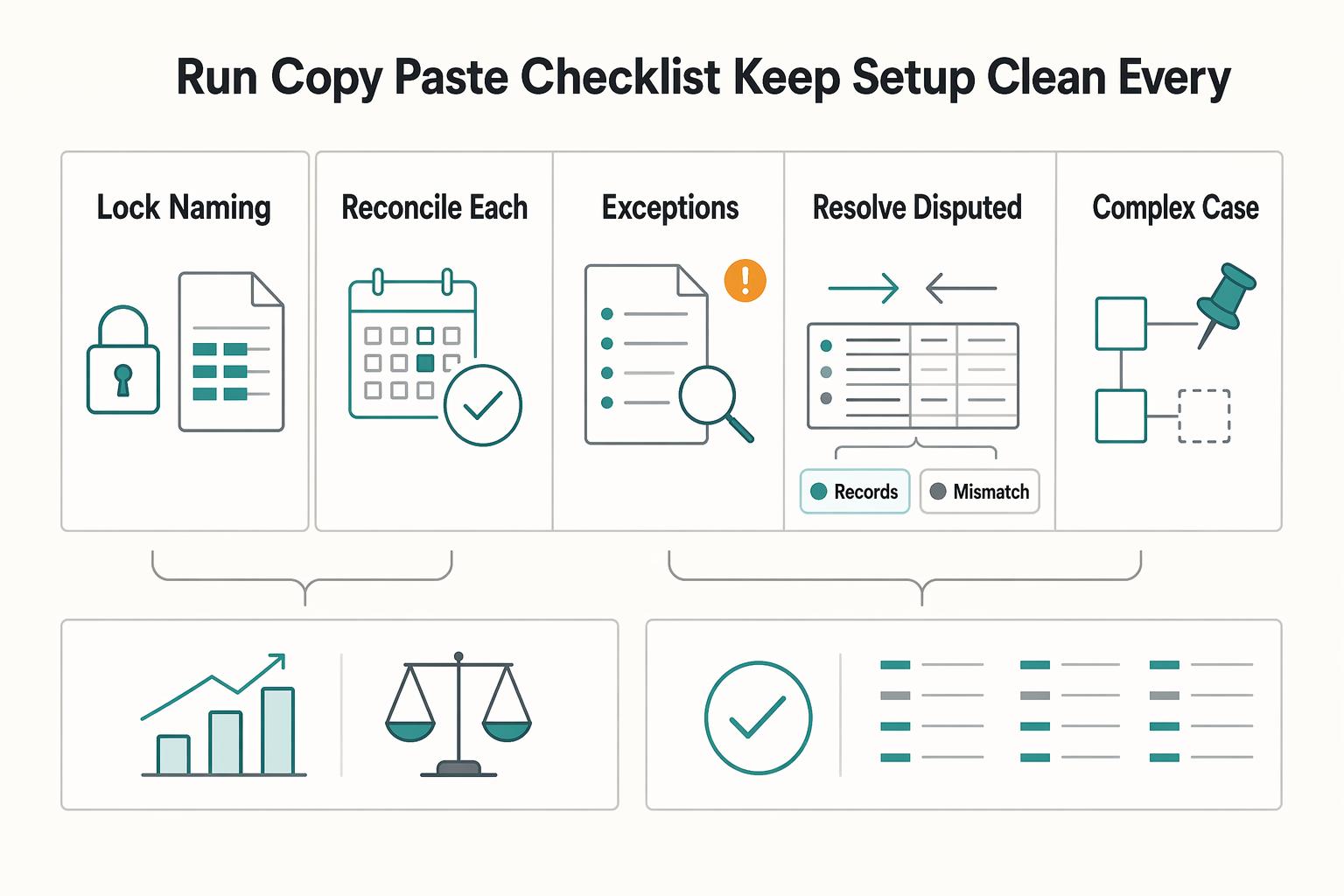
Lock naming rules before growth#
Use stable names such as Service income, Platform income, Processing fees and PayPal balance. Before creating another account, search the existing chart and check the connector mapping. Two differently named accounts can represent the same wallet, while two similar names can represent genuinely separate bank accounts.
Add accounts only when reporting needs it#
Treat expansion as a controlled decision, not a reaction. Rules vary by business, so use your reporting needs as the trigger.
A new platform justifies another balance account if you must reconcile money held there separately. It does not require another income account when your existing reporting distinction is sufficient. Document how gross sales, charges, transfers and adjustments will reach the existing accounts.
Use the overengineering warning as a guardrail#
Keep client and project detail in supported customer, product/service or reporting fields. Add a ledger account when an existing category cannot answer a recurring financial question or reconcile a distinct balance. Review unused accounts before making them inactive; do not erase useful history to make the chart shorter.
Map receipts, fees and settlement#
Separate accounts by the balances you must reconcile. ACH is a payment network, not necessarily a separate account. A PayPal wallet can hold money independently of your bank, whereas a direct ACH receipt may need only a matched bank entry. Record the payment path once and reuse it.
Build your rail map in QuickBooks Online#
Define clearing and fee accounts#
Use Undeposited Funds when you need to combine recorded customer payments into a bank deposit. It is not a compulsory staging account for all receipts. QuickBooks Payments may create the deposit entries automatically; the PayPal Connector can use its own balance account. Check those entries before creating a parallel manual flow.
Split gross, fees, and net at posting time#
For a manual grouped deposit, suppose an existing $1,000 invoice is paid, the processor keeps $30 and your bank receives $970. Record Receive payment against that invoice for $1,000 into Undeposited Funds. Create a Bank Deposit to the actual bank, select that payment, then add a negative $30 line using the fee-expense account. Save the $970 deposit and match the downloaded bank entry to it. Do not add $970 as fresh income or create another sales receipt for the already invoiced sale.
| Receipt path | Posting rule | Verification |
|---|---|---|
| Direct ACH to bank | Record or match the invoice payment to the bank account. | Match the downloaded entry to the existing record; record any separate charge once. |
| Manual net settlement | Combine the actual receipts and deducted fees into the deposit amount. | In the example, $1,000 − $30 = $970, with no remaining Undeposited Funds balance for that payment. |
| Processor wallet or connector | Use the wallet’s existing balance account and the connector’s sale/fee records. | A withdrawal to your bank is a transfer, not another sale. Match rather than duplicate imported records. |
In the manual example, the invoice accounts for the sale, the payment settles that receivable, the fee appears as a $30 expense and the bank receives $970. Check both reports on the chosen accounting basis. For a real wallet, a $1,000 receipt less a $30 fee leaves $970 there; transferring that $970 to your bank should reduce the wallet balance by the same amount. These are alternative recording paths, not steps to run twice.
Standardize status checkpoints#
Maintain an exception log with states such as pending, received in wallet, transferred, deposited, held, returned or disputed. These are operational labels, not promised QuickBooks sales statuses. Record provider reference, amount, expected destination and next action. An initiated transfer is not proof that the bank has received spendable cash.
Protect your primary income categories#
Create a dispute and reversal path#
Use the deadline in the actual processor’s chargeback notice and save the response evidence. A dispute, an ACH return and a customer refund require different records. Do not routinely void a valid sale or a previously reconciled payment just because cash is deducted. Confirm whether the customer still owes the invoice, whether revenue needs a credit or refund, and how any fee or disputed amount should be recorded. Keep the original reference and an approved correction trail, especially in a closed period.
Check product fit before adding complexity#
Test the workflow you need instead of choosing by business size alone. A one-person business can need a full chart of accounts, while a larger account list cannot fix missing source records. Available integrations, reports and permissions matter more than a product label.
Check three controls: account creation and classification, the reports needed to reconcile balances, and access for the person who reviews your books. Keep the product comparison in the preparation section as your starting point; do not assume that features are identical across countries or subscriptions.
Run a practical decision check before you commit#
- Bookkeeping: verify the receipt, expense, debt and equity records your workflow needs.
- Chart of accounts: confirm account creation and account-type controls rather than assuming every product shares them.
- Collaboration: check reviewer permissions and correction tools in the chosen plan.
- Reporting: confirm the actual reports and any required additional user access.
Set safe defaults and clear upgrade triggers#
If a required control is missing, confirm the alternative product can perform it with your actual bank and marketplace records. Export historical reports, agree the migration date, map opening balances and test one representative receipt. Preserve the old evidence until you can tie the first new close to it.
Record marketplace sales and withdrawals#
Platform receipts need the same gross-to-net explanation as processor deposits. Keep the sale, platform fee and withdrawal distinct, while choosing income accounts only when that distinction improves reporting. If you buy services on a marketplace, record the purchase separately from seller earnings.
Separate platform sources in your tracking setup#
Review downloaded marketplace-related transactions before accepting a suggested category. Tie each item to a sale, purchase, fee, withdrawal or adjustment using its reference. A transaction awaiting review is not yet a confirmed ledger entry; leaving it there does not hold or protect the actual funds.
Split each payout into gross income, platform deductions, and net cash#
Use the payout statement to explain how gross earnings become the amount transferred. Separate fees and other deductions, and keep timing differences or held balances visible. Where the sale is already invoiced or recorded, settle or match that record rather than recognizing the bank withdrawal as another sale.
| Receipt source | Current fee context | Posting evidence |
|---|---|---|
| Fiverr seller receipts | Its current earnings guide describes 80% of the purchase amount for completed orders, including extras and tips. | Use the actual order and earnings records; withdrawals, taxes and other deductions can differ from the standard order calculation. |
| Freelancer.com seller receipts | Standard fixed-price fees are 10% or US$5, whichever is greater; hourly fees are 10%. | Check project type, promotions, location and other charges. The minimum is not a universal hourly fee. |
| Direct client invoice | Use the invoiced gross amount and the actual processor statement. | The deposited amount after charges should settle the recorded receipt, not create a second income entry. |
A marketplace withdrawal can include several orders, fees, refunds or currency conversions. Split it using the supporting report, not an estimated percentage that happens to make the bank balance fit. Record currency and conversion evidence where relevant; the fee schedule is a reason to investigate a difference, not a replacement for the statement.
Review rules before automating repeat patterns#
Create rules for stable patterns only after testing the account mapping manually. Use the appropriate bank or integration rule, narrow its account and transaction conditions, and review its suggested transaction type and category. A rule that assigns every PayPal money-in item to income can duplicate invoice receipts and misclassify transfers. Leave auto-add off while checking representative sales, fees, refunds and transfers. Do not depend on creating new Tags; use currently supported fields and plan permissions.
Route incomplete items into a weekly exception routine#
Review unclear platform items weekly. Attach the payout report, split documented components and give each unresolved difference an owner and date. Do not guess income from a net deposit or claim that a bookkeeping review queue freezes the payment. Keep actual bank movements recorded and reconcile their classification separately.
For missing payout context, record the transaction reference, platform, amount, currency and the evidence still needed. Ask for the specific missing statement or order detail. Keep the item visible through close and disclose material unresolved differences rather than silently treating an unsupported amount as confirmed income.
Correct misclassifications and reconcile balances#
Freelancer books often break when you let account names drift, post net payouts without fee detail, and skip a strict tie-out routine. When the books break, you need a recovery sequence that restores reporting fast and prevents repeat errors.
| Failure mode | What it breaks | Fast recovery move |
|---|---|---|
| Duplicate accounts | Compare balances, transaction history and connector mappings before cleanup. | Redirect future entries where appropriate; make unused accounts inactive only after review. A permanent merge needs accounting review, not just matching names. |
| Miscategorized transactions | Identify the source document and correct account before changing history. | Review affected reports and reconciliations after an approved correction, especially for closed periods. |
| Net deposit recorded as income | Find the original invoice or sale and the gross-to-net payout record. | Remove the duplicate through the appropriate correction workflow, record fees once and match the deposit. |
Standardize names and remove account sprawl#
Keep names consistent for income, fees, wallet balances, clearing and reimbursable costs. Maintain a short mapping sheet with account type, purpose, source statement and permitted posting path. New names should improve an actual report or reconciliation; avoid separate accounts for every client or temporary payment status.
Review corrections before closing the period#
Have the accountant review corrections to prior or closed periods. Batch reclassification tools depend on product and permissions and cannot repair every transaction type or missing invoice link. Identify the affected records and correct classification first; then approve the adjustment method and recheck reports.
If your product lacks a suitable batch tool, correct a documented list through the supported transaction workflow and check the results. Once the period is reviewed, use available close controls and access permissions. Keep unresolved items with evidence, owner and deadline; do not force unknown amounts into a convenient category just to report zero exceptions.
Tie out Fiverr.com and Freelancer.com with payout evidence#
Reconcile each real bank, card and wallet account against its statement. Match existing recorded deposits and transfers before adding downloaded transactions. Explain genuine settlement-in-transit balances with dated payout references, and investigate stale amounts. A feed connection or a balanced Profit and Loss does not replace statement reconciliation.
Add cross-border compliance reminders to your monthly close#
For U.S. persons with reportable foreign financial accounts, FBAR may apply when their aggregate value exceeds $10,000 at any time in the calendar year, subject to applicable rules and exceptions. Form 8938 is a separate test for specified foreign financial assets. For a specified individual living in the U.S., unmarried or married filing separately, its threshold is more than $50,000 at year-end or $75,000 at any time; joint filers and people living abroad have higher thresholds. Account location and the taxpayer’s circumstances matter, not merely receiving foreign-currency income.
Keep maximum-balance records and ask the tax preparer to assess both filing obligations separately. Form 8938 accompanies the applicable tax return; FBAR goes to FinCEN separately. A foreign client or dollar-denominated wallet does not by itself establish that either filing is required. This reporting reminder does not change how an actual payout is reconciled.
Use this monthly close checklist#
At month-end, check names and classifications, reconcile actual accounts, investigate payout differences and review disputes. Record what remains unresolved and who will address it. The checklist is complete when the accounts tie to evidence or the remaining differences are explicitly identified.
| Monthly check | Verification point |
|---|---|
| Check account names and types | Both financial statements show the intended categories; duplicate representations of the same balance have been reviewed. |
| Reconcile each real account | Bank, card and wallet statements tie; settlement-in-transit amounts have references and expected dates. |
| Review platform exceptions | Each payout ties to documented components or has a named unresolved difference. |
| Review disputed payments | Provider deadlines, evidence, accounting treatment and next action are recorded. |
| Reassess product fit | Required reports, integrations and reviewer access are supported. |
| Review cross-border reporting where applicable | Record applicability, responsible filer and evidence needed; do not infer a filing duty from client country. |
Lock your naming standard in the Chart of Accounts#
Compare your mapping sheet with the chart. Account type controls financial-statement placement; detail type adds description. Review both reports and investigate duplicates before any merge or account cleanup. Keep old history and connector mappings available while correcting a classification.
Reconcile each real account before reviewing performance#
Reconcile bank, card and wallet accounts separately to actual statements. Check direct receipts, grouped deposits, transfers, charges and settlement-in-transit balances. If a connector already records deposits and fees, verify those records instead of adding another manual flow. Identify any unexplained difference and its next action.
Clear platform payout exceptions before month close#
Tie withdrawals to the platform report and gross-to-net components. Keep actual cash movements recorded even while classification needs investigation. For an unsupported item, retain its reference, evidence request, owner and resolution date; do not bury it in clearing indefinitely or guess a sale.
Resolve disputed payments with notes#
Record the disputed transaction, provider’s actual response deadline, evidence submitted and expected accounting outcome. Follow the applicable processor workflow and have closed-period changes reviewed. An internal note or generic five-day deadline is not a substitute for responding to the real notice.
Reassess product fit as complexity grows#
Check whether your current product still supports the required balances, reports and reviewer access. Before switching, export evidence, confirm the migration scope and reconcile the cutover balances. Do not assume that all history or accounting classifications will transfer correctly.
Run a cross-border reporting check#
Where foreign-account or asset reporting may apply, keep account location, maximum balances and taxpayer details for the preparer. Record which filing is required, who will file and what evidence remains missing. Use the separate FBAR and Form 8938 rules described above rather than a universal foreign-income threshold.
Frequently Asked Questions
What is the simplest Chart of Accounts setup for a freelancer in QuickBooks?
Use the five main groups: assets, liabilities, equity, income and expenses. Include the actual bank and wallet balances, system receivables where used, relevant debts, owner contributions and draws, service income, fees and operating costs. Add only accounts you can explain and reconcile.
Do I need a full Chart of Accounts as a Sole Proprietor, or can I start lean?
Use stable categories, reuse system and connector accounts, and add an account only for a distinct balance or recurring reporting need. Check existing names and mappings first. Review both the Profit and Loss and Balance Sheet so a tidy income report does not hide a duplicate wallet or missing liability.
How should I categorize Fiverr and Freelancer.com receipts in QuickBooks Online?
Use seller statements to distinguish gross sales, platform charges, adjustments and withdrawals. Match an existing sale or invoice where applicable; a withdrawal from a recorded platform balance to your bank is a transfer. Buying services on those platforms is an expense, not seller income.
Should I use Self-Employed, Solopreneur or QuickBooks Online?
Choose by the controls you need and can confirm in your country and subscription. This guide uses QuickBooks Online account creation. Solopreneur has a different category workflow, and existing Self-Employed customers use its legacy tax categories. Intuit directs new customers to other products. Export and reconcile history before migrating.
How does better categorization improve cashflow visibility across ACH, PayPal, and Venmo?
Track actual account balances and settlement references, keep gross receipts and charges distinct, and match rather than duplicate deposits. Direct ACH may need no clearing account; a wallet or grouped processor payout may need a separate balance or Undeposited Funds workflow. Confirm which recording path your integration already performs.
When should I add more accounts instead of keeping my setup minimal?
Add one when you must reconcile a separate balance or repeatedly need a report that the existing categories cannot provide. A new client or one-off payment method is not enough by itself. Document the account’s type, purpose and posting rule, then check it at the next close.
What should cross border freelancers know about FBAR, FinCEN, FATCA, and Form 8938 in bookkeeping workflows?
Retain account-location and maximum-balance evidence for the tax preparer. For relevant U.S. persons, test FBAR’s aggregate $10,000 foreign-account threshold and the separate Form 8938 rules for filing status and residence. Neither a foreign buyer nor foreign-currency revenue automatically triggers these reports. Evaluate each obligation independently.
Try a related tool
Researched and edited by the Gruv editorial team. Gruv builds cross-border billing, payouts, and finance-operations software for global businesses.
Sources
Includes 4 external sources outside the trusted-domain allowlist.
- irs.gov/businesses/comparison-of-form-8938-and-fbar-...trusted
- freelancer.com/feesandchargesexternal
- help.fiverr.com/hc/en-us/articles/9234443621137-Your-earning...external
- quickbooks.intuit.com/learn-support/en-us/help-article/chart-accou...external
- quickbooks.intuit.com/learn-support/en-us/help-article/bank-deposi...external
Educational content only. Not legal, tax, or financial advice.
Related Posts

A Guide to QuickBooks Self-Employed for Freelancers
**QuickBooks Self-Employed is a legacy bookkeeping option for existing subscribers. New buyers should compare current products such as Solopreneur, then test their actual billing and tax workflow.**

The Freelance Payment Penalty: A Modeled Audit of Platform Fees, FX Spreads, and Payout Delays
The money rarely disappears through a single, easy-to-spot fee. The real loss is stacked. A marketplace takes its commission, a processor adds a charge for international cards, a bank or payment company converts the currency at a spread, a platform holds the funds before release, and a wire sheds a little to intermediaries on the way in. Each layer looks defensible on its own, but the worker feels the combined result as a smaller deposit and a later payday.

How to Respond to a Subpoena for Business Records
Move fast, but do not produce records on instinct. If you need to **respond to a subpoena for business records**, your immediate job is to control deadlines, preserve records, and make any later production defensible.