
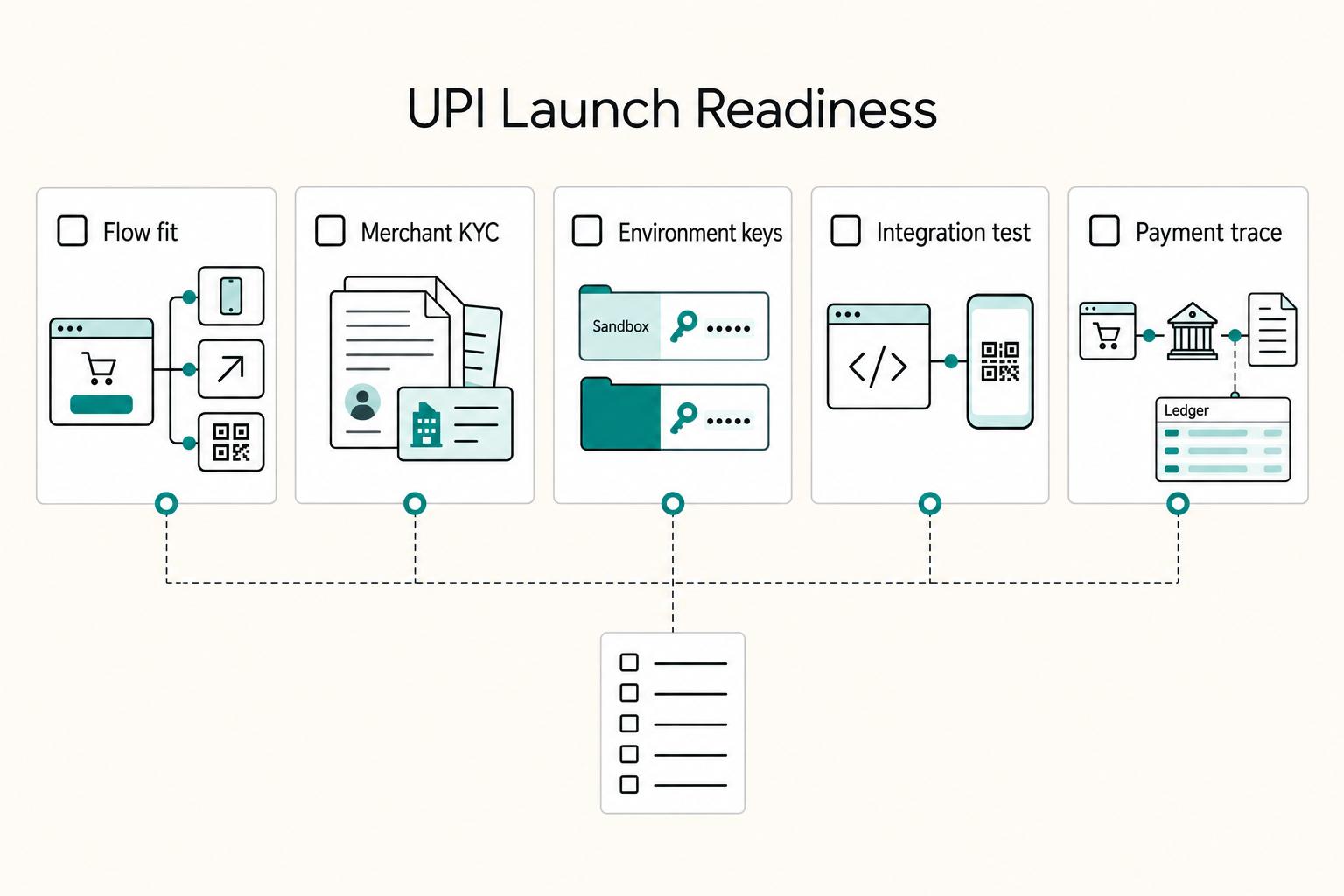
Quick Answer
To set up a UPI payment gateway on your website, confirm you are integrating a full gateway rather than only a dynamic QR product, choose the payment flow that fits your buyers, complete onboarding, and keep order creation and final payment verification on your server. Test success, pending, failed, delayed-callback, retry, and refund cases before launch, and go live only when reconciliation and settlement visibility are clear.
Why this guide is different for freelancers and small teams#
This is not a generic "switch it on" tutorial for a upi payment gateway on website. It is a cashflow-focused setup for service businesses. The goal is to reduce payment drop-off at checkout, get confirmed collections faster, and avoid operational issues when payment status is unclear.
A payment gateway is part of your collections system, not just a website widget. It accepts payment, routes it for approval, confirms the transaction, and starts settlement. That affects how quickly money reaches your account, how refunds are handled, and how easily payments are tracked. If checkout is slow or confusing, conversion stops there.
Before you compare providers, define success in business terms:
- Faster collections: UPI is a real-time flow, so confirmed collections can happen quickly, with 24/7 access.
- Lower abandonment risk: in a typical UPI checkout flow, the customer enters a VPA, approves in their app, and funds transfer to your account. Every extra point of friction raises drop-off risk.
- Cleaner dispute handling: UPI setup alone is not enough. Your process still needs a clear payment trail you can verify when there is a mismatch.
- Lower operational risk: plan for pending or delayed confirmation states before launch.
This guide stays narrow by design. It focuses on website checkout with UPI, from provider selection to go-live checks and recovery steps when confirmation or settlement does not match what the customer sees. If you currently collect via payment links before work begins, that can still work for services, but embedded checkout needs tighter reliability and tracking discipline.
Understand what you are actually buying before integration#
Make this call before you touch code: a UPI payment gateway and a Dynamic QR flow can both collect UPI payments, but they are different integration choices for website or app checkout.
Separate processing from presentation#
Separate processing from presentation before you build. A gateway processes UPI payments and can support refunds, while Dynamic QR is a QR-led way to present and collect a payment.
| What to verify | Why it matters before launch |
|---|---|
| Authentication flow | It can change customer friction and liability in the payment flow. |
| Reconciliation output | Weak transaction visibility creates avoidable recovery work when payment status is disputed or unclear. |
| Refund handling | You need to confirm whether UPI refund handling is part of the product you are buying. |
Practical check: confirm whether the docs describe how your website or app connects to a UPI gateway, or mainly describe QR collection.
Verify the product category before you code#
Treat product names as branding, not proof of product category. A tool may support payment collection but still fall short of the gateway capabilities you expected.
Before generating keys or writing checkout code, verify the documented capabilities you need. Check the website or app integration path, refund support, authentication approach, and reconciliation visibility.
Use a simple decision rule#
Use a simple rule: if you need specific checkout capabilities, prioritize a product that explicitly documents them. Do not assume a QR-led collection layer includes every capability by default.
Before go-live, confirm transaction status visibility and refund-state handling are clear in testing. If that is not clear, do not proceed yet. For a step-by-step walkthrough, see How to Calculate the All-In Cost of an International Payment.
Choose the right UPI flow for your checkout path#
Once the product type is clear, choose the payment path your buyers will actually use. The three distinct UPI methods are Web collect, Intent flow, and QR-based payment, so treat this as a real path decision, not just a UI choice.
| Flow | Device context to test first | Friction notes | Pre-launch check |
|---|---|---|---|
| Web collect | Browser-led checkout, including buyers who stay on your website | UPI is often described as low friction because it can avoid card detail storage and OTP entry | Confirm payer identification and order-to-payment mapping in your records |
| Intent flow | Mobile checkout where buyers pay through a UPI app | App-led flow can feel natural on phone journeys | Test handoff behavior on real devices and verify what happens if the expected app is unavailable |
| QR-based payment | Scan-and-pay journeys | Clear user action, but adds a scan step | Verify QR amount mapping and clean completion status in your records |
| Default recommendation for freelancers | Use the flow that fits your current buyer mix with the least custom handling | Keep the path simple and practical for your buyers | Launch only after testing across your main device and app combinations |
Use traffic mix as a testing priority, not a fixed rule. Mobile-heavy journeys can make Intent flow an early test case, while browser-led journeys can make Web collect an early test case. Evaluate QR-based payment where it fits your checkout and customer behavior.
Also test against real app behavior. UPI examples include Google Pay, PhonePe, Paytm, and BHIM UPI, so do not validate on a single app and assume coverage. For each test order, confirm buyer completion clarity, internal order mapping, and final payment status visibility. Include flows where the payer uses a UPI ID and authorizes with a 4-digit MPIN.
Prepare your prerequisites before opening any merchant account#
Do the setup work before you apply. When documents, technical ownership, and payment verification logic are defined first, onboarding is usually cleaner and integration moves faster.
Gather the minimum document pack#
Start with a practical minimum pack: basic KYC documentation, settlement bank details, and GST readiness. For GST readiness, this can be a GST certificate or a non-GST declaration, depending on your case.
Also verify bank account readiness early. Paytm's setup guidance calls for a mobile number linked to the bank account for OTP or verification. It also recommends a business bank account, with a current account recommended for settlements.
Confirm technical ownership before requesting credentials#
Do not request live credentials until backend ownership is clear. At minimum, confirm the application URL used for redirects and callback setup, a server-side callbackUrl that accepts POST callbacks, and environment configuration for both UAT and production.
During onboarding, you may receive items like a Merchant ID, test API key, and dashboard credentials. Define where each credential is stored, and make sure callback handling is configured for both UAT and production. A redirect back to your site is not enough. Treat verified final status as the source of truth, with callbacks plus status polling in your core flow because delivery can be delayed or fail.
Check your compliance boundary early#
Do not assume the provider covers every compliance obligation. Confirm which controls are provider-side in your setup, then review your own checkout, logs, support workflows, and fallback paths for any sensitive payment data touchpoints.
Define your data-handling boundary in plain language. If sensitive data can enter your forms or internal tools, clarify scope before integration starts.
Assign operating roles before building#
Treat role assignment as a gate. Before integration starts, assign an owner for provider or account communication, an engineer for credentials, callbacks, and status verification, and an ops owner for reconciliation and payment follow-up.
| Role | Primary responsibility | Checkpoint |
|---|---|---|
| Provider/account communication owner | Provider or account communication | Assigned before integration starts |
| Engineer | Credentials, callbacks, and status verification | Who manages keys and missing callbacks is clear |
| Ops owner | Reconciliation and payment follow-up | Pending payments are confirmed against final provider status before service delivery |
Use a simple checkpoint: who manages keys, who handles missing callbacks, and who confirms pending payments against final provider status before service delivery. If those answers are unclear, pause and fix ownership first.
Compare providers with a cashflow-first scorecard#
When comparing Razorpay, PhonePe, and another option for website UPI checkout, score cashflow risk before headline fees. Settlement behavior, support escalation, webhook/callback reliability, and post-launch ops effort often matter more once real payments start.
Score operational risk first#
Start with operational fit, not checkout polish. Use a 1 to 5 scale, and weight the categories by business pain. A practical baseline is settlement speed and behavior, support quality, and developer experience. On the technical side, look at APIs, SDKs, webhooks/callback handling, docs, and incident transparency.
Also note the operating model. In a third-party gateway setup, you run on provider-managed shared infrastructure. That can speed onboarding for early-stage teams, but recovery quality during holds, routing issues, or backlog periods depends heavily on provider support and visibility.
Use these checks while scoring:
- Can your team quickly trace pending, retried, refunded, or disputed payments?
- How much manual follow-up is needed if a callback is delayed or missing?
- If settlement pauses, how quickly can support give a usable answer?
Build a side-by-side worksheet#
Fill scores only after sandbox tests, dashboard review, and at least one support interaction.
| Provider | Settlement behavior | Support responsiveness | Callback and failure visibility | Integration effort | Hidden cost watch |
|---|---|---|---|---|---|
| Razorpay | Score settlement visibility and how clearly delays or holds are surfaced | Score response quality and escalation clarity | Score callback traceability, retry handling, and final status clarity | Score APIs, SDKs, callback docs, and implementation effort | Engineering overhead, reconciliation effort, incident recovery time |
| PhonePe | Score clarity of settlements, pending states, and payout exceptions | Score channel quality and merchant-side problem handling | Score callback consistency, retry behavior, and attempt matching | Score API and docs clarity, plus onboarding friction | Time spent resolving ambiguous statuses and refund or support follow-up |
| Alternative third-party gateway | Score actual settlement visibility, not only speed claims | Score escalation path before go live | Score event logs, callback consistency, and final status retrieval | Score docs, sample code, dashboard export quality, and glue-code load | Ongoing recon burden and recovery time when incidents happen |
Quick checkpoint: after test payments, can you produce one clean transaction trail with provider reference, your order ID, current status, event history, and settlement or payout trace, without support help? If not, score lower.
Test failure handling, not just checkout polish#
A provider shows its real fit when payments fail or drift into pending states. Include these cases in testing:
- Successful payment with normal confirmation
- Delayed or missing callback
- Buyer retry after timeout
- Refund initiation and refund status visibility
Score lower any provider that forces your team to stitch status across multiple tools or leaves final payment state unclear. That hidden cost usually shows up later as extra manual checks and slower incident recovery.
Choose by operating shape#
For solo freelancers with low volume, prioritize fast onboarding, clear docs, and a dashboard you can operate without ongoing engineering support. For small teams with higher invoice counts, prioritize cleaner callback behavior, stronger incident visibility, and lower reconciliation effort, even if setup is heavier. At that scale, payout interruptions or unresolved pending queues can cost more than small fee differences.
If two providers are close on checkout features, choose the one that shortens recovery time when something breaks.
Before locking a provider, pressure-test your expected volume and payout cadence with this payment fee comparison tool so settlement speed and total cost are evaluated together.
Open and configure your account with baseline controls first#
Account setup is an operations control step, not just onboarding paperwork. Keep baseline controls in place before live rollout: separate test and live environments, validate the flow in test first, and avoid rushing full checkout enablement.
Keep one operating record after onboarding#
After onboarding, keep one operating record with the key account identifiers and support contacts your team needs during incidents. The checkpoint is simple: someone outside engineering should still be able to find the right account context and escalation path quickly.
Separate sandbox and live before checkout goes on#
Use sandbox first. A usable pre-go-live baseline is a provider that offers sandbox testing, clear documentation, and libraries for your stack. Before launch, verify an end-to-end sandbox transaction flow.
Define ownership and test behavior once#
Define operational ownership before go live, and give custom API integrations extra testing time because the added flexibility also adds testing effort.
If something breaks, fix the flow itself instead of compensating with frequent status polling, especially as UPI operations now place tighter limits on high-frequency check behavior.
Enable what matches your launch path#
Choose the checkout approach that fits your timeline: prebuilt checkout can launch faster, while custom API work usually takes longer. Expand from that baseline as your launch needs grow.
Related reading: How to Integrate Calendly with Your Website.
Implement checkout with server-side control of amount and status#
Keep payment authority on your server from start to finish. The client can collect payer actions, while your backend controls the amount, order reference, and final payment status.
Create the order on your server#
In a server-led flow, create the payment order through your backend before opening checkout, even if you use a provider Software Development Kit (SDK) for UI. Calculate the payable amount from your own records, generate an internal order reference, and store an initial internal status such as created or awaiting_payment before returning checkout data to the frontend.
Do not let the browser become the source of truth for amount or order identity after creation.
Render checkout by device context and keep fallback clear#
After the server creates the order, render checkout with the same order details. On mobile, a UPI intent or deep link can be a fast path because it opens the customer's UPI app with prefilled details. On desktop, that path has limitations, so use your standard checkout path and, where supported, offer a dynamic QR code fallback per transaction.
Keep the screen explicit: show amount and order reference, and make the alternate path easy to find since QR adds an extra scan step.
Capture payer result, then verify server-side before delivery#
Use a consistent sequence: create order on server, render checkout, capture payer result, then verify status on the server before releasing any service or access. Never treat client-side "success" alone as proof of payment completion.
Use provider-side verification plus status callbacks, and map outcomes into your own transaction states, for example created, pending_confirmation, paid, failed, with fulfillment allowed only from paid.
Validate deterministic status mapping before merge#
Treat test-mode verification as a required phase, not a quick happy-path check. Before merge, confirm success, pending, and failure scenarios always map to deterministic internal statuses.
| Test case | Expected internal status | Release service? | Verify |
|---|---|---|---|
| Success | paid | Yes | Verification matches internal order reference and amount |
| Pending or delayed confirmation | pending_confirmation | No | Customer sees a non-final message and order is traceable |
| Failure or cancel | failed | No | Clear retry path from the same order or invoice context |
If any case lands in an ambiguous status, fix the mapping before shipping.
Make webhook processing idempotent and audit-ready#
After checkout, full PSP/gateway integrations can provide payment status callbacks, settlement support, and refunds. As part of setup, obtain separate test and live API keys and complete webhook URL registration.
Verify callback authenticity before applying updates#
Keep test and live API key credentials and registered callback URLs separate for each environment. Then follow your provider's documented webhook verification method before updating order state.
There is no single signature algorithm, header format, or payload schema you can assume across providers, so treat those details as provider-specific.
Enforce idempotent event handling tied to your order state#
Callback capability is supported, but delivery semantics are not standardized in this material. Before go-live, define how your system handles duplicate events, ordering, and retries against each order state based on your provider docs.
| Integration checkpoint | What is supported here | Practical implication |
|---|---|---|
| Callback capability | Full PSP/gateway integration can include payment status callbacks | Use server-side callbacks in your payment flow |
| Setup | Test/live API keys and webhook URL registration are explicit onboarding steps | Configure and validate each environment separately |
| Tradeoffs | Onboarding, fees, and account verification/KYC are listed cons | Plan implementation and operations effort up front |
Define behavior for messy delivery cases before go-live#
Write the edge-case rules down before launch. For UPI deep-link intent flows, the customer confirms payment in their UPI app with prefilled VPA, amount, and transaction reference. The same material notes this flow is less suitable for cardless desktop checkout.
Keep a compact transaction evidence trail#
Keep internal transaction records in a format your team can reconcile quickly during support and month-end. A mandatory evidence-pack format is not defined here, so use fields aligned to your provider docs and internal controls.
Run a go-live test matrix before accepting real client payments#
Run a controlled go-live matrix before you take real payments. Because Collect and Intent flows behave differently from normal transactions, one successful sandbox checkout is not enough for UPI.
Build a matrix for each payment path you support#
Test Collect and Intent paths separately if your checkout supports both. UPI transactions are broadly split into Collect and Intent, and Intent hands users to an external app before result verification returns through the related payment gateway.
Use a compact scenario set for each path: success, payment-failure callback path, and app-handoff verification. For every run, capture the same artifacts: internal order ID, checkout status shown to the user, callback timestamps, and final invoice or payment state.
Verify end-to-end status messaging#
A test only passes when your messages agree across systems. After each scenario, compare checkout copy, invoice status, notification text, and internal alerts so they all reflect the same payment state.
If confirmation is still pending, every surface should say pending clearly. If payment is confirmed or failed, that outcome should be reflected consistently once.
Set a hard pause condition before launch#
Pause launch if test runs show disagreement between callback records and your internal final status. If you cannot trace one transaction cleanly from checkout attempt to callback event to final status, fix that mapping before accepting live client payments.
Do a short production-readiness check#
Before cutover, confirm your production configuration and callback handling are the exact ones you intend to run live. Ensure early live transactions are reviewed immediately, not discovered later during reconciliation.
Related: The Best Ways to Accept Payments on Your Website.
Handle common failures and recover fast without losing trust#
Once checkout is live, your main job is to remove uncertainty fast. Trust drops when payment status is guessed instead of verified.
Classify the incident before you message the client#
Treat each issue as a state-matching check. For every attempt, confirm consistent signals across buyer-facing status, internal order status, gateway status, and any debit proof shared by the buyer.
This matters most in high-friction cases like failed orders, debit without confirmation, missing confirmation after checkout, and support-ticket spikes. If these signals do not match, do not guess the outcome.
Use clear recovery rules for retry, wait, or escalate#
Use objective states, not assumptions:
| Action | Use when |
|---|---|
| Retry | The attempt is clearly failed or canceled, no debit is visible, and there is no success or pending signal |
| Wait | Debit is reported, status is pending, or systems disagree |
| Escalate | The mismatch stays unresolved after normal confirmation checks |
| Separate checks | Checkout completion and payment confirmation are separate checks; missing confirmation after checkout is an unresolved state, not proof that payment failed |
Escalate with an evidence pack, not a vague complaint#
If the state stays unclear, send support a compact evidence pack. Include key transaction details, references, timestamps, and screenshots or debit proof.
Structure the escalation around the problem, the action needed, and how you will track it. Example: Debited but pending, hold retries and verify provider state, track cases resolved without extra attempts.
Send client updates tied to verified status#
Use consistent, plain-language updates across checkout, email, and support replies.
- Debit reported, status pending
"We can see your payment attempt and are waiting for final confirmation from our payment partner. Please do not retry right now. We will update you as soon as status is confirmed."
- Failed or canceled, no debit seen
"This payment attempt did not complete on our side, and we do not see a confirmed charge. You can retry using the same checkout link."
- Checkout completed, confirmation missing
"Your checkout completed, but final payment confirmation is still pending. We are verifying status now and will update you before you retry."
- Status mismatch under review
"Your payment records are being verified because system statuses do not yet match. Please do not make another attempt until we confirm the final status."
Keep monthly reconciliation clean so cashflow stays predictable#
This is where the earlier setup work pays off. What's confirmed is that you need a business UPI account, you can link a UPI app to your business current account, and you can integrate a UPI payment gateway into your website or mobile app. That confirmation does not extend to reconciliation-specific operating rules.
Use one repeatable close workflow#
If you run a monthly close, use one internal workflow and stick to it. Required close-day rules, record-order checks, or payout settlement timelines are not specified here.
Keep unresolved items in an exception queue#
If you use an exception queue, define it internally. How to structure unmatched transactions, duplicate-looking entries, or late settlements is not specified here.
UPI payments are described as instant, and the receiving party is instantly notified. How you translate that into your own "payment confirmed" and "reconciled in our books" statuses should be set by your finance policy.
Hand off a clean month-end export#
Use the month-end export format your bookkeeping and tax process already requires. A mandatory GST schema, legal threshold, or reporting template is not defined here.
Copy and paste launch checklist#
Use this as a stop-or-go gate: if any line is still unclear, pause launch.
- I confirmed we are launching with a UPI-capable payment gateway and documented the integration approach internally.
- I selected the right flow (Web collect flow, Intent flow, or QR-based payment flow) and confirmed my provider supports that exact flow through its SDK or API before build work.
- My merchant onboarding is complete, including required business documents (registration papers, GST or PAN details, address proof), and I planned for KYC approval to take a few days.
- I have the issued credentials for the correct environment, with sandbox and production keys kept separate.
- I confirmed whether our setup uses backend API endpoints or an SDK/plugin option, and tested it in the correct environment before go-live.
- I can trace a payment end to end, from checkout to provider record to invoice or ledger, and reconciliation ownership is assigned. If that handoff is still weak, use GST-compliant invoicing software as the next fix.
Once your launch checklist is complete, map your implementation details in this developer docs hub so your team has a clear go-live runbook.
Frequently Asked Questions
What is a UPI payment gateway on a website, and how is it different from a dynamic QR service?
A website UPI payment gateway is a provider-led integration for website checkout that usually involves API keys or plugin access, backend integration, and testing before launch. A dynamic QR service is a different product type that focuses on generating a checkout QR and sending payment status by webhook. Do not assume a QR-led product includes full gateway capabilities.
Which should I use first for a small service business: web collect, intent flow, or QR-based payment flow?
There is no universal first choice. Start with the flow your provider clearly documents for website integration and test it against your buyer mix. Mobile-heavy journeys can make intent flow an early test case, browser-led journeys can make web collect an early test case, and QR-based payment should be used where it fits checkout behavior.
Can I accept UPI on my website without a third-party gateway?
This guide does not establish a no-third-party path for website acceptance. The supported setup starts with choosing a provider and getting API keys or plugin access. A dynamic QR option is also a third-party service.
What are the minimum technical checks before going live with UPI payments?
At minimum, confirm the provider is selected, credentials for the correct environment are received, the backend integration is complete, and testing is finished before launch. If your setup uses webhooks, verify that your system receives the status update and records it correctly. Keep sandbox and production keys and callback handling separate.
How do I reduce payment disputes when a client says they paid but my system shows pending?
Do not rely on payer confirmation alone. Check the provider's status response, including webhook status when available, and reconcile it against your order or invoice record. If signals do not match, treat it as unresolved and avoid guessing the outcome.
What should I compare between providers besides transaction fees?
Compare product type first, because a gateway and a QR-led collection product are not the same implementation. Then compare settlement behavior, support responsiveness, callback consistency, failure visibility, integration effort, docs, dashboard export quality, and reconciliation effort. Hidden cost often appears in manual follow-up and slower incident recovery, not only in fees.
Do I need GST or PCI DSS readiness before enabling UPI checkout?
This guide does not establish GST as a prerequisite for enabling UPI checkout. It also does not define PCI DSS thresholds for this setup. Treat both as separate compliance checks to confirm with your provider and your finance or compliance owner.
Researched and edited by the Gruv editorial team. Gruv builds cross-border billing, payouts, and finance-operations software for global businesses.
Sources
Includes 5 external sources outside the trusted-domain allowlist.
- archive.ics.uci.edu/ml/machine-learning-databases/bag-of-words/v...trusted
- federalregister.gov/documents/2024/12/10/2024-27836/defining-lar...trusted
- wise.com/in/blog/best-small-business-payment-gatewaytrusted
- au.bank.in/blogs/guide-to-upi-payments-for-businessesexternal
- cashfree.com/blog/upi-integrationexternal
- cliffsnotes.com/cliffs-questions/6501693external
- dev.to/aritra_dutta_07526ad4f6bb/phonepe-payment-ga...external
- docs.payu.in/docs/flutter-upi-sdkexternal
Educational content only. Not legal, tax, or financial advice.
Related Posts

Value-Based Pricing for Freelancers Under Real Payment Risk
Value-based pricing works when you and the client can name the business result before kickoff and agree on how progress will be judged. If that link is weak, use a tighter model first. This is not about defending one pricing philosophy over another. It is about avoiding surprises by keeping pricing, scope, delivery, and payment aligned from day one.
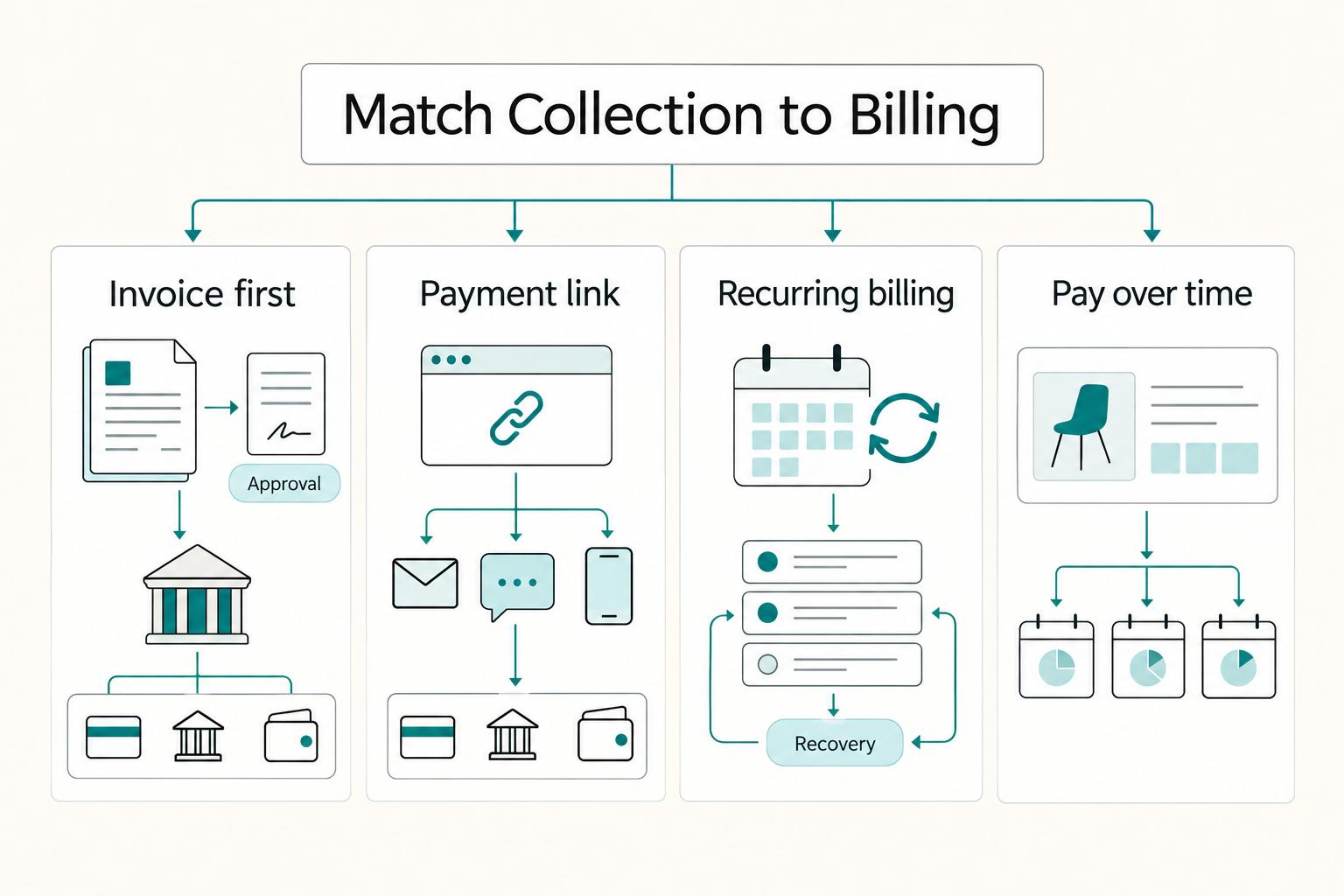
The Best Ways for Freelancers to Accept Payments on a Website
Choose the payment setup your team can run cleanly from request to paid, not the one with the longest feature page. Late payments and disputes usually come from fuzzy terms, unclear ownership, and weak follow-through, not just from tool choice.
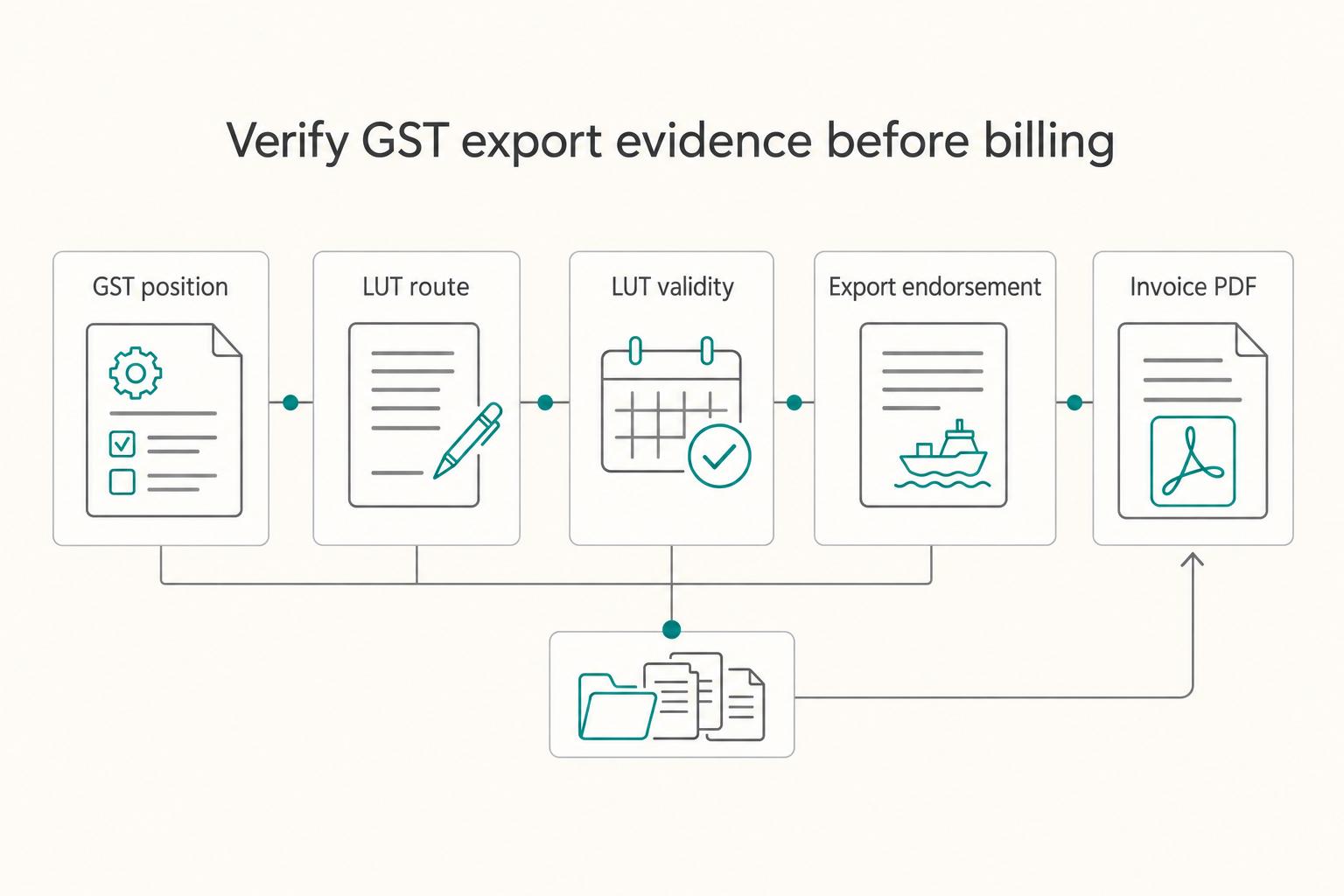
The Best Invoicing Software for Indian Freelancers with GST Compliance
If you invoice international clients from India, get three controls right before the first invoice goes out: your LUT status, your export invoice template, and your remittance evidence trail. If any one is weak, the cleanup and compliance risk usually show up later.