
Quick Answer
To set up a donor-advised fund, choose a legitimate section 501(c)(3) sponsoring organization, complete its account-opening process, fund the account with an accepted asset, and then submit grant recommendations. The safest approach is cashflow-first: confirm minimums, fees, asset acceptance, and timelines before transferring anything, and store every disclosure, confirmation, and receipt in one folder for repeatable operations.
Set up a Donor-Advised Fund (DAF) without blowing up your cashflow#
Running a small business means your generosity competes with payroll, taxes, and late-paying clients. If you're a business-of-one, you do not need another "good intention" that turns into a cash crunch. You want intentional charitable giving, not a new line item that spikes anxiety every time revenue dips.
This guide shows you a donor-advised fund workflow with operator discipline so your giving stays consistent and your cashflow stays boring.
A Donor Advised Fund (DAF) is a charitable giving option that can offer many of the benefits of a family foundation "without the administrative burden and high costs associated with traditional Family Foundations." That "less admin" angle matters when you already manage sales, delivery, and collections. Treat a DAF like a system with guardrails, not a mood.
Cashflow-first decision framework (safe defaults)#
Use these defaults before you do anything else:
- Protect operations first: decide what amount of cash you refuse to touch (your "do not cross" line). If you cannot say it out loud, you are not ready to fund anything new.
- Separate intent from execution: you can commit to giving today and still wait to move money until you see stable cash in the bank.
- Assume details vary: different DAF sponsors run different rules, portals, and review processes. You confirm before you move money.
Here's a sponsor comparison matrix you can use immediately (fill it as you research; do not assume):
| What you need to know | Sponsor A | Sponsor B | Sponsor C |
|---|---|---|---|
| Minimum to open | Unknown until confirmed | Unknown until confirmed | Unknown until confirmed |
| Minimum contribution | Unknown until confirmed | Unknown until confirmed | Unknown until confirmed |
| Minimum grant recommendation | Unknown until confirmed | Unknown until confirmed | Unknown until confirmed |
| Assets accepted (cash, stock, crypto, private assets) | Confirm | Confirm | Confirm |
| Fees (admin + investment) | Confirm | Confirm | Confirm |
| Portal quality and support responsiveness | Test | Test | Test |
Run this setup sequence in one sitting#
- Define your cashflow gate. Write one sentence: "I will only contribute when X is true." (Example: "All current invoices cleared and taxes set aside.")
- Pick 2-3 sponsors to evaluate. Compare facts, not branding.
- Build your "known vs unknown" list.
- Known now: what the sponsor publishes clearly (basic eligibility, high-level offering). * Unknown until you apply/ask: documents required, review timelines, what triggers delays, how grant recommendations get handled.
- Execute your first contribution, then your first grant recommendation. Treat both as separate actions with separate confirmations.
- Store receipts and decisions. Keep one folder so you can repeat the workflow next year without re-learning it.
Hypothetical operator scenario: you finish a strong month, but two clients still sit on invoices. You do not fund your DAF yet. You draft your sponsor comparison and pre-write your grant recommendation targets. Then you execute only after cash actually lands.
If you want your giving to stay aligned with reality, pair this with clean reporting: How to Run a Profit & Loss Report in QuickBooks.
Is a Donor-Advised Fund (DAF) the right move for a freelancer or small team?#
A Donor-Advised Fund (DAF) can fit when you want structured charitable giving and can fund it without threatening your runway, because the sponsoring organization controls the assets after you contribute.
Use this section to decide whether to run the DAF play at all, and when to wait.
Step 1: Check whether you actually want the DAF structure (advice later, control never)#
Action: Decide whether you want to separate making the contribution from deciding which charities receive grants later.
A DAF is "a separately identified fund or account" that a section 501(c)(3) organization maintains and operates (the sponsoring organization, per the IRS). Once you contribute, you (or your representative) generally keep advisory privileges. That means you can recommend distributions, even though the sponsor has legal control of the assets.
Verification checkpoints:
- You can explain your goal in one sentence: "I want a structured way to give, and I'm okay advising on grants rather than controlling them."
- You understand you're choosing a setup where you recommend grants, not a setup where you direct or reclaim the funds.
- You confirm the tax treatment with your tax pro before you rely on it for optimization (rules vary by situation).
Hypothetical operator scenario: you finish a big project and want to support three nonprofits, but you also want due diligence before you commit to specific grantees. A DAF can give you a place to put the contribution while you take time to vet recipients, then make grant recommendations later.
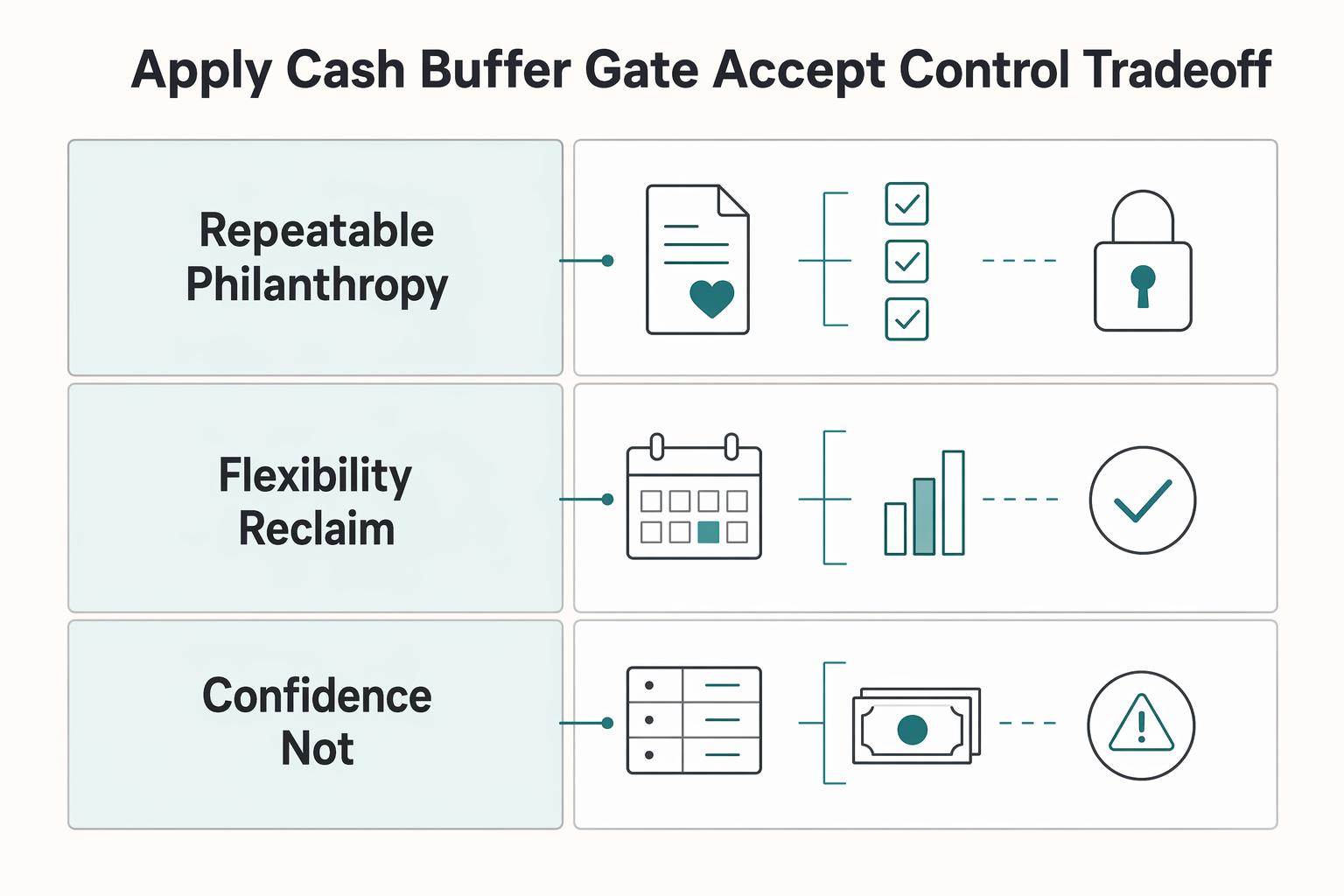
Step 2: Apply a cash buffer gate and accept the control tradeoff#
Action: Treat funding a DAF as money you should not plan to use for operations again.
The IRS states: "Once the donor makes the contribution, the organization has legal control over it." So you should not contribute money you might need to pull back for payroll, quarterly estimates, or a slow client month.
Use this checklist before you act:
- You already set aside cash for taxes and near-term obligations.
- You can absorb a late payment without touching the amount you plan to contribute.
- Your bookkeeping clearly separates "operations cash" from "giving" (pair this with A Guide to QuickBooks Self-Employed for Freelancers).
DAF workflow mapping (keep it simple):
- Give: contribute to a sponsoring organization (a 501(c)(3)).
- Invest (optional): you may be able to advise on investments, depending on the sponsor's setup.
- Grant: you submit grant recommendation requests. You can recommend, but you do not control disbursements.
| If you need... | A DAF can help if... | Consider a different approach if... |
|---|---|---|
| A repeatable philanthropy system | You want a formal "give, then recommend grants" workflow | You only give occasionally and don't want extra structure |
| Flexibility to reclaim funds later | You're comfortable giving up legal control after contributing | You need reversibility or access to the funds |
| Confidence you're not stepping into a bad setup | You're using a legitimate sponsoring organization | Something is marketed as a "DAF" but seems designed to create questionable deductions or personal benefits |
If you want a deeper dive, read QuickBooks Self-Employed vs. Wave: Which is Better?.
What varies by DAF sponsor - and what to compare before you open one?#
Build a sponsor comparison matrix and assume every operational detail varies until you confirm it in writing.
A donor-advised fund is simple in concept, but day-to-day execution depends on sponsor specifics. This is where setup turns into either a clean workflow or stalled applications and surprise friction.
Step 1: Build a sponsor matrix (safe default: "unknown until confirmed")#
Action: Compare the DAF sponsors you are actually considering (for example, Fidelity Charitable, U.S. Charitable Gift Trust, and a community foundation like San Francisco Foundation) on the exact friction points that affect execution.
Do not trust marketing summaries. Capture screenshots or PDFs of disclosures.
Use this matrix and fill it with "Yes, No, Unknown" plus notes:
| Compare this | Sponsor A | Sponsor B | Sponsor C | Another sponsor you're considering |
|---|---|---|---|---|
| Minimum to open a DAF account | Confirm | Confirm | Confirm | Confirm |
| Minimum per contribution | Confirm | Confirm | Confirm | Confirm |
| Minimum per grant recommendation | Confirm | Confirm | Confirm | Confirm |
| Accepted assets: cash, appreciated securities | Confirm | Confirm | Confirm | Confirm |
| Accepted assets: cryptocurrency | Confirm | Confirm | Confirm | Confirm |
| Accepted assets: private company stock, private business interests | Confirm | Confirm | Confirm | Confirm |
| Admin fee schedule (DAF account or equivalent) | Confirm | Confirm | Confirm | Confirm |
| Investment expenses (expense ratios) | Confirm | Confirm | Confirm | Confirm |
| Extra fees for complex assets | Confirm | Confirm | Confirm | Confirm |
Verification: You can answer "What will this cost me per year, and what will block my funding method?" without guessing.
Step 2: Confirm the control and compliance model (non-negotiable)#
Action: Validate that the sponsor is a section 501(c)(3) organization and that you only hold advisory privileges.
The IRS defines a donor advised fund as "a separately identified fund or account that is maintained and operated by a section 501(c)(3) organization." The IRS also states: "Once the donor makes the contribution, the organization has legal control over it." You can recommend grants because you "retain advisory privileges with respect to the distribution of funds."
Also note: the IRS has warned that some organizations promoted as donor-advised funds appear to be set up to generate questionable charitable deductions and provide impermissible economic benefits, and examinations may disallow deductions under Internal Revenue Code section 170 and impose excise taxes (including under sections 4966 and 4958).
Operator scenario (hypothetical): You want to donate crypto from a strong month, then support multiple nonprofits over time. You ask the sponsor, in advance, what documentation they require and how long review takes. You also ask what causes rejection. You avoid a year-end scramble.
Pressure-test the portal and support
- Run a demo of contribution flow, investment elections, and grant recommendation tracking.
- Ask how they handle recurring giving from irregular creator income.
- Record support response time and whether they give clear, written answers.
Known vs unknown until you ask/apply
- Known: stated minimums, stated fee bands, general asset categories.
- Unknown: required documents, review timeline, approval thresholds for cryptocurrency or private business interests, and when a grant recommendation may get rejected.
What to prepare before you start (documents, numbers, and a cashflow guardrail)#
Bring three things before you start: a cashflow ceiling, a clean document set, and a one-paragraph pause rule.
This is where most operators lose time. Prep removes friction so your setup is a planned transfer you can repeat, not a December scramble that competes with taxes and payroll.
Before you start: the two-account model (your safe default)#
Step 1: Set a contribution ceiling using "operations cash" vs. "giving reserve." Treat DAF funding like a scheduled transfer from a separate mental bucket. If you invoice multiple clients, do not "donate what's left." Decide the ceiling first, then execute it when the month clears your guardrails.
| Bucket | Purpose | Funding rule (safe default) | What you never do |
|---|---|---|---|
| Operations cash | Run the business, pay estimates, cover lumpy months | Fund first | Do not drain this to fund philanthropy |
| Giving reserve | Planned charitable giving, tax optimization timing | Fund only after ops is safe | Do not treat it like an emergency fund |
Verification: you can say, "If two invoices slip, I still operate normally."
Step 2: Gather the application basics the sponsor may request. Prep a single doc with: legal name, address, and successor advisor or beneficiary details. Confirm (in writing) the sponsor's tax status and any eligibility requirements, since requirements vary by sponsoring organization.
Step 3: Pre-check cross-border reporting if foreign accounts or assets touch the flow. If you hold financial assets outside the U.S., FATCA rules may require reporting those assets to the IRS using Form 8938. The IRS says the aggregate value must exceed $50,000 to be reportable in general, and failure to report may trigger a $10,000 penalty (up to $50,000 for continued failure after IRS notification).
The IRS also notes you may have to file FinCEN Form 114 (FBAR). Confirm your exact obligations with a tax pro before moving large amounts or non-U.S. assets.
Build a "contribution packet" + first-year policy#
Step 4: Create a contribution packet based on your funding method.
| Funding method | Details to prepare |
|---|---|
| Publicly traded stock | Brokerage name, account number, DTC instructions (if applicable), and the sponsor's transfer steps |
| Cryptocurrency | Wallet records and whatever provenance details the sponsor requests |
| Private company stock | Transfer restrictions, required approvals, and valuation constraints before you initiate anything |
Step 5: Write a one-paragraph first-year policy and follow it. Define pause triggers (client dispute, tax underpayment risk, major expense) and proceed triggers (surplus month, windfall, planned annual giving budget). Hypothetical: a client delays payment and your estimates come due, so you pause DAF funding even if you feel generous that week.
Operator tip: if you need a fast reality check, pull your latest P&L before funding, then decide from facts. Use: How to Run a Profit & Loss Report in QuickBooks.
Step-by-step: open your DAF account (with checks so you don't get stuck mid-application)#
Open your DAF account by choosing a legitimate section 501(c)(3) sponsoring organization first, then complete the sponsor's account-opening paperwork with proof saved and an asset-acceptance check before you time any contribution.
The goal is to finish setup cleanly, avoid mid-application stalls, and leave an audit trail you can trust at tax time.
Run the setup sequence (and treat each step like a gate)#
Step 1: Pick the sponsoring organization. Shortlist a few options, then pick based on (1) any minimums (if applicable), (2) asset acceptance, and (3) portal clarity.
Confirm the sponsor operates as a section 501(c)(3) organization, because the IRS defines a donor-advised fund as "a separately identified fund or account that is maintained and operated by a section 501(c)(3) organization."
Check: Ask for (or find) the minimum opening contribution for the DAF account (if any) and any minimum per grant recommendation (if any). Do not guess.
Step 2: Complete the sponsor's account-opening paperwork. If the paperwork prompts you to name the fund, assign advisors, and list successors, treat those as operational controls (continuity matters). If it asks you to choose investment pools, pick a simple default you can explain to Future You.
Check: Save screenshots or PDFs of disclosures (fees, policies, investment options). Keep them in your permanent records.
Step 3: Choose the funding method (cash vs assets). Use cash if you want the simplest execution. If you plan to contribute non-cash assets, confirm mechanics with your sponsor before you initiate transfers. Treat anything unusual or hard to value as review-required until the sponsor explicitly approves it.
Check: Confirm which asset types the sponsor accepts today and whether it requires pre-approval.
Step 4: Submit and track the approval timeline. Sponsors differ. Do not anchor your tax plan to marketing copy.
Check: Get an estimated processing window in writing (email or chat transcript), especially if you plan a year-end contribution.
Step 5: Lock in operational recordkeeping. Create one folder for your DAF account confirmations, receipts, and all correspondence tied to the account-opening process.
Checks that prevent "stuck mid-application" failure#
| Gate | What you verify | What you save |
|---|---|---|
| Sponsor legitimacy | Sponsor functions as a 501(c)(3) sponsoring organization | Screenshot or link to sponsor's status page |
| Control reality | "Once the donor makes the contribution, the organization has legal control over it," and you "retain advisory privileges" | Sponsor policy/disclosure PDF |
| Asset acceptance | Cash and any non-cash assets you plan to contribute (as applicable) | Written confirmation, plus any pre-approval notes |
IRS risk check (don't ignore this part)#
The IRS warns that some organizations promoted as donor-advised funds may be set up to generate questionable charitable deductions and provide impermissible economic benefits to donors and families. In examinations of abusive arrangements, the IRS may disallow charitable contribution deductions under Internal Revenue Code section 170, and it notes possible excise taxes under sections 4966 and 4958 in appropriate cases.
Hypothetical: you want to fund a DAF with a non-cash asset after a strong month. You pause, ask the sponsor if they accept your specific asset and workflow right now, and only then proceed. That one email can prevent a stalled transfer and a messy year-end scramble.
How do you fund a DAF with stock, crypto, or private assets without surprises?#
Fund your Donor-Advised Fund (DAF) by matching the asset to the sponsor's acceptance process, then capturing proof the moment the sponsoring organization receives it.
This is where operators get tripped up, especially with non-cash assets. Treat each contribution like a small project with gates and receipts.
A quick anchor: a DAF is "similar to an investment account with the sole purpose of supporting charitable organizations that are important to you." And it can be funded with more than cash, including publicly traded securities, bitcoin, real estate, mutual fund shares, and certain complex assets such as privately held C-corp and S-corp shares.
Step 1: Run an "asset-to-acceptance" decision tree (and stop guessing)#
Start by naming the exact asset you plan to contribute, then ask the sponsoring organization to confirm acceptance and the steps required.
| Asset you want to contribute | What you do first | What you must confirm with the sponsoring organization |
|---|---|---|
| Cash | Choose the transfer method they support | When the sponsor treats the contribution as received and what receipt they issue |
| Publicly traded securities (and mutual fund shares) | Gather brokerage details and transfer instructions | The transfer instructions and any identifiers needed for correct posting to your DAF |
| Bitcoin (cryptocurrency) | Identify the exact asset and how you plan to transfer it | Whether they accept bitcoin and the delivery method they require |
| Real estate | Describe the property and ownership structure | Whether they accept real estate and what steps they require |
| Certain complex assets (privately held C-corp and S-corp shares) | List the entity type and any transfer constraints you know about | Whether they accept that specific interest and what information they want before you initiate the transfer |
Step 2: Pre-clear the "what could block this" list before you initiate anything#
Do this in writing (email or support message) and save it.
- Confirm the contribution will be credited to the right fund (fund name, advisors, and any acknowledgments the sponsor asks for).
- Ask the sponsor what documents they want for your asset class (do not assume your brokerage statement, cap table screenshot, or wallet history works).
- Ask one blunt question: "Under what conditions would you decline this contribution?" You want constraints before you start, not after you push paperwork.
Hypothetical: you plan to contribute bitcoin after a strong month. You pause and ask the sponsor to confirm they accept bitcoin and to send their exact delivery instructions. You avoid a misrouted transfer and a missing receipt.
Step 3: Build a proof packet (so tax time stays boring)
The safe default: store three items in your DAF folder the same day.
- Contribution confirmation from the sponsoring organization (shows they received it)
- Asset transfer confirmation (brokerage record, wallet transaction record, or other transfer evidence)
- Sponsor's receipt letter for your records
How do grant recommendations actually work after you open the DAF account?#
Run grantmaking as a simple give, grow, grant workflow. You recommend grants, and the sponsoring organization controls approval and distribution.
Once your contribution has posted, the work shifts to outbound grants you recommend through the sponsor's system.
Step 1: Lock in the give→grow→grant cadence#
Start with the mechanics so you stop improvising:
| Stage | What happens | Control note |
|---|---|---|
| Give | Your contribution posts to your DAF account held at a sponsoring organization (a section 501(c)(3) organization) | "Once the donor makes the contribution, the organization has legal control over it." |
| Grow | If you choose an investment allocation, the balance can potentially compound inside the DAF | You retain advisory privileges, but the sponsor controls the assets |
| Grant | You submit a grant recommendation through the sponsor's portal for review and approval | You can recommend distributions, but you do not control disbursements |
That is the model in practice:
- Give: Your contribution posts to your DAF account held at a sponsoring organization.
- Grow: If you choose an investment allocation, the balance can potentially compound inside the DAF. Fidelity Charitable describes the model this way: "Then those funds can be invested for tax-free growth, and you can recommend grants to any eligible IRS-qualified public charity."
- Grant: You submit a grant recommendation through the sponsor's portal for review and approval.
Verification point: when you look at your dashboard, you'll typically see your available balance, any investment allocation (if you chose one), and your grant history or pending recommendations.
Step 2: Submit clean grant recommendations, then manage timing expectations#
Many sponsors run a structured online flow. Schwab Charitable, for example, describes an experience where you search for a charity. Then "Next, enter the details of your grant recommendation, starting with the amount." After review and approval, "the charity will receive a grant award letter with a check."
They also state donors can recommend grants online to over 1.5 million charities recognized by the IRS. That gives you reach, but not a blank check.
Build a "grant timing" expectation sheet and fill it out per sponsor, in writing (chat transcript or email):
| What to document | Why it matters | What to ask the sponsor |
|---|---|---|
| Recommendation → approval steps | Sets realistic internal deadlines | "What statuses will I see, and what triggers each one?" |
| Approval → charity delivery method | Helps you coordinate announcements and matching gifts | "How are grants delivered?" |
| Processing time estimates | Prevents surprises | "What timeline should I expect right now?" |
| Any expedited handling or deadlines (if offered) | Prevents last-minute scrambling | "Do you publish any deadlines or special handling options?" |
Plan for non-approvals without drama: grant recommendations are reviewed by the sponsor and are subject to the sponsor's policies. Before you click submit, verify the charity's IRS status and keep your purpose language straightforward and aligned with the sponsor's requirements.
Hypothetical: you want to support a community event run by a fiscal sponsor. You verify which entity holds the IRS-qualified status. Then you recommend the grant to that eligible public charity with a simple purpose statement the sponsor can review.
Finally, keep your books clean: treat DAF activity as a charitable giving workflow and reconcile it intentionally, separate from client work and operating spend. If you need a practical way to sanity-check categorization, run a quick review using your P&L setup in QuickBooks: How to Run a Profit & Loss Report in QuickBooks.
Ongoing admin: keep the DAF clean, auditable, and cashflow-safe (year-round)#
Run your DAF like a tiny sub-ledger. Reconcile on a schedule, fund only from cleared cash, and plan year-end early so tax optimization never breaks operations.
The setup is the easy part. The real win is keeping the workflow stable after the first contribution.
Step 1: Do a 15-minute monthly close on your DAF account#
Put this on your calendar. Same day every month.
| Monthly close task | Time | What to do |
|---|---|---|
| Reconcile activity | 2 minutes | Match contributions that posted, investment allocation changes and performance summaries (if you invest), and each grant recommendation status (queued, approved, sent) |
| Archive your proof | 8 minutes | Download and file contribution receipts, monthly or quarterly statements, and any approval emails or portal confirmations tied to a grant recommendation |
| Log one line in your finance notes | 5 minutes | "DAF close complete. Exceptions: ____." |
Run it in that order every month: reconcile activity, archive proof, then log one line in your finance notes.
Verification point: You can answer, in under 60 seconds, "What went in, what went out, what's pending, and where is the receipt?"
Step 2: Set a funding rule that protects freelancer cashflow#
Do not fund your DAF from intent. Fund it from cleared money.
Use a stable rule like: "Contribute only from paid invoices, never from accounts receivable." That single constraint prevents giving from colliding with quarterly estimates, client delays, and surprise expenses.
Hypothetical: a client says "payment next week." You wait. When the invoice actually clears, you move the planned amount into the DAF account. No cash crunch. No tax-payment panic.
Step 3: Track tax documentation and cross-border edge cases (without guessing)#
Receipt discipline: Keep the sponsoring organization's receipt letters with your tax folder, not buried in email.
Cross-border note: If foreign accounts or non-U.S. asset movements touch your funding flows, do not assume you are fine. The IRS states: Under FATCA, certain U.S. taxpayers holding financial assets outside the United States must report those assets to the IRS generally using Form 8938, and the form must be attached to your annual tax return. The IRS also notes you may also have to file FinCEN Form 114 (FBAR).
The IRS says the Form 8938 reporting threshold is $50,000 in general, but in some cases, the threshold may be higher. Also, failure to report foreign financial assets on Form 8938 may result in a $10,000 penalty (and up to $50,000 for continued failure after IRS notification). If you do not have to file an income tax return for the tax year, the IRS states you do not have to file Form 8938. Get professional advice for your exact situation.
Step 4: Build a year-end sprint plan (especially for crypto or private stock)#
If you want a contribution to count in a specific tax year, start earlier than you think. The sponsor may need time to review and accept the contribution, and some assets can take longer to settle.
Use this decision table:
| Asset type | Admin friction | Safe default action |
|---|---|---|
| Cash | Low | Schedule and fund earlier, still leave buffer time. |
| Publicly traded stock | Medium | Initiate transfer early enough for brokerage processing. |
| Cryptocurrency | Higher | Ask the sponsor about wallet/provider requirements before you initiate. |
| Private company stock | Highest | Request pre-clearance and expect documentation and review time. |
To keep this aligned with your books, pair your DAF cadence with bookkeeping hygiene in A Guide to QuickBooks Self-Employed for Freelancers.
Common mistakes (and how to recover fast when something goes wrong)#
When something breaks, recover by simplifying the input (often cash), verifying eligibility before you submit, and documenting the sponsor's rules so you stop relearning them every December.
These are the failure modes that derail real-life DAF workflows, plus the safest recoveries.
Step 1: Run a 10-minute triage before you touch anything#
When something goes sideways, do this in order:
- Identify the stuck point: account opening, contribution acceptance, or grant recommendation approval.
- Pull the sponsor's actual policy page or support reply: do not rely on memory, marketing pages, or last year's rules.
- Pick a "keep-moving" fallback: cash contribution, a backup eligible charity recipient, or a simpler investment pool.
Verification point: You can state, in one sentence, what the sponsor needs next (document, eligibility proof, or funding method).
Step 2: Use the table to match each mistake to its recovery#
Use this table like an operator checklist for DAF and charitable giving ops.
| Mistake | What it looks like | Recovery that works |
|---|---|---|
| Waiting until the last week of the year to fund the DAF account | You want tax optimization this year, but the contribution has not posted or the sponsor has not accepted the asset | Switch to cash if feasible. If you need an asset transfer, ask the sponsor what deadlines and lead times apply for account setup and each asset type, then move your timeline earlier next year. |
| Assuming every sponsor accepts cryptocurrency or private business interests | You start transfer steps and support tells you "we don't accept that" or "we need review first" | Ask for the sponsor's current accepted asset policy in writing. For private company stock, request pre-approval before you initiate any transfer steps. |
| Recommending grants to an ineligible or unverified charity | Your grant recommendation sits in "pending" or gets rejected | Use the sponsor's charity validation tools first. Keep a backup eligible charity ready so your grant does not stall. |
| Underestimating fees and admin friction | Your giving plan shrinks after admin fees, investment fees, or extra handling for complex assets | Capture the full fee schedule (admin plus investment) from the sponsoring organization, then re-run your giving budget. If you need breathing room, consolidate to fewer grants or pick a simpler investment pool. |
| Mixing personal, business, and cross-border reporting assumptions | You fund from, or move through, foreign accounts and later realize you guessed | Create a "tax + compliance notes" doc and confirm your facts with a qualified tax pro. The IRS states: "Under FATCA, certain U.S. taxpayers holding financial assets outside the United States must report those assets to the IRS generally using Form 8938," and "You may also have to file FinCEN Form 114 (FBAR)." |
Hypothetical: you plan a year-end cryptocurrency contribution, then learn your sponsor paused crypto intake. You recover by funding cash now, documenting the sponsor's current crypto rules, and scheduling a crypto pre-clearance checkpoint before you repeat the workflow next year.
Conclusion: the cashflow-first DAF setup is a system - run it like one#
If you treat a Donor-Advised Fund (DAF) like an operational workflow, not a one-time donation, you can plan timing and paperwork more intentionally. You get control where it actually matters: making charitable giving repeatable without letting philanthropy borrow from payroll, estimates, or next month's runway.
You have the pattern now: pick, verify, execute, document, then run a cadence you can repeat.
Your next action (30 minutes, cashflow-first)#
Step 1: Pick 2 sponsors to compare. Do not research forever. You need two real options so you can choose instead of speculate.
Use a simple matrix like this, and fill it with confirmed answers from each sponsoring organization:
| What you must confirm | Sponsor A | Sponsor B |
|---|---|---|
| IRS-qualified public charity status | ||
| Minimum to open, minimum per grant | ||
| Fees (admin + investment) | ||
| Accepted assets (cash, stock, cryptocurrency, private company stock) | ||
| Typical timelines (account opening, contribution acceptance, grants) |
Step 2: Choose your funding method before you apply. Cash stays the safe default when you need predictable timing. If you plan cryptocurrency or private company stock, ask what documents and pre-approval steps they require before you trigger a transfer.
Step 3: Schedule one focused block and finish the application. Complete the sponsor's application, save disclosures, and store every receipt in one folder. Tie it to your bookkeeping routine so you can see giving alongside cashflow (pair this with How to Run a Profit & Loss Report in QuickBooks).
Hypothetical: you land a great month, but two invoices still sit in "sent." You fund the DAF only from cleared cash, then schedule grants next quarter when the business feels calm again.
Copy/paste checklist (run this every time)#
- I have a cash buffer; funding the DAF account won't affect payroll/estimates.
- I selected a sponsoring organization that is an IRS-qualified public charity.
- I confirmed: minimums, fee schedule, accepted assets (cryptocurrency, stock, private company stock), and typical timelines.
- I completed the sponsor's application and saved disclosures/receipts.
- I funded the DAF and stored any contribution receipt/acknowledgment the sponsor provides.
- I verified each recipient is an IRS-qualified public charity before any grant recommendation.
- I documented grant processing timelines and created a monthly/quarterly review cadence.
- If cross-border applies, I confirmed FATCA/Form 8938 and FBAR (FinCEN Form 114) implications with a tax professional. (Form 8938 must be attached to your annual return when required, and filing it does not remove any separate FBAR obligation if otherwise required.)
Frequently Asked Questions
How do you set up a donor-advised fund step by step?
Pick a sponsoring organization, complete their account-opening process, fund the DAF account, then submit your first grant recommendation. Confirm accepted assets and fees before you submit. Save the sponsor’s disclosures and receipts to one folder.
What is the minimum to open a donor-advised fund?
Minimums vary by sponsoring organization, and you need to confirm them before you open the account. Treat “minimum to open,” “minimum per contribution,” and “minimum per grant recommendation” as three separate checks. If a sponsor doesn’t show the minimum clearly, ask support and save the written reply.
Can you fund a DAF with stock, cryptocurrency, or private business interests?
It depends on the sponsor, so do not assume acceptance based on marketing language. Acceptance and documentation requirements can vary by asset type and by sponsoring organization. Ask: “Do you accept this asset type today, and what documentation do you require to accept it?” before you initiate any transfer.
Do you get a tax deduction when you contribute to the DAF or when grants are made?
In general, DAFs provide an immediate tax deduction upon contribution, not when you later recommend grants. Confirm your specifics with a qualified tax pro, especially if you have edge cases.
How do donor-advised funds work after you open one (give, grow, grant)?
You contribute to the DAF, the assets become solely owned by the sponsoring organization, and you cannot withdraw the contribution (DAF contributions are irrevocable). You still retain advisory privileges, meaning you can recommend an investment strategy and where funds go for grantmaking purposes. Practically: contribute when it makes sense, then recommend grants on your timeline.
What varies by DAF sponsor, and what should I compare before opening?
Compare the sponsor’s minimums, accepted asset types, fee disclosures, investment options, portal workflow, and any grantmaking requirements they apply. Also compare the control mechanics: you recommend, but the sponsoring organization ultimately administers grants to keep assets used for charitable purposes only.
What details are usually not shown upfront (fees, timelines, documentation, and rejection scenarios)?
If you plan to contribute non-cash assets, documentation requirements and review steps can vary by sponsor. Ask directly for a “what blocks contributions” and “what blocks grants” list, then store it with your DAF ops notes. Hypothetical: you plan to donate a complex asset, support requests extra paperwork, and you switch to cash to keep your giving plan on schedule.
Watch
How to Set Up a Donor-Advised Fund
Try a related tool
Researched and edited by the Gruv editorial team. Gruv builds cross-border billing, payouts, and finance-operations software for global businesses.
Sources
Educational content only. Not legal, tax, or financial advice.
Related Posts

A Guide to QuickBooks Self-Employed for Freelancers
**QuickBooks Self-Employed can support basic bookkeeping, but predictable cashflow comes from your payment controls, not invoicing alone.**

QuickBooks Self-Employed vs. Wave: Which is Better?
**Choose the platform that keeps invoices moving, gives you reachable support, and lets your accountant step in fast when problems hit.**

How to Run a Profit & Loss Report in QuickBooks
**Use your QuickBooks profit and loss report as a risk control system, not a bookkeeping chore.** If you invoice clients, this report helps you spot margin pressure and make earlier operating decisions.