

Quick Answer
Estimate scoped delivery hours and internal costs, add project expenses, then divide cost by one minus the target margin. Show software costs separately, state assumptions and revisions, and agree invoice triggers and due dates. For example, US$4,620 of delivery cost needs US$5,775 revenue for a 20% margin; this is an illustration, not a market rate.
Price the Build, Then Show Platform Costs Separately#
Price a Webflow project from the work you will deliver: design readiness, templates, CMS relationships, integrations, content entry, testing, reviews and handoff. Estimate the cost of that work, add the margin you need, and write the assumptions into the quote.
Keep subscriptions, domain renewals and optional support visible alongside the implementation fee. A software price does not include your planning, build or QA hours. Show who buys each item and who owns the account after launch.
| Cost bucket | Who controls spend | How to present in quote | Common dispute prevented |
|---|---|---|---|
| Webflow site plan | Client, with your recommendation | Separate platform line item or client-direct purchase | "Why am I paying you for hosting?" |
| Workspace or collaboration cost | Usually you or your team | State whether it is absorbed, passed through, or not required | "I thought team access was included forever" |
| Domain and related extras | Client | Mark as client-owned third-party cost | "I already paid the project fee, why another charge?" |
| Service fee | You | Scope-based service line with deliverables, revisions, QA, and launch support | "Does this include strategy, fixes, and approvals?" |
Separate platform costs before discussing totals#
Put Webflow plan costs in their own section and keep your service fee distinct. If the client cannot explain back who pays for the site plan, domain, and your labor, do not send the quote yet.
| Plan fit | Relevant boundary | Quote implication |
|---|---|---|
| Starter | Free webflow.io publishing with two static pages and limited CMS | Suitable for testing; a custom-domain launch needs a paid Site plan. |
| Basic | A static site without CMS or native Ecommerce | Do not price a CMS build on this plan. |
| Premium | Current CMS-capable Site plan | Budget for the actual site requirements and any applicable add-ons. |
| Native Ecommerce | Checkout requires an Ecommerce Site plan | Price product setup, checkout tests and ongoing fees separately. |
As checked on 5 October 2026, Webflow’s Site-plan guidance distinguishes these uses. Avoid copying old claims that Starter universally lacks specific SEO or form features; check the account’s current feature grid for the required capability.
Price the service from scope assumptions, not from plan cost#
Base your fee on build complexity, CMS structure, integrations, QA, launch work, and review load. The test is simple: can you point to the assumptions that make the price true?
For example, the current pricing page lists Basic at US$15/month billed yearly and Premium at US$25/month billed yearly, before applicable taxes. Those annual commitments are US$180 and US$300 respectively. They are software costs, not suggested development fees.
Call out hidden costs and plan tradeoffs before approval#
Webflow’s 2026 plan update combines CMS and Business into Premium. New purchases changed from 13 May; existing-account changes start from 29 June, or 16 November for affected Freelancer/Agency and older legacy accounts, taking effect at renewal or a billable change. Check the client’s actual subscription rather than promise that every existing site has already migrated.
When a client says, "We already pay Webflow, so why is your quote higher?" answer plainly: Webflow covers the platform, not the service. The platform gets the site online. Your fee covers the scoped outcome, decisions, QA, launch responsibility, and delivery work. For a related pricing breakdown, see How to Price a Digital Product.
What should you prepare before pricing any Webflow project?#
Collect enough detail for a scoped quote. If important requirements remain open, offer paid discovery or a clearly provisional estimate with assumptions; a missing minor administrative detail need not block a preliminary price.
| Step | What to confirm | Hold or verify |
|---|---|---|
| Collect the minimum scope inputs before you estimate | Page list, wireframe or outline, available design files, CMS content structure, required integrations, launch target | If page count, content structure, or non-Webflow tools are unclear, you are still estimating too early |
| Name decision owners and the approval path | Who can sign, who is the day-to-day contact, who gives final scope or design approval | Confirm commercial authority before agreement; mark a preliminary estimate as provisional if the signer is not yet known. |
| Map intake requests to Statement of Work line items | Every requested deliverable, key assumption, and revision limit maps to a specific SOW line item | If an intake request cannot be mapped, it is either out of scope or still too vague to price |
| Confirm platform-cost ownership before you total the quote | Who pays, when billing starts, and how each cost appears in your quote | Plan pricing stays pending until live verification is complete |
| Add legal and ownership terms only when the trigger exists | Use NDA terms when confidential information is shared, DPA terms when personal-data processing requires them, Change Order terms when approved scope may change, and set IP ownership conditions before quoting | Confirm authority and relevant privacy/IP requirements before committing the final agreement; not every project requires every document. |
Step 1. Collect the minimum scope inputs before you estimate. Get the page list, any wireframe or outline, available design files, CMS content structure, required integrations, and launch target. If page count is unclear, ask for a wireframe or outline first so you have a page-count ballpark to size the build. Quick check: can you clearly restate page count, content structure, and non-Webflow tools without digging through email threads? If not, you are still estimating too early and risk underpricing.
Step 2. Name decision owners and approval limits. Identify the commercial signer, day-to-day contact and design reviewer. Separate feedback authority from authority to buy extra work. An early estimate can state these as assumptions; resolve material gaps before commitment.
Step 3. Map intake requests to Statement of Work line items. Use the SOW as the pricing anchor. Every requested deliverable, key assumption, and revision limit should map to a specific SOW line item. If an intake request cannot be mapped, it is either out of scope or still too vague to price.
Step 4. Confirm platform-cost ownership before you total the quote. Webflow separates Site plans and Workspace plans, and pricing can be viewed in monthly or yearly billing modes. Confirm who pays, when billing starts, and how each cost appears in your quote. Plan pricing stays pending until live verification is complete.
| Cost item | Who pays | When billed | How it appears in your quote |
|---|---|---|---|
| Site plan | Client or you as pass-through, as agreed | At start or when upgraded, based on selected billing mode | Separate platform line item; confirm current plan pricing with Webflow |
| Workspace plan | You, client, or split, as agreed | Based on collaboration setup and selected billing mode | Separate collaboration/admin line item, or explicitly marked as absorbed |
| Domain or third-party add-ons | Client or pass-through, as agreed | On purchase or renewal | Client-owned external cost, unless explicitly passed through |
Select Basic for an eligible static site and Premium for current CMS requirements. Existing clients may still show legacy CMS or Business subscriptions until their applicable migration event. Native Ecommerce has separate checkout plans.
Step 5. Agree rights and relevant data duties. Identify ownership or license terms, transfer conditions if agreed, and third-party assets. Use confidentiality or processing terms where the actual information and relationship require them. An unpaid invoice does not automatically undo rights that already transferred.
Document access, account ownership and handoff: who supplies the assets, controls the domain and billing account, approves launch, and receives the final files or training.
What is the difference between Webflow platform pricing and development pricing?#
Use two separate buckets in every quote: Webflow plan costs for software access, and your development fee for delivery outcomes.
Webflow lists Site plans and Workspace plans as separate platform categories, and those platform charges are not your build, QA, revision work, or handoff. If you mix them, clients start comparing software pricing to service pricing, and scope confusion follows.
| Line item | What client is buying | Billing owner | Billing cadence | Not included |
|---|---|---|---|---|
| Webflow Site plan | Hosting, publishing, and site-level plan features | Assign explicitly in quote | Recurring | Custom build, QA, revisions, handoff |
| Webflow Workspace plan | Team collaboration/admin access in Webflow | Assign explicitly in quote | Recurring | Delivery work, approvals, content production |
| Development fee | Your scoped execution and delivery | Assign explicitly in quote | One-time or milestone-based | Platform subscriptions, unapproved extra scope |
Step 1. Separate platform lines from service lines. Put Site plan, Workspace plan, and development fee on different quote lines. Check: if platform rows disappear, the deliverables should still be clear.
Step 2. Match the current plan to the project. Use Starter, Basic, Premium or the relevant Ecommerce plan for fit. Keep any legacy account’s migration and renewal terms visible instead of treating an old screenshot as a new-purchase price.
Step 3. Check the required features. Basic does not support CMS. For structured content, confirm the CMS-capable plan and the required item counts, relationships, publishing workflow and account access. A Workspace upgrade and a Site plan solve different needs.
Step 4. Tie the development fee to SOW scope notes. Name deliverables, revision boundaries, and handoff responsibilities in the SOW. Check: any request that cannot map to an SOW line is not priced clearly yet.
Step 5. Predefine expansion handling. State who approves upgrades, who pays recurring software charges, and what triggers a Change Order. Check: each line item has one billing owner and one rule for added work.
If a client shares a platform pricing screenshot and questions your quote, keep the response direct: "That screenshot covers software access. My quote covers the scoped delivery work in the SOW, including build, QA, revision boundaries, launch, and handoff. We can adjust deliverables or route additions through a Change Order."
Account handoff should be an explicit deliverable: identify ownership, permitted access, billing responsibility and any training. A managed-service bundle can include software, but still explain what happens to subscriptions and access when that service ends.
How much should you charge for Webflow development without underpricing?#
Estimate your internal cost before deciding a fixed fee. Include coordination and QA as well as the visible page build. Then test your assumptions against completed projects rather than treating page count or a broad internet range as a rate card.
| Illustrative five-page CMS build | Estimated hours | Internal cost at US$60/hour |
|---|---|---|
| Discovery and scope | 8 | 480 |
| Page and reusable component build | 32 | 1,920 |
| CMS setup and content entry | 12 | 720 |
| Integration and responsive QA | 10 | 600 |
| Reviews, launch and handoff | 10 | 600 |
| Total labor | 72 | 4,320 |
Step 1. Score the drivers that actually change the work. Before assigning a fee, rate six inputs: scope depth, CMS architecture, integrations, QA burden, stakeholder load, and turnaround risk. Use a simple low/medium/high scale, but do not treat every input as equal. Two projects with the same sitemap can price differently when collection structure, review layers, or launch timing changes.
Use this as your test: can you defend the estimate with scope notes, not just page totals? If a client asks why this is higher than another "same size" project, point to concrete drivers like collection relationships, form routing, browser/device QA, approval rounds, or timeline compression.
| Project archetype | Primary effort drivers | Risk flags | Pricing posture |
|---|---|---|---|
| Small brochure or marketing site | Light page build, limited CMS, low collaboration needs | "Quick build" interpreted as unlimited edits | Fixed fee when content, approvals, and revisions are tightly bounded |
| CMS-driven content site | Collection design, template setup, content rules, QA across dynamic pages | Content cleanup, taxonomy changes, migration surprises | Fixed fee with explicit assumptions and exclusions for CMS and content handling |
| Product or SaaS marketing site | Higher polish, interaction detail, integrations, stricter QA expectations | More stakeholder feedback, late design changes, performance pressure | Higher fixed fee or phased pricing tied to explicit deliverables |
| Rush or multi-stakeholder build | Coordination overhead, accelerated turnaround, extra QA passes | Decision delays, scope drift, after-hours revision pressure | Premium pricing, tighter revision limits, or capped hourly when scope is unstable |
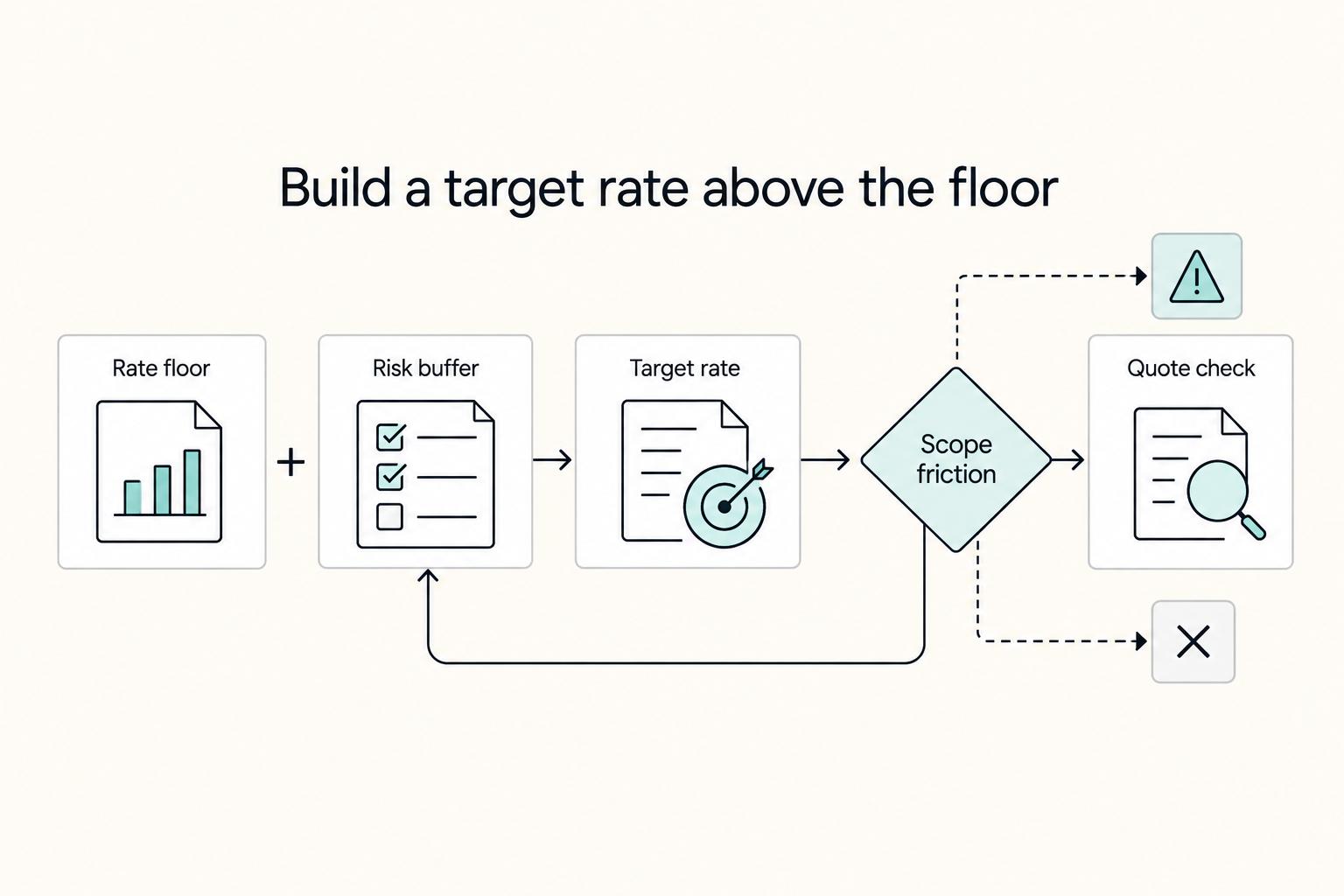
Step 2. Calculate a cost and margin floor. In this hypothetical quote, 72 hours at an internal cost of US$60/hour is US$4,320. Add US$300 of project-specific direct costs: total estimated delivery cost is US$4,620. A 20% project margin requires revenue of US$4,620 ÷ 0.80 = US$5,775. Quoting US$5,800 gives about 20.3% on those assumptions. This is a pricing example, not a market benchmark.
The US$60 internal hourly cost must include the compensation and allocated business costs you intend to recover; it is not automatically your advertised billing rate. Client-direct software is excluded here. A 20% markup on cost would produce US$5,544 and only a 16.7% margin, so do not confuse markup with margin.
Compare the estimate with your own effective rates. A hypothetical US$3,200 fee over 74 hours is about US$43.24/hour before expenses and tax; at 90 hours it is US$35.56/hour. Include meetings, revisions and handoff hours. If that return is too low, change the fee, scope or delivery method before agreement.
Step 3. Explain uncertainty and the final commitment. A provisional estimate can show a range tied to unresolved inputs. For the example above, eight additional hours cost US$480 internally and need US$600 of added revenue to preserve a 20% margin. That sensitivity helps choose contingency or discovery; it does not authorize a unilateral increase after a fixed fee is signed.
Once a fixed fee is agreed, follow the contract. Your own underestimated effort is not automatically a chargeable change. Added deliverables or changed client requirements use the agreed change process; correcting defects in promised work stays within the original obligation.
Step 4. Handle objections by walking the scope line by line. When a client says the fee is high, avoid vague quality claims. Walk through inclusions such as build, CMS setup, integration testing, responsive QA, and handoff, then point to exclusions such as added integrations, extra revision rounds, and expanded content work.
Use a script like this: "This fee is based on the SOW assumptions we reviewed. It includes the listed build, QA, and handoff items, and excludes work not listed. If you want a lower fee, we can remove or phase deliverables. If assumptions stay the same, the price stays the same."
Review completed-project hours against the estimate and update the next quote’s assumptions. The Webflow guide for freelance designers can help plan delivery; a pricing calculator can check the arithmetic without deciding scope for you.
How do you build a quote that protects cashflow before work starts?#
Use your quote as a pre-kickoff control system, not a sales summary. If scope and approval rules are vague, payment risk shows up later as "we thought this was included."
Freeze scope before price. If requirements are still unclear, keep the estimate provisional and run discovery first. Estimate accuracy drops when you are still far from delivery and still learning goals, audience, and success criteria.
Your SOW should work like an operations document: named deliverables, client responsibilities, exclusions, and clear "done" criteria for each item. If content ownership, CMS structure, or approver count is still unsettled, treat that as open risk, not settled scope.
For each milestone, define four items together: scope boundary, acceptance criteria, invoice trigger, and change-path owner. Do not leave approval or billing implied.
| Clause | Cashflow risk it controls | Who owns action | What must be explicit |
|---|---|---|---|
| SOW boundary and acceptance | Scope disputes and stalled sign-off | You draft; client reviewer accepts | Deliverables, exclusions, acceptance test, approval channel |
| Invoice trigger | Completed work that cannot be billed cleanly | You invoice; client approver processes | Trigger event and record that confirms it |
| Change Order path | Scope drift becoming unpaid work | Requestor submits; you re-scope; client approver signs | What is out of scope, who approves, what changes in price and timeline |
| Dispute routing | Delays caused by unclear resolution path | Both parties confirm pre-signature | Selected path, with jurisdiction-specific detail verified before use |
| Signer and approver check | Signed quote without valid authority or payable path | Client signer and invoice approver; verified by you | Legal entity, signer title, invoice approver, vendor setup requirements |
Before kickoff, resolve material authority, scope, billing and handoff gaps. A preliminary estimate may remain provisional while these are settled. Do not add an approval or paperwork condition after the contract has already made a payment due.
Keep one fallback rule visible: no out-of-scope work starts until a documented Change Order updates scope, payment trigger, and timeline assumptions.
Stress case: the approved scope contains ordinary CMS lists, and the client requests advanced filtering. Quote the added work and its fee and schedule effects, and obtain the agreed amendment before starting that addition. Continue unaffected original obligations where required; the change review does not reset an existing invoice’s due date.
What payment workflow turns signed proposals into predictable collections?#
Invoice according to the actual contract: an advance can precede delivery, hourly invoices can cover authorized time, and deliverable milestones can use defined acceptance criteria. Keep one record linking the invoice, billing event, due date and settlement evidence.
Step 1. Record the billing event. Identify whether this invoice is an advance, recorded-hours cycle or accepted milestone. For a build milestone, store the agreed checks, such as pages, interactions, breakpoints and integration behavior. For the illustrative US$5,800 fixed fee, a 30% advance is US$1,740, a 40% milestone US$2,320 and the final 30% US$1,740. The advance credits the total rather than adding another fee.
Step 2. Track status in one shared ledger. Do not split payment status across email, chat, and project tools. Define your internal states once, and require evidence before moving to the next state.
| Payment state (internal) | Owner | Required action | Evidence to store | Next trigger |
|---|---|---|---|---|
| Ready to invoice | You | Confirm the contract’s billing event and issue the invoice | Advance term, time record or milestone evidence; invoice and due date | Invoice issued |
| Sent, awaiting response | You | Follow up through the named approver path | Send timestamp, reply trail | Payment confirmation or issue raised |
| Receipt confirmed, pending match | You | Confirm settlement and match gross amount, fees and net receipt | Provider/bank settlement record, invoice ID and fee entry | Reconciliation complete |
| Reconciled / closed | You | Archive complete payment record | Final reconciliation note and artifacts | Next milestone |
Step 3. Check the payment route before relying on it. Confirm provider support for the parties, countries, currency and business use, plus actual verification and tax requirements. Document fee allocation and destination details. Do not turn every optional policy note into a reason to postpone a valid invoice.
Step 4. Trace exceptions before asking for replacement payment. Name an owner and capture the original payment reference. An unknown or held transfer may still settle; sending again too early can duplicate payment. A returned transfer needs a confirmed return and balance correction.
| Exception | Owner | Follow-up | Replacement condition |
|---|---|---|---|
| Held or unknown | You coordinate with payer and provider | Trace original reference and hold reason; monitor status | Do not request a duplicate while the original can still settle. |
| Confirmed failed | You and payer | Check final failure and correct the destination or method | Confirm no settled receipt before agreeing a new attempt. |
| Confirmed returned | You and payer | Record the return, reopen any affected invoice balance and verify details | Request the outstanding amount after reconciling the original and return. |
For related reading, see Moving From Hourly to Project Rates Without Hurting Cashflow.
Which pricing mistakes cause disputes and how do you recover fast?#
When a pricing dispute starts, treat it as a scope-model mismatch first. Then fix the record before you renegotiate. You recover fastest by tying each contested line to what was scoped, how acceptance was defined, and where revisions were supposed to stop.
- Step 1. Map each disputed line to scope before discussing concessions.
Open your active project file set: SOW, estimate, acceptance notes, revision log, and latest client feedback. For each contested line, map three items: scope assumption, acceptance criteria, and revision boundary. If any line cannot be mapped, mark it unclear and repair the documentation first.
- Step 2. Re-separate platform charges from service charges.
Restate the platform, implementation and support lines, and explain any bundle. Correct an unclear presentation without representing an unagreed price increase as a mere invoice correction.
| Charge type | What it covers | Who controls it | Common dispute it prevents |
|---|---|---|---|
| Platform fee | Webflow subscription/hosting capabilities, including platform-side uptime, CDN, and SSL/TLS features | Platform account owner and platform settings | "I thought hosting was included in your build fee." |
| Service fee | Your agreed delivery work under the signed SOW | You and the client through the SOW | "I thought this labor was included already." |
| Support fee | Explicit troubleshooting work, such as SSL setup, DNS configuration, or custom-domain resolution | You, only if sold and scoped | "I thought post-launch fixes were automatically included." |
- Step 3. Trigger formal change control, then follow the contract dispute route.
Use a change order for genuinely added requirements. For defective agreed work, follow the correction process instead. For a payment or scope dispute, preserve evidence and use the agreed escalation route; material privacy or ownership issues may need specialist review.
- Step 4. Close with signed scope and ownership updates.
Do not close on verbal agreement alone. Update the SOW, confirm handoff ownership in writing, and document any privacy-handling changes tied to the revised scope.
Use this fast recovery checklist:
- Document the agreed correction, change or settlement in the required form.
- Update affected scope, fee, rights and dates; preserve unaffected obligations.
- Confirm the outstanding invoice balance and agreed payment effect without inventing a new due date.
- Notify delivery and accounts of the actual agreement and retain the version history.
For a step-by-step walkthrough, see How to Use Performance-Based Pricing for Your Freelance Services.
Run every quote through the same repeatable four steps#
Use one repeatable four-step playbook so every quote follows the same logic and is easier to explain, approve, and collect.
- Separate platform costs from your service fee.
List client-direct software separately from your implementation quote, or explain any managed-service bundle. A paid Workspace is not automatically required for every client; choose the needed access and staging arrangement. Identify renewal and handoff responsibilities.
- Lock your price to written assumptions before you send.
Decision rule: if an assumption is not written, treat it as not agreed. Execution action: attach a short SOW or scope summary that states what your fee depends on, such as scope depth and revision or approval boundaries, so a third party can understand the quote without extra calls.
- Use one contract baseline and check every edit against it.
Decision rule: if proposal, scope, and contract do not match, do not treat the package as ready. Execution action: compare redlines against your baseline and confirm all documents describe the same deliverables, boundaries, and payment references before kickoff.
- Run collections with the same identifiers from quote to payment.
Carry the project and invoice references through payment. If a US$2,320 invoice is fully settled gross and a provider deducts a US$69.60 fee you agreed to bear, net cash is US$2,250.40; record the fee separately. Whether the customer owes a shortfall depends on the contract’s fee allocation, not net cash alone.
- Proposal checklist: Separate platform vs service lines, verify live platform pricing before sending, attach written assumptions.
- Contract checklist: Match proposal/scope language, review edits against your baseline, resolve any document drift before signing.
- Collections handoff checklist: Keep naming/references consistent across documents, keep status visible through settlement.
Use the next completed project to compare estimated and actual hours, direct costs and collection timing. Update your quote template with the specific assumptions that moved, while honoring the current project’s agreement.
Frequently Asked Questions
How much should I charge for Webflow development if the client already has a Figma design?
A Figma file does not automatically define implementation scope. Price from the agreed scope and contract terms, then confirm what the design actually includes, such as mobile layouts, component states, and content structure. Then sanity-check your floor with How to Calculate Your Billable Rate as a Freelancer.
What is included in Webflow pricing versus my development fee?
Webflow covers platform access and the selected plan’s capabilities; your fee covers the agreed implementation. Basic suits eligible static sites without CMS, while Premium is the current CMS-capable Site plan. Existing clients can retain legacy CMS or Business plans until their migration event. Native Ecommerce checkout uses its own plan.
Why do two Webflow quotes differ so much for projects that look similar?
Compare assumptions, not screenshots. Similar-looking sites can still have different scope and contract requirements, and that can materially change labor. Ask for the quote breakdown or SOW and verify deliverables, acceptance criteria, and change rules before you compare totals.
Which payment terms best protect freelancers from delays, disputes, and chargeback risk?
State the fee basis, advance credit, invoice triggers, due dates and any contractually agreed suspension process. Milestones need objective review criteria when acceptance applies. Time billing and advances use their own triggers. Clear records help address disputes, but do not guarantee protection from processor chargebacks or payment reversals.
Should I charge separately for Webflow Site Plans like Basic Site plan or CMS Site plan?
Usually separate software from labor, or describe an intentional managed-service bundle clearly. Name the software buyer, renewal responsibility and any pass-through fee. Monthly and annual commitments differ; quote the client’s actual selected subscription rather than promise a universal discount percentage.
What ongoing post-launch costs should I communicate before signing?
List recurring platform costs first, then list your optional support separately. That means showing the site plan, any relevant workspace cost if collaboration permissions matter, and then your own maintenance/content/support fee as a distinct service line after live plan pricing is verified. This separation also helps you avoid selling complexity the client may not need.
When should I use a Change Order instead of absorbing extra requests?
Use a change order for added or changed requirements that affect scope, fee or delivery. Agree the addition before starting it, and identify any effect on existing dates or rights. Correction of agreed defects is not new scope, and unaffected obligations continue according to the original contract.
Try a related tool
Researched and edited by the Gruv editorial team. Gruv builds cross-border billing, payouts, and finance-operations software for global businesses.
Sources
Includes 3 external sources outside the trusted-domain allowlist.
Educational content only. Not legal, tax, or financial advice.
Related Posts
How to Calculate a Freelance Rate You Can Actually Get Paid On
A workable rate is not the neat number a calculator produces. It is the number that still works after you account for real billable capacity, non-client time, scope drift, and the gap between sending an invoice and receiving cleared cash. Start with hourly math even if you do not plan to bill hourly, then turn that number into a quote with clear `payment terms`.

Webflow for Freelance Designers Who Want Predictable Client Work
If you want **webflow for freelance designers** to pay like a business rather than a string of one-off builds, you need three things working together: a way to accept only the right projects, a repeatable delivery path, and controls for the moments when scope and risk start drifting. By the end of this guide, you should have a practical way to qualify leads faster, run one clear approval path, and reduce the chance of mid-project expansion quietly hurting your margin.

The Freelance Payment Penalty: A Modeled Audit of Platform Fees, FX Spreads, and Payout Delays
The money rarely disappears through a single, easy-to-spot fee. The real loss is stacked. A marketplace takes its commission, a processor adds a charge for international cards, a bank or payment company converts the currency at a spread, a platform holds the funds before release, and a wire sheds a little to intermediaries on the way in. Each layer looks defensible on its own, but the worker feels the combined result as a smaller deposit and a later payday.