
Quick Answer
Plan a cross-country road trip around work continuity, not sightseeing. Tag each day as a base stop or transit day, protect parked work blocks, verify primary and backup power and internet, and keep a workday log, receipts, and business-purpose notes as you go. Then close the trip with expense reconciliation, policy/version checks, and a short post-trip review.
How to Treat a Cross-Country Road Trip as an Operating Plan#
If you want to plan a cross-country road trip without dropping client work, treat it like an operating plan, not a vacation. You are balancing travel, delivery, and admin risk at the same time, so the bar is not "fun enough." It is "can I stay operational the whole way through?"
What should drive every decision?#
If a route is scenic but makes meetings unreliable, continuity loses. If a setup is cheap but leaves you with weak records or unclear obligations, compliance loses too. Use that rule to avoid optimizing for the wrong thing.
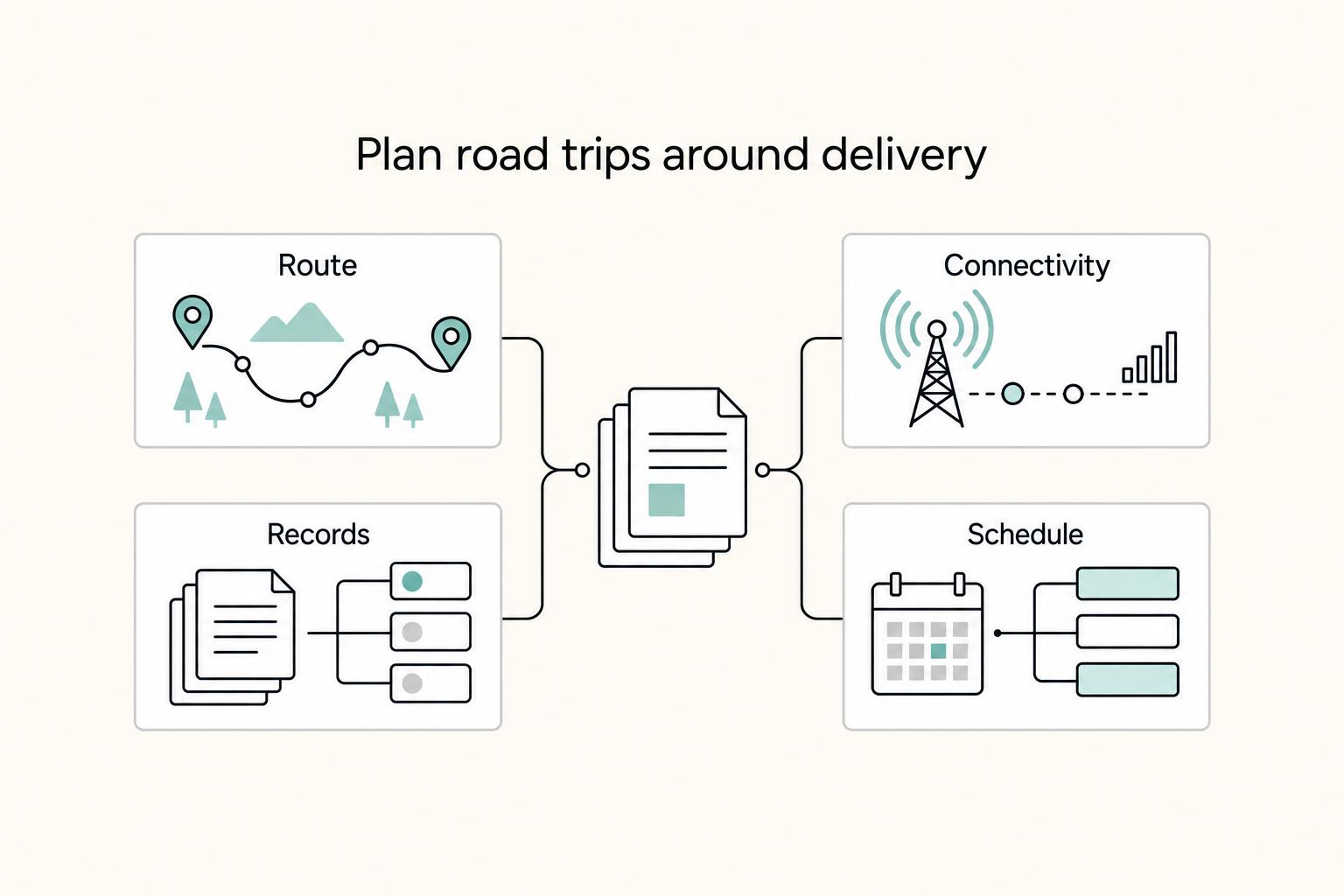
| Decision lens | Vacation mindset | Working relocation mindset |
|---|---|---|
| Route | Pick the most interesting stops | Pick stops that support your work rhythm first |
| Connectivity | Hope for decent signal on arrival | Plan primary and backup options before arrival |
| Records | Keep photos and receipts if you remember | Keep a dated log, receipts, bookings, and work notes as you go |
| Schedule | Drive when you feel like it | Protect work blocks and move around them |
What will this guide actually help you decide?#
This guide helps you make three decisions well:
- how to shape a route and work rhythm that can survive real deadlines
- how to think about connectivity and backup setup without assuming any one tool is mandatory
- what records to keep for tax and admin follow-up, then what to verify against current official requirements
One reality check matters up front. Some candidate sources for this topic were blocked, off-topic, or surfaced only as platform metadata such as "WAF Rule Reached" or an "AI-enhanced description." So this article does not invent state thresholds, filing triggers, or equipment mandates. Before departure, your goal is a verification list and an evidence pack, not just an itinerary.
How should you use the guide?#
Work through the three phases in order. Phase 1: The Pre-Launch Briefing helps you lock the route, work cadence, backup assumptions, and the items that still need verification. Phase 2: On-the-Road Operations is about staying reachable, protecting work blocks, and capturing records while you move. Phase 3: The Post-Trip Debrief closes the loop so costs, notes, and admin do not become a messy afterthought.
Phase 1: The Pre-Launch Briefing (Strategic Planning & Risk Assessment)#
Before you depart, lock three written checklists: your itinerary, your compliance file, and your mobile HQ setup. Assign one owner to each checklist, and keep a simple discrepancy sheet for anything open, re-opened, or not fully tested so nothing gets marked "done" by assumption.
How should you build your itinerary around uptime?#
Plan your first week around work continuity first, then sightseeing. For each stop, record your primary work location, backup call location, arrival window, and whether you will be stationary during client-facing hours.
Use this rule to label each day before departure:
Base stop: deep work, multiple calls, or deadline-heavy days.Transit day: lighter admin work, fewer hard deadlines, and expected setup friction.
If a move sits between two heavy delivery days, convert one of them to a base stop.
| Option | Connectivity confidence (planning) | Workability | Cost-control tradeoff |
|---|---|---|---|
| Coworking base | Higher confidence because workspace and backup options are usually easier to verify in advance | Strong for calls and focused blocks | Higher direct spend, lower disruption risk |
| Hotel | Medium confidence; depends on pre-checking room setup and signal | Good for mixed workdays | Moderate spend, variable quality |
| Campground | Lower confidence; more setup and backup planning needed | Better for lighter workdays | Lower base cost, higher fallback risk |
| Overnight stop | Lowest confidence; optimized for arrival and rest | Admin-only or recovery days | Tight cost control, weak for delivery days |
Verification checkpoint: every stop in week one should already be tagged Base stop or Transit day, with a written reason.
What belongs in your compliance file before departure?#
Set up these four artifacts now:
| Artifact | What it includes |
|---|---|
| State workday log | date, state, city, work performed, lodging |
| Business-purpose file | notes that explain why each stop supports work |
| Receipt system | same-day capture for lodging, fuel, internet, workspace, and equipment |
| Verification sheet | unresolved items with owner and due date |
Use placeholders where legal details still need confirmation, for example:
- "State filing trigger: confirm the current threshold with the state tax authority."
- "Entity/employer impact: confirm with qualified advisor."
Do not guess thresholds or assume one state answer applies everywhere. Record what source you checked and the exact version date. If you use eCFR pages, note their point-in-time status and then confirm interpretation with the publishing agency or a qualified advisor.
How do you test your mobile HQ before the trip?#
Assume each critical system will fail once, and build a primary + backup path for power, internet, and data. One successful test is not enough; re-test after packing and after a setup reset.
| Critical system | Primary path | Backup path | Pre-trip test |
|---|---|---|---|
| Power | Main charger or vehicle power | Battery bank or second charging path | Run one full work block without wall power |
| Internet | Primary hotspot or carrier | Tethering or second carrier option | Complete a live call, upload files, then reconnect after moving locations |
| Data | Cloud sync with offline files | Encrypted external backup | Open key files offline, then restore from backup |
Minimum readiness checklist before wheels-up:
- Private location for secure calls.
- Stable camera/audio setup for client meetings.
- Offline access to critical files.
- Work posture you can sustain.
- Realistic day rhythm (no major delivery paired with an ambitious drive).
Run one full remote-work day from your travel setup, tear it down, set it up again the next day, and log every discrepancy before departure.
Related: The Best RVs and Campervans for Digital Nomads.
Phase 2: On-the-Road Operations (The Mobile HQ in Action)#
Once you are moving, protect stationary work time first and adjust the route early when the day starts to drift. Use a split-day routine: do high-stakes work while parked, then handle driving and lower-risk admin after.
What daily and weekly routine actually holds up on the road?#
Run each day in two blocks so critical work is not competing with motion, setup friction, or weak signal.
Parked work block: client calls, focused deliverables, and anything that needs privacy or stable internet.Travel/admin block: driving, check-in, errands, and tasks you can pause without damage.
Before you leave each morning, reconcile your calendar, next stop, and real drive conditions. Use a route planner that accounts for distance, traffic conditions, and appointment windows. That matters because wrong turns or bad address entries can quickly turn a workable day into a late arrival.
Do one short weekly sync to protect the next stretch of work:
- mark which days are work-heavy vs travel-heavy
- confirm where your first important call will happen on each work-heavy day
- set one backup location for each of those calls
- re-check any booking that would cause disruption if it fails
Keep your toolset tight: one route planner, one connectivity-check method on arrival, one way to compare lodging/workspace options, and one navigation app you trust.
How should you match the work environment to the task?#
Match the environment to the work instead of expecting every stop to support everything.
| Work environment | Strength | Main risk | Best use |
|---|---|---|---|
| Coworking | More predictable work setup | Access and booking constraints | Deep work and call-heavy blocks |
| Hotel room | Private, simple to start from | Setup quality can vary by property | Solo work and mixed delivery days |
| Cafe/shared area | Fast fallback when plans change | Noise, privacy, and power can break calls | Short admin and low-risk check-ins |
| Vehicle stop | Immediate backup between locations | Privacy, comfort, and call quality are limited | Brief status updates or rescheduling |
If the task is sensitive, client-facing, or hard to redo, choose the most predictable setting you can access.
What is your live if-then workflow when plans break?#
If the day starts failing, change plans early instead of trying to force it.
| Scenario | First move | Next step |
|---|---|---|
| Connectivity fails | switch to backup immediately | If backup is stable, reduce scope and continue. If backup is not stable, relocate or reschedule, then send a clear client update. |
| Travel runs late | reclassify the day as travel-first | move high-stakes work to your next stationary window, and notify affected clients before you are overdue. |
| Meeting time changes | check ETA, privacy, and power | If all three hold, keep the meeting. If one fails, change location or move the meeting. |
How should your on-road tech stack be organized?#
Keep one primary tool and one backup path for each function.
| Function | Primary | Backup |
|---|---|---|
| Connectivity | Main internet path for the stop | Secondary connection path |
| Power | Normal charging path | Secondary charging path |
| Workspace | First planned work location | Fallback call location |
| Security | Private setting for sensitive work | Delay sensitive work until privacy is available |
| Navigation | Main navigation tool | Saved exact booked address/details as fallback |
One narrow exception: if you are a cleared contractor under DoD cognizance and a route change could become foreign travel, do not improvise. 32 CFR Part 117 and SEAD 3 reporting/pre-approval rules are specific to that population, and cleared industry is advised to check with government customers for any additional requirements.
End-of-day reset checklist#
- check tomorrow's schedule against tomorrow's route
- charge all work devices and backup power
- sync files and confirm critical files open offline
- confirm tomorrow's first work location and first stop address
- clear any client update still owed before sleep
You might also find this useful: The Best Road Trips for Digital Nomads in the US.
Phase 3: The Post-Trip Debrief (Financial Reconciliation & Optimization)#
Close the trip before details fade: reconcile expenses, run a short post-mortem, and hand off a review-ready file.
How do you reconcile expenses without creating a mess later?#
Use this closeout workflow:
- Gather records: receipts, card statements, invoices, booking confirmations, toll records, your workday log, and calendar entries.
- Map each expense to business purpose in one plain sentence.
- Flag unclear items for advisor review instead of forcing a category.
- Finalize categories in your accounting system only after policy/version checks.
The through line is purpose-based documentation. Formal travel procedures often require expenses to be tied to stated business purpose and a reconciliation process, not assumptions.
| Expense category | More likely direct trip-specific | More likely mixed or prorated | What to save |
|---|---|---|---|
| Lodging | One hotel night tied to a documented work stop | A longer stay mixing work and personal days | Folio, booking confirmation, calendar match |
| Vehicle | Tolls or parking tied to a business stop | Fuel, maintenance, or other mixed-use vehicle costs | Receipts, route record, trip notes |
| Connectivity | Coworking day pass for a defined work block | Monthly hotspot or phone plan used for mixed purposes | Receipt, work date, usage note |
| Meals | Meal tied to a documented business meeting | Personal dining or groceries on mixed days | Itemized receipt, attendee/purpose note; confirm the current meal-deduction limit with the relevant tax authority |
Before you lock categories, verify that the policy or legal text version you relied on is current. Version dates are explicit in many policy/legal sources, so treat date checks as part of reconciliation.
What should go in a useful post-trip review?#
Run a one-page post-mortem you can reuse on the next trip. Answer these prompts directly:
- Workflow reliability: where did your routine fail, and what will you change?
- Tech performance: what worked under pressure, and what failed when it mattered?
- Budget variance: where did actual spend miss plan, and what drove the gap?
- Client communication: what update timing/style reduced friction or reschedules?
Write specific observations, not labels. Keep each lesson tied to a decision for next time.
How do you package the compliance file for review?#
Build one evidence folder with clean subfolders: receipts, route/lodging records, workday/location log, communications, and policy copies/screenshots used during the trip. Check the file against these handoff requirements before you close it:
| Handoff item | Requirement |
|---|---|
| authorization basis | is included when one applies |
| every expense record | is mapped to purpose |
| unclear items | are clearly flagged for review |
| policy/version checks | are documented |
| filenames | are date-and-purpose clear (not loose image names) |
Do not alter records after the fact. Formal policies can treat falsified records or willful policy violations as disciplinary issues.
Carry these forward into your next pre-launch plan:
- replace any lodging or workspace type that failed twice
- update budget assumptions with real backup connectivity and privacy costs
- keep the client update template that reduced reschedules
- pre-build your evidence folder structure before departure
If you want a deeper dive, read our digital nomad visa index for 50+ countries.
Conclusion: You Are Now in Control#
You do not need a perfect trip. You need a documented plan you can actually run. For a cross-country drive around work, the biggest advantage is structure: prep before departure, practical choices on the road, and a short review afterward so the next trip is easier.
Step 1. Lock the pre-trip decisions. Keep your route plan in writing, not in your head, and pair it with a concrete supplies checklist before you leave. Confirm your key stops and bookings. One simple failure, like locking your keys in the trunk, can turn a normal arrival into lost time.
Step 2. Run the road days with flexibility. Stick to your plan when it still fits the day, and adjust when conditions change. Cross-country travel can be expensive, unpleasant, and exhausting, so do not confuse a longer route with a better one. Leave room for disruptions: weather and route changes are normal, and flexibility helps you keep moving.
Step 3. Review what happened after you arrive. Note where your plan held up or broke down. That review is not busywork. It is how you spot weak assumptions, fix repeated friction, and carry lessons forward.
Before you leave, do this final check:
- validate your route and planned stops
- confirm your supplies checklist is complete
- note where bookings and trip details are tracked
- write a basic contingency plan for bad weather or schedule slips
You can still adapt as conditions change. The difference is that you are adapting from a prepared baseline, with your priorities and travel goals still in view.
Frequently Asked Questions
How do I maintain productivity on a working road trip?
Use a split day so deep work happens during stationary morning blocks and driving stays lighter. Use a weekly sync to match heavy workdays to stable stops. Map the full route and total drive time first, and book overnights ahead when your client calendar cannot slip.
What are the tax implications of working from different states?
Treat this as a verification problem first, not a fixed-rule answer. Do not rely on a generic day count from an article. Verify any threshold or filing trigger against current official state guidance or source records before use, and keep a workday log with date, state, work location, and business purpose.
What is the best tech setup for a remote work road trip?
The best setup gives you one primary connection, one backup, and enough power to finish a work block if the first option fails. More gear is not automatically better, and untested gear is riskier than a smaller kit you have already used on a real call. Test the full setup before departure, verify audio and camera quality from one live stop, and pack charging for both parked work and driving hours.
Can a cross-country road trip be a business expense?
This guide cannot determine whether your trip qualifies as a business expense. Treat eligibility as jurisdiction-specific, verify it with current official guidance or a qualified tax professional, and avoid mixing sightseeing and work stops without records. Write the business reason before departure and keep each expense tied to a stop, date, receipt, booking confirmation, toll record, and workday log.
How do I find reliable internet for remote work while traveling?
Do not trust listing copy alone. Check recent reviews, call the front desk, and still keep a fallback because contingency planning is basic road-trip prep. Confirm the property can support video calls, flag dead-zone segments on your route, and avoid arriving at a critical work stop with only one connection option.
What documents should I keep easy to reach during long stays or frequent moves?
Keep the documents that help you prove identity, access bookings, and explain the trip if plans shift. If you are using a one-way rental, keep the rental agreement and return instructions handy. Keep your license or ID, insurance and roadside details, lodging confirmations, rental documents, and your current week's route and work notes available on your phone and offline.
Try a related tool
Researched and edited by the Gruv editorial team. Gruv builds cross-border billing, payouts, and finance-operations software for global businesses.
Sources
- clemson.edu/procurement/concur/travel-resources/travel-p...trusted
- digitalcommons.lib.uconn.edu/cgi/viewcontent.cgitrusted
- dot.ca.gov/-/media/dot-media/programs/transportation-pl...trusted
- ecfr.gov/current/title-32/subtitle-A/chapter-I/subcha...trusted
- faa.gov/sites/faa.gov/files/regulations_policies/han...trusted
- faasafety.gov/files/gslac/library/documents/2006/Oct/6578/...trusted
- iar.iga.in.gov/latestArticle/329/10trusted
- irs.gov/pub/irs-access/p5286_accessible.pdftrusted
Educational content only. Not legal, tax, or financial advice.
Related Posts

The 2026 Global Digital Nomad Visa Index for 50+ Countries
Start with legal fit, not lifestyle filters. The practical order is simple: choose a route you can actually document, then decide where you want to live. That single change cuts a lot of wasted comparison work and stops you from falling in love with places that were never a real filing option.
The Best RVs and Campervans for Digital Nomads
If you're searching for the **best rvs for digital nomads**, do not start with brand hype or dealer roundups. Start with your workday. The wrong layout will cost you every day, even if the rig looks great on the lot.
The Best Road Trips for Digital Nomads in the US
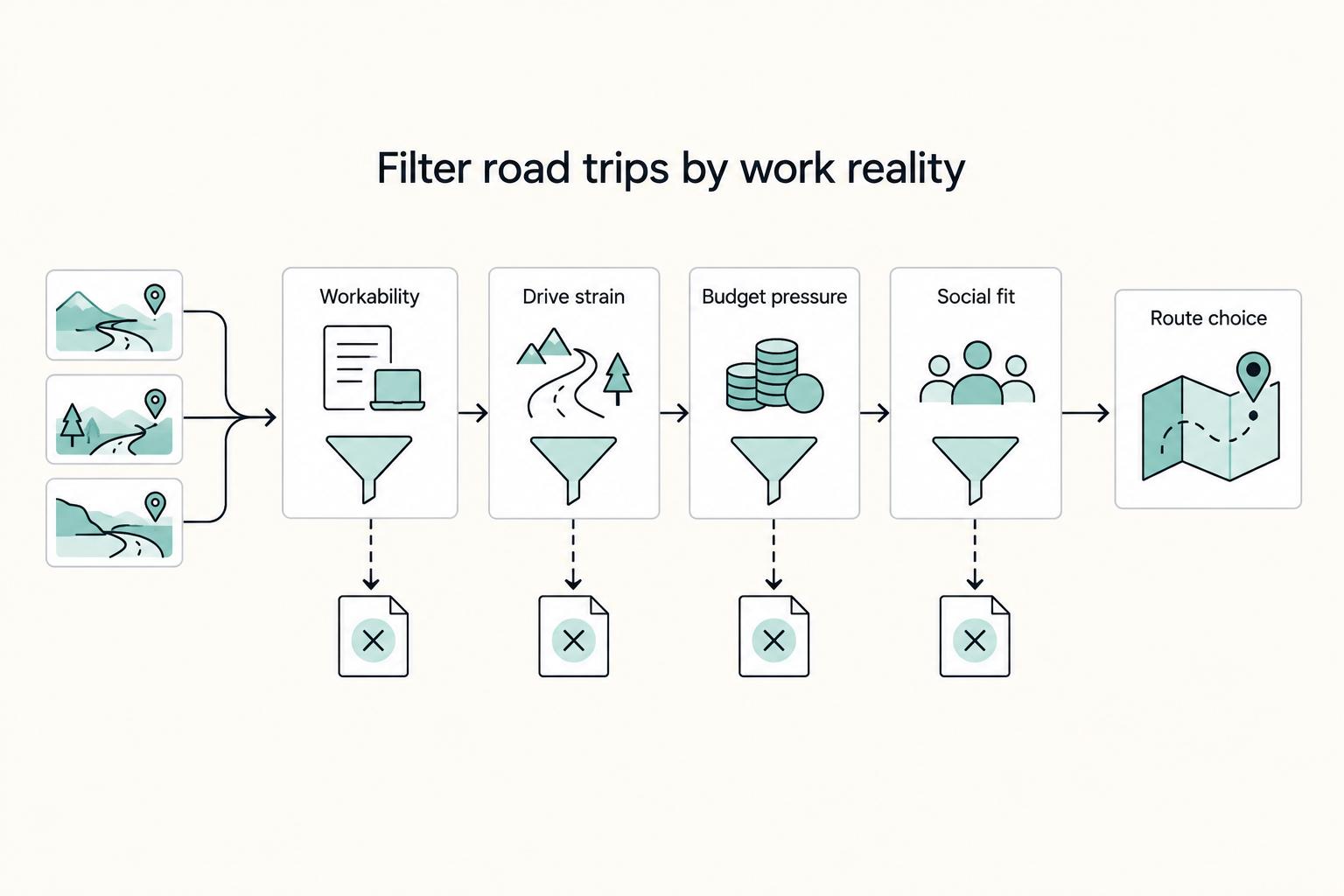
If your trip still has to support real work, scenery is not your first filter. The best U.S. road trips for digital nomads are the ones you can keep running without missed meetings, broken deep-work days, or constant rebooking.