
Quick Answer
Define the supported devices, candidate build, real user tasks and acceptance criteria. Give representative testers a controlled environment and test cases with expected outcomes, including mobile interruptions and recovery. Track passed, failed, blocked and unrun checks, retest fixes, then have the authorized owner record acceptance or rejection against the evidence and agreed exit criteria.
Treat Mobile App UAT as a Delivery and Acceptance Process#
Mobile app UAT asks intended users or their representatives to complete real business tasks on a defined build and judge whether it meets agreed needs. Contractual acceptance is one use of those results. A tidy defect log alone does not show that users can complete the critical end-to-end flows.
That framing changes what you prepare. Do not wait for loose client feedback to define the finish line. Define objective acceptance criteria in the initial contract, set a formal UAT protocol before testing starts, use pre-agreed triage categories when feedback comes in, and finish with a sign-off artifact that shows completion.
| Area | Bug-hunt mindset | Acceptance-governance mindset |
|---|---|---|
| Primary question | "What is broken?" | "Did this deliverable meet the agreed criteria?" |
| Feedback handling | Open-ended comments and taste-based requests | Triage categories such as critical bug and new feature |
| Scope control | Review expands as new ideas appear | Feedback is checked against agreed pass/fail criteria |
| Completion checkpoint | "Feels close" | UAT Summary Report plus signed Final Acceptance Form |
Put acceptance criteria where approval can happen#
Put acceptance criteria in the initial contract so the client can approve against them. Your verification point is simple: can a third party read the criteria and tell whether a feature passed without guessing what "done" means?
Use a formal UAT protocol and fixed triage definitions#
Run the review through a formal UAT protocol and fixed triage definitions. This is how you avoid the common failure mode: subjective feedback, unclear completion standards, and repeated revision cycles that quietly turn acceptance into renegotiation.
Close with evidence, not memory#
Close with evidence, not memory. A UAT Summary Report and signed Final Acceptance Form give you a clear sign-off trail for final invoicing. If you need help setting the baseline first, start with How to Write a Scope of Work for a Mobile App Development Project. For pricing context, read Value-Based Pricing: A Freelancer's Guide. If you want a quick next step, Browse Gruv tools.
Use UAT to make delivery and acceptance decisions#
Used as acceptance governance, UAT helps you protect scope, prove delivery, and move to final invoicing with less friction. In practice, that means anchoring review to SOW acceptance criteria, classifying feedback before you respond, and closing with formal sign-off artifacts.
| Bug-hunt approach | Contract-validation approach |
|---|---|
| Trigger | "The build seems ready" |
| Owner | Whoever comments most recently |
| Evidence | Defect list plus scattered comments |
| Client communication channel | Ad hoc email, chat, and calls |
| Invoice readiness | Finish line is vague and easy to delay |
Protect your scope with classification#
Classify feedback before you act on it. This keeps UAT tied to the contract instead of drifting into renegotiation.
Use this escalation path:
- Defect: Fails an agreed requirement. Give it a separate severity based on user impact; “critical” should mean a genuinely blocking or serious issue, not every failed check.
- Enhancement request: Meets agreed criteria, but the client wants refinement or expansion. Log separately, then quote or defer.
- Net-new scope: Asks for capability outside the SOW or acceptance criteria. Route to change request or later phase.
Use one checkpoint for every disputed item: can you point to the exact SOW or acceptance-criteria line that supports it? If not, do not absorb it silently.
Build proof of delivery as you review#
Document acceptance as you go, not from memory later. Keep a UAT Summary Report that mirrors the acceptance criteria and records what passed against what was promised.
Set decision-making authority before testing starts. If multiple stakeholders review, name who can resolve scope decisions and who is submitting feedback only.
Tie acceptance to invoice readiness#
Use a dated acceptance decision that names the build, evidence and agreed exceptions. A signed form can be your agreed artifact, but invoice triggers follow the contract; UAT does not create an automatic payment entitlement or require every project to use the same signature process.
You can still close with minor items open if the agreed acceptance criteria are met and remaining feedback is classified correctly. That end-of-project control starts in contract design, so for setup details see How to Write a Scope of Work for a Mobile App Development Project.
Phase 1: Define "Done" in Your Contract#
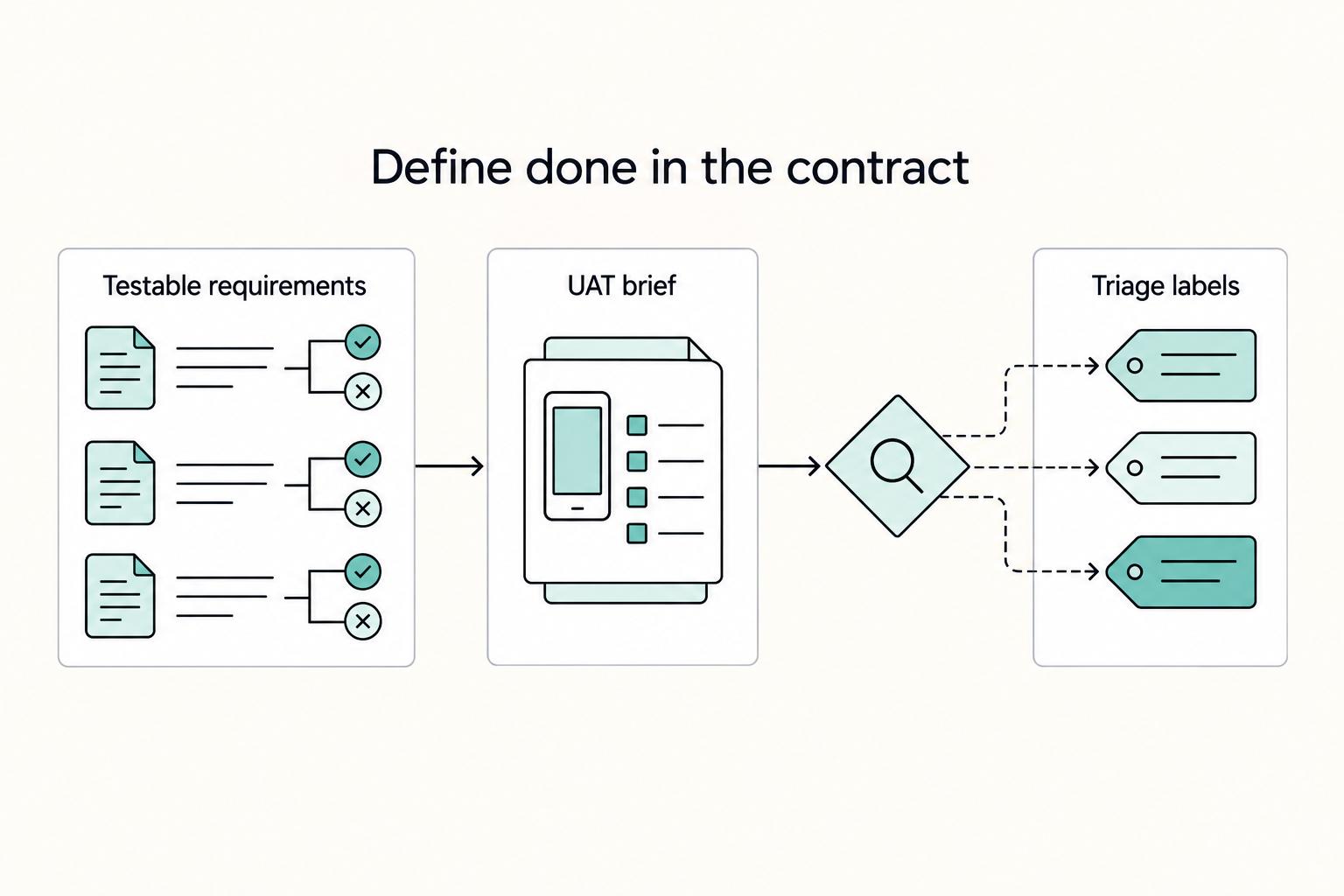
If you want clean UAT later, define "done" before build starts. For mobile app UAT, your contract should include testable acceptance criteria, a short UAT brief/addendum, and clear triage labels so every comment has a defined path.
Write each requirement so it can pass or fail#
A feature list alone is too vague. UAT is often used to verify delivery against the customer-supplier contract, so each requirement should be traceable and testable with this pattern: feature, pass/fail condition, evidence artifact.
Use that pattern for each major deliverable, and assign a unique requirement ID. A simple matrix in your SOW or appendix is enough.
| Contract item | What to include | Verification point |
|---|---|---|
| Requirement ID | Unique ID like AUTH-01 or CHKOUT-03 | Every issue and test result maps to one ID |
| Feature or user story | User goal in plain language | It is clear who does what and why |
| Pass/fail condition | Observable outcome, not intent | A tester can mark pass/fail without interpretation |
| Evidence artifact | Screenshot, screen recording, exported log, or completed test result | You know what proof to collect during review |
| Notes or standards | Optional standards/notes column | Limits and edge cases are explicit |
Example line item: AUTH-01 | Returning user logs in with email and password | Pass if valid credentials send the user to the dashboard and invalid credentials show an error message | Evidence: screen recording of both paths.
Use this checkpoint before development starts: can a target end user, or the product owner when end users are unavailable, mark pass/fail from the contract language alone? If not, rewrite it.
Attach a UAT brief that limits review scope#
Set the review scope, dates and entry conditions before testing. Identify the build, supported device/OS combinations and representative user tasks. Use TestFlight for an appropriate iOS beta distribution or an eligible Google Play testing track for Android; their tester-access and review requirements differ. UAT acceptance and app-store release approval are separate decisions.
| UAT brief item | Define before the cycle | Example to adapt |
|---|---|---|
| Tester and decision roles | Representative users, scenario owners and acceptance authority | Customer user tests checkout; product owner decides contractual acceptance |
| Device/OS matrix | Supported physical devices, OS versions and screen configurations | Name the actual models/versions used; include an older supported phone and accessibility settings |
| Environment and data | Build number, backend environment, seeded accounts and payment mode | Candidate build points to test services and uses seeded users and sandbox payments |
| Intake and schedule | Issue tracker, review dates, triage owner and retest process | One shared queue with requirement IDs and a scheduled acceptance review |
Confirm testers can install the exact candidate, sign in and reach its test backend before starting. If setup fails, record the scenario as blocked rather than passed or failed for the product requirement. Keep the SOW and test brief aligned.
Define triage labels and the contractual path for each#
Decide classification rules in the contract, not during review. Requirement ambiguity and midstream scope changes are common failure modes, so each comment should map to one requirement ID and one triage label quickly.
Use three buckets:
- Defect: the app fails an agreed requirement or pass/fail condition tied to a requirement ID. Keep it in current scope and retest against that same ID.
- Enhancement: the requirement passes, but the client requests refinement or preference changes. Log separately and mark whether it is quoted, deferred, or moved to a later phase.
- Net-new scope: the request is outside listed requirements, user stories, or matrix entries. Route to change request, not current acceptance.
Separate severity from whether an item is in scope. A small defect can be deferred only under the agreed exit criteria and a recorded decision; a crash or exposed private record should not become an “enhancement” merely because the requirement omitted its precise wording. Record genuine requirement gaps for resolution rather than using the SOW as a reason to ignore user harm.
You might also find this useful: How to Price a Mobile App Development Project.
Include mobile interruptions and recovery in the cases#
Adapt these hypothetical cases to your agreed requirements. Run them on the defined build and supported physical devices, capturing the actual outcome. Add screen-reader and enlarged-text checks to critical tasks alongside the broader accessibility work.
| Case | Tester action | Expected result to agree | Evidence |
|---|---|---|---|
| Checkout interrupted | Submit a sandbox payment, lose connectivity, reopen and retry the same order | Recover the existing order/payment state without another order or charge; show pending when unresolved | Order ID, payment reference and recording of recovery |
| App backgrounded | Begin a task, background or lock the phone, then return | Preserve or clearly explain task/session state; do not silently lose a submitted action | Build/device and before/after task result |
| Permission denied | Deny an optional camera or notification request | Explain the limitation and retain the usable alternative flow where designed | Permission state and recorded fallback |
| Offline or slow network | Run a critical read/write task with connectivity reduced | Distinguish cached content, unsent changes and server-confirmed results | Network condition, displayed state and server record where relevant |
| Accessible task | Use a screen reader and enlarged text to complete a critical flow | Controls have usable labels/order, text is not clipped and important results are conveyed | Task result, settings and redacted recording |
Phase 2: Execute with Professional Rigor#
In this phase, your goal is simple: run mobile app UAT as a controlled validation loop, not an open feedback thread. When intake is structured and triage is disciplined, you protect scope, keep decisions fast, and build the exact evidence you need for final acceptance.
Onboard testers and lock the intake rules#
Assign one intake owner for the entire cycle. In larger teams this may be a Testing Lead; in most freelance projects, it is you. Your job is to collect submissions, verify they are complete, and make sure defects are entered into the Defect Log before resolution calls.
Give testers short, written instructions tied to approved requirements and business scenarios, not a generic request to "test everything." Confirm each tester knows:
- which scenarios they own
- which devices or environments they should use
- where issues must be submitted
If any of those are unclear, fix that before testing continues.
Require a complete issue submission every time#
Use one intake template for every report. Make these fields mandatory:
- issue summary
- steps to reproduce
- expected behavior vs actual behavior
- environment details (device, OS version, build, test account)
- available supporting evidence, with private data redacted; log a serious issue immediately even if media is not yet available
This removes ambiguity and cuts down back-and-forth. It is especially important for interface-heavy flows such as auth, payments, APIs, and third-party integrations, where incomplete or misunderstood specifications often surface as hard-to-reproduce failures.
| Tool category | Capture quality | Triage speed | Client visibility | Handoff clarity |
|---|---|---|---|---|
| In-app feedback tools | Strong when device or session context is auto-captured | Fast when reports arrive pre-filled with context | Moderate unless synced to a shared tracker | Strong for engineering handoff when technical context is included |
| Screen recording tools | Strong for showing user path and timing | Fast for initial diagnosis; slower if environment data is missing | High because stakeholders can quickly watch behavior | Good when linked to a tracked issue with requirement ID |
| Shared trackers | Varies by submission quality | Strong after issues are normalized | High with transparent status and ownership | Strongest for scope labels, retest history, and closure evidence |
Normalize, classify, queue, then brief#
Run triage in this order:
- Normalize each report: complete fields, requirement ID, and evidence attached.
- Classify with agreed labels: defect, enhancement, or net-new scope.
- Queue internal fixes and retests.
- Send a curated client update tied to scope status.
Set cadence based on project reality, for example daily or twice a week, and state it in advance. Also set expectations that some issues may not have an immediate fix.
Keep your evidence sign-off ready#
Treat every closed item as a sign-off artifact: original submission, classification, fix status, retest result, and proof. This is what rolls directly into your UAT Summary Report and supports the Final Acceptance Form, so final approval becomes a structured handoff instead of a last-minute evidence hunt.
Phase 3: Document Acceptance, Then Move to Invoicing and Handoff#
At closeout, your goal is to document acceptance against the SOW, secure formal sign-off, and move cleanly to invoicing and handoff.
Step 1: Build a UAT Summary Report that mirrors the SOW#
For each requirement, record the build, device/OS, test case, result, evidence and decision owner. Use explicit results such as passed, failed, blocked and not run. The rows below illustrate a report format; they do not claim your app passed. A screen confirmation alone is not proof that a payment completed on the server.
| requirement | acceptance condition | validation evidence | status | owner |
|---|---|---|---|---|
| REQ-01 account access | Approved tester can sign in on the agreed build and reach the home screen | screen recording, device and OS details, tester note, retest result | Result to record after execution | Client tester |
| REQ-02 checkout flow | One sandbox order and payment result are confirmed after the agreed flow | screen capture plus sandbox order/payment reference, defect link and retest evidence | Result to record after execution | Client tester and payment owner |
| REQ-03 profile update | User can edit and save profile fields listed in the SOW | before and after screenshots, build number, tester confirmation | Result to record after execution | Client tester |
Before you send the report, confirm each row maps to one SOW item and one evidence source. If an item passed after a fix, include the defect ID and retest date so the acceptance record stays traceable.
Step 2: Issue a plain-language Final Acceptance Form#
Keep the form short and explicit. It should state:
- the agreed scope was delivered and reviewed against the acceptance conditions
- any outstanding items are listed in an attached log
- post-acceptance requests follow the agreed change-request path
- the specific build or release candidate being accepted
- signature metadata (project, client, signer, role, signature, date)
List every open item with severity, user impact, workaround if any, owner and target date. Record which items prevent acceptance and which the authorized decision owner explicitly accepts for later resolution. Do not mark a blocked or untested requirement passed to close the project.
Step 3: Send a closeout message that links acceptance to payment#
Use a reusable template and keep the tone procedural:
Hi the client's name,
UAT is complete for the project name and build version. Attached are:
- the UAT Summary Report showing validation against the SOW acceptance criteria 2. the Final Acceptance Form for signature 3. the Outstanding Items Log, if applicable
Based on the attached record, the delivered scope has been validated against the agreed acceptance conditions. Please review and return the signed acceptance form by your agreed deadline.
After acceptance is confirmed, I will [issue the final invoice / confirm the final invoice already sent], in line with our agreed payment term.
Any new requests or post-acceptance changes can be handled through our agreed change-request path.
Thank you, [Your Name]
Keep acceptance and invoicing steps aligned with your contract language.
Step 4: Archive the closeout package and restate support boundaries#
After signature, archive one final package: approved build details, UAT Summary Report, signed acceptance form, defect log, outstanding items log, and decision log. Then send a short handoff note confirming what was archived, where new requests should go, and the support boundary in your agreement so acceptance does not drift back into active scope.
Close UAT with a documented decision#
Used as acceptance governance, UAT helps you protect scope, prove delivery, and move to final invoicing with less friction. Treat it as a delivery and acceptance process, not a last-minute bug sweep.
Define objective acceptance criteria in the initial contract, set a formal UAT protocol before testing starts, use pre-agreed triage categories when feedback comes in, and finish with a UAT Summary Report and signed Final Acceptance Form. That is how you keep scope from drifting during review and get the project to a clean sign-off tied to payment.
Frequently Asked Questions
What is a UAT plan for a mobile app?
A usable UAT plan is the client-facing rulebook for acceptance, not a generic test document. It should name the business flows being checked, the acceptance criteria for each one, the approved testers, and the UAT environment. If core scope details are still vague, fix the scope first, ideally in your Statement of Work.
What is the difference between QA testing and UAT?
QA is the broader discipline of assuring quality; functional, integration and other technical tests support it. UAT focuses on whether intended users can complete business tasks and whether the result is acceptable. Start the agreed acceptance cycle on a sufficiently stable build, while involving users in criteria earlier. Keep separate evidence for product tests, security/accessibility checks and the user acceptance decision.
How should you classify feedback during client review?
A defect fails a requirement or exposes a product problem; severity describes its impact. An enhancement refines working behavior, while new scope adds an agreed change. Resolve ambiguous requirements and serious user-impact issues with the decision owner rather than automatically rejecting them as out of scope. The table gives the ordinary routing paths.
How do you write UAT test cases that clients can actually use?
Use a practical structure you can repeat: precondition, action, expected result, and evidence. Bad: "Test login." Good: "Precondition: approved tester is on the UAT build with a valid account. Action: sign in with email and password. Expected result: home screen opens with the correct account name. Evidence: screenshot or log showing the result." Your checkpoint is whether someone else can run the case and reach the same pass/fail decision.
What tools should you use for remote UAT?
Pick tools by function: one to capture evidence, one to track issues and retests, and one to record approval. Screenshots, logs, and approval records matter more than the brand name. If your setup cannot preserve that evidence chain, sign-off gets weak fast.
How do you get client sign-off after UAT?
Before you ask for approval, verify that each passed item maps to an acceptance criterion, each resolved defect has been retested, and the final approval decision is recorded clearly. A casual "looks good" message is usually weaker than a formal acceptance record.
Who should perform UAT for a mobile app?
Use actual business users or client-side representatives who can judge whether the app supports the intended task. Do not rely on developers alone, and do not let QA stand in for user validation if the business side has not confirmed the critical end-to-end flows. Rushing this step is a known failure mode that leads to costly fixes, weaker adoption, and avoidable trust damage.
Try a related tool
Researched and edited by the Gruv editorial team. Gruv builds cross-border billing, payouts, and finance-operations software for global businesses.
Sources
Includes 5 external sources outside the trusted-domain allowlist.
Educational content only. Not legal, tax, or financial advice.
Related Posts

Value-Based Pricing for Freelancers Under Real Payment Risk
Value-based pricing starts with the client’s expected benefit and willingness to pay. It still needs a deliverable, scope and payment agreement you can perform. Use a discovery phase when the benefit or effort is too uncertain to support a defensible quote.
How to Write a Scope of Work for a Mobile App Development Project
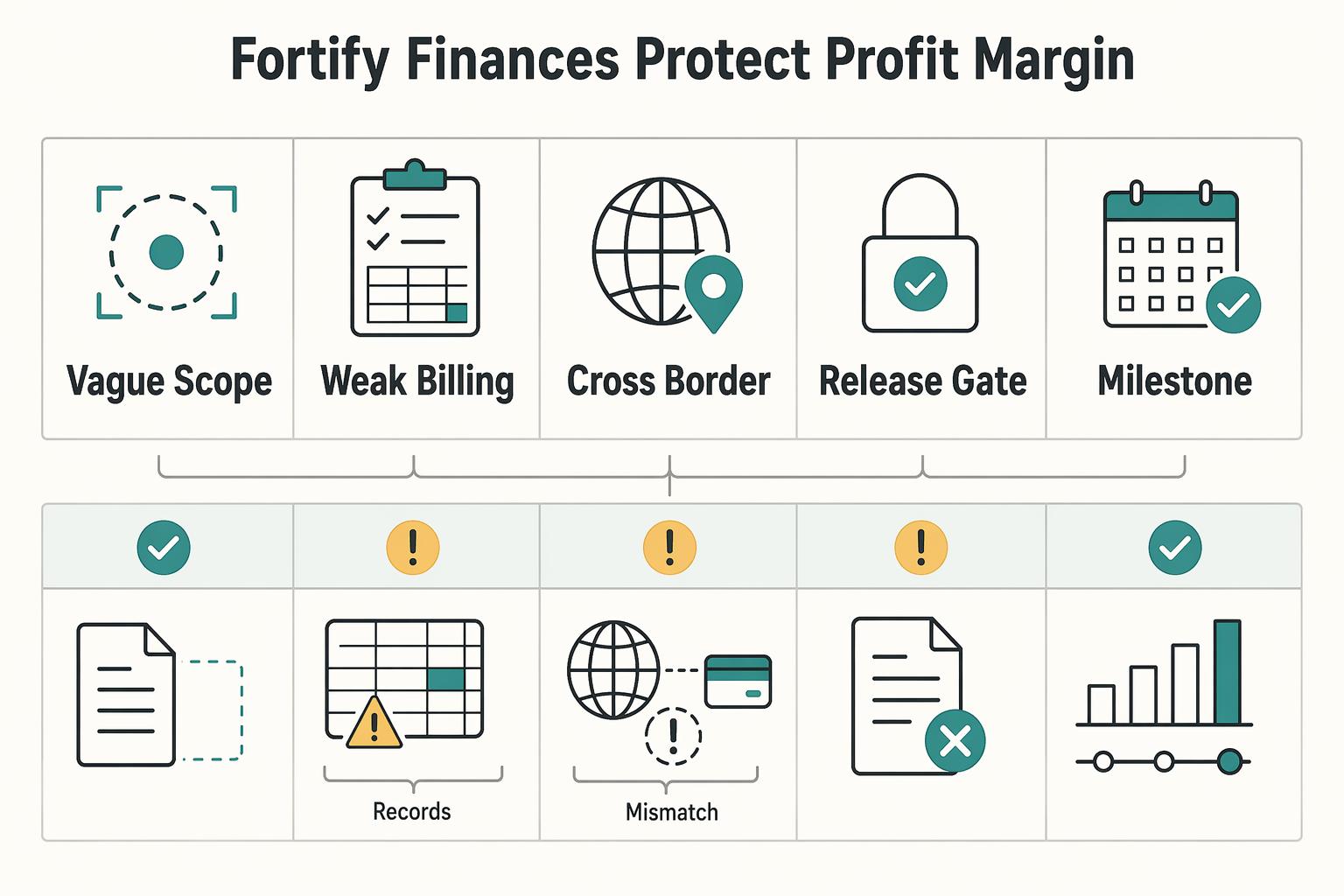
A strong SOW for mobile app development protects your margin, reduces legal ambiguity, and shows the client you run a controlled project. For an experienced freelance developer, technical skill is table stakes. What usually separates a high-value consultant from a replaceable pair of hands is the structure of the engagement, and the Statement of Work sits at the center of it.

The Freelance Payment Penalty: A Modeled Audit of Platform Fees, FX Spreads, and Payout Delays
The money rarely disappears through a single, easy-to-spot fee. The real loss is stacked. A marketplace takes its commission, a processor adds a charge for international cards, a bank or payment company converts the currency at a spread, a platform holds the funds before release, and a wire sheds a little to intermediaries on the way in. Each layer looks defensible on its own, but the worker feels the combined result as a smaller deposit and a later payday.