
Quick Answer
Onboard a virtual assistant safely by setting written boundaries, giving only the access the role needs, and testing offboarding before any live handoff starts. Make and document the worker-classification call, build a boundary pack with the agreement, data-handling note, access register, and offboarding checklist, define an escalation path, and test one low-risk access removal. Then hand off one recurring task and improve the SOP and permissions as exceptions repeat.
The Onboarding OS: A Risk-Mitigation Framework for Your First Virtual Assistant#
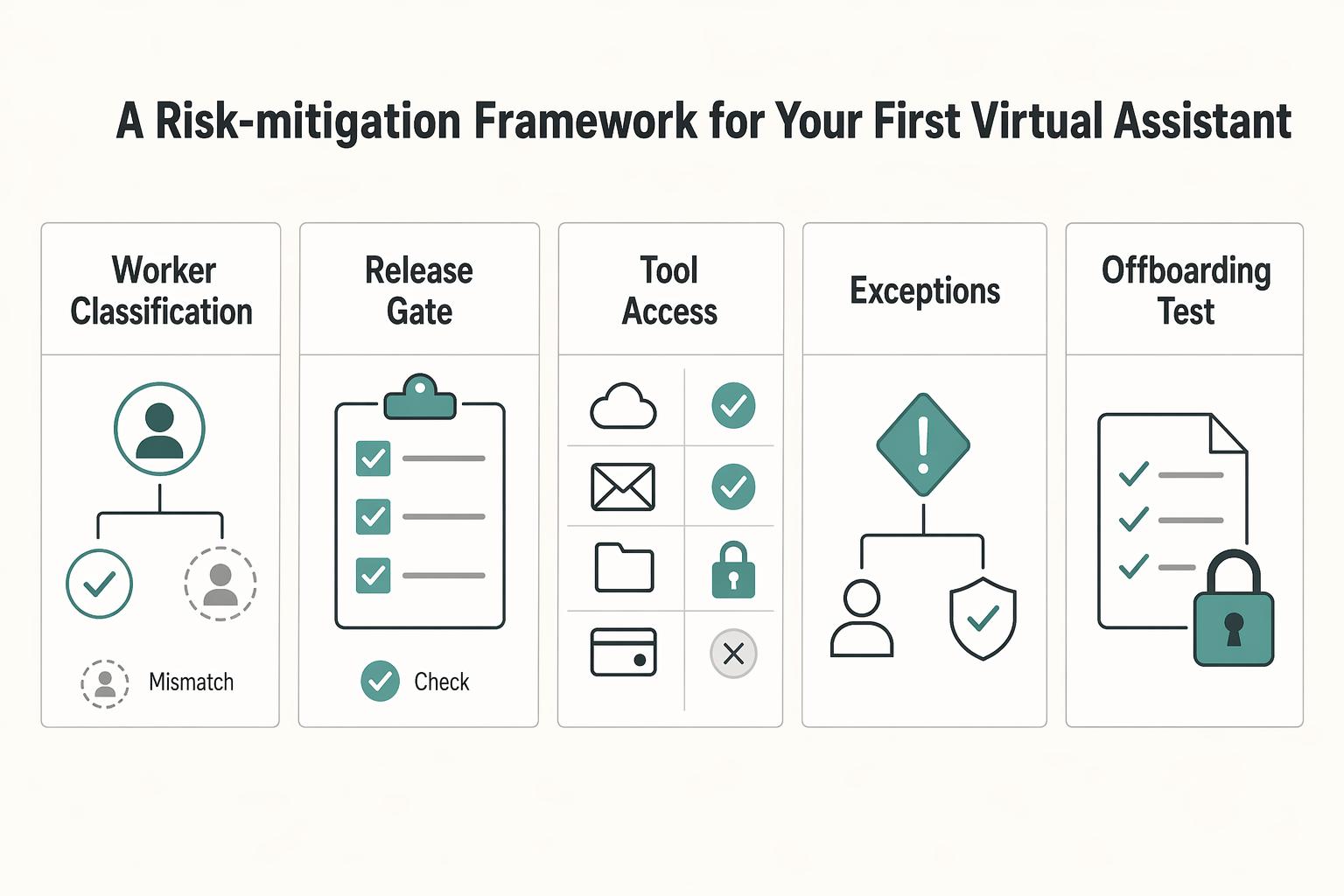
A safer way to onboard a virtual assistant is to set the relationship boundaries, grant only the access the role needs, and test offboarding before any live handoff starts. Do not hand off live work until your controls are written, assigned, and tested once. For a first assistant, that is the shortest useful rule. If you want help without creating avoidable risk, run this pre-handoff check before any password, client data, or payment task changes hands.
| Checkpoint | What to confirm | Article detail |
|---|---|---|
| Worker classification | The classification call is made and written down | If paying a U.S. contractor, collect Form W-9 during payment setup |
| Boundary pack | The agreement, data-handling note, access register, and offboarding checklist exist in writing | Treat the list as a gate before any live handoff |
| Tool access | Every tool has a named purpose, permission level, and revoke owner | Grant only the access the role needs |
| Escalation path | A clear path exists for urgent issues, mistakes, or suspected security incidents | Have it in place before passwords, client data, or payment tasks change hands |
| Offboarding test | One noncritical access removal has been tested | Confirms offboarding works in practice, not just on paper |
This framework is less about mistrust than clarity. Many early delegation problems come from vague boundaries: unclear status, broad access, missing approval rules, or no tested exit path. If you solve those before the first real handoff, you reduce the kinds of mistakes that are hardest to unwind later, especially around data, accounts, and commitments made in your name.
Before you start, confirm these five items:
- You have made a worker classification call and written down why. If you are paying a U.S. contractor, collect Form W-9 during payment setup so you have the TIN needed for IRS information-return workflows.
- Your boundary pack exists in writing: agreement, data-handling note, access register, and offboarding checklist.
- Every tool has a named purpose, permission level, and revoke owner.
- You have a clear escalation path for urgent issues, mistakes, or suspected security incidents.
- You have tested one noncritical access removal so you know offboarding works in practice, not just on paper.
Treat that list as a gate, not a suggestion. If one item is missing, the fix is usually fast compared with the cleanup after a bad handoff. A half-finished onboarding pack often feels workable right up until the assistant needs an answer you never wrote down, or you need to remove access quickly and discover nobody owns the step.
Step 1. Set relationship boundaries before you delegate#
Start with status, not trust. Worker classification turns on the facts showing control and independence, and no single factor decides it. A contractor agreement helps, but it does not settle status by itself, and neither does sending a 1099. If you are in the U.S., keep in mind the Department of Labor final rule took effect on March 11, 2024. The rulemaking page also includes a comment deadline on April 28, 2026, so recheck current guidance instead of copying an old template.
For a U.S. contractor payment flow, Form W-9 is a practical setup step before routine payments. It gives you the payee TIN needed for information return filing. If that TIN process breaks down, backup withholding at 24 percent can apply. That is an annoying problem to discover once work has started.
The point of the boundary pack is to move important assumptions out of chat and into a readable operating file. You are not trying to produce perfect legal drafting on day one. You are trying to make sure an outside reader could understand the relationship, the limits on access, the approval path, and the exit process. They should not need a voice note from you to interpret it. If the answer to a routine question still depends on what you "meant," the pack is not finished.
| Onboarding artifact | Purpose | Owner | Failure risk if missing |
|---|---|---|---|
| Classification note | Records why you treated the role as contractor or employee based on actual control facts | You | Misclassification risk and messy cleanup later |
| Contractor agreement | States scope, confidentiality, payment terms, IP expectations, and exit terms | You with legal review if needed | Scope drift, ownership disputes, weak exit position |
| Form W-9 [U.S. only] | Captures correct TIN for payer filing workflows | Assistant provides, you verify receipt | Payment admin issues and possible 24 percent backup withholding exposure |
| Data-handling note | Limits what data they may access, keep, download, and how to dispose of it where applicable | You | Oversharing, uncontrolled copies, poor disposal habits |
| Access register | Lists each tool, minimum role, business reason, and revoke owner | You | Access sprawl and slow offboarding |
| Offboarding checklist | Defines disable, recovery, and confirmation steps | You | Orphaned accounts, lingering sessions, incomplete shutdown |
| Local jurisdiction check | Flags labor, tax, and privacy rules that vary by country or state | You or advisor | False confidence from using a one-size checklist |
Build that pack in sequence. First, write the role in plain language: what the assistant will do, what they will not do, and what stays owner-only. Then line up the supporting documents so each one answers a different question. The agreement covers the relationship and scope. The data-handling note limits what can be accessed, stored, or downloaded. The access register maps tools to business need. The offboarding checklist tells you how the relationship ends cleanly. That sequence keeps you from granting access before you have written the reason for it.
Be especially careful when the task sounds small but touches a sensitive system. "Just helping with email" can still expose client details, payment conversations, calendars, or confidential attachments. "Just updating records" can still involve deletion risk, duplicate creation, or permission mistakes. Small tasks are not low risk by default. They are low risk only when the boundaries, fields, and approvals are clear.
Use one simple check: could a third party read that pack and answer what this person can do, what data they can touch, and how access ends? If not, the boundary is still living in your head.
A second check is whether the documents agree with each other. If the agreement says one thing, the SOP implies another, and the permissions in the tool are broader than both, your real boundary is the broadest one. That is usually how risk enters early delegation. It comes less from one dramatic mistake and more from quiet inconsistency across documents and settings.
Step 2. Grant role-based access and build offboarding on day one#
Once the relationship is defined on paper, lock down access before the work expands. Use role-based access control and least privilege together. In plain terms, give access by job function, then trim it to the minimum needed for the current task. Your access register should name the tool, the role granted, the business purpose, who can approve changes, and who can remove access.
| Task | Minimum access | Escalate on | Owner-only actions |
|---|---|---|---|
| Inbox triage | Email delegate or label-only access | Client complaints, unclear commitments, or anything that changes scope | Final promises, pricing, and deadline changes |
| Calendar support | Scheduling within your stated rules | Conflicts involving revenue work or travel | Accepting major commitments or moving priority client meetings |
| Record updates | Edit rights only in the specific tool and fields needed | Missing source data, duplicates, or privacy concerns | Deleting core records or changing permissions |
For an early hire, a role matrix this simple is enough.
When you fill out the access register, avoid category labels that are too vague to help later. "Admin access" or "support access" tells you almost nothing when you need to review permissions or remove them quickly. A better entry ties each grant to one current responsibility. If the task changes, review the access as part of that change instead of leaving it in place because it was convenient the first time.
This is where first-time founders often overgrant. They think broad access will reduce interruptions, but it usually shifts the interruption from routine questions to higher-stakes cleanup. A narrow permission set may create one or two extra clarifications at first. A broad permission set can create deletions, accidental commitments, or unnecessary client-data exposure. The small delay is usually cheaper than the larger correction.
Build offboarding now, not later. NIST-aligned control guidance supports disabling accounts once they are no longer associated with a user, so your checklist should already say who disables what and how you confirm it worked. Test one low-risk revocation before live work begins. A common failure mode is thinking access is gone when an old session, shared link, or secondary permission path still works.
Make the offboarding checklist specific enough that another person could run it if you were unavailable. "Remove access" is not a step. "Disable the account, remove delegated roles, review shared links, confirm recovery methods, and record completion" is a process. The checklist should also identify the tool owner for each step, because offboarding breaks down fastest when everyone assumes someone else already handled the account.
Run one simple test: revoke one low-risk account, then verify from both sides. On your side, check that the role no longer appears active in the register and the tool. On the assistant side, confirm they cannot still reach the account through an existing session or alternate route. That short rehearsal catches the gap between policy and reality before the stakes are higher.
Also separate access from approval. An assistant may need access to prepare work, draft replies, or queue changes without having authority to finalize them. That distinction matters because many risks do not come from seeing information. They come from being able to publish, commit, transfer, delete, or promise on your behalf. If a task can be prepared by the assistant and released by you, document that split clearly.
Step 3. Run an operating loop and diagnose recurring exceptions#
Do not try to document the whole business at once. Start with one recurring task and run a Plan, Do, Study, Act loop: write the steps, hand off the task, study what broke, then change the document or permission rule. That keeps your SOPs tied to real work instead of wishful completeness.
| Phase | Article instruction |
|---|---|
| Plan | Write the steps for one recurring task |
| Do | Hand off the task |
| Study | Study what broke and review repeated clarifying questions, stuck approvals, recurring access requests, avoidable rework, and recurring exceptions |
| Act | Change the document or permission rule: add a decision rule or example, narrow the data they can touch, or move the step back to owner-only |
The first draft of an SOP is usually missing the exact thing a new person needs: the decision rule for edge cases. That is normal. The goal is not to write a giant manual from memory. The goal is to capture the trigger, the sequence, the completion standard, and the point where the assistant must stop and escalate. Once you have that, the first real run will show you what else belongs in the document.
After the first handoff, review signals rather than vibes. Look for repeated clarifying questions, the same approval getting stuck with you, recurring access requests, avoidable rework, and exceptions that appear more than once. When a pattern repeats, make one concrete change: add a decision rule, add an example, narrow the data they can touch, or move that step back to owner-only. If the issue is urgent or security-related, the escalation path should already say where to raise it and when work must stop pending your review.
Review the handoff in order, not just by outcome. Where did the assistant pause? Which step required a message to you? Which approval took longer than expected? Which information was missing at the moment of execution? That sequence view is often more useful than asking whether the task was "done well," because it shows whether the process is stable or still dependent on you translating exceptions in real time.
A practical rhythm is to revise only the parts that created friction. If one field is always missing, add it to the intake step. If one judgment call keeps coming back to you, write the rule or keep that action owner-only. If one tool creates repeated permission problems, change the role design rather than explaining the same workaround again. The operating loop works because the document changes in response to actual failure modes, not guesses.
Beyond Onboarding: Your Business as a Scalable System#
Onboarding is only successful when work keeps moving through role changes, absences, and offboarding. If execution depends on one person's memory, your setup is still fragile. The fix is explicit ownership, least-privilege access, and written rules that stay current.
Use this replacement test: if your assistant is out for a week, can someone else complete the task using only the SOP, access register, and data-handling note? If not, fix the missing control, not the person.
If you are still deciding what should move first, use How to Delegate Work to a Virtual Assistant as the companion playbook for task selection and sequencing.
| Operating dimension | If this happens | Fix this control (owner) | Expected outcome |
|---|---|---|---|
| Task execution | Steps live in chat or memory | Keep one current SOP with trigger, steps, exceptions, and completion standard (SOP owner) | A second contributor can run the task without a rescue call |
| Access lifecycle | Access is broad "just in case" | Maintain an access register with business purpose, approver, revoke owner, and start/stop dates (access owner) | Access stays tied to assigned work |
| Continuity coverage | Only one person can perform the task | Add backup coverage notes to your business continuity plan and test a handoff (continuity owner) | Work continues during absence or disruption |
| Improvement loop | The same exception keeps recurring | Log the exception and update SOP/decision rules after the event (process owner) | Fewer repeated errors and cleaner handoffs |
Step 1. Build for replacement, not for one person#
Design the role so another contributor can step in quickly using current instructions and scoped access. Keep owner-only approvals explicit, and keep routine execution separate. Named ownership matters here: assign an owner for SOP updates, an owner for access records, and an owner for offboarding actions.
Step 2. Place yourself on the maturity path#
Use the maturity path to pick the next control, not to label your business.
| Stage | Observable signal | Next action |
|---|---|---|
| Stage 1: Ad hoc | Recurring work lives in DMs; routine approvals keep returning to you | Document one high-friction task and define owner-only vs delegated decisions |
| Stage 2: Controlled | You have written boundaries, task-level access, and revoke ownership | Run one backup coverage test and confirm replacement can find current SOP + required access |
| Stage 3: Repeatable | Handoffs are consistent; exceptions get written back into instructions | Revalidate active account authorization on a recurring schedule, minimum quarterly where appropriate |
Step 3. Maintain controls when reality changes#
Treat governance triggers as mandatory update points, not optional cleanup. Update your operating pack when there is a task change, incident or audit finding, role change, or offboarding.
Use this maintenance checklist each time a trigger occurs:
- Verify SOPs still match current task flow and decision rules.
- Confirm the data-handling note still reflects minimum necessary collection, protection, and secure disposal.
- Set the recertification cadence from current access-risk records, then use it to recertify active access.
- For departures, disable account access by the day of departure.
- Feed exceptions back into SOPs so repeated edge cases become documented rules.
If routine approvals keep snapping back to you, diagnose it directly: either the decision rule is unclear, or the task belongs on the owner-only list. Both are process fixes, and both strengthen resilience when roles change.
For more on classification cleanup, see What to Do If You've Been Misclassified as an Independent Contractor.
Frequently Asked Questions
How should I share passwords with a VA?
Use a password manager, create long, random, unique credentials for each business account, and turn on MFA where it is offered. Give the assistant only the account needed for the task, record the revoke owner in the onboarding pack, and test removal on one low-risk account before live work starts. Avoid shared logins because they weaken the audit trail and complicate offboarding.
What contract do I need for an international assistant?
Start with a written agreement and a jurisdiction check. If you are paying a U.S. contractor, make the worker-classification determination before payment treatment and collect Form W-9 as the first step. The agreement can cover scope, confidentiality, payment, IP expectations, and exit terms, but it does not decide status by itself. After verifying current jurisdiction requirements, make sure the paperwork matches the real work setup and recheck current DOL guidance if you are in the U.S.
Is it safe to give a VA finance access?
Yes, if you keep it task-level. Reserve bank changes, refunds, transfers, and unusual spend for owner-only approvals, and use dual authorization for higher-risk releases if your setup supports it. Verify ACH-specific requirements for your payment rail before applying them broadly, because dual authorization is not mandatory for every transaction.
How do I create SOPs quickly?
Start with one routine, repetitive task, write the steps, hand it off, and revise the document after the first real run. If the same approval or clarifying question appears more than once, add a decision rule or move that step back to owner-only. Keep the SOP concrete with the trigger, the order of steps, the expected result, and the stop points.
How do I measure ROI?
Track owner time protected, fewer approval bottlenecks, rework avoided, and whether delegated work supports revenue throughput. Those signals usually tell you more than raw hours or task counts about whether the onboarding pack and permissions model are working. Do not promise a fixed payback period. Set the access review cadence after the organization verifies a workable schedule from current access-risk records.
How do I protect client data when I onboard a virtual assistant?
Share only the personal information needed for the task, document allowed handling in the data-handling note, and dispose of unneeded information securely. If the work involves regulated data or cross-border handling, verify the current jurisdiction requirement before granting access. A good check is whether the task can be completed with a smaller data slice, and if so, send the smaller slice.
What is the best way to manage tasks and permissions?
Put every tool in a least-privilege access register with its role, business purpose, approver, and revoke owner. Separate routine execution from owner-only approvals so the assistant can prepare work without being able to finalize everything. Review the register whenever the task changes to decide whether a new permission is needed, a narrower one will do, or no access change is required.
Try a related tool
Researched and edited by the Gruv editorial team. Gruv builds cross-border billing, payouts, and finance-operations software for global businesses.
Sources
- cisa.gov/cross-sector-cybersecurity-performance-goals...trusted
- csrc.nist.gov/glossary/term/least_privilegetrusted
- csrc.nist.gov/glossary/term/role_based_access_controltrusted
- dol.gov/agencies/whd/flsa/misclassification/rulemakingtrusted
- ecfr.gov/current/title-16/chapter-I/subchapter-F/part...trusted
- epa.gov/sites/default/files/2015-06/documents/g6-fin...trusted
- federalregister.gov/documents/2024/01/10/2024-00067/employee-or-...trusted
- ftc.gov/business-guidance/resources/protecting-perso...trusted
Educational content only. Not legal, tax, or financial advice.
Related Posts

Thailand's Long-Term Resident (LTR) Visa for Professionals
For a long stay in Thailand, the biggest avoidable risk is doing the right steps in the wrong order. Pick the LTR track first, build the evidence pack that matches it second, and verify live official checkpoints right before every submission or payment. That extra day of discipline usually saves far more time than it costs.

What to Do If You've Been Misclassified as an Independent Contractor
Treat this as a protection problem first, not a label debate. If your work was treated as an independent contractor arrangement even though the relationship functioned differently, your first goal is to protect pay, rights, and records while you choose the least risky escalation path. You can do that without making accusations on day one, which often keeps communication open while you document what happened.
How to Delegate Work to a Virtual Assistant
As a professional, you are the engine of your business. Your expertise brings in revenue, your standards shape quality, and your judgment sets direction. That is a strength, but it is also a limit. When growth is capped by the number of hours you can personally work, you are not operating as a CEO. You are operating as a high-performing bottleneck.