
Quick Answer
To get a South African individual tax number, first check whether SARS already has you on record and retrieve it if possible; only register if you are genuinely new to SARS. The number you need is the SARS Income Tax Reference Number. Use official SARS channels, then confirm it with a Notice of Registration (IT150) or other taxpayer-specific SARS records.
Start here so you do not request the wrong number#
Start with one practical fork: check whether SARS may already have you on record. Register only if you appear genuinely new to the system. That reduces stress and helps you avoid duplicate requests.
SARS guidance supports starting online, including income tax registration through the SARS Online Query System (SOQS) and online requests for records like a Notice of Assessment or Statement of Accounts. It does not fully confirm exact fees, guaranteed timelines, or every document combination for each foreign-national scenario, so use this as a decision framework, not a promise of exact outcomes.
Check whether you may already exist in SARS records#
Before you submit any new form, check your own paper trail. Consider starting with retrieval if any of these apply:
- you previously filed with SARS
- you received SARS correspondence before
- you requested or downloaded a Notice of Assessment or Statement of Accounts
If you find prior SARS records, do not assume you are starting from zero.
Choose retrieval or registration before you click#
Use this rule of thumb:
- if you have a credible sign SARS already knows you, start with retrieval
- if you are genuinely new and have no prior filing or SARS record, start with new registration
This is a practical judgment call. The official excerpts support both online record requests and online registration through SOQS, but they do not prove one lane is always correct in every case.
Start online and surface edge cases early#
SOQS is a practical first stop because SARS lists key tasks that can be handled without a branch visit. If you are a foreign national and your return type is unclear, use the dedicated SARS online form for foreign nationals rather than guessing. If you suspect your tax profile was compromised, use SARS digital fraud reporting before you submit fresh requests.
After this step, you should know whether you are in the retrieval lane or the registration lane and be ready to proceed through official SARS channels with less guesswork.
Confirm what the South African individual tax number actually is#
For an individual, the South African tax number is the SARS Income Tax Reference Number. Some materials also call it a TRN or TIN. It is a SARS taxpayer number for income tax administration, not a generic banking identifier.
Use the correct term and legal anchor#
Treat it as a SARS-issued income tax reference number. SARS issues it when a person or entity registers for income tax, and the framework sits under the Tax Administration Act, 2011 (Chapter 3, Section 24). Once allocated, that reference number must be included on returns and other tax documents submitted to SARS.
Keep its purpose narrow#
Use this number for core tax compliance tasks, such as filing and confirming your registered tax details. Your main proof point is the Notice of Registration (IT150), not a third-party record. If SARS requires the reference number on a submission and it is missing, SARS may treat that return or document as invalid.
Verify against SARS records, not format alone#
A quick format check is useful. The Income Tax Reference Number is 10 numeric digits and can start only with 0, 1, 2, 3, or 9. But format alone is not enough. Confirm the number against official SARS records, especially the IT150 requested through SARS eFiling or the SARS MobiApp, so you are relying on your actual SARS profile rather than copied or unofficial data.
Decide in two minutes whether to retrieve or register#
Use this default: if you are truly new to SARS and have a valid South African ID, start with eFiling registration. If there is any real chance your details already exist in SARS records, or your identity path is not straightforward, use assisted SARS support before you try to register again.
SARS now enforces stronger login checks on individual eFiling profiles, including Two-Factor Authentication with an OTP sent to your preferred security contact details. For new Personal Income Tax eFiling registrations using a valid South African ID, facial recognition may also be required.
Classify your situation first#
| Your situation | Default move | Practical checkpoint |
|---|---|---|
| I filed before | Verify existing SARS record before new registration | Confirm your status directly with SARS before creating a new profile path |
| Employer handled tax | Verify existing SARS record before new registration | Treat this as a possible existing footprint, not automatic proof |
| New to SARS with a valid South African ID | Register via SARS eFiling | Complete eFiling security steps (2FA and possible biometric flow) |
| Outside South Africa | Start with remote SARS support | Use the abroad contact line or book a virtual consultation if blocked |
| Identity mismatch risk | Stop retries and use assisted support | Resolve identity or contact mismatches through SARS support channels |
| No South African ID number | Start with assisted SARS support | Confirm the correct channel directly with SARS before proceeding |
Prepare for authentication friction if you register via eFiling#
Since 22 November 2024, SARS has enforced Two-Factor Authentication on individual eFiling profiles, with OTP sent to preferred security contact details. Since 1 November 2024, SARS has introduced biometric facial recognition for individuals registering with a valid South African ID. This applies on the eFiling website, SARS MobiApp, and SARS Self Service Kiosks.
If you do not have a camera-enabled device, move straight to assisted registration by appointment instead of repeating failed attempts.
Escalate early when self-service stalls#
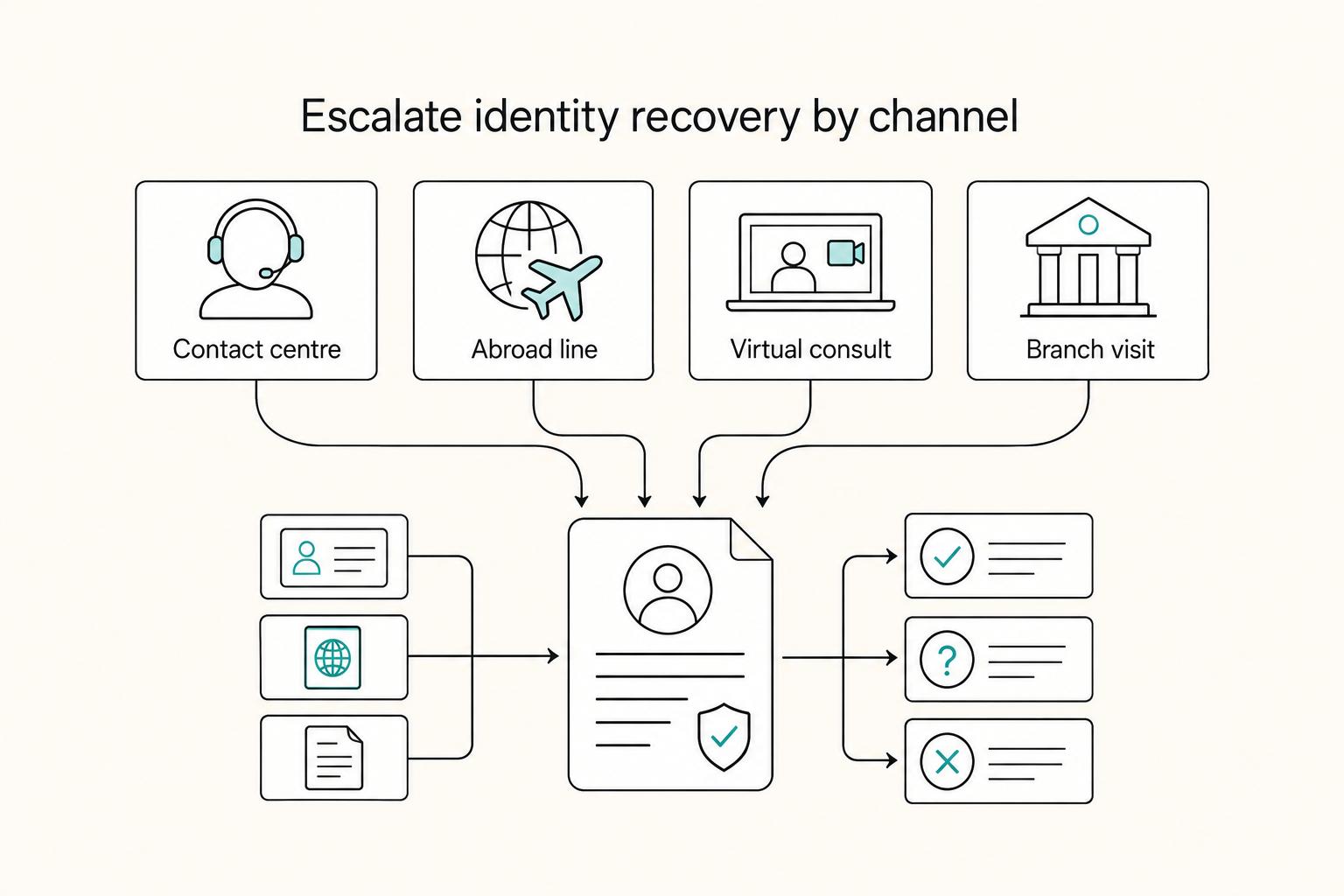
If self-service blocks you, move to SARS support quickly instead of looping through retries. Options include the local contact centre 0800 00 7277, the abroad line +27 11 602 2093 (8am to 4:30pm South African time), virtual consultation by appointment, or a branch visit by appointment through the SARS website. This can help clear identity or access issues so you can continue on the right path.
| Support option | Contact or booking detail | Note |
|---|---|---|
| Local contact centre | 0800 00 7277 | Use when self-service stalls |
| Abroad line | +27 11 602 2093 | 8am to 4:30pm South African time |
| Virtual consultation | By appointment | Assisted support without a branch visit |
| Branch visit | Book through the SARS website | Appointment required |
If your retrieve-or-register choice depends on where you were tax resident during the year, lock your timeline first to avoid rework: Track your residency timeline.
Gather your documents and verification details before touching any channel#
Do the prep first. Exact channel-by-channel requirements are not confirmed, so your safest move is to keep your details consistent and rely on verified official guidance.
Lock one identity profile#
Choose one identifier and keep your personal details consistent across your own records and every retrieval or registration attempt. Treat this as a practical consistency step, not a confirmed SARS rule.
Collect prior records in one place#
Pull your existing SARS-related records into one folder before you start. Use them to cross-check that your key details match across older and current documents.
Prepare one verification note#
Create one short plain-text note with your current personal details and reuse it across attempts. The goal is consistency while you follow official SARS instructions.
Treat stale contact details as a blocker#
If your phone or email details may be outdated, treat that as a blocker. Pause and confirm the current official SARS update process before you keep retrying. Treat exact channel-specific authentication steps and channel ordering as unconfirmed.
Finish this stage with one consistent identity profile, one organized record folder, and one current verification note before you proceed.
Retrieve an existing number through official SARS channels#
Use official SARS channels, then confirm the result with the Notice of Registration (IT150) where possible. Choose the channel that fits your access and verification status.
| Channel | Best use | Exact action or detail | Main tradeoff |
|---|---|---|---|
| SARS Online Query System (SOQS) | Online request through SARS | Use "Send us a query" and make sure your details match SARS records | Mismatched details can stall the request |
| SARS WhatsApp Channel | Mobile retrieval with current details | Message 0800 11 7277, follow prompts, then "Text and send your ID/Passport Number" | Confirm the returned number against IT150 |
| SARS SMS Channel | Quick retry with known identifier | Send TRN (Space) ID number/Passport number/Asylum Seeker number to 47277 | Strict format; confirm against IT150 |
| SARS USSD services | Mobile option without app access | Dial *134*7277#; SARS displays a response only after successful verification | Verification is still required |
| SARS eFiling / SARS MobiApp | Formal confirmation for registered eFilers | Request Notice of Registration (IT150) under SARS Registered Details on eFiling, or via MobiApp | Requires registered eFiler access |
| SARS branch visit | In-person support when remote routes do not resolve the request | Book an appointment before visiting | Requires a branch appointment |
Start with SOQS#
Submit one clean SOQS query. Keep your identifier and personal details consistent so they match SARS records.
Try one mobile route#
You can also try one mobile channel:
- WhatsApp: 0800 11 7277, follow prompts, send ID or passport details.
- SMS: TRN (Space) ID number/Passport number/Asylum Seeker number to 47277.
- USSD: dial *134*7277# and complete verification.
If mobile verification fails, recheck your details against SARS records before you retry.
Confirm with IT150#
Use the Notice of Registration (IT150) as your formal confirmation document. If you are a registered eFiler, request it on eFiling under SARS Registered Details or via the SARS MobiApp.
Escalate to a branch when needed#
If remote routes still fail, or you cannot complete the IT150 path, book a branch appointment and resolve it there.
SARS does not provide your tax number to unrelated third parties. Disclosure is limited to an authorized representative, such as your tax practitioner or someone with power of attorney for your tax affairs.
Register for a new number with the least friction#
If retrieval comes up empty, treat new registration as a controlled process. Use the lowest-friction path that clearly shows a new registration flow, and keep proof at each step. You are not done until registration is confirmed in a durable official record.
Confirm you really need a new registration#
Do one last duplicate check before you open a new request. If there is still a realistic chance you already have a number, resolve that first.
Use one identity set end to end. Avoid switching between ID and passport details unless the authority explicitly instructs you to, because inconsistencies can create avoidable rework.
Pick the clearest channel and verify the live flow#
Specific channels for new individual registration are not fully confirmed here, so use this as a decision aid and follow the live official prompts in front of you.
| Route | When to try it | What to verify before you trust it |
|---|---|---|
| Official online flow | First choice when a self-service path is available | Confirm it is a new registration flow, not lookup or profile maintenance |
| Written support channel | When you need a traceable query trail | State clearly that you are requesting new registration and keep the reference |
| In-person support | When digital checks fail or instructions are unclear | Bring a complete document pack and leave with a written reference or next step |
If one path fails verification, stop random retries with altered details. Move to a written or in-person resolution path with the same identity data.
Build a proof pack while you register#
Save each durable artifact as you go: submission or reference number, completion screens, acknowledgments, and formal confirmation. Keep authority-issued evidence as the primary record.
Close the loop before you mark it complete#
Submission is not completion. Completion means registration is confirmed in a durable official record you can access again. If you only have a transient message or verbal update, treat the process as still open.
Related: Malaysia's DE Rantau Nomad Pass: A Guide for Applicants.
Handle foreign national and nonstandard identity scenarios without guesswork#
If you are outside the standard South African ID path, keep one rule in mind: separate reporting-context identifiers from SARS-issued registration evidence. A South African-issued passport number can be a functional equivalent in a specific OECD reporting context when a TIN is not provided. The Income Tax Reference Number used for SARS tax administration is still issued by SARS.
Separate the identity lanes before taking next steps#
Do not treat all nonstandard identities as interchangeable.
| Identifier | Context in article | Key limitation or checkpoint |
|---|---|---|
| South African-issued passport number | Functional equivalent only in the OECD reporting context when a TIN is missing | Does not replace SARS income tax registration |
| Asylum Seeker number | Keep it as a separate lane in notes and requests | Not listed as a functional equivalent here; no complete channel-by-channel process is given |
| SARS Income Tax Reference Number | SARS-issued number used for income tax administration | Confirm it matches the 10-digit format and appears in taxpayer-specific SARS correspondence or prescribed forms |
For a South African-issued passport number, the OECD excerpt is narrow. It is listed as a functional equivalent only in that reporting context when a TIN is missing. That does not mean a passport number replaces SARS income tax registration.
For an Asylum Seeker number, keep it as a separate lane in your notes and requests. Do not assume it functions as an equivalent, and do not assume there is a complete channel-by-channel process for retrieval or registration by that document type.
Anchor completion to the SARS-issued number#
Do not treat acceptance of an alternate identifier in one reporting context as proof of SARS income tax registration.
The Tax Administration Act framework cited, Chapter 3, Section 24, describes SARS allocation of taxpayer reference numbers. The OECD summary also states that the South African TIN is issued by SARS, and that an Income Tax Reference Number is issued when a person or entity registers for income tax.
Use a hard checkpoint: confirm the issued number matches the SARS format shown in the excerpt, 10 numeric digits, starting with 0, 1, 2, 3, or 9, and appears in taxpayer-specific SARS correspondence or prescribed forms.
Stop retry loops when identity details do not match#
Do not keep retrying with mixed identity details across different channels. Freeze the identity set you believe is correct and reconcile it against taxpayer-specific SARS correspondence before trying again. This is a practical recovery recommendation to avoid compounding mismatches, not a legal requirement.
State the unknowns so the process stays safe#
A complete foreign-national checklist by subtype is not established, nor are fixed timelines, fees, or standardized requirements for every case. Plan around that uncertainty. Keep a compact evidence pack, and prioritize final SARS-issued proof.
This matters because once SARS allocates a reference number, it must be included in returns and other documents submitted to SARS, and SARS may treat submissions as invalid if the reference number is missing. For a step-by-step walkthrough, see A Deep Dive into South Africa's Section 10(1)(o)(ii) Exemption for Foreign Employment Income.
Validate what you received and keep an audit-ready record#
Do not treat a one-off screen result as the finish line. Your completion point is a SARS-issued Income Tax Reference Number that passes a format check and appears in SARS records you can retrieve later.
Validate the number before you store it#
Here, the practical checks are 10 numeric digits, starting with 0, 1, 2, 3, or 9, and clearly issued by SARS. A South African ID number or South African-issued passport number can be used as a functional equivalent in some TIN fields, but those are not the Income Tax Reference Number itself.
Then confirm the same number in SARS records tied to you. Confirm it in taxpayer-specific SARS correspondence or prescribed tax documents such as returns or assessments. You are looking for the exact same number in at least one SARS-backed record, with no digit mismatch.
Save evidence in two places on the same day#
Store it in:
- A secure document vault for the proof file, whether a downloaded document or a clean screenshot.
- A short operations log entry showing how you retrieved or confirmed it.
Keep the log simple and useful: date and time, channel used, for example SARS eFiling or SARS MobiApp, document saved, identity document used, and who performed the check. You should end with one proof file and one log entry that clearly point to each other.
Keep one compliance packet together#
Include the identity document used for the successful path and a timestamped confirmation trail. Add returns or assessments that show the same reference number.
This reduces risk during filing and corrections. SARS may treat submissions as invalid if the reference number is missing, and SARS may request supporting documents when details are changed. The goal is one packet you can reuse without rebuilding evidence under time pressure.
Set a disclosure control before the number spreads#
As a practical control, not an official SARS rule, share the full number only where it is needed for filing, account access, or formal compliance checks. Keep masked references elsewhere and keep the full value in your secure vault.
That gives you one source of truth for the full number, with limited full-number exposure across day-to-day systems.
Fix common failures before they become compliance delays#
Avoidable delays often come from retries that do not change the underlying issue. In practice, that usually means either confusion between a personal tax-number task and a third-party tax-compliance verification request, or inconsistent taxpayer details during verification.
Reconcile taxpayer details before you retry#
SARS states it performs verification checks, so a failed check is a signal to align your records before submitting again.
Use one consistent set of taxpayer details for your next attempt and verify them against your own records. The goal is one clean, consistent profile for the next SARS check.
Separate personal retrieval from third-party verification#
If a third party needs to verify tax compliance status, SARS says the Good Standing Tax Compliance Status (TCS) route must be used.
If the request is for non-resident TCS, SARS says you should first complete the Cease to be a Resident process.
Use formal compliance channels for compliance-status issues#
When the issue is compliance status, follow SARS-defined verification routes. SARS materials here also show that some scenarios can require specific escalation artifacts.
For example, in the trust-distribution case on the SARS page, the process is a manual letter of compliance request via MLCA@sars.gov.za. SARS also states that, in that scenario, approval depends on the resident trust showing that related tax liabilities were or will be settled. That is a case-specific process, not a general tax-number retrieval rule.
Treat unresolved outcomes as open until SARS confirms them#
Keep a short audit trail of what was checked, which taxpayer details were used, and what response you received.
If outcomes still conflict, escalate through the applicable SARS compliance-status channel instead of repeating ad hoc retries.
Related reading: How to Obtain a 'VAT Number' as a Freelancer in the Netherlands.
Know when to stop and involve a tax professional#
Some issues stop being admin and start becoming tax-position questions. If your case touches tax residency or cross-border filings, treat it that way.
Escalate when your residency position is unclear#
South Africa uses a residence-based system: residents are taxed on worldwide income, while non-residents are taxed on South African-source income, and this framework has applied since 1 March 2001.
Stop and get advice if your facts could fit more than one route, including ordinarily resident, physical presence, or residency in another country under a double tax agreement. SARS states ordinarily resident determinations are case by case and points to Interpretation Note 3 (Issue 2) and Interpretation Note 4 (Issue 5) for the relevant tests. That helps you decide whether this is simple record recovery or a residency determination with wider filing consequences.
Escalate when the facts behind your residency declaration are inconsistent#
If the facts you would use for a residency declaration conflict across your records, resolve that before further filings or status declarations.
Prepare a short evidence pack before handoff: the conflicting facts, the identity details used, and a timeline of what changed and when. Your advisor can then decide whether this is a records correction issue or part of a broader residency compliance risk.
Escalate when cross-border residency treatment could conflict#
Even if you meet ordinary-residence or physical-presence tests locally, a double tax agreement can still treat you as resident in another country for South African tax purposes.
If this affects filings in more than one jurisdiction, get advice before submitting declarations. Changes in tax residency status must be declared to SARS and can have consequential tax implications.
Final checklist you can copy before you start#
Use this pre-start pass to avoid verification loops and finish with durable proof.
Decide the job first#
Decide between retrieval and new registration before you start. Public guidance points you to register on eFiling when you need a tax number. If you already have signs of prior SARS records, for example IRP5/IT3(a), older SARS correspondence, or an IT150, start with retrieval checks before attempting a new registration.
Prepare one identity set that matches SARS records#
SARS verification flows use an ID number, passport number, or Asylum Seeker number. Use one document type consistently across the channel you choose, because mismatches can fail verification.
Collect prior proof before contacting SARS#
Keep IRP5/IT3(a), if applicable, old SARS correspondence, and any existing Notice of Registration (IT150) together. IT150 is a key proof artifact for your number and can be requested on eFiling under SARS Registered Details.
Use official SARS channels only and troubleshoot methodically#
Forgotten numbers can be requested through official channels including WhatsApp 0800 11 7277, SMS 47277, USSD *134*7277#, eFiling, and branch support, with appointment required. For SMS, SARS provides: TRN [space] ID number/Passport number/Asylum Seeker number. If failures point to a records mismatch rather than a channel issue, stop retrying and reconcile your details first. If another person is helping, SARS will only disclose your tax number to a tax practitioner or someone with power of attorney.
Save an audit-ready record the same day#
Keep the IT150, the identity document used, and channel confirmations in one secure folder, and retain supporting tax documents for five years. If verification is still unresolved after reconciliation, use a SARS branch appointment or an authorized tax practitioner route.
- Confirm I need retrieval vs new registration for a SARS Income Tax Reference Number.
- Prepare one matching identity document set: ID number, passport number, or Asylum Seeker number.
- Gather prior evidence: IRP5/IT3(a), old SARS records, and existing Notice of Registration (IT150) if available.
- Use official SARS channels only; if verification keeps failing due to record mismatch, stop and reconcile details.
- Save IT150 and confirmation records in a secure folder and retain supporting documents for five years.
- If verification is still unresolved, use a SARS branch appointment or an authorized tax practitioner route.
After you have your IT150 and audit packet saved, keep the same compliance workflow for future filings: Explore Gruv compliance tools.
Frequently Asked Questions
What is the individual tax number in South Africa, and is it the same as TRN or TIN?
For individuals, it is the SARS Income Tax Reference Number. In this context, TRN and TIN are labels used for the same SARS income-tax identifier.
How many digits should a SARS Income Tax Reference Number have?
A SARS Income Tax Reference Number has 10 numeric digits. It can start only with 0, 1, 2, 3, or 9, and you should confirm it against official SARS records.
I forgot my number. What is the fastest official way to retrieve it?
The material confirms official SARS routes such as the "I forgot my Tax Number" entry point and the SARS web query route to request a tax number and upload supporting documents. It does not confirm a guaranteed fastest channel or response time.
What is the simplest way to register if I have never had a SARS tax number?
If you are genuinely new to SARS, use an official new registration route rather than a retrieval channel. The material confirms the SARS web query option to request a tax number and upload supporting documents, and it notes eFiling registration for new Personal Income Tax users with a valid South African ID.
Can someone else request my SARS tax number for me?
Do not assume another person can request it for you. The article does not confirm a general third-party retrieval route, and SARS disclosure is limited to an authorized representative such as a tax practitioner or someone with power of attorney for your tax affairs.
Where do I find official proof of my number after retrieval or registration?
Use taxpayer-specific SARS correspondence as official proof. The article highlights the Notice of Registration (IT150) and also notes prescribed tax documents such as IT12 returns and IT34 assessments.
Can I use my ID or passport instead of a TIN, and when is that only context-specific?
A South African ID number or South African-issued passport number may be used only as a functional equivalent in a limited OECD reporting context when a TIN is missing. That does not replace a SARS-issued Income Tax Reference Number for SARS registration or filings.
Researched and edited by the Gruv editorial team. Gruv builds cross-border billing, payouts, and finance-operations software for global businesses.
Sources
- congress.gov/event/113th-congress/senate-event/LC7/texttrusted
- documents1.worldbank.org/curated/en/805981645156742614/pdf/Innovation...trusted
- govinfo.gov/content/pkg/CHRG-109hhrg31362/html/CHRG-109h...trusted
- irs.gov/irm/part25/irm_25-006-001rtrusted
- irs.gov/irm/part3/irm_03-013-005trusted
- oecd.org/content/dam/oecd/en/topics/policy-issue-focu...trusted
- oecd.org/content/dam/oecd/en/publications/reports/200...trusted
- ofac.treasury.gov/faqs/updatedtrusted
Educational content only. Not legal, tax, or financial advice.
Related Posts

Digital Nomad Taxes in 2026 With a Defensible Filing Plan
With digital nomad taxes, the first move is not optimization. It is figuring out where you may be taxable, where filings may be required, and what proof supports that position.

Malaysia DE Rantau Nomad Pass Application Playbook
Low risk starts with one rule: separate what third-party and community sources say from what you have personally verified on the live official application path. This guide follows that rule so you can plan your move without treating summaries or walkthrough videos as policy.

The Best Digital Nomad Cities in Latin America in 2026
You should leave this section with one primary city and one backup city, not a vague shortlist. If you want the clearest starting point, make **Mexico City** your primary base and choose one backup city, for example **Medellin**, then use a short trial stay to decide whether that order holds.