
Quick Answer
Agree standing terms and a project scope, then manage remote subcontractors against deliverables and acceptance criteria. Link versions, approvals, invoices, and payout records in one hub. Determine applicable tax documentation and payment triggers for the actual engagement, including deposits or retainers.
Agree the scope, rights, and working relationship#
To work with remote subcontractors without creating avoidable legal risk, make sure your contracts and day-to-day behavior tell the same story. A common structure is one MSA for the standing relationship and one SOW for each engagement. Keep management focused on outcomes, not on controlling how the work gets done.
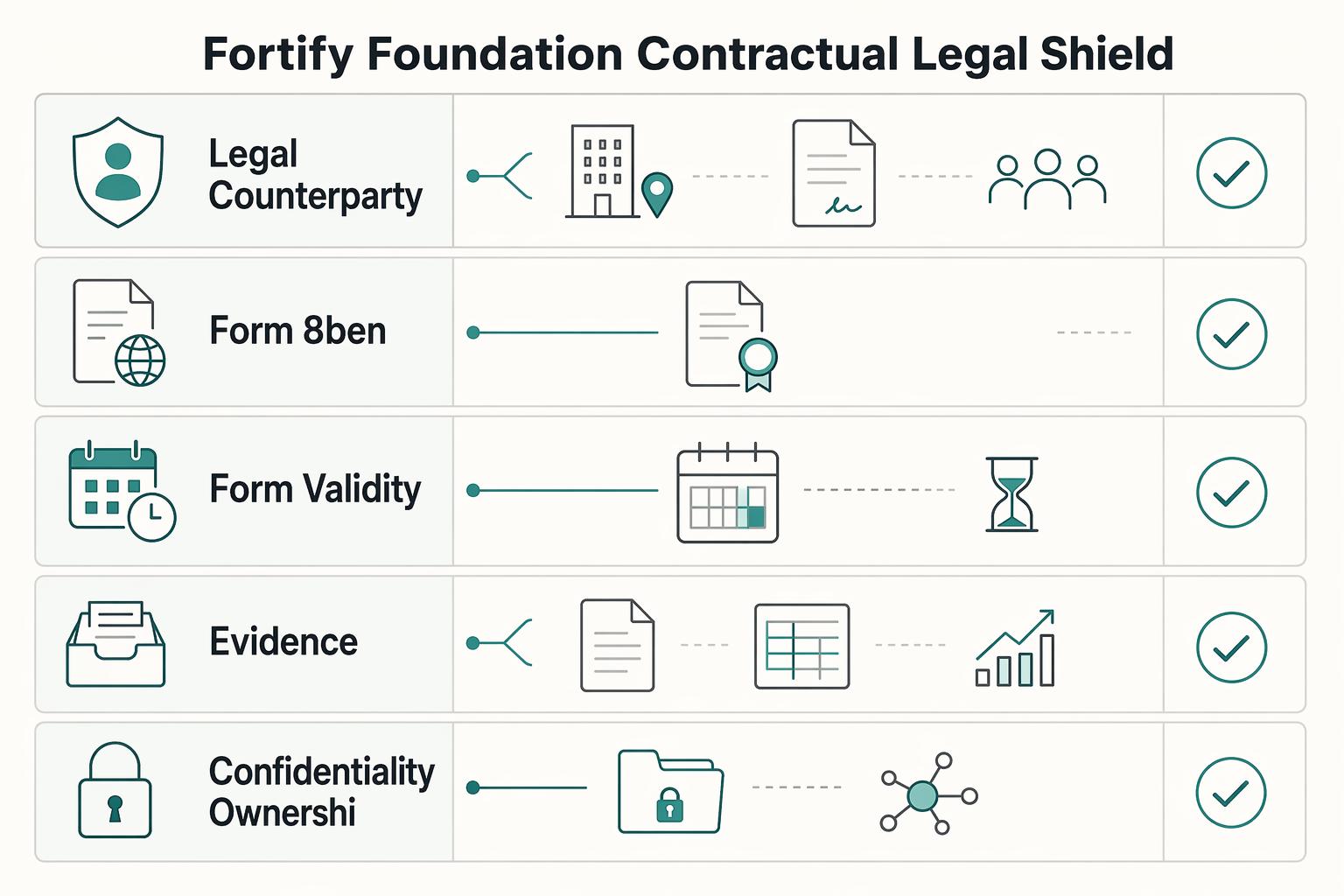
| Record | What to verify |
|---|---|
| Legal counterparty details | Collect full name, address, country of tax residence, and whether you are hiring an individual or an entity before money moves. |
| Form W-8BEN | Where U.S. payer documentation applies, generally used for a foreign individual beneficial owner; check the instructions and exceptions. |
| Form W-8BEN-E | Where applicable, generally used for a foreign entity beneficial owner; other W-8 forms or owner documentation may be required. |
| Form validity | Track the applicable validity period and changes in circumstances; do not assume every certificate has the same expiry. |
| Record match before payment | Match the contract name, tax form, invoice details, and payment destination before sending funds. |
| Records to keep together | Keep the signed agreement, tax form, invoices, and payment records together. |
- Split the relationship into an MSA and project SOWs.
Your Master Services Agreement should hold the standard terms you want to reuse across repeated work with the same person or entity. Each Statement of Work should hold the execution details for a single job, written in result terms where you can: what will be delivered, where the work is performed, the period of performance, and the deliverable schedule.
| Clause or term | Put it in the MSA | Put it in the SOW |
|---|---|---|
| Confidentiality, IP ownership baseline, dispute terms | Yes | Only if a project needs extra terms |
| Payment window, invoicing rules, late payment handling | Yes | Only if a project has a different fee structure |
| Deliverables, acceptance criteria, revision limits | No | Yes |
| Timeline, work location, project fee, milestones | No | Yes |
Verification point: before kickoff, confirm you have one signed MSA and one signed SOW for the specific engagement. If the SOW does not clearly state deliverables and acceptance, you will end up managing through chat instead of through the contract.
- Use a control versus outcome test for classification risk.
A practical test is simple: are you defining the result, or directing exactly how the person works? The IRS looks at behavioral control, financial control, and the relationship of the parties. More detailed instructions point toward employee status. Less detailed instructions point toward independent contractor treatment.
If you set fixed hours, require constant availability, mandate your tools, or give step-by-step instructions, you may be moving toward control. If you set deadlines, quality standards, brand constraints, and approval checkpoints, you are managing the outcome. That is the line to watch in your contracts, meetings, and Slack messages.
Classification depends on the applicable jurisdiction and the actual relationship. U.S. tax and wage-law tests serve different purposes; outcome-based management does not settle either test. Review local rules when the arrangement changes. See What to Do If You've Been Misclassified as an Independent Contractor.
Review a sample week of instructions against the agreed relationship. If the arrangement requires employee-like supervision, reassess the engagement rather than merely rewriting its messages.
- Lock down IP and confidentiality with signed, usable language.
A work-made-for-hire label alone does not establish ownership for every commissioned work. Under 17 U.S.C. §204, a copyright ownership transfer generally requires signed writing, subject to statutory exceptions. Define the rights you need and check:
- ownership transfer for final deliverables, source files, drafts, and revisions
- any license back to the subcontractor for portfolio use or pre-existing materials
- confidentiality obligations plus real secrecy measures, such as limited folder access and access removal at offboarding
- end-of-work handoff expectations, including editable files, credentials returned or rotated, documentation, and third-party license details
- Sequence international onboarding before the first payment.
Collect the legal counterparty, address, tax residence, entity status, and where services are performed. Where U.S. tax documentation applies, a foreign individual beneficial owner generally uses W-8BEN and an entity generally uses W-8BEN-E, but exceptions may require another form or the owner's documentation. These certificates go to the requester rather than the IRS. Check the instructions and track expiry and changes in circumstances.
Keep the agreement, applicable tax documentation, invoice, and payout record linked. Have the tax owner determine sourcing, withholding, and reporting from the actual services and payee status; W-8 collection alone does not settle those obligations. Escalate exceptions under IRS Publication 515 where applicable, alongside local tax, labor, invoicing, and data rules.
If you want a deeper dive, read How to Manage a Global Team of Freelancers.
Keep scope, approvals, and payment records together#
Operational discipline keeps remote subcontractor work predictable. Use one project hub as the source of truth, run a documented workflow for handoffs and approvals, and tie reviews and payments back to the SOW so decisions stay clear when issues come up.
Step 1: Make the project hub the system of record#
Your hub should contain the live SOW, brief, assets, deadlines, feedback decisions, approval status, invoice records, and onboarding documents needed before work starts. Assign one owner to maintain it, even if multiple people contribute updates.
For each deliverable, record:
- handoff owner
- approver
- current version link
- approval decision and date
If decisions happen in chat, copy the final decision into the hub so chat stays for discussion, not recordkeeping. That avoids the common failure mode of scattered manual communication and spreadsheet tracking that makes gaps hard to spot.
Step 2: Choose tools by workflow fit, not brand preference#
Keep the stack lean, but be explicit about what each category is for.
| Category | Decision criteria | Best-fit use case | Failure mode to watch |
|---|---|---|---|
| Project hub | Can it hold scope, files, approvals, and records in one repository? | Multi-deliverable work with handoffs and reviewers | Decisions and versions drift into chat threads |
| Messaging | Is it limited to clarification and coordination, not approvals? | Quick blocker resolution and short async updates | Messaging becomes the unofficial source of truth |
| Payments and records | Does it support repeatable payout tracking and clean records? | Ongoing multi-contractor or cross-border payouts | Exceptions handled ad hoc and records go missing |
Step 3: Set an async operating cadence without surveillance#
Manage to outcomes, not presence. Define communication boundaries up front: where updates are posted, what "blocked" means, who gets escalations when scope or timing is at risk, and how approval decisions are documented.
Keep the review rhythm tied to deliverables and SOW acceptance criteria, not hours online or activity signals. This gives you visibility without micromanagement and keeps accountability attached to agreed outputs.
Step 4: Run payments as an ops sequence, not a one-off task#
Before invoicing, document the agreed payment trigger, including any deposit, retainer, or milestone payment. The tax owner should determine which documentation is required for that payer and payee. Verify invoice and destination details, and resolve discrepancies through a recorded exception process.
| Step | What to do |
|---|---|
| 1 | Confirm prerequisites are complete (signed agreement, active SOW, required onboarding docs). |
| 2 | Validate the invoice against the agreed payment schedule, amount, and scope. |
| 3 | Approve payout through the standard workflow. |
| 4 | Escalate missing required documents, payee discrepancies, or disputed payment triggers; follow applicable withholding and contract rules rather than imposing a blanket nonpayment rule. |
| 5 | Store agreement, tax form, invoice, and payment record together. |
Assign an owner to verify jurisdiction-specific requirements before access or payment; record the decision and its evidence.
For a related example, see How to Build and Manage a Team of Freelance Creatives.
Align on outcomes and review each delivery cycle#
If you want subcontractors to operate more like partners than task takers, use a simple alignment system from kickoff through each delivery cycle.
Step 1 Write and confirm an alignment brief at kickoff#
Start with a short brief in your project hub, review it live, and lock the final version next to the active SOW. Your brief should define:
| Brief element | What to define |
|---|---|
| Business outcome | The result this work should drive, not just the file to ship. |
| Definition of Done | The quality standard and release gate for each deliverable; if it misses the agreed standard, it is not done. |
| Decision rights | Who is Responsible, who is Consulted, and one person who is Accountable for each decision area. |
| Communication lanes | Channel, update cadence, and owner for each message type. |
| Escalation path | Escalation triggers, who joins, and whether work pauses while scope, timing, or approval issues are resolved. |
Before work starts, verify that this brief matches the SOW acceptance criteria, timeline, and approver names.
Outcome-based reviews support a clearer engagement, but classification also depends on financial control, the parties' relationship, and applicable local tests. Reassess the arrangement if actual work becomes staff-like.
Step 2 Score outcomes, not activity#
Use an outcomes scorecard tied to the SOW so approvals stay objective and scope disputes stay smaller.
| Scorecard item | What to check | Record at approval |
|---|---|---|
| Deliverable completion | Shipped as defined in SOW | Met / Not met |
| Quality gate | Meets Definition of Done | Pass / Rework |
| Timeline reliability | Delivered on SOW timeline | On time / Late (+ reason) |
| Revision boundary | Within agreed revision rounds | In scope / Out of scope |
| Value alignment | Supports the stated business outcome | Yes / Needs adjustment |
Agree measurable thresholds before using them for acceptance, including permitted error rates and revision rounds. Keep the measures tied to the deliverable and business outcome.
Step 3 Give feedback that is specific enough to act on#
Use specific feedback tied to situation, behavior, and impact so the next revision is clear.
| Area | Weak feedback | Effective feedback you can reuse |
|---|---|---|
| Copy | "This doesn't sound right." | "In the homepage hero, the tone reads cautious. We need a more direct voice for this audience. Please rewrite the first two lines to be clearer and more confident." |
| Design | "Can you make it pop more?" | "In the launch graphic, contrast is too muted for the campaign goal. Please test a version with the approved secondary colors and stronger headline hierarchy." |
| Delivery reliability | "You need to communicate better." | "This milestone slipped without notice. When timing risks appear against the SOW timeline, flag them in the agreed channel immediately and note impact on the next handoff." |
Step 4 Run a short partnership review each cycle#
At the end of each milestone or cycle, run a brief retrospective: what improved quality, what caused rework or delay, and what to change next cycle. Log risk flags such as repeated late blocker reporting, recurring scope confusion, or revisions repeatedly exceeding SOW boundaries, then update the next cycle's brief, decision owner, and acceptance criteria.
Related: How to Manage a Software Project in ClickUp with a Remote Team.
Frequently Asked Questions
How do I protect my business before work starts?
Use a relationship-level agreement plus a project-level document, then verify both are signed before access or delivery begins. If the subcontractor will touch client data or internal systems, do not grant access until they have agreed in writing to the legal, privacy, and security obligations that apply in your program. A common failure mode is starting in Slack and papering it later.
What is the cleanest payment process for cross-border subcontractors?
Set the payment mechanics before work starts. Pick the currency, invoice timing, payment trigger, and who absorbs transfer or conversion costs. Then collect any required compliance or payment documentation, verify the payee's legal name and payout details, and store the invoice and payout confirmation together. When you choose a platform, look for country coverage, fee visibility, payout options, and exportable records first, not just convenience.
What should I check on every invoice before paying it?
Match the invoice to the active agreement, agreed payment trigger, amount, and named payee. A deposit or retainer may be payable before final acceptance. Record any approval required by that schedule and resolve discrepancies without inventing new payment conditions.
Which contract clauses matter most in a subcontractor agreement?
At minimum, your documents should address scope, payment trigger, acceptance, revisions, confidentiality, security obligations, ownership or usage rights, and how either side can end the engagement. If sensitive data is involved, written compliance language matters, and the subcontractor should agree to follow applicable laws and your privacy and security policies. If you are flowing work down from a larger client or regulated contract, check the upstream terms and required clauses before reusing your standard paper.
How do I reduce misclassification risk without micromanaging the work?
Define deliverables, deadlines, and approval points while preserving the subcontractor's agreed autonomy. A security or client requirement does not create an exemption from classification rules. If the work requires staff-like supervision, review the actual arrangement and applicable local tests.
What tools do I actually need to manage remote subcontractors well?
Keep the stack small: one project hub, one primary communication channel, one file location, one invoicing path, and one payment record. The test is simple: you should be able to find the current scope, latest brief, final files, invoice, and payout proof in under two minutes. If updates live in email, chat, and a project board at the same time, version confusion is already happening.
What if scope is unclear before signing?
Resolve unclear deliverables, acceptance criteria, pricing, and revision limits in writing before signing. Record later changes through the agreed change process so extra work and payment expectations remain visible.
What if a subcontractor needs access to sensitive client information or internal systems?
Treat that as a separate approval decision, not a default part of onboarding. As a practical baseline, only give access after the written agreement is signed and after you have confirmed the subcontractor is authorized for that access and has accepted the relevant compliance obligations. Also log who approved access, what was granted, and when it should be removed.
Try a related tool
Researched and edited by the Gruv editorial team. Gruv builds cross-border billing, payouts, and finance-operations software for global businesses.
Sources
Educational content only. Not legal, tax, or financial advice.
Related Posts

What to Do If You've Been Misclassified as an Independent Contractor
If a business calls you an independent contractor but directs your work like an employee, check the rules for the rights you need to recover. A contract label, LLC or Form 1099 does not decide every legal status. Federal wage law, federal employment taxes and state employment laws can use different tests and provide different remedies.
How to Manage a Global Freelance Team Without Compliance Gaps
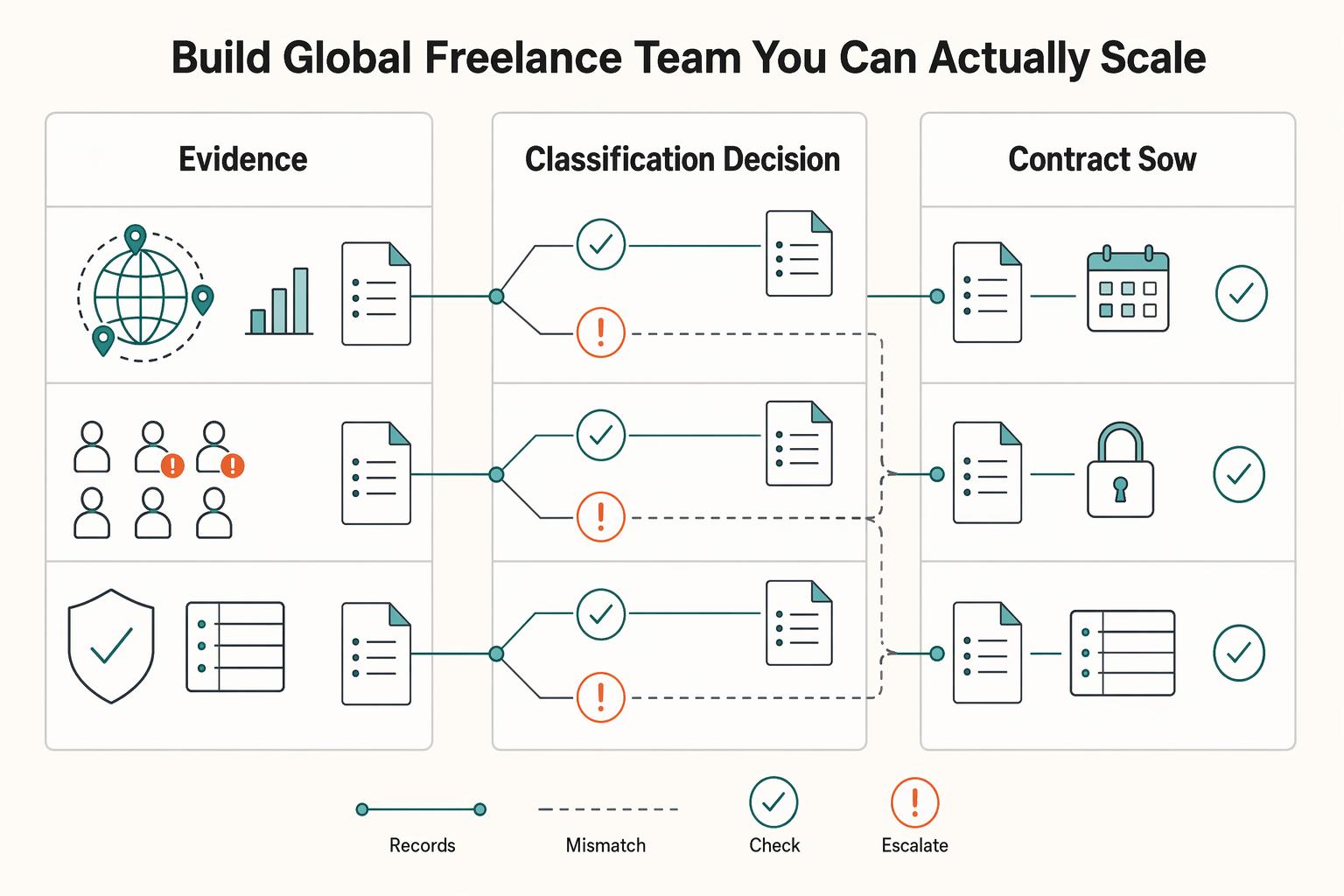
If you want to manage a global freelance team without constant cleanup, use the same intake-to-payout process for every engagement and save an artifact at each gate. Common failure points are instinct-based classification, vague scope, and payments approved in chat with no audit trail.

The Freelance Payment Penalty: A Modeled Audit of Platform Fees, FX Spreads, and Payout Delays
The money rarely disappears through a single, easy-to-spot fee. The real loss is stacked. A marketplace takes its commission, a processor adds a charge for international cards, a bank or payment company converts the currency at a spread, a platform holds the funds before release, and a wire sheds a little to intermediaries on the way in. Each layer looks defensible on its own, but the worker feels the combined result as a smaller deposit and a later payday.