
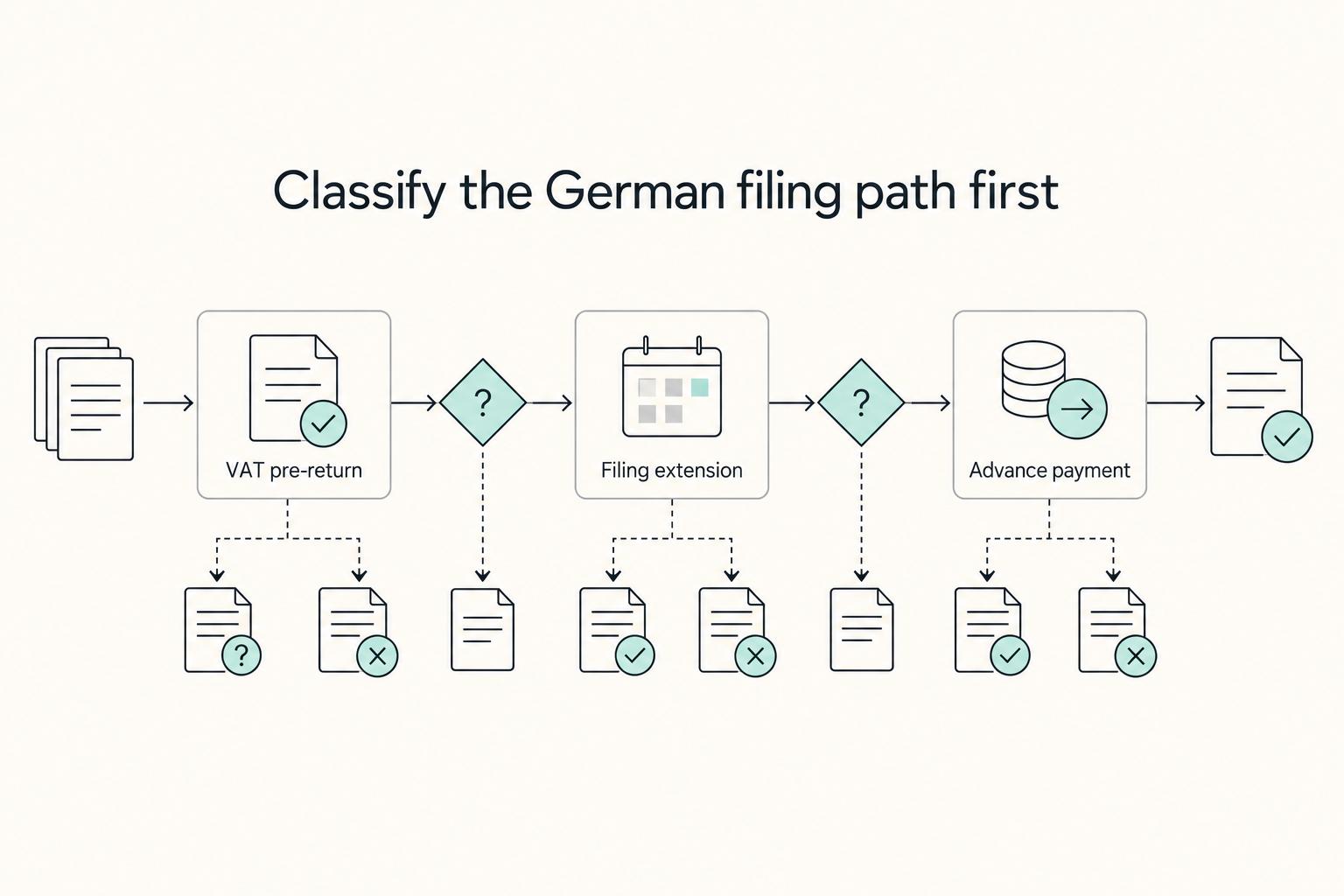
Quick Answer
Confirm your filing frequency in ELSTER and with your latest Finanzamt notice, then run each period on the same timetable. For german vat prepayments, submit Umsatzsteuervoranmeldung and payment by the 10th day after period end, moving to the next working day if needed. Use Dauerfristverlängerung only when the extra month improves reliability; monthly filers then handle Sondervorauszahlung, while quarterly filers do not. File a zero return when required and keep submission and payment evidence together.
How your filing case sets your VAT cadence and deadlines#
Before you start
Get the one number that sets your filing rhythm: your previous year's VAT if you are established, or your expected VAT in the founding year if you are newly registering. Keep that figure and any letter from your Finanzamt together before you start in ELSTER.
Treat German VAT prepayments as a recurring operating process, not a one-off tax task. Your first call is simple: are you a new filer or an established filer, and which VAT figure will your tax office use to set your cadence?
Step 1. Classify your filing case#
Start by putting yourself in the right filing bucket, because that drives everything that follows. In practice, that means deciding whether your tax office will use your previous year's VAT or your expected VAT in the founding year.
| Term | What it means | When it applies |
|---|---|---|
| Umsatzsteuervoranmeldung | Electronic advance VAT return | For each elapsed month or quarter |
| Dauerfristverlängerung | Standing extension | If requested, can move filing and payment deadlines by one month |
| Sondervorauszahlung | Special prepayment | Linked to monthly filers who want that extension |
- Established filer: the advance filing period is regularly based on your previous year's VAT.
- First-time registrant: the advance filing period is based on the expected tax in the founding year.
Those three labels appear throughout the rest of this guide, so keep the table above handy.
Step 2. Confirm cadence before your first filing#
Do not build your calendar from an old screenshot or a stale summary. Current Finanzamt Baden-Württemberg guidance uses €9,000 for monthly filing and €2,000 as a level where advance filings may be waived. Another official federal FAQ still shows older €7,500 wording. Confirm what your responsible Finanzamt applies to your case now.
| Cadence | When it usually applies | Workflow impact | Extension impact |
|---|---|---|---|
| Monthly | Use the current verified threshold and the current treatment for new businesses. | File one Umsatzsteuervoranmeldung for each elapsed month. | Dauerfristverlängerung may apply; monthly filers generally need Sondervorauszahlung. |
| Quarterly | Use the current verified threshold and the current treatment for new businesses. | File one advance return for each elapsed quarter. | Extension can be used without special prepayment. |
| No advance filings (if exempt) | Use the current verified threshold. Finanzamt BW guidance states advance filings may be waived at or below €2,000 prior-year VAT. | No regular advance-return cycle if waived. | No advance-return deadline to extend. |
Step 3. Set one repeatable deadline rule#
Once your cadence is clear, lock in one deadline rule and run it every period: file by the 10th day after the reporting period ends. If the 10th falls on a weekend or public holiday, the deadline moves to the next working day.
If you request Dauerfristverlängerung, filing and prepayment deadlines can move by one month. For quarterly filers, no Sondervorauszahlung is required. For monthly filers, the special prepayment is generally 1/11 of prior-year advance payments. During an ongoing extension, it is filed and paid each year by 10 February.
If a period has no VAT activity, do not assume you can skip filing. Unless your tax office has exempted you from advance filings, you still submit the return for that elapsed period. If you want a deeper dive, read Digital Nomad Taxes in 2026 With a Defensible Filing Plan.
The Deadline Extension Dilemma: Is the 'Dauerfristverlängerung' Right for You?#
Use Dauerfristverlängerung when the extra month will materially improve filing reliability. It gives you one more month for both your Umsatzsteuervoranmeldung filing and the related VAT prepayment. It changes timing, not the underlying VAT amount due.
Your baseline deadline is the 10th day after period end. With the extension, that deadline shifts by one month. The request is generally submitted electronically. No separate approval notice is issued, so you proceed unless your Finanzamt rejects the request.
| Decision factor | Quarterly filer | Monthly filer |
|---|---|---|
| Eligibility mechanics | Can use the extension without Sondervorauszahlung. | Must calculate, register, and pay Sondervorauszahlung with the request. |
| Cash-flow impact | Usually favorable: extra time with no deposit requirement. | Mixed: extra time, but temporary liquidity is tied up in the special prepayment. |
| Admin burden | Lower: no annual special-prepayment cycle while the extension is active. | Higher: self-calculate, register, pay, and repeat annual handling while active. |
| Common failure points | Treating the extension as a loose option instead of a firm calendar change, then missing shifted deadlines. | Miscalculating the prepayment, missing the annual handling, or treating it like a permanent cost. |
For monthly filers, this is mostly a liquidity and process decision. The special prepayment is 1/11 of prior-year advance payments. It is generally registered and paid each year by 10 February during an active extension, and it is credited in the last advance-payment period of the year. Only any remaining claim after offsetting is refunded.
Should you apply now? Apply if most of this is true:
- Your filing cadence is confirmed as monthly or quarterly.
- The extra month will reduce deadline pressure in practice.
- If you file monthly, you can absorb the temporary cash lock-up.
- You can submit electronically and keep filing and payment evidence.
- You can handle the annual special-prepayment cycle without gaps.
Escalate to a tax advisor before applying if your filing classification or registration status is unclear. Do the same if your tax office communication is inconsistent on whether you are monthly, quarterly, or exempt. Related: Can Digital Nomads Claim the Home Office Deduction?.
Verify your 'Sondervorauszahlung' setup before you calculate and file#
If you are evaluating Sondervorauszahlung with Dauerfristverlängerung, treat it as a verify-first task. Confirm whether it applies to your account, then work from documented inputs only.
For this step, rely on live account status and current instructions, not a prior-year template. Before you act, confirm requirements in ELSTER, your latest tax-office notice, or with your tax advisor.
1) Confirm applicability before you calculate#
First confirm your current filing setup and whether your extension is active or planned. If your account status is unclear, stop and verify it. Do not reuse last year's pattern without checking that it still matches your current setup.
2) Compute from records, not memory#
Build any amount from traceable VAT records and keep a clear calculation trail, then use that same record set for the filing.
- Base period: confirm the applicable period from current official guidance
- Formula: confirm the current calculation method before filing
- Evidence to retain: prior VAT submissions, payment ledger, calculation sheet, and any advisor or Finanzamt instruction
3) Use an ELSTER pre-submit checklist#
Before submitting, validate core inputs in one pass and verify required fields directly in ELSTER:
- Tax number and filing period
- Confirmed calculated amount
- Declaration entry in the correct workflow for your account
- Payment routing method and reference details
- Saved proof: submission confirmation, payment proof, and dated calculation copy
4) Use a same-day response if anything is off#
If the amount, timing, submission status, or payment routing looks wrong, act the same day. Recheck the calculation, confirm whether the declaration was accepted, and contact the tax office or your advisor with your evidence pack ready. Escalate to a tax advisor when your filing frequency changed mid-year, records do not reconcile, or account-specific treatment is unclear.
You might also find this useful: A Guide to 'Making Tax Digital' for UK Freelancers.
Run the same filing sequence every cycle#
The safest approach is to run the same sequence every cycle: verify ELSTER access, calculate from records, submit the Umsatzsteuer-Voranmeldung, and pay on time. Before each cycle, confirm the filing rhythm your Finanzamt has assigned to you. Official guidance can show different threshold figures, so treat your latest tax-office notice or ELSTER account as the main reference.
1. Run an ELSTER check before filing week#
Access problems are one of the easiest ways to create avoidable lateness, so check them before filing week, not during it.
| ELSTER check | What to confirm |
|---|---|
| Login access | You can log in to ELSTER |
| Certificate file | It is available on the device you will use |
| Electronic authentication | It works and is required for UStVA submission |
| Return workflow access | The person filing can access the correct return workflow |
| Activation setup | Activation data can be blocked after 3 incorrect entries |
| Registration status | Verify setup status early in Mein ELSTER |
| Hardship route | Request it only if electronic submission is genuinely not feasible |
Run those checks with the device and account you will actually use:
- Test the login and certificate file before filing week.
- Make sure electronic authentication works and that the person filing can reach the correct return workflow.
- If you are activating access, avoid lockout risk: activation data can be blocked after 3 incorrect entries.
- Do not assume a fixed registration lead time; verify setup status early in Mein ELSTER.
- If electronic submission is genuinely not feasible, request the hardship route. Do not build your normal process around it.
2. Calculate with a 3-part workflow from reconcilable records#
Do not calculate from memory or from your bank balance alone. Build the filing from records you can reconcile.
| Calculation part | What it covers |
|---|---|
| Output VAT | VAT from your sales invoices for the period |
| Input VAT (Vorsteuer) | Deductible VAT from eligible business purchases |
| Net payable (Zahllast) | Output VAT minus deductible input VAT |
Before you file, reconcile these inputs:
- issued invoices for the period
- supplier invoices and receipts
- bank and payment ledger
- prior-period corrections or carry-forwards still affecting this period
If the records do not reconcile, pause and fix the mismatch before submission.
3. File and pay to the legal timeline#
Once the numbers tie out, move straight to filing and payment against the legal deadline.
- Standard rule: submit by the 10th day after the filing period.
- Standard rule: VAT prepayment is also due by the 10th day after the filing period.
- With Dauerfristverlängerung (if your application is not rejected): filing and payment deadlines move by 1 month.
- If you are a monthly filer using that extension: file and pay Sondervorauszahlung by 10 February each year. It is then accounted for in the final prepayment period of that tax year.
Save evidence each cycle: submission confirmation, payment proof, and the dated calculation sheet.
| Activity | Standard filing | With Dauerfristverlängerung |
|---|---|---|
| Prepare | Close records right after period end and run reconciliation | Same preparation timing; use the extra month for controlled review, not delay |
| Submit UStVA | By the 10th day after the filing period | One month later than standard |
| Pay VAT | Due by the 10th day after the filing period | Due on the extended deadline (one month later) |
4. Use a same-day response if anything slips#
When something slips, speed matters. Deal with it the same day while the facts and records are still in front of you.
| Risk | Immediate control action | Escalate to tax advisor when |
|---|---|---|
| Late filing (Verspätungszuschlag risk) | File as soon as possible and keep proof of submission | mismatches repeat across periods or records are incomplete |
| Late payment (Säumniszuschlag risk) | Pay immediately; AO §240 sets 1% per begun month on the rounded overdue tax amount | payment allocation or account treatment is unclear |
| Uncertain VAT treatment | Hold filing until treatment is clarified | you are not sure how a transaction should be treated in UStVA |
| Extension or special-prepayment uncertainty | Recheck ELSTER account status and current notices | crediting of the extension or Sondervorauszahlung is unclear |
We covered this in detail in VAT for UK Freelancers Without Filing Surprises.
Before each ELSTER submission, sanity-check invoice VAT treatment so your prepayment totals stay clean with the VAT Reverse Charge Checker.
Conclusion: Confirm your setup, keep one record set, and escalate early#
The practical way to stay in control is simple: confirm your assigned setup, run the same filing routine every period, and escalate early when the facts change. Use this decision frame before you change anything:
| Your main constraint | Default move |
|---|---|
| You are missing deadlines or fixing avoidable errors | Prioritize more process buffer in your current approved setup, then lock calendar reminders and review steps. |
| Cash is tight | Avoid optional changes that make timing easier but strain liquidity in your specific setup. |
| Your current routine is stable | Keep the current setup and focus on execution discipline, not frequent process changes. |
Keep one main record set: your latest local tax office notice, submission status, filing confirmations, and payment proof in one place. If those records conflict, pause and verify before filing.
Also check the annual return deadline. The cited general deadline for the preceding calendar year return is 31 July with the local tax office. A professional tax adviser can shift that timeline to 28 February of the subsequent year. Authorities may still request earlier filing in individual cases, and deadline regimes can change, so recheck current rules each cycle.
Late filing can trigger penalties. If rules or facts are unclear, confirm the current position and get adviser support before you submit.
For a step-by-step walkthrough, see How to Get a German Tax ID as a Freelancer Without Mix-Ups.
If your filing setup is changing or spans multiple countries, confirm a safer operating workflow with Gruv's team.
Frequently Asked Questions
What is a *Dauerfristverlängerung*?
It gives you a one-month extension for both filing your Umsatzsteuer-Voranmeldung and paying the related VAT prepayment. It is optional and not automatic, so you must apply separately in ELSTER. VAT advance returns are filed electronically with authentication, so confirm your ELSTER access first. If your filing period is unclear or your notice and ELSTER status conflict, talk to a tax adviser.
How do you calculate the *Sondervorauszahlung*?
If you file monthly and use the extension, your special prepayment is 1/11 of the total prior-year VAT prepayments. You must register and pay it by 10 February each year while this setup is active. Before submitting, check that your monthly status is correct and that your prior-year base matches your filed returns.
Is the extension worth it for a freelancer?
Usually, this is a process decision: you get more time to file and pay correctly. If you file quarterly, that extra month comes without a special prepayment. If you file monthly, weigh better deadline control against tying up cash in the annual deposit. If your turnover pattern is changing or submissions are repeatedly late, talk to a tax adviser.
Do quarterly filers make a *Sondervorauszahlung*?
No. Quarterly filers can receive the extension without a special prepayment. You still need to submit the extension application in ELSTER. As a quick check, quarterly status plus an approved extension should not include a special-prepayment budgeting step.
What happens if I have no VAT to report for a period?
If you are required to file for that month or quarter, submit the pre-return with zero values instead of skipping the period. The filing duty follows your assigned filing status, though exemptions can apply, such as the Kleinunternehmerregelung in normal cases. Use the current ELSTER return path and form version for the period you are filing. If you are unsure whether you are exempt or still required to file, talk to a tax adviser.
Try a related tool
Researched and edited by the Gruv editorial team. Gruv builds cross-border billing, payouts, and finance-operations software for global businesses.
Sources
Includes 3 external sources outside the trusted-domain allowlist.
- europarl.europa.eu/doceo/document/TA-9-2024-04-11_EN.htmltrusted
- taxation-customs.ec.europa.eu/document/download/b27fa96f-3c3a-4593-b224-21...trusted
- brighttax.com/blog/germany-corporate-tax-rateexternal
- finanzamt-bw.fv-bwl.de/%2CLde/Startseite/Service/Welche%2BAbgabefri...external
- finanzamt-bw.fv-bwl.de/%2CLde/Startseite/Service/Was%2Bmuss%2Bich%2...external
Educational content only. Not legal, tax, or financial advice.
Related Posts

Digital Nomad Taxes in 2026 With a Defensible Filing Plan
With digital nomad taxes, the first move is not optimization. It is figuring out where you may be taxable, where filings may be required, and what proof supports that position.

Can Digital Nomads Claim the Home Office Deduction?
Claim the deduction only when your facts and records can carry it. With the home office deduction for digital nomads, the real decision is usually a three-way call: claim it, do not claim it, or pause and get help because your file is not ready.
Making Tax Digital for Income Tax for UK Freelancers: Who Needs It and When
Making Tax Digital for Income Tax is moving into mandatory rollout, not just sitting on the list of future admin changes. Some sole traders and landlords must use it from **6 April 2026**. Your immediate job is to confirm whether you are in scope, get your digital records into shape, and avoid a rushed software switch.