
Quick Answer
Choose your control model first: get your own ISBN from your national agency if you want imprint ownership and cross-service flexibility, or use a platform-issued number only for a tightly bounded print test. In the U.S., that agency path goes through Bowker. Then assign one 13-digit ISBN per specific format and edition, log it in one register, and confirm the number in your files matches the listing setup before launch.
Choose Your Workflow and Build a Register Before You Assign an ISBN#
When you're deciding how to handle identifiers for a self-published book, make one decision first: which workflow you'll use and where you'll verify the current rules. Detailed ISBN rule guidance isn't settled here, so treat old assumptions as unverified until you confirm them in live documentation.
| Source | Compare | Reminder |
|---|---|---|
| Final file package | Identifier and core metadata | Confirm you are using the current export, not an older proof or test file |
| Listing setup page | Identifier and core metadata | Open it side by side with the final file package and internal register |
| Internal register | Identifier and core metadata | If anything looks inconsistent or uncertain, pause and reconcile the register first before launch |
Avoid planning from memory alone. Keep an internal register by product version, and confirm current requirements directly in the path you choose before you upload anything.
| Practical issue | What to verify in your chosen path | What to record internally |
|---|---|---|
| Publisher identity | Which name appears in the record or listing | The exact name you intend to use |
| Portability | Where the identifier can be reused, if at all | Any limits noted in current docs |
| Metadata control | Where title, author, and imprint details are edited | The fields and owner for updates |
| Operational effort | Which setup steps are required now | A short checklist for launch |
Step 1. Choose your workflow and write that choice down#
Choose your workflow, then write that choice down before you create listings or export final files. If your plan is still unclear, do not fill the gap with old screenshots, forum answers, or copied checklists.
If the documentation you need is blocked or incomplete, treat that as a checkpoint: verify against live help content, and if access appears blocked in error, use the source's "Contact us" path.
Step 2. Build a simple register before launch#
Build a simple register before launch. Track the working title, author name, imprint spelling, product version, chosen workflow, and the identifier once assigned. Use the same title, author, and imprint strings across your files, listing draft, and register to reduce version confusion.
Step 3. Run one short verification sequence before you approve anything#
Run one short verification sequence before you approve anything. Open your final file package, the listing setup page, and your internal register side by side. Confirm you are using the current export, not an older proof or test file, then compare identifier and core metadata across all three.
If anything looks inconsistent or uncertain, pause and reconcile the register first before launch.
For a step-by-step walkthrough, see How to Find a Book Editor for Your Manuscript Stage.
Your ISBN: The Foundational Layer of Your Publishing Business#
Treat ISBN setup as a control decision: it affects who owns your publisher identity, how flexible your channel plan stays, and how much workflow you manage yourself. If you want long-term control, decide your identifier route before you upload anything.
| Field | Keep identical across |
|---|---|
| Title | Register, platform setup, and final files |
| Author name | Register, platform setup, and final files |
| Imprint | Register, platform setup, and final files |
| Language | Register, platform setup, and final files |
| Channel labels | Register, platform setup, and final files |
An owned ISBN identifies you as the publisher of record and gives you control over metadata and distribution choices. A platform-managed path can reduce setup work, but it may limit how far that identifier travels. Keep ASIN separate from ISBN planning so an Amazon ebook workflow does not get mixed into broader distribution decisions.
Step 1. Choose the route that matches your real publishing plan#
Choose the route that matches your real publishing plan.
| Identifier route | Best fit | What to verify first |
|---|---|---|
| Agency-owned ISBN | You want your imprint tied to the record and may publish beyond one network | Final imprint naming, assignment workflow, and where you plan to distribute |
| Platform-managed identifier path | You want lower setup overhead in one platform workflow | Publisher display, reuse limits, and portability terms |
| Amazon ASIN (KDP ebook) | You are publishing an ebook on KDP and only need Amazon listing identity | That you are treating ASIN as Amazon-only, not as a substitute for ISBN |
ASIN can be useful, and Amazon assigns it free of charge for KDP ebooks. But it is Amazon's internal identifier and cannot be used to sell the same book on Apple Books, Kobo, or Barnes & Noble. If non-Amazon ebook channels or library distribution matter to your plan, keep ISBN in scope.
Step 2. Create a separate register row for each sellable version#
Run one operating rule: one product variant, one identifier record, one metadata standard.
Create a separate register row for each sellable version, then assign the right identifier type to that version. Keep title, author name, imprint, language, and channel labels identical across your register, platform setup, and final files. If you are unsure about assignment rules for a version, verify before you assign.
Step 3. Do your pre-publish checks in order#
Do your pre-publish checks in order: register, then platform setup, then final files.
Compare each field side by side, then confirm your files are current. Most avoidable launch errors come from the same patterns:
- copied setup fields from an older version
- stale cover or interior files from an earlier export
- inconsistent naming across register, setup, and files
If title, author, imprint, or identifier type does not match across all three, stop and reconcile before approval.
Once this is locked, choose your publishing route in The Best Platforms for Self-Publishing Your Book. For pricing strategy after launch, see Value-Based Pricing: A Freelancer's Guide.
How to Execute Your ISBN Strategy: The Two Paths#
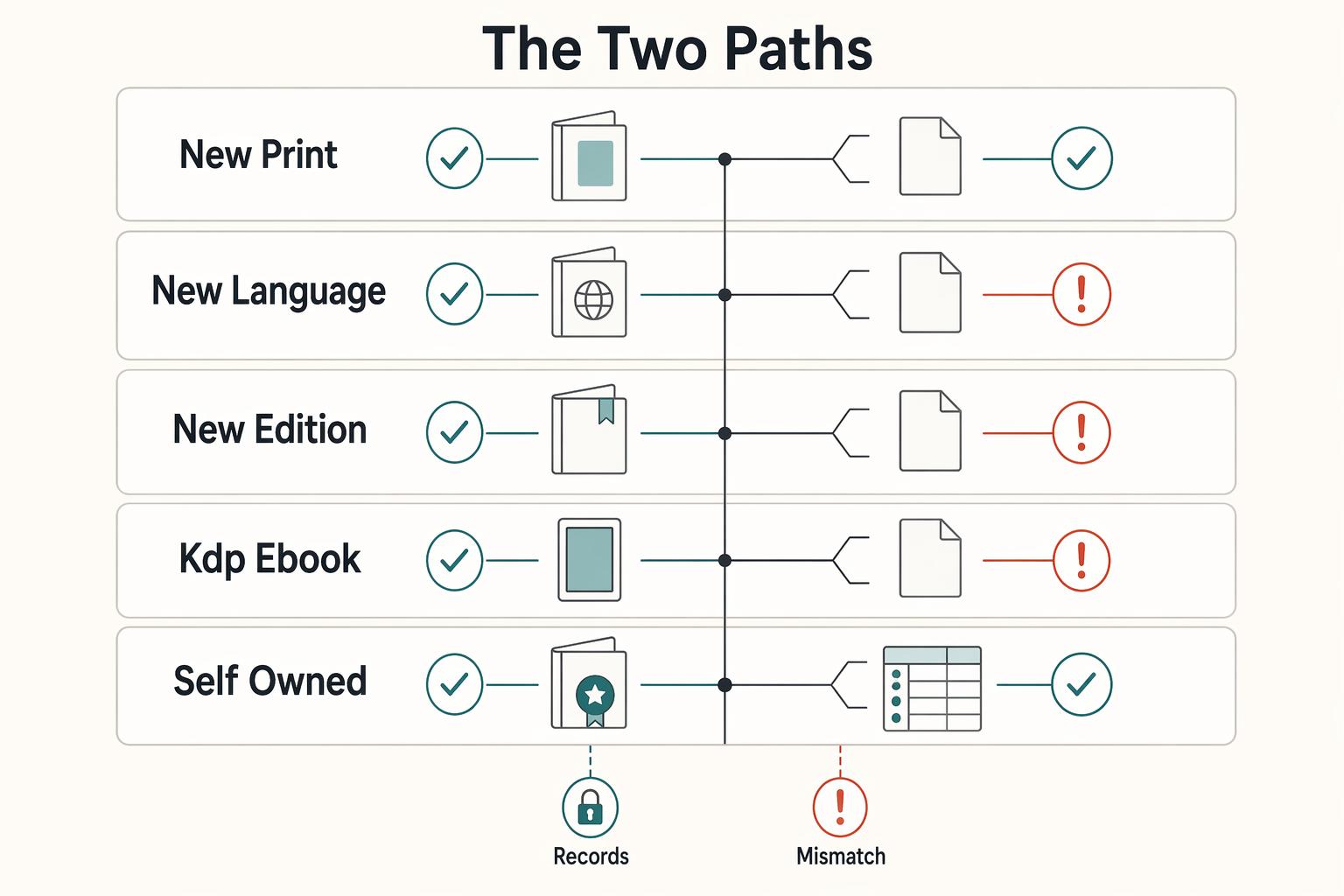
Handle this in four moves: choose your path, lock one source of truth, assign by product variant, and publish only after a full pass check. Use the self-owned path if you want imprint control and reuse across services; use the free KDP path only for an intentionally KDP-only print release.
| Product variant | Identifier | Rule |
|---|---|---|
| New print format (paperback vs hardcover) | New ISBN | Use one 13-digit ISBN per print product variant |
| New language edition | New ISBN | Use one 13-digit ISBN per print product variant |
| New edition with substantial change | New ISBN | Use one 13-digit ISBN per print product variant |
| KDP ebook | ASIN workflow | KDP ebooks do not require ISBN |
| Path | Identity | Portability | Control | Admin effort | Best-fit use case |
|---|---|---|---|---|---|
| Self-owned ISBN through your official national ISBN agency | Your imprint is tied to the registered record | Can be used to publish the same book on other publishing services | You control registered publisher details and metadata source | Higher setup and recordkeeping | You want your imprint attached, expect wider distribution, or want easier migration later |
| Free KDP ISBN | KDP shows the imprint as "Independently published" | Cannot be used outside KDP | Less control over publisher identity and reuse | Lower setup inside KDP | You are publishing a KDP-only paperback or hardcover and do not need that print ISBN elsewhere |
Step 1. Choose the path by intent. Choose self-owned if this print edition needs your imprint on record or may be reused on other services. Choose free KDP only for a narrow KDP print use case. KDP states free ISBNs are for paperback/hardcover only, cannot be used outside KDP, and are not available for low-content books.
Step 2. Set one source of truth before entering metadata. If you use your own ISBN, apply through your official national ISBN agency. Then lock your imprint in its final form and use that same standard everywhere. On KDP, title, author, and publisher details must match the ISBN registration details; those fields are case-sensitive, and even trailing spaces can cause mismatch errors. Copy and paste from your agency record into KDP fields to avoid drift, and keep the ISBN International guide on where to get an ISBN bookmarked for jurisdiction-specific routing.
Verification point: compare the agency record and platform fields side by side. If title, author, or imprint differs by capitalization, punctuation, or spacing, fix it before continuing. If you update Bowker metadata, allow up to 5 business days for KDP pickup.
According to the current KDP help flow, a free KDP ISBN is a $0 option for a KDP-only print edition, so write that route into your register with the date you checked it. However, if your last confirmation came from a 2024 screenshot and your upload is happening in 2026, reopen the live help page before you approve the files.
Step 3. Assign identifiers by product variant. Treat each sellable version as its own product record. Use one 13-digit ISBN per print product variant, and keep ebook handling separate on KDP.
- New print format (paperback vs hardcover): new ISBN.
- New language edition: new ISBN.
- New edition with substantial change: new ISBN.
- KDP ebook: ASIN workflow (KDP ebooks do not require ISBN).
Do not mix ASINs into your print ISBN register. Do not reuse one print ISBN across multiple formats or editions. For published KDP books, ISBN cannot be changed in place.
Step 4. Run a final validation gate and approve only on pass. Before publishing, compare your register, listing metadata, and proof files.
- Pass register: one product row with one exact format, edition, language, and identifier.
- Pass listing metadata: title, author, and imprint exactly match the agency record or the selected KDP path.
- Pass proof files: cover and interior reflect current imprint/edition/identifier and not an older export.
If any check fails, stop and fix before approval.
If your ISBN setup is done and you are choosing channels next, read The Best Platforms for Self-Publishing Your Book. Related: How to Write a Book to Establish Your Freelance Expertise.
Your Book is a Business Asset. Treat It That Way.#
Treat your ISBN workflow as ongoing catalog work, not a one-time setup task. Before you buy or assign anything, decide whether the publisher identity is your personal name or your LLC, then keep that choice consistent across your records and files.
| Step | Action | Verification before you move on |
|---|---|---|
| Step 1 | Define the release record | You can clearly state the title, author name, and whether publisher identity is personal name or LLC |
| Step 2 | Standardize metadata | Title, author name, and imprint are written the same way everywhere, including punctuation, spacing, and abbreviations |
| Step 3 | Log one master record | One register entry ties the identifier to the current product record, files, listing status, and chosen publisher identity |
| Step 4 | Reconcile files and listing | Cover, interior, and listing all match the current register entry rather than an older draft |
| Step 5 | Release readiness gate | No unresolved drift remains between register, listing, and production files before approval |
Keep your risk checks simple and explicit: inconsistent imprint formatting, outdated production files, register-versus-listing drift after edits, and format confusion between paperback, hardcover, and ebook records. Use a 3-point release check before approval: confirm the 13-digit identifier, confirm the imprint string matches everywhere, and confirm the product row points to the right edition and channel. If any mismatch appears, pause publication and reconcile first.
After launch, update your master register immediately after each change, then reconcile external metadata before escalation. Record the change date, the affected format, the identifier route you used, and any waiting period you still need to monitor, such as a metadata sync window. That discipline keeps troubleshooting focused on confirmed gaps in title, author, imprint, edition, and distribution records instead of guesswork.
Therefore, keep a dated change log beside the register instead of relying on memory alone. If you corrected the imprint in 2025, refreshed the listing in 2026, and later questioned which file was final, that short log will show the exact edit path and the last rule-check date before you troubleshoot.
If you are still choosing distribution channels, start with The Best Platforms for Self-Publishing Your Book. For launch planning next, use Launch Strategies for a Self-Published Book That Drive Client Work. If you need country/program confirmation, Talk to Gruv.
Frequently Asked Questions
Should you use your own ISBN if publisher identity matters?
Yes. If you want your own imprint attached to the record, get your ISBN from the appropriate ISBN agency. In the U.S., that means Bowker, not the Library of Congress. If you are weighing a platform-issued number instead, verify current platform policy before publishing.
Do you need an ISBN for every format?
Each title or edition needs its own unique ISBN, and each format should have its own assignment (for example, paperback, hardcover, and ebook). An assigned ISBN cannot be reused later. Also note that ebooks do not need a digital barcode.
Can you use an Amazon-supplied ISBN somewhere else later?
Verify current platform policy before publishing.
When is the right time to decide between free and self-owned?
Decide before you build final metadata, cover files, or title-page files around that choice. Late changes are messy because your listing, your book files, and your internal register all need to stay aligned. If the free option is platform-issued, verify current platform policy before publishing.
What should you verify right before publication?
Run three checks. Identifier match: the number in your register, files, and listing is the same. Metadata match: your title, author name, and imprint match exactly. Product-variant match: that number is tied to the correct format and edition, not copied from another product. If one check fails, stop before approval.
Does an ISBN protect your copyright?
No. An ISBN supports cataloging and metadata. It does not give you copyright protection or other legal rights by itself. Handle rights protection as a separate process, and if that is your next step, start with How to claim 'copyright' for your self-published book.
Researched and edited by the Gruv editorial team. Gruv builds cross-border billing, payouts, and finance-operations software for global businesses.
Sources
Includes 7 external sources outside the trusted-domain allowlist.
- ask.loc.gov/faq/299738trusted
- bowker.com/isbn-usexternal
- grp.isbn-international.org/content/about-isbn/349external
- isbn-international.org/content/isbn-assignmentexternal
- isbn-international.org/content/where-get-isbnexternal
- isbn.org/about_ISBN_standardexternal
- isbn.orgexternal
- kdp.amazon.com/en_US/help/topic/G201834170external
Educational content only. Not legal, tax, or financial advice.
Related Posts
Value-Based Pricing for Freelancers Under Real Payment Risk
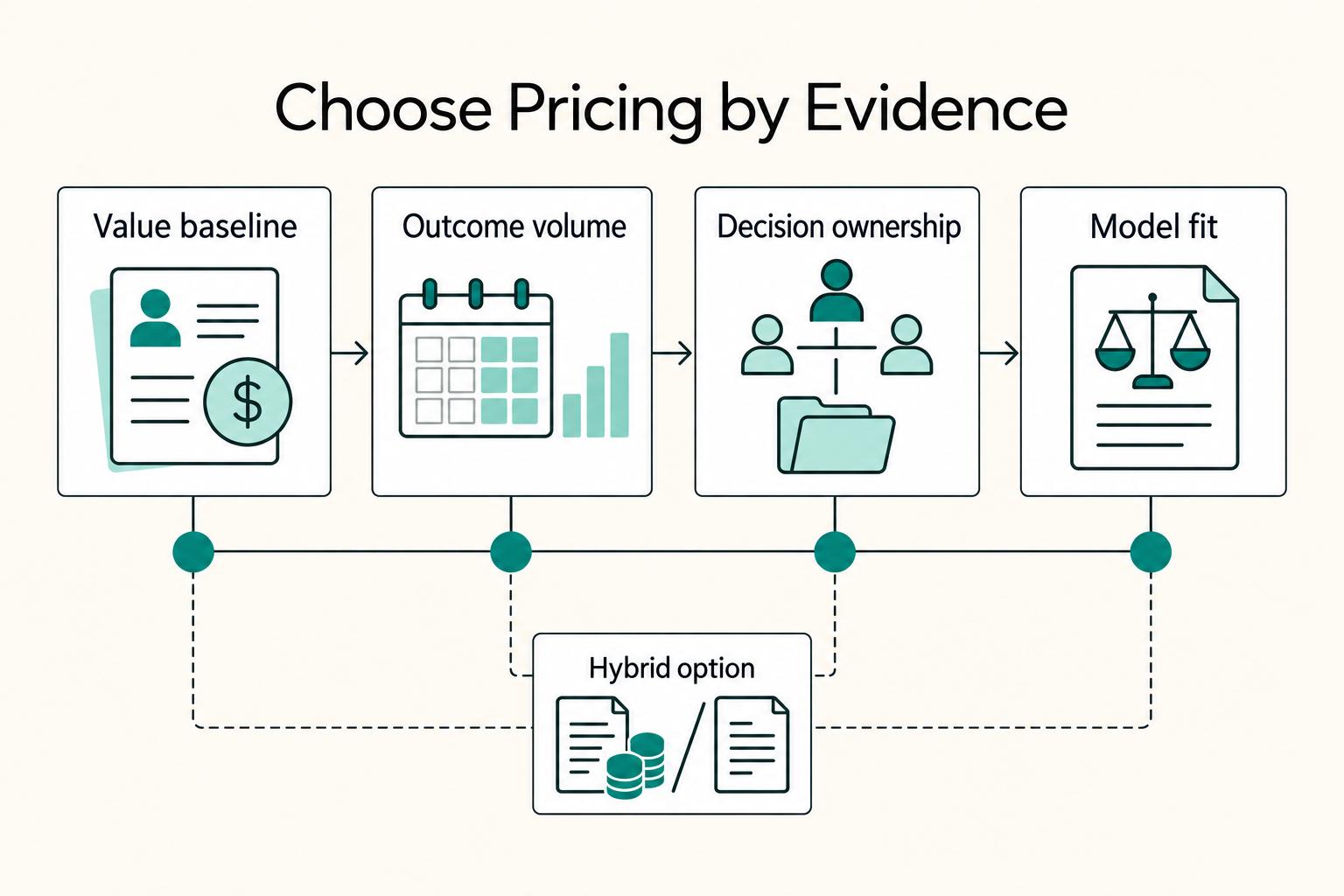
Value-based pricing works when you and the client can name the business result before kickoff and agree on how progress will be judged. If that link is weak, use a tighter model first. This is not about defending one pricing philosophy over another. It is about avoiding surprises by keeping pricing, scope, delivery, and payment aligned from day one.

How to Write a Book as a Freelancer Without Scope Drift
The book needs a defined job and a defined boundary before you draft. In this cycle, give it one job: either support your client book services, or strengthen your own authority book so your niche, offer, and sales conversations become clearer.

The Best Platforms for Self-Publishing Your Book
If you run your publishing like a business-of-one, you need a repeatable system, not vibes.