
Quick Answer
A freelancer needs a sales tax permit only when their sales are taxable in a jurisdiction and a registration trigger requires collection. Start by classifying each offer by deliverable, then track physical presence and economic nexus one jurisdiction at a time. When a trigger is confirmed, register there before collecting tax and set up filing, remittance, and recordkeeping controls.
Step 1: Define Your Deliverables, Define Your Risk#
Start with what the client actually receives, not the label you use for your work. Classify each offer by the output delivered, because that shapes taxability and whether permit follow-through may be required.
Use these terms consistently:
- Taxable product (state baseline): many states start from taxable retail sales of tangible personal property, while services may be treated separately.
- Digital good: electronically transferred data, images, sounds, or information.
- SaaS access / remote access software: software access delivered remotely; some states treat this as a taxable digital category.
- Custom service: work primarily produced by human effort in response to a client request.
- Bundled offer: multiple items sold for one nonitemized price.
Run this yes-or-no screen for every offer:
- Do you transfer a file, download, or license?
- Do you provide recurring platform or software access?
- Is it standardized and sold repeatedly to multiple buyers?
- Can you clearly separate deliverables from advisory time in both contract and invoice?
If the first three answers are mostly yes, treat the offer as higher risk until you verify state rules. If the last answer is no, treat that as a bundling red flag and review pricing, itemization, and any state true-object exceptions before you assume tax treatment.
| Preliminary tier | What the client gets | Common gray zone | Safe default until verified |
|---|---|---|---|
| Lower | Calls, advice, custom human-effort work | Strategy package with follow-up PDF summary | Treat as mixed; confirm the current state treatment with the relevant tax authority. |
| Medium | Custom file or document delivered to one client | Research memo, design files, implementation plan | Verify whether the state distinguishes custom work from digital products. |
| Higher | Standardized digital good, subscription, or remote software access | Course plus coaching, template library with office hours, SaaS onboarding bundle | Treat as review-required before sale in each target state. |
Do not assume there is one U.S. rule. California says electronic data products are generally not taxable, New York taxes prewritten software regardless of delivery method and excludes custom software made to one purchaser's specifications, and Washington taxes digital products regardless of access method and expanded certain taxable services effective Oct. 1, 2025.
Before Step 2, finish this checklist:
- Build a deliverables inventory for each offer.
- Assign a preliminary risk tier to each offer.
- Flag items that need state-by-state nexus review and permit follow-through.
- Confirm registration timing in each target state before making taxable sales.
If you want a deeper dive, read Digital Nomad Taxes in 2026 With a Defensible Filing Plan.
Step 2: Map Your Nexus Footprint#
Once you know what you sell, the next question is where that activity creates a tax connection. Map it one jurisdiction at a time, because nexus is jurisdiction-specific and a single national shortcut will fail you.
Identify your connection type#
Start each jurisdiction review by separating two triggers:
- Physical presence nexus: connection based on in-state physical presence.
- Economic nexus: connection based on economic activity in that jurisdiction, even without physical presence.
Since Wayfair (June 21, 2018), economic nexus has become a core trigger for remote sellers, but the details still vary by state. Treat each state as its own rule set. Threshold formula, channel counting, registration timing, and marketplace handling are not uniform.
Use this workflow for every U.S. jurisdiction where you sell:
- List every jurisdiction where you had customers in the last 12 months.
- Mark whether a physical-presence trigger exists.
- Track both revenue and transaction count.
- Split direct sales from marketplace-facilitated sales.
- Verify current nexus and registration rules, then record: Current nexus threshold pending official verification.
- Set the next action:
monitor,register, orescalate.
Build a live jurisdiction tracker#
A single live worksheet is usually the cleanest way to manage this. Keep one row per jurisdiction so you can show when a trigger appeared, what sales counted, and what you did next.
| Jurisdiction | Client type | Revenue channel | Transaction count | Trigger status | Evidence links | Next action |
|---|---|---|---|---|---|---|
| [State/Country] | [B2B/B2C/Mixed] | [Direct/Marketplace/Mixed] | [Count] | No trigger / Potential trigger / Trigger met | Sales report, invoices, contracts, platform statements, taxability notes | [Monitor/Register/Escalate] |
Two checks prevent many avoidable errors:
- Confirm whether the jurisdiction requires combined counting across channels.
- Record how exempt or non-taxed sales are treated in threshold testing.
If you cannot show when a trigger was met and which sales counted, registration timing risk rises quickly.
Compare your footprint pattern#
Your footprint pattern tells you how quickly to move from monitoring into registration review.
| Footprint pattern | Nexus risk pattern | Permit urgency |
|---|---|---|
| Service-only custom work | Often lower at baseline because service taxability is not uniform | Usually monitor first, then verify state treatment |
| Digital deliverables | Higher where digital products or taxable digital categories are in scope | Move faster once a trigger appears |
| Direct + marketplace channels | Higher where jurisdictions require combined counting across channels | Verify counting rules early; escalate if unclear |
| Mix of taxable and exempt sales | Higher risk of threshold errors where exempt sales still count in threshold testing | Document taxable-base treatment before filing decisions |
Screen non-U.S. sales#
Do not assume your U.S. process covers international exposure. Before you invoice cross-border sales, check these basics:
| Check area | What to verify |
|---|---|
| Customer location | Reliable country data, and province data where needed |
| B2B vs B2C treatment | Which place-of-taxation rule applies to this transaction type |
| Registration trigger | Whether the sale is direct, or platform-facilitated with possible platform collection responsibility |
| Invoicing impact | Whether local VAT or GST/HST rules change what must appear on invoices |
Bring in a tax professional when you face ambiguous multi-state exposure, marketplace-facilitator complexity, or conflicting rule interpretations. That is the point where a worksheet alone is no longer enough.
Related: Do I Have to Pay State Taxes While Living Abroad as a Digital Nomad?.
Step 3: Build Your Compliance Operating System#
When a jurisdiction moves from monitor to register, the work changes. At that point, you need a repeatable process to register correctly, collect correctly, file on time, remit on time, and keep records you can defend.
Step 3.1 Confirm the trigger and register in sequence#
Register when your facts show an actual obligation, and do it in the specific jurisdiction that triggered. In practice, sequence matters because timing mistakes can create avoidable cleanup work later.
- Confirm the trigger date and rule. Validate your nexus trigger, the state rule in force, and when collection must start.
- Prepare required business details first. Gather required registration details before you start.
- Submit the permit application. Save the confirmation or registration summary immediately.
- Record issued account details. Store the permit number, approval notice, login details, effective date, and filing account IDs in one place.
- Set your filing profile. Record your assigned filing frequency (how often returns are due: monthly, quarterly, or yearly) from the tax authority notice.
Two timing controls deserve special attention:
- Some states require advance registration. New York says you generally must apply at least 20 days before taxable business activity and notes penalties of up to $10,000 for taxable sales before receiving a Certificate of Authority.
- Permit issuance may take time. Texas says to allow 2-3 weeks after online application.
Before moving on, make sure you can show the trigger date, application date, approval date, and first return due period.
Step 3.2 Use manual handling only when complexity is truly low#
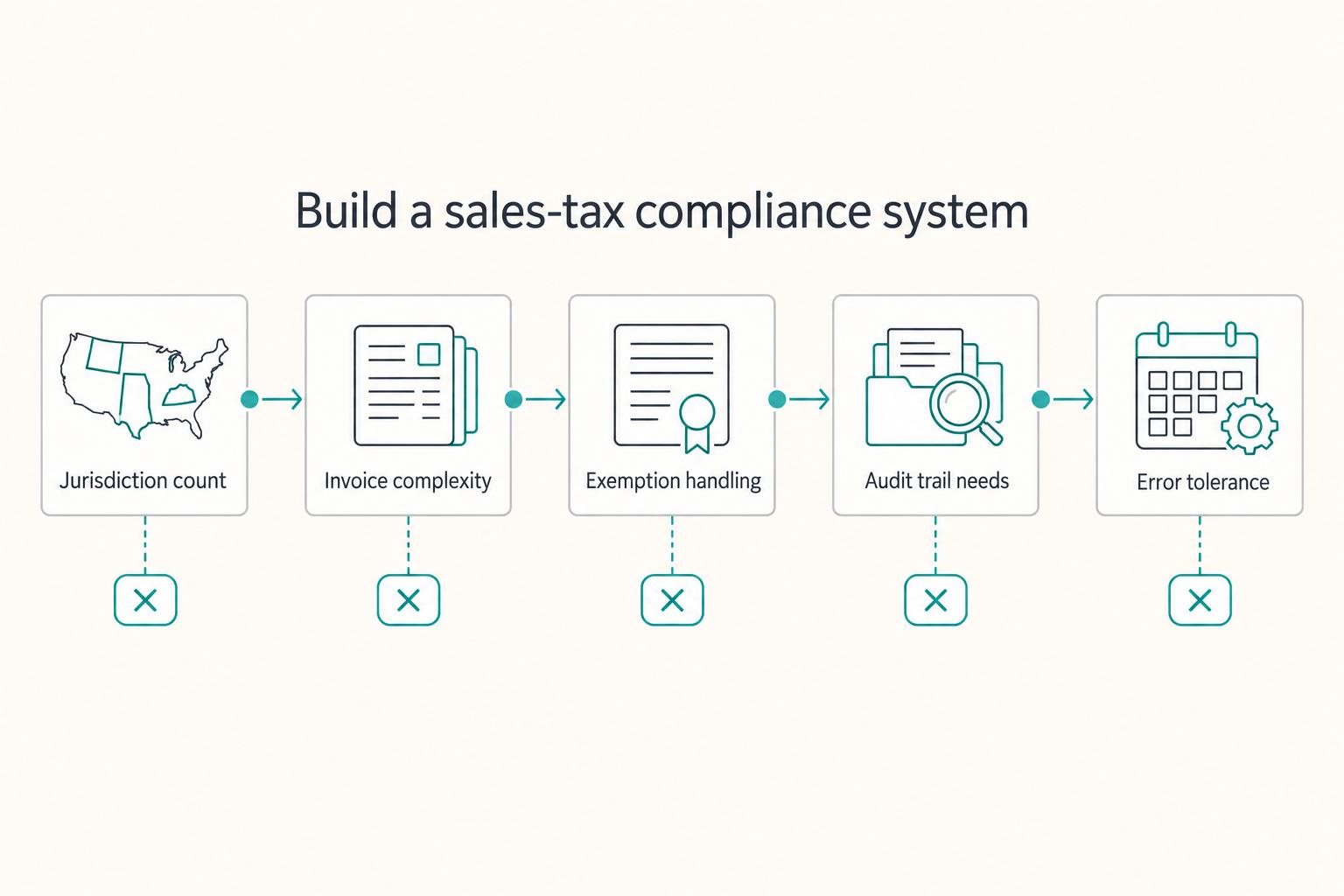
Manual handling is workable only in a narrow setup. Once jurisdictions, exemptions, bundles, or invoice complexity grow, manual control becomes the weak point, and you should move to automation or a CSP.
| Decision criteria | Manual can work | Move to automation or CSP |
|---|---|---|
| Jurisdiction count | Limited footprint with low volume | Multi-state footprint or active expansion |
| Invoice complexity | Simple line items and stable taxability | Mixed items, bundles, digital deliverables, frequent exceptions |
| Exemption handling | Rare exemptions | Recurring exempt sales requiring certificate control |
| Audit trail needs | You can maintain complete records and reconciliations yourself | You need stronger calculation logs and easier return evidence retrieval |
| Error tolerance | You can absorb occasional manual corrections | Deadline misses or rate or sourcing errors are high-risk |
A Certified Service Provider (CSP) can perform most sales-tax administration functions under SSUTA. But the handoff is not instant. You remain responsible for collection and filing until CSP service is active.
Step 3.3 Run the collect-file-remit cadence every filing period#
The safest approach is a consistent cycle you can repeat every filing period. That rhythm matters more than any single filing.
| Control | Article detail |
|---|---|
| Tax calculation controls | Validate tax logic by jurisdiction; if a state applies destination-based sourcing, local tax is determined by where the sale is delivered |
| Invoice tagging | Tag each invoice by jurisdiction, taxability, customer type, channel, and tax-collected status |
| Return prep | Reconcile invoiced tax, collected tax, and taxable totals before filing |
| Zero-return check | A zero return is a required return for a period with no tax due; Texas and New York both require returns even in no-tax periods |
| Remittance confirmation | Save filing receipts, payment confirmations, and submission timestamps |
| Documentation retention | Keep complete sales and purchase records, returns, and supporting files; Texas guidance cites at least four years in remote seller and marketplace context |
| Exempt transactions | Retain the exemption certificate that supports the tax-free treatment |
For exempt transactions, retain the exemption certificate that supports the tax-free treatment. If you cannot produce it later, that exempt position is harder to defend.
Operational date example: Texas monthly filers are due on the 20th of the following month. Use each jurisdiction's confirmed due dates in your live calendar.
Step 3.4 Escalate early when facts are unclear or overdue#
Do not wait for notices if the facts are already unclear. Bring in a tax pro immediately if any of these apply:
- You missed filings.
- Prior periods may need cleanup or back-tax analysis.
- Sourcing treatment is conflicting or unclear.
- Marketplace or platform collection responsibility is unclear.
Also escalate if you discover late registration exposure. In some states, formal cleanup paths may reduce penalty risk compared with unstructured late filing.
You might also find this useful: How a German Freelancer Can Handle US Sales Tax with a US LLC.
Before you lock in a filing workflow, pressure-test your process for invoice collection, recordkeeping, and payout status visibility against the operational patterns in Gruv Docs.
Register, Collect, File, and Remit on Schedule#
A sales tax permit is not a one-time checkbox. Once registration is required, you are taking on an ongoing process: register correctly, collect correctly, file on schedule, remit on time, and keep records that support every return.
Step 1. Assess your offers and your evidence#
Assess your offers and your evidence. Classify each offer by deliverable, not just job title, flag where it may be taxable, and keep one sample scope, invoice, and delivery record per offer type so you can support how you treated it.
Step 2. Map where registration may be triggered#
Map where registration may be triggered. Track sales by customer location every month and verify thresholds state by state, because nexus rules are jurisdiction-specific. Keep a verify current threshold field for each jurisdiction. For example, Washington references more than $100,000 in gross receipts, and Texas remote-seller language references $500,000 in the past 12 months.
Step 3. Implement the recurring work registration creates#
Implement the recurring work registration creates. A seller's permit or a New York Certificate of Authority is part of the setup to collect tax where required, and it starts ongoing filing and payment duties. In New York, apply at least 20 days before making a taxable sale, and selling before proper registration can bring penalties up to $10,000. In Texas, returns may still be required even for periods with no taxable sales, and records must be kept for at least four years.
| Approach | Error risk | Time cost | Audit readiness | What you do |
|---|---|---|---|---|
| Reactive | High | Unpredictable | Weak | Fix issues after notices, missed filing, or missed collection |
| System approach | Lower | Planned, recurring | Stronger | Run a defined registration, filing, remittance, and recordkeeping process, manually or with tools or pro support |
Decision rubric#
Stay DIY when your offers are clearly classified, your jurisdiction count is low, and you can reliably verify thresholds, filing dates, and sourcing rules. Use automation when multi-state volume, digital-product complexity, or filing cadence makes manual checks unreliable. Streamlined registration and CSP options can reduce administrative load for some sellers. Escalate to a tax professional when you identify past under-collection, mixed bundles, marketplace-plus-direct sales, or cross-border exposure. Keep threshold fields marked as Current nexus threshold pending official verification until the relevant official tax or adviser source is checked, then validate non-US indirect-tax obligations, including whether Canada's $30,000 small-supplier reference point or the EU EUR 10 000 distance-sales threshold is relevant to your facts.
This week#
- Build one tracker with offer type, customer jurisdiction,
Current nexus threshold pending official verification, registration date, filing frequency, and record location. - Confirm each active registration's start date and filing cadence.
- Test one invoice flow per taxable jurisdiction using the customer location data you will file from.
- Centralize contracts, invoices, delivery evidence, and marketplace reports in one recordkeeping folder.
- If you sell internationally, verify non-US indirect-tax obligations before issuing your next invoice.
For a step-by-step walkthrough, see The Best Software for Calculating and Remitting Sales Tax.
If you want to reduce manual tax and payment ops as you scale, review whether Merchant of Record for freelancers is a fit for your setup where supported.
Frequently Asked Questions
Do I need a sales tax permit if I only sell services?
Not automatically. It depends on what you deliver and how your state treats that type of service. Verify the exact service type before invoicing as taxable or non-taxable, especially if the offer bundles advice with files, templates, code, or other outputs.
What is economic nexus for a remote freelancer?
Economic nexus means your sales activity into a state is high enough to create a tax obligation there even without an in-state office or employee. Monitor sales by state every month and verify the current trigger before assuming you are below it. Physical presence nexus is separate and comes from an in-state business connection.
How do I handle sales tax if I live abroad or sell to international clients?
Cross-border treatment is jurisdiction-specific, so verify obligations before invoicing. Treat VAT or GST/HST handling as a separate verification step by customer jurisdiction rather than assuming your U.S. process covers it. Track customer country and billing location, and talk to a pro if you have multi-country exposure or unclear local treatment.
Do I charge tax based on my location or my client’s location?
Do not guess, because sourcing rules vary by state. Verify the applicable sourcing rule for each jurisdiction before invoicing, and do not apply one state's rule everywhere. Collect the transaction details you need for jurisdiction checks and escalate if a sale spans multiple places or platforms.
What happens if I should have collected tax but did not?
Treat it as a cleanup issue, not a delay decision. Preserve records and verify the trigger date, registration timing, and affected periods before continuing with the same setup. Past noncompliance, multi-jurisdiction exposure, and unclear treatment are strong reasons to talk to a pro.
Are digital products like courses, templates, software, or e books taxable?
Sometimes yes, sometimes no. Classify the exact product first, then check taxability by product type and jurisdiction. Treatment is not uniform, and mixed bundles can need extra review. Collect only after verification and register only when your taxability and nexus facts support registration.
If I sell only through a marketplace, do I still need to register myself?
Maybe. First verify whether the marketplace is collecting and reporting your sales in that jurisdiction and whether any direct sales change your registration duty. Reconcile marketplace tax reports to your gross sales records. Register directly if you also sell outside the platform or cannot verify marketplace reporting.
Try a related tool
Researched and edited by the Gruv editorial team. Gruv builds cross-border billing, payouts, and finance-operations software for global businesses.
Sources
- azdor.gov/business/transaction-privilege-tax/retail-sa...trusted
- cdtfa.ca.gov/industry/MPFAct.htmtrusted
- cdtfa.ca.gov/taxes-and-fees/applying-tax-sales-purchases-...trusted
- comptroller.texas.gov/taxes/sales/faq/permit.phptrusted
- comptroller.texas.gov/taxes/sales/remote-sellers-marketplace-faq.phptrusted
- dor.wa.gov/taxes-rates/retail-sales-tax/marketplace-fai...trusted
- dor.wa.gov/forms-publications/publications-subject/tax-...trusted
- gao.gov/products/gao-23-105359trusted
Educational content only. Not legal, tax, or financial advice.
Related Posts

Digital Nomad Taxes in 2026 With a Defensible Filing Plan
With digital nomad taxes, the first move is not optimization. It is figuring out where you may be taxable, where filings may be required, and what proof supports that position.

Do I Have to Pay State Taxes While Living Abroad as a Digital Nomad?
Living abroad does not end `state income tax` exposure by itself. The first decision is practical: choose a filing position your facts can support, then build records that support the same story all year.
How a German Freelancer Can Navigate US Sales Tax with a US LLC
Use this as your default: a U.S. LLC can change how you operate and document the business, but it does not turn German and U.S. tax questions into one answer.