
Quick Answer
Use a three-part filter to find cheap flights that still work for a move or long stay: total cost, arrival capacity, and record quality. The best deal is often the option that balances fare, schedule reliability, and clean documentation, not the smallest headline number. Compare channels for receipt clarity and change support, then verify fare rules and exact arrival time before checkout. After purchase, log dates and keep confirmation files in one tracker so later tax, visa, and policy checks stay manageable.
Stop Hunting for 'Cheap' Flights. Start Making Strategic Travel Investments.#
If you are planning a move or a long stay, the right way to find cheap flights is to choose the fare that supports the trip you are actually taking, not just the one with the lowest headline price. A cheap fare can still be the smart choice, but only if it gets you there on a schedule you can use, leaves you functional when you land, and gives you booking records you can work with later.
That matters because the wrong flight affects more than what you pay. It can leave you arriving drained before a work week starts, add connection risk when reliability matters, or create avoidable admin when you need clear receipts and confirmation records. Direct flights may cost more, off-peak days are often cheaper, and there is no universal cheapest day to fly, so you need a better filter than price alone.
Use the 3C filter#
A practical way to screen options is the 3C filter: Cost, Capacity, and Compliance.
| Filter | What it covers | Why it matters |
|---|---|---|
| Cost | Ticket price plus extra transit time, baggage, seat selection, or a forced overnight | The cheapest itinerary often hides tradeoffs in the fine print |
| Capacity | Whether you can arrive ready to work, think clearly, and handle what comes next | The wrong flight can leave you arriving drained before a work week starts |
| Compliance | Clear records, usable receipts, and terms you can manage if plans change | A third-party fare may look lower but can require extra care around change handling and documentation |
- Cost is the ticket price plus the real costs attached to that itinerary, including extra transit time, baggage, seat selection, or a forced overnight.
- Capacity is whether you can arrive ready to work, think clearly, and handle what comes next.
- Compliance is whether the booking gives you clear records, usable receipts, and terms you can manage if plans change.
That filter matters because the cheapest itinerary often hides tradeoffs in the fine print. A third-party fare may look lower, for example, but it can require extra care around change handling and documentation.
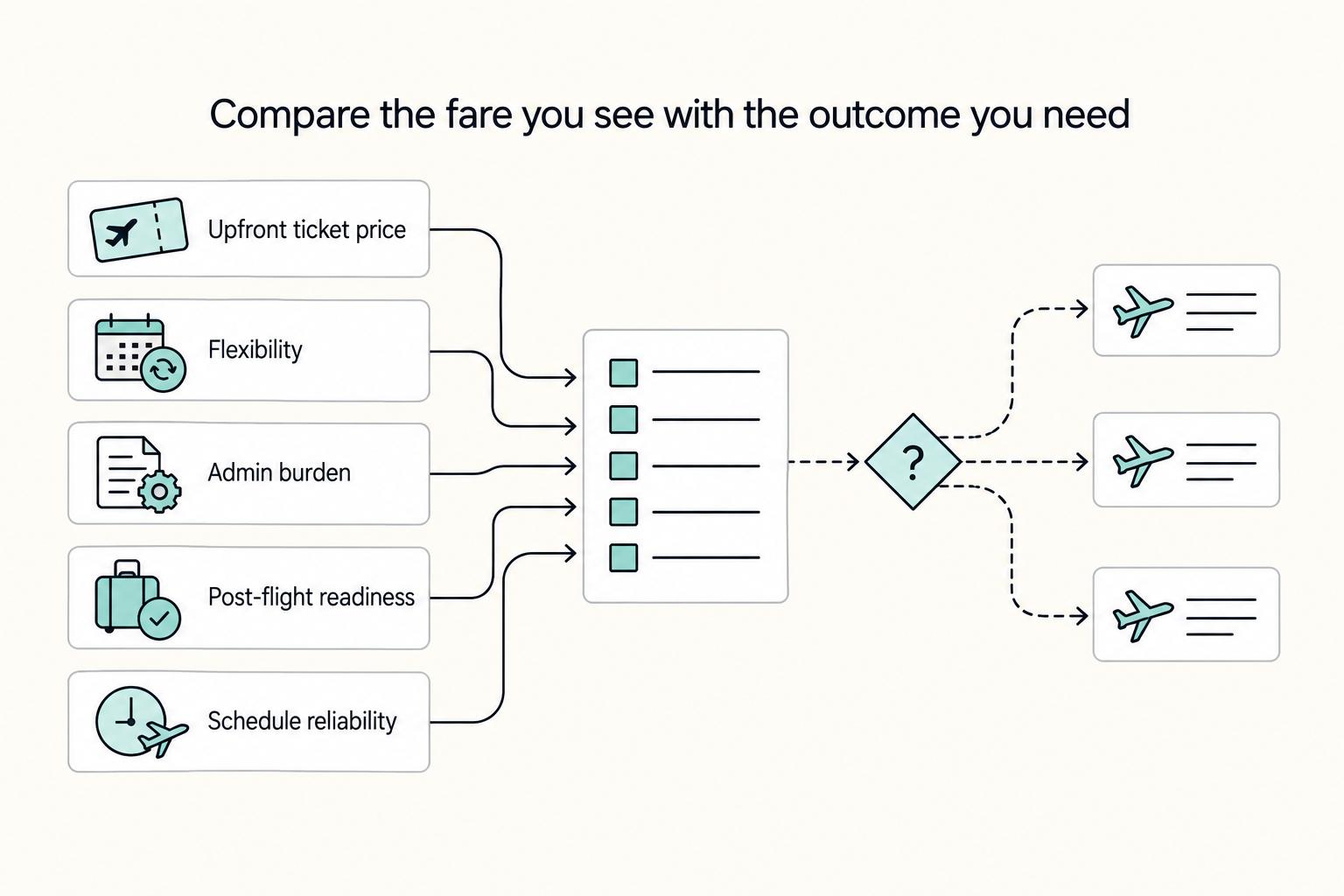
Compare the fare you see with the outcome you need#
Use price as one input, not the whole decision.
| Decision factor | Lowest fare choice | Best-fit flight choice |
|---|---|---|
| Upfront ticket price | Usually lowest visible fare | May be higher |
| Flexibility | Varies, often restrictive, verify fare rules | Chosen for workable change or cancellation terms |
| Admin burden | Can increase through some booking channels, verify receipt quality and support path | Can be easier to manage when receipt and support policies are clear |
| Post-flight readiness | May suffer with long layovers, red-eyes, or awkward arrival times | Chosen to support work readiness on arrival |
| Schedule reliability | May involve more connections to cut price | Prefers fewer failure points where timing matters |
Before you book, verify four basics: the cancellation terms, the change path, the exact arrival time, and what proof of purchase you will receive. If any one of those is unclear, the fare is not ready for a serious move.
Set up the next three decisions#
Once a fare passes the first screen, the next three decisions are straightforward. First, calculate the true cost of each ticket, not just the base fare. Second, check whether the itinerary gives you usable time and energy, not just a seat. Third, make sure the booking creates a clean paper trail.
Start with Google Flights if you need a broad market view, and book flights before locking in hotels when your dates are still flexible. If you find a strong option quickly, the 24-hour rule can give you a short window to reverse the booking if the rest of the trip does not fit. If you want to go deeper, read The Best Travel Apps for Digital Nomads.
Part 1: The Value-First Filter - Calculating the True Cost of Your Ticket#
Run this filter before every booking: the lowest visible fare is only useful if it still wins after real-world tradeoffs.
True cost = shown fare + add-ons you actually need + itinerary-created friction + likely impact on usable time.
If an option looks cheap but breaks on flexibility, transfer risk, or arrival readiness, it is not a strong deal for this trip.
Step 1. Shortlist with tools, then apply your criteria. Start in Google Flights, and use Skyscanner as a second input if you want a wider comparison set. Let the tools surface options, but keep your criteria in control. In Google Flights, use filters like Best vs Cheapest, exclude basic economy, and the date grid when your dates are flexible.
| Option | Fare price | Schedule fit | Transfer risk | Baggage / seat add-ons | Flexibility rules | Estimated productivity impact |
|---|---|---|---|---|---|---|
| Option A | Fare pending lookup | Schedule fit pending review | Transfer risk pending itinerary review | Baggage and seat terms pending checkout review | Change and cancellation terms pending fare-rule review | Productivity impact pending trip review |
| Option B | Fare pending lookup | Schedule fit pending review | Transfer risk pending itinerary review | Baggage and seat terms pending checkout review | Change and cancellation terms pending fare-rule review | Productivity impact pending trip review |
| Option C | Fare pending lookup | Schedule fit pending review | Transfer risk pending itinerary review | Baggage and seat terms pending checkout review | Change and cancellation terms pending fare-rule review | Productivity impact pending trip review |
Step 2. Estimate hidden costs before you commit. Compare like-for-like terms, not just prices. The common miss is a fare that looks lower until baggage, seat selection, or transfer complexity is accounted for. Cheapest paths can also include extra stops, self-transfers, or third-party booking friction when plans change.
Step 3. Check fare conditions on the final booking page. Confirm what fare class you are buying, what baggage is included, and how changes or cancellations are handled. If an itinerary only works when every connection goes perfectly, treat transfer risk as high and score it accordingly.
Step 4. Rank by total decision value, then stop. Choose the option with the best overall fit for your trip, not the smallest headline number. If more searching is unlikely to produce a meaningfully better outcome, stop and book the best-fit option. Search time has a cost too.
Related: A Guide to Notion for Freelance Business Management.
Part 2: The Productivity Audit - Is Your Flight an Asset or a Liability?#
Run this audit before booking. If you cannot verify work setup, layover workability, and arrival readiness, treat the itinerary as a liability.
Build a quick booking record for each option: aircraft shown at checkout, cabin and fare family, seat map, listed amenities, and your first 24-hour plan after landing. That keeps your decision tied to what is actually shown at purchase time.
Step 1. Verify in-transit work setup (do not assume). Check the booking page for Wi-Fi listing, power listing, seat selection terms, and whether the seat map fits your laptop/charger setup. If any item is unclear for the exact route, aircraft, and cabin, mark it unverified and rank that option lower.
The regulatory checkpoint is limited here: the eCFR entry for 14 CFR Part 241 (shown current through 3/19/2026, last amended 3/10/2026) covers air-carrier accounting/reporting, not traveler productivity standards. So treat this as an operational verification task, not a regulatory one.
Step 2. Audit the layover as a work condition. For connecting options, verify the terminal flow, whether you stay airside, whether re-screening may apply, and where you would work or charge devices. If you cannot identify a workable setup before purchase, do not score that layover as productive time.
| Cabin or itinerary type | Workability | Rest quality | Flexibility terms | Verify before booking |
|---|---|---|---|---|
| Nonstop, standard economy | Route-specific; unverified until checked | Route-specific; unverified until checked | Fare family and change rules pending checkout review | Wi-Fi listing, power listing, seat map, seat selection timing |
| Nonstop, higher cabin | Route-specific; unverified until checked | Route-specific; unverified until checked | Exact fare terms pending checkout review | Aircraft type, cabin features on this route, seat map, change/cancellation terms |
| One-stop itinerary | Depends on layover conditions you can confirm | Depends on total timing you can confirm | Through-ticket and disruption terms pending checkout review | Terminal path, airside status, possible re-screening, workspace and power access |
Step 3. Score arrival readiness against day one. Work backward from your first-day workload. If you have meetings, check-in, admin tasks, or deep work soon after landing, prefer the option with buffer time for delays, transfer, food, and recovery.
Step 4. Use a strict upgrade rule. Upgrade only if the verified differences materially improve work capacity in transit or next-day performance after arrival. If the upgrade does not change those outcomes, keep the lower fare. You might also find this useful: Notion vs. Trello for Freelance Project Management.
Part 3: The Compliance Shield - How Every Booking Impacts Your Bottom Line#
Treat every booking as a compliance record from the moment you pay. Your goal is simple: keep one clean trail that supports tax-residency checks, visa stay-limit checks, and employer or client policy checks.
Before you book#
Set up one central tracker first so every trip lands in the same system. Track destination jurisdiction, departure and arrival dates, booking channel, confirmation number, receipt location, and notes fields such as:
- Confirm the current tax threshold with the relevant tax authority
- Confirm the current visa stay limit from the official source
- Policy check pending employer or client verification
If you use an employer booking tool, complete your profile before you shop. ConcurGov documentation states booking cannot start until required Travel Profile fields are updated and saved, so profile accuracy is a practical first control.
Step 1: Log exposure categories before payment#
Record the itinerary against three exposure categories before checkout:
| Exposure | Record before checkout | If unverified |
|---|---|---|
| Tax residency exposure | Which jurisdiction(s) this trip touches; confirm the current tax threshold with the relevant tax authority | Avoid locking into the most restrictive fare |
| Visa stay-limit exposure | Visa or entry basis; confirm the current visa stay limit from the official source | Avoid locking into the most restrictive fare |
| Employer/client policy exposure | Approval requirements, fare constraints, allowed booking channels, and receipt requirements | Avoid locking into the most restrictive fare |
- Tax residency exposure: note which jurisdiction(s) this trip touches, and confirm the current tax threshold with the relevant tax authority.
- Visa stay-limit exposure: note the visa or entry basis, and confirm the current visa stay limit from the official source.
- Employer/client policy exposure: note approval requirements, fare constraints, allowed booking channels, and receipt requirements.
If any category is still unverified, avoid locking into the most restrictive fare.
Step 2: Pick a booking channel for record quality and change handling#
Use price as one input, not the only input. Compare what each channel gives you after purchase.
| Booking channel | Receipt quality | Change support | Audit trail reliability |
|---|---|---|---|
| Direct airline | Often clear confirmations and receipts; verify fee/tax detail for your use case | Usually handled in one place with the carrier | Can be strong when confirmation, fare rules, and receipts are saved together |
| Major OTA | Can be workable; check itemization and redownload access | Support may involve both OTA and airline | Can be reliable if every change and document is captured |
| Third-party reseller | Most variable; confirm document detail before relying on it | Can be slower or fragmented | Most variable if reseller and airline records diverge |
Post-purchase checklist (run immediately)#
Do this before you close the tab:
| Item | Immediate action |
|---|---|
| Booking confirmation | Save it before you close the tab |
| Itemized receipt | Store it before you close the tab |
| Departure and arrival dates | Log them in your tracker before you close the tab |
| Confirmation and receipt | Link them to that trip entry before you close the tab |
| Pre-audit or confirmation step required by your tool | Complete it before you close the tab |
| Original and updated records if plans change | Keep both and update the tracker the same day |
- Save both the booking confirmation and the itemized receipt.
- Log the departure and arrival dates in your tracker.
- Link the documents to that trip entry.
- Complete any pre-audit or confirmation step required by your tool.
- If plans change, keep both original and updated records and update the tracker the same day.
This makes authorization, voucher, and receipt workflows easier to reconcile later in Concur-style systems. For a step-by-step walkthrough, see How to Find Free Camping in the US.
Conclusion: Use one decision standard and save usable records#
Choose one decision standard#
Use one decision standard on every booking: choose the fare that gives you the strongest mix of total trip value, arrival readiness, and usable records. Do not judge a ticket by headline price alone. Compare the cash outlay, the odds that the itinerary leaves you functional when you land, and whether the booking channel gives you clean documents and a clear change path.
Before you pay, run one last checkpoint. Can you clearly verify the passenger name, travel dates, fare rules, taxes and fees, and confirmation number on the screen you are about to buy? If any of that is hard to confirm or hard to save, treat it as a warning sign even if the fare looks cheaper.
| Lens | Ask yourself | Good signal | Common mistake |
|---|---|---|---|
| Value | What will this trip really cost once bags, timing, and tradeoffs are included? | The fare still makes sense after you compare the full trip, not just the base price | Chasing the lowest number and ignoring the rest |
| Productivity | Will you arrive able to work, meet, or recover properly? | The schedule fits your actual workload and arrival needs | Buying an itinerary that saves cash but burns the next day |
| Compliance | Will you be able to prove what you booked later? | You can save a confirmation and itemized receipt without friction | Assuming the email summary will be enough |
Close the loop the same day you book#
Close the loop the same day you book. Save the booking confirmation as a PDF, store the itemized receipt, log departure and arrival dates, record the booking channel and confirmation number, and add links to the saved files. Also note why you chose that fare.
The final check is simple: could you find everything again in a minute if you needed to change the trip, file expenses, or explain your dates later? If not, fix the record now while the details are still in front of you.
Frequently Asked Questions
How should I judge the real cost of a fare?
Start with total trip cost, not just the lowest headline fare. Before you buy, compare each option on three lines: final cash outlay, schedule fit, and how easy it is to save the booking details you may need later.
Should I plan around a last-minute upgrade offer?
No. If you need sleep, power access, a better change policy, or a bag included, book the cabin or fare family that already gives you those things. Upgrade availability is uncertain, so set your minimum acceptable conditions before checkout and buy to that standard.
How can one booking affect tax residency or visa stay limits?
Requirements vary by country and are not verified in this section. If tax-residency or visa rules apply to you, treat each ticket as a dated location record you may need to explain later. As soon as you book, add the destination, departure date, arrival date, and unresolved notes such as tax threshold pending official verification and visa stay limit pending official verification.
Which booking channel should I use if I care about admin and audit quality?
Use the channel that gives you the clearest confirmation, itemized receipt, and change path you can actually find again later. No channel guarantees cleaner records by default, so keep the checkpoint practical. Verify that the passenger name, travel dates, fare rules, taxes and fees, and confirmation number are all easy to save before payment.
For a move or long stay, should I book one way or round trip?
Pricing and fare rules can differ by route and dates, so compare one-way and round-trip options for the exact itinerary you need. Focus on total cost, flexibility, and change terms before checkout.
What search habits actually help you find lower fares without wasting time?
Clean up the search process first. Compare more than one search tool instead of trusting one screen. One source also claims repeated searches on the same route can raise displayed fares, so reset by closing private/incognito windows, opening a new one, and then rerunning the search. If your destination is flexible, check open-ended browsing in Skyscanner, Kayak Explore, or Google Flights to surface alternate-city options.
Should I trust fare tips from travel blogs and deal posts?
Use them as leads, not as your booking decision. Some travel sources disclose affiliate links, which means recommendations may carry a commercial incentive even when they are useful. When a blog points you to a route or a tool, verify the fare yourself, compare another search engine, and save a screenshot if you plan to book later.
What should I log immediately after booking for a relocation trip?
Log it the same day, before you close the tab, because this is where records usually start to drift. Save the booking confirmation as a PDF, store the itemized receipt, record the departure and arrival dates, the booking channel, and the confirmation number, then link the saved files in your tracker. Also add unresolved notes for tax threshold pending official verification and visa stay limit pending official verification.
Try a related tool
Researched and edited by the Gruv editorial team. Gruv builds cross-border billing, payouts, and finance-operations software for global businesses.
Sources
- congress.gov/107/chrg/CHRG-107hhrg81955/CHRG-107hhrg81955...trusted
- controller.vpfa.fsu.edu/sites/g/files/upcbnu1236/files/documents/Con...trusted
- dau.edu/sites/default/files/Migrated/ToolAttachments...trusted
- doi.gov/sites/doi.gov/files/uploads/concurgov-user-m...trusted
- ecfr.gov/current/title-14/chapter-II/subchapter-A/par...trusted
- enlargement.ec.europa.eu/news/2025-state-union-address-president-von-...trusted
- files.eric.ed.gov/fulltext/ED193164.pdftrusted
- fvcc.edu/wp-content/uploads/2025/12/2026-spring-CE-ca...trusted
Educational content only. Not legal, tax, or financial advice.
Related Posts

Best Travel Apps for Nomads Moving Abroad
If you are comparing travel apps for a move abroad, choose by move stage, not by feature depth. A short stack that reduces four common failures works better: booking drift, missing documents at the wrong moment, no data on arrival, and a chaotic first week.

A Guide to Notion for Freelance Business Management
If your workspace feels busy but fragile, you do not need more pages. You need one connected system. Treat your freelance business like a business-of-one and use Notion as the control layer that connects client decisions, delivery, and billing in one place.

Notion vs. Trello for Freelance Project Management
**Quick answer:** for **notion vs trello for freelancers**, pick Trello if work stalls because task status is fuzzy. Pick Notion if work stalls because briefs, decisions, and notes are spread across too many places.