
Quick Answer
Search for a specific role in a location where you can work, use Remote and date filters, then check the description. Tailor with evidence you can support, verify contacts and track the next action. Missing details may need clarification; explicit incompatible requirements are reasons to skip.
Start with a role you can actually take#
Finding remote work on LinkedIn starts with fit: the role, permitted work location, employment arrangement and evidence you can offer. A smaller, relevant shortlist gives you time to tailor applications and prepare for interviews. Missing details belong in a clarification queue; an explicit requirement you cannot meet is a reason to skip.
Write down your target role family, seniority, country of residence, work authorization where relevant, acceptable hours and whether you want employment or contract projects. Then identify the requirements you can demonstrate. Being available during U.S. hours does not establish eligibility for a U.S.-resident-only role.
Search for that combination, then use the available Remote and date filters. Read the description to check eligibility rather than trusting the result label alone. Save promising roles and keep a small set of useful alerts where your interface offers them.
Screen for work location, actual responsibilities and required experience. Reject explicit incompatibilities. For an otherwise plausible role with a missing detail, record one question and decide whether to ask the recruiter or clarify it at the interview.
For example, “remote within Germany” excludes a candidate who must work from India unless the employer confirms another arrangement. “Remote, hours to be discussed” is a scheduling question rather than proof of a bad role. A broad responsibility list may need clarification about priorities and reporting lines.
One more red flag belongs in the same decision point: any request to pay upfront for equipment, training, or hiring steps is an immediate no-go. Scammers do use LinkedIn and other job platforms, and honest employers will not ask for upfront fees. If recruiter identity is unclear, verify the company through contact details you know are legitimate, not just whatever appears in the message thread.
For each active opportunity, log the listing URL, employer, posting or saved date, fit notes, application date and next action. Keep a copy of the description when useful because postings can change. Store only the personal information you need, and keep application records private.
Use clear statuses: ready to apply, needs clarification, applied, interviewing or closed. A clarification item needs a question and a next action; it should not sit indefinitely among ready applications.
Prepare a resume and evidence you can adapt#
Keep a baseline resume and a few relevant examples ready. Adapt the emphasis to the actual role rather than inventing different experience for each application.
| Asset | How it's used |
|---|---|
| Baseline resume | Adapt emphasis to the role while keeping facts consistent |
| Relevant evidence | Use a result, case example or work sample you have permission to share |
| Remote collaboration example | Explain a real handoff, update or coordination practice |
| Contact details | Use a consistent name and an address you monitor |
Use the job description to choose which experience to foreground. A customer-success application might emphasize onboarding and renewals; a support role might emphasize troubleshooting and response quality. Keep dates, titles and results accurate across versions.
Use a contact address you check regularly and a consistent professional identity across your application and profile. Contractors who need a business address can use this email setup guide.
Follow the employer’s submission instructions and answer required questions. Use the posting’s terminology where it accurately describes your experience. Keyword stuffing and unsupported claims make the application harder to assess.
Build searches around role and location eligibility#
You can keep several focused searches for different eligible countries or related role families. Label them so you can see which opportunities they produce. There is no need to freeze one search for a week when it is returning obvious mismatches.
Write a specific query, then check the results#
These are illustrative searches, not guarantees that such roles are currently available. Replace the location, skills and arrangement with your own facts.
| Illustrative query | What to verify in the description |
|---|---|
| Remote customer-success roles in India, SaaS | Employer permits India-based work; level and requirements fit |
| Remote contract UX writing projects in Europe | Your country is eligible; project scope and arrangement are clear |
| Remote finance analyst roles in Canada | Required residency or authorization and overlap hours match your facts |
LinkedIn’s current job-search guidance says AI-powered search is available worldwide and classic search began gradual retirement in September. Describe the role in ordinary language, including location, level, specialty or industry. Search matching is a starting point; the posting still controls the requirements.
Verify remote status before a listing earns application time#
Check whether “remote” includes your country and whether office visits or required overlap hours are compatible with your situation. A company hiring remotely in one country may not be able to employ someone everywhere.
| Check | What to confirm | If unclear |
|---|---|---|
| Work mode wording | Clearly remote, not hybrid, onsite, or office-visit language | Record the missing detail and ask; reject an explicit incompatibility |
| Location constraints | Country, state, residency, or relocation requirements | Record the missing detail and ask; reject an explicit incompatibility |
| Timezone expectations | Overlap hours, core-hours requirements, team location | Record the missing detail and ask; reject an explicit incompatibility |
| Ownership clarity | Reporting line and scope clarity strong enough to judge fit | Record the missing detail and ask; reject an explicit incompatibility |
Use rejection reasons to improve the next search#
Track recurring mismatches such as country restrictions, required office attendance or a skill gap. Adjust the query when those patterns recur. A handful of replies cannot prove that one profile edit or message caused a better result.
Use the available filters and the employer’s application route#
Filters reduce reading time, but they do not verify every listing. Review the work location and requirements before spending time on a tailored application.
Choose Remote, then add the details that matter#
In the current AI-powered interface, LinkedIn lists Remote, Date posted, Experience level, Employment type, Company and Easy Apply among the available filters. Labels can vary during rollout; use the controls shown in your account rather than looking for the older “On-Site/Remote” menu. Additional filters may change, so check the linked help page if a control is missing.
Follow the listing’s instructions#
Use Easy Apply when the posting offers it, or the employer’s specified application page. Confirm an external destination belongs to the employer or its authorized hiring provider. Changing to the legitimate route after clarification is fine; avoid duplicate submissions unless requested.
Before submitting, check the employer and role, required fields, attachments and contact details. Make sure your statements are supported by your actual experience. Record the submission date and any stated response timeline.
Make your profile support the same role as your application#
A recruiter who opens your profile should see relevant experience and evidence consistent with your resume. You do not need to present every service you have ever offered.
Review these parts:
- Headline: name your role or specialty clearly.
- About: explain relevant experience and the work you want.
- Featured or portfolio: include a permitted, relevant example.
- Experience: describe your contribution, context and results accurately.
- Contact and preferences: keep details current and use Open to Work if appropriate.
Name tools and outcomes only where you can explain your own contribution. Show how you collaborated remotely if relevant: documented handoffs, asynchronous updates or work across time zones. Anonymize client information and share portfolio material only with permission.
Update the profile when you have clearer evidence or the target role changes. Rewriting it every week is less useful than checking whether recruiters can understand what you have done.
Track applications without delaying timely submissions#
Keep a simple tracker so deadlines, interviews and promised replies do not disappear in your inbox. Apply while a suitable listing is open; a weekly routine should organize work rather than make you wait for a designated day.
| Stage | Fields to log |
|---|---|
| sourced / screened | listing URL, fit rank, decision tag, next action date |
| applied | message family, sent date, next action date, follow-up count |
| replied | reply notes, next action date |
| call scheduled | meeting date, owner, next action date |
| closed | close reason, final note |
At a weekly review, check where opportunities stop progressing:
- Check whether unsuitable locations or requirements are entering the shortlist.
- Review completed submissions for missing required information.
- Use interview feedback where available; avoid guessing why an employer did not reply.
- Prioritize deadlines and active conversations when restarting after a gap.
Write a short message with evidence and a clear question#
When outreach is appropriate, use three parts: an observation about the role, relevant evidence and a simple next step. A message supplements the application; it does not replace a required submission.
Illustrative note: “Hi Maya, I applied for the remote customer-success role. Your posting mentions onboarding teams across time zones. In my last role I documented handoffs between support and onboarding; I can share an anonymized example. Does this opening permit someone based in India?” Use this only if the experience and question reflect your own situation.
- Listing-specific opener: reference one requirement, deliverable, or execution detail from the listing.
- Scope-matched proof: share one proof point tied to that exact work, not your full background.
- Low-friction CTA: ask for a simple next step, like scope priority or timeline confirmation.
- No unsupported promises: avoid claiming outcomes, speed, or ownership you cannot defend later.
Respect any stated hiring timeline and instructions about contact. If that date passes and follow-up is appropriate, send one concise note confirming continued interest or adding relevant information. If there is no response, keep applying elsewhere rather than repeatedly nudging the same person.
If responsibilities are vague, ask a focused question: “Which of these responsibilities is the priority in the first month, and who would I report to?” A conversation can resolve that uncertainty without committing you to the work.
Contractors using LinkedIn to find clients can also use this freelance marketing guide; client prospecting and employee job applications have different closing steps.
Add other sources when they offer suitable opportunities#
LinkedIn can be one channel alongside employer career pages, specialist boards and professional communities. Compare relevant openings and the effort they take; you do not need a formal experiment before trying another source.
Use the same location, role and credibility checks across sources. Record where you found each opportunity so you can see which channels produce useful conversations.
| Source | Useful check |
|---|---|
| Relevant role and eligible work location | |
| Employer careers page | Official opening and authorized application route |
| Specialist board | Role fit and posting credibility |
| Professional community | Named organization and verifiable contact |
A second channel is useful when it adds suitable openings, even if its average reply rate is not higher than LinkedIn’s. Stop using a source if it repeatedly produces scams or incompatible listings.
Verify the contact before an interview#
Before booking, check the company, the contact’s connection to it, the role or project and the purpose of the call. You can discuss responsibilities, authority and compensation during an interview or discovery call; signed payment terms are not a prerequisite to that conversation.
Check the employer’s own careers page or independently contact the company if the opening’s status or recruiter identity is uncertain. An old posting is a reason to verify availability, not proof of a fake role.
Do not send bank details, identity documents or money to an unverified recruiter. Legitimate onboarding may later require sensitive information; verify the offer and recipient, then use the employer’s secure process rather than a casual message thread.
Keep the listing, application and interview notes in a private folder. A simple recap of unanswered questions is enough at this stage; bank statements and tax records do not belong in an ordinary pre-interview evidence pack.
Separate employment offers from contractor agreements#
After interviews, get the terms appropriate to the arrangement. A remote employee offer and a contractor statement of work are different documents.
| Contract-project area | Conversation alone | Written agreement |
|---|---|---|
| Scope | Agreement is implied in conversation | Deliverables, exclusions, timeline, and engagement model are written |
| Ownership | Several people seem involved | One communication owner and one approver are named in writing |
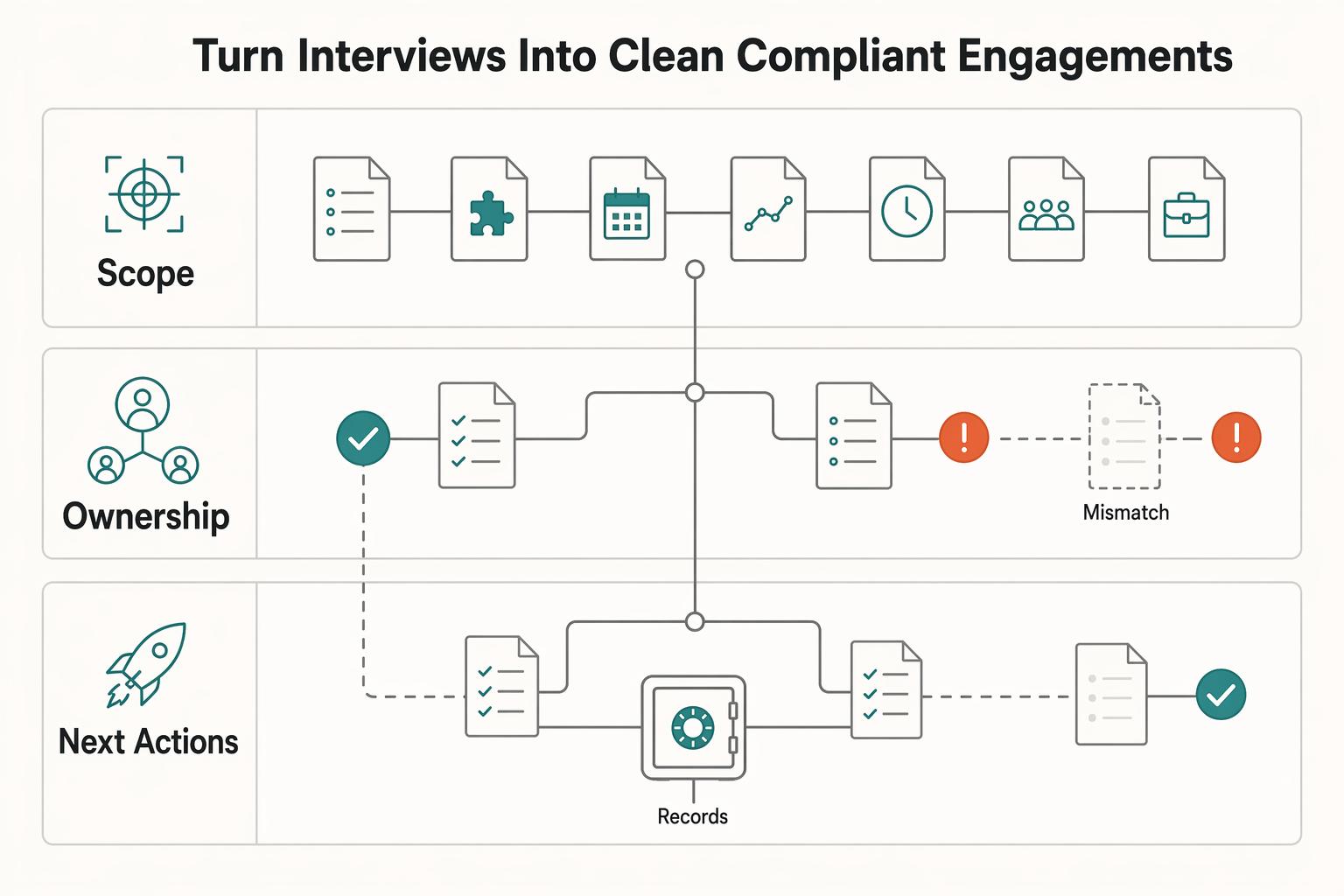
| Next actions | Assumptions fill the gaps after the call | Dependencies, approval step, and kickoff condition are explicit |
For employment, confirm the employing entity, role, work location, pay, expected hours, start date and relevant offer conditions. Ask HR how remote work and onboarding will operate. Do not assume a “remote” label authorizes work from any country or that hourly pay alone determines employee status.
For a contract project, send a recap of the deliverables, exclusions, timeline, dependencies, fee and acceptance process. Agree the contract and scope with someone authorized to approve them. A statement of work can help document the project; it does not decide worker classification.
Before starting a contract project, confirm who approves the work, who pays, invoice requirements, payment dates and any agreed advance or funded milestone. Hold the start if those essential terms remain unresolved. This is a project-start check, not a rule for booking the first call.
During delivery, anchor updates to agreed work and dependencies. A marketplace’s onboarding support can help, but keep your own approved scope and change records.
For a contractor change request, record what changes in deliverables, price or timing and obtain the agreed approval before doing the added work. Employee priorities and changes follow the employment arrangement and manager’s process instead.
Keep the accepted offer or contract, agreed changes and relevant onboarding confirmations together. Share payment and identity information only through the verified process needed for that arrangement.
Recover fast from common mistakes#
If results are disappointing, look at the actual blockage: incompatible listings, incomplete applications, no replies or unresolved interview questions. Competition, timing and employer decisions also affect outcomes; low response does not automatically mean your message is weak.
| Mistake pattern | Fast recovery action | Proof you fixed it |
|---|---|---|
| Too many incompatible locations | Clarify eligible countries in the query and check the description | Fewer explicit location mismatches |
| Repeated missing requirements | Review required skills and submission instructions | Complete, honest applications |
| Too much follow-up | Respect stated timelines and contact instructions | A clear next action without repeated nudges |
| Confusing employment and projects | Confirm the arrangement and appropriate offer or contract terms | Correct closing documents |
Choose a practical adjustment from the evidence available. Repeated country exclusions call for a location change in the search; missing required attachments call for a submission check. Treat changes as improvements to try, not proof of a causal diagnosis.
After a missed week, handle deadlines and active conversations first, close opportunities you no longer want and restart a manageable search routine.
Keep the next search session manageable#
Start with urgent deadlines and replies, then search, screen and submit. End with the next action recorded for each live opportunity.
Review recurring mismatches and unanswered questions each week. Keep what works, improve what is visibly causing friction and avoid treating a few outcomes as proof that one change caused them.
Frequently Asked Questions
What is the fastest way to find remote work on LinkedIn without mass-applying?
Start with a specific role and eligible location, use the Remote filter, then read the description for country restrictions and required hours. Tailor the application with relevant evidence and record the next action. Treat missing details as questions to resolve rather than automatically rejecting every incomplete listing.
Which search setup should I start with for my timezone and service scope?
Start with countries where you can actually work and hours you can sustain. U.S. time-zone overlap does not by itself qualify you for a U.S.-resident-only job. You can keep multiple focused searches when each has a clear role and location; compare the fit of their results.
How many applications and follow-ups should I send each week?
Use a volume you can tailor and track accurately. There is no universal weekly quota. Meet application deadlines, respect the employer’s contact instructions and follow up after a stated response date when appropriate. Record applications, replies and interview progress separately.
When should I use specialist boards instead of adding more LinkedIn volume?
Use other sources when they offer relevant openings or your LinkedIn results are too thin. Apply the same eligibility and credibility checks. Employer career pages, specialist boards and community postings can complement LinkedIn; you do not need to prove a higher response rate before adding them.
What must be confirmed before I accept a remote engagement?
For employment, confirm the employing entity, role, permitted work location, pay, hours, start date and offer conditions. For a contract project, agree scope, approval, fees, payment dates and start conditions. Verify the recipient before sharing sensitive onboarding information. Neither arrangement requires signed payment terms before the first interview.
Try a related tool
Researched and edited by the Gruv editorial team. Gruv builds cross-border billing, payouts, and finance-operations software for global businesses.
Sources
Includes 1 external source outside the trusted-domain allowlist.
Educational content only. Not legal, tax, or financial advice.
Related Posts

LinkedIn for Freelancers Who Want a Predictable Client Pipeline
Treat LinkedIn as two jobs you run at the same time: a credibility check and a conversation engine. If you only chase attention, you can get noise. If you only send messages, prospects may click through to a thin profile and hesitate.

How to Create a Business Email Address for Your Freelance Business
A business email is not a logo choice. It is the identity layer most clients, vendors, and software tools treat as the real you.

The Freelance Payment Penalty: A Modeled Audit of Platform Fees, FX Spreads, and Payout Delays
The money rarely disappears through a single, easy-to-spot fee. The real loss is stacked. A marketplace takes its commission, a processor adds a charge for international cards, a bank or payment company converts the currency at a spread, a platform holds the funds before release, and a wire sheds a little to intermediaries on the way in. Each layer looks defensible on its own, but the worker feels the combined result as a smaller deposit and a later payday.