
Quick Answer
Use a recovery-first freelance backup strategy: set RTO and RPO targets, map critical files, and enforce the 3-2-1 backup rule for active work and archives. Keep sync tools like Google Drive or Dropbox in the access layer, not the only recovery layer. Then verify weekly that backups ran and test file, folder, and full-system restores. If a laptop is lost or stolen, secure accounts first, restore current client work second, and rebuild full context from an offsite copy.
Start With a Backup Plan You Can Restore#
Build backup for recovery speed, not storage volume. Your setup should let you keep delivering and getting paid after equipment failure, cyberattack, human error, natural disaster, or other data-loss events. A reliable baseline matters, but the real test is whether it stays usable when stress is high and decisions need to happen fast.
For solo professionals, data loss is a business continuity problem before it is a technical one. Failed hardware and other data-loss events can interrupt delivery, billing, and client trust quickly. Risk climbs when active files are spread across laptops, external drives, and cloud apps without a clear restore order. Keep one rule in view from start to finish: if current client work cannot be restored quickly enough to keep commitments, the setup is incomplete.
This guide is written for action, not theory. You will leave with a clear order of operations, a verification habit, and a response sequence you can run without guessing what comes next.
Gather the prerequisites before you start#
Preparation is what keeps your workflow reliable once client work gets busy. Map where critical files and records live, then organize them before you configure tools.
- Step 1: Inventory every current data location.
List each device and storage location you actively use, including laptop folders, external drives, and cloud storage. Map each location to data types such as active deliverables, contracts, invoices, and tax records. If one folder includes mixed file types, note that now so priorities are easier later. Expected outcome: you can see coverage gaps before setup begins.
- Step 2: Define a secure, consistent home for work files.
Choose a secure file storage setup you can stick with, then set basic folder rules for active projects and archives. Keep the structure simple so collaboration stays clear when client projects overlap. Expected outcome: files are organized in one dependable system instead of scattered across ad hoc locations.
- Step 3: Gather financial records before they pile up.
Collect invoices, receipts, and tax-related records now, then set a repeatable routine for updating them. Poor bookkeeping can lead to missed deductions, tax penalties, and wasted time during tax season, so treat record readiness as a prerequisite. Expected outcome: financial records are current enough to support both delivery and tax tasks without last-minute cleanup.
- Step 4: Commit to one workable workflow before adding complexity.
Pick one well-defined workflow for managing tasks, deadlines, and file updates, then stick with it through the first rollout. You can refine tools later, but a complete simple process is more reliable than a partial advanced one. Expected outcome: you finish with a repeatable process instead of stalling in tool comparisons.
Before you move on, run one final prerequisite check. If any high-priority file or record still lacks a clear place in your workflow, close that gap first, then move to setup.
Set recovery targets your business can actually meet#
Set recovery targets first, then judge every backup choice against those targets. This keeps decisions tied to business impact instead of convenience.
Use two anchors for every decision: RTO (Recovery Time Objective) is the longest downtime you can absorb before business commitments are affected, and RPO (Recovery Point Objective) is the maximum data-loss window you can tolerate after an incident.
Start by defining your RTO in plain business terms. Write the maximum interruption your current clients can tolerate before delivery or communication slips become serious. If you have explicit response commitments, align your RTO to those commitments so your recovery plan supports what you already promised.
Next, define your RPO by data tier. Keep a tighter data-loss window for active client work and a looser one for archives. If two tiers feel equally important, prioritize the one that blocks invoicing or delivery first. This keeps backup freshness aligned with actual business risk.
Then test both targets against real incidents you can name, such as a lost device, failed drive, or corrupted sync folder. Walk each scenario with your real file map, not a hypothetical structure. If a scenario cannot meet your targets, change setup choices before moving on.
Treat repeated misses as a design signal. If drills repeatedly exceed RTO or lose more data than your RPO allows, tighten backup coverage or restore order and retest. Avoid lowering targets just to fit weak execution.
These targets become the lens for every section that follows. If a new tool, setting, or storage path does not improve your ability to hit RTO and RPO, it is optional, not essential.
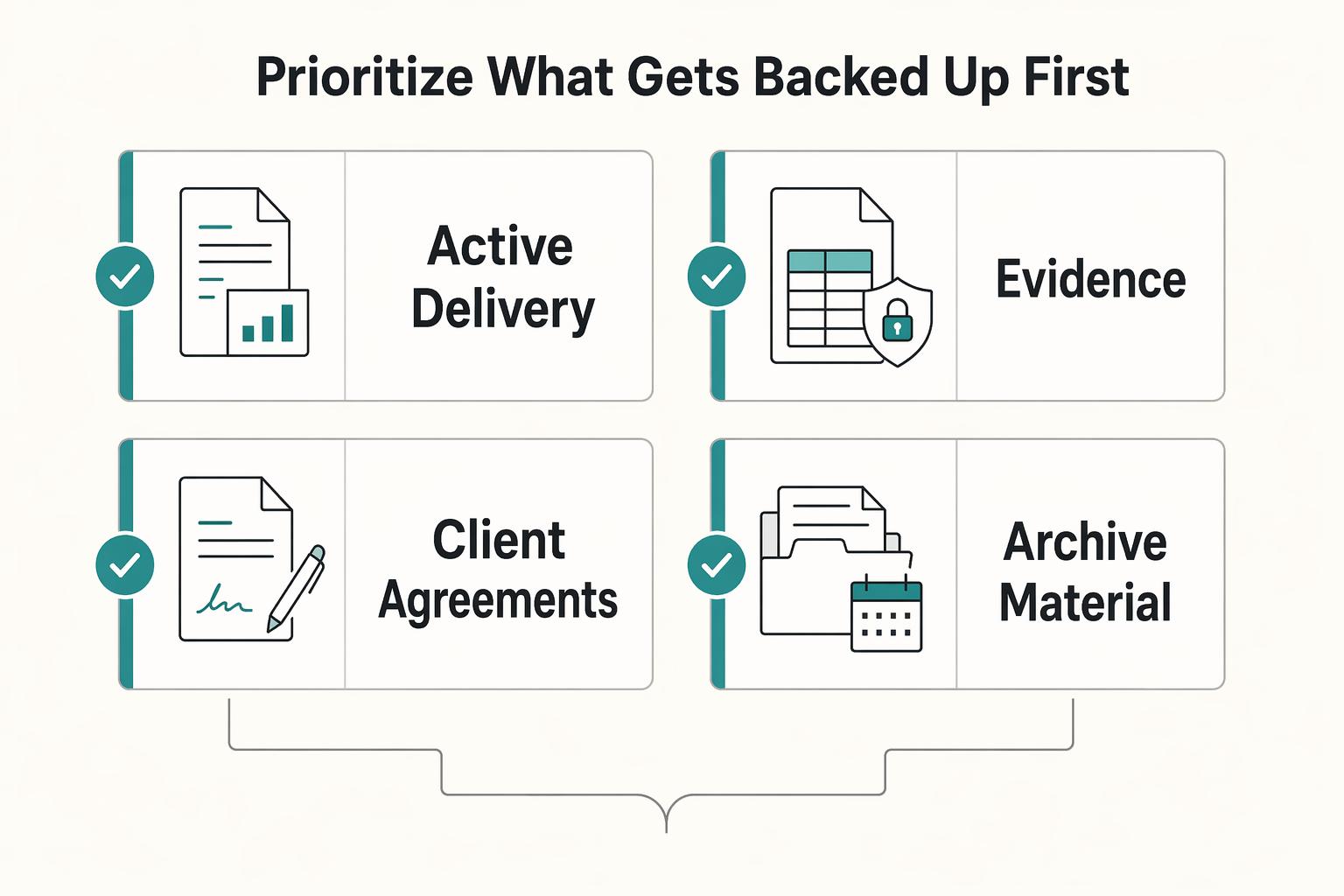
Prioritize what gets backed up first#
When restore time is limited, recovery order can matter as much as storage size. Prioritize by interruption cost so you can resume the most business-critical work first.
Your restore order should fit your business better than a one-size-fits-all list.
| Data tier | Why it may be high priority | Typical contents |
|---|---|---|
| Active delivery files | Can directly affect deadlines | Current project folders, drafts, final assets in progress |
| Billing and payment records | Can affect cash flow and reconciliation | Invoices, payment confirmations, reconciliation files |
| Client agreements | Can affect scope and payment decisions | Contracts, change orders, signed approvals |
| Archive material | Often less time sensitive in the short term | Closed projects and older reference files |
Separate your working set from archive, then apply the 3-2-1 backup rule to both sets, not just active work.
- Step 1: Build one page of restore priorities.
For each data tier, record primary location, local backup location, offsite backup location, and restore order. Keep this list visible and short enough to review quickly. If a restore decision requires opening three different docs, the list is too complex. Expected outcome: recovery starts from a written plan instead of memory.
- Step 2: Add one checkpoint for decision speed.
During weekly checks, confirm that each high-priority tier still has three copies across two media types with one copy offsite. Flag any tier that dropped below that threshold and correct it before adding new files or tools. Expected outcome: priority files stay protected as projects change.
Revisit priorities when your work changes.
Build a 3-2-1 backup rule design you can maintain#
A maintainable 3-2-1 design should be explicit and easy to verify: each priority tier has 3 copies across 2 media types, with 1 copy off-site in a separate location.
Name destinations for each tier instead of relying on memory. Assign primary, secondary local, and off-site locations for active work, billing records, contracts, and archives. Avoid generic labels like local backup A. Use destination names you can recognize under stress so recovery starts quickly.
Keep sync and backup in separate roles. Sync tools support collaboration and fast access, but deletions can propagate across synced folders. Keep one independent copy path that is not tied to daily sync behavior so one sync event does not erase your only recoverable copy.
Choose local media you can maintain consistently. Laptop plus external drive is valid if it stays current and tested. Laptop plus NAS is valid if monitoring and health checks actually happen. Pick the option you can run every week, not the option that looks ideal but stays half-configured.
Protect independence in the offsite layer. A nearby external drive does not protect against theft, fire, or flooding in the same location. A cloud-only approach can still fail during account lockouts or service outages. Independence matters more than brand choice when selecting your offsite path.
Verify coverage against your inventory. Review your one-page map and confirm each priority tier still points to current destinations. Update the map the same day any destination changes. If setup complexity starts slowing execution, reduce moving parts and keep the coverage rule intact. Consistent execution beats occasional perfection.
Choose the right storage mix for budget and risk#
A practical setup uses layers with distinct roles: collaboration and sync, local backup, and offsite recovery. A one-size-fits-all storage plan usually leaves gaps in budget, functionality, or recovery risk.
| Layer | Primary role | Common failure if used alone | Practical checkpoint |
|---|---|---|---|
| Cloud storage service | Collaboration and cross-device access | A single layer can still leave recovery gaps | Confirm independent local and offsite copies for priority folders |
| External drive (DAS) or NAS | Fast local recovery | One-site physical risk can remove local copies, and ad-hoc copies can become outdated | Verify backup jobs and restore one sample folder regularly |
| Offsite cloud backup | Recovery after local loss | Untested restores can leave recovery gaps | Restore a real project sample and log timing |
Use DAS if you need storage connected directly to one machine, commonly over USB. Use NAS if you need storage on your network for multiple devices and can maintain it consistently. For stronger resilience, pair local storage with offsite copies.
The choice often comes down to how you work. If you mostly work from one location and can run frequent local checks, a DAS plus offsite path can be enough. If your files move across multiple machines and users, NAS can centralize local storage, and some NAS setups can synchronize selected folders to a remote NAS.
Whichever mix you choose, keep the same verification logic across tiers: recent backup activity, one tested restore sample, and clear destination ownership.
Configure automatic backups on Mac and Windows#
Automation only helps when you can see it working. Configure background backups first, then verify recent runs on a fixed cadence.
| Step | Action | Outcome |
|---|---|---|
| 1 | Enable full-machine backup on Mac with Time Machine | Full-machine recovery is more likely if the primary device fails |
| 2 | Add scheduled backups for paths not covered by default | High-value folders outside default scope are still recoverable |
| 3 | Mirror backup layers on Windows | Platform differences do not change recovery protection |
| 4 | Keep Google Drive and Dropbox in the sync role | Collaboration tools stay useful without becoming a single failure path |
| 5 | Lock a daily verification order | Missed jobs are found earlier, not during an incident |
- Step 1: Enable full-machine backup on Mac with Time Machine.
Set Time Machine to your backup target and confirm backups continue after the first run. Check for a recent successful backup, not just initial setup completion. Confirm that the machine you actually use for active delivery is covered first. Expected outcome: full-machine recovery is more likely if the primary device fails.
- Step 2: Add scheduled backups for paths not covered by default.
If external or archive drives are outside your default machine backup scope, include them with ChronoSync or an equivalent tool. Send those copies to a separate destination so one local issue does not remove all copies for that path. Expected outcome: high-value folders outside default scope are still recoverable.
- Step 3: Mirror backup layers on Windows.
Use the same layered intent on Windows, even with different tools: a primary machine backup, additional copies for paths outside default scope, and one offsite copy. Keep this aligned with 3-2-1 coverage so platform differences do not change recovery protection. Expected outcome: platform differences do not change recovery protection.
- Step 4: Keep Google Drive and Dropbox in the sync role.
Use them for collaboration and access, but do not rely on them as your only backup. If a file is deleted locally, synced copies can disappear too, so keep independent copies for important folders. Expected outcome: collaboration tools stay useful without becoming a single failure path.
- Step 5: Lock a daily verification order.
Confirm local automation ran, confirm offsite replication, then spot-check one active project folder. Keep quick notes in one log so repeated issues are easier to spot over time. If checks repeatedly fail for the same path, escalate instead of waiting for weekly review. Expected outcome: missed jobs are found earlier, not during an incident.
Keep setup notes updated as you make changes so recovery steps are easier to follow during device loss.
Protect archives and client records over the long term#
Archives need the same discipline as active work, just with a longer time horizon. Digital archiving differs from everyday backup or storage because it focuses on long-term preservation and access. Without structure and versioned recovery, older records can become slow to find and hard to trust.
| Step | Archive control | Outcome |
|---|---|---|
| 1 | Move closed projects out of high-change sync folders | Active and archive data are separated, reducing accidental edits |
| 2 | Apply 3-2-1 to archives as well as active work | Older files stay recoverable after local incidents |
| 3 | Keep versioned recovery for archive folders | You can recover earlier versions, not only the latest copy |
| 4 | Define retention by file type and business events | Retention is consistent without unsupported legal assumptions |
| 5 | Pair archive recovery with communication readiness | Client communication remains clear while recovery is in progress |
- Step 1: Move closed projects out of high-change sync folders.
After sign-off, move finalized files into a dedicated archive path on separate storage. Use one consistent folder structure for deliverables, contracts, and billing records. After each move, open a random file from the archive location to confirm readability before cleaning duplicates from active folders. Expected outcome: active and archive data are separated, reducing accidental edits.
- Step 2: Apply 3-2-1 to archives as well as active work.
Keep three copies across two media types with one off-site copy in a separate location, ideally more than a few miles from your local copies. Even if archive files change less often in your workflow, losing signed agreements or payment records can still have serious impact. Expected outcome: older files stay recoverable after local incidents.
- Step 3: Keep versioned recovery for archive folders.
Maintain version history so accidental overwrite can be reversed. Keep an independent off-site versioned copy and run periodic restore checks on older files. A single latest-only copy can look complete while still hiding version loss. Expected outcome: you can recover earlier versions, not only the latest copy.
- Step 4: Define retention by file type and business events.
Use event-based rules that you can verify in your records map:
- Final deliverables: retain through handoff confirmation and archive review.
- Contracts and change orders: retain through relationship close and billing resolution.
- Invoices and payment evidence: retain through reporting-cycle reconciliation.
Expected outcome: retention is consistent without unsupported legal assumptions.
- Step 5: Pair archive recovery with communication readiness.
Keep a short incident message template with affected records, estimated restore window, and next update time. Practice this during periodic archive restore drills so client updates remain clear when timelines shift. Expected outcome: client communication remains clear while recovery is in progress.
Long-term protection is not about storing more files forever. It is about being able to retrieve the right file version when a client asks for evidence or a previous deliverable.
Test restores and prove your system works#
Restore drills are proof that backup actually protects delivery. Completed backup jobs alone are not proof of usable recovery.
- Step 1: Set a repeatable drill cadence and keep one restore log.
Log restore type, source, destination, start time, finish time, restored-data timestamp, and blockers. Review each drill against whether you can resume client work fast enough. Keep this log in a location that survives laptop loss so it stays useful during incidents. Expected outcome: recovery performance is measurable over time.
- Step 2: Test restore paths separately.
Run distinct drills for single-file restore, project-folder restore, and full-system restore from your primary backup tool. Keep notes separate for each path so a pass in one category does not hide a weak path elsewhere. Expected outcome: a pass in one path cannot hide a failure in another.
- Step 3: Score each drill by usable outcome.
Check file integrity, app usability, and time to resume normal client work. A restore is only a true pass when work can continue, not when a restore dialog completes. Include one brief note on what slowed you down most so the next correction is obvious. Expected outcome: pass and fail status reflects real operating conditions.
- Step 4: Treat every failed drill as an incident.
Make a specific correction immediately, such as destination changes, schedule changes, or tool changes, then retest. If a correction does not improve the result, simplify the restore path and test again. Delay can turn known weak points into failures when you need recovery most. Expected outcome: each failure produces a verified fix.
A practical checkpoint is simple: can you restore a current client folder and complete one normal task end to end? If not, keep iterating before you call backup coverage complete.
Recover fast after laptop loss or theft#
Fast recovery depends on sequence. Secure access first, restore minimum viable work second, and rebuild full context third.
| Step | Priority | Outcome |
|---|---|---|
| 1 | Secure accounts before file restore | Unauthorized access risk is reduced before restoration begins |
| 2 | Bring up a replacement device from setup notes | Time goes to client recovery, not low-priority configuration |
| 3 | Restore current working files first | Client-facing work can resume sooner |
| 4 | Restore depth from independent offsite backup | Full project context returns without relying on one source |
| 5 | Resume communication and review the timeline | Recovery lessons are captured and applied immediately |
- Step 1: Secure accounts before file restore.
Revoke active sessions, rotate critical passwords, and verify MFA for email, storage, billing, and client communication accounts. Keep a timestamped action log as you go so nothing is left unverified. Prioritize accounts that can expose client data or payment details. Expected outcome: unauthorized access risk is reduced before restoration begins.
- Step 2: Bring up a replacement device from setup notes.
Use your documented setup sequence so you do not rebuild from memory. Install only essential tools for current delivery first, then add secondary tools after core work resumes. This helps prevent low-value setup tasks from delaying client commitments. Expected outcome: time goes to client recovery, not low-priority configuration.
- Step 3: Restore current working files first.
Pull active deliverables, live briefs, invoices, and contracts needed for immediate commitments. Sync tools help here, but treat this as first-wave recovery only. If a file is deleted locally, it may also disappear from synced cloud folders. Confirm restored files open correctly in the apps you use before you tell clients work is back online. Expected outcome: client-facing work can resume sooner.
- Step 4: Restore depth from independent offsite backup.
Recover older versions, archives, and non-synced folders from your separate offsite copy. Verify by opening files and checking folder completeness against your records map. This is where 3-2-1 independence proves its value if sync data is incomplete. Expected outcome: full project context returns without relying on one source.
- Step 5: Resume communication and review the timeline.
Send a short status update when core work is available, then continue restores by priority. Log when one full client task can be completed again, and use that point to improve backup freshness and restore order before the next incident. Expected outcome: recovery lessons are captured and applied immediately.
This sequence is not only about files. It is about restoring trust by pairing technical recovery with clear client updates.
Avoid common backup failures and fix them quickly#
Many backup failures start with unchecked assumptions. Review these four patterns first because each can leave you with backups that exist but still cannot restore usable work.
| Failure mode | Fix | Checkpoint | Common warning sign |
|---|---|---|---|
| Sync-only setup mistaken for backup | Keep independent local and off-site copies using the 3-2-1 backup rule (three copies, two media types, one off-site) | Verify three current copies for each high-priority data tier | Folders appear in sync apps, but no one can name the independent off-site restore path |
| Backup jobs fail quietly | Check job status on a recurring schedule | Log failed jobs and retest results | Backup status has not been reviewed recently, yet everyone assumes it is running |
| No proof that restores actually work | Run scheduled restore tests for representative file, folder, and full-system paths | Track timing, blockers, and usable pass/fail outcomes | Backup history looks complete, but no recent restore test confirms file usability |
| Assuming disk-based backup removes media risk | Treat disk backup as one layer, not a guarantee, and keep backups across different media types | Confirm multiple media types are in use and track media-related issues during reviews | Backups rely on one media type, and media reliability checks are missing |
Decision rule: if checks keep surfacing misses, your setup still needs correction before adding new tools.
Copy paste weekly backup checklist#
Use this weekly checklist to keep the setup from drifting. Adapt it to your workflow so backups and client communication still work when problems show up.
- Confirm your backup layers ran.
If you use a layered setup, check completion status and note warnings in one weekly log. Expected outcome: you verify layered protection instead of assuming it.
- Verify active client work exists beyond your primary workspace.
Pick current project folders and confirm they exist in your working location and at least one independent backup location. Prioritize folders tied to near-term deadlines. Expected outcome: one device failure does not remove your only usable copy.
- Check your connectivity fallback.
Confirm you can keep working if your primary internet connection fails, using a backup connection or equivalent fallback. Expected outcome: connectivity issues are less likely to interrupt delivery.
- Review failures and close them quickly.
Check failed tasks, resolve issues, and record retest results in the same log. Expected outcome: small gaps are fixed before they become bigger recovery problems.
- Refresh backup communication paths with clients.
Confirm your primary communication channel works, and keep at least one backup option ready. Expected outcome: you can still update clients during a disruption.
If this checklist keeps surfacing misses, fix those gaps before adding more tooling. Keep this review inside your broader operating cadence so problems do not drift.
Conclusion#
A credible backup setup is a repeatable recovery process, not a stack of storage tools. If recovery is inconsistent, you have copies of data but not real recovery for business continuity.
- Define recovery priorities first.
List the files and records that must return first to keep operations active. Map each one to restore sources, then review that list as business needs change.
- Keep copies separate and automate backup.
Store copies in a separate, secure environment and use automated routines so protection does not depend on memory. Treat backup as a systematic process, not ad hoc copying.
- Test restores and treat failures as incidents.
Run restore checks on a regular cadence, log outcomes, and correct weak points immediately. A corrected and retested issue improves readiness. An unresolved issue increases operational risk.
Final rule: if you cannot restore predictably, the setup is incomplete. Once you can, backup becomes a practical business survival capability that protects operations and revenue. Talk to Gruv.
Frequently Asked Questions
What is a freelance backup strategy, and how is it different from simple cloud sync?
It is a recovery-first setup, not just file access across devices. A practical baseline is the 3-2-1 structure: 3 copies, 2 different media types, and 1 offsite copy in a physically separate location. Cloud-only coverage can fail during account lockouts or provider outages. Use sync as one layer, not as the whole recovery plan.
What should freelancers back up first to protect revenue and client delivery?
Start with the data you need for quick restoration of active work. For websites and similar work, complete backup scope includes both files and database components, including code, content, images, and email settings. Keep the first restore wave focused on resuming client delivery; lower-priority material can follow.
How often should backups run for active client work versus archives?
This guide does not establish a fixed hourly/daily/weekly cadence. Set frequency based on how current backups must be for your recovery needs, because current backups are materially easier to restore from than stale copies.
What is the practical difference between **Google Drive** or **Dropbox** and **Backblaze** or **CrashPlan**?
The supported rule is architectural: avoid cloud-only dependence and keep an independent offsite copy so lockouts or provider outages do not remove every recovery path.
Do I need a **Network Attached Storage (NAS)**, or is an external drive enough?
A single nearby external-drive backup does not protect against theft, fire, or flooding. Whatever local setup you choose, pair it with an offsite copy.
How do I recover quickly after laptop theft if I work remotely?
Prioritize restoring the minimum data needed to resume delivery quickly. Offsite copies matter in theft scenarios because one-location backups can fail in the same incident. Keeping backups current makes recovery materially easier.
Try a related tool
Researched and edited by the Gruv editorial team. Gruv builds cross-border billing, payouts, and finance-operations software for global businesses.
Sources
Includes 3 external sources outside the trusted-domain allowlist.
- irs.gov/irm/part10/irm_10-008-060rtrusted
- nist.gov/system/files/documents/el/building_materials...trusted
- csoonline.com/article/515730/business-continuity-and-disas...external
- unixsurplus.com/article/like-a-pro-the-simple-3-2-1-data-bac...external
- unixsurplus.com/article/like-a-pro-the-simple-3-2-1-data-bac...external
Educational content only. Not legal, tax, or financial advice.
Related Posts

The Freelance Payment Penalty: A Modeled Audit of Platform Fees, FX Spreads, and Payout Delays
The money rarely disappears through a single, easy-to-spot fee. The real loss is stacked. A marketplace takes its commission, a processor adds a charge for international cards, a bank or payment company converts the currency at a spread, a platform holds the funds before release, and a wire sheds a little to intermediaries on the way in. Each layer looks defensible on its own, but the worker feels the combined result as a smaller deposit and a later payday.

How to Respond to a Subpoena for Business Records
Move fast, but do not produce records on instinct. If you need to **respond to a subpoena for business records**, your immediate job is to control deadlines, preserve records, and make any later production defensible.

A US Expat's Guide to Investing in UCITS ETFs to Avoid PFIC Issues
The real problem is a two-system conflict. U.S. tax treatment can punish the wrong fund choice, while local product-access constraints can block the funds you want to buy in the first place. For **us expat ucits etfs**, the practical question is not "Which product is best?" It is "What can I access, report, and keep doing every year without guessing?" Use this four-part filter before any trade: