

Quick Answer
Start with one maintainable freelance content calendar and treat it like an operating system, not an idea list. Set success criteria, choose a planning horizon you can keep current, and require core row fields like owner, stage, due state, and blocker reason. Then run a weekly cycle: confirm readiness at the start, adjust priorities midweek when client work changes, and close with planned-versus-shipped review. Tools such as Notion, Asana, or Microsoft Excel are secondary to whether you update the same record every time priorities shift.
Build Around Real Client Capacity#
If your publishing keeps slipping, the problem is often not a lack of ideas. It is that the plan breaks the moment client work shifts. A freelance content calendar should give you a usable schedule for what you plan to write, produce, and publish, plus enough structure to decide what moves when the week gets crowded.
| Decision | What to define | Why it matters |
|---|---|---|
| Success criteria | A few outcomes you can verify from normal weekly behavior | If you cannot tell whether the calendar is helping, you will keep swapping tools instead of fixing the real problem |
| Planning horizon | The right window is the one you can update without constant rework | Planning day to day keeps you reactive; scripting too far ahead creates work that has to be rewritten |
| Single source of truth | One place where the live status gets updated | If the publish date, draft notes, and approvals live in different places, the plan will drift |
| Change-control rule | What gets protected, what can slip, and where the reason gets logged | Without a rule, every interruption acts like the top priority |
That matters because regular publishing takes organization, not just intent. A calendar can map blog posts, newsletters, website updates, social posts, and marketing emails across the next few days, weeks, or months. The version that helps is not an idea dump. It is a working record of timelines, approvals, deliverables, responsibilities, publish timing, and notes, so you are not rebuilding the plan every time priorities change.
Use those four decisions as the frame for the rest of the article. Before you worry about templates or color coding, make four practical decisions: success criteria, planning horizon, a single source of truth, and a change-control rule. Get those right, and publishing is more likely to stay predictable even when client load becomes volatile.
Step 1. Define success criteria before you pick a format. If you cannot tell whether the calendar is helping, you will keep swapping tools instead of fixing the real problem. Write down a few outcomes you can verify from normal weekly behavior. For example, planned pieces got published, reschedules were intentional rather than last minute, and blocked work had a clear reason attached to it.
Keep the check practical. At the end of the week, you should be able to look at the calendar and answer yes or no without debate. If your criteria depend on vague feelings like "we stayed on top of content," rewrite them until they point to something visible in the schedule, status, or notes.
Step 2. Set a planning horizon you can keep current. A calendar can cover days, weeks, or months, but the right window is the one you can update without constant rework. If you only plan day to day, you stay reactive and every new client request feels urgent. If you script too far ahead, you create work that has to be rewritten when your availability changes.
A practical move is a longer view for upcoming topics and channels, then a tighter execution view for what is actually getting produced now. Check two things: upcoming items should still make sense when you review them, and near-term items should have enough detail to move forward without a guessing session.
Step 3. Choose one single source of truth. You can maintain the calendar in a spreadsheet, a calendar, or a project tool. The tool matters less than whether everyone involved knows where the current plan lives. If the publish date is in one place, draft notes in another, and approvals in someone's messages, the plan will drift even when the ideas are solid.
Pick one place where the live status gets updated. Then make sure each active item includes the details your workflow needs, such as who is responsible, publish timing, and notes or comments that explain blockers. A common failure mode is thinking the calendar exists when it is really just a stale list that no longer matches what is being written or approved.
Step 4. Set a change-control rule before the first disruption hits. Client work will move. The real question is whether the calendar tells you what to move first and how to record the decision. Without a rule, every interruption acts like the top priority, and publishing becomes scattered.
Keep this part plain. Decide what gets protected, what can slip, and where the reason gets logged. If a piece moves because approvals were late, the topic lost priority, or a client deadline took over, write that down in the same record. That small habit gives you evidence for better planning later instead of forcing you to guess why the month went off track.
Those four decisions are the foundation for the rest of the guide. Next, prepare the raw inputs so the calendar reflects real business priorities instead of a hopeful list of topics.
What to prepare before you build your calendar#
If you skip prep, your calendar becomes a rescheduling board instead of a planning tool. You end up with unclear priorities, last-minute creation rushes, and avoidable churn because items were dated before they were aligned or ready. Before you choose any template, clean and triage your inputs.
Step 1. Build one intake view before scheduling anything#
Pull your inputs into one working view: offers, recurring audience questions, priority channels, backlog ideas, existing assets, weekly capacity, and publishing cadence. For each candidate item, add these five fields: source, business relevance, channel fit, owner, and readiness state.
Use the fields to pressure-test each item: it should connect to a business objective or audience need, fit a channel, have an assigned contributor, and show a clear status, for example ideation, in progress, ready for review, or published.
| Input quality | Signal to include now | Reason to defer |
|---|---|---|
| Raw idea | Source is clear | Business relevance or channel fit is still unclear |
| Shaped topic | Business relevance and channel fit are clear | Owner is missing, key asset is missing, or readiness is too early to date |
| Calendar-ready item | Relevance, channel fit, owner, and readiness are all clear | Capacity or timing conflicts with higher-priority work |
Step 2. Triage every item before it gets a date#
Do not date every good idea. Use a three-way decision:
- Keep for this cycle: aligned and ready enough to execute.
- Park in backlog: relevant, but not ready.
- Discard: not aligned to current offers, audience questions, or channel priorities.
This is the key tradeoff: keeping optional ideas feels safer, but scheduling weak items usually creates inconsistency, rushed production, and poor alignment. If alignment is weak and readiness is low, do not schedule it.
Step 3. Run a blocker scan and a go/no-go check#
Before adding a publish date, scan for four blocker types:
| Blocker | What is unclear or missing | Related check |
|---|---|---|
| Asset gap | Missing source material, visuals, or draft | Do you have the core asset needed to draft? |
| Context gap | Angle, audience, or call to action is still unclear | Can you state the audience question or business relevance in one sentence? |
| Approval gap | Review is needed but no checkpoint is set | If approval is needed, is the checkpoint visible now? |
| Scheduling gap | Timing conflicts with real capacity or channel mix | Does it fit this cycle without displacing higher-priority work? |
Use this quick go/no-go checklist:
- Can you name the owner and current status?
- Do you have the core asset needed to draft?
- Can you state the audience question or business relevance in one sentence?
- If approval is needed, is the checkpoint visible now?
- Does it fit this cycle without displacing higher-priority work?
If these checks are not clear from the same planning view, park the item in backlog first. That keeps your calendar consistent and makes tool choice easier later.
For a step-by-step walkthrough, see How to Create a Content Flywheel for Your Freelance Business.
Choose the system you will actually maintain#
Choose the tool you will still update during heavy client weeks. Consistency beats feature depth in a content calendar. Treat it as a planning system with a longer lens, not just a daily tracker, so you can keep self-marketing moving when delivery work gets busy.
Step 1. Choose for maintainability, not novelty#
Use a simple decision lens: from one view, can you quickly see planned dates, current status, and owner, while still planning beyond this week (up to the next 3 months)? If not, the setup is too fragile for real workload swings.
| Tool type | Planning horizon support | Ownership and status clarity | Rescheduling under pressure | Maintenance risk |
|---|---|---|---|---|
| Spreadsheet | Strong for quarter-level planning and content pillars in one place | Clear if you keep consistent fields | Works, but fully manual | Easy to drift if updates depend on ad hoc formatting |
| Project board | Good for month-to-quarter planning when stages are well defined | Usually strong for owner + stage movement | Fast to move items when priorities change | Can become cluttered if strategy and daily execution get mixed |
| Calendar-native tool | Strong for date visibility and publishing cadence | Often lighter unless you add clear status and owner fields | Fast for date changes | Can hide blocked work if it only tracks publish dates |
Step 2. Pilot with real work before you commit#
Before locking the tool, run a short pilot with actual upcoming items. In order, do this: create one item, reschedule one, reassign one, filter by channel or content pillar, and recover one delayed item with a new date and owner.
If that pilot feels noisy or forces updates in multiple places, do not scale it yet. Fix the setup first.
Step 3. Set one source of truth and simplify early#
Pick one planning system as the source of truth for dates, status, and ownership. Keep drafting and publishing tools as downstream execution, not parallel planning records.
Use a practical cleanup trigger: if duplicate updates or workaround notes keep appearing in weekly reviews, simplify the system immediately. If your process needs repeated explanation whenever one item slips, it is too complex.
Build the calendar structure with fields that prevent confusion#
Make each row a decision record you can trust at a glance. If a row does not show purpose, ownership, status, and blockers, your calendar will break as soon as client work gets busy.
Step 1. Use a lean row schema with clear rules#
Your calendar already shows when and where content is planned. To run execution cleanly, each row should also cover timelines, approvals, deliverables, and responsibility without sending you back to scattered email or DMs.
Use this working schema:
- objective
Required for planned items. State why this piece exists, for example support a launch or answer a recurring sales question.
- channel
Required for planned items. Shows where it will publish so timing and placement stay visible.
- format/package
Required when one idea becomes different deliverables by platform or handoff.
- owner
Required once the item is in active planning. Name who has the next move.
- due state
Required once there is a target date. Keep timing risk separate from stage, for example on track, at risk, overdue.
- workflow stage
Required once work begins. This should mark the current handoff point.
- blocker reason
Required whenever progress stops. Put the reason on the row as soon as the item stalls.
| Category | Fields | Keep when |
|---|---|---|
| Required fields | objective, channel, owner, due state, workflow stage | The item is active in planning or production |
| Optional fields | format/package | Packaging changes production, review, or scheduling |
| Retire-if-unused fields | extra tags, duplicate priority labels, color-only markers | They do not affect scheduling, approval, or handoff decisions |
If a field does not help you decide, move, approve, or publish, remove it.
Step 2. Make stage names match real handoffs#
Use one fixed stage path and make every label map to a real transfer of work. A practical default is draft, review, approval, scheduled, published.
Avoid vague labels like "in progress" or "ready" unless your team can define the exact handoff. Approval chasing is already a major time drain; unclear stages make missed deadlines and last-minute changes more likely.
Step 3. Run a quick pre-schedule validation pass#
Before moving an item to scheduled, run this short check:
| Check | What must be visible | What to confirm |
|---|---|---|
| Ownership clarity | Owner matches the current stage | The next action is obvious from the row |
| Blocker visibility | Any stalled item has a visible blocker reason on the row | It is not buried in scattered messages |
| Packaging readiness | The row shows the correct channel package | Required assets or copy are ready |
Finish with a scan test: without opening cards, can you spot blocked work, approval risk, and schedule-ready items? If not, simplify fields before you add more.
We covered this in detail in Create a Freelance Lead Magnet That Filters for Ideal Clients.
Plan each month with capacity limits and channel tradeoffs#
Plan the month as a capacity decision first, then a content decision. If you choose ideas before you map available production time, your calendar looks ambitious but execution breaks.
Step 1. Define your real production capacity. Block client delivery work first, then map what is left for ideation, drafting, review, approval, packaging, and scheduling. Keep this in one visible timeline so work does not disappear into scattered docs, threads, or half-finished drafts. Before adding topics, you should be able to see which weeks content work will happen and who can move each item.
Step 2. Choose one primary business outcome. Pick one main outcome for the month, such as supporting a service launch, answering recurring buyer questions, or staying visible with warm leads. Avoid stacking multiple goals and hoping they sort themselves out. As volume rises, approval loops usually rise with it, so choose channels based on your real bottleneck, not feature promises.
| Channel option | Effort level | Business purpose | When to deprioritize |
|---|---|---|---|
| Blog post | High | Build credibility, support search, create a reusable source asset | When drafting and review capacity are already tight |
| Email newsletter | Medium | Nurture opted-in leads and maintain consistency | When you do not have a clear update, offer, or insight |
| Short social posts | Low to medium | Maintain visibility and distribute larger pieces | When they start replacing higher-value work instead of supporting it |
| Video or audio content | High | Build trust and stronger audience connection | When editing, approvals, or packaging are already slowing delivery |
Step 3. Set channel caps before topic selection. Set per-channel limits first, then stop filling that lane when it reaches capacity. Caps protect focus; they are not a target to max out. If a priority channel is full, do not force overflow into another channel just to keep an idea alive.
For overflow, tag each item as:
- defer: still valuable in the same format, just not this month
- repurpose: core idea matters, but needs a lighter format
- drop: no longer supports this month's main outcome
Step 4. Run pass-or-cut on every topic. Keep only items that support the monthly outcome and fit remaining capacity. Each kept item should show channel, owner, target week, and why it made the cut. If an item depends on extra approvals, missing assets, or heavy packaging, cut or repackage it now.
At month end, log what slipped and label the reason using your internal workflow categories, for example capacity, approval, packaging, or priority drift. Then carry forward only changes that match the actual bottleneck.
This pairs well with our guide on How to create a 'Content Calendar' in Notion.
Run a weekly execution rhythm that survives real client work#
Your weekly rule is simple: only move work that is ready, then update the calendar as soon as conditions change. Keep the same three checkpoints each week so your plan stays usable when client work shifts.
| Checkpoint | Purpose | Review in the calendar | Decision before you move on |
|---|---|---|---|
| Start of week | Confirm what can actually move | Publication date, readiness status, single owner, current stage, open dependencies, blocker label | Keep, move, or cut each item based on what is ready now |
| Midweek | Adapt to real capacity | What changed since Monday, which items are blocked, which stage is filling up, what still has no owner or missing dependency | Protect the priority publish item and reschedule or drop lower-priority work |
| End of week | Close the loop and improve next week | Planned vs shipped, blocker history, carryover items, reason tags for slips | Update next week's dates, carry over only what still matters, and change one rule for the next cycle |
Step 1. Start the week from readiness, not hope#
Start by checking the calendar, not your drafts. For each scheduled item, confirm readiness status, one owner, current stage, publish date, and dependencies before work begins. If something still needs approval, an asset, or source material, mark it as blocked with an explicit label so the stall is visible.
Keep only items where you can answer two questions immediately: who owns it, and what is the next step. If either answer is unclear, move it out of this week. If one stage is filling with half-finished work, stop pulling new items until work clears.
Step 2. Adjust midweek with a hard priority rule#
Make a short midweek adjustment to inspect progress and adapt the remaining plan to real capacity. In many cases, a 15-minute checkpoint at a consistent time is enough to keep decisions tight.
When client work spikes, run this sequence immediately:
- Protect the highest-priority publish item for the week.
- Move the lowest-priority scheduled item to the next open slot, or cut it if it no longer supports the month's outcome.
- Log the reason for the change as capacity, approval, dependency, packaging, or priority shift.
Do not leave old dates in place after priorities change. If the date stays but the work has slipped, the calendar stops being reliable.
Step 3. Close the week with a recovery loop#
Close the week by reviewing planned vs shipped, then tag each miss with a root cause. Use plain tags such as capacity, blocked approval, missing dependency, unclear owner, or late reschedule, and add one corrective action for each repeated issue.
Then decide each unfinished item: keep with a new date, repurpose to a lighter format, or drop. Update the next cycle immediately so the calendar remains a control tool, not a historical log. That rhythm only holds if approvals and late edits have clear boundaries, which is the next pressure point to tighten.
Handle approvals and changes without derailing the calendar#
Keep your approval path shorter than your production path. If multiple people can reopen a scheduled item without a due-by date, your calendar slips even when the draft is strong.
Record the approval path on every calendar item before it enters the week: who approves, in what order (if more than one reviewer), what counts as ready for review, and the approval due-by date. Keep that in the same item fields you already run on: readiness status, current stage, one owner, publish date, dependencies, and blocker label. If required approval is missing, treat publication as blocked.
Use the shortest approval chain that matches risk. Keep routine posts lean, and reserve multi-person approval for high-stakes work. Plan backward from publish date so review time is scheduled, not assumed.
| Approval state | What must be clear on the calendar item | What you do next |
|---|---|---|
| Ready for approval | Owner, current stage, dependencies cleared, due-by date, approver(s), and where approval status is recorded | Send for review and keep the publish date |
| Awaiting approval (on time) | Approval requested, due-by date still open, blocker label visible if needed | Hold scope steady and follow up by due date |
| Awaiting approval (past due) | Missing approval and blocker label visible | Mark blocked, reset date only if needed, and update status immediately |
| Approved, no required changes | Approval recorded, blocker cleared, publish date still valid | Publish as scheduled |
| Approved, critical fix required | Approval recorded, but a publish-risk fix is needed | Revise now only if it fits this slot; otherwise move and reset date |
| Approved, noncritical requests | Approval recorded, requests are preference or scope growth | Publish as scheduled and defer edits to the next cycle |
Log each change when you decide it, not later. Use one compact line so decisions stay usable: Request | Owner | Reason | Impact | New status/date.
If the item is part of a campaign, check linked items immediately after any move. Decide whether each linked item should move, be relabeled, or stay unchanged so campaign sequencing stays accurate.
For related reading, see How to Build a Predictable Content Strategy for Your Agency.
Common mistakes and how to recover fast#
When your calendar slips, run triage in this order: restore one source of truth, reset volume to real capacity, then clean blocked and stale work.
| Mistake | Symptom you can verify | Recovery action |
|---|---|---|
| Too many planning locations | Multiple boards or docs all look "current," and items disagree | Choose one live calendar, mark others as reference-only, and move all active items into the live view |
| More scheduled work than capacity | Due dates keep moving and lower-value work stays half-done | Re-rank by business value, keep only what fits this cycle, and move or cut the rest |
| Blocked work left open | Stages look active, but publishing still stalls | Update the blocker flag, assign one owner to clear it, or close the item if it is no longer relevant |
| Stale or duplicate items | Your month looks full, but much of it is old or repeated work | Dedupe, merge overlaps, close obsolete items, and re-date true carryover |
Step 1. Restore one source of truth#
Do this first, or the rest of your fixes will drift. Pick the calendar you will update this week, then confirm each active item appears once with one owner, one current stage, one due date, and a decision log note when the date changes. A full calendar can look controlled while execution is split across systems.
Step 2. Reset capacity before adding new items#
If deadlines keep slipping, treat it as a capacity issue first. Cut planned volume until the remaining work fits your real drafting, review, and publishing time. When new work arrives mid-cycle, move the lowest-priority item before adding more load.
Step 3. Clean blockers and run a weekly stale-work reset#
Now clear visibility gaps. For every blocked item, decide immediately: unblock, rescope, or close. Then run the same weekly reset routine every cycle: dedupe, merge overlaps, close obsolete items, and re-date carryover so fake workload does not distort next week's plan.
Run this triage pass first so you are working from a clean, current calendar.
Wrap up and copy this weekly checklist#
Run this checklist every week to keep your calendar maintainable under real client load.
- Start in one source of truth. Open the live calendar first and confirm each active item has clear ownership, timing, current stage, and visible blockers.
- Check capacity before adding work. Block your actual available time, then place content into those slots. If helpful, use a weekly schedule with time blocks, for example 30-minute blocks, so planned work matches real hours.
- Set this week's priorities on purpose. Choose the few content types, topics, channels, and keyword targets that matter now, and move lower-priority items instead of carrying them as fake commitments.
- Keep status flow visible. Update each item through your working stages so you can scan the calendar and immediately see what is next.
- Treat change updates as non-negotiable. When timing, priority, or approval direction changes, update the calendar immediately and log the tradeoff: what moved, what was cut, and what replaced it.
- Close the week with a reset. Review what shipped, what slipped, and what is worth revisiting based on results; if maintenance feels heavy, remove optional fields and extra steps first, while keeping owner, timing, stage, and blocker visibility.
| Signal | Healthy calendar | Drifting calendar |
|---|---|---|
| Source of truth | Planning and status live in one place | Updates are split across messages, notes, and tools |
| Capacity use | Time blocks reflect your real week | Work is added before checking available time |
| Priority control | A small set of current priorities is explicit | Too many "active" items stay open at once |
| Status flow | Stages are current and scannable | Next steps are unclear without extra digging |
| Change handling | Changes are updated immediately with tradeoff notes | Dates and priorities shift without a logged decision |
| Week close | Carryover is reviewed and intentionally replanned | Slipped work rolls forward untouched |
If you want to tighten planning around this checklist, pair it with a simple freelance marketing plan. For the full process, read How to Create an FAQ Page for Your Freelance Website.
Frequently Asked Questions
What is a freelance content calendar in practical terms?
Your calendar is the one place where your plan, production status, and publishing timing stay connected. Use it as a centralized roadmap for what you are creating, when it will be published, and where or how it will be distributed. Avoid treating it like an idea dump. If an item is not in the live calendar, it is not scheduled work.
What fields are non-negotiable?
Keep owner, status, and timing on every active item, then add channel and topic or type so you can sort and ship the work. Use an internal due date before the publication date when approvals or revisions sit between drafting and publishing. For example, if something publishes on March 17, 2026, set the internal due date earlier, such as March 10, 2026. Avoid extra fields unless they reduce rework, and verify each row can answer who owns it, what stage it is in, and when it moves.
How far ahead should you plan content?
Plan far enough ahead to protect capacity, but not so far ahead that you spend your week rewriting details. Keep the system structured enough to stay strategic, but flexible enough to respond to real-time changes. If detailed dates keep slipping, shorten the detailed planning window and focus on maintaining a consistent schedule. That helps reduce last-minute rushes and keeps content aligned with business goals.
Should you use Notion, Asana, or Microsoft Excel?
Use the tool you will still update when client work gets busy, not the one that looks best on setup day. Keep one live source of truth so planning and status do not split across multiple systems. Before you commit, test a small sample and confirm you can reliably track owner, status, and due dates without extra friction.
When should you add a scheduler like Buffer or Metricool?
Add a separate scheduler only after your live calendar is current and your statuses are trustworthy. Use one when manual posting is the bottleneck. Avoid it when the real problem is unclear priorities, stale dates, or missing ownership in the calendar. If scheduling creates a second planning system, simplify so timing decisions stay in one place.
What is the minimum weekly routine to stay consistent?
At minimum, review what is ready, update anything that changed, and close the week with current statuses and next dates. Use this when you want a repeatable rhythm that survives client interruptions. Avoid adding extra review steps if you are already skipping the basics. A good checkpoint is that every open item ends the week with a current stage, one owner, and one next date.
How do you keep client changes from breaking your publishing schedule?
Keep your process structured enough to stay strategic, but flexible enough to respond to the moment. When requests change priorities, update dates and status in the live calendar right away instead of tracking changes in side messages. Avoid reacting to every request without a plan, because that is how schedules become inconsistent and work gets duplicated. If one change displaces another item, move the lower-priority item and keep ownership and timing explicit. If you want the operational version of all this in one place, jump to the final checklist and use it as your weekly reset.
Try a related tool
Researched and edited by the Gruv editorial team. Gruv builds cross-border billing, payouts, and finance-operations software for global businesses.
Sources
Includes 6 external sources outside the trusted-domain allowlist.
- cms.gov/Medicare/Provider-Enrollment-and-Certificati...trusted
- publishing.vt.edu/books/33/files/b85e4a8e-a61c-4878-955c-d5e34...trusted
- businessnewsdaily.com/16011-how-to-create-content-calendar.htmlexternal
- contently.com/2019/03/13/content-calendar-tipsexternal
- easycontent.io/resources/content-mistakes-teams-repeat-ever...external
- elearningindustry.com/advertise/elearning-marketing-resources/blog...external
- experienceleague.adobe.com/en/docs/workfront/using/administration-and-s...external
- loomly.com/blog/how-to-fix-social-media-workflow-issuesexternal
Educational content only. Not legal, tax, or financial advice.
Related Posts

The Best Portable Wi-Fi Hotspots for Travelers
If you are trying to buy the **best portable WiFi hotspot** for paid travel work, treat it as an operations decision, not a gadget decision. Route fit comes first, plan terms come second, and hardware comes third. That order helps you avoid the most expensive mistakes.
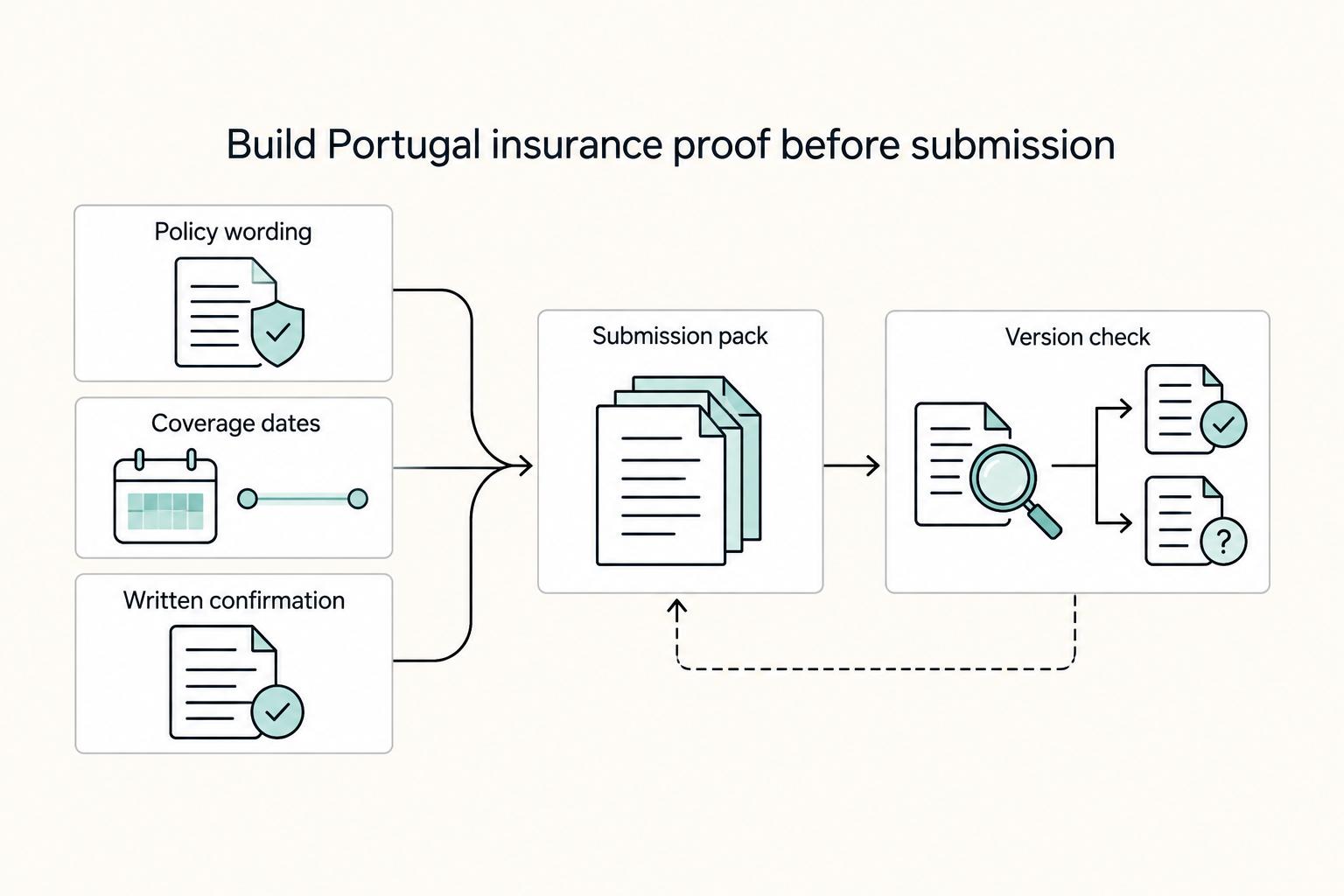
How to Get Health Insurance in Portugal as a Digital Nomad
If you are searching for health insurance portugal nomad options, treat the decision as part of your visa file before you treat it as a product search. The policy matters, but timing, wording, and document quality often determine whether your file moves cleanly or turns into a clarification request.

A Guide to Website Accessibility (WCAG) for Freelance Developers
Here's the clean operator move. Do not argue about labels. Anchor the work to a standard you can actually build and verify, then lock scope and sign-off inside the Statement of Work (SOW).