
Build a Freelancer Disaster Recovery System That Actually Holds Up#
Build this as a baseline to create a freelance disaster recovery plan you can run under pressure: clear recovery targets, a restore order, client-ready messages, and one restore proof record. This helps reduce improvisation during an outage.
Use one standard throughout. Your plan is credible only when recovery objectives are defined and restoration has been tested in real conditions. If you only have template language or synced storage, you may have storage coverage, not recovery readiness.
When recovery objectives are unclear or restoration is untested, teams often discover gaps during an incident, with operational disruption, prolonged downtime, and delayed customer commitments.
Start with one input pack#
Build one input pack in a single folder or note before you draft. Keep these three items together so you are not hunting for them during an incident:
- Dependencies list: active deliverables, plus the files, accounts, devices, and services each depends on. If this is missing, start with work due soonest and map those dependencies first.
- Commitments list: any promises tied to response time, delivery timing, update cadence, or access. Pull from proposals, statements of work, emails, or portal messages. If a promise is unclear, label it unverified.
- Evidence folder: backup-setting screenshots, export locations, vendor outage or status notes, and restore test notes. If it is empty, treat that as a warning that your claims are not yet proven.
| Element | Generic template plan | Operable freelance DR system |
|---|---|---|
| Recovery objectives | Broad intent statements | Defined recovery targets for the work you actually deliver |
| Restore order | Everything marked critical | Short, usable sequence of what restores first, next, and later |
| Client communication | Placeholder text | Prewritten incident, update, and service-restored messages |
| Proof | Settings screenshots only | Logged restore test showing data was actually usable |
Define recovery targets before procedures#
Define recovery targets before writing procedures. State what “recovered” means in practical terms for your most important work, including what must be usable again and how quickly you need to resume service for key commitments. Keep each target plain and specific. If it depends on vague wording, it is not ready.
Completion check: you have a written recovery target for your highest-impact work, and it aligns with client commitments.
Set restore order by business impact#
Set restore order by impact, not convenience. Sequence restores so delivery and communication recover first, then lower-impact items follow. Keep the list short enough to use during an incident. If everything is urgent, it is not truly ranked.
Completion check: your restore sequence is clear at a glance, and the first restores are unmistakable.
Prewrite the client messages#
Write client messages now, not during the incident. Prepare three drafts: incident notice, revised ETA update, and service-restored message. Choose one source-of-truth channel so you do not create conflicting updates.
Keep the wording specific and restrained. Say what is affected, what happens next, and when the next update will come.
Completion check: all three messages are ready to send with only light edits.
Run one real restore and log proof#
Run one real restore and log proof. Restore a business-critical item under real conditions, confirm it is usable, record elapsed time, and note any fixes needed.
This is what turns a document into something you can operate. A backup and recovery strategy is only valid when tested and passed.
Completion check: your restore note clearly shows what was restored, whether it worked, and what still needs fixing.
Once these four pieces are in place, you have a practical recovery baseline to keep testing. The next step is to define scope so the document is explicit about which incidents, assets, and commitments it covers.
Related: A Freelancer's Guide to the US-Australia Tax Treaty.
Define the Scope Before You Touch Any Tool#
Set scope before tooling. You should be able to label each action as recovery, continuity, or out of scope quickly.
Your disaster recovery plan covers restoring access, data, and critical working capability after an incident so operations can run securely again. Your business continuity work covers keeping communication and essential operations moving during and after a crisis. If a task does neither, leave it out of this document.
| Item | DRP action | BCP action |
|---|---|---|
| Trigger | An incident disrupts access, data, or secure operation | An incident threatens ongoing operations, communication, or service continuity |
| First move | Start documented recovery instructions for the affected asset or service | Start documented communication and continuity steps |
| Owner | Named recovery owner | Named continuity owner |
| Output artifact | Recovery instructions and incident status notes | Communication updates and continuity status notes |
Use this quick rule. If the first question is “How do I restore this?”, it is recovery scope. If the first question is “How do I keep business moving and keep people informed while this is broken?”, it is continuity scope.
Gather the four scope artifacts#
Collect these four artifacts in one place before writing scope statements:
- Emergency contacts
- Communication plan steps
- Recovery instructions
- Regular update workflow
If one is missing, handoffs and status decisions get harder during an incident.
Write two one-sentence scope statements#
Write two one-sentence scope statements. One sentence defines recovery scope. One sentence defines continuity scope. Keep both action-based and non-overlapping.
Done when: you can tag any incident task as DRP, BCP, or out of scope quickly.
Define the recovery endpoint#
Define the recovery endpoint in one sentence. State what must be true to call recovery complete, not just partially improved. A usable endpoint means essential operations are running again, access is secure, and affected data or services are confirmed usable.
Done when: the endpoint can be evidenced with a recovery note, access confirmation, or equivalent proof.
Branch only where first moves differ#
Create incident branches only where first moves differ. Do not use one generic outage path if the first technical and communication actions are different.
At minimum, branch for:
- Hardware failure: first technical action addresses the failed hardware and starts the recovery path. First communication action states impact and next update timing.
- Cyber attack: first technical action secures affected access and contains further exposure before restoration. First communication action shares only confirmed status.
- Natural disaster: first technical action confirms unavailable assets, locations, or connectivity and switches to the documented recovery path for critical work. First communication action sends a brief service-impact update with the next update time.
- Failed restore or untested backup discovered during incident: first technical action verifies which recovery source is usable. First communication action revises expectations early.
Done when: each branch has two opening moves written down, one technical and one communication.
Assign ownership and review cadence#
Assign ownership and update cadence. Even if you work solo, name the owner in the document. Then record last updated, next review date, and where updates are tracked. Regular update steps are part of the plan itself, not an optional add-on.
Done when: owner, dates, and core artifacts, including contacts, communication steps, and recovery instructions, are all in one maintained document.
Pressure-test before moving on:
- Can you state the recovery endpoint in one sentence?
- Does each branch show first technical and first communication actions?
- Is ownership for contacts, messages, and recovery instructions explicit?
- Can you classify any task as recovery, continuity, or out of scope immediately?
We covered this in detail in How to Create a Disaster Recovery Plan for a SaaS Business.
Gather the Inputs You Need in One Session#
Before you draft any response playbook, gather a practical input pack. At minimum, capture how disruption could affect key processes and critical functions, the threats and vulnerabilities specific to your business, your recovery approach for major disruption types, and who needs to be informed and ready to act. Also note how you will run regular exercises to keep the team prepared.
This is what keeps decisions fast when an incident hits. There is no single standard disaster recovery response, so your inputs should match how your business actually runs. Because continuity work has to cover the moving parts of your business, gather critical delivery, communication, billing, and file access details early, then expand from there. Build the essentials first, then add extras later.
| Input | Start now | Nice to have later |
|---|---|---|
| Customized draft | Your real services, commitments, core tools, and what "recovered" means | Polished wording and extra scenario detail |
| Dependency map | Critical service dependencies, responsible owners, and fallback options where known | Lower-priority tools and convenience processes |
| Evidence set | Current contracts, provider terms, setup proof, and risk notes for missing proof | Historical versions and optional annotations |
| Access prerequisites page | Access conditions needed to restore work, send updates, and continue billing | Expanded delegation notes for noncritical apps |
Open everything you need first#
Open your current commitments, active work, billing method, file storage, and communication channels at the same time. Create one working folder with draft and evidence subfolders. If you still need to hunt across inboxes and apps for core facts, pause and finish collecting first.
Build the customized draft#
Build the customized draft. Write only what matches your operating reality. Keep recovery content focused on restoring access, data, and secure working capability. Keep continuity content focused on maintaining delivery handling and communication while recovery is underway.
Include your service types, highest-impact commitments, and likely disruption types.
Done when: a reader can identify what you do, what "recovered" means, and which incident types change your first moves.
Map dependencies by service area#
Map dependencies by critical service area. Start with areas such as delivery, communication, billing, and file access. For each dependency, capture practical details that help response decisions, such as ownership, fallback options, and restoration conditions when known.
Use concrete entries, not labels. A usable map tells you who acts, what backup route you use, and what condition triggers restoration.
Done when: you can see which dependencies could disrupt critical functions and how you would respond.
Assemble the evidence set#
Assemble the evidence set. Place proof beside the plan: current contracts, provider terms, setup screenshots or exports, account records, restore notes, and contact details as available.
Create an index file with:
- document name
- owner
- last reviewed date
Link each critical dependency to a proof artifact where available. If proof is missing, log a risk note that states what is missing and why it matters.
Done when: your dependency map is linked to evidence where available, with explicit risk notes for known gaps.
Capture access prerequisites on one page#
Capture access prerequisites on one page. Document what must be true to restore work, communicate with clients, and keep billing moving: access conditions, approval steps, device requirements, and service dependencies. Keep it short and operational.
This page supports both recovery actions and communication readiness.
Done when: one page shows the access conditions that would block recovery if missed.
Complete this pack, then draft incident procedures.
For a step-by-step walkthrough, see Build a One-Page Business Continuity Plan for a Natural Disaster.
Rank What Gets Restored First With a Real Risk Matrix#
Set restore order before an incident, using business impact instead of tool familiarity. In your plan, prioritize items that cause the most business harm, create major dependency blocks, or prevent reliable stakeholder communication.
Use the input pack from the previous section as your decision record.
Define one matrix row per critical dependency#
Define one matrix row for each critical dependency. Each row should drive an action decision, not just name a tool.
- item or function
- what fails if this stays down
- who owns recovery
- what fallback exists
- what condition proves it is restored
- evidence link
Name ownership clearly for every row. Each row needs one named recovery owner and, where possible, a backup route.
Output: matrix fields defined for every critical row.
Check: if a row cannot answer “what fails if this stays down?” in plain language, it is too vague to rank.
Set restore order with impact and dependency risk#
Set restore order by impact, dependency risk, and communication effect. Use consistent labels (for example, restore first, restore next, and defer) so every row is ranked with the same logic.
Treat communication as a core workstream, not an afterthought. If one channel fails but another still lets you update stakeholders, that fallback may rank above convenience tools.
| Decision | Business impact | Dependency risk | Communication effect | Evidence required |
|---|---|---|---|---|
| Restore first | Immediate, material business harm if unavailable | Critical items depend on it, or an outside provider blocks recovery | You cannot reliably communicate without it, or it is the primary update channel | Current access or account proof, provider contact path, fallback note, restore acceptance check |
| Restore next | Work continues briefly with friction or manual effort | Some dependencies are affected, but not all | Updates are slower or less complete, not fully blocked | Setup proof, owner, workaround, verification note |
| Defer | Low immediate business harm | Little downstream blocking | Minimal communication impact | Inventory note and reason for deferral |
Output: restore order set.
Check: if a convenience tool ranks above communication or core access, document a stronger reason than daily usage.
Confirm ownership and outside dependency risk#
Confirm ownership and external dependency risk for each priority. A high-priority row is incomplete until you name the owner (or designated point of contact) and the outside services it depends on, including any outside service providers.
Keep emergency contact information with the matrix. If provider outage or account lockout is part of the risk, link provider records, support paths, and any restore notes in your evidence set.
Output: ownership confirmed.
Check: every top-priority item has one owner, one fallback path, and one linked proof artifact or an explicit risk note.
Document review triggers and run a publish test#
Document review triggers and run a publish test. Restore order should change when new evidence shows the risk moved. Update it after failed restore tests, communication-channel changes, provider switches, or office reopening changes. Testing, training, and exercises are separate readiness activities, so use their outcomes to update this matrix.
Before finalizing, run one validation pass. If any critical row is missing priority, owner, or restore acceptance criteria, mark it not publish-ready and fix it first.
Output: review trigger documented.
Final check: priority, owner, fallback, restore condition, and evidence link are present for every critical row.
Design Backup and Recovery So You Can Prove It Works#
If you want a neutral template for documenting system recovery dependencies, map your checklist to NIST SP 800-34 contingency planning guidance so restore roles, priorities, and evidence expectations stay explicit.
Design backups around proof, not assumptions. In your freelance disaster recovery plan, treat a backup as recovery-ready only when you can show where data lives, who starts recovery, and what record confirms the restore worked.
Map each critical item to a clear responsibility path#
For every top-priority item in your matrix, document:
- where live data lives
- where the backup copy lives
- emergency contacts
- communication plan for an incident
- who starts recovery steps, and who takes over if that person is unavailable
- where the recovery instructions live
- restore acceptance check
- how plan updates are tracked
Keep this explicit. If you work solo, name yourself as the primary recovery contact and document a vendor support or escalation route for backup.
If someone reviewing your plan cannot quickly answer who starts the restore and how escalation works, the responsibility path is still incomplete.
Choose the backup model you can actually operate#
Do not plan around zero-downtime assumptions. Choose the model you can run under stress, with clear dependencies and proof artifacts.
| Backup model | Practical fit | Recovery path to document | Dependencies | Proof artifact required |
|---|---|---|---|---|
| Vendor-managed | You rely mainly on provider tooling | Provider recovery path plus your verification steps | Vendor availability, account access, support path | Service documentation or settings record showing backup scope, current account ownership proof, and latest restore confirmation or support ticket |
| Self-managed | You keep and restore your own copy | Your step-by-step restore procedure | Storage access, device availability, credentials | Backup job record, storage access proof, latest successful restore log |
| Mixed | You use both your own copy and vendor recovery paths | Primary path and explicit escalation trigger | Your backup location plus vendor platform | Artifacts from both paths plus a written escalation rule |
Pick based on operational reality. If one outage or access failure could halt operations, document a fallback path instead of relying on a single route.
Write the restore procedure as an action path#
Write short recovery instructions another capable person can execute under pressure. Keep them with emergency contacts, communication plans, and recovery instructions in one place.
For each critical item, include:
- where to start
- required credentials or support route
- restore steps
- what confirms the item is usable again
- when to escalate and to whom
Then run real restore tests on critical items, full or limited, and log the date, operator, source, result, and issues found. “Backups enabled” is setup evidence, not restore proof.
Log gaps and set the proof standard#
Lack of backup-plan testing is a documented failure mode, so mark untested or partially tested items clearly. If recovery depends on unverified credentials, an unused vendor handoff, or an outdated procedure, log it as an unresolved gap with an owner and follow-up.
Treat this section as recovery-ready when each critical item has a current restore record, a clear instructions location, and unresolved gaps logged for follow-up.
This pairs well with our guide on How to Create a Secure Backup Strategy for Your Freelance Business.
Lock Down Access Paths Before the Next Incident#
Your restore plan depends on being able to reach the account, device, or cloud tool needed to execute it. For each critical system, document three routes now: a primary path, a backup path, and a break-glass path with temporary scope.
Write access paths you can execute under pressure#
Use direct action steps, not policy language. For each system, state where you start, what blocks normal access, and how you switch to backup access. If another person, vendor, or recovery channel is involved, name that handoff explicitly.
Keep scope task-based so emergency access stays limited to the work needed to restore service, communicate, or keep invoicing moving.
| Access path | When to use | What to confirm now | Systems in scope | Record after use |
|---|---|---|---|---|
| Normal access | Routine delivery, maintenance, scheduled checks | Starting point and known blockers | Systems tied to day-to-day responsibilities | Note changes to roles, devices, or account status |
| Emergency access | Device loss, lockout, outage response, urgent client updates | Backup route and required handoffs | Only systems required for the incident task | Note what changed during the incident and how normal access was restored |
Treat remote and fallback access as a tested path#
Your access plan has to work in both on-site and remote conditions. Hybrid continuity plans can still miss home networks, cloud dependencies, and virtual workflows, and remote readiness is often assumed even though internet, power, and workspace conditions vary by location. Even plans that cover recovery times and communication chains can miss these hybrid-specific risks.
For any emergency device, verify it can reach critical services from the location where it would actually be used. Log owner, storage location, and the last successful access test. If checks are stale, treat that device as unavailable until it is retested.
Prove access with a tabletop and closeout record#
Run a tabletop that forces an access decision, not just a restore decision. Example scenario: your primary laptop is unavailable while remote, one cloud dependency is unstable, and you need to restore a client file and send an update quickly.
Flag failure signals immediately: unclear backup route, missing handoff details, stale fallback-device checks, or emergency access that opens more systems than the task needs.
Do not mark this section complete when sign-in works once. Mark it complete only after you record what worked, what failed, and what changed in your incident notes. Keep current records for each critical system so you can switch access paths under pressure and return to normal operations afterward.
Script the First 60 Minutes and Client Communication#
For first-hour incident handling, align your triage flow with NIST SP 800-61 incident handling guidance and adapt communication checkpoints to CISA cross-sector cybersecurity performance goals.
Your first hour should follow a clear sequence: confirm, contain, restore, communicate, log. Treat it as controlled triage, assign a single incident lead to coordinate actions, and keep decisions in one live record from minute one.
- Confirm and open the record.
Start one incident note immediately and keep it live. Capture essentials such as start time, affected services, current understanding, decision owner, update channel, and whether personal data may be involved. If personal data may be involved, start that log now even before notification duties are confirmed.
- Contain what could spread.
Isolate the impacted device, account, or service before broader fixes. If compromise is possible, move sensitive coordination to an alternate channel, such as phone, instead of potentially affected email or chat. Confirm in writing what is isolated and what is still operational.
- Start restore work by priority, not convenience.
Follow your pre-ranked restore order and begin with the service that most blocks delivery, communication, or billing. Do not spend early time on low-impact cleanup while client-facing disruption continues.
| Audience | Trigger to notify | Approved channel | Message objective | Who signs off before send |
|---|---|---|---|---|
| Active clients affected now | Delivery, access, or deadline risk is confirmed | Pre-approved client channel (email or phone); use phone if email reliability is in doubt | Set expectations and reduce confusion | Incident lead |
| Critical vendor or platform support | Their service or access is required for containment or restore | Vendor support portal or account phone line | Open a recovery case and capture the reference number | Incident lead after fact check |
| Backup helper or subcontractor | You need delegated recovery work or client-cover support | Phone or secure chat | Assign one specific task with scope and deadline | Incident lead |
- Send concise updates at regular checkpoints.
Each client update should state: what is confirmed, what is in progress, what you need from the client, and when the next update will arrive. Do not speculate on cause or commit to a restore time you cannot support.
- Close the hour with evidence and handoff.
Save a log snapshot, archive outbound messages, list unresolved risks, and prepare handoff notes for the next recovery window. If personal data is implicated, add a jurisdiction check now: the UK ICO references reporting within 72 hours where feasible, while U.S. notice duties vary by state.
Add Contract and Vendor Protections Before You Need Them#
Your contract promises should not exceed what you can execute during an incident. Before you sign, test each recovery or communication commitment against a documented process, a named owner, and an evidence record.
Map every promise to executable control#
Treat pre-signing review as a gate. For each material promise, confirm who owns it, what action fulfills it, and what record shows it happened. If any answer is missing, narrow the clause.
Use your internal control documentation and review log as the source of truth. Recovery terms should map to documented recovery objectives, an owner, and proof, such as a restore test record or incident log. Communication terms should map to reporting triggers, channels, responsible roles, and message records.
Use clause language you can test#
Keep three clause groups explicit: recovery commitment, incident-notification expectation, and exception boundaries. Stronger language assigns responsibilities, includes measurable service time parameters you can support, and states how compliance is verified.
| Contract language pattern | Operational proof required | Vendor dependency risk | Revision action |
|---|---|---|---|
| Precise and testable: names service, owner, channel, and time parameter | Control documentation entry, incident log template, message archive, restore test record | Moderate if vendor-linked, but visible | Keep only if process and evidence already exist |
| Partly defined: uses “prompt notice” or “reasonable efforts” without trigger, owner, or channel | Inconsistent proof | High due to timing disputes | Add trigger, reporting protocol, owner, and evidence artifact |
| Vague and risky: promises uninterrupted service, immediate recovery, or fixed timing controlled by a vendor | Little usable proof | Very high, especially with single-provider reliance | Narrow promise, add exception boundaries, or remove timing claim |
If performance depends on a vendor, your promise should reflect that dependency.
Collect vendor documents and log decision impact#
Request vendor DR or BCM documentation, current SLA terms, incident reporting terms, and available independent audit or SOC reports. Use them as risk inputs, not automatic proof of recovery readiness.
In your repository, track owner, version status, review date, and next review trigger. Reevaluate periodically and when conditions change. If a critical service has no alternative provider path, log that as single-point-of-failure risk before signature.
Run a final red-flag pass#
Check for uncontrolled third-party timelines, missing exception boundaries, and communication commitments without an executable process.
If vendor capacity during incidents may vary across clients, avoid commitments you cannot control and add fallback paths where possible. If you rely on force majeure language, pair it with explicit transition or termination actions so handoff still works under stress. If status reporting is promised, confirm trigger, channel, responsible owner, and escalation path are already operational.
Keep Payment and Invoicing Continuity in Scope#
If you cannot send invoices, receive payments, and reconcile records during an outage, your recovery plan is incomplete. Treat billing continuity as an operational control, document what happened as you go, and avoid changing tax or compliance assumptions mid-incident without review.
Set primary and backup billing paths before an outage#
Do not assume exact invoicing channels, switch triggers, or return-to-normal triggers are prescribed for your business. Use this as an internal planning template.
For each client segment, define one normal invoicing channel, one fallback channel, one switch trigger, and one return-to-normal trigger. Keep this pre-approved where possible so you are executing, not improvising.
| Client segment | Normal channel | Fallback channel | Switch trigger | Internal authenticity check | Return-to-normal trigger |
|---|---|---|---|---|---|
| Retainer clients | Usual recurring invoice channel not yet documented | Pre-approved backup delivery path not yet documented | Tested switching condition not yet documented | Client-recognized authenticity check not yet documented | Checkpoint for resuming normal delivery not yet documented |
| Clients that require an AP portal | Portal or procurement route not yet documented | Approved AP contact path not yet documented | Failed-access or failed-submission condition not yet documented | Client confirmation fields not yet documented | Portal access and duplicate-check rule not yet documented |
| Cross-border or travel-sensitive clients | Current processor or bank route not yet verified | Secondary route allowed for that client or jurisdiction not yet verified | Access, settlement, or account-constraint trigger not yet documented | Beneficiary-detail and contact confirmation step not yet documented | Settlement confirmation before switching back not yet documented |
Run a documented outage sequence in this order:
- Confirm the normal channel is affected.
- Switch to the documented fallback.
- Notify the client with the updated delivery path.
- Log key reconciliation details.
- Return to normal only when your internal return trigger is met.
Verification check: for any active client, you should be able to state their backup billing route and switch trigger in under a minute.
Keep one reconciliation evidence checklist per invoice thread#
Use one evidence file or folder per invoice thread and update it in one place. This is consistent with IRM 1.4.20.10.4, which includes "Documentation and Follow-up."
Track internal fields that fit your workflow, for example:
- invoice version
- delivery proof
- payment confirmation
- exception notes
- final reconciliation status
If you resend or revise, keep each version instead of overwriting. If payment arrives through a different route, record enough detail to tie that payment to the correct invoice and close it cleanly.
Run a compliance checkpoint before changing billing behavior#
IRM 1.4.20.1.5 includes "Program Controls," but jurisdiction-specific registration, filing, or tax-treatment rules for your exact scenario are not defined here. Use a short checkpoint page next to your fallback billing notes, and escalate when requirements are unclear.
Checkpoint items:
- required registration status
- filing or tax-treatment assumptions currently used
- client-jurisdiction rules that may affect invoice format or payment handling
- requirement that still needs current verification
Leave uncertain requirements marked as pending verification. If a requirement is not recently verified, escalate before changing billing behavior instead of filling gaps from memory.
Decision rule:
- If only the delivery channel changes, use the documented fallback.
- If tax treatment, entity details, jurisdiction handling, or account legality might change, pause and escalate for expert review.
Escalate cross-border and mobility payment risks early#
For cross-border or mobile work, focus on dependencies that could block getting paid and validate them before an incident. Confirm outage thresholds, processor fees/limits, and legal determinations with the relevant authority for each jurisdiction.
Escalate when uncertain. If you cannot confirm whether your current setup is still compliant or operational for that location or client jurisdiction, route the issue to qualified tax or legal review before it turns into a live payment failure.
Test the Plan Quarterly With Tabletop Exercises#
Use each tabletop exercise to prove your plan works under pressure, not to discuss theory. Keep each run tight: one scenario with clear checkpoints and a closure record tied directly to your DRP or BCP.
IRM 10.8.62 frames tabletop work inside the ISCP and DR TT&E process and explicitly includes both ISCP tabletop exercises and an ISCP Testing Checklist. Apply that standard to your freelance plan by capturing test evidence each time.
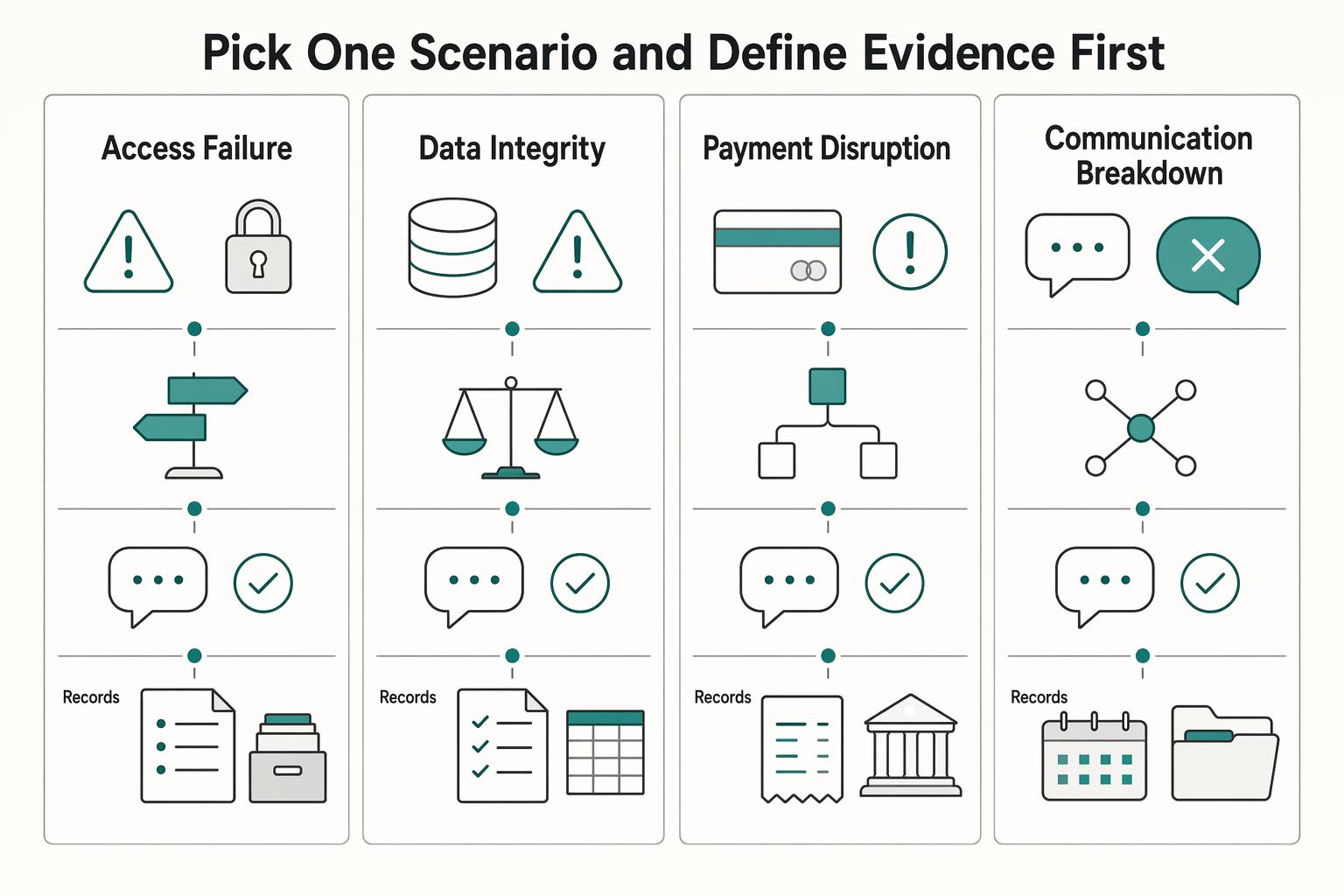
Pick one scenario and define evidence first#
Choose one realistic failure and pre-write the trigger, first decision point, communication checkpoint, and closure record.
| Scenario type | What to simulate | What success looks like | Record to save |
|---|---|---|---|
| Access failure | Loss of your primary account, device, or authentication path | You can use the backup access path and confirm what remains blocked | Access test note and decision note |
| Data integrity issue | Files are missing, corrupted, or uncertain | You identify the last usable copy and set restore order | Restore decision note and integrity check result |
| Payment disruption | Your normal invoicing or payment route is unavailable | You switch to the documented fallback without changing core billing assumptions mid-incident | Client notice record and reconciliation note |
| Communication breakdown | Your main client communication channel fails | You send via the backup channel and confirm receipt | Message copy and delivery confirmation |
Execute in live-incident order#
Run the response in the same order your DRP or BCP specifies for a real incident. Log what changed, who takes the next action, whether client communication was required, and what proof confirms completion.
If any step depends on memory instead of the document, record it as a plan gap.
Review it with your existing risk categories#
Review the result against the same risk categories you already use, then flag recurring failure patterns before adding new tools or process layers. Repeats can include delayed communication, weak access fallback, and unclear restore priority.
This is where risk-based decisions matter. If the same weakness appears again, either close the gap or document a risk-acceptance decision and why.
Close only after controlled document updates#
Do not mark the cycle complete when the discussion ends. Mark it complete only when each exercise produces updates to your DRP or BCP, version notes, and dated follow-up tasks in your evidence set.
You might also find this useful: A Guide to Using a Financial Planner vs. a Robo-Advisor.
Fix the Mistakes That Make Plans Useless#
Run this as a pre-publish quality gate, not a writing pass. Your plan is most usable when each critical step includes a named owner, a clear action, an evidence artifact, and a fallback path.
| Common mistake | Why it fails during disruption | What you change now | How you verify it |
|---|---|---|---|
| Proof gap | “Configured” does not prove you can recover | Replace “backup enabled” with owner, last restore date, restored item, elapsed time, and evidence location | Open the restore note or after-action record and confirm it is complete |
| Generic wording | Vague lines like “notify clients promptly” fail under stress | Name the Incident Manager, first message owner, audience, template file, and backup communication path | Send a test message through the fallback channel and save delivery proof |
| Untracked dependencies | Recovery can stall when required resources and interdependencies are unclear | List key dependencies, outside providers, response-time assumptions, and a logistics owner | Review the dependency list and confirm each item has an owner, fallback, and review date |
| Unsupported promises | Public commitments can exceed what you can prove | Rewrite claims to match your actual RTO, RPO, dependency limits, and test evidence | Match each promise to a document, log, or contract note before publishing |
Rewrite each high-priority line in execution form: owner -> action -> evidence -> fallback. Use this pattern for restore steps and communication steps, since your primary email, chat, or document tools may be unavailable during an incident.
Cut or narrow anything you cannot substantiate now. If a timing claim, backup claim, or dependency claim has no evidence artifact, remove it or restate it conservatively. If you use a 3-2-1 backup pattern, treat it as design structure, not proof by itself.
Run the self-audit#
- Who acts first, by name, for each critical failure?
- What exact artifact proves the step is complete?
- What is the fallback path if the first option fails?
- Are RTO and RPO stated wherever you make timing or data-loss claims?
- Can you access contact lists, message templates, and evidence files without primary tools?
Need the full breakdown? Read How to Handle a Data Breach in Your Freelance Business.
Use This Copy and Paste Build Checklist#
Use this checklist only when each line is executable under stress: one action, one owner, one proof artifact, and one fallback path.
- Define scope, recovery endpoint, and triggers.
Assign an owner for this document. Write what this plan covers, what “recovered” means, and which events trigger it. Record your RTO (maximum recovery-phase time before business impact) and RPO (the point in time your data must be restored to), then save a dated scope page as proof.
- List dependencies and set restore order.
Name an owner for each critical dependency, rank restore priority, and add one fallback for anything that can block delivery, communication, or payment. Save a dependency sheet that shows item, priority, primary path, fallback path, and decision owner.
- Run one recovery test and one emergency-access test.
Restore one real file, project, or device state from backup, and test one emergency access route for when your normal access path is disrupted. Keep a restore and access log with date, item tested, elapsed time, issues found, and fix location. Include offline encrypted backup testing in your routine.
- Prepare client messages and tighten promises.
Save three templates: incident notice, revised ETA, and service-restored confirmation. Name a first-send owner and backup. Tie each timing or recovery promise to tested evidence, then store templates with the vendor recovery notes you rely on.
- Schedule practice before rollout and log updates.
Put your first tabletop exercise on the calendar before internal rollout. Name a facilitator and backup facilitator. Save proof as the calendar invite plus an after-action note showing what failed, what changed, and where the revised plan now lives.
| Checklist item | What “done” looks like | Where proof is stored | Fallback if blocked |
|---|---|---|---|
| Scope and triggers | Scope, recovery endpoint, triggers, RTO, and RPO are written and dated | Plan folder and offline or secondary-access copy | Use printed copy or secondary device |
| Dependencies and restore order | Critical tools, vendors, and accounts are ranked with owner and fallback | Dependency sheet in evidence folder | Use backup supplier, account, or manual process |
| Recovery and access test | One restore and one emergency access test are completed and logged | Restore and access test notes | Use offline backup or delegated authority path |
| Client communication | Three templates are ready and promises match tested evidence | Communications folder with template files | Use alternate channel, backup email or phone |
| Practice and revision | Exercise date is booked and after-action note template or location is defined | Calendar and exercise-notes folder | Assign alternate facilitator and reschedule in next review window |
Use this pre-publish gate before internal rollout:
- Every step names one owner by actual name.
- Every critical dependency has a fallback path.
- Every timing or recovery claim is backed by an RTO, RPO, test record, contract note, or vendor document.
- Every proof artifact is reachable without your primary laptop, account, or email.
- Every client-facing message has a ready template and a backup delivery channel.
- Your first practice date is scheduled, and after-action note storage is defined.
If any box is unchecked, stop and fix that gap before rollout.
Related reading: How to Build an Antifragile Freelance Business: Financial Core, Compliance Firewall, and Shock Absorbers.
If you want a faster way to turn your checklist into client-ready legal language, draft the baseline terms with the Freelance Contract Generator.
Turn This Into a Durable Operating Habit#
If your freelance work depends on local operations or infrastructure recovery, fold in planning checkpoints from Ready.gov guidance for businesses to keep your operating cadence tied to practical disruption scenarios.
A usable plan is not a one-time document. It is a repeatable operating loop. Each cycle should produce four outputs: one exercise, one documented execution record, one evidence log, and one immediate plan update.
Run a real exercise#
Set a date and run one plausible outage as a tabletop exercise. In IRM 10.8.62, tabletop exercises are part of TT&E, and that structure is a practical model for your own routine. Record a dated scenario note with the trigger, affected tools, and your definition of recovered for that event.
Execute your recovery instructions as written#
Follow your documented steps in order, without filling gaps from memory. If you hesitate, detour, or hit missing access details, mark the exact line that failed. Treat this like keystroke procedures and complete a testing checklist so you validate instructions, not intent.
Log evidence immediately#
Capture what happened while details are fresh: date, scenario, what you restored or accessed, elapsed time, what failed, and where you fixed it. Keep proof of restore and proof of access, not just status screens.
| Practice trigger | Action you take | Evidence you keep | Plan update required |
|---|---|---|---|
| Exercise date arrives | Run one tabletop scenario end to end | Dated scenario note and completed testing checklist | Clarify triggers, ownership, or restore order |
| Documented execution test | Execute documented recovery steps in sequence | Step-by-step execution notes with failure points | Rewrite unclear or missing instructions |
| Restore or access validation | Restore one real item and verify one access path | Restore or access evidence log with elapsed time and issues | Add missing prerequisites, credentials path notes, or fallback steps |
| Risk or tradeoff identified | Record the accepted risk and decision in writing | Risk acceptance note linked to the test cycle | Update risk-based decisions and next mitigation step |
Revise right away and record limitations#
Update the plan immediately after each cycle. Remove dead steps, simplify confusing instructions, and update risk-based decisions in writing when you accept a gap or tradeoff. Keep one current version, archive prior versions, and require at least one evidence update plus one document edit every cycle.
If your recovery plan includes cross-border billing and payout continuity, review Gruv for Freelancers to confirm what workflows are supported for your setup.
Frequently Asked Questions
What is a freelance disaster recovery plan?
Your freelance disaster recovery plan is your written playbook for restoring critical systems and data after a major disruption. In practice, keep it tied to your dependency inventory, your restore evidence log, and a clear definition of what “recovered” means for your business. If you cannot show restore proof and fallback paths, the plan may not be ready.
What is the difference between a Disaster Recovery Plan and a Business Continuity Plan for freelancers?
Use a clear scope split: your DRP restores systems and data, while your BCP keeps client delivery running, or resumes it, during disruption. Treat them as connected, not interchangeable. Your DRP steps should map to the same dependency inventory your continuity plan uses, along with client update templates and alternate delivery paths.
What should a one-person DR checklist include?
Include only actions you can execute under pressure. A practical baseline is to define scope and triggers, document dependency order, test real restores periodically, prepare client update templates, and keep any vendor DR, SLA, or audit material you receive. Check quality with a simple rule: each item has one owner, one proof artifact, and one fallback.
How often should freelancers test backups and restores?
There is no universal testing interval in this guidance, so set your cadence based on your critical systems and document it. Then keep a restore evidence log with details like date, restored item, elapsed time, issues found, and fix location. Do not treat a backup status screen as proof if you have not restored a real file, project, or device state.
How should I notify clients during an outage?
Send a short update early, then state a realistic next update time. Tell clients what is affected, what is still available, what you are doing next, and when they will hear from you again, using your prewritten client update templates. Do not promise recovery timing unless it matches tested evidence or vendor resilience information you already have.
Do freelancers need vendor disaster recovery proof in contracts?
There is no single universal legal rule for every freelancer in every jurisdiction. If a provider is critical to delivery, payment, storage, or communication, ask for the resilience information and evidence they can share. Define responsibilities in contract terms, and keep any vendor DR documentation, SLA notes, or audit material you receive. Avoid making client-facing promises based only on vendor marketing pages.
What is the right restore order for a solo business after an incident?
There is no single restore order that fits every solo business. Start with what gets critical client work moving first, then restore supporting tools for communication, payment, and administration using your dependency inventory order. If two items seem equal, restore the one that blocks the most downstream work or client contact. | Question theme | Immediate action | Proof to keep | Common mistake to avoid | |---|---|---|---| | Plan definition | Define “recovered” and list triggers | Dated scope page | Treating a template as a finished plan | | DRP vs BCP | Separate restore work from continuity work | Dependency inventory and client update templates | Using DRP and BCP as interchangeable | | Checklist contents | Add owner, fallback, and restore order for each item | Completed checklist, dependency inventory, and any vendor DR/SLA/audit evidence received | Leaving critical dependencies without fallback | | Testing cadence | Set your cadence and log every restore | Restore evidence log | Assuming enabled backups prove recoverability | | Client communication | Use prewritten incident, ETA, and restored-service templates | Client update templates | Sending vague updates or overpromising timing | | Vendor resilience | Request available DR, SLA, or audit evidence and define responsibilities in contracts | Vendor documentation and contract notes | Relying on unsupported vendor claims | | Restore order | Prioritize what restores client delivery first | Priority order in dependency inventory | Restoring familiar tools before critical ones |
Researched and edited by the Gruv editorial team. Gruv builds cross-border billing, payouts, and finance-operations software for global businesses.
Sources
- cisa.gov/resources-tools/services/cisa-tabletop-exerc...trusted
- cisa.gov/sites/default/files/publications/Incident-Re...trusted
- dps.arkansas.gov/wp-content/uploads/2023-ARCEMP-Final.pdftrusted
- ecfr.gov/current/title-44/chapter-I/subchapter-D/part...trusted
- fema.gov/pdf/emergency/disasterhousing/NDHS-core.pdftrusted
- irs.gov/irm/part10/irm_10-008-062trusted
- irs.gov/irm/part13/irm_13-010-005trusted
- ithandbook.ffiec.gov/it-booklets/business-continuity-management/i...trusted
Educational content only. Not legal, tax, or financial advice.
Related Posts
Canada Digital Nomad Visa Planning for Visitor Status and Work Permits
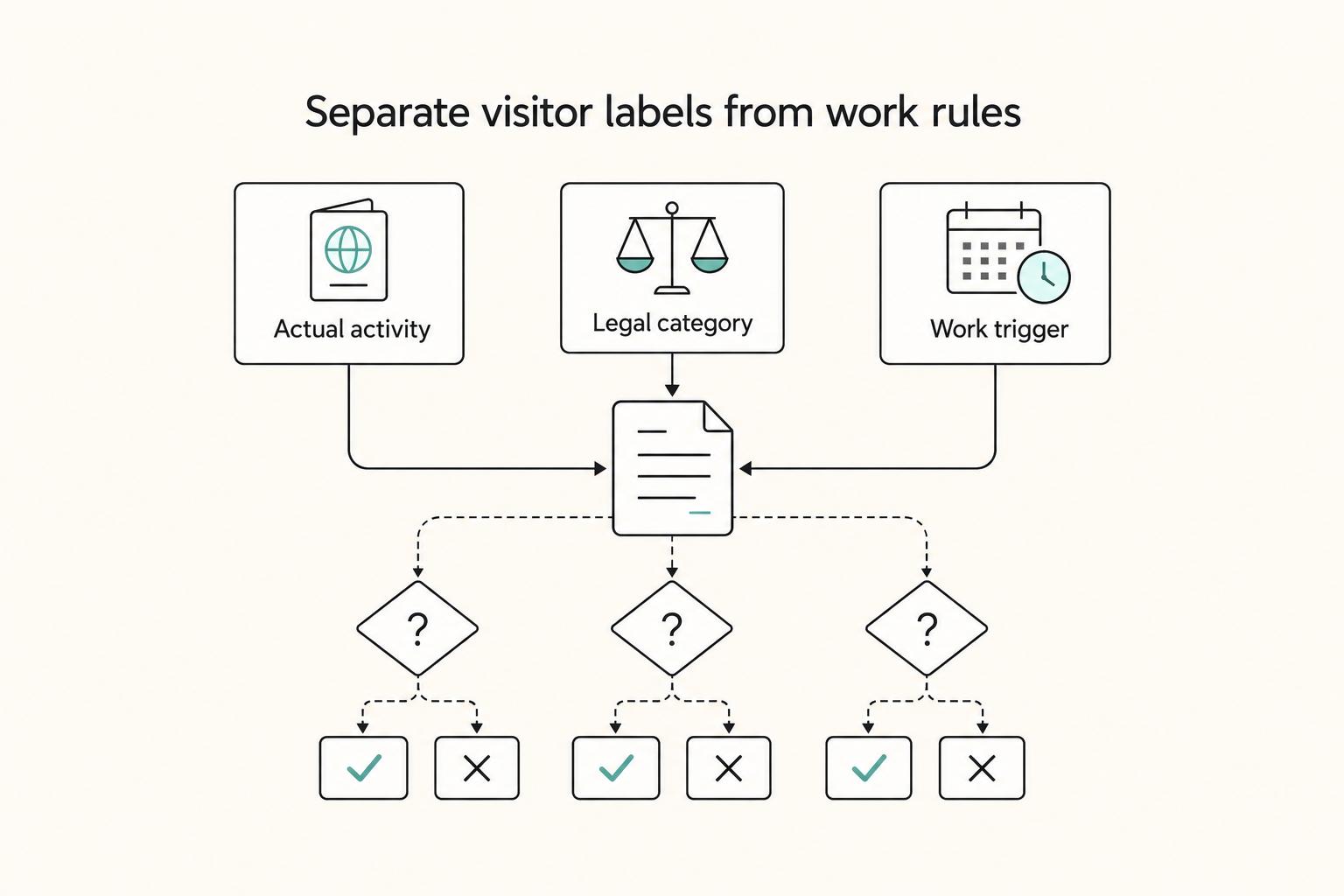
The phrase `canada digital nomad visa` is useful for search, but misleading if you treat it like a legal category. It is shorthand for existing Canadian status options, mainly visitor status and work permit rules, not a standalone visa stream with its own fixed process. That difference is not just technical. It changes how you should plan the trip, describe your purpose at entry, and organize your records before you leave.
A Freelancer's Guide to the US-Australia Tax Treaty
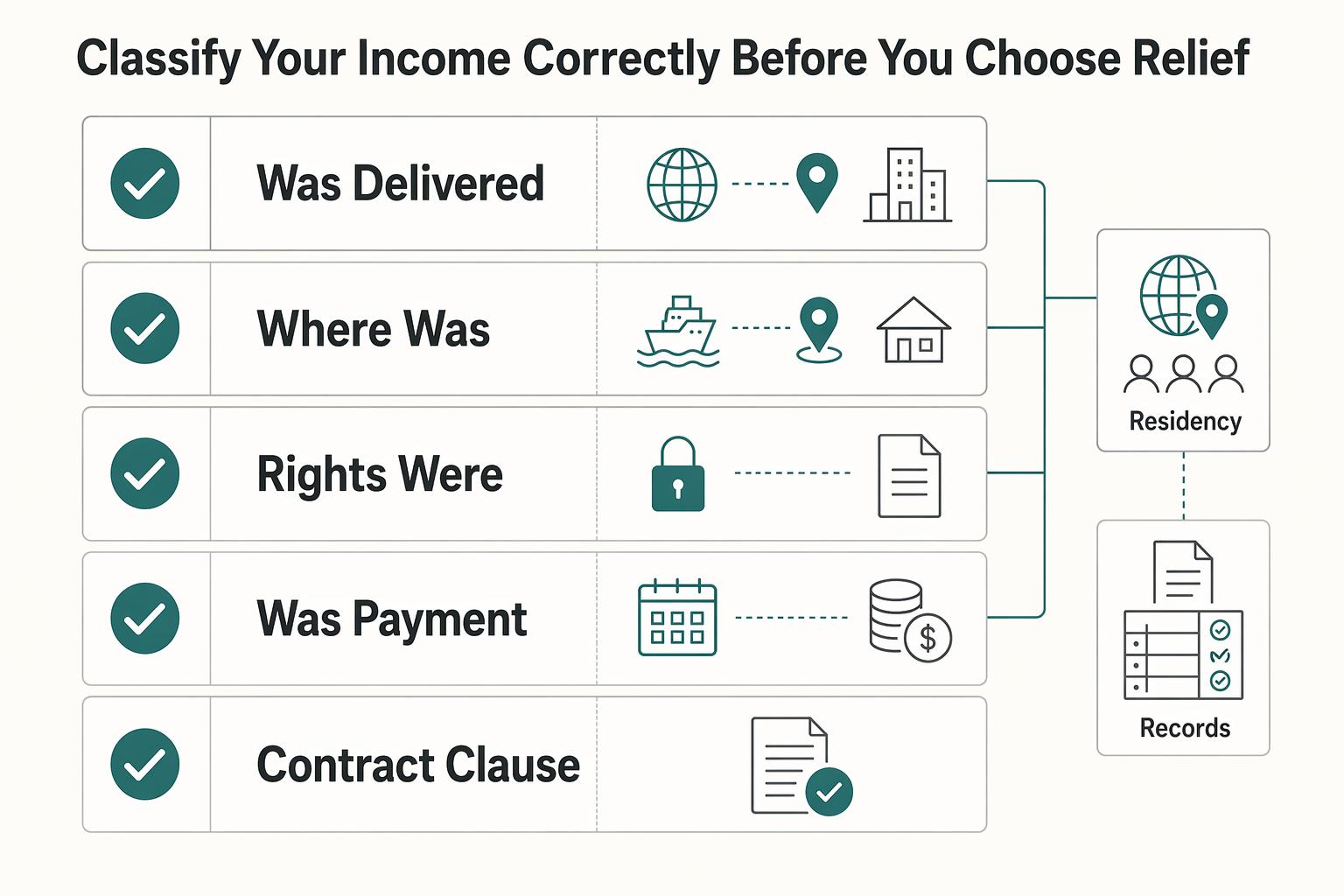
If you freelance across borders, a defensible tax position is usually the fastest route to a clean filing. The order matters: lock down the facts, test the treaty treatment, then map the filings and relief choices. If you reverse that order, it is easy to optimize for an answer that falls apart once someone asks for support.
A Guide to Using a Financial Planner vs. a Robo-Advisor
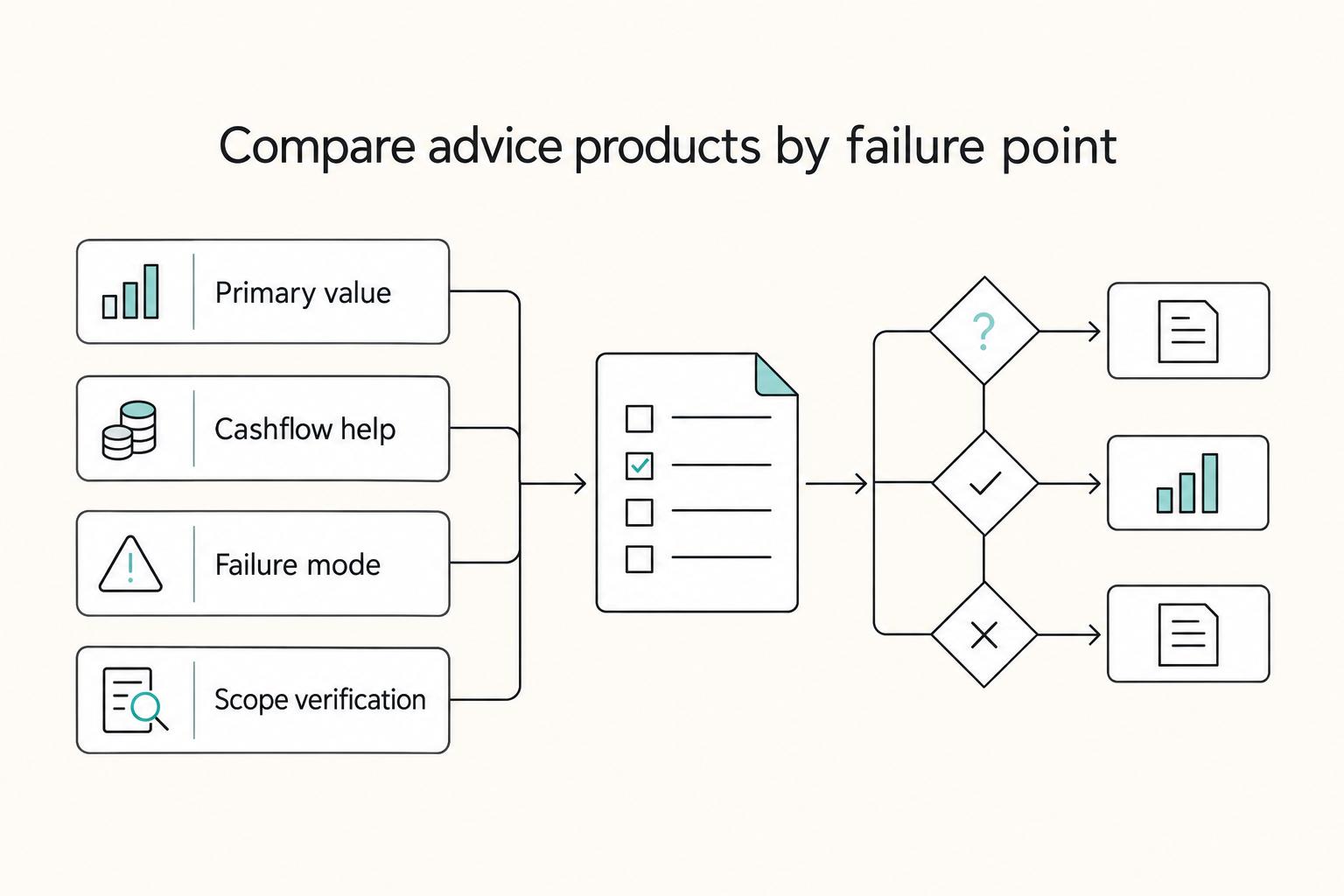
Make the decision that keeps your cashflow stable first, then choose the investing setup you can actually maintain. Do not start by debating portfolio optimization. Start by stress-testing the part of your finances most likely to break when you invoice clients: timing mismatches between incoming payments and outgoing obligations (rent, payroll, software, taxes).