
Quick Answer
Create the report by leading with business outcomes, not platform activity. Build a one-page executive dashboard that shows progress against goals, market context, and your next recommendation, then support it with evidence such as tagged links, sessions, conversions, and campaign timing. Add key activities delivered, priorities for next period, and a short observations box so the report guides decisions, protects scope, and stays easy to repeat each month.
Build a Report That Helps Clients Make Decisions#
A strong social media client report should help a client make a decision, not just review activity. If you want executive attention, stop leading with likes, reach, and follower growth. Start by showing what changed in the business because of the work.
Step 1 Build a one-page executive dashboard#
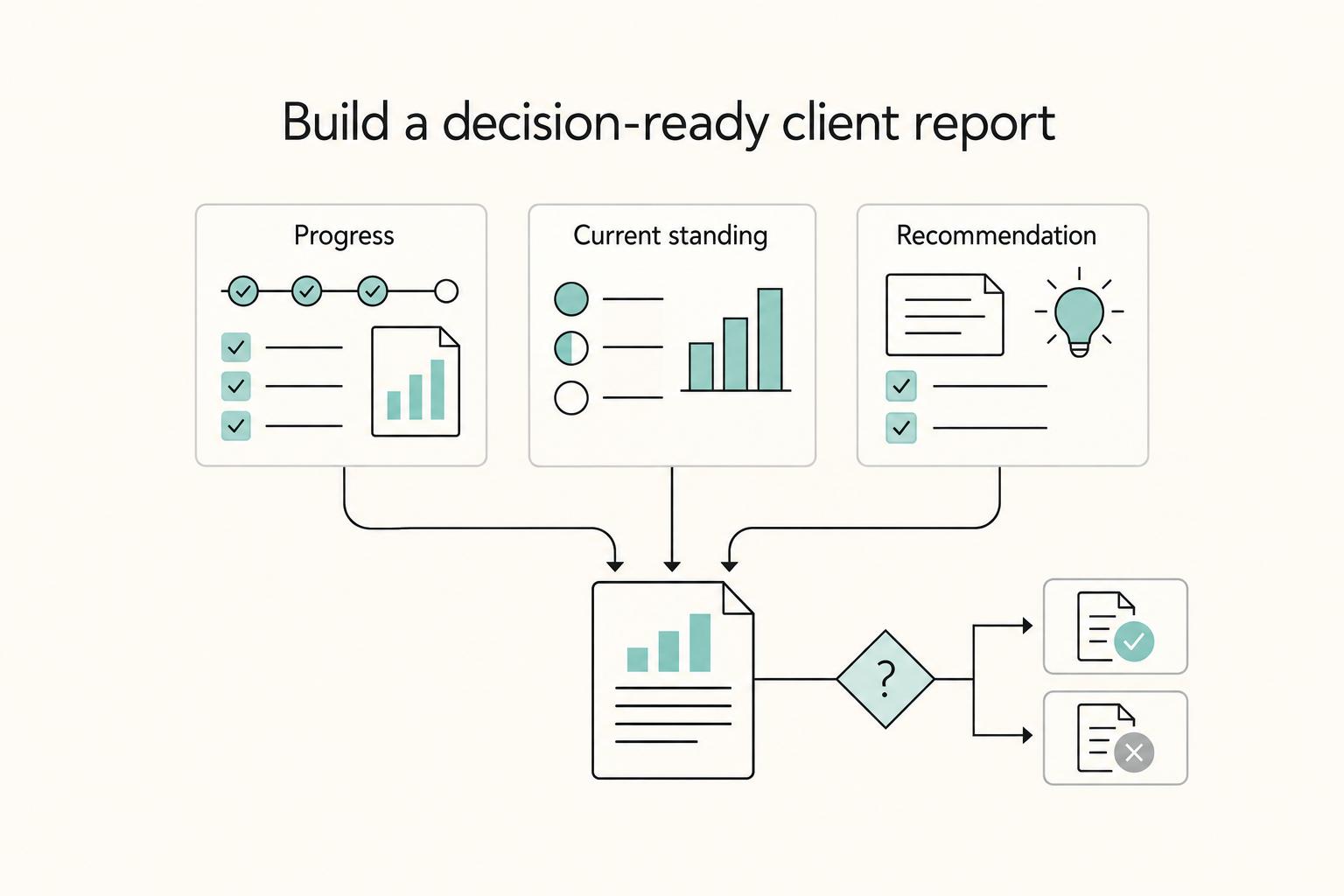
Most weak reports fail for the same reason: they are data dumps, not decision tools. Your first page should work as a one-minute briefing for a CEO or department head who does not need every chart, but does need the signal. A client performance dashboard can pull core metrics into one view and reduce manual reporting work, but it only helps if the page makes clear what matters and what to do next. Frame that first page around three questions:
| Executive question | What to show |
|---|---|
| Are we making progress against the business goal? | Performance against business goals |
| Where do we stand against the market? | Relevant context |
| What do you recommend we do next? | Short recommendation block |
That means the dashboard should show performance against business goals, relevant context, and a short recommendation block. If the goal is lead generation, lead with MQLs from social, sessions from tagged campaigns, and cost per MQL where tracking allows. If brand position matters more, lead with Share of Voice and sentiment trends.
If you want a parallel reporting method, the executive summary logic is similar to this client reporting approach for SEO freelancers. Give the client the numbers that help them decide, then explain the implication.
Use a simple checkpoint: after reading page one, your client should be able to repeat the month's outcome in one sentence. If they cannot, you either have too much detail or not enough interpretation.
Step 2 Translate metrics into business outcomes#
Raw numbers are not the point. Marketing reporting is about presenting performance so stakeholders can make better decisions. Analytics is the deeper investigation behind it. That translation layer is where your value sits.
| Instead of This (Vanity Metric) | Write This (Business Outcome) |
|---|---|
| "Our Instagram engagement rate increased this month." | "Higher engagement on product-focused Instagram content increased clicks to the features page, supporting pipeline goals." |
| "We gained new followers this month." | "Content aimed at new audiences expanded reach and grew the pool of potential leads for the upcoming webinar." |
| "The campaign generated strong impressions." | "The campaign increased visibility and was paired with an uptick in branded search interest." |
Those examples all do the same job: they tie a platform metric to a business outcome. For executive readers, a short set of KPI groups is often clearer than a long spreadsheet:
- Share of Voice can show whether the brand is gaining or losing presence in the market conversation.
- Sentiment Analysis can indicate whether attention is positive, negative, or neutral, which adds context beyond mention counts.
- Contribution to Pipeline connects activity to business impact through attribution, often using tagged links to show which sessions, conversions, or MQLs came from social.
You will not always get perfect end-to-end attribution, but you should still bring the strongest available evidence pack: tagged links, landing-page sessions, goal completions, assisted conversions, and notes on campaign timing.
In practice, that translation layer is what makes you look like a strategic operator instead of someone reciting platform metrics. It is also part of how you build authority, much like the public credibility work you do when you use social media to build your freelance brand.
Step 3 Use the report to protect scope and control the narrative#
A report is not only a performance document. It is also a recurring business record, and that matters because long-term service work can drift into scope creep without tight controls.
Keep a section titled Key Activities Delivered This Period. Treat it as scope confirmation, not a casual recap. Then follow it with Priorities for Next Period and tie that language back to the current SOW, such as: "As per our current SOW, our strategic focus for the next 30 days will be..."
This gives you a clean response when extra requests appear: that work sits outside the priorities documented here, and you are happy to scope it separately. It also creates a useful verification habit. Review the dashboard in a recurring meeting, ideally on a quarterly cross-functional cadence if the account is large enough, so marketing, sales, and leadership stay aligned on what the numbers mean.
One red flag to avoid is a beautiful dashboard that nobody reads. If your report lives in a tool but never gets discussed, clients can still feel ignored. That is why every key number needs context. If engagement drops, explain why before the client fills in the blanks themselves.
The 30-Minute Report: How to Automate Your Process#
If your report is meant to support monthly decisions, the process needs to be fast and repeatable. A 30-minute monthly cycle is usually realistic only after upfront setup, so the practical first move is to stop building one-off static slides.
| Step | What to do | Why it matters |
|---|---|---|
| Build a dynamic master dashboard | Use a tool like Looker Studio to create one central report that pulls in Google Analytics, Meta Ads, LinkedIn Ads, your scheduling tool, and any other source you actually use | Stops one-off static slide building |
| Connect once, then verify the plumbing | Build one master template, duplicate it per client, reconnect each client account, and check UTM naming, tracking codes, and channel classification | Dashboards can still look believable even when attribution is wrong |
| Automate refresh and keep manual work strategic | Let the dashboard refresh via source APIs and spend manual time on the "Observations and Strategic Recommendations" box | Reduces one of the most error-prone parts of reporting and gives you more time for judgment |
| Deliver a live link, not a frozen file | Share the live dashboard, lock the date range, label key views clearly, and keep recommendations at the top | Gives clients transparency and self-serve access and reduces email chains about one-off numbers |
Step 1 Build a dynamic master dashboard. Use a tool like Looker Studio to create one central report that pulls in Google Analytics, Meta Ads, LinkedIn Ads, your scheduling tool, and any other source you actually use.
If you want another reusable reporting system to compare against, the structure is similar to this client reporting approach for SEO freelancers.
Step 2 Connect once, then verify the plumbing. Use a "Connect Once, Report Forever" approach: invest time to build one master template, then duplicate it per client and reconnect each client account. Before you trust any chart, run three checks:
- UTM naming is consistent.
- Tracking codes are present.
- Channels are classified correctly.
This checkpoint is non-negotiable because dashboards can still look believable even when attribution is wrong.
Step 3 Automate refresh and keep your manual work strategic. Once connected, your dashboard can refresh via source APIs instead of forcing manual copy-paste into spreadsheets. That reduces one of the most error-prone parts of reporting and gives you more time for what automation cannot replace: judgment.
Your monthly task becomes writing the short "Observations and Strategic Recommendations" box at the top of the report. This is also how you strengthen your position as a strategist, similar to how you use social media to build your freelance brand.
Step 4 Deliver a live link, not a frozen file. Share the live dashboard instead of sending a static PDF. Clients get transparency and self-serve access, and you reduce email chains about one-off numbers. The tradeoff is control, so lock the date range, label key views clearly, and keep recommendations at the top so they see interpretation before they start clicking. Related: How to Manage a Client's Social Media Accounts Securely.
The Report as a Revenue Engine: Turning Insights into Upsells#
Your recommendations should drive revenue without sounding like a sales pitch. Use the report to build a credible business case that connects campaign activity to outcomes, so the next service feels like the logical move.
| Step | Main move | Key check |
|---|---|---|
| Identify opportunity gaps | Recommend the smallest useful expansion when a format, message, or audience segment keeps outperforming | Verify the pattern in more than one place and, if possible, across 2 to 3 feedback channels the client already uses |
| Use competitor signals | Recommend a contained test when a rival is gaining traction on a channel, content theme, or audience conversation where your client is weak | Avoid hard comparison claims unless the report directly measures the competitor dataset and timeframe, and start with a small test when capacity is tight |
| Frame new services as risk reduction | Present the added service as protection of an existing business goal when the data shows exposure | The client should see the risk, likely consequence, and proposed response in one read; if sources conflict, pause and label the issue clearly |
Step 1 Identify opportunity gaps and turn them into one clear next move. When a format, message, or audience segment keeps outperforming, do not stop at "this worked." Recommend the smallest useful expansion that builds on that signal.
The recommendation framework is consistent across channels, including A Guide to Client Reporting for SEO Freelancers: name the result, explain why it matters to the client's goal, then propose the next action.
Before you recommend anything, verify the pattern in more than one place. Check the date range, attribution, and whether the result still holds after spend changes or campaign mix shifts. If possible, confirm it across 2 to 3 feedback channels the client already uses, such as sales notes, comments, or support themes.
Keep the evidence pack simple: one chart, one business objective, and one proof point from customer or sales feedback. If tracking is inconsistent, fix measurement first instead of upselling production.
Step 2 Use competitor signals to propose focused initiatives, not vague expansion. Competitor analysis is useful only when it shows an opening your client has not claimed. If a rival is gaining traction on a channel, content theme, or audience conversation where your client is weak, recommend a contained test. State the initiative, why it matters now, and the first result you will monitor.
Be careful with benchmarks. Unless your report directly measures the competitor dataset and timeframe, avoid hard comparison claims. If a benchmark is not verified yet, label it as pending and keep it out of client-facing comparisons until the source, timeframe, and calculation are confirmed. Keep the operational tradeoff explicit: new initiatives can dilute focus if approvals, creative, or follow-up capacity is limited. When capacity is tight, start with a small test before broader rollout.
Step 3 Frame new services as risk reduction when the data shows exposure. Strong upsell moments often come from early warning signs in performance trends and reporting risk. Present the added service as protection of an existing business goal, so the conversation stays consultative and tied to what the client already values.
Use a simple checkpoint: the client should see the risk, likely consequence, and proposed response in one read. If sources conflict, pause and label the issue clearly. Weak reporting can lead to missed opportunities, budget misallocation, and low-confidence decisions, which is exactly what your process is designed to prevent.
Done well, this is how your report positions you as an indispensable adviser rather than a task taker, and it supports the same long game as building your freelance brand. For a step-by-step walkthrough, see The Best Social Media Scheduling Tools for Freelancers.
Conclusion: From Task-Taker to Strategic Partner#
The shift is easy to describe and hard to fake: your report stops being a recap and starts functioning as a decision document. A strong social media client report gives a busy stakeholder the result, the context, and the recommendation fast. If you want a parallel example of that same reporting rigor in another service line, this guide to client reporting for SEO freelancers is a useful companion.
That is the checkpoint that matters most. If your report clearly shows target versus actual, uses digestible visuals, and ends with a recommendation for what happens next, you are guiding the account. If it is mostly raw data or vanity metrics, executives tend to tune out.
This is where authority starts to compound. Consistent, business-focused reporting can shift how clients view your role, from service execution toward business partnership. Over time, that kind of clarity can strengthen your positioning beyond a single engagement, especially if you are also building your freelance brand intentionally.
It changes both how clients see the work and how you run the account. This strategic repositioning has practical implications for your business:
- You make performance easier to evaluate. Clear target-versus-actual reporting and digestible visuals help stakeholders review outcomes quickly.
- You create a repeatable decision rhythm. The recommendations section keeps future strategy tied to what the data shows.
- You keep attention on business impact. Interpreting results, rather than presenting raw data or vanity metrics, helps reports stay useful to executives.
Done well, the report is no longer proof that you were busy. It is proof that you can be trusted with decisions.
If you want to build the workflow behind this, see How to Automate Client Reporting with Google Data Studio and Supermetrics.
Frequently Asked Questions
How do I use a social media report to prevent scope creep?
Use the report as a shared decision record. Add a Priorities for Next Period section and tie it back to the current SOW so new requests that fall outside agreed priorities can be scoped separately.
What metrics should be in a C-suite level social media report?
Include only the metrics that support the goal and help an executive make a decision. Focus on business outcomes, performance drivers, and next actions, then explain what happened, why it happened, and what you recommend next.
How do you prove the ROI of social media to a skeptical client?
Prove ROI by connecting social performance to business outcomes instead of listing raw metrics. Show what happened, why it happened, and what you will do next, using evidence such as which posts performed best and why.
What is the ideal frequency for sending a social media report?
There is no single ideal reporting frequency established here. Choose a cadence based on your goals, audience needs, and decision cycle, and make sure each report highlights meaningful trends and next actions.
What should I include in the executive summary of my report?
Keep the executive summary to one useful page with three or four bullets. Include performance versus goal, the key insight from the data, and the strategic priority for the next period.
Try a related tool
Researched and edited by the Gruv editorial team. Gruv builds cross-border billing, payouts, and finance-operations software for global businesses.
Sources
Includes 3 external sources outside the trusted-domain allowlist.
- fincen.gov/resources/frequently-asked-questions-faqs-re...trusted
- misq.umn.edu/misq/article/47/1/227/2214/Know-Your-Firm-Ma...trusted
- pmc.ncbi.nlm.nih.gov/articles/PMC11549828trusted
- scholarworks.waldenu.edu/cgi/viewcontent.cgitrusted
- sloanreview.mit.edu/article/how-to-recognize-a-strategic-priorit...trusted
- hbr.org/sponsored/2025/10/a-formula-to-help-quantify...external
- hootsuite.com/faqexternal
- improvado.io/blog/report-automationexternal
Educational content only. Not legal, tax, or financial advice.
Related Posts

Thailand's Long-Term Resident (LTR) Visa for Professionals
For a long stay in Thailand, the biggest avoidable risk is doing the right steps in the wrong order. Pick the LTR track first, build the evidence pack that matches it second, and verify live official checkpoints right before every submission or payment. That extra day of discipline usually saves far more time than it costs.
How to Use Social Media to Build Your Freelance Brand
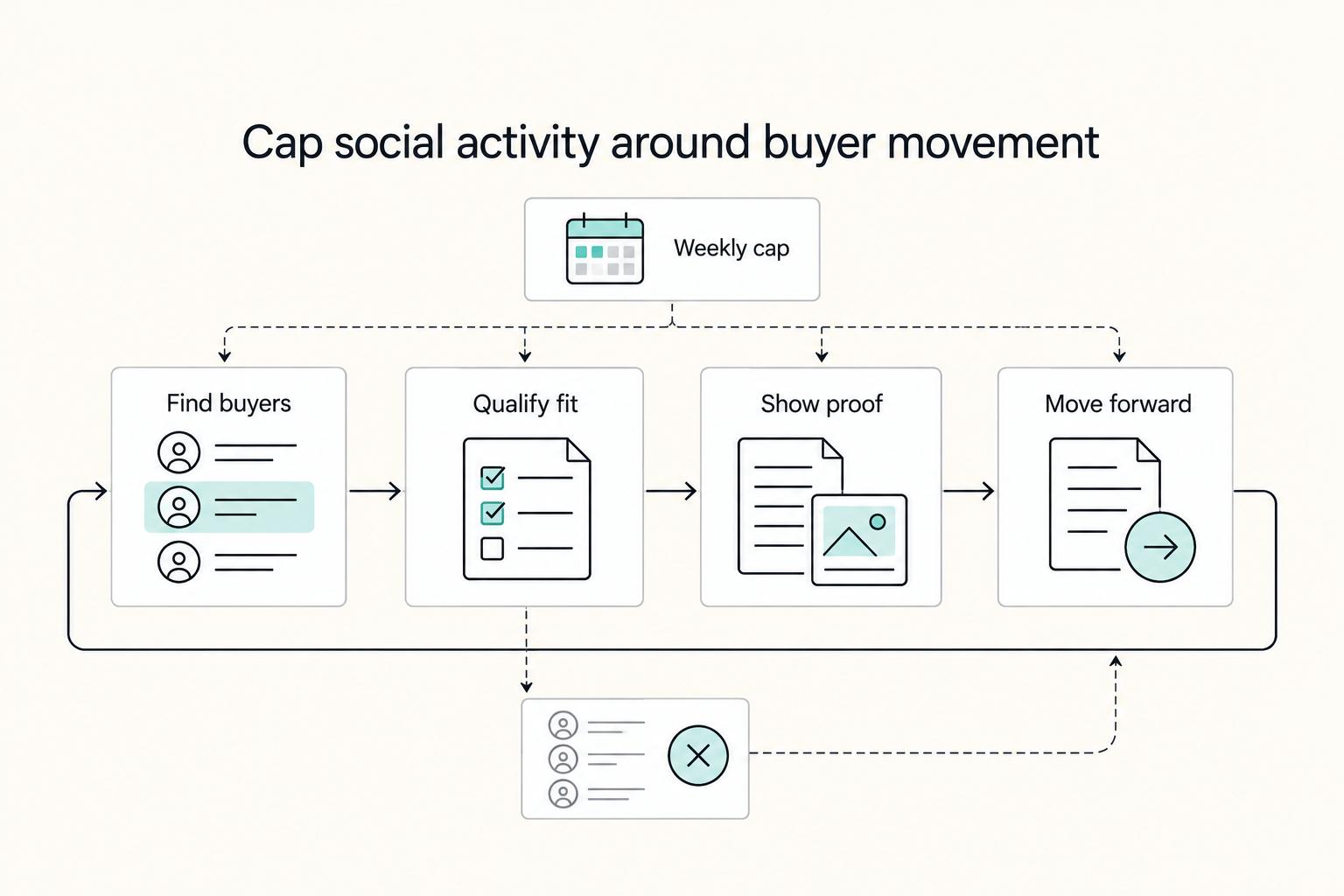
Treat your social presence as a capped client-acquisition block, not a daily posting race. If an activity does not help you find, qualify, or move real buyers forward, it does not belong on your weekly calendar.
SEO Client Reporting That Drives Better Client Decisions
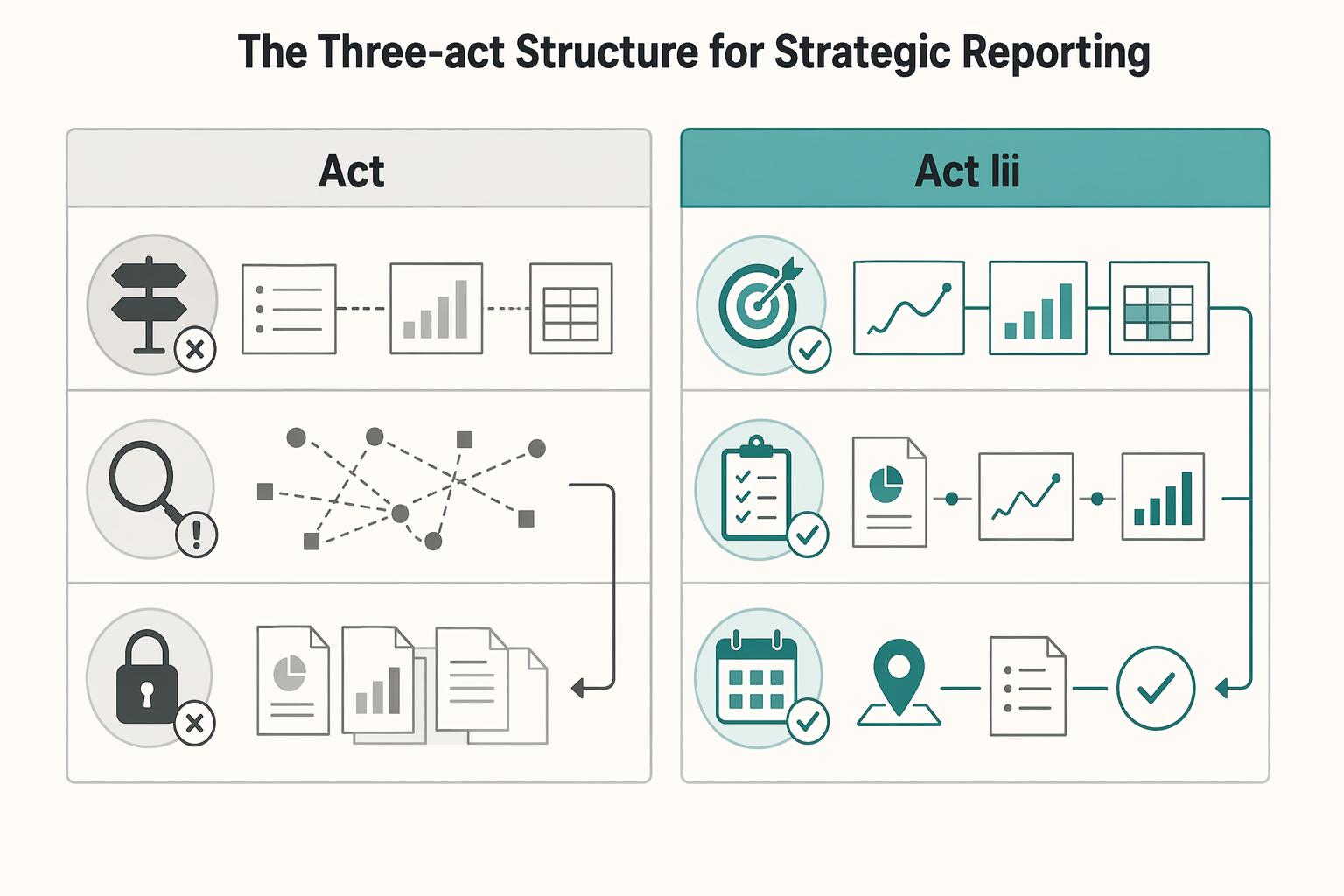
Treat your report as a decision conversation, not a receipt for your fee. In reporting, leadership means you own the recommendation. You translate search performance into business impact, and you align the next step before the client has to ask what any of it means.