
Quick Answer
Yes. Build your raci matrix for projects around client decision rights, not internal job titles. In a solo engagement, you deliver the work, but the client should have one named Accountable approver, defined Consulted reviewers, and Informed stakeholders who get updates only. Put those roles in the Statement of Work, route out-of-scope requests through that approval lane, and treat written acceptance as the billing trigger.
Why a Standard RACI Leaves Client Decision Rights Undefined#
A standard raci matrix for projects is designed to divide work across an internal team. If you sell and deliver the work yourself, it can leave a different problem unsolved: your tasks may be clear, while your client's decision rights are not.
The core roles still matter, just in a tighter way than most guides suggest. Responsible is who does the work. Accountable is who gives the final yes or no, and there should be one person in that seat for a task or decision. Consulted gives input before the work is finalized. Informed gets updates without joining the decision.
That sounds straightforward until you compare it to an actual solo engagement. In many projects, you are both the person doing the work and the person owning delivery quality. That is not automatically a problem. The real gap is on the client side: approval, feedback, and sign-off often have no clear owner. A chart that works inside a company can leave a blind spot in a client-services business.
| What RACI is doing | Internal-team RACI use | Business-of-One client-facing use |
|---|---|---|
| Main question | Who on our team does what? | Who on the client side can request, review, and approve what? |
| Typical Responsible role | Designer, developer, PM, analyst | Usually you |
| Typical Accountable role | One internal owner per task | Often undefined unless you name one client approver |
| Consulted pattern | SMEs give input before completion | Multiple stakeholders comment, often without clear limits |
| Informed pattern | Status updates to affected teams | Client stakeholders copied on progress, but not deciding |
| Common failure mode | Work falls between team roles | Feedback conflicts, approval stalls, revision churn expands scope |
You can usually confirm the mismatch quickly. Open your proposal, SOW, kickoff notes, or even the main email thread and look for one concrete line naming the client approver. If you cannot point to a single person with final approval authority, you do not have a clear approval path. You have access to several opinions.
That is where familiar project pain starts. One stakeholder asks for a cleaner homepage. Another wants more copy. A third shows up late and reopens decisions you thought were settled. Because no one clearly owns final approval, every comment feels urgent, every revision feels negotiable, and scope can stretch through "small tweaks" instead of formal change requests. The failure is not your craft. It is unclear ownership.
A normal RACI chart is meant to ensure required work is assigned and the accountable owner signs off when the task or decision is complete. Your version needs the same checkpoint, but aimed outward. The fix, which the next section lays out, is to shift RACI from internal role clarity to client governance: one approver, clear consulted voices, and defined communication paths you can enforce professionally.
If you want a deeper dive, read Value-Based Pricing: A Freelancer's Guide.
Make Client Approval, Feedback, and Sign-Off Explicit Before Delivery#
Use this blueprint to control client-side decisions, not just internal task ownership. If you work solo, your main job here is to make approval, feedback, and sign-off explicit before delivery starts, with one Accountable person for final completion approval.
Watch for three early risk signals. Scope creep starts when many people comment but no one clearly owns the final decision. Payment friction starts when "done" is undefined because no approver is named to sign off completion. Delivery breakdown starts when a high-power, high-interest stakeholder is not managed closely, then reopens decisions late.
| Standard internal RACI | Client Blueprint RACI |
|---|---|
| Purpose | Clarify internal role responsibilities |
| Who is mapped | Internal contributors |
| Decision authority | Usually internal |
| Business outcome | Clearer task assignment |
Run a quick check in your proposal, SOW, or kickoff notes before work begins: Who is the approver, who is Consulted before decisions, and who is only Informed? If any of those are unclear, expect conflicting edits, delayed acceptance, and harder invoice conversations.
From here, the work breaks into three phases:
- Define roles before kickoff so decision ownership is set in your proposal and SOW.
- Control feedback during delivery so input stays useful without overruling the approver.
- Confirm sign-off at completion so approval is documented at a clear checkpoint.
Related: How to Manage a Remote Team of Subcontractors.
Step 1: Proactively Define Roles in Your Proposal & SOW#
Define roles before kickoff so decisions, feedback, and approval are clear before delivery starts. Name one client-side Accountable approver, identify Consulted contributors early, and limit Informed recipients to update-only visibility. If this stays vague, delays, conflicting edits, and completion disputes are more likely.
For a solo operator, this RACI setup starts in discovery and gets documented in your proposal, then your SOW attachment. You are not adding bureaucracy. You are setting a clear operating path for decisions and communication.
Capture decision ownership on the discovery call#
Ask direct questions you can transfer into your proposal draft:
- Who gives final approval on each major deliverable?
- Who should review before that approval?
- Who only needs updates?
- Where should feedback be submitted?
- If approval stalls, who makes the call?
If you hear "everyone signs off," pause and reset the process. A simple talk track: "I can gather input from several people, and I need one person on your side to confirm final approval."
Put the same role model in the proposal and the SOW#
Before you send final pricing, you should be able to fill in the names, stages, and approval points. Then mirror that structure in the SOW (or a referenced attachment) so the same rules apply once delivery begins.
| Deliverable or stage | Accountable owner | Consulted contributors | Informed recipients | Approval artifact | Escalation path |
|---|---|---|---|---|---|
| Discovery summary / kickoff decisions | Client project lead | Subject-matter reviewers | Sponsor or observer stakeholders | Written confirmation of scope and priorities | If no decision by agreed date, route to Accountable owner |
| First draft or prototype | Named final approver | Listed reviewers | Team members who need visibility | Consolidated feedback in one channel | Conflicting input resolved by Accountable owner |
| Final delivery / completion handoff | Same named approver | Relevant reviewers for final check | Billing contact and stakeholders needing status | Written approval or marked acceptance in shared workspace | If acceptance stalls, request explicit approve / revise / change-request decision |
This table is intentionally narrow: it maps the roles that affect timeline, revisions, and acceptance, not every internal client role.
Check these five items before signing#
- Decision owner: one named approver for each key stage
- Approval path: what gets approved, by whom, and in what order
- Feedback channel: where comments must be submitted and consolidated
- Change-request path: how out-of-scope requests are handled
- Acceptance handoff: who confirms completion and how that confirmation is recorded
If any item is missing, fix it before work starts. That prevents consulted voices from acting as approvers, informed stakeholders from reopening decisions, and avoidable disputes over whether work is complete.
For a step-by-step walkthrough, see How to Manage Multiple Freelance Projects Without Losing Your Mind.
Step 2: Manage Communication and Feedback Loops (Without the Noise)#
Once roles are set in the SOW, your job is to enforce that decision path, not to treat every message as equal direction. For each draft, meeting, or milestone, route communication by role: who is Consulted, who is Informed, and who is the one Accountable approver.
When roles blur, communication breaks down, meetings expand, and approvals stall. Keep the RACI map visible in your tracker so every response follows the same path.
Use a clear cadence for Consulted vs Informed#
Treat Consulted and Informed differently on purpose so input and approvals do not get mixed.
| Role | When you engage them | Input format you request | What they cannot decide |
|---|---|---|---|
| Consulted | Before completion and sign-off (for example, during draft review or subject checks) | One agreed channel, such as comments in a shared doc or one consolidated email | Final approval |
| Informed | After decisions or at agreed status updates | Brief update on what changed, what is next, and whether action is needed from the Accountable approver | New direction, approval, or reopening settled decisions |
If people change mid-project, keep the role labels stable and swap names under those roles. That keeps ownership clear without rebuilding your communication map.
Route feedback with one consistent workflow#
Use the same response path every time so you are not personally arbitrating competing opinions.
| Sender role | Request type | Your response path | Escalation owner |
|---|---|---|---|
| Consulted | Subject input on active draft | Accept input in the agreed channel, log it, and send unresolved conflicts to the Accountable approver | Accountable approver |
| Informed | Opinion, suggestion, or edit | Thank them, clarify the update is for visibility, and ask them to route change requests through the Accountable approver | Accountable approver |
| Accountable | Approval, revision decision, or priority change | Act on the decision, confirm any scope or timeline impact, and record it in writing | None unless client names a replacement |
| Anyone not listed in the SOW | New request or direction | Redirect to the named approver before changing work | Accountable approver |
Use short templates so redirects stay professional and repeatable:
- Off-channel feedback: "Thanks for sending this. To keep decisions aligned with our agreed approval path, please send final direction through the named Accountable approver for this project."
- Change control: "This appears to be a new request beyond the current deliverable. If the named Accountable approver wants to proceed, please have them confirm priority and I will outline scope, timing, and any change request needed."
Run meetings to confirm decisions#
Run meetings to confirm input and decisions, not to invite unlimited new direction. Build the agenda around role assignments: what needs Consulted input, what needs an Accountable decision, and who is attending as Informed only.
Close with explicit checkpoints, then send a short written recap: decision made, pending inputs, next-step owner, and where final approval must be recorded. This keeps the record clear if feedback conflicts later.
Related: How to Manage a Global Team of Freelancers.
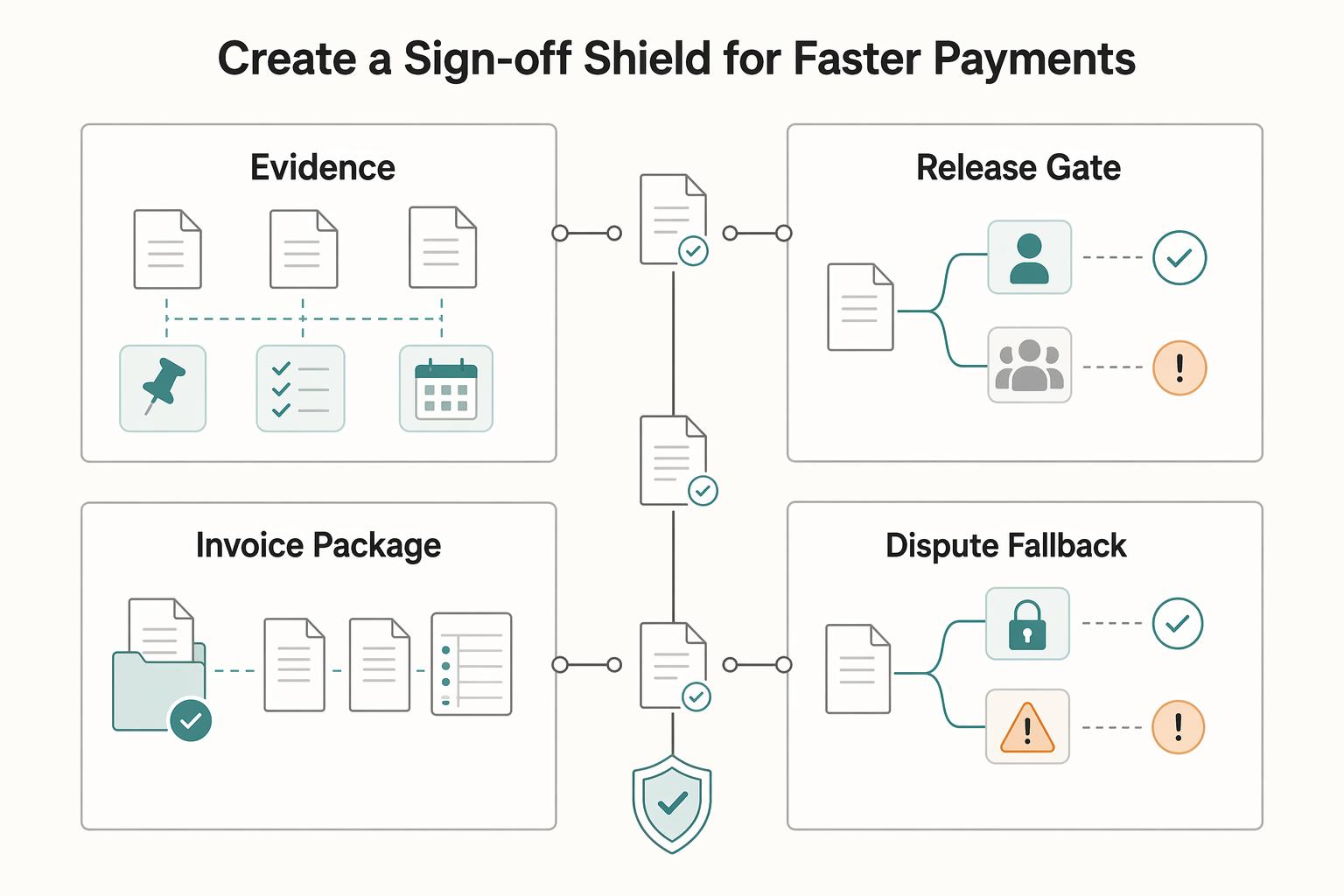
Step 3: Create a 'Sign-Off Shield' for Faster Payments#
Your delivery becomes invoice-ready only after written acceptance from the single Accountable approver named in the SOW. If approval is spread across multiple voices, you do not have acceptance yet, so treat that as a routing problem, not a billing step.
Before you request sign-off, confirm that what you delivered matches the exact SOW deliverable name, version, and submission record you are referencing.
| Handoff item | What to send or keep | Why it matters |
|---|---|---|
| Completion evidence | Final files, links, or submitted deliverables that match the SOW item | Confirms the named deliverable was actually provided |
| Approval request | A short written request sent to the Accountable approver | Keeps acceptance tied to one decision owner |
| Approval record | The written "Approved" reply from that approver | Serves as the acceptance artifact for billing handoff |
| Invoice package | Invoice plus the approval thread and core delivery records | Reduces avoidable back-and-forth during invoice review |
| Dispute fallback path | Route objections or new edits back to the Accountable approver through formal change handling | Prevents off-channel stakeholders from reopening accepted work informally |
Send a clean approval request#
Use a request that is easy to answer and specific to the SOW item.
Subject: Approval Required: project name - SOW deliverable name
Body:
Hi project approver,
The deliverable named in the SOW has been delivered as outlined in our Statement of Work on the recorded delivery date. As the designated Accountable approver, please reply in this thread with "Approved" to confirm acceptance of this deliverable.
If revisions are required, please reply in this thread with the requested changes. If I do not hear back within the agreed follow-up window, I will follow up so we can close this deliverable and confirm next billing steps.
Do not request approval from a group, and do not rely on verbal approval. If someone else adds change requests, route them back to the named approver.
Build the payment file before you invoice#
Prepare a compact payment file before sending the invoice so any question can be resolved from records, not memory:
- approval email thread
- delivered artifacts or submission links
- scope baseline from the SOW
- short change log summary (added, removed, or redirected items)
Once acceptance is logged, your role shifts from delivery execution to controlled closeout and account management.
Related: A Guide to the 'Eisenhower Matrix' for Task Prioritization.
From Project Manager to Project Commander#
Use your RACI setup as a decision-control workflow, not a comment-collection system. For each deliverable, define one Accountable approver, treat Consulted and Informed feedback as input, and move approvals through the documented SOW/change-order path.
| Area | Manager mode | Commander mode |
|---|---|---|
| Decision rights | Reacts to whoever responds first | Predefines one Accountable approver per deliverable |
| Feedback flow | Accepts informal requests from anyone | Routes Consulted input to the approver before action |
| Completion signal | Assumes work is done from silence or broad praise | Requires explicit sign-off from the Accountable owner |
| Billing trigger | Invoices when work seems complete | Invoices when the approval event is documented |
Step 1: Check authority before acting#
Before you revise scope, timing, or completion status, check the role map in your SOW. Keep the core rule intact: one person is Accountable for each task or deliverable, and only that role approves sign-off.
Step 2: Route non-approver input correctly#
When Consulted or Informed stakeholders send requests, acknowledge the input and route it through the designated approver (or the change-order path if scope changes). This keeps ownership clear and reduces miscommunication.
Step 3: Apply this checklist on every closeout#
- Define the single Accountable approver for each deliverable.
- Document where non-approver objections and change requests go.
- Confirm the exact written sign-off language you need.
- Align invoicing to the recorded approval event.
This pairs well with our guide on How to Create a Content Workflow in Notion for a Marketing Team.
Try a related tool
Researched and edited by the Gruv editorial team. Gruv builds cross-border billing, payouts, and finance-operations software for global businesses.
Sources
Includes 5 external sources outside the trusted-domain allowlist.
- capmf.cdt.ca.gov/pdf/CA-PMF.pdftrusted
- dau.edu/sites/default/files/2025-01/DAU%20Project%20...trusted
- pressbooks.ulib.csuohio.edu/project-management-navigating-the-complexity...trusted
- asana.com/resources/raci-chartexternal
- atlassian.com/work-management/project-management/raci-chartexternal
- cio.com/article/287088/project-management-how-to-des...external
- forecast.app/blog/raci-matrix-project-managementexternal
- gruv.ai/blog/how-to-create-a-raci-matrix-for-your-te...external
Educational content only. Not legal, tax, or financial advice.
Related Posts
Value-Based Pricing for Freelancers Under Real Payment Risk
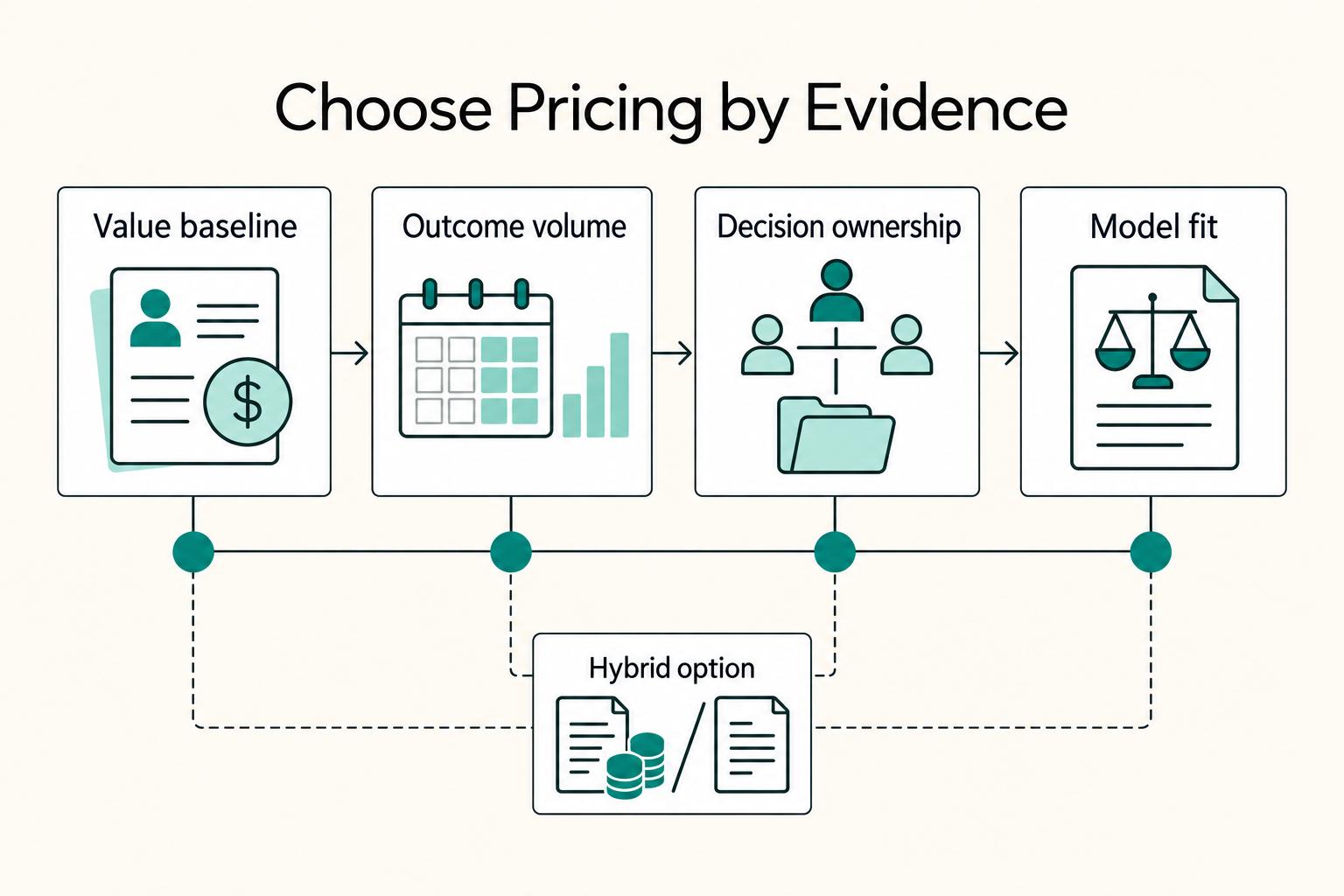
Value-based pricing works when you and the client can name the business result before kickoff and agree on how progress will be judged. If that link is weak, use a tighter model first. This is not about defending one pricing philosophy over another. It is about avoiding surprises by keeping pricing, scope, delivery, and payment aligned from day one.
How to Manage a Global Freelance Team Without Compliance Gaps
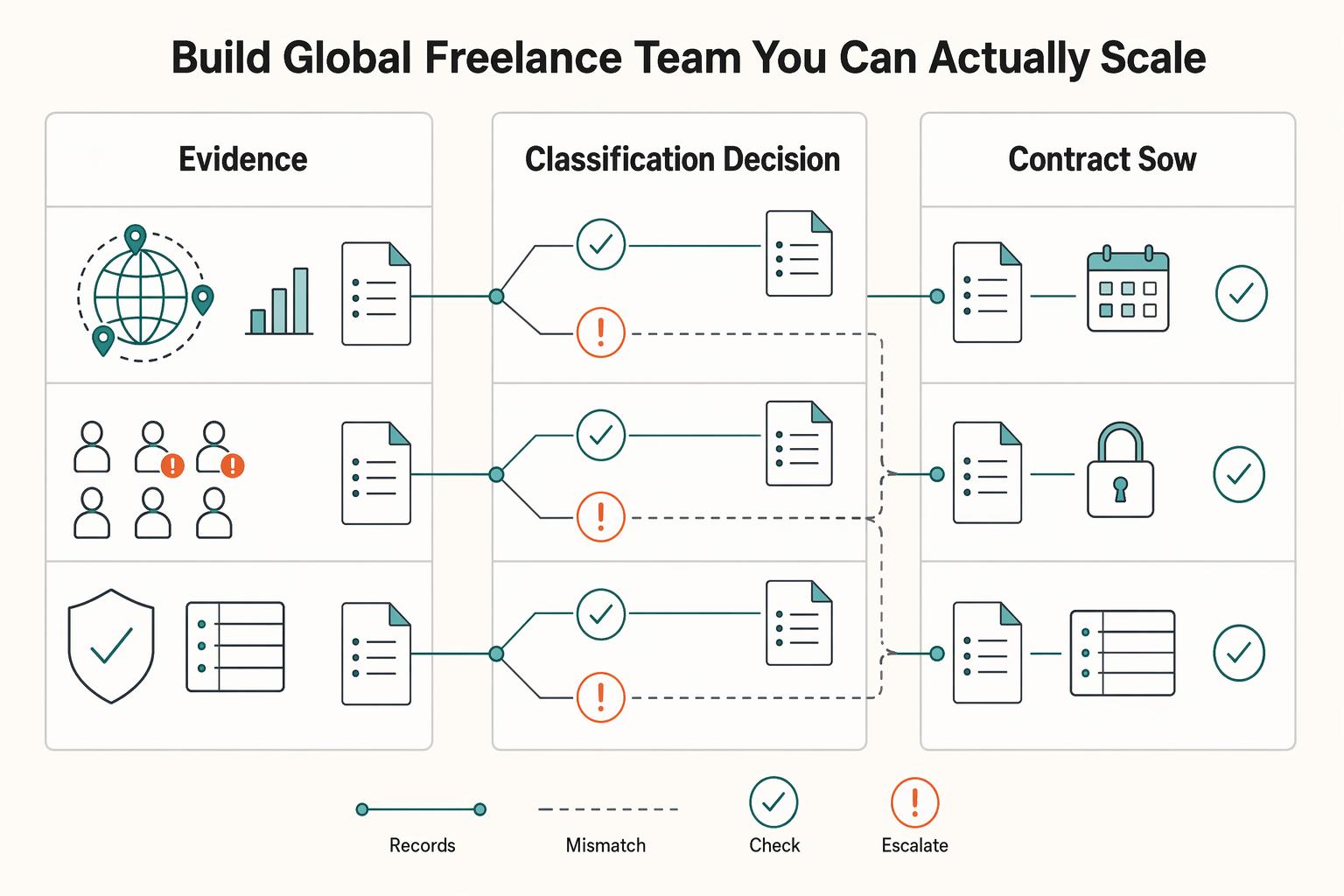
If you want to manage a global freelance team without constant cleanup, use the same intake-to-payout process for every engagement and save an artifact at each gate. Common failure points are instinct-based classification, vague scope, and payments approved in chat with no audit trail.
How to Manage a Remote Team of Subcontractors
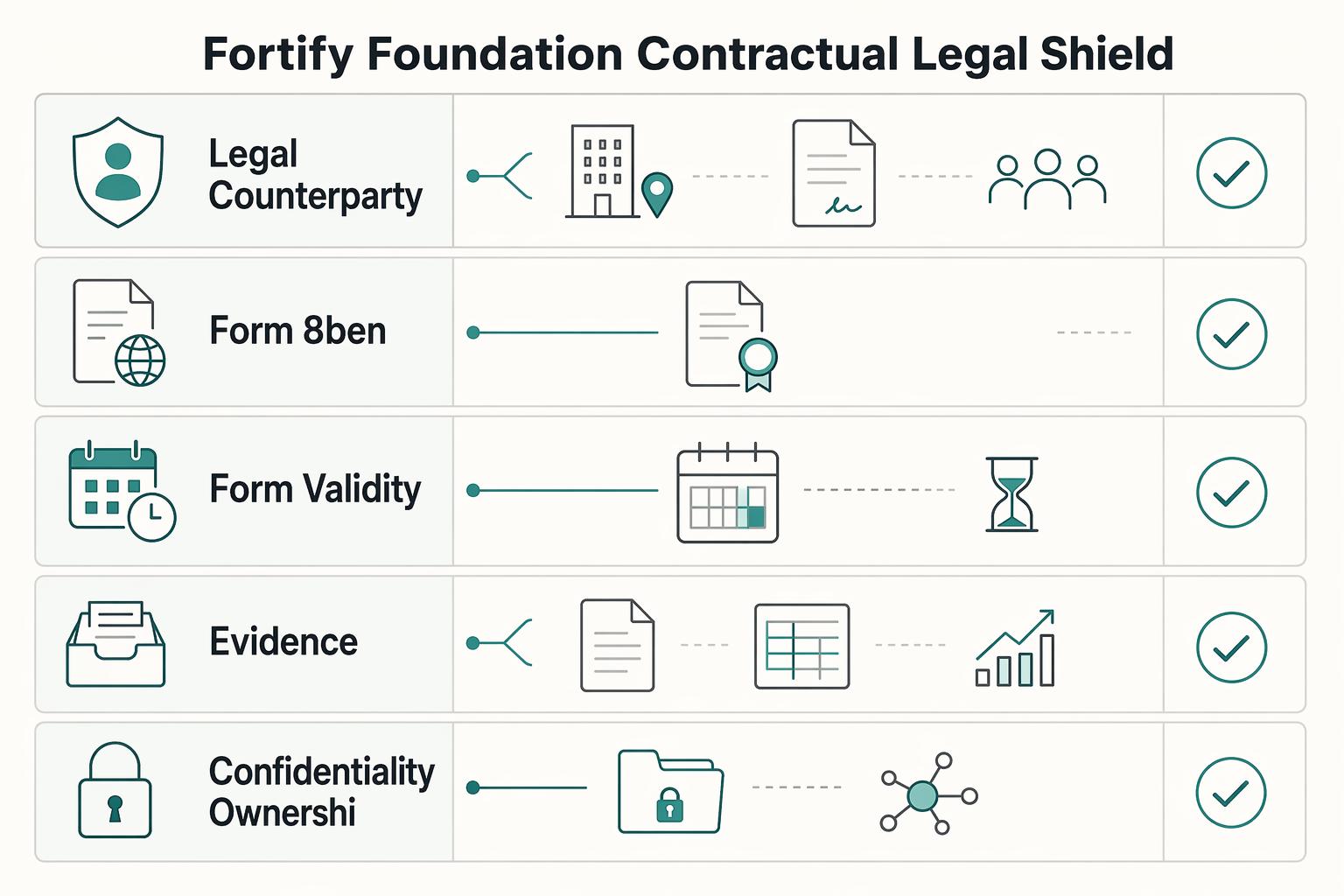
To work with remote subcontractors without creating avoidable legal risk, make sure your contracts and day-to-day behavior tell the same story. A common structure is one MSA for the standing relationship and one SOW for each engagement. Keep management focused on outcomes, not on controlling how the work gets done.