

Quick Answer
Use a consistent readable template with accurate seller/customer details, a unique reference, dates, specific line items, currency, tax and remaining amount due. Repeat agreed terms, verify payment instructions and send the accepted format. Preserve issued records and corrections, then follow up on the actual collectible balance.
Make the Invoice Easy to Read, Verify and Pay#
A professional invoice identifies the parties, the charge, its due date and a verified way to pay. A consistent layout helps the client route it to Accounts Payable (AP), while accurate references and records help you resolve questions. Build one reusable template and check the terms and numbers before each send.
The template should support both your business identity and the client’s payment process. A logo is optional. Clear names, line items, currency, dates and contact details matter more than decorative elements when AP needs to verify a charge.
Set the Layout and Billing Controls Together#
It's easy to lose time on billing when aesthetics come first and operations come second. Use this decision lens to choose clarity and controls before anything else.
| If you optimize for... | You get... | You risk... |
|---|---|---|
| "Looks professional" only | Better first impression | Confusion, back-and-forth, slow approvals |
| "Controls + clarity" first | Fewer questions and cleaner handoffs | Slightly less creative freedom in layout |
| "Controls + clarity + brand" | Strong trust signal plus smoother payment flow | Requires a standard template and workflow |
Use legible text, sufficient contrast and a clear totals block. Put the invoice number, currency, due date and amount still due where a reader can find them quickly. Branding can help identify the sender, but it cannot make an inaccurate invoice valid or guarantee prompt payment.
Your risk-first invoicing system (safe defaults you can reuse)#
Run a simple four-part system for every client, and you can spend less time fixing preventable billing issues later.
| Control | What to do | Key point |
|---|---|---|
| Template quality | Use one reusable professional invoice template | Stays consistent |
| Payment terms | State terms in plain language inside the invoice, aligned with what you agreed | Fewer interpretations |
| Follow-up workflow | Pre-write your follow-ups | Predictable reminders, not emotional nudges |
| Records | Keep invoice and payment records organized | Answer questions quickly without reconstructing history |
- Template quality: One reusable professional invoice template that stays consistent.
- Payment terms: State terms in plain language inside the invoice, aligned with what you agreed. Optimize for fewer interpretations, not tougher wording.
- Follow-up workflow: Pre-write your follow-ups so you do not improvise under stress. You want predictable reminders, not emotional nudges.
- Records: Keep your invoice and payment records organized so you can answer questions quickly without reconstructing history.
Hypothetical scenario: a client replies, "We can't process this, who do we contact?" If your invoice makes the next step obvious (and who to reach), you reply once, not five times, and you keep the relationship clean.
If you want the full end-to-end playbook after this section, use The Complete Guide to Invoicing as a Freelancer.
What to prepare before you build your invoice (so you don't redo it later)#
Prepare your identity details, payment method, and recordkeeping workflow first so your professional invoice template stays stable across clients. If you want invoicing to run like a system, remove the common sources of rework up front: mismatched legal names, unclear payment steps, and missing documentation when a client's AP team asks.
Before you start: build your "prep pack" (one-time setup)#
Preparation item 1: Gather your identity pack (copy, paste, done). Lock these in a single note or file you can reuse for every invoice template:
- Seller identity: use the legal name and required trading-name details. A registered trade name can appear with the legal entity; your email signature does not have to reproduce every invoice field.
- Business address (or mailing address).
- Billing/support email (use a dedicated address if you can, so invoices do not get buried in your personal inbox).
- Required identifiers and documentation: identify local invoice, tax and vendor-onboarding requirements. Collect or submit additional sensitive records only when required by law or the actual payment workflow, through a secure channel.
Preparation item 2: Choose a payment method you can support without improvising. An invoice only works if a client can pay it without emailing you for "how." Document the exact steps, including who the payer should contact if something breaks.
| Payment method | Best when | Your operator task |
|---|---|---|
| Bank transfer | Client prefers AP-friendly rails | Provide clear receiving details and reference instructions |
| Card payment link | Client needs speed or convenience | Use a verified link tied to the actual invoice and amount; stop duplicate requests after confirmed collection. |
| Invoicing software, such as QuickBooks | You want bookkeeping + invoicing in one place | Confirm the actual product supports required fields, export and your client’s submission format. |
Preparation item 3 — Set up the record trail. Choose a client-record structure and tracker before sending invoices. Store the exact issued artifact, submission record, corrections and payment references. Under CRA guidance, records generally must be retained for six years from the end of the last tax year to which they relate, with exceptions that may require longer retention. This is not simply six years from the invoice date; follow your applicable tax and dispute requirements.
Preparation item 4: Flag cross-border variables without promising compliance outcomes. If you sell internationally, keep a checklist of what you may need to confirm per client, especially around taxes, payment requirements, and any extra documentation a payer or platform might request. Keep this as a checklist, not a declaration.
Hypothetical scenario: your client's AP says, "We need your legal name and remittance instructions exactly as they appear on your invoice." If you already standardized your identity pack and payment steps, you respond once and keep the project moving.
Step 1 - Build a "no-questions" invoice template: the fields that prevent delays#
Build a template that covers the client’s routing needs and applicable invoice requirements. The fields below are a practical starting set, not a universal legal checklist. Some jurisdictions or customers require tax identifiers, supply dates, structured e-invoices or portal submission in addition to a readable copy.
Your "no-questions" field set (copy this structure)#
Start by locking a standard header block. Your goal is to eliminate the "Who are you billing as?" and "Who do we send this to?" loop.
- Seller block: legal/trading-name details required for your business, address, billing contact and applicable registration or tax identifiers.
- Customer block: actual invoiced legal/customer entity, required address and relevant AP routing contact; an authorized third-party payer can be documented separately.
- Billing contact: one clear name or mailbox for invoice questions; unnecessary personal identifiers do not belong on the public-facing artifact.
Next, harden the core invoice details and treat them as non-negotiable.
| Field | What it prevents | Operator standard |
|---|---|---|
| Invoice number | Tracking gaps and mistaken duplicate processing; the number alone cannot prevent double payment | Use a unique reference and any required sequential numbering series; retain cancellation/correction links. |
| Invoice date | Ambiguous timelines | Use the actual issue date and any required service/supply date. |
| Due date | "When is this due?" emails | Show the agreed or legally applicable due date, consistent with the billing trigger. |
| Purchase Order (PO) / Ref # | Procurement stalls | Include it when the client uses one |
Where the client uses purchase orders, include the correct PO and line reference and confirm that vendor onboarding is complete. Some buyers match the invoice to a PO and a goods/service receipt, but not every service or advance invoice uses three-way matching. A matching record still does not guarantee payment or override the contract’s due date.
Then structure line items to defuse disputes before they start. Keep each line item specific enough that a stranger can verify it fast.
- Each line item: deliverable name, quantity (hours or units), rate, and amount
- Totals ladder: subtotal, taxes or fees (clearly labeled), then one unmistakable Amount Due
Suppose a new AP clerk opens your invoice. They should be able to identify the customer, invoice ID, amount still due, currency and payment date without guessing. If one is unclear, correct it before sending; a complete invoice reduces questions but cannot ensure the client pays on time.
Practical check (before moving on): Can a stranger in the client's AP team pay this invoice without emailing you, and without guessing which amount or which date?
Worked invoice totals and remaining balance#
Illustrative invoice INV-2026-104 is issued on 5 October, due 19 October under agreed 14-calendar-day terms. Twenty hours at $75 are $1,500; an approved fixed-price add-on is $400. The subtotal is $1,900. An agreed $100 discount leaves $1,800. Assuming this entire discounted amount is taxable at an illustrative 10% rate, tax is $180 and the invoice total is $1,980. Apply a previously paid $600 advance once, leaving $1,380 due. The tax rate and advance treatment must match the actual jurisdiction and agreement.
If the client then pays $500, record $500 against the balance and $880 still due. If your provider deducts a $15 processing fee and deposits $485, that fee is your cost unless allocated to the client by the agreement; it does not turn the $500 collection into only $485 paid. Keep the invoice, advance, partial payment, fee and deposit references linked. Remind for $880, not the original total, and do not count a pending payout as bank cash.
Step 2 - How should you set payment terms to reduce non-payment risk?#
Agree the payment trigger, due date and permitted methods before billing, then repeat those terms accurately on the invoice. An invoice is not a reliable way to impose a new late fee, dispute cutoff or suspension right after the client has accepted the engagement.
Payment terms are agreements that set payment expectations between a business and clients, and they outline when and how clients should pay, including due dates, accepted methods, and discounts or late fees. Clear expectations help you get paid on time and reduce misunderstandings.
Clear terms help distinguish a genuine overdue balance from a missing PO, disputed extra charge or payment still in transit. Review your own late-payment reasons before changing terms. An unsupported national percentage does not tell you which correction will help your clients.
Use a risk-tier rule (starting points, not commandments)#
Propose terms during contracting and account for legitimate AP requirements, your funding capacity and applicable payment law. Client policy does not automatically supersede legal deadlines or an existing agreement.
| Client situation | Term structure to propose | What you require to say "yes" |
|---|---|---|
| New client, first project | Short due window, or deposit plus milestone billing | Clear scope, named billing contact, and a clean approval path |
| Known client with good history | Moderate due window | Consistent invoicing, no "surprise" scope, single point of contact |
| Enterprise, procurement-heavy | Longer due window only if their process demands it | PO/reference on the invoice, and written acceptance criteria |
Hypothetical scenario: a new client asks for a long due date "because that's our policy." You counter with a milestone invoice at kickoff and another at acceptance, then you align each invoice to an approval step they already run.
Write enforcement terms that feel professional (not aggressive)#
Use short payment notes that repeat the actual agreement and applicable rights. These illustrative patterns need the correct dates, amounts and legal context:
| Clause | Example | Detail |
|---|---|---|
| Late payment | Late charges, if any, follow the agreed clause or applicable statutory right, with the required notice and calculation. | Do not invent a fee in an invoice footer. Statutory rights may apply without a contractual fee. |
| Billing queries | Please send billing questions to [contact] promptly, identifying the invoice and disputed amount. | A requested response window does not automatically waive legal claims or make an incorrect charge payable. |
| Payment completion | Use the agreed collection method and invoice reference; we record the amount received and any remaining balance. | Client collection, provider payout and bank availability are different facts. Do not classify a fully collected invoice as unpaid because payout is held. |
For cross-border work, avoid guessing. Add a short note that you will confirm any tax handling and bank-fee treatment in writing before you issue the invoice.
Practical check: If payment goes late, can you point to one sentence on the invoice that states your next step and the trigger date, without escalating emotion or damaging the relationship? Consider bookmarking The Silent Profit Killer: How to Stop Margin Erosion in Your Freelance Business if late payment keeps eating your time and cashflow.
If the agreed advance, milestone or net-payment terms differ from the client’s AP setup, resolve the discrepancy in writing before relying on a revised billing date.
Use the free invoice generator to prepare a draft, then check required fields, contractual terms and the client’s accepted submission format.
Step 3 - Should you use Excel, PDF, or an online invoice template?#
Choose the invoice format your client will accept and that you can reliably reproduce and store for records. Your terms only help if the format preserves them, and you can resend and file the exact same artifact later.
Invoices do more than request payment. They also support record-keeping, tax filing, legal protection, and business analyses, so treat format choice as an ops decision, not a design preference.
Pick a format based on how you send and store records#
Invoices can take several formats, including paper documents, PDF files, or online links generated through invoicing software. Use this decision table as your default:
| Format | When it fits your workflow | Operator notes |
|---|---|---|
| When you want a consistent copy to email and save to a client folder | Save the exact version you sent so you can resend and file the same artifact later. | |
| Microsoft Excel | When you want formulas, line-item math, and a simple tracker | Use controlled formulas and numbering, protect the internal source and check the exported totals. Concurrent editors need a shared reference allocation process. |
| Word | When you need text-heavy descriptions or custom clauses | Be extra careful with totals and line-item math if you are not calculating them automatically. |
| Online invoice link | When a client prefers a portal-style flow or you want download-ready invoices | Confirm authorized access, required fields and export/retention. A portal or structured e-invoice may be required; a PDF is not universally sufficient. |
Hypothetical scenario: a client replies, "Our AP won't accept a spreadsheet invoice." You generate and resend the invoice in a format they accept (for example, a PDF) and keep that exact version with your records.
Match tools to your workflow maturity (without over-engineering)#
Start simple, then add software when it earns its keep. Your target is consistency, not more tools.
- Early-stage: Use a simple template (Excel, Word, or an online template) and a basic ledger.
- Ops-minded: Consider invoicing software if you want to create invoices online and download them for your records. Validate fit against your real process before you switch.
- Design polish: Keep layout choices separate from the mechanics of billing, sending, and storing invoices.
If more than one person invoices, agree on a consistent way to create, save, and resend invoices so you do not create version chaos.
Can you resend the exact issued invoice without creating another charge or changing its number and totals? Label it as a copy or resend when appropriate. Correcting an issued invoice is a separate controlled process, not simply overwriting the source file.
Step 4 - Make it look professional without hurting payability (layout + trust signals)#
Use a clean, repeatable format and a few simple trust cues so a busy AP team can verify, approve, and pay your invoice without back-and-forth. Once your format is locked, layout becomes about scanability and routing, not creativity.
Step 4A: Standardize a scan-first layout (so key details are easy to find)#
Keep a consistent header, customer block, line-item table, totals and payment section. Use whitespace between them, keep amounts right-aligned and avoid small pale text. Check that long descriptions wrap without obscuring quantity, rate or totals in the format you actually send.
As a safe internal rule: make the key details obvious at a glance (who it's from, who it's to, what it's for, what's due, when it's due, and how to pay) and avoid burying them in dense text.
Step 4B: Add trust signals and readability that prevent disputes#
You do not need heavy invoice design. You need cues that reduce "is this legit?" hesitation and make it easier to approve.
| Signal | What to keep clear | Why it matters |
|---|---|---|
| Identity consistency | Keep your business name and any legal name consistent across your contract/SOW, emails, and invoice | Easy to match |
| Descriptions | Describe what you're billing for in a way that maps cleanly to the underlying agreement and what the client expects | Avoids vague labels |
| Readable structure | Keep formatting simple and legible | Important details do not get missed during review |
| Billing contact | Include a clear point of contact for billing questions | Resolve issues quickly without stalling approval |
Use a small set of trust signals, and keep them consistent from invoice to invoice:
- Identity consistency: Keep your business name (and any legal name, if relevant) consistent across your contract/SOW, emails, and invoice so it's easy to match.
- Clear, specific descriptions: Avoid vague labels. Describe what you're billing for in a way that maps cleanly to the underlying agreement and what the client expects.
- Readable structure: Keep formatting simple and legible so the important details don't get missed during review.
Include a clear point of contact for billing questions so issues can be resolved quickly without stalling approval.
Hypothetical scenario: the client flags a line item as unclear. You clarify it once (without changing the substance), they approve, and AP pays without a drawn-out thread.
Practical check: Skim your invoice like you're seeing it for the first time. Can you find the amount due, what it covers, and how to pay in seconds?
Step 5 - Check the Invoice Before Sending#
Check the invoice against its actual contractual billing trigger, applicable tax rules and verified payment instructions. A delivered milestone may need acceptance evidence; an agreed advance or calendar-based charge may be valid before delivery. Save the checked version and its submission record so a later query can be answered from the issued invoice.
Step 5A: Do a simple "match" before you send#
Treat every invoice like it needs to survive an AP desk review, even if your client is small today.
- Line items and billing trigger ↔ agreement: identify the actual service, milestone, service period or advance. Similar labels can be clarified with a scope reference; do not change the charge merely to make words match.
- Evidence ↔ billing basis: link delivery/acceptance where the milestone requires it. For an advance invoice, record the agreed advance and later attach delivery evidence; do not require completed work before valid advance billing.
Hypothetical scenario: your client's project owner approves your work in email, but the finance team asks for proof of acceptance before they process payment. You include a clear reference to the approval message up front and skip the avoidable back-and-forth.
Step 5B: Validate numbers, identity, and who gets paid#
You do not win disputes with "close enough" math, so do the boring checks every time.
- Math and rounding: Recalculate totals from the line items. Keep rounding consistent across line items and totals.
- Customer and payer: confirm the actual invoiced party. Record a permitted authorized parent or third-party payer separately; do not replace the customer name solely because AP asks.
- Payment destination: verify account details and any change through a previously known independent contact channel; a professional-looking PDF is not proof that a new account is genuine.
Use this operator table as your last scan before sending:
| Audit item | What it protects | Safe fix before sending |
|---|---|---|
| SOW wording matches line items | "We didn't agree to this" disputes | Clarify the actual agreed charge and scope reference; use controlled correction if the issued invoice was wrong. |
| Billing-basis evidence | Unclear basis or timing | Add the required approval reference or contractual advance/period basis; limit access to confidential supporting material. |
| Payment details current | Misdirected payments | Verify changes independently, preserve the issued copy and use the client’s accepted submission format. |
Confirm any required tax certification through the requester’s secure channel. Form W-9 is for U.S. persons; W-8BEN commonly applies to foreign individual beneficial owners and W-8BEN-E to foreign entities in relevant U.S. workflows, while other classifications or service payments can require different forms. The IRS W-8BEN instructions permit electronic signatures meeting their conditions; a typed name is not automatically sufficient. Do not print your full sensitive tax identifier on an invoice just because a payer needs a separate form.
If you want the full workflow around records and follow-ups, keep The Complete Guide to Invoicing as a Freelancer bookmarked.
Check that the known invoice and onboarding requirements are complete. A provider can still request additional information or delay a transfer; invoice QA cannot guarantee clearance.
Step 6 - What's the clean follow-up cadence that gets you paid without begging?#
Treat invoicing like operations, not emotion. A solid invoicing workflow is end-to-end: it starts before you even begin the work and ends only when payment is reconciled.
Use a default workflow (then adjust to their AP reality)#
Use the agreed due date and actual balance, not a template’s default Net 30 setting. For example, an invoice issued 5 October 2026 on agreed 14-calendar-day terms is due 19 October; “14 days after month end” produces a different date. Verify receipt and necessary AP fields, and follow up on a real overdue balance rather than automatically changing the contract to match buyer policy.
Here's a clean operator default (timing depends on their terms and process):
| Timing | Message intent | What to include (keep it frictionless) |
|---|---|---|
| When you send | Make it easy to route to AP | Ask them to confirm receipt and whether they need anything else to process (PO, vendor setup, etc.). Put the invoice number in the subject. |
| If you haven't heard back | Friendly nudge, remove "we didn't get it" friction | Re-send the invoice details succinctly and restate how to pay in 1 to 2 lines. |
| Around the due date | Confirm status and expected payment timing | Ask for the payment status and when they expect it to be processed. Keep tone neutral and specific. |
| If it's past due | Increase clarity and visibility (when appropriate) | Ask what's blocking processing and who the right AP contact is. Loop in the project owner only if it helps unblock the process. |
Keep follow-ups audit-ready (and protect collaborator payouts)#
Keep it consistent: one invoice number, clear record trail, minimal confusion.
- Keep the invoice number consistent and easy to spot (subject line, filename, and message body).
- Preserve issued versions. Link corrections, credit notes or replacements through the applicable accounting/tax procedure so AP does not pay both records.
- Save sent emails and any payment confirmations in the client folder so reconciliation is straightforward.
If a client says payment was sent but bank cash is absent, ask for the relevant transaction reference and check the actual invoice, processor and payout states. A completed client payment can coexist with a pending provider payout. Suppress duplicate collection requests while investigating an uncertain outcome.
Track client collection and collaborator obligations separately. A late client or held provider payout does not automatically extend what you owe contractors. Plan accessible reserves or legitimate financing, and negotiate a valid change if needed; do not silently postpone an already due payment. For the cost impact, see Stop Freelance Profit Margin Erosion.
Practical check: Right now, can you answer: when you sent it, what terms you set, who it's with in AP (if known), and what you'll do next if it's still unpaid?
Step 7 - When things go wrong: disputes, chargebacks, holds, and how to recover fast#
Treat disputes and payment failures like an ops incident: stabilize the facts, communicate in writing, and preserve a clean record you can defend. This section is for the exceptions, when "just following up" stops working.
Respond to invoice disputes with a tight, two-option resolution#
When a client disputes an invoice, stop debating in Slack. Move the issue into one email thread and anchor it to your invoice PDF and the exact line item they question. Ask one clarifying question ("Which line item or amount do you dispute?"), then offer two paths they can choose today:
- Correct a genuine error: preserve the original and follow the appropriate credit-note, cancellation or replacement procedure. Identify the old and new references, reason, amount difference and remaining balance, so neither record is collected twice.
- Resolve an undisputed balance: request the amount actually due under the agreement, and document how the disputed portion will be reviewed. A proposed split or revised payment date needs valid agreement; it does not erase statutory or contractual rights.
Hypothetical scenario: your client says "We didn't approve that extra round." You reply with the invoice PDF. You point to the line item that covers the round. You offer either (a) a corrected invoice removing it, or (b) immediate payment for the base scope while you resolve the disputed add-on with the project owner.
If "payment was sent," de-risk the gap and prevent chargeback whiplash#
When the client claims they paid but you see nothing, you need trace data, not reassurance. Use a simple operator script and keep it boring:
| Situation | Ask for | Why it helps |
|---|---|---|
| Bank transfer delay | Remittance reference or bank trace | Helps their AP team or bank locate the transfer |
| Wrong destination | Confirmation of the receiving details | Helps prevent repeated misroutes |
| Card dispute risk | Confirmation of what name appears on their statement | Helps address "I don't recognize this charge" disputes |
A card dispute is handled through the issuer and payment network and can cause a debit or hold under the provider’s process. Capture the reason code, actual evidence deadline, invoice, agreed scope and relevant delivery/approval records, then follow the provider’s submission method. Not every dispute immediately returns money to the client, and organized evidence does not guarantee a win.
Keep a single evidence index linking the issued invoice, actual approvals, delivery records and payment references. Submit only what is relevant to the dispute reason and requested process; do not expose unrelated customer records or assume an invoice PDF proves performance.
Common mistakes you fix once: These two errors create repeat problems and weak records.
- Do not silently overwrite or renumber issued invoices. Follow applicable correction rules, link records and preserve the original; a credit note may be needed instead of merely voiding a ledger entry.
- Send the accepted final format and retain it. A PDF reduces accidental editing, but it is not tamper-proof; some clients or laws require a portal or structured e-invoice instead.
Practical check: Can you pull one folder containing the invoice PDF, the full email thread, and your payment confirmation request details quickly?
Close the loop: your reusable "get paid" invoice system + copy/paste checklist#
Treat your professional invoice template like a repeatable workflow that removes questions, sets expectations, and reduces awkward back-and-forth. Once you have the core fields and terms and conditions in place, the last step is making it durable so you run it the same way even when you are busy.
Step-by-step: turn "sending an invoice" into a system#
Step 1: Standardize the issued artifact. Use your chosen invoicing tool or controlled template and send the accepted format. Retain the exact PDF, portal record or structured artifact issued, with its unique reference.
Step 2: Standardize where you store it. Pick one client folder structure and stick to it so you can find what you sent (and what happened next) without re-reading email threads.
| What you store | Where it goes | Why it matters |
|---|---|---|
| Sent invoice PDF | Client folder | You can resend fast, with no version confusion |
| Payment confirmation or remittance info | Same folder | You can reconcile without guesswork |
| Notes on applicable taxes, discounts, or fees | Client folder note | You avoid repeating the same clarification work |
Step 3: Standardize follow-up. Use the same invoice reference, actual due date and remaining balance. A resend is a copy, not a new charge; suppress duplicate requests when the original payment outcome is unresolved.
Step 4: Standardize your "risk questions." If your freelance business goes cross-border or you shift to a more formal setup, your invoicing and tax context can change. Flag those clients early so you ask smarter questions before you send anything.
Suppose AP asks for a different customer name. Verify whether it is a correction to the actual contracting/invoiced entity, a trade-name clarification or an authorized third-party payer. Do not change it merely to satisfy a routing request. Document the relationship, obtain any required contractual approval and follow the issued-invoice correction process, preserving the original.
Copy/paste checklist (run this before every send)#
- Client information is correct (name and the contact details they want you to use)
- Unique invoice reference, actual issue date, required service/supply date and agreed due date match the records.
- Your company contact information is included (business name and how to reach you)
- Line items and final price are easy to understand
- Subtotal is shown, with any applicable taxes, discounts, and fees before the total
- Terms and conditions read clearly, with no hidden surprises
- Send the accepted final format, including any required portal or structured invoice artifact.
- Preserve the issued record, corrections and payment references; restrict sensitive tax/identity forms separately.
Frequently Asked Questions
What makes an invoice look professional vs just pretty?
A professional invoice is readable and accurate: correct parties, specific charges, clear currency and amount due, agreed dates and verified payment instructions. A small logo can identify the sender, but it is optional. Use a clear totals block and enough contrast; do not let branding hide required details or imply that design guarantees payment.
What fields must a professional invoice include to reduce payment delays?
Include accurate seller and customer details, a unique invoice reference, issue and required supply/service dates, specific line items, currency, totals and the agreed due date and payment instructions. Add applicable tax/registration identifiers and client PO references. Requirements vary by jurisdiction, supply type and accepted electronic format; this practical set does not replace those checks.
How do freelancers set payment terms to lower non-payment risk?
Agree terms before billing, using a deposit, milestone or shorter payment period where appropriate and lawful. Repeat the actual due date and fee provisions on the invoice; a footer cannot automatically impose new rights. Keep invoice collection separate from provider holds and bank cash, and request billing queries promptly without implying that silence waives legal claims.
Should I use Excel, PDF, or an online invoice template?
Use Excel or Word as an internal source if you can control totals and references. A PDF can provide a consistent sent copy, while an online invoice or structured submission may better fit the client’s AP and applicable rules. Save the exact issued record and any required machine-readable artifact; do not assume an ordinary PDF is an electronic-signature or tamper-proof guarantee.
What should I include for cross-border clients and varying rules (VAT, withholding, bank fees)?
Identify applicable VAT/GST or other tax rules, place of supply, withholding and invoice requirements from official guidance or a qualified adviser. The client can explain AP fields but cannot choose the legal tax result. State currency and agreed bank/processing-fee allocation, and retain any withholding certificate or remittance evidence needed to reconcile the balance.
How do I follow up on overdue invoices without damaging the relationship?
Use the invoice ID, actual remaining balance and one clear request: confirm receipt, provide the expected payment date or share a trace reference. Reduce reminders after partial payment and stop collection reminders once fully collected; investigate uncertain payments before requesting another. For a wider procedure, see The Complete Guide to Invoicing as a Freelancer.
What records should I keep for audit/tax readiness (tax forms, receipts, confirmations)?
Keep issued invoices, source records, contractual billing evidence, corrections and credits, submission history, payment/withholding references and reconciliation notes. Store sensitive tax and identity forms separately with restricted access and link only the necessary reference from the client folder. Follow actual tax, dispute and privacy retention requirements rather than keeping every document forever.
Try a related tool
Researched and edited by the Gruv editorial team. Gruv builds cross-border billing, payouts, and finance-operations software for global businesses.
Sources
Includes 3 external sources outside the trusted-domain allowlist.
- docs.stripe.com/disputestrusted
- fbi.gov/how-we-can-help-you/common-frauds-and-scams/...trusted
- fbi.gov/news/stories/business-e-mail-compromise-on-t...trusted
- irs.gov/instructions/iw8bentrusted
- irs.gov/individuals/international-taxpayers/benefici...trusted
- canada.ca/en/revenue-agency/services/tax/businesses/to...external
- gov.uk/invoicing-and-taking-payment-from-customers/...external
- gov.uk/hmrc-internal-manuals/vat-trader-records/vat...external
Educational content only. Not legal, tax, or financial advice.
Related Posts

Stop Freelance Profit Margin Erosion Before It Hits Cashflow
Revenue can hold steady while the business underneath it gets weaker. What comes in matters, but what you keep after the work is delivered is the clearer signal of health.
How to Invoice as a Freelancer Without Chasing Late Payments
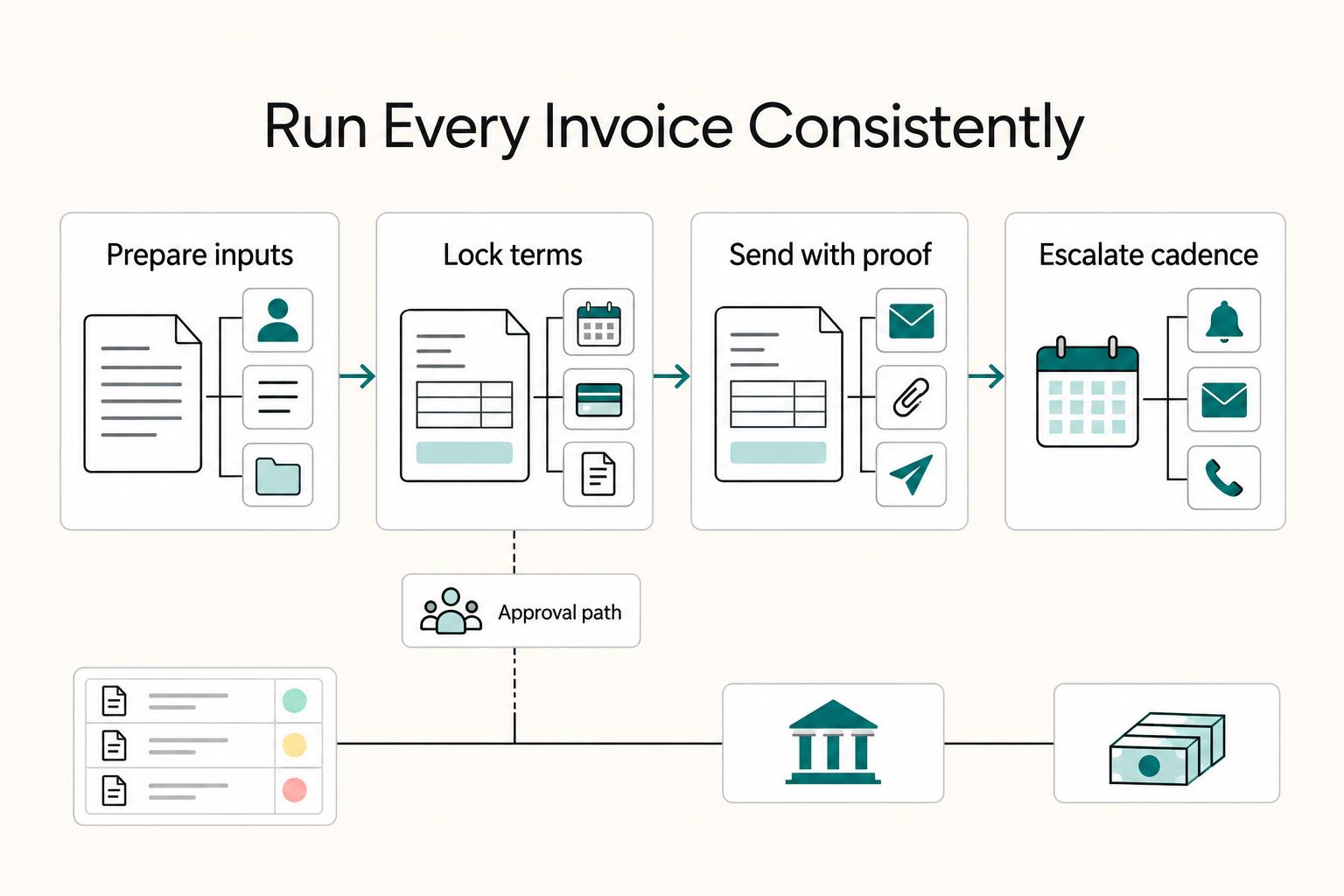
Set one standard from the start: every freelance invoice should identify the client, itemize the work, state agreed terms, and be tracked until funds settle. That habit helps prevent avoidable payment delays and keeps cash flow more predictable.

The Freelance Payment Penalty: A Modeled Audit of Platform Fees, FX Spreads, and Payout Delays
The money rarely disappears through a single, easy-to-spot fee. The real loss is stacked. A marketplace takes its commission, a processor adds a charge for international cards, a bank or payment company converts the currency at a spread, a platform holds the funds before release, and a wire sheds a little to intermediaries on the way in. Each layer looks defensible on its own, but the worker feels the combined result as a smaller deposit and a later payday.