
Quick Answer
Use Canva to build a decision document, not a design showcase. To create a pitch deck in Canva, assign each core slide one concern to resolve, show proof that can survive a skim, and keep formatting rules fixed from first draft to final export. Choose sharing deliberately at the end: controlled link when you need version control, or attachment when you need a fixed snapshot. Keep one master file and prepare follow-up answers before sending.
Build each slide to answer a likely reader question#
You can create a professional pitch deck in Canva. Its job is not to dump information. It is to lower uncertainty fast, because readers may spend only a few minutes deciding whether your pitch is worth a call. If you want your Canva deck to feel credible, build each slide to answer a likely question in your reader's mind.
Step 1 Start with the screening questions in your reader's head#
Start with the screening questions in your reader's head: What is this about, and why should I care? That is often the opening test behind a go or no-go decision. If a quick skim still leaves the offer and relevance unclear, the message is still too fuzzy.
| Informing mindset | Risk-mitigation mindset |
|---|---|
| "Here is what we do" | "Here is why this is worth your time" |
| Lists facts and features | Answers likely objections early |
| Treats slides as content containers | Treats slides as proof of judgment and control |
Step 2 Give each core slide one concern to address#
A practical way to draft is to give each core slide one concern to address. For example, a problem slide can show the pain is real and worth solving. A solution slide can show a clear mechanism, not broad promises. A team slide can show execution ability through concrete experience or results. A traction or financial slide can show the strongest evidence you actually have.
Step 3 Check four things before you build#
Do not worry that Canva will look too simple. A professional deck comes from a clear message, credible proof, and design that stays consistent enough to keep attention where it belongs. Overdesign can backfire: polished slides with weak evidence make gaps easier to spot.
Before you build, check four things:
- Audience: who is reviewing this first, and what would make them pass
- Key risks: market, execution, credibility, or commercial viability
- Proof assets: what evidence you can honestly show for each risk
- Narrative order: what they need to believe first so the next slide lands
You might also find this useful: How to Create a 'Pitch Deck' for a High-Value Freelance Proposal.
Deconstructing the Deal: De-Risking Each Slide for Maximum Impact#
The goal here is simple: each slide should show that one risk is handled. For each slide, make two things explicit: what to prove and how to prove it.
| Slide | What to prove | How to prove it |
|---|---|---|
| Problem | The problem is significant enough to justify attention and action | Use clear market signals and observed patterns, not broad statements |
| Solution | Your offer is understandable, practical, and connected to outcomes | Show a concise workflow that links what goes in, what happens, and what changes |
| Team | You can deliver consistently, even as a Business-of-One | Present a credibility stack, not a biography |
| Financials | You understand the business model and what must be true for projections to hold | Tie projections to explicit drivers and show any missing inputs transparently |
Step 1 Prove the problem is real, current, and worth solving#
What to prove: the problem is significant enough to justify attention and action. How to prove it: use clear market signals and observed patterns, not broad statements.
Use evidence you can point to quickly: documented trend signals, recurring customer patterns, consistent objections, or other traceable indicators. If you cannot tie a claim to a source, date, or repeated pattern, tighten it or remove it. The failure mode here is language that sounds urgent but proves nothing.
If you need calibration, review slide-by-slide breakdowns of real decks and study how claims are supported, not just how slides look.
Step 2 Show the solution as a clear path from input to outcome#
What to prove: your offer is understandable, practical, and connected to outcomes. How to prove it: show a concise workflow that links what goes in, what happens, and what changes.
Keep this slide focused on mechanism, not feature volume. A short sequence works well when each step is concrete and linked to an outcome. Use outcome language instead of generic service language, and include traction evidence where you have it. Even in a concise pitch, you still need to show traction, market size, revenue logic, and risk.
Quick check: after a short skim, can a new reader explain the flow back to you in order? If not, the slide is still too abstract.
Step 3 Build team credibility as execution reliability#
What to prove: you can deliver consistently, even as a Business-of-One. How to prove it: present a credibility stack, not a biography.
Use this order:
- Relevant results from similar work
- A repeatable delivery process with clear checkpoints
- A visible support layer (partners or backup support) where relevant
This lowers execution risk better than resume chronology. If the slide reads like pasted profile text, it is signaling history, not reliability.
Step 4 Build financials from assumptions you can defend#
What to prove: you understand the business model and what must be true for projections to hold. How to prove it: tie projections to explicit drivers and show any missing inputs transparently.
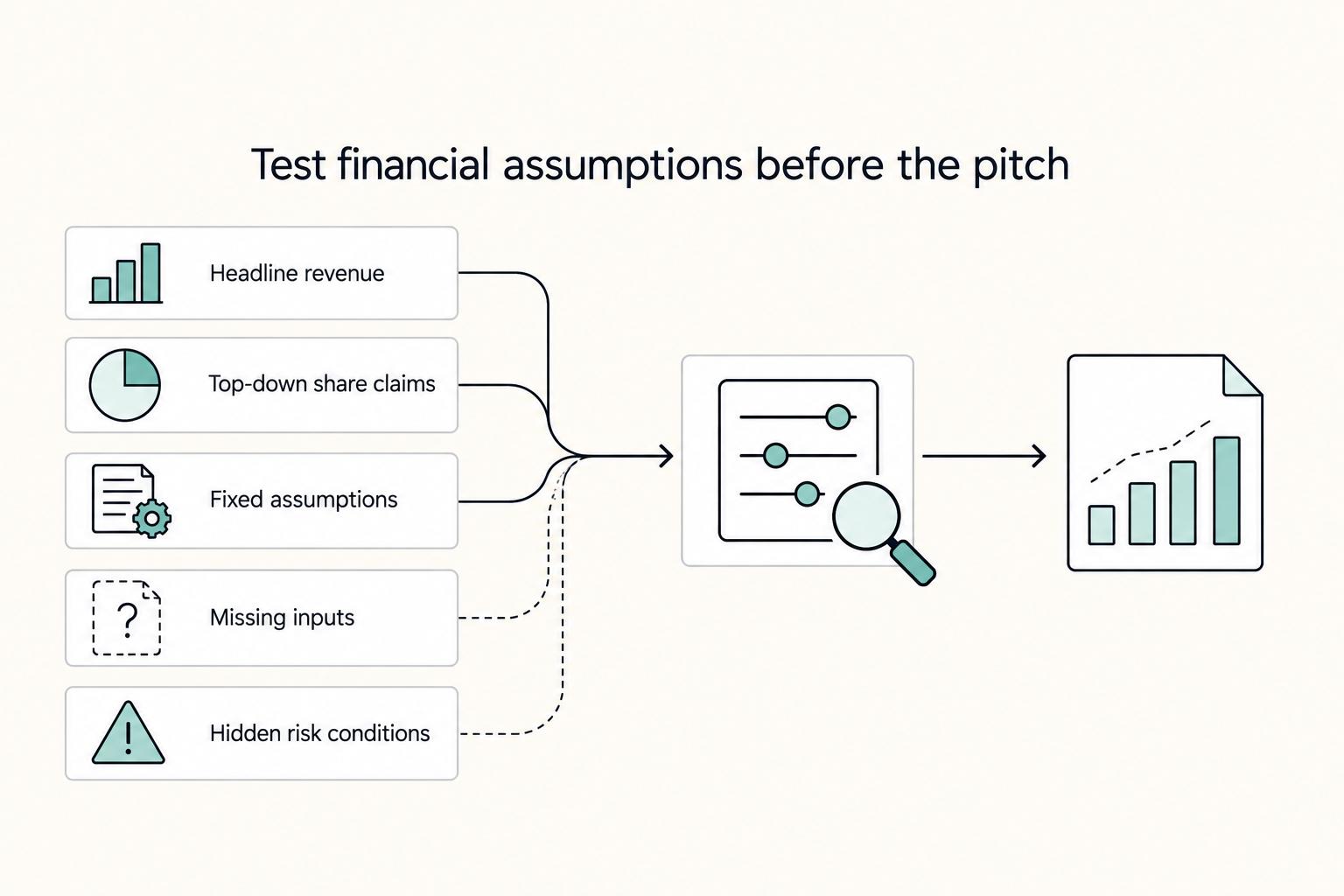
| Weak projection logic | Strong projection logic |
|---|---|
| Starts from a headline revenue goal | Starts from capacity, pricing, and conversion drivers |
| Uses top-down share claims without support | Uses bottom-up assumptions you can explain line by line |
| Treats assumptions as fixed facts | Labels assumptions and states dependency clearly |
| Hides missing inputs | Keeps benchmark inputs marked as unverified until current source records confirm them for use |
| Skips risk conditions | Shows what changes under downside conditions |
If you cannot explain each line without extra context, the model is not ready for scrutiny.
Before you move into presentation design, self-audit each slide:
- Problem: Is every major claim tied to a source, date, or repeated pattern?
- Solution: Can a new reader explain the workflow and outcome after one skim?
- Team: Does this show proof of execution reliability, not just background?
- Financials: Are assumptions visible, defensible, and easy to explain under pressure?
If you want a deeper breakdown, we covered this in detail in The FinTech Pitch Deck Anatomy VCs Actually Underwrite.
Beyond the Template: Advanced Tactics for Unquestionable Professionalism#
Once your slide logic is solid, professionalism comes from repeatable visual control. In your deck file, set clear design rules first so every slide looks intentional, not improvised.
Step 1 Set design governance before you polish#
Build one internal reference slide and treat it as your style source of truth. Define:
| Design rule | What to define |
|---|---|
| Brand tokens | Approved colors, heading/body text styles, chart colors, image treatment, logo use |
| Layout grid | Where titles, body copy, visuals, and callouts should sit on a slide |
| Spacing rules | A small spacing scale you repeat instead of adjusting gaps by eye |
| Reusable components | One quote block, one metric block, one chart caption style, one section divider style |
Templates save time, but only if you remove extra visual effects that do not support your message. Your quick test: duplicate any slide, swap in new content, and check whether it still matches the rest of the deck without manual redesign.
Step 2 Use data visuals to support decisions quickly#
Your chart choice should make the decision obvious in seconds. For financial slides, prioritize readability around revenue projections and cash flow, then keep supporting detail in notes or an appendix.
| Weak visual choice | Stronger visual choice |
|---|---|
| 3D chart with many segments | Flat chart with a title that states the takeaway |
| Spreadsheet screenshot | Clean chart with concise assumption/context notes |
| Multiple competing series on one slide | One primary series on-slide, supporting series moved to appendix |
| Decorative background behind numbers | Plain background, strong contrast, direct labels |
| Full model table on one slide | Focused chart for revenue projections and focused chart for cash flow |
Before you move on, verify that chart titles, labels, and displayed numbers align with the underlying model. A polished chart loses trust fast if the figures do not reconcile.
Step 3 Tighten typography and imagery for clarity#
Keep your type system narrow and consistent so scanning is effortless. Use styles that stay legible at presentation size and on smaller screens, and remove low-contrast text treatments that make key points harder to read.
Apply the same filter to imagery. Keep images and icons only when they clarify the message; if a visual competes with the headline or data, reduce it or cut it.
Before sending, run this section-level QA pass:
- Visual consistency: spacing, heading treatment, chart colors, and component styles match across slides.
- Chart accuracy and labeling: titles, labels, and figures match your source model.
- Readability across view sizes: each slide is clear in laptop view, phone preview, and full-screen presentation mode.
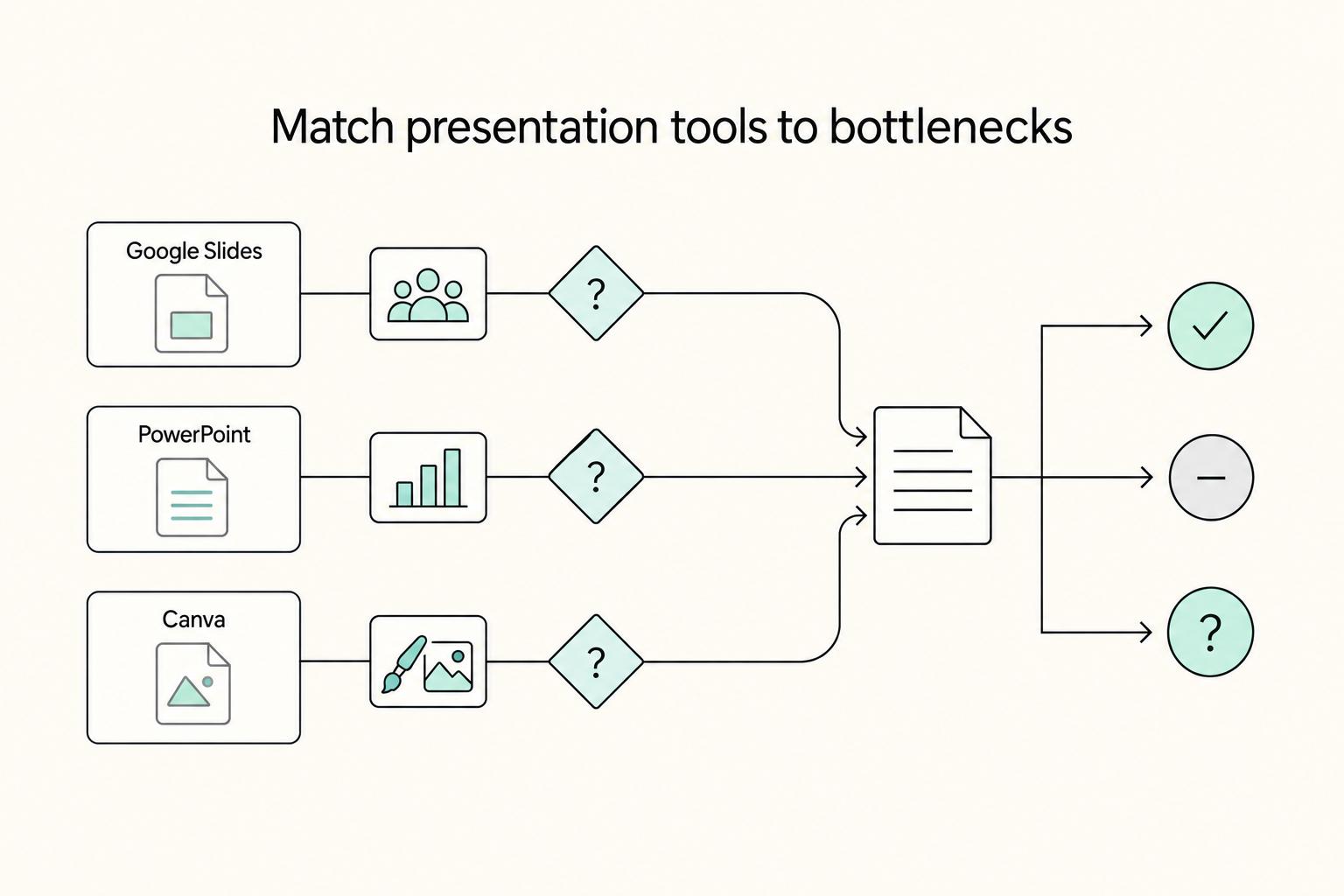
If you want a deeper dive, read The Best Tools for Creating Professional Presentations.
Handle sharing and follow-up after the pitch meeting#
Post-pitch handling is part of the pitch: if your files sprawl after the meeting, trust drops even when the slides looked strong.
Step 1 Choose the share setup before you send#
Default to a share link over an attachment when you need control over updates, access, and version cleanup. Use this quick filter before sending:
- Can you control access to the link?
- Can you keep one current version without re-sending files?
- Can you review basic viewing signals if your setup supports them?
- Is the admin simple enough that you will maintain it?
If the answer is mostly no, your setup will likely create version drift.
Step 2 Apply controls by risk tier#
Set controls based on content sensitivity and deal stage, not habit.
| Sensitivity | Typical content | Control approach |
|---|---|---|
| Low sensitivity | Overview content and early conversation material | Controlled link may be enough |
| Medium sensitivity | Tailored commercial or delivery detail | Consider gated access and download limits where supported |
| High sensitivity | Sensitive financial or strategic content | Use stricter access, named recipients, and tighter distribution |
Keep the policy checkpoint unresolved until approved policy records, security records, or operating rules confirm the internal security requirement for this workflow.
Step 3 Map deck variants to audience, but keep one source of truth#
Keep one master deck, then create only the variants you need for the decision in front of each audience.
- Investor variant: emphasize market logic, growth path, and assumptions.
- Enterprise buyer variant: emphasize delivery confidence, implementation clarity, and risk reduction.
- Partner variant: emphasize mutual value, operating fit, and collaboration model.
Keep naming auditable (Master, Investor v1, Enterprise v1, Partner v1, with date/owner), and make sure every shared link traces back to the current master. This is how you avoid brand debt from file sprawl, especially once you are managing 100+ unorganized files.
Step 4 Follow up from signals, not nerves#
If your sharing setup provides viewing signals, use them to time and focus follow-up. If it does not, follow up with a broader, less assumptive message.
| Follow-up style | Outreach timing | Message angle | Next-step ask |
|---|---|---|---|
| Reactive follow-up | Based only on your internal schedule | Generic recap | Broad ask for feedback or a call |
| Signal-based follow-up | After meaningful viewing activity (if visible) | Focus on the section that appears to matter most | Specific next step tied to that concern |
Keep it short, relevant, and grounded in what you can actually observe. Related: How to Create a Pitch Deck for Your Agency. If you want to compare workflows, see The Best Tools for Creating Professional Presentations.
Conclusion: Treat the deck as evidence of how you think#
The practical takeaway is simple: treat the deck as evidence of how you think, not just how you design. If you want it to read as professional, make the structure clear, back key claims with evidence, and handle review and delivery with the same care you gave the slides.
-
Step 1: Tighten the argument. A pitch deck exists to persuade a specific action, so every slide should help your audience decide. In practice, that means your deck should clearly communicate the value proposition and cover the business basics your audience expects, such as your products or services, strategy, and financial projections. If a slide looks polished but does not remove doubt or support the ask, cut it.
-
Step 2: Lock the visual rules. Canva gives you plenty of options, but volume is not judgment. Start from a direction that already supports core sections like problem, solution, traction, team, and financials, then keep colors, fonts, and layouts consistent all the way through. A known tradeoff is that some templates can feel generic, especially when visual choices drift slide by slide.
-
Step 3: Verify the send. Finish with a real review and export pass. If you built on Canva's standard Presentation (16:9) format, check spacing, readability, and any links, then choose the output on purpose: PDF, PowerPoint, or present directly. Consider one final access check before you send.
| Signals professionalism | Signals risk |
|---|---|
| Clear value proposition tied to a specific ask | Slides that inform but do not move a decision |
| Consistent colors, fonts, and layouts | Inconsistent edits that make the deck feel generic or stitched together |
| Final review and export check with deliberate format choice | Sending without checking readability or format |
Before you send, confirm:
- your message and ask are obvious
- the deck covers the main decision risks
- visual choices stay consistent across slides
- financials are defensible and you can explain the assumptions
- you are ready with follow-up answers, files, or an appendix if challenged
Do that well, and the deck will signal steady judgment, not just good presentation design.
For a step-by-step walkthrough, see How to Create a Company Culture Deck. Want to confirm what's supported for your specific situation? Talk to Gruv.
Frequently Asked Questions
Should you send an attachment or a controlled link?
Choose the format that keeps one clear current version and is easy for your audience to open. A controlled link can help when you expect updates after sending, while an attachment can work for a fixed snapshot. Good practice is one clearly named external version and a quick access test in a separate browser before you send, so people do not review an outdated file.
What is the most important slide in a pitch deck?
There is no universal winner. Start with the slide that best supports your audience’s decision, because the goal is to persuade someone to take a specific action. The common mistake is polishing one slide while the rest of the deck does not back up the claim with evidence.
How many slides should you use?
Use the fewest slides needed to move someone toward a decision, not a fixed number copied from another article. A strong deck still covers the essentials your audience expects, such as your product or service, business strategy, and financial projections when relevant. Avoid filler slides added just to make the deck look more serious.
Can you create a pitch deck in Canva that looks professional?
Yes, if you treat Canva as the editor, not the source of your judgment. Pick the starting path that fits your material, whether that means importing existing slides, starting from scratch, or using a template, then keep layout, spacing, and visual hierarchy consistent across the deck. A common mistake is starting from a strong template and breaking its structure slide by slide until the deck looks stitched together.
How should you handle fonts and visual style?
Lock your visual rules early if you want the deck to read as controlled and credible. Good practice is readable typography, clear heading and body contrast, and consistent use of color and spacing across every slide. Avoid mixing fonts, weights, and decorative effects to compensate for weak messaging or overcrowded slides.
How should you approach financial projections?
Include projections when the audience needs to judge the business, not just admire the idea. Good practice is tying your numbers to assumptions you can explain clearly in a follow-up, with a supporting appendix ready if someone challenges the logic. Avoid ambitious forecasts that do not show what evidence, capacity, or decision path sits underneath them.
When is a deck not enough on its own?
If your proposal requires significant investment or resources, do not rely on slides alone. Pair the deck with a business case that compares benefit, cost, and risk across options before asking for approval. The mistake is using presentation design to force a yes when the real decision needs a fuller rationale before project planning starts.
Try a related tool
Researched and edited by the Gruv editorial team. Gruv builds cross-border billing, payouts, and finance-operations software for global businesses.
Sources
Includes 2 external sources outside the trusted-domain allowlist.
- files.eric.ed.gov/fulltext/ED623019.pdftrusted
- highways.dot.gov/sites/fhwa.dot.gov/files/docs/federal-lands/...trusted
- mdl.mndot.gov/_flysystem/fedora/2023-04/50th-aniversary-in...trusted
- poole.ncsu.edu/undergraduate/wp-content/uploads/sites/42/20...trusted
- quod.lib.umich.edu/e/eebo/A31538.0001.001/1:32trusted
- usef.utah.edu/abstracts/elementarytrusted
- canva.com/presentations/pitch-deckexternal
- canva.com/presentations/templates/pitch-deckexternal
Educational content only. Not legal, tax, or financial advice.
Related Posts
The Best Tools for Creating Professional Presentations
Use a 2025-2026 validation sweep each quarter: confirm one monthly software baseline ($15/month), one collaboration baseline ($30/month), and one premium workflow baseline ($60/month) before changing client-facing tool commitments.
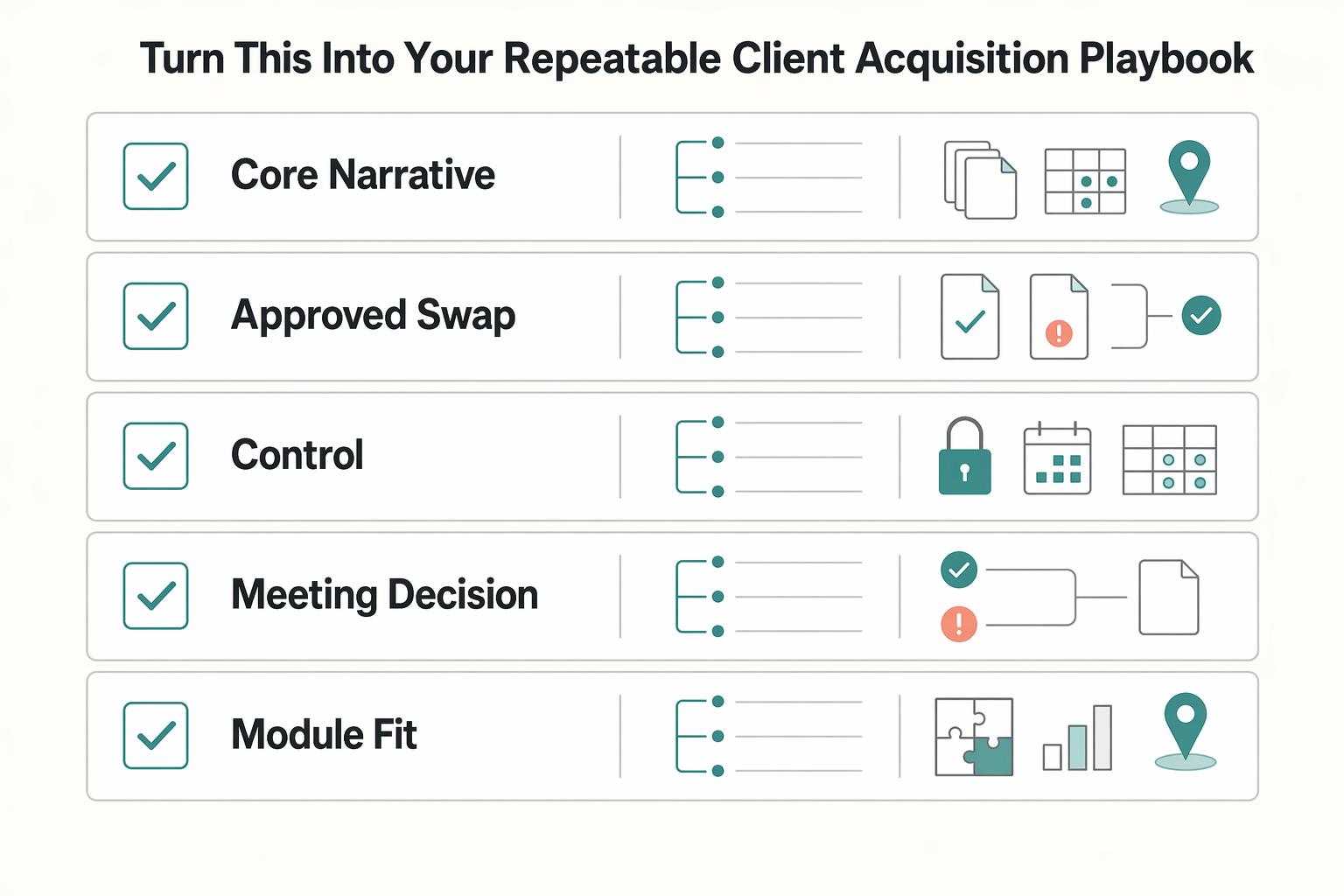
How to Create an Agency Pitch Deck That Wins Decisions
Your **agency pitch deck** should help one buyer make one decision. If the meeting ends with compliments about the slides but no movement on scope, next steps, or stakeholder review, the deck missed its job.

The Freelance Payment Penalty: A Modeled Audit of Platform Fees, FX Spreads, and Payout Delays
The money rarely disappears through a single, easy-to-spot fee. The real loss is stacked. A marketplace takes its commission, a processor adds a charge for international cards, a bank or payment company converts the currency at a spread, a platform holds the funds before release, and a wire sheds a little to intermediaries on the way in. Each layer looks defensible on its own, but the worker feels the combined result as a smaller deposit and a later payday.