
Quick Answer
Create the deck around one client decision, then give every slide a single job that helps move that decision forward. Start with the buyer's problem in their language, show why it matters now, back your approach with relevant proof, and end with a clear next step. Move broad capabilities, old examples, and deep process detail to the appendix or cut them.
Build an agency pitch deck that wins decisions not just applause#
Your agency pitch deck should help one buyer make one decision. If the meeting ends with compliments about the slides but no movement on scope, next steps, or stakeholder review, the deck missed its job.
Step 1. Define the meeting outcome before you touch the opening. Write the decision in one line first. It might be to approve a discovery phase, shortlist your firm, agree the proposed scope is directionally right, or bring procurement into the process. Then rewrite your first two slides in buyer language, not agency language. Lead with what needs to be solved, what is blocking it now, and what decision this meeting is meant to support. That early framing matters because initial judgments can form before deeper content arrives.
Before you redesign anything, review your last few pitch wins and losses. Look for where momentum actually broke: weak problem framing, scattered proof, an unclear ask, or too much time spent touring capabilities. If your opening still leads with broad claims about creativity, innovation, or being full service, cut it. That language may get polite nods, but it often does not build confidence.
Step 2. Map every slide to a decision job. Set aside the usual design-versus-strategy debate and use a stricter sequence:
- Define the meeting outcome.
- Define the buyer problem in the client's own language from call notes, emails, and brief materials.
- Assign each slide one decision job.
Those jobs are usually simple: confirm the problem, show why it matters now, prove your judgment, make your approach easy to grasp, and set the next step. Buyers skim more than they study, so each slide should land fast. A strong test: early in the deck, can the client restate the problem and why your approach is relevant without your help? If not, the deck is still too inward-looking.
Step 3. Keep three layers steady and tailor only where the buyer needs it. Keep the structure below fixed, then tailor the proof around it.
| Layer | What stays fixed | What changes by client | Proof required | Failure signal |
|---|---|---|---|---|
| Narrative | Core positioning, order of the story, meeting ask | Problem framing, urgency, stakeholder language | Clear statement of the buyer problem and desired outcome | Opening sounds generic or about you |
| Logic | Sequence of claims, how you move from issue to solution to next step | Case example choice, assumptions, objection handling | Proof that matches this buyer's concern, such as strategic fit or execution detail | Strong examples feel disjointed or irrelevant |
| Visual | Layout, hierarchy, chart style, slide discipline | Terminology, screenshots, industry cues | Fast scanning and clear emphasis | Template look flattens nuance or hides the point |
This fixed-core approach matters because different audiences want different depth. One stakeholder may care most about strategic fit, another about market context, another about product detail. Keep the spine stable, then swap the proof around it.
Step 4. Control the room with decision gates. Use a few checkpoints so the meeting does not slide into a capabilities tour:
- After the problem section, ask: "Is this the priority you need solved first?"
- After the approach section, ask: "What would you need to believe to move this forward?"
- Before the close, ask: "If this is directionally right, is the next step scope review, stakeholder alignment, or commercial discussion?"
- If the room drifts, answer briefly, park the deep dive for follow-up, then restate today's decision and return to scope.
Capture the outcome, objections, and requested proof right after the meeting. That gives you clean input for your broader How to Build a Client Acquisition System for Your Agency. Each pitch improves the next one instead of becoming a one-off scramble.
Related: Build a Pitch Deck for a High-Value Freelance Proposal.
What should you prepare before building your deck?#
Do qualification before design. If you cannot name who will use your service, how they will use it, and which decision this meeting should move, stop and finish discovery first.
Before you start
Write the core problem or opportunity in one to two sentences. If it takes a full paragraph, your inputs are not ready.
Step 1. Run a go/no-go gate before opening slides. Use a simple gate: audience fit, a clear priority problem, and enough stakeholder context to aim the conversation.
No-go for now if any of these are true:
- You cannot identify who will use the service.
- You cannot explain how they will use it.
- The core problem is still vague.
- You do not have enough stakeholder context to tell whether this is a real decision meeting.
Verification point: You can answer, without guessing, "why this client, why now, and what decision are we asking for?"
Step 2. Build the minimum input pack. Create one working doc before you write slides: buyer context, priority problem, stakeholder map, likely objections, and proof assets. Map each asset to a slide job so the deck stays clear even when forwarded without your live narration.
| Required prep asset | What good looks like | Common failure mode | How to fix before pitching |
|---|---|---|---|
| Buyer context | Clear user, use case, and current situation | Broad assumptions about the industry | Recheck discovery notes and confirm who will use the service |
| Priority problem | One to two sentence problem/opportunity statement | Long background story instead of a clear decision issue | Rewrite to one concise statement with the immediate priority |
| Stakeholder map | Decision participants, influence points, likely objections | Deck aimed at everyone equally | Narrow the audience for this meeting and align the message to them |
| Proof assets | Each point written as claim, evidence, relevance | Generic capability language or outdated facts | Replace with current evidence and tie it to this buyer's decision |
Step 3. Pressure-test every "why us" point. For each point, state the claim, show the evidence you can defend live, and explain why it matters to this buyer. Useful inputs can include a timeline of accomplishments, key metrics, and concrete growth or execution evidence. Reused decks usually fail when old facts carry over and the story becomes generic.
Step 4. Lock visual direction as a control rule. Use a stable template system so your core message stays consistent, then adapt only elements that improve buyer comprehension (terms, examples, screenshots, or charts). One deck should not be reused unchanged for every audience, but that does not mean you should rebuild it from scratch each time.
We covered this in detail in How to Use Clutch.co to Generate Leads for Your Agency.
Do you need an agency pitch deck or a service deck?#
Choose by the decision this meeting must produce, not by the slides you already have. If you need a clear go/no-go on fit, approach, or next step, lead with a pitch deck. If the room first needs orientation to what you offer, start with a service deck.
| Validation point | What to confirm |
|---|---|
| Meeting objective | in one sentence |
| Audience familiarity | with your offer |
| Proof depth | needed for this room to commit to a next step |
| Explicit ask | you will make at the end |
| Meeting context | Primary stakeholder need | Best deck format | Risk if mismatched | Next meeting handoff |
|---|---|---|---|---|
| Buyer already feels the problem and wants to judge fit | Clear recommendation and relevant proof | Pitch deck | A broad service tour can overwhelm the room and dilute your main message | Proposal, scoped workshop, or commercial review |
| New contact introduces you to a wider group | Shared understanding of what you do | Service deck | A decision ask lands too early and the meeting stalls in basic Q&A | Follow-up decision meeting with narrowed scope |
| Mixed room with one decision owner and several detail-seekers | Fast clarity plus backup detail | Pitch deck with appendix | Process detail can hijack the live discussion and bury the core ask | Technical, delivery, or procurement follow-up |
Keep scope boundaries explicit so momentum stays intact. Your live agenda should carry only decision content: the problem, your approach, relevant proof, and the next-step ask. Put orientation-heavy material (full service lists, deep process walkthroughs, org charts, older examples) in backup slides or remove it.
Use this execution rule on every section: if a slide does not move the intended decision, move it to the appendix or cut it. Keep proof recent and client-relevant; outdated or generic examples can signal that your offer has not evolved.
Before you send, recheck four points:
- meeting objective in one sentence
- audience familiarity with your offer
- proof depth needed for this room to commit to a next step
- explicit ask you will make at the end
Verification point: You can name the deck type, the decision it supports, and the handoff meeting without guessing. You might also find this useful: The FinTech Pitch Deck Anatomy VCs Actually Underwrite.
What slides are non-negotiable in a winning deck?#
Non-negotiable means decision-driving: keep only the slides that move this buyer toward a clear next decision, and treat orientation content as optional. Your live flow should cover context, problem-fit, proof, commercial path, and next step, with one slide doing one job.
Step 1. Build the mandatory decision slides first. Use the opening slide to set context and intent, not just branding. Keep a clear narrative arc, and split or cut any slide trying to do multiple jobs.
| Slide role | Must-answer buyer question | Minimum proof element | What to move to appendix |
|---|---|---|---|
| Context / opening | Why are we having this conversation now? | Client-specific framing (for example, a one-liner tied to their situation) | Brand story, full agency history |
| Problem and fit | Do they understand our problem and have a tailored approach? | One researched, buyer-relevant observation | Generic service lists, broad methodology tours |
| Proof | Have they solved something similar credibly? | Relevant case study, testimonial, or outcome example | Older or weakly related case studies |
| Commercial terms | Is there a realistic commercial path to continue? | Clear scope and commercial path for this decision stage | Full rate card details, edge-case options |
| Next step | What exactly happens after this meeting? | Owner, action, decision needed, and follow-up path | Generic contact slide with no ask |
Step 2. Use a proof block for each major claim. For every key claim, include: the claim, the evidence, why it matters to this buyer, and a confidence note when assumptions still exist. This keeps your pitch credible when timing, access, or internal dependencies are still open.
Step 3. Keep orientation slides out of the live decision path. Generic, capability-heavy slides are a known attention killer, so move full team bios, org charts, and broad capability overviews to the appendix unless the room explicitly needs them to proceed.
Verification point: You can point to each mandatory slide and name the buyer question, proof element, and decision it advances.
Need the full breakdown? Read How to Choose a Niche for Your IT Outsourcing Agency.
How do you tailor one deck for different clients without rebuilding it?#
Use one fixed decision spine, then customize only the client-facing modules. Rebuilding the whole deck each time usually takes more effort and makes the story less consistent.
Step 1. Lock the backbone first. Before any client edits, freeze three things: narrative structure, proof sequence, and close mechanics. Your story arc, evidence order, and final ask should not move between versions.
A practical working rule is to keep most of the deck stable and personalize a smaller portion: roughly 70-80% fixed and 20-30% variable. Treat that as a working ratio, not a hard rule. Verification point: you can identify which slides are always fixed and explain why each one stays.
Step 2. Personalize with modules from a content library. Keep reusable blocks (bios, services, testimonials, case studies, commercial slides), then swap only what needs client input.
| Module | Client input required | Allowed customization | Must-stay-fixed elements | Quality check before send |
|---|---|---|---|---|
| Opening context | Company situation, current priority, meeting reason | First-slide framing and client language | Deck flow and meeting objective | Opener states their context clearly in one sentence |
| Problem framing | Goals, KPIs, constraints | Industry-relevant examples and wording | Problem-to-solution logic | Each claim maps to a stated client need |
| Proof block | Most relevant outcomes and risk concerns | Case study/testimonial selection and detail | Proof format and sequence | Each proof slide answers why this matters to this client |
| Commercial path | Scope appetite, timing, budget discussion level | Packaging emphasis and phased options | Close mechanics and next-step ask | Final slide asks for one clear decision |
A useful relevance checkpoint is to include at least three customized slides tied to client goals, KPIs, or industry outcomes. Use that as a quality check, not a universal standard.
Step 3. Swap proof relevance, not decision logic. Keep your proof order intact and change only the examples. Choose evidence based on what this client says matters most (for example goals, KPIs, or industry outcomes), so the deck stays coherent while still feeling specific.
The failure mode to avoid is a deck that feels generic or templated. The opposite failure is random swapping that breaks narrative flow.
Step 4. Run a simple validation loop and keep a variation log. Test clarity in a low-risk review first, then prioritize what you learn from real pitch conversations and recurring objections. Use repeated confusion points as signals to tighten specific slides.
For each change, record: hypothesis, edit made, buyer response, and reuse rule. That keeps improvements reusable and prevents deck drift.
For a step-by-step walkthrough, see How to Create a Pitch Deck in Canva.
Run the pitch meeting with decision gates and control points#
A strong deck is only half the job. In the meeting, your job is to move a clear decision, not collect vague enthusiasm.
Before you begin, keep one live note sheet open with three columns: issue, owner, when answered. Use the 2-5 minute first-pass idea as an internal clarity check, not a rule for every buyer: your opening should make the value easy to understand and confirm what decision this meeting can move.
Step 1. Open by confirming the decision you are trying to earn#
Start by confirming four things in plain language: decision outcome, buying criteria, roles in the room, and approval path. A practical opener: "My goal today is to confirm whether we are a fit for your priority, how you will judge that, and what happens next if the answer is yes."
| What to confirm | Question to ask |
|---|---|
| Decision outcome | What decision would make this meeting useful? |
| Buying criteria | Which criteria matter most? |
| Roles in the room | Who weighs in after this meeting? |
| Approval path | Where does final approval sit? |
Then ask directly:
- What decision would make this meeting useful?
- Which criteria matter most?
- Who weighs in after this meeting?
- Where does final approval sit?
If any answer is unclear, pause and align before you present more. That protects you from pitching to the wrong standard.
Step 2. Use control points to decide whether to continue, tighten, or reset#
Treat these as listening cues, not fixed thresholds.
| Gate | What you ask | What green / yellow / red sounds like | Your in-meeting response |
|---|---|---|---|
| Opening alignment | "Before I get into approach, are these the right outcomes and constraints?" | Green: "Yes, that matches." Yellow: "Mostly, but budget or timing differs." Red: "That's not the problem we're solving." | Green: continue. Yellow: restate scope and adjust examples. Red: stop and reframe, or end early. |
| Proof checkpoint | "What feels strongest so far, and what still feels unproven?" | Green: specific proof lands. Yellow: they need more evidence. Red: they do not trust the core claim yet. | Green: move to plan. Yellow: swap in tighter proof. Red: address the challenge candidly before moving on. |
| Pre-close | "What would need to be true for you to take the next step?" | Green: clear next step named. Yellow: one or two unresolved risks. Red: no owner, no path, no urgency. | Green: lock owners and timing. Yellow: assign risk-removal actions. Red: do not force the close; reset or qualify out. |
Step 3. Capture objections live and park off-scope questions#
When objections come up, log them live and repeat them back in plain words. Use prompts that surface real blockers:
- "What would your finance lead push back on here?"
- "Which claim needs more proof?"
- "What could block approval after this meeting?"
If something is off-scope, park it without losing momentum: "Useful question. It affects implementation, not today's decision, so I'll capture it for follow-up."
Step 4. Close with a written control checklist#
Before the meeting ends, confirm in writing:
- Agreed criteria
- Unresolved risks
- Owner for each action
- Follow-up artifact you will send
- Exact next meeting or approval step
Be candid about challenges. Credibility comes from naming the risk and assigning the next action. Then hand this into your client acquisition system so progress does not depend on memory or founder rescue.
Related reading: How to Create a YouTube Channel to Showcase Your Freelance Skills.
What mistakes kill conversion and how do you recover quickly?#
Conversion risk usually shows up fast in four places: bloat, weak differentiation, a weak close, and over-customization. Use this as an in-room diagnostic, not a postmortem. If trust is not forming in under 30 seconds, treat that as a signal to reset.
| Mistake | Early warning sign | Immediate recovery move | Confirmation check |
|---|---|---|---|
| Bloat | You are still explaining, but buyers ask to skip ahead or ask basic questions the current slide should already answer. | Pause, restate the decision in one sentence, then move to the next proof point. Park extra detail for follow-up. | They can restate the problem, your recommendation, and why it matters now. |
| Weak differentiation | You hear: "We've seen similar options" or "How are you different?" | Rebuild "Why us" with only three proof types: relevant case pattern, delivery evidence, decision-fit rationale. | They can explain why your approach fits their constraints better than a generic alternative. |
| Weak close | You end on "Send the deck," but no owner or next decision is named. | Lock the next decision, owner on each side, follow-up artifact, and timing before the call ends. | Both sides can repeat the same next step, owner, and timeline. |
| Over-customization | Custom slides conflict with your core story or force you to defend preference-based edits. | Remove any custom element that does not map to a stated buying criterion, risk, or approval need. | Every custom change ties to a decision criterion, not preference. |
Step 1. Cut bloat as soon as attention drops#
Spot it: questions drift away from the current slide, or buyers jump to "What are you actually recommending?" Fix it now: get back to a value-first flow: hook, problem, solution, proof. Say it plainly: "Your issue is X, our recommendation is Y, and this is the proof that matters." Check recovery: ask, "Is this the decision you need to make today?" If the answer is clear, keep moving.
Step 2. Replace generic differentiation with defensible proof#
Spot it: polite reactions, but no decision energy. Fix it now: anchor your differentiation to proof you can defend live:
- relevant case pattern
- delivery evidence
- decision-fit rationale
Cut broad claims like "full-service" unless you can tie them to this buyer's decision. Check recovery: ask, "Which part felt most specific to your situation?" If they point to proof, not slogans, your positioning is landing.
Step 3. Close with control points, not optimism#
Spot it: positive tone, no ownership. Fix it now: confirm this checklist before the meeting ends:
- next decision
- owner on your side
- owner on their side
- follow-up artifact
- timing for the next decision step
Say it out loud and capture it in writing. Check recovery: both sides can restate the same plan without adding new conditions.
Step 4. Stop over-customization from breaking consistency#
Spot it: custom edits introduce promises, process, or proof that conflict with your core narrative. Fix it now: use one governance rule for templates: customize only when a change supports a stated decision criterion, risk, or approval path. Check recovery: for each custom element, answer in one sentence: "What decision does this help them make?" If you cannot, remove it.
This pairs well with our guide on How to Build a Predictable Content Strategy for Your Agency.
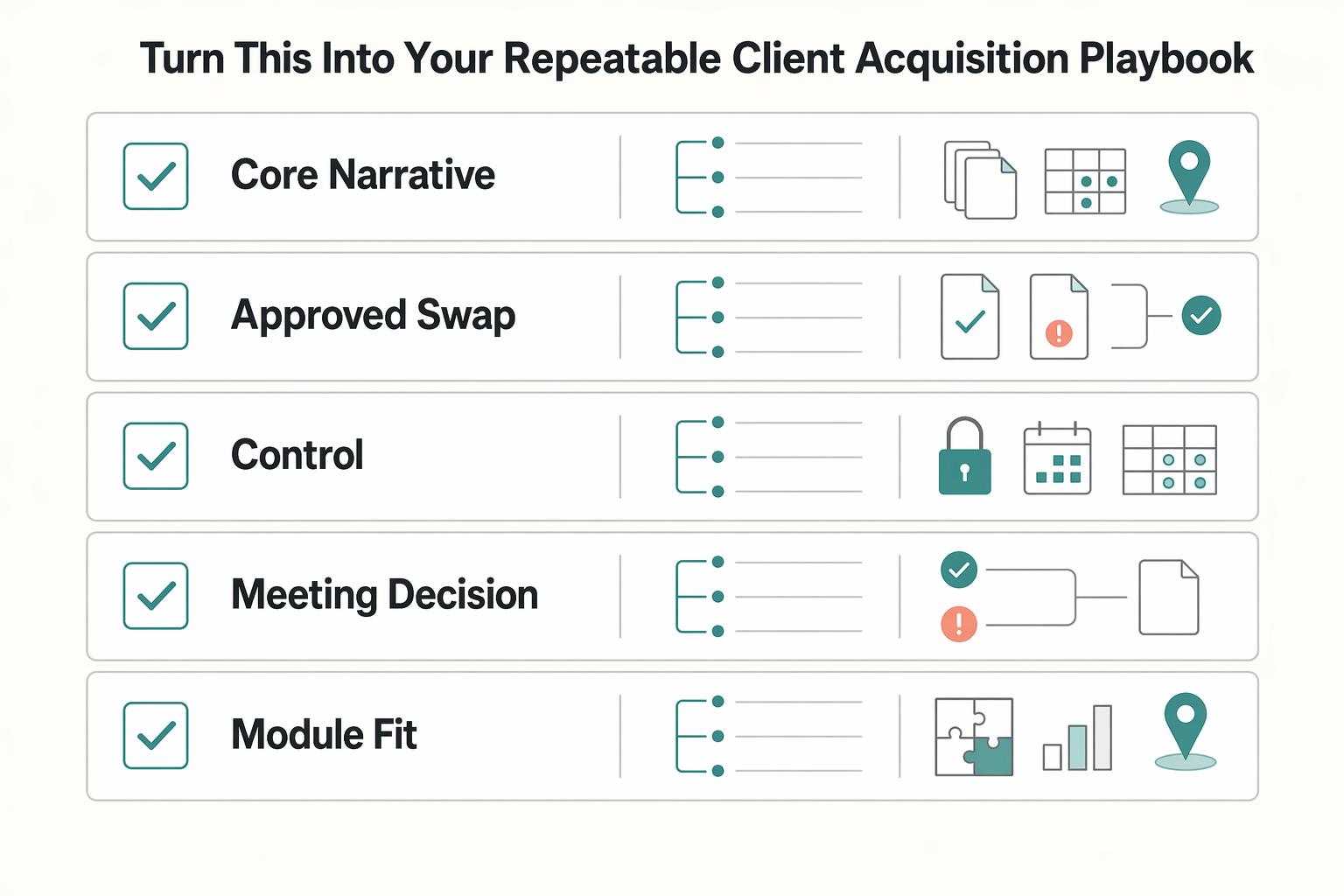
Tighten prep, tailoring, and follow-through with a four-step flow#
If you want steadier new business, run your deck process as operating work, not a one-off performance. Use this four-step flow to keep the process human while tightening prep, tailoring, and follow-through.
| Layer | Decision job | Owner | Handoff |
|---|---|---|---|
| Core narrative | move the buyer from problem to recommendation to proof to next step | the person leading the meeting | once the opportunity is qualified, this stays fixed as your base version |
| Approved swap layer | tailor proof, risk framing, and context for this buyer without changing core logic | the person customizing the deck | keep a swap only if it answers a stated buying criterion or approval question |
| Deal-control layer | capture the post-meeting path (next action, owner, date, blocker) | the person accountable for the opportunity | move directly into recap, proposal prep, and follow-up |
Step 1. Define your three-layer playbook on one page. Write each layer with three fields: decision job, owner, and handoff.
Layer 1 is the core narrative. Decision job: move the buyer from problem to recommendation to proof to next step. Owner: the person leading the meeting. Handoff: once the opportunity is qualified, this stays fixed as your base version.
Layer 2 is the approved swap layer. Decision job: tailor proof, risk framing, and context for this buyer without changing core logic. Owner: the person customizing the deck. Handoff: keep a swap only if it answers a stated buying criterion or approval question.
Layer 3 is the deal-control layer. Decision job: capture the post-meeting path (next action, owner, date, blocker). Owner: the person accountable for the opportunity. Handoff: move directly into recap, proposal prep, and follow-up.
Quick check: if you cannot explain the three layers in under a minute, tighten the structure.
Step 2. Govern your pipeline with signals, not stage counts. Do not force a fixed stage total. For each stage, define: entry signal, exit signal, blocker state, and required next action.
Advance only when the exit signal is visible, not when the call felt positive. Your signal might be a booked next meeting, a requested proposal, a named internal reviewer, or a confirmed decision date. If the signal is missing, mark the deal as blocked and state the blocker plainly. Keep this human by balancing inbound and outbound work without turning follow-up into generic automation.
Step 3. Systemize deck production before you scale it. Control production with three rules: fixed core slides, approved swap modules, and a lightweight change log tied to buyer decision criteria.
Keep the core stable. Limit swaps to buyer-relevant proof, context, objections, or scope framing. In the change log, record what changed, why it changed, and which decision criterion it supports. If you use templates or AI, use them for structure and draft speed, not unsupported claims or fake specificity.
Step 4. Run this pre-flight check before every pitch. Use this table before you send the deck.
| Control point | What to verify | Recovery action if missing |
|---|---|---|
| Meeting decision | The exact yes, shortlist, or next-step decision is written at the top of the deck | Stop and rewrite the opening before rehearsal |
| Core slide control | Problem, recommendation, proof, and next step are all present | Rebuild the spine before adding custom material |
| Module fit | Every swapped slide maps to a stated buyer concern or approval question | Remove decorative slides and replace with relevant proof |
| Stage governance | Current stage, exit signal, blocker state, and required next action are recorded | Mark as blocked, name the blocker, and set the next action before sending |
| Version control | Final file matches the approved template and latest change log | Merge edits into one source file and retire local variants |
Use this as the handoff into your broader client acquisition system. For template and production support, see The Best Tools for Creating Professional Presentations.
Frequently Asked Questions
What is an agency pitch deck and how is it different from a service deck?
An agency pitch deck is best when the meeting needs a specific decision, such as fit, scope, or whether to move forward. A service deck is broader and works better when the room still needs orientation to your capabilities or working style. Choose based on the decision this meeting must produce.
How many slides should you use for a first meeting?
There is no fixed slide count for a first meeting. Use fewer slides for qualification or discovery, and add more only when the room needs to assess risk, scope, and proof in the same session. Set the count after you confirm the time box, meeting goal, and number of decisions expected.
What slides are actually essential?
The essential slides are the ones that explain the problem, your recommendation, the proof behind it, and the next step. If you have a formal checklist or submission requirement, follow that first. Otherwise, make sure each slide serves one buying criterion.
How do you tailor one deck for different client types without rebuilding it?
Keep a fixed backbone for the narrative, proof sequence, and close, then swap only the parts that answer this buyer's risks, priorities, or approval questions. If a custom slide does not map to a real decision criterion, it is usually decoration and can create contradictions. Maintain one core version and track changes in a short variation log.
What should you include to prove capability without overwhelming the prospect?
Show focused proof for each major promise, then stop. Use relevant examples, current work, and concise evidence the buyer can question live. Keep extra proof in backup, because outdated samples or long service lists can weaken credibility.
Can you use a template tool and still make it client-specific?
Yes, if the template controls layout rather than thinking. Problems start when outdated templates or irrelevant details overwhelm the room and dilute the message. Keep the structure stable and customize the problem framing, proof selection, and close.
What if your best proof is confidential?
Use confidential proof carefully and in excerpt form. Show snippets, anonymized deliverables, or outcome summaries instead of forcing a full reveal you cannot support. Prepare a redacted version before the meeting.
What should happen immediately after the presentation?
You should leave with a named next decision, an owner on each side, a follow-up artifact, and timing. If the meeting ends with send the deck and nothing else, treat it as unfinished. Send an annotated recap the same day and move it into your client acquisition system.
Try a related tool
Researched and edited by the Gruv editorial team. Gruv builds cross-border billing, payouts, and finance-operations software for global businesses.
Sources
Includes 4 external sources outside the trusted-domain allowlist.
- ctb.ku.edu/en/table-of-contents/overview/models-for-com...trusted
- dspace.mit.edu/bitstream/handle/1721.1/79965/29893538-MIT.pdftrusted
- ohioauditor.gov/publications/docs/Village%20Officers%20Manua...trusted
- ri.cmu.edu/pub_files/pub1/paredis_chris_1996_4/paredis_...trusted
- agency29.com/blog/preparing-to-build-a-pitch-winning-inve...external
- agencyanalytics.com/blog/client-acquisitionexternal
- decadirect.org/articles/pitch-decks-your-questions-answeredexternal
- genpitch.com/personalize-pitch-decksexternal
Educational content only. Not legal, tax, or financial advice.
Related Posts
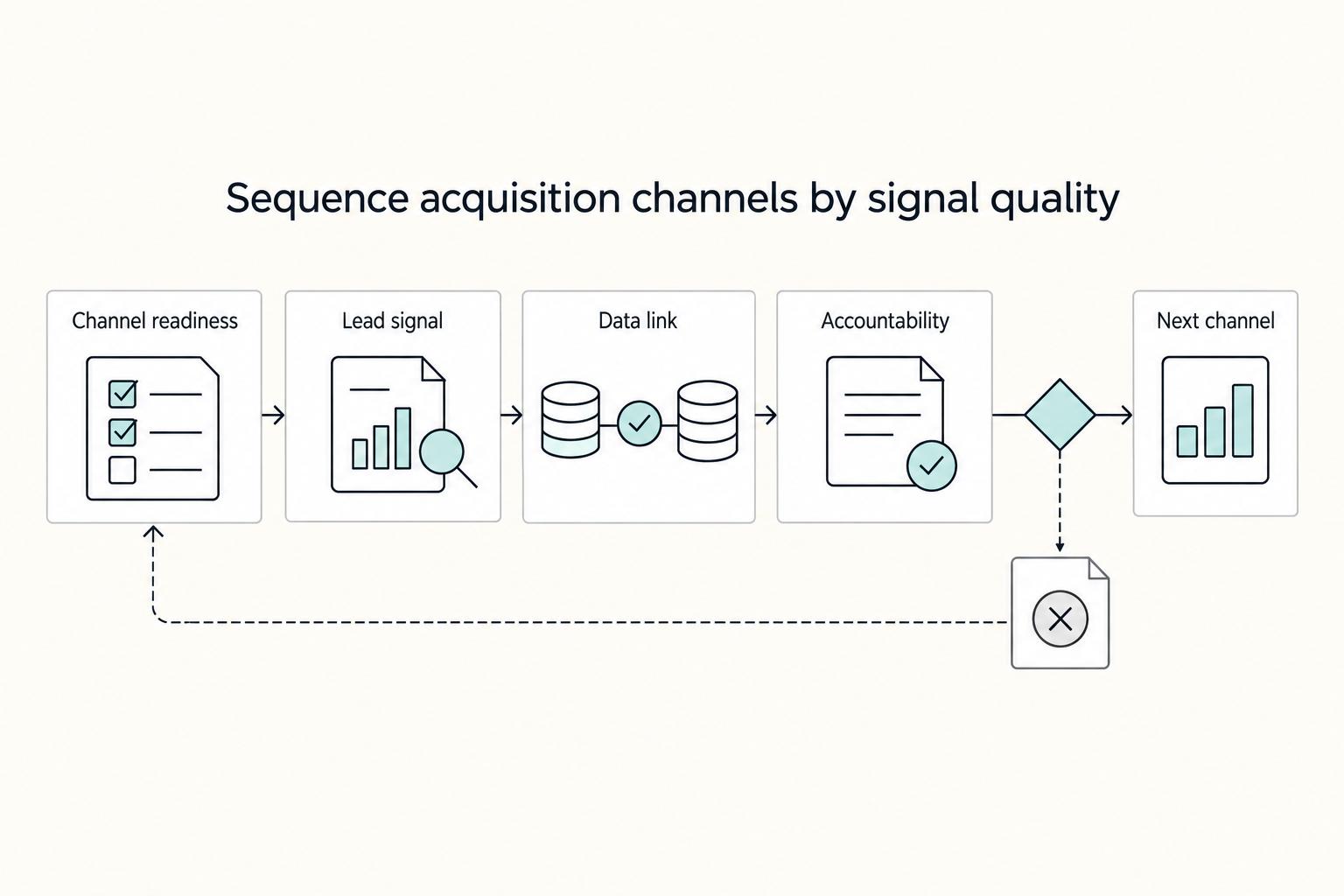
How to Build a Client Acquisition System for Your Agency
Build the first version of your **agency client acquisition system** over the next month so weekly decisions replace guesswork. The point is not to collect more tactics. It is to run one repeatable acquisition process with clear checkpoints, cleaner handoffs, and fewer avoidable risks.
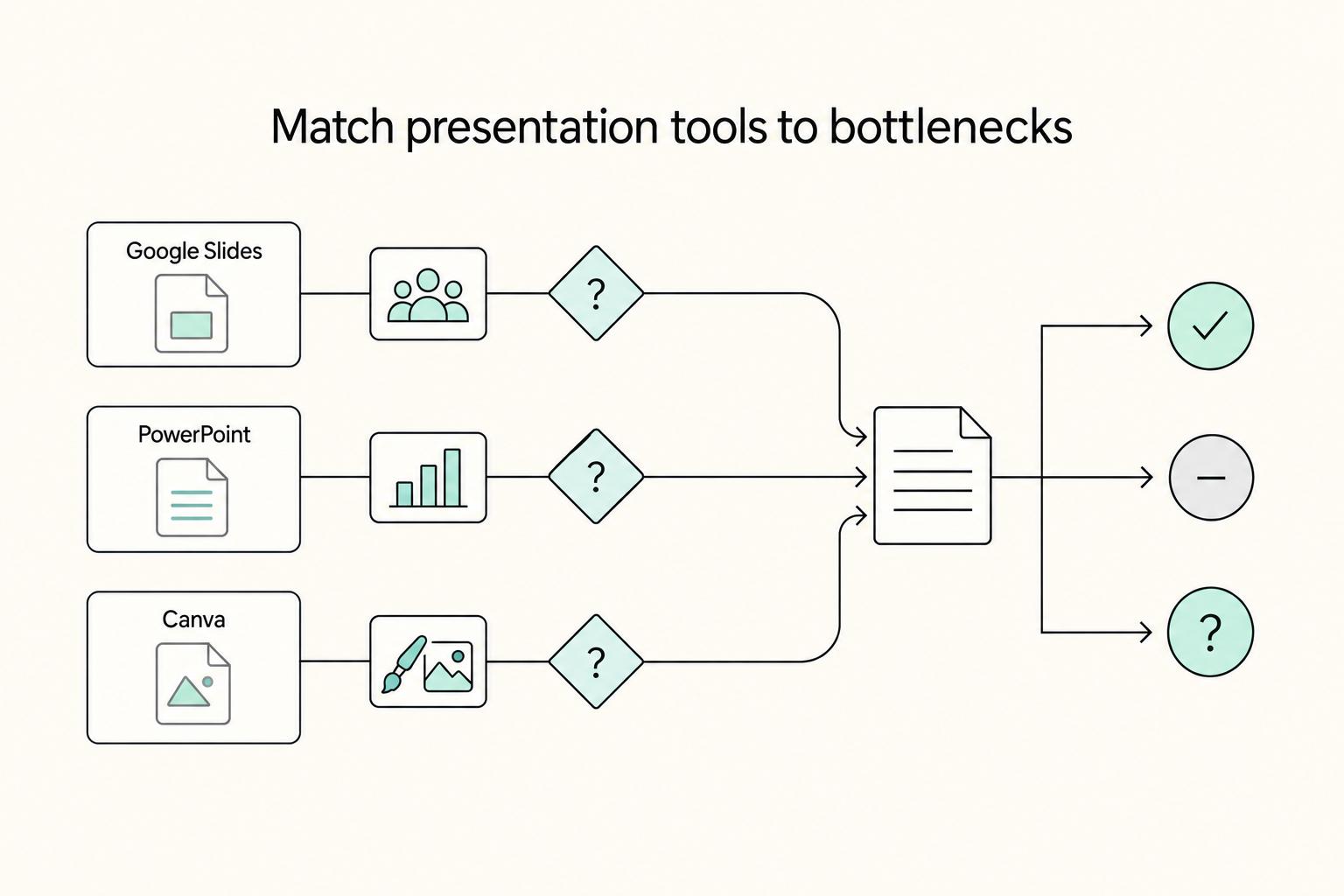
The Best Tools for Creating Professional Presentations
Use a 2025-2026 validation sweep each quarter: confirm one monthly software baseline ($15/month), one collaboration baseline ($30/month), and one premium workflow baseline ($60/month) before changing client-facing tool commitments.

The Freelance Payment Penalty: A Modeled Audit of Platform Fees, FX Spreads, and Payout Delays
The money rarely disappears through a single, easy-to-spot fee. The real loss is stacked. A marketplace takes its commission, a processor adds a charge for international cards, a bank or payment company converts the currency at a spread, a platform holds the funds before release, and a wire sheds a little to intermediaries on the way in. Each layer looks defensible on its own, but the worker feels the combined result as a smaller deposit and a later payday.