
Quick Answer
Start with scope, ownership, and controls before uploads. To create a due diligence data room, begin with four core files: Pitch Deck, Financial Statements, Cap Table, and Team Bios, then assign one owner and one backup reviewer per folder. Configure RBAC with least-privilege defaults, watermarking, and timed access expiry before inviting anyone. Add a root index that states what each folder proves and when it was last reviewed. Before sharing, run a claim-to-file check and confirm audit logging is active.
Start here and define success before you upload a file#
1. Set the outcome#
Before you build a due diligence data room, decide what success looks like. The goal is not to assemble a giant archive. It is to create a review-ready room that lets another party verify facts quickly, with less back-and-forth and a clear record of what was shared and reviewed.
That matters because due diligence is a formal verification and risk review, not a box-ticking exercise. From the start, your room should do three things well. Make information easy to find, control who can view it, and preserve traceability during review. A useful checkpoint before the first upload is simple. Can an outsider find the current file, understand what claim it supports, and see who owns it?
2. Choose the likely diligence path#
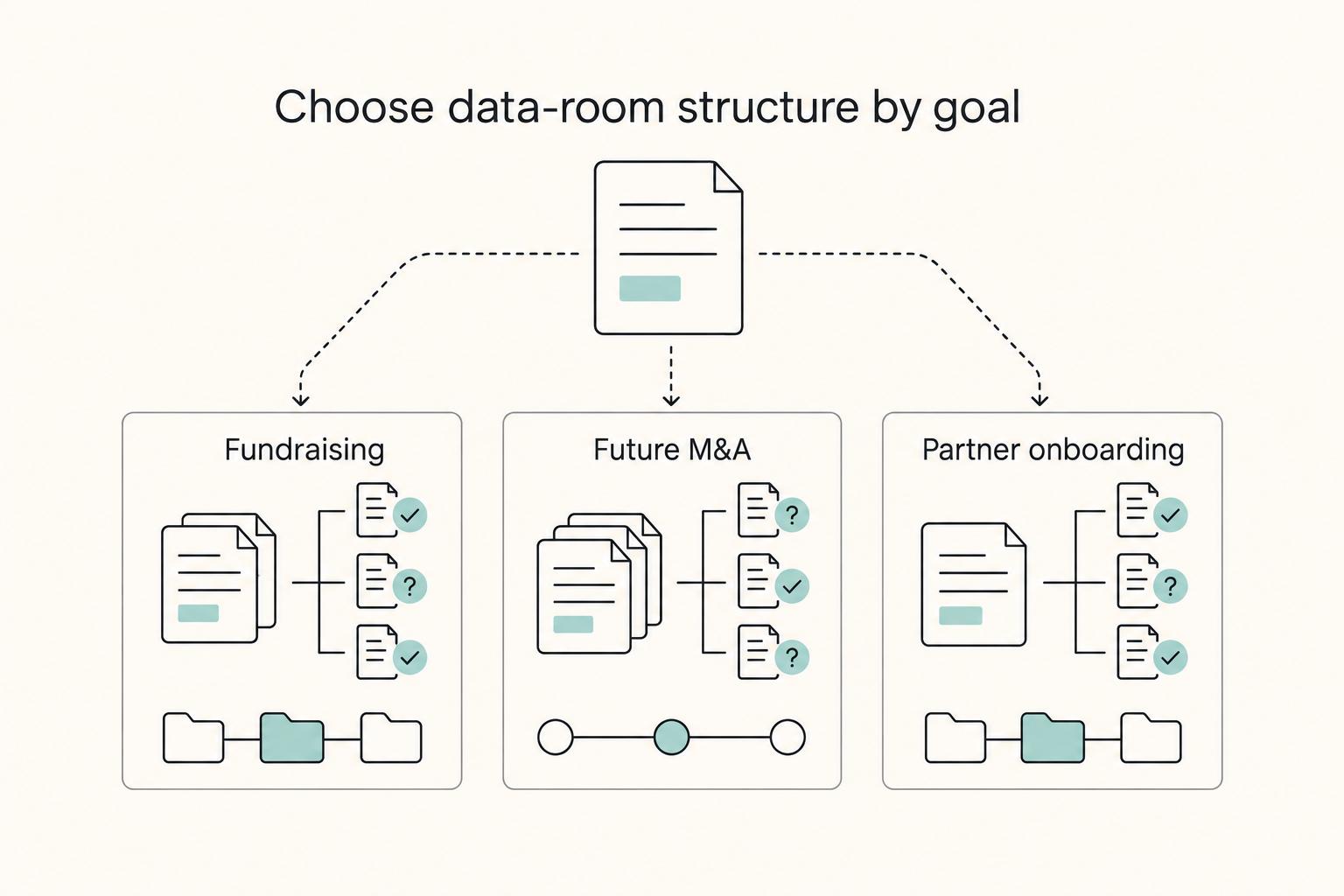
Pick the most likely path now, even if the transaction is still months away. A fundraising room usually needs to get investors to the core company story and supporting proof fast. A future M&A room should be ready for deeper review of historical financial statements, tax returns, and internal records. Partner onboarding can sit between those two, where the scope is narrower and staged disclosure matters more.
| Path | Review focus | Room setup note |
|---|---|---|
| Fundraising | Get investors to the core company story and supporting proof fast | Answer first-pass questions quickly and build trust early |
| Future M&A | Prepare for deeper review of historical financial statements, tax returns, and internal records | Expect more scrutiny on historical records and less tolerance for gaps or inconsistent versions |
| Partner onboarding | Narrower scope | Can sit between fundraising and M&A, where staged disclosure matters more |
This choice changes how you stage documents. If fundraising is the near-term use case, the room should answer first-pass questions quickly and build trust early. If M&A is more likely, expect more scrutiny on historical records and less tolerance for gaps or inconsistent versions. The red flag is trying to use one generic document dump for every audience. Fundraising, partnerships, and acquisitions do not reward the same structure.
3. Define control before content#
Set the control rules before files start moving. Decide who owns each document area, who can approve an updated version, and where changes get logged. If you skip this, a common failure mode is version confusion. A draft gets treated as final, two folders hold different copies, or nobody can explain why a number changed.
Keep the rules plain and strict. One owner per area, one current version of each file, and one traceable note when something material changes. You do not need a heavy process, but you do need decisions you can explain under pressure.
If a reviewer asks why a file was replaced, you should be able to point to the new version, the reason for the update, and the person who approved it. That is what makes the room credible instead of merely full.
Gather prerequisites and assign document owners first#
Set your baseline pack, ownership, and disclosure rules before any upload, or your room will get harder to trust as files accumulate.
Step 1. Gather the minimum pack. Start with four current files: latest Financial Statements, current Cap Table, core Pitch Deck, and current Team Bios. This is not the full room; it is the minimum set that helps reviewers orient quickly and test your main claims.
Step 2. Assign ownership per folder. Give each folder one accountable owner and one backup reviewer. The owner keeps files current, and the backup checks completeness before external sharing. If ownership is unclear, expect stale versions.
Step 3. Define the disclosure boundary now. Decide what can be shared immediately, what should be gated behind an NDA, and what stays redacted for later-stage review. Use staged disclosure instead of opening everything at once.
Step 4. Track readiness with simple status labels. Use a checklist with labels like missing, draft, verified, and approved, plus owner, backup reviewer, and last-reviewed date. If a file is marked approved, you should be able to identify the exact version and who cleared it.
Choose your platform and lock access rules before inviting anyone#
Before you send any external invite, choose a VDR and lock permissions so access is controlled from day one. If multiple outside reviewers will work in parallel, prioritize permission granularity over interface convenience.
Step 1. Pick a VDR with enforceable controls. Use a platform that supports Role-Based Access Control (RBAC), least-privilege assignment, watermarking, timed access expiry, and a downloadable audit trail. The key check is practical: can you set different view/download/edit rights for different users in the same folder without rebuilding permissions?
Step 2. Set a restrictive default, then grant exceptions. Start external users as view-only with watermarking, then expand only where needed. If your VDR offers separate modes like view-only, watermarked download, original download, and edit, use that separation deliberately. Grant download or export only to named users and specific folders.
Step 3. Assign access by role and task scope. Use role-based groups (for example: founder, counsel, buyer or investor, advisor) and apply least privilege to each. Give each role only the folders required for that work. Validate with a non-admin test account so you confirm what each role can actually see.
Step 4. Enable expiry and activity records immediately. Set access expiration when each user is created, not later. Confirm the room can produce a downloadable record of document and user activity. If you cannot quickly show who accessed which file and when, diligence issues become harder to resolve.
If you are setting up for a live process, run one dry test as an external reviewer before real invites. Open sensitive files and confirm watermark behavior, download behavior, and audit capture.
For a step-by-step walkthrough, see How to Redline an NDA for M&A Before You Open the Data Room.
Build a folder map that mirrors how diligence is actually run#
Set the folder map to match diligence questions first, because reviewers verify by topic, not by your internal org chart.
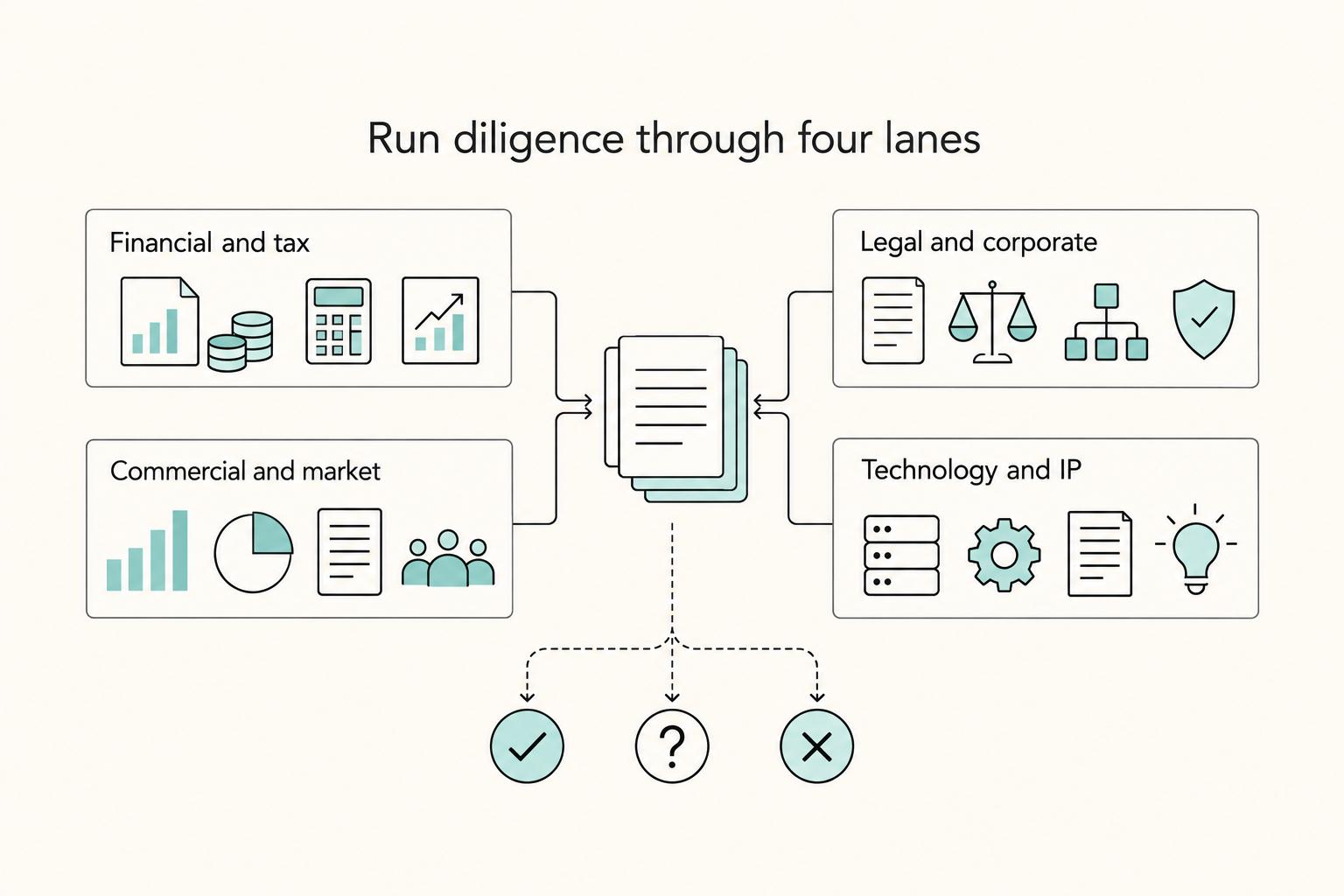
Step 1. Organize top-level folders around diligence lanes. Mirror the request list from the top level so external reviewers can handle by verification job. Common lanes often include legal, accounting, and tax, and many indexes also group materials into broader buckets such as business, legal, financials, and human resources. Treat this as a starting structure, then adapt it to the deal.
Step 2. Standardize file names and version labels. Use one naming and version pattern across the room so the current document is clear without guesswork. Consistency matters more than any single format. If a file is superseded, relabel or archive it clearly so two files do not look equally current.
Step 3. Add a data room index at the root. Maintain a root index as a table of contents; without one, retrieval gets harder as the room grows. Keep it lean: folder name, what it proves, owner, and a short "last reviewed" field. This lets reviewers understand evidence intent before opening files.
Step 4. Build from a Request Template and keep it adaptable. Use a request template and map each uploaded file to a specific request item so status is visible (answered, missing, or pending owner follow-up). Keep the tracker editable, because preliminary diligence requests often expand as review progresses. Adapt the template by deal type instead of rebuilding the room each time. You might also find this useful: A M&A Consultant's Guide to Due Diligence Checklists.
Load the core evidence pack in a strict order#
To make the room credible fast, upload files in the same order reviewers usually validate claims: summary first, evidence next, then deeper risk documents.
1. Upload core files in a practical first-pass sequence#
Use this as a working default: Pitch Deck, Financial Statements, Cap Table, Team Bios, then key contracts and policies. It is not a universal rule, but it gives reviewers context before they move into detail.
| File | What it helps verify | Common failure mode |
|---|---|---|
| Pitch Deck | Thesis, product vision, competitive context, traction, team | Claims are newer than supporting files in the room |
| Financial Statements | Financial performance and position for the covered period | Latest period is missing or unclear |
| Cap Table | Current investors, invested amounts, ownership percentages | Older version conflicts with current ownership reality |
| Team Bios | Whether leadership and key operators match the narrative | Bios are outdated or overly promotional |
| Key contracts and policies | Commercial obligations, compliance records, operating controls | Critical files are buried before reviewers are oriented |
If your process is more M&A-heavy, move contracts and compliance records earlier as needed, but keep a clear summary layer up front.
2. Add a proof note to each core file#
For each file, include a short note in the VDR description, root index, or a cover page beside the document:
- What claim this file supports
- What period it covers
- What limitation a reviewer should know
This reduces avoidable follow-ups and makes it clear what is current, partial, or still in progress.
3. Run a claim-to-file verification checkpoint#
Before granting access, map every critical narrative claim to at least one current file in the room.
- List key claims (especially traction, ownership, team, and compliance-sensitive points).
- Link each claim to one live file and folder path.
- If support is missing, upload evidence, narrow the claim, or remove it.
A simple readiness test: someone else should be able to open your deck and find support for each major claim without asking where documents live.
Add deal-specific modules without bloating the room#
After the core evidence pack is ready, add documents by deal path and release them in stages. This keeps diligence moving while reducing early exposure of sensitive material.
1. Split add-ons by transaction path#
Fundraising, M&A, and public-markets prep are different review jobs. Keep module folders separate so reviewers can find the right proof quickly instead of digging through one mixed "extras" folder.
| Scenario | What the module should help answer | Good early contents |
|---|---|---|
| Fundraising | Why invest now and what the business may look like next | Business plan, financial projections, market analysis, and other investor decision materials |
| M&A | What risks, obligations, and target-company facts could affect the deal | Critical target-company information that supports commercial, legal, and operational review |
| IPO or SPAC prep | Whether the company is preparing for a public liquidity path | Materials organized for public-markets diligence and preparation for an Initial Public Offering (IPO) or SPAC path |
Use direct names like "Fundraising Module" and "M&A Module." Clear labels improve reviewer orientation and make access control easier.
2. Gate disclosure in layers#
Use staged disclosure intentionally: an initial layer for first review, then a deeper layer after real interest and legal progress. That pattern is common, and it is usually more effective than uploading everything at once.
Keep the first layer focused on decision-making basics. Release broader sensitive materials only when they are needed to move the process forward. The tradeoff is straightforward: include enough to answer likely diligence questions, but do not post everything just because it exists.
Before opening an advanced folder, ask: what decision does this document support, and why now instead of later?
3. Mark known gaps instead of hiding them#
If something is not ready, say so. A short "not yet available" note is usually better than silence because it shows the gap is known and managed.
Keep the note practical: missing item, reason it is not posted yet, closest available substitute (if any), and owner of the update. Visible, managed gaps preserve trust better than hidden gaps found mid-process.
Related reading: Form D Exempt Offering Due Diligence Before You Invest.
Run a compliance and security pass before every external share#
Treat every new release as a fresh compliance gate, not an admin task. If a file is not necessary for this stage of diligence, or you cannot justify how it is shared, do not open it yet.
| Framework | When it matters | Article guidance |
|---|---|---|
| GDPR | When GDPR applies | Use data minimisation: keep personal data limited to what is necessary for the purpose and remove unnecessary PII before upload |
| GDPR Article 32 | When deciding security controls | Use controls appropriate to the risk, so routine commercial files and sensitive records are not handled the same way |
| SOC 2 Type II | When reviewers expect control evidence | It may inform what you present, but it does not replace checking your actual obligations |
| HIPAA | If your company is a HIPAA covered entity or business associate | HIPAA Rules apply and health-information protections are mandatory |
| ITAR | If a file includes technical data tied to defense articles | Treat sharing as export-controlled handling, not ordinary confidentiality |
1. Check legal scope before exposing new files#
Start with the data, then match controls to risk. If GDPR applies, use data minimisation as your test: keep personal data limited to what is necessary for the purpose, and remove unnecessary PII before upload.
Apply the same risk logic to security decisions. Under GDPR Article 32, controls should be appropriate to the risk, so routine commercial files and sensitive records should not be handled the same way. If reviewers expect control evidence, SOC 2 Type II may inform what you present, but it does not replace checking your actual obligations.
Checkpoint: for each folder, can you explain why each sensitive field is needed for this decision now? If not, redact it or hold the file.
2. Confirm whether HIPAA or ITAR changes sharing rules#
Do not treat regulated data as a later concern. If your company is a HIPAA covered entity or business associate, HIPAA Rules apply and health-information protections are mandatory.
Use the same upfront scoping for ITAR. If a file includes technical data tied to defense articles, treat sharing as export-controlled handling, not ordinary confidentiality.
If your work touches either domain, have counsel or your internal compliance owner clear the folder before release. A common red flag is mixed folders where regulated and non-regulated files sit together without clear labeling.
3. Verify audit logging and clean the room before access goes live#
Confirm audit logging is active before invites are sent, then review logs before and during the diligence window. The control is not just log collection; records must be reviewed on a defined cadence.
Run a final content sweep in the same pass. Remove duplicate legacy files, archive superseded versions, and keep one clear current record to avoid reviewer confusion from conflicting drafts.
Final check before sharing: open the exact permissioned view, confirm logging events are being captured, and spot-check for stray PII, duplicates, and stale files. Related: Digital Nomad Health Insurance: A Comparison of Top Providers.
Avoid the failure modes that make diligence drag#
Diligence drag usually comes from three fixable issues: stale files, overbroad access, and conflicting versions. Treat each as an immediate cleanup item so reviewers spend less time chasing clarifications and more time completing review.
| Issue | Immediate action | Checkpoint |
|---|---|---|
| Stale files | Pause sharing for that folder, assign one owner, replace the stale file, and post a short update note | Every affected file should have a clear owner and current status in the folder index |
| Overbroad access | Reset permissions to least privilege and reissue access through role-based groups (RBAC) | Verify each role's actual view and notify reviewers that access was updated |
| Conflicting versions | Keep one canonical file in the live review path, archive superseded versions, and update index timestamps the same day | If multiple versions remain visible, label the superseded file clearly and state why it remains |
1. Freeze and refresh stale folders#
When a file is outdated and no owner is clear, pause sharing for that folder and correct it before more review continues. Assign one owner, replace the stale file with the current record, and post one short update note with what changed and when.
Use a simple checkpoint: every affected file should have a clear owner and current status in the folder index. If you update a document, update the related index details at the same time so the current record is not open to debate.
2. Reset access back to least privilege#
If permissions have expanded too far, reset them to least privilege instead of patching user-by-user exceptions. Reissue access through role-based groups (RBAC) so permissions reflect role needs, not convenience.
Then verify each role's actual view and notify reviewers that access was updated. That avoids confusion about whether a missing folder is an intentional restriction or a sharing error.
3. Collapse contradictory versions into one canonical record#
Version conflict slows diligence because teams end up debating which file is current. Keep one canonical file in the live review path, archive superseded versions, and update index timestamps the same day.
If you must keep multiple versions visible for context, label the superseded file clearly and state why it remains.
Finish with a copy-paste checklist you can run this week#
A credible room is one that is share-ready for a specific reviewer, with ownership, access controls, and redaction handled before invites go out.
Define the review scenario and the first external audience#
Start by defining the exact diligence scenario and the first reviewer role, because scope should follow purpose, not volume.
Checklist
- Write the scenario at the top of your index file
- Name the first reviewer role you are building for
- Decide what is baseline, what needs NDA, and what stays out for now
- Start a readiness tracker with statuses: Not Started, In Progress, Ready
Gather the minimum evidence pack and assign owners#
Begin with core baseline files, then assign clear ownership before upload so updates do not stall during review.
Checklist
- Collect current Pitch Deck
- Collect current Financial Statements
- Collect current Cap Table
- Collect current Team Bios
- Record one owner and one backup for each folder
- Mark each file in the tracker as missing, draft, verified, or approved
Set security defaults before you invite anyone#
Configure access through roles, enforce least-privilege access, and enable monitoring controls before external sharing.
Checklist
- Create role groups for relevant reviewer types
- Set default access to the minimum needed per role
- Grant broader access only where needed
- Enable Watermarking
- Verify the Audit Trail records logins and document activity
- Test access by signing in as each role
Publish the room rules in writing#
Publish a simple operating index so reviewers can see what each folder proves, who owns it, and which version is current.
Checklist
- Publish folder index
- Publish owner list
- Add "last reviewed" to each folder or key file
- State version naming rules
- Archive superseded files from the main reviewer path
Upload, redact, and run a final share-readiness check#
Before sharing, upload baseline files, apply data-minimization redaction, and confirm access logging is actually visible.
Checklist
- Upload baseline docs
- Redact unnecessary PII and other nonessential sensitive data
- Remove duplicate or legacy files that could create conflicts
- Confirm index links and file names match the live room
- Confirm audit logging coverage before sending invites
Frequently Asked Questions
What is a due diligence data room, and how is it different from a shared drive?
A due diligence virtual data room is a secure workspace that holds the materials used to evaluate a business. The practical difference from a generic shared drive is control. A VDR is built as a controlled environment where only authorized users can view, download, or discuss confidential files. You can also review an audit trail of user and system activity.
Which documents are mandatory to create a due diligence data room for a small business?
There is no one-size-fits-all checklist for every small business deal, so do not treat any checklist as fixed. A credible baseline usually covers corporate, financial, legal, commercial, and operational materials, with financial evidence centered on the income statement, balance sheet, and cash flow statement. If a request goes beyond the purpose of the review, narrow the scope instead of overloading the room.
How should I structure folders in a Virtual Data Room so reviewers move faster?
Group files so reviewers can find what they need quickly. In practice, many rooms use top-level folders such as corporate, finance, legal, commercial, and operations, plus an index that explains what each folder contains and who owns it. Poor organization slows diligence and can weaken confidence, so keep the live review path clear and avoid mixing superseded files with current ones.
How do I set permissions safely using role-based access control and least-privilege rules?
Use Role-Based Access Control so permissions follow roles, not one-off user edits. Then apply least privilege by giving each role only the minimum access needed for its task. A good checkpoint is to verify each role can see only the intended folders, then confirm your audit trail is recording activity.
How often should I update a due diligence data room during active review?
Do not force a fixed daily or weekly cadence for every review. Update the room when material documents change, when a reviewer question exposes a gap, or when an approved request changes scope. The key control is freshness: keep files and index details aligned so reviewers can tell which record is current.
Can I build a credible data room without enterprise legal and finance teams?
Yes. A credible room depends more on clear ownership, current records, sensible folder structure, and controlled access than on a large internal team. If your team is lean, keep ownership and review responsibilities clear so materials stay current and organized.
Try a related tool
Researched and edited by the Gruv editorial team. Gruv builds cross-border billing, payouts, and finance-operations software for global businesses.
Sources
- commission.europa.eu/law/law-topic/data-protection/rules-business...trusted
- csrc.nist.gov/glossary/term/role_based_access_controltrusted
- csrc.nist.gov/glossary/term/least_privilegetrusted
- ecfr.gov/current/title-22/chapter-I/subchapter-M/part...trusted
- hhs.gov/hipaa/for-professionals/covered-entities/ind...trusted
- nist.gov/publications/revised-model-role-based-access...trusted
- sec.gov/data-research/statistics-data-visualizations...trusted
- sec.gov/rules-regulations/2024/01/s7-13-22trusted
Educational content only. Not legal, tax, or financial advice.
Related Posts

Germany Freelance Visa Application Path for Freiberufler and Gewerbe
Choose your track before you collect documents. That first decision determines what your file needs to prove and which label should appear everywhere: `Freiberufler` for liberal-profession services, or `Selbständiger/Gewerbetreibender` for business and trade activity.

Digital Nomad Health Insurance Comparison for Long-Stay Moves
Use focused time now to avoid expensive mistakes later. Start with a practical `digital nomad health insurance comparison`, then map your route in [Gruv's visa planner](/tools/visa-for-digital-nomads) so we anchor policy checks to your real plan before pricing pages pull you off course.
A M&A Consultant's Guide to Due Diligence Checklists
Most mergers and acquisitions fail, not in the negotiation room, but in the months after closing. The deal buckles under operational confusion, cultural friction, and liabilities that were not understood early enough. A common cause is bad due diligence, treated as a defensive box-checking exercise instead of a decision tool. That is the strategic mistake.