
Quick Answer
Define one default channel for each message type, assign urgency labels by impact, and require every decision to be closed in a written record. A strong remote team communication policy maps Slack or Microsoft Teams, email, and meetings to clear do-not-use boundaries, named escalation owners, and backup coverage. Then enforce it with evidence from handoff notes, meeting action closure, and documented decision rate, starting with a pilot before full launch.
Why remote team coordination failures trace to channel design, not individual effort#
Your remote team communication policy is operating infrastructure, not admin filler. Spell out where work conversations belong, when a message needs a response, and when a decision has to be written down. Otherwise, you make avoidable failures more likely: overlapping channels, missing decisions, unclear ownership, and painful handoffs between people who were never online at the same time.
That breakdown is often structural, not personal. Remote teams lose the in-person signals that make shared understanding feel automatic, and many teams coordinate across a mix of full-time employees, contractors, and outsourced specialists. Add borders, time zones, and cross-team work, and "everyone knows how we communicate here" stops being a safe assumption. One 2025 industry summary puts the pressure clearly: 81% of workers spend at least some time collaborating with other teams, but only 12% feel confident that ideas and information move quickly between teams.
Your tools can make this worse. The problem is not only that people use too many channels. It is that teams do not agree on the job of each one, so information gets scattered across chat, meetings, and inboxes. That same 2025 summary noted that 64% of workers say their organization's collaboration tools make work harder, not easier. A policy will not fix bad habits on its own, but it does replace manager-by-manager improvisation with one shared set of rules.
Quick self-audit#
Before you draft anything, check whether your current gaps are clear enough to fix on paper. Pull your last five communication misses, near misses, or messy handoffs and test each one against these questions:
- Was there one clear channel where the conversation should have lived?
- Could an absent teammate find the final decision without reading multiple threads?
- Was one owner named for the next action?
- For work handed across time zones, was the current status, blocker, and next expected step written down?
- If the matter became urgent, did people know where to escalate it?
If you answer "no" more than once or twice, do not treat that as a coaching problem for one person. Treat it as a design problem. That distinction matters, because you will waste time correcting behavior your rules never made clear in the first place.
The rest of this guide follows the order that usually works in practice. Start by defining scope so communication rules do not get buried inside a broad remote-work document. Then map channels and response expectations. Make async communication the default where it should be, tighten meeting standards, define escalation paths and exceptions, and add a small KPI set that checks reliability without drifting into activity monitoring.
If your bigger challenge is getting people to write more clearly and rely less on live overlap, pair this with our guide on How to Create a Culture of Asynchronous Communication. That piece is about habits. This one is about turning those habits into written rules that hold up on an ordinary Tuesday and when something goes wrong.
The goal is not to produce a thick policy nobody reads. It is to give your team clear channel rules and communication protocols, then keep them usable as the team changes. If you can verify channel ownership, decision visibility, and handoff quality, you are building something useful. If you cannot, the next sections will help you fix that in a way people can actually follow. For related operating issues, we also covered Remote Team Performance Management for IT Agencies.
Define your policy scope and gather what you need first#
Start by keeping this policy tightly scoped, so people can find the rule they need when coordination breaks. It should define how your team communicates and documents work, while broader remote-work operations stay in a separate policy.
| Put it in this policy | Keep it in a broader remote-work policy |
|---|---|
| Channel behavior for updates, questions, approvals, and decisions | Remote-work eligibility and work arrangement rules |
| Response expectations by message type or urgency | Hours, leave, attendance, and availability requirements |
| Meeting norms (agenda, attendance, written outcomes) | Equipment, stipends, office setup, and expense policy |
| Ownership of written follow-through and decision records | Security, privacy, payroll, legal, and IT controls |
Before drafting, inventory the tools your team actually uses. For each tool, capture its purpose, approved use cases, default visibility, and one accountable owner who maintains the guidance.
Build a short intake checklist in one working doc:
- Role coverage across teams, including contractors or external specialists.
- Time-zone spread and where live overlap is limited.
- Recurring communication misses or handoff failures from recent work.
- Current standards for documenting decisions and status updates.
- One named approver and one named maintainer for this policy.
Before Step 1, confirm you have one source of truth for communication rules, and confirm recent misses map to unclear or missing rules rather than isolated individual behavior. If you cannot do both yet, tighten your inputs first.
You might also find this useful: How to Create a Travel Policy for a Remote Team.
Step 1 set channel protocols and response expectations#
Make channel choice explicit. For each recurring message type, define one default channel, one fallback path, and one clear do-not-use boundary.
Use a one-primary-channel rule. If the same request could reasonably start in chat, email, or a meeting, the rule is still ambiguous. Channels are broadly visible; chats are limited to the people in them.
Build the channel matrix around message types#
Organize by recurring message type first, then attach tools and record location.
| Message type | Default channel | Fallback path | Do not use | Final record must live in |
|---|---|---|---|---|
| Coordination and routine updates | Team or project channel in Slack or Microsoft Teams | Move to a scheduled meeting if context is fragmented | Email threads for day-to-day status, or recurring group DMs | The channel thread, unless it creates a decision or commitment |
| Approvals, decisions, and scope changes | Written request in the agreed approval channel or email path | Brief live discussion only when written context does not resolve it | DMs or informal chat reactions as the only approval record | Your single source of truth, with decision, owner, and status |
| Escalations and incident coordination | Named escalation path (incident channel, on-call contact, or urgent call route) | Email or meeting notes for summary after immediate response starts | Routine project channels when rapid stakeholder coordination is needed | The incident or issue record used for closeout and review |
Speed and traceability are a tradeoff. Chat is fast, but recurring conversations should move into channels so context stays searchable and reusable.
Define response labels by impact and channel#
Do not use one response SLA for everything. Define labels from impact plus urgency, then map each label to the right channel.
- Urgent: Active risk, customer-facing break, security concern, or a blocker that cannot wait for normal async handling. Use the escalation path first. Timing field: set this threshold in your team policy.
- Time-sensitive: Work is blocked or approval is needed soon, but there is no active incident. Use the default approval or coordination channel. Timing field: set this threshold in your team policy.
- Routine: No active blocker and no immediate risk. Use channel threads, comments, or email as defined in your matrix. Timing field: set this threshold in your team policy.
Keep labels consequence-based, not preference-based.
Capture decisions and test for sprawl#
Use one decision-capture rule: if chat or a meeting creates a decision, scope change, or commitment, move it to your single source of truth before closing the thread. Include owner, status, and due date when applicable.
Use these anti-sprawl guardrails:
- Do not post the same request across multiple channels unless you are explicitly escalating.
- Do not leave recurring project discussions in DMs; move them to a channel.
- Do not end a meeting with only a recording; add a written outcome with owner and status.
Before finalizing this step, run your last five communication misses or messy handoffs against the rule. Each case should map to one primary channel, one response label, and one documented closeout path. If a case still fits two channels, tighten the rule.
Step 2 make async communication the default and tighten meeting rules#
Default to writing first. Move to live discussion only when written collaboration stops moving the work. If people are still making progress in writing, stay async. Escalate to a live meeting when the topic needs real debate, rapid clarification, or is complex enough to keep getting misunderstood asynchronously.
This keeps decisions searchable across time zones and reduces the number that exist only in chat or calls. In practice, async means sending communication without expecting an immediate response, so written updates should be the starting record.
Require a written starting record#
Do not open discussion without a minimum record in place.
| Record type | Minimum fields |
|---|---|
| Update post | topic; current status; owner; blocker or risk; next action; due date; help needed; link to the record location if work already exists elsewhere |
| Decision record | decision question; Driver or owner; Approver (if you use DACI); options considered; recommendation; affected teams; deadline for input; final decision; rationale; follow-up actions; date |
| Meeting notes | attendees; agenda; discussion topics; action items; link back to the decision log or project record |
Use this three-stage rule every time:
- Before discussion: document the question and context.
- During input: capture comments, objections, and unresolved points in the same place.
- At final decision: publish the approved outcome and actions in your decision log.
If a teammate cannot trace those three stages in one written thread or document, your policy is still too loose.
Tighten who attends and who gets updated after#
Set attendance by necessity, not curiosity.
| Attendance label | Include when | What they are expected to do | Who publishes notes and where |
|---|---|---|---|
| Mandatory | They are the decision-maker, Driver, direct owner, or required for live clarification | Attend, review pre-read, decide or unblock | Meeting owner publishes notes in the agreed meeting-notes location and links the final outcome in the decision log |
| Optional | They want context but are not needed to decide or unblock | Review async materials first; attend only if useful | Meeting owner still publishes the notes and links them to the record |
| Informed after | They are affected but not needed live | Review notes and shared artifacts after the meeting | Meeting owner shares the written summary and record link in the normal channel |
Your invite standard should include an agenda link, the decision needed, the pre-read or live doc, attendance labels, and the expected output. Send it early enough for async comments before the meeting. Timing field: set the meeting invite timing in your team policy.
Before you move on, test three recent decisions against this rule: each should show an async starting record, a clear live-meeting trigger if one happened, and a written closeout in the system of record. If any one is missing, tighten the rule before adding more meetings.
Need the full breakdown? Read How to Give Effective Feedback to a Remote Team Member.
Step 3 define escalation paths and exception handling#
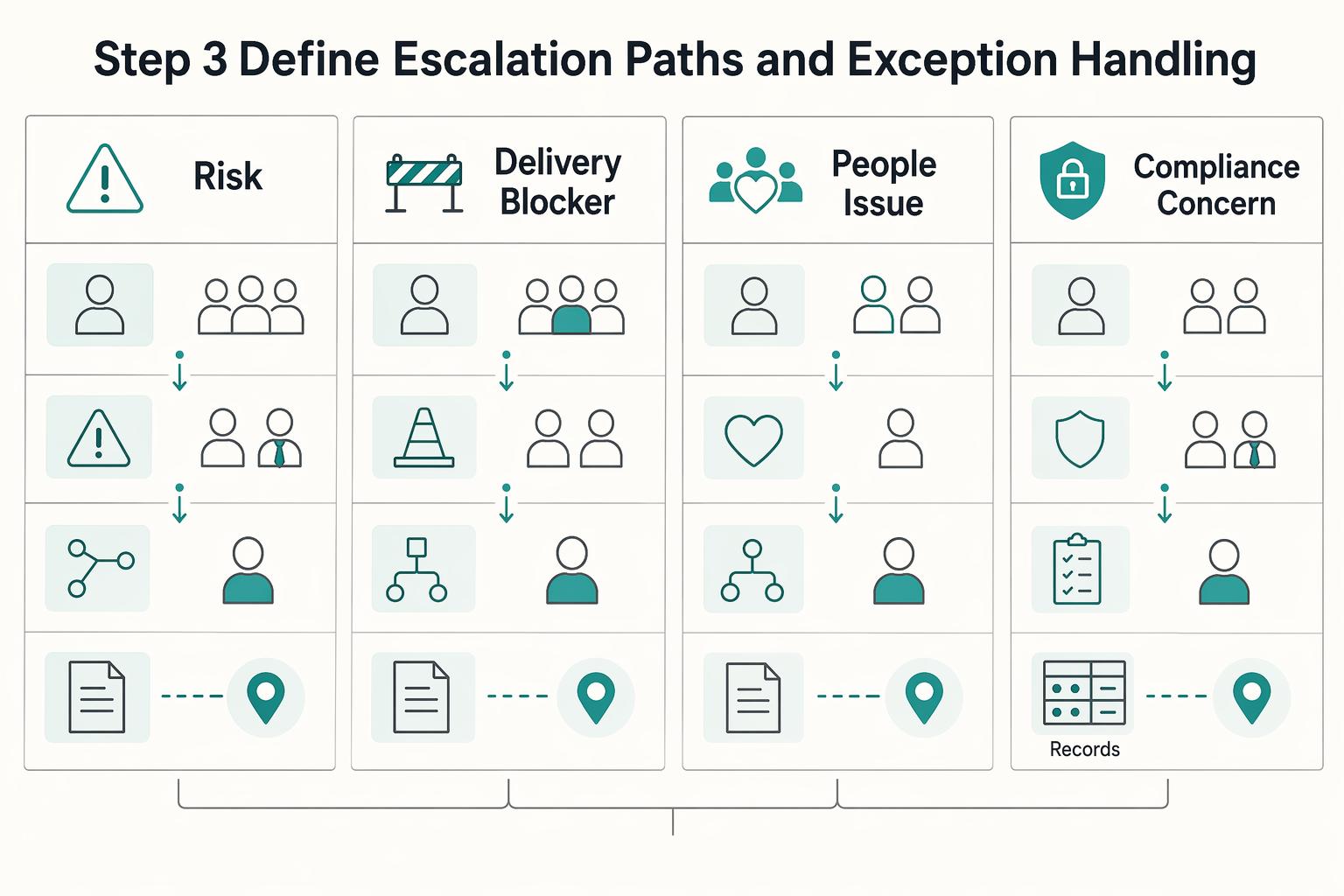
Treat escalation as a routing system, not an ad hoc reaction. For each issue type, define who owns it first, what triggers escalation, who takes over if needed, and where the written closeout must live.
If a teammate cannot quickly answer those four points under pressure, tighten the policy before rollout.
| Issue type | First owner | Escalation trigger | Backup owner | Final record destination |
|---|---|---|---|---|
| Client risk | Client owner or account lead | Customer-facing impact, committed date at risk, or a decision that changes what the client was told | Team lead or operations lead | Client update record and decision log |
| Delivery blocker | Project owner or delivery lead | Critical dependency is stuck, work cannot continue, or no acknowledgment within your defined threshold | Backup project lead or manager | Project record or decision log |
| People issue | Direct manager or designated people contact | Conduct concern, safety concern, or conflict requiring confidential handling | Named people backup | Confidential people record |
| Compliance concern | Operations, finance, or compliance owner | The issue changes what work can proceed, what approval is required, or how a jurisdiction-sensitive handoff must be documented | Designated approver | Compliance record and action note in the related work record |
Go beyond "contact on-call." Define internal priority bands, for example P1/P2/P3, then set the work-hours path, off-hours path, and acknowledgment expectation for each band. If a timing value is still being validated, leave it explicit in the policy as acknowledgment threshold pending team-policy verification. Also state that missed acknowledgment routes automatically to the backup owner.
Urgent escalation can start in chat, but chat is only the alert layer. Closeout is complete only when the approved record includes owner, decision, current status, next action, and date or timestamp, plus a link to the originating chat thread when applicable.
Write playbooks for exceptions so they do not bypass controls:
- Tool outage: fallback channel, who can declare the switch, and where to backfill records after recovery.
- Leave coverage: named backup for each route owner with matching access, notifications, and approval authority where needed.
- Cross-time-zone handoff: handoff note with current status, blocker, owner, what has already been tried, and next action for the receiving time zone.
For jurisdiction-sensitive handoffs, keep the rule practical and explicit: document work location context, responsible approver, decision date, and basic audit-trail fields (who updated the record and where supporting evidence is stored). That prevents location, payroll, data-handling, or client-term decisions from disappearing into chat-only threads.
Related reading: How to Handle Payroll Taxes for a Remote US Team.
Step 4 enforce accountability with KPIs and no micromanaging#
Enforce accountability by reviewing outcome records, not activity signals. Track a small KPI set with a named owner for each metric, then review, correct, and document based on what your records show.
Keep your KPI set limited to the outcomes your policy already requires: response reliability, handoff completeness, meeting action closure, and documented decision rate. Treat each KPI as pass or fail based on visible evidence in your existing records.
| KPI | Owner | Good | At risk | Evidence lives | First corrective action |
|---|---|---|---|---|---|
| Response reliability | Channel owner or team lead | Messages show acknowledgment and follow-up in the channel and urgency path your policy defines | Missed acknowledgments, unclear urgency handling, or repeated routing into the wrong channel | Chat history, inbox timestamps, escalation log, work record | Reconfirm channel rules, clarify labels, and assign backup coverage where misses occur |
| Handoff completeness | Delivery lead or operations lead | Handoff record shows current status, blocker, owner, prior attempts, and next action | Receiver cannot continue without asking for basic context | Handoff notes, project record, escalation closeout | Tighten the handoff template and require complete fields before transfer |
| Meeting action closure | Meeting owner or project lead | Actions are recorded with owner, due date, and current status | Actions are missing owner, due date, or status updates | Meeting notes, task tracker, project record | Enforce written closeout and block meeting completion until actions are assigned |
| Documented decision rate | Project owner or department lead | Decisions made in chat or meetings are written in the approved record location | Decisions remain in chat threads or private messages only | Decision log, client record, project summary | Require written decision summaries and link them to the originating thread or meeting |
If evidence is missing, treat the KPI as not verifiable. This keeps enforcement fair and avoids replacing policy accountability with presence monitoring.
Set a correction trigger and run the same sequence each time#
Use a correction trigger in your policy: start a correction record when you see repeated risk on the same KPI in your normal review cycle, or when one miss creates client, delivery, or compliance exposure.
Then run the same sequence each time:
- Diagnose the pattern across KPIs before acting.
- Choose one corrective action at the system level: rule clarity, template quality, ownership coverage, or review cadence.
- Assign one owner and one review date for follow-through.
- Record the trigger, pattern, action, owner, and review date in the same place every time.
- If the correction changes policy, update the written policy text, not just verbal guidance.
Run a quick self-audit#
- Can you name the owner for each KPI from the written policy?
- Can each KPI be passed or failed from records alone?
- Would two reviewers reach the same result from the same evidence?
- Is the first corrective action documented when a KPI is at risk?
- Are you reviewing outcomes and records instead of activity signals?
For a step-by-step walkthrough, see How to Set Up Workers' Compensation Insurance for a Remote Team.
Step 5 roll out the policy and schedule governance reviews#
Pilot the policy in live work before full launch. Capture failure points, fix them in the policy and templates, then publish a versioned policy only after those fixes are in place.
A phased rollout is usually safer than a reactive launch, especially when teams are dealing with communication gaps, unclear expectations, or policy gaps. A 30/60/90-style roadmap can help structure the rollout, but set pilot duration based on one full work cycle rather than a fixed day count.
| Rollout stage | Scope | Owner | Required training scenarios | Evidence required | Go/no-go criteria |
|---|---|---|---|---|---|
| Pilot | One team or one function | Named rollout owner | Role-based, outcome-based scenarios: route an escalation through the defined path, complete an async handoff with enough context to continue, and document meeting closeout with owner and due date | Sampled chat threads, handoff notes, meeting closeouts, exception log, KPI sample from Step 4 | Go only if records are clear without manager interpretation; no-go if people still cannot locate decisions, owners, or urgency labels |
| Full launch | All in-scope teams and channels | Named policy owner with team leads | Same scenarios, adapted by role and channel | Updated policy version, training completion record, corrected templates, launch communications, baseline KPI snapshot | Go only after pilot fixes are fully applied and the written policy matches actual behavior |
Set up a simple review workflow#
Define clear governance ownership for policy maintenance, training updates, and review operations, even if one person covers more than one function. Review the same evidence pack each time: KPI trends, escalation and exception records, policy change log, and recent records that test handoff quality, response handling, and meeting closeout documentation.
Make approval explicit: define who approves revisions, log each change in version history, and propagate updates into playbooks, templates, onboarding, and manager checklists. If the cadence is not verified yet, write review cadence pending team-policy verification into the policy, and trigger an earlier review when tools, team structure, or client communication rules change.
Common mistakes and how to recover fast#
When rollout issues appear, do not rewrite the whole policy. Isolate the rule that failed, test it against recent incidents, and republish only the corrected guidance once the change is supported by evidence.
For repeat issues, keep a short written incident record, or postmortem, so you can separate facts from opinions, document what contained the issue, and log the prevention change.
| Mistake | Root cause signal | Recovery playbook |
|---|---|---|
| Too many channels for the same job | The same decision shows up across chat, email, and meeting recap, or people keep asking where the final answer lives | Contain now: name one source of record and move the decision there. Policy text: rewrite the channel rule so each message type has one primary channel and one escalation route. Owner: assign one policy owner to drive draft, approval, and publication. Document: update the policy, channel guide, and onboarding notes. |
| Urgency labels mean different things to different people | "Urgent" is used for routine work, or response complaints repeat because no shared threshold is being applied | Contain now: restate priority in the live thread and record the response target once it has been verified against the policy. Policy text: define urgency examples by impact and channel context, not vague labels. Owner: policy owner with team lead review. Document: update the channel matrix and manager checklist. |
| Meetings replace written decisions | A call resolves the issue, but absent teammates cannot reconstruct owners, files, or due dates | Contain now: publish a written closeout in the agreed record and move key thread decisions into the main channel for visibility. Policy text: require pre-meeting rules where needed and written closeout after meetings. Owner: meeting owner and policy owner. Document: update the meeting guide, template, and policy version log. |
Before republishing, verify each corrected rule against real artifacts: sampled chat threads, meeting closeouts, exception records, and the incident record. A common miss is updating policy text but not updating the template or training note people actually follow.
If the same failure pattern continues, trigger targeted retraining and add a rule update log entry before the next governance review. Related: How to Manage a Global Team of Freelancers.
Conclusion and copy paste checklist#
A workable policy is not a formatting exercise. It is an operating document that explains how work moves, who decides, where records live, and how you prove the rules are being followed. Before launch, do one blunt readiness test: sample recent chat threads, an email chain, and a meeting note. If you cannot trace each back to a named owner, a channel rule, and a maintained record in your single source of truth, the policy is not ready.
Use this final checklist as a launch gate, not a drafting prompt. Keep it handbook-first: document the rule first, then point people to that record in chat or email.
- Step 1. Confirm scope.
Write the boundary in the policy doc: this document governs channels, response expectations, meetings, escalation, and documentation, while broader remote work, HR, equipment, or security rules live elsewhere. Validate it: a new hire should be able to answer "where do communication rules live?" with one link to the policy doc, not a folder of overlapping files.
- Step 2. Publish channel and response rules.
Create or update a channel matrix that names each tool, what it is for, what it is not for, and how urgency is labeled, then store that matrix beside the policy. Use unresolved-state labels where needed instead of invented promises, such as response window pending team-policy verification. Validate it: test recent messages and confirm each had one clear primary channel and that the expected handling was visible from the tool, label, or thread context.
- Step 3. Lock async and meeting standards.
Require written context before live discussion when the issue is not urgent, and require agendas plus tracked follow-up actions for meetings. The maintained artifacts here are not just the policy text, but also the meeting-note template and the decision log location. Validate it: review two recent meetings and check for an agenda, action owner, and written closeout. If people needed the call just to discover context, your written-first standard is still too weak. If you need help building that habit, read How to Create a Culture of Asynchronous Communication.
- Step 4. Name escalation ownership and procedure.
Assign who leads each escalation type, who must be informed, and where the resolution is recorded. This is where policies can fail in practice: the team knows where to raise an urgent issue, but no one owns the closeout, so the same confusion repeats next week. Validate it: your escalation log should show a named owner, intended recipients, the method used to notify them, and the final written outcome for each recent exception or incident.
- Step 5. Define KPI evidence before enforcement.
Pick a small set of communication metrics such as response reliability, handoff completeness, meeting action closure, and documented decision rate, then state where the evidence pack lives. Do not launch with abstract "better communication" goals and no proof path. Validate it: the KPI evidence pack should contain sampled threads, meeting-note checks, exception records, and a review note tied to review cadence pending team-policy verification. If a metric cannot be checked from real records, it is not ready to manage behavior.
- Step 6. Pilot, assign version control, and prepare rollout.
Run a formal user pilot before broad rollout, name the policy owner, record the current version, and set rollout window pending team-policy verification in the launch note until that timing is confirmed. The maintained artifacts here are the pilot feedback record, change log, and canonical policy page where updates are iterated. Validate it: every checklist line should point to one owner, one artifact location, and one update path in the single source of truth. If feedback from the pilot changes the rule, update the canonical record first and only then announce the change.
That is the final test: if any checklist item lacks a named owner or an evidence trail, mark the policy as not ready and revise before launch.
This pairs well with our guide on Virtual Team Building Activities Remote Agencies Can Sustain.
Frequently Asked Questions
What is a remote team communication policy?
It is a written set of operating rules, not a manager preference. You define which channel handles which message type, what counts as urgent, when a live discussion is required, and what must be written down after. A quick check: can a new teammate find the source of truth for chat, email, meetings, escalation, and meeting notes without asking a manager?
How fast should people respond?
Do not set one blanket timing rule for every message. Assign response expectations by channel and urgency, and mark any unverified field as response window pending team-policy verification. Check three recent threads in chat and email. If a reader cannot tell the expected response window from the channel or label alone, the rule is still too vague.
What should be mandatory versus flexible?
Make rules mandatory where ambiguity creates missed work or repeated conflict. That usually means channel protocols, escalation paths, written decision capture, and the minimum standard for meeting notes. Leave format preferences or light Slack etiquette flexible unless they start causing handoff failures. Check your draft by marking every rule either must or may, and remove any item that sits awkwardly between the two.
How do you enforce this without micromanaging?
Enforce outcomes, not visible activity. Use a small set of checks such as response reliability, handoff completeness, meeting action closure, and documented decision rate, then coach or retrain before adding surveillance or extra meetings. Check your current practice for red flags like presence tracking, online-status pressure, or screenshot tools, which can measure activity more than outcomes and may discourage openness depending on method.
How often should we review the policy?
Review it on a verified cadence and after meaningful operating changes, not only when people complain. If the cadence is not verified yet, mark it as review cadence pending team-policy verification, then trigger an earlier review if you change tools, team structure, or escalation ownership. Each review should have an evidence pack with sampled threads, exception records, KPI notes, and a change log entry.
Should we be async-first or meeting-first?
Default to async for routine coordination, then use live discussion when the issue is urgent, blocked, or too complex to resolve well in writing alone. Effective teams usually use both, and even live meetings work better when the agenda is written first and the decisions are captured after. Check your last five meetings. If people needed the call just to discover context, you likely skipped the async step too early.
What if people ignore the policy?
Start by assuming the rule may be unclear before assuming resistance. Tighten overlapping channel rules, restate ownership, and retrain with one real example from a recent incident. If the same failure repeats, update the policy text and the template people actually use. Check whether the violation happened in the document, the onboarding note, or the channel guide, because fixes can fail when only one of those gets updated.
How is this different from a remote work policy?
Keep the boundary sharp. A remote work or telework policy is broader and can cover schedule, equipment, tasks, information security, and communication expectations, while this policy deals specifically with channel use, response expectations, meetings, escalation, and documentation. Check your files now. If communication rules are buried inside a broad HR document, pull them into a standalone operational guide people can use in the moment.
Try a related tool
Researched and edited by the Gruv editorial team. Gruv builds cross-border billing, payouts, and finance-operations software for global businesses.
Sources
- cisa.gov/resources-tools/resources/incident-response-...trusted
- cisa.gov/news-events/cybersecurity-advisories/aa25-266atrusted
- csrc.nist.gov/projects/incident-responsetrusted
- csrc.nist.gov/pubs/sp/800/61/r3/finaltrusted
- hr.uoregon.edu/remote-work-communications-and-engagementtrusted
- lpsonline.sas.upenn.edu/features/rise-remote-work-challenges-and-opp...trusted
- ncbi.nlm.nih.gov/books/NBK559546trusted
- nvlpubs.nist.gov/nistpubs/SpecialPublications/NIST.SP.800-61r...trusted
Educational content only. Not legal, tax, or financial advice.
Related Posts

Germany Freelance Visa Application Path for Freiberufler and Gewerbe
Choose your track before you collect documents. That first decision determines what your file needs to prove and which label should appear everywhere: `Freiberufler` for liberal-profession services, or `Selbständiger/Gewerbetreibender` for business and trade activity.
How to Manage a Global Freelance Team Without Compliance Gaps
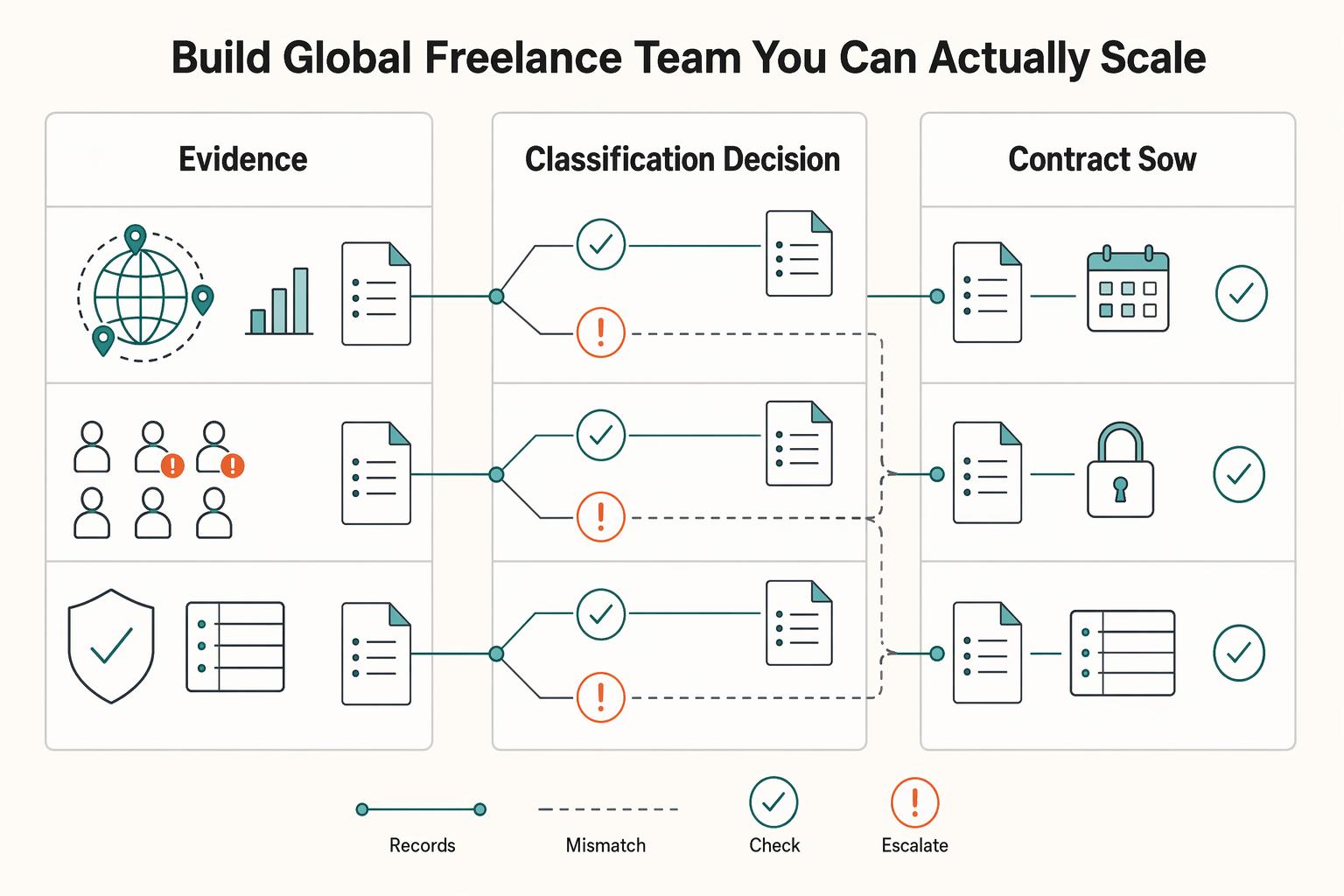
If you want to manage a global freelance team without constant cleanup, use the same intake-to-payout process for every engagement and save an artifact at each gate. Common failure points are instinct-based classification, vague scope, and payments approved in chat with no audit trail.
How Solo Professionals Create an Async-First Client Communication System
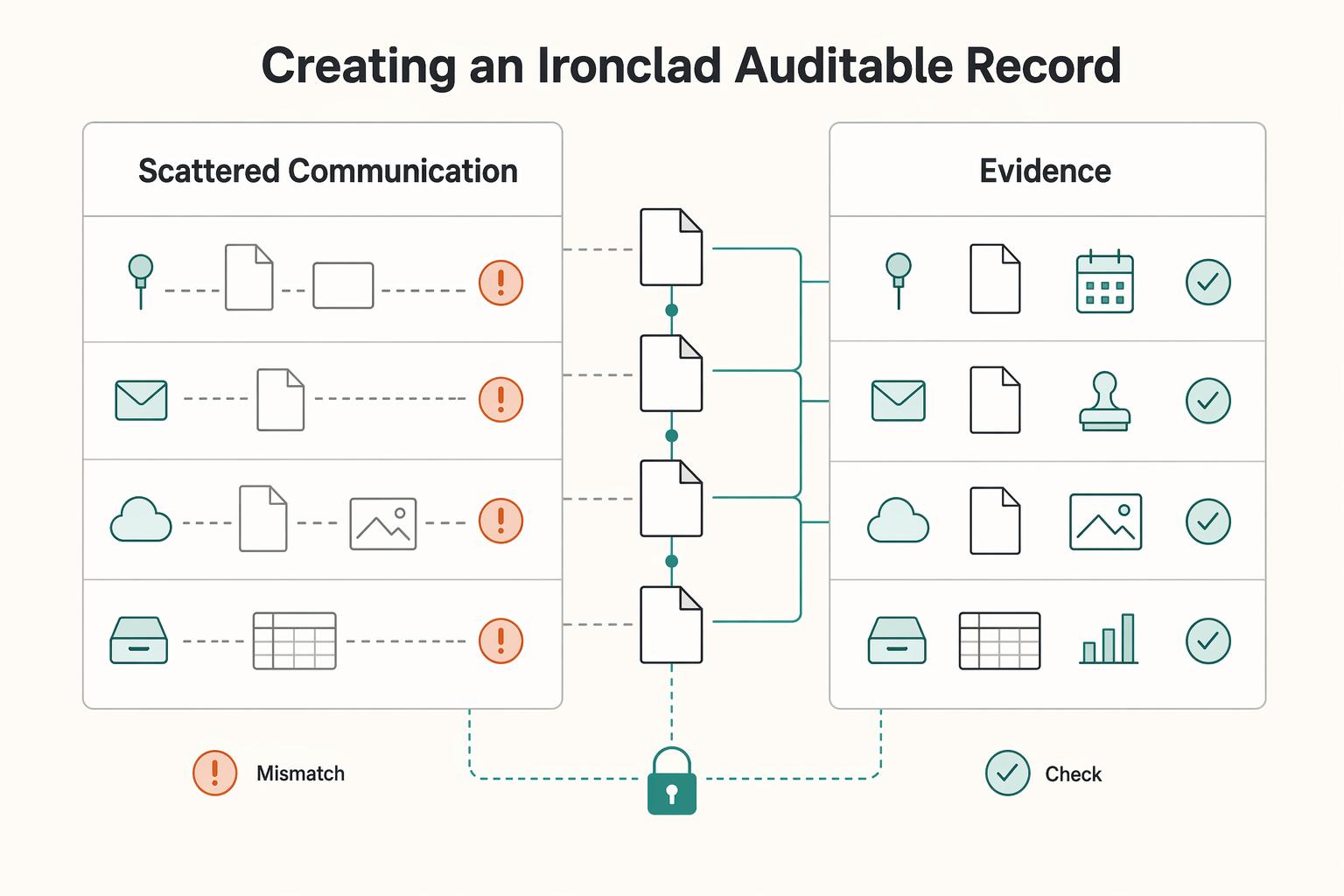
For a solo professional, async is not just a style preference. It is an operating mode that protects focus by reducing constant interruption and pushing more work into clear written communication.