
Quick Answer
Start with a personal security audit focused only on this week’s critical assets, then rank risk before touching settings. Fix the highest-impact gaps first: reset-critical MFA, endpoint hygiene, network verification, and repository access and retention controls. Capture proof for every change so rollback and handoff stay clean. Close with a one-page remediation board that tracks owner, due date, and completion status. Include payment traceability and tax-process continuity checks where FBAR records are part of your operations.
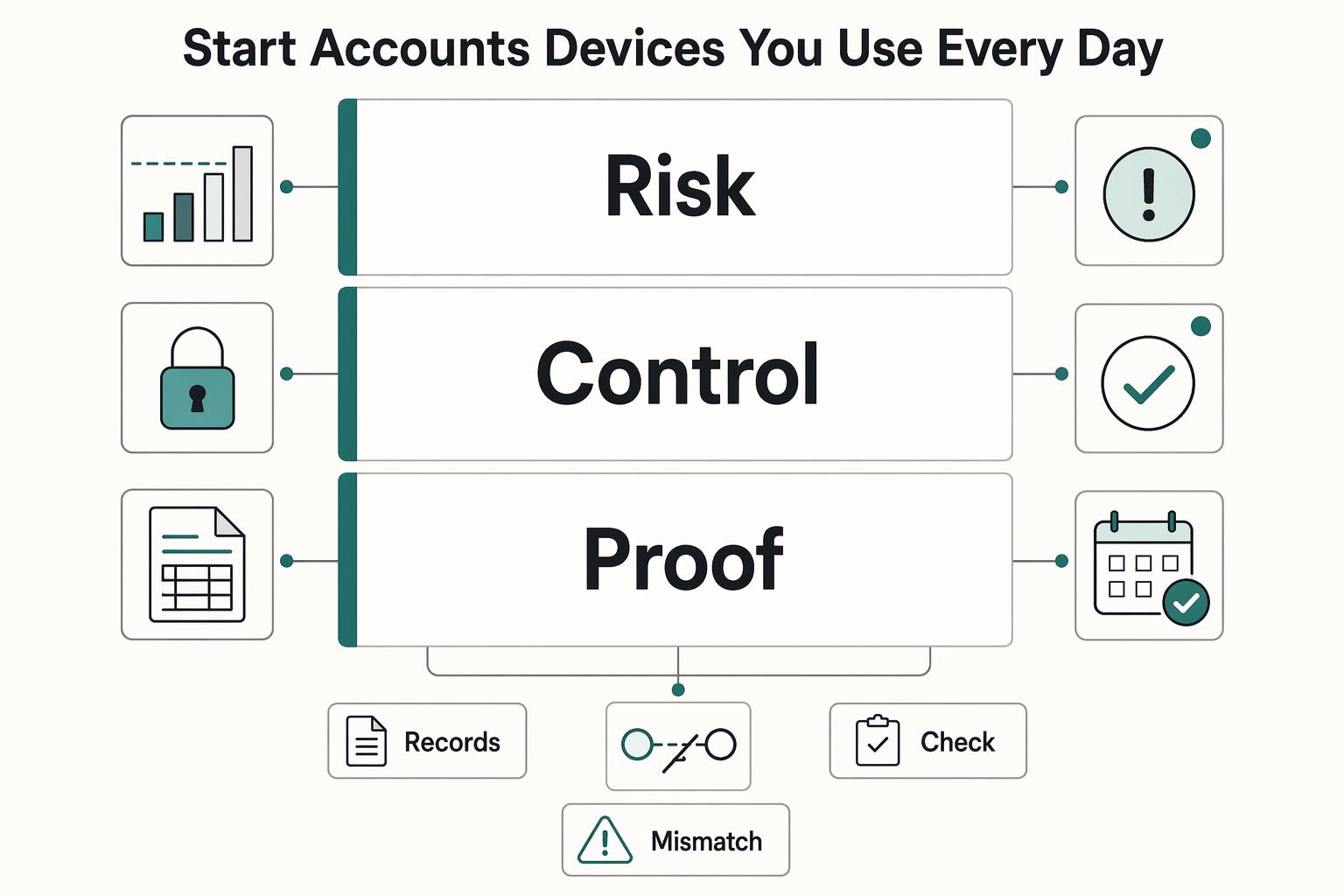
Start with the accounts and devices you use every day#
A freelancer-grade personal security audit should end with a ranked action plan, not more anxiety. In one focused pass, you should spot the highest-risk gaps, decide what can wait, and leave with fixes you can start this week.
Use a practical lens across core security surfaces: network and account access, data handling, and the controls that protect them. Keep the same review sequence each time: set scope, check controls, rank risk, and record findings. When one step is missing, results are harder to trust and harder to repeat.
Risk keeps shifting as accounts, devices, and vendors change. A one-time cleanup helps, but recurring checks can catch drift before it turns into lockouts, data exposure, or delivery disruption.
Treat this as a decision pass, not a settings marathon. If a task does not clearly reduce lockout, exposure, or payment risk, park it for later and keep moving through the ranked list.
This is not a certification exercise. It is a risk-focused routine for solo work: set boundaries, prioritize by impact and likelihood, and verify changes with evidence instead of assumptions.
- Step 1: Set a hard scope for this week. Include only accounts, devices, and services tied to client data or money movement.
- Step 2: Rank risks before changing settings. Prioritize failures that block access to core tools or expose sensitive records.
- Step 3: Collect evidence as you fix. Save quick proof of each change so later reviews are faster and more reliable.
Use one folder for this audit pass so notes, screenshots, and exports stay together. Future-you should be able to open that folder and understand what changed without digging through old email threads.
Verification point: by the end of this pass, you should have an in-scope inventory, a ranked priority list, and evidence for each completed fix. Red flag: if critical accounts still lack a clear owner, recovery path, or business impact note, the audit is not finished. If you also want adjacent planning context, A Guide to 529 Plans for US Expats can help.
Set Your Audit Scope and Threat Model First#
Set objectives and scope before touching settings. That order keeps the review focused on the risks that matter most.
-
Step 1: Define scope and objectives for this pass. Treat security objectives as project objectives, and make the boundary explicit in your notes, such as a
Program Scope and Objectivessection. Keep this week in scope to core surfaces tied to client accounts and sensitive data. -
Step 2: Break down each in-scope asset. Before scoring risk, decompose what you are protecting: accounts, devices, network access points, and data stores. For each item, note owner, access method, and data type.
-
Step 3: Write threat scenarios before changing controls. Include realistic paths such as account takeover and sensitive-data exposure. If a scenario does not clearly name the affected asset and data type, it is too vague to rank well.
-
Step 4: Rank threats with a simple severity lens. Use business impact, likelihood, and recovery effort. Start with items that carry the highest combined risk, then move to lower-impact hardening.
A practical output here is a short table with five columns: asset, threat scenario, likely impact, current control gap, and priority. If you cannot fill those five fields for an item, keep it out of this week and revisit later.
This section also sets up every section that follows. When scope is tight, your evidence pack can be cleaner, your remediation board is easier to run, and your weekly cadence is more realistic.
Prepare Your Evidence Pack Before Making Changes#
Lock down an evidence pack before any control change. It keeps the review reversible, verifiable, and filing-safe.
| Evidence item | What to keep | Notes |
|---|---|---|
| Timestamped inventory | One inventory of the accounts you may need to include on FinCEN Report 114 (FBAR) | Keep it simple but complete enough that no account is left to memory |
| Separate value record | Document each account separately and use a reasonable approximation of the greatest account value during the calendar year | Every account in scope should have its own value record |
| Conversion details | Convert foreign-currency values to U.S. dollars and round up to the next whole dollar | If you use a non-Treasury exchange rate, record a verifiable source; if a computed value is negative, enter 0 in Item 15 |
| Before/after proof | A pre-change screenshot or export, a short config note, and a post-change confirmation | Use consistent file names so evidence is easy to retrieve |
| Change log | Intent, rollback plan, and confirmation status for each change | Lets you reverse safely without guessing |
-
Step 1: Capture a baseline of reportable accounts. Build one timestamped inventory of the accounts you may need to include on
FinCEN Report 114(FBAR). Keep it simple but complete enough that no account is left to memory. -
Step 2: Archive filing records your business depends on. Preserve the
FBARrecords and working files you use in normal operations so process changes do not break filing steps. ForFinCEN Report 114, document each account separately, use a reasonable approximation of the greatest account value during the calendar year, convert foreign-currency values to U.S. dollars, and round up to the next whole dollar. If you use a non-Treasury exchange rate, record a verifiable source, and if a computed value is negative, enter0in Item 15. -
Step 3: Save before and after proof for every fix. Keep a pre-change screenshot or export, a short config note, and a post-change confirmation, such as a success screen or email. Use consistent file names so evidence is easy to retrieve during lockouts, disputes, or rollback work.
-
Step 4: Run a completion gate on reportable accounts. Every account in scope should have a separate value record and documented conversion details where applicable. If any field is missing, complete it before moving to more hardening.
Use a simple naming pattern so files sort in order, such as date, account, and control name. That small habit turns a messy proof pile into a usable record when you need to answer client questions quickly.
Keep one running change log beside your evidence files. For each change, note intent, rollback plan, and confirmation status. If a change causes unexpected friction, this log lets you reverse safely without guessing.
When your notes are complete, handoff and rollback are faster because the context is already written down. For each fix, note what changed, why it changed, and how you confirmed it worked. If you want a deeper dive, read The Best Password Managers for Freelancers and Teams.
Lock Down Identity and Account Takeover Risk#
Start with identity controls. Most incidents follow a familiar chain from credential compromise to unauthorized access, exploitation, and lateral movement, so your goal is to break that chain on reset-critical accounts.
- Step 1: Enforce MFA on reset-critical accounts first. Prioritize primary email, banking, tax portals, and client-facing logins. Treat email as a critical reset path, document MFA status for each critical account, and confirm the second factor actually prompts.
- Step 2: Tighten recovery paths. Remove stale fallback methods where possible and keep only recovery methods you currently control and can verify.
- Step 3: Reduce account sprawl that expands exposure. Close dormant accounts, revoke old app connections, and remove shared logins that blur ownership and accountability.
- Step 4: Isolate tools that cannot support strong MFA. Until replaced, reduce permissions, keep sensitive
PIIout of them, and monitor access more closely.
Run one quick proof check after each identity change: sign out, then confirm you can still sign in using intended methods only. This catches self-lockout risk early, while rollback is still easy.
Do not rely on alerts alone. Attackers may already hold valid credentials before detection triggers, and infostealers can capture passwords and session tokens that can bypass MFA entirely.
Audit Devices and Endpoints You Actually Work From#
Treat endpoint checks as non-negotiable. Strong account controls may not be enough when a trusted device is weak.
-
Step 1: Segment devices by actual exposure. Keep a simple inventory for your daily production machine, travel device, and any personal device used for business. For each one, note what client
PIIit can access and whether it stores local copies. -
Step 2: Verify baseline protections on every in-scope endpoint. For each device that can access client
PII, confirm core endpoint protections are active now. Record a timestamped check so results reflect current state, not assumptions. -
Step 3: Test the secure-account, insecure-endpoint scenario. Run a drill where a signed-in session is left open on a device you no longer trust. Measure how quickly you can revoke sessions, require re-authentication, and cut off that endpoint.
-
Step 4: Prioritize fixes by business risk. If a device fails baseline checks and still has broad client access, treat it as urgent. Until remediated, reduce access and limit that device to lower-sensitivity work.
Add one practical quarantine rule: if a device cannot pass baseline checks today, it cannot handle sensitive client work today. That keeps your policy clear during busy weeks when convenience starts to win.
One risk is assuming account security is complete while endpoint controls are stale. Keep broad client access only on devices you can verify now.
Secure Your Network and Remote Work Setup#
Assume the network is untrusted until you verify it. The goal is a repeatable, fail-closed routine for where sensitive work is allowed.
-
Step 1: Map trust zones first. Identify who has network admin access and which devices share the same network path. Separate sensitive work from less-trusted traffic so critical tasks stay on a controlled path.
-
Step 2: Apply a Zero Trust rule, not a perimeter assumption. Treat Zero Trust as a strategy, not a single tool: never trust, always verify before sensitive sessions. Keep a short pre-connection checklist so network and device state are confirmed each time.
-
Step 3: Define when
VPNis mandatory versus optional. Do not assume one perimeter control solves every case. Set a clear policy for whenVPNis required and when a verified VPN-less implementation can be used. -
Step 4: Test exposure in practice, not only in settings. Check what services are reachable beyond your trusted path. Disable what is not required and constrain what must remain enabled.
-
Step 5: Set a fail-closed action rule for live work. If you cannot verify network state, pause or reroute sensitive tasks through your verified path before continuing.
Keep a short travel mode note for yourself: unknown network, sensitive file, urgent deadline. Your rule should still be the same in that moment. If verification fails, switch location or defer sensitive work rather than relaxing controls. Speed can feel tempting under deadline pressure, but certainty should win for sensitive work.
Protect Client Data and Privacy Obligations#
Lower privacy risk by collecting less, limiting access, and making deletion provable.
-
Step 1: Inventory sensitive data before changing tools. Build one table of every repository you use, then classify where sensitive personal information appears, including names, Social Security numbers, credit card data, and other account data that identifies people. Target outcome: one owner per repository and a clear list of data types.
-
Step 2: Define access and retention per repository. For each location, record who has access, why they need it, and how long records are kept. Remove access that is no longer tied to active work. If a repository has no owner or no retention rule, treat it as a top-priority gap.
-
Step 3: Flag legal exposure by client geography and work type. Track where privacy or sector-specific requirements may apply, then escalate for legal review rather than interpreting legal requirements yourself. If you use FederalRegister.gov for legal research, verify conclusions against an official Federal Register edition before acting.
-
Step 4: Turn policy into file-lifecycle rules. Define one approved intake path, one primary storage location, and one approved sharing method for sensitive files. Set deletion triggers tied to real business events and documented retention needs so stale copies do not spread.
-
Step 5: Run the repository checkpoint and keep proof. Confirm every repository with client
PIIhas a retention rule, an access rule, and a deletion trigger. Keep dated permission snapshots, retention notes, and deletion records. If you cannot show deletion evidence, you are likely keeping more data than needed.
When in doubt, stop new uploads to any repository that lacks an owner or retention rule. This prevents fresh sensitive data from entering an uncontrolled location while you clean up access and deletion logic.
Most businesses hold sensitive personal information, and exposure can lead to fraud or identity theft. Track legal-source dates too: FederalRegister.gov may point to newer correcting amendments, and its XML rendition is not the official legal edition.
Audit Payment and Tax Operations for Freelance Risk#
Protect cash flow by choosing controls that preserve payment traceability and filing continuity, not just account hardening.
| FBAR topic | Requirement | Detail |
|---|---|---|
| Filing form | Filed electronically | Use FinCEN Report 114 |
| Maximum account value | Use a reasonable approximation of the greatest value during the calendar year | Record the value in U.S. dollars |
| Rounding | Round up to the next whole dollar | $15,265.25 becomes $15,266 |
| Multiple accounts | Value each account separately | Applies when you have financial interest in more than one account |
| Foreign currency rate | Use the Treasury Financial Management Service rate | If unavailable, use another verifiable rate and record its source |
| Negative value | Enter 0 in item 15 | Applies if a computed value is negative |
| Due date | April 15, 2027 | Certain individuals whose signature-authority filing date was previously extended under Notice FIN-2024-NTC7 for 2025 signature-authority reporting |
| Due date | April 15, 2026 | Other individuals with an FBAR filing obligation |
-
Step 1: Map money movement end to end. Track each invoice from issuance to confirmed deposit, then keep linked evidence for invoice details, payment confirmation, payout destination, statement match, and reconciliation notes. If an invoice is marked paid but has no matching payout record, treat it as unresolved risk until reconciled.
-
Step 2: Flag compliance gates that can pause cash. Document where platform compliance reviews or validation checks can interrupt payouts or invoicing. After profile or security changes, run a small live payment to confirm release timing is unchanged.
-
Step 3: Preserve tax-document continuity before major account changes. Keep one dependency note per platform for tax-document settings and filing-notice recipients. Capture before-and-after evidence when changing login email, legal name, or payout entity.
-
Step 4: Keep cross-border
FBARrecords filing-ready.FBARis filed electronically as FinCEN Report 114. For maximum account value, use a reasonable approximation of the greatest value during the calendar year, record in U.S. dollars, and round up to the next whole dollar, for example$15,265.25becomes$15,266. Value each account separately when you have financial interest in more than one account. For non-U.S. currency accounts, use the Treasury Financial Management Service rate; if unavailable, use another verifiable rate and record its source. If a computed value is negative, enter0in item 15. For due dates, certain individuals whose signature-authority filing date was previously extended under Notice FIN-2024-NTC7 file by April 15, 2027 for 2025 signature-authority reporting, while other individuals with anFBARfiling obligation remain due April 15, 2026.
Before changing any payment-profile identity fields, run a short dependency check: payout destination, tax-document settings, notification email, and reconciliation exports. That sequence can lower the chance that security hardening causes delayed deposits or missing filing records.
For domestic-only work, start with strong reconciliation and tax-document continuity. For cross-border work, prioritize traceable records and payout continuity over cosmetic hardening. If you are reviewing travel setup at the same time, The Best Gear for a Portable Home Office is a useful companion read.
Rank Findings and Build a Seven-Day Remediation Plan#
Use a short, time-boxed sprint (for example, seven days) to turn findings into a ranked action board. Fix issues tied to the highest business, data, and compliance risk first, and defer lower-impact hardening.
- Step 1: Score every finding with one method. Apply one consistent severity approach, then add business impact. For each item, record a plain-language risk statement and one concrete fix.
- Step 2: Rank by likely business damage. Set Priority 1 for tasks that most reduce high-impact risk. If two items look similar, move the higher business-continuity risk first instead of choosing the quickest task.
- Step 3: Keep compliance in the same queue. Score compliance gaps on the same board as technical findings so priorities reflect total exposure. If a control does not reduce meaningful risk in the current sprint, defer it.
- Step 4: Define execution before you start. Assign one owner (
youor a vendor), a target due date, and clear completion criteria for each task. - Step 5: Run a one-page remediation board daily. Track priority, finding, risk rating, risk type, owner, due date, status, and blockers. By the end of the sprint, Priority 1 items are either closed with evidence or marked blocked with a dated next action.
Run the board at the same time each day and keep updates short: closed, blocked, or next action. That discipline prevents partial work from piling up and keeps risk decisions visible.
A defensible risk assessment keeps decisions clear. Anyone reviewing the board should see why each task was prioritized, who owns it, and what confirms completion.
Build a Practical Incident Response and Recovery Routine#
Write incident steps before anything goes wrong so you can reduce impact and make clear decisions under stress. Nearly every organization will face system attacks, and some attacks become breaches. In this phase, focus on readiness, ownership, and follow-through.
| Cost category | Reported range |
|---|---|
| Merchant processor fines | $5,000 to $50,000 |
| Card-brand fees | $5,000 to $500,000 |
| Forensic investigation costs | $12,000 to $100,000 |
| Total possible breach costs | $50,000 to $773,000+ |
- Step 1: Draft incident cards in advance. Create short cards for your highest-risk incident scenarios. Keep each card focused on trigger, first actions, owner, backup owner, and what to document.
- Step 2: Set one escalation order. Use a sequence you can follow under pressure, with clear ownership at each stage and a defined way to confirm completion.
- Step 3: Keep a dated incident log while responding. Record key actions and timing as the incident unfolds so follow-up is easier.
- Step 4: Map recovery dependencies that affect operations. Document which accounts, inboxes, and tools are operationally critical so restoring access also restores delivery.
- Step 5: Rehearse and maintain the plan. Review the routine on a fixed cadence and after major system or process changes so ownership stays current. If card data is in scope, incident planning and training should already exist.
Store incident cards where you can reach them during account lockout, not only inside the primary account that might be compromised. Recovery instructions are only useful if you can access them under pressure.
Add one short post-incident review after each event: what failed, what worked, and what changed in your cards. That keeps future response steps based on real friction, not guesswork.
A well-executed incident response plan can reduce breach impact and related costs. Reported ranges include merchant processor fines of $5,000 to $50,000, card-brand fees of $5,000 to $500,000, forensic investigation costs of $12,000 to $100,000, and total possible breach costs of $50,000 to $773,000+.
Common Mistakes and How to Recover Fast#
Recovery is usually fastest when you keep controls tied to real risk and require proof that each one works.
-
Prune borrowed compliance language. Copying
SOXorPCI DSSwording into solo operations can add noise unless each control maps to a real exposure you carry. Remove controls with no owner, no business impact, or no proof artifact. Update outdated references too:NIST SP 800-61 Rev. 2was withdrawn on April 3, 2025 and superseded byNIST SP 800-61r3. -
Require proof checks for critical controls. Tools alone are not evidence. For controls like
MFA, endpoint encryption, and backup restore, keep dated proof that each control succeeded. This matters in recovery because untested IAM backup scripts may fail in an emergency, and auditors increasingly ask for evidence that backups are actually succeeding. -
Fix in phases, not a weekend sprint. Trying to do everything at once often creates partial, hard-to-verify changes. Work from your ranked queue in monthly cycles, close high-risk items first, and document what changed. This helps avoid a common failure pattern in audit checklists: skipping readiness and jumping into scattered fixes.
-
Close documentation and access-control gaps early. Audit-failure checklists commonly flag incomplete documentation and weak access controls. Tighten access controls, assign clear control owners, and keep simple proof artifacts for what changed.
A quick recovery sequence works well when you are behind. Trim low-value controls, verify one critical control end to end, close one high-impact gap, then document proof before moving on. Momentum matters more than volume. If a control cannot be verified quickly, treat it as unfinished and re-scope it until it is testable.
Turn This Into a Weekly Operating Habit#
Perfect security is not the goal. A repeatable weekly routine is. Use one short review to reflect on the past week, plan the week ahead, keep controls current, and reduce compliance risk as accounts, devices, and data change.
Use this copy/paste weekly checklist:
Review critical accounts and confirm least-privilege accessCheck event logs and unresolved security anomaliesRecheck VPN behavior and settings; do not assume a prior pass still appliesUpdate this week's records so they are accurate, accessible, and currentRe-rank open risks, close one high-risk item, and log evidence of completion
Run the checklist in the same order each week so comparisons are easy. If you skipped an item last week, carry it forward with a clear owner and due date rather than letting it disappear.
When schedules get messy, reduce scope instead of skipping the review. Keep critical accounts, active client repositories, primary devices, and payout paths in scope, then defer lower-impact hardening to the next pass. Consistency beats intensity. A shorter, verified review each week can be more reliable than an occasional deep cleanup that leaves long gaps between checks. If you must postpone an item, leave a dated note on the reason and the next action so deferred risk stays visible.
Treat each pass as verification, not assumption. Point-in-time checks get stale, and even a passed VPN audit confirms only what was true at that moment. If a control cannot be verified this week, mark it unfinished and carry a smaller fix into the next cycle.
Frequently Asked Questions
What is a personal security audit for a freelancer, in plain terms?
A personal security audit is a structured review of your controls, procedures, and policies. For freelancers, that means checking how you protect client data and control access across the systems you use. The output should be a clear list of what to fix first and what to verify.
What should I check first if I only have a few hours?
Start with one core question: where sensitive client data is located and what controls track its movement. Map that flow, including any contractors or vendors you rely on. That gives you a practical starting point because third-party data flow is a known risk area.
How long should a thorough personal security audit take?
There is no reliable fixed duration. Timeline depends on scope and complexity.
How is this different from an organizational cybersecurity audit?
An organizational audit is broader and often includes physical security, cybersecurity, access controls, policies and procedures, and employee training. A freelancer audit is usually narrower and centered on assets and risks you directly own. A vulnerability assessment is narrower still, focusing on identifying specific vulnerabilities in systems or applications.
Can I hire someone to perform a personal cybersecurity audit, and what should I ask before hiring?
Yes. Security audits are commonly performed by independent security consultants or audit firms. Before work starts, define scope and deliverables in writing.
How do I reduce `SIM swap` risk without locking myself out of my own accounts?
Specific carrier-level SIM swap tactics are not something to rely on from this guide; confirm them in official carrier documentation. Keep account-protection changes balanced with reliable recovery so you do not create self-lockout risk.
Which records should I keep to prove I fixed issues and can recover quickly?
There is no fixed record format to follow. Keep concise records of fixes and verification so progress is clear. Recheck this record at least annually or after major changes as a general recommendation, not a universal rule.
Try a related tool
Researched and edited by the Gruv editorial team. Gruv builds cross-border billing, payouts, and finance-operations software for global businesses.
Sources
Educational content only. Not legal, tax, or financial advice.
Related Posts

The Best Password Managers for Freelancers and Teams
A client asks for an urgent file, you open their portal, and the login fails. Ten minutes later your invoicing app wants a reset too. That is why your password setup is a business risk, not just a nuisance. Weak credential habits can turn one mistake into wider account access problems, then into delivery delays and cleanup work.

The Best Gear for a Portable Home Office
Portable-office gear decisions are not directly tested in this guide, so use this as a practical framework rather than a proven standard.
A Guide to 529 Plans for US Expats
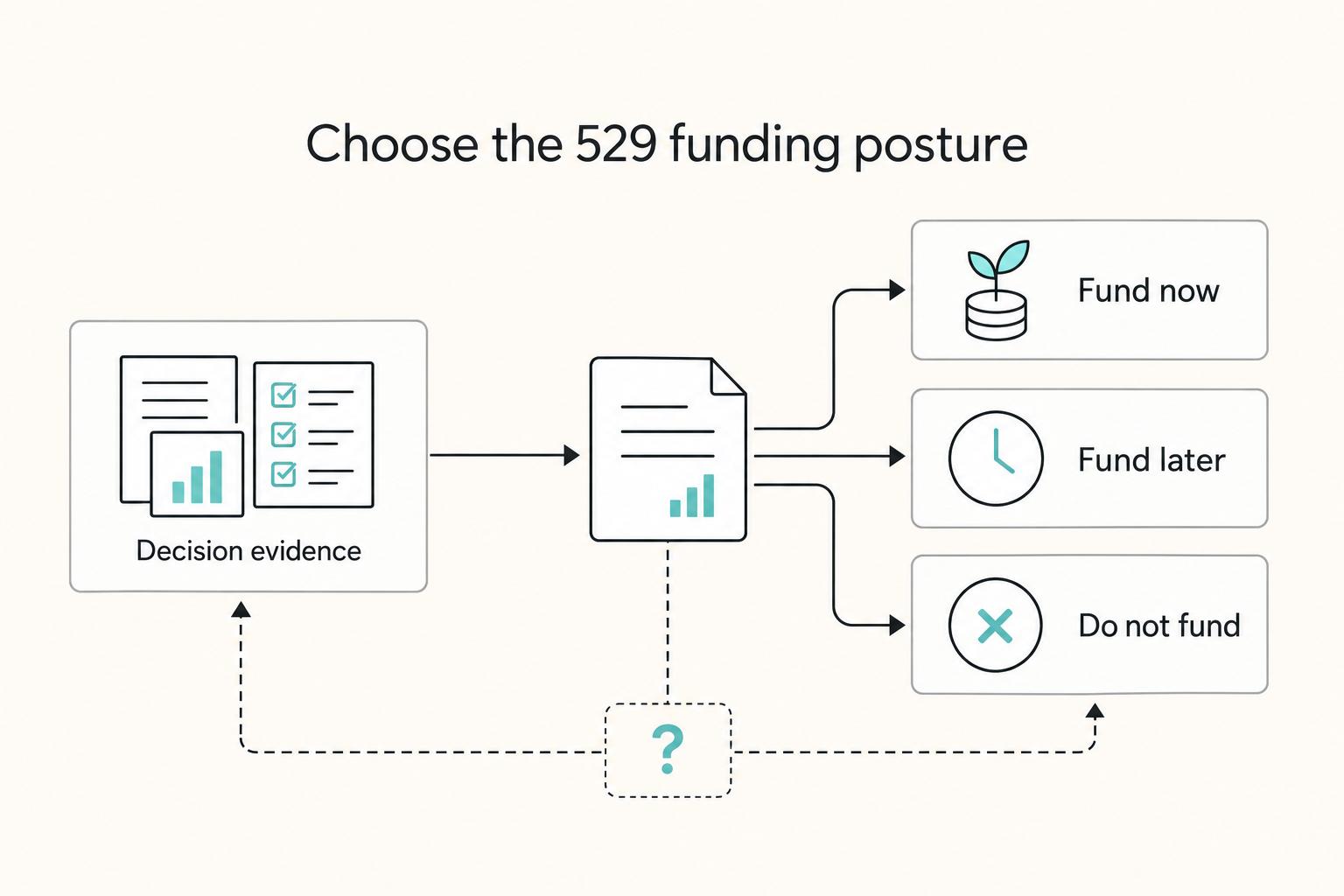
**Run a risk-first workflow that protects liquidity, clarifies control, and prices in tax uncertainty before you fund a 529 account.** The goal is simple: choose a safe default you can defend later, and avoid "helpful" moves that create admin chaos when your situation changes.