

Quick Answer
To build a waitlist for a new freelance service, run it like a controlled intake pipeline: define one clear offer and next-step process, collect only minimal qualification data with explicit consent, and track every signup with timestamps and outreach logs. Use a simple weekly loop to triage leads, send stage-based emails, and invite a fixed number to book when capacity opens. Publish and follow a transparent prioritization rule to keep decisions defensible.
Build a waitlist that's audit-ready (not hype-ready): the one-hour-a-week system#
Build your freelance waitlist like an operator: treat it as a controlled intake pipeline, not just a "collect emails" project. You're the CEO of a business-of-one. Your waitlist is how you control demand without letting demand control your calendar. The goal is simple: avoid calendar chaos during your next service launch and keep records clean if you ever need to explain who got offered what, when, and why.
A waitlist landing page captures interest and collects contact information before an offer launches. That's useful, but the real win is operational. You use it to shape demand and control access. You decide what fills your limited capacity, in what order, under what rules.
The "audit-ready" standard (what you track, and why)#
"Audit-ready" does not mean legal audit. It means you can defend decisions later with clear, consistent records. If a prospect asks, "Why didn't I get a spot?" you can point to a transparent policy (first-come-first-served, timeline, or clearly stated criteria), not vibes.
Use this as a safe default, then adjust as needed:
| Component | Purpose | What to record |
|---|---|---|
| Waitlist landing page | Generate interest and anticipation pre-launch | Page URL, offer version/date |
| Waitlist form | Collect contact info (and, if you choose, light qualification) | Timestamp, name, email, core qualifiers |
| Waitlist emails | Notify people until the offer becomes available (and build anticipation pre-launch) | Date sent, segment, reply status |
| Tracking sheet or CRM | Prioritize and schedule intake | Stage, priority rule, next action, notes |
If you choose first-come-first-served, enforce it. "We go in order" only works if your timestamps and outreach logs are clean.
Your weekly operating loop (fast, consistent, defensible)#
You can often run this with a small weekly block. Don't promise yourself a magical time cap. Promise consistency.
- Pull new signups (form to spreadsheet or CRM). Verify timestamps captured correctly.
- Triage into three buckets: high fit, maybe, not now. Use only the qualifiers you asked for, no extra hidden criteria.
- Send waitlist emails that match the stage (confirmation, next steps, or "not a fit").
- Offer controlled access: invite a fixed number to book a call or claim a slot. Log every invitation.
- Close the loop: mark outcomes (booked, declined, no response). Set the next follow-up date.
Practical security note: if your waitlist lives in a spreadsheet and email, lock it down like client data. Use a password manager to avoid shared logins and messy access. Start with The Best Password Managers for Freelancers and Teams.
Step 0 - Should you run a waitlist, an application, or a deposit-backed list?#
Pick your intake mechanism based on risk and capacity, not hype. This step decides what you will actually run: a simple opt-in list, a qualification gate, or a commitment-first list that includes money and policy overhead.
When you set up a freelance waitlist, you're choosing a control surface for your service launch. Each option sets different expectations, recordkeeping, and lead quality.
Use this decision framework (safe defaults)#
Use this table as your default, then adjust later.
| Option | What it does in practice | Use it when you need | Operational requirements (non-negotiable) |
|---|---|---|---|
| Free waitlist | Captures emails for something not yet available and sequences outreach as availability opens | Orderly outreach and a clear next step | Capture registration date and time so you can run first-come-first-served fairly. Track outreach in a spreadsheet or CRM. Store landing page and form versions. |
| Application (qualification intake) | Collects structured answers (needs, budget) so you decide who moves forward | Fit control when scope varies or delivery risk climbs | Ask only what you use. Record decision notes consistently so you can explain decisions without vibes. |
| Deposit-backed list | Adds a payment to signal commitment and reduce no-shows | Commitment when onboarding time costs you real hours | Publish Terms of Service and a clear Refund Policy. Some guidance notes payment platforms may assume deposits are refundable unless your contract states otherwise, so write it down. Also confirm deposit and cancellation rules comply with your jurisdiction. |
Define the list so expectations do not drift#
Name what you're running and state the next step in plain language. That's what stops "interest" from turning into implied promises later.
| List type | What it means | Expectation cue |
|---|---|---|
| Interest list (updates-only) | You email updates | Avoid implying access order or timelines |
| Waitlist | You collect opt-ins for something not yet available | You may manage order and timing; if you advertise first-come-first-served, use signup timestamps to decide who is next up |
| Application | You collect info to qualify leads | Invite or decline based on fit |
Before you start (prerequisites you actually need)
Treat this as your compliance and ops kit for a marketing setup that stays professional:
- Service spec you can paste into a Statement of Work (SOW). An SOW defines scope, deliverables, timelines, and responsibilities between parties. Draft boundaries, deliverables, timeline, and comms now.
- Privacy Policy plus consent language. If you use double opt-in, you run a two-step confirmation flow. Keep proof of consent in case someone challenges your email practices.
- Audit trail folder (dated). Save landing page copy, form questions, email templates, and policy versions as dated docs.
Practical check: if you can't explain who this is for, what happens after signup, and how you choose "next up" in a few crisp sentences, you may end up with a noisy list and call it "demand."
Step 1 - Lock the offer into one promise statement (so the waitlist can convert)#
Write one promise statement you can defend in a Statement of Work (SOW), then enforce fit boundaries and pricing so your waitlist turns into signed work. This step makes your intake conversion-ready by removing ambiguity before it hits your landing page, emails, and DMs.
1) Draft the promise statement (and make it SOW-compatible)#
Start with a positioning-style sentence you can repeat everywhere. Keep it scopeable, not flashy.
- Promise statement format (use as a draft): "I help [specific type of client] achieve [specific result] so they can [bigger impact or outcome]."
If it truly helps - and you can reliably fulfill it - you can add specifics like a timeframe or constraints. Just don't write yourself into a corner. Your goal is scopeable language that maps cleanly into an SOW.
Example (good): "I help seed-stage B2B founders launch a conversion-focused homepage in 10 business days without endless revision cycles." Example (risky): "I help brands explode growth fast." (You cannot scope "explode.")
Verification point: Can you translate the promise into 3 deliverables and a timeline without inventing new terms?
2) Set fit boundaries you will actually enforce#
To keep your waitlist clean, decide your "for / not for" constraints upfront. Then bake them into intake and contracting.
| Boundary | Example statement |
|---|---|
| Budget floor | Projects start at $X. |
| Timeline window | Earliest start date is [month], delivery requires [Y] weeks. |
| Time zone overlap | Need 2 hours overlap with [time zone]. |
| Tooling requirements | Must use Figma, Notion, Slack. |
| Industry exclusions | No [regulated niche] work. |
| Start gate | Work begins after an SOW is signed, and after upfront payment clears. |
Add an NDA only if the work requires it, not as a reflex.
3) Pick a pricing posture that limits negotiation
Choose the default that matches delivery risk, then keep exceptions inside the SOW, not your marketing. Your waitlist is not the place for custom pricing debates.
| Pricing posture | Best when | What you say on the waitlist |
|---|---|---|
| Fixed package | Standard delivery you can repeat | "Package includes A/B/C. Fixed price." |
| "Starting at" | Scope varies but stays within a lane | "Starts at $X. Final scope confirmed in SOW." |
| Consult-first | Discovery-heavy work | "Paid consult first, then proposal + SOW." |
Sanity check: explain pricing in one paragraph without stacking "it depends" clauses.
AI usage (keep it safe): Use AI to draft copy, but don't paste client data, Personally Identifiable Information (PII), or proprietary details into prompts. Before you publish, do a quick review. Make sure claims match delivery, timelines match capacity, and pricing matches posture. Also make sure your "work begins after SOW (and NDA if needed) + upfront payment" policy matches how you actually operate.
Step 2 - What should be on your waitlist landing page (and what should not)?#
Build a freelance waitlist landing page that answers "is this for me?" and "what happens next?" while collecting only the minimum data you can justify. This step turns your offer clarity into a page that protects your time, sets consent expectations, and avoids hype traps.
Minimum viable landing page (clarity + control)#
Treat this like an operational document, not a creative writing project. A simple structure with four blocks, in this order, tends to work well:
- Value proposition + fit (for / not for): Paste your Step 1 promise statement, then add a few bullets for "Best for" and a few bullets for "Not a fit." This reduces mismatch calls.
- Capacity constraint (honest, simple): State that you limit active projects or that you open spots in a specific month. Don't invent a precise throughput number if you can't consistently hit it.
- "What happens next" process: Spell out the path from sign-up to work: join waitlist, you review, you invite qualified leads, they book a call, then you send SOW and invoice. Add a rough timing window you can keep.
- Trust assets (proof with mechanics): Include case studies, a portfolio link, or a short "before/after" snapshot. Social proof can include testimonials, reviews, and case studies. Keep it grounded in what you did, for whom, and the outcome.
| Section | What to include | What to avoid |
|---|---|---|
| Fit | Promise + for/not for bullets | Broad "anyone" language |
| Process | Steps + timing window | Mystery handoffs |
| Proof | Case studies, testimonials | Pure follower counts |
| Capacity | Honest constraint | Over-precise commitments |
Compliance, consent, and what not to collect#
Put consent cues where the reader makes the decision. Link your Privacy Policy near the form, not buried in a footer maze. If you use Double opt-in, say so in plain language (example: "Check your email to confirm your subscription"). Double opt-in adds an extra confirmation step that checks each email address or phone number.
Also set opt-out expectations. In the US, CAN-SPAM gives recipients the right to have you stop emailing them. Never frame your waitlist as "no escape."
Finally, practice data minimisation: collect personal data that is "adequate, relevant and limited to what is necessary" for your stated purpose. On a waitlist page, that usually means basic contact info plus only the qualification fields you truly need. Save deeper details for after you invite them into your intake flow and you move toward an SOW.
Step 3 - What questions should you ask on a freelance waitlist form?#
Ask only what you need to confirm fit, scope, and next steps, then stop. This step turns your waitlist page into a lightweight intake system that supports real lead generation and keeps your marketing strategy defensible.
Build a field-by-field intake spec (fit signals, not life stories)#
Start with data minimisation. Identify the minimum personal data you need to run the waitlist and deliver the service. Then design questions that let you qualify without a back-and-forth email thread.
Use this default form spec (adjust as needed):
| Field | Format | Why you need it | Safe default |
|---|---|---|---|
| Name | Short text | Personalize outreach, reduce spammy feel | Optional last name |
| Work email | Primary contact channel | Ask for a business email when relevant to your offer | |
| Budget band | Dropdown | Qualify affordability early | A few ranges (include "Not sure") |
| Start window | Dropdown | Match to capacity and schedule | Near-term / soon / later (use wording that matches your workflow) |
| Primary outcome | Dropdown | Confirm they want what you sell | Use outcomes you can actually deliver |
| Decision maker? | Yes/No | Forecast sales cycle | "I can approve" vs "I need approval" |
| Current setup/tools | Multi-select | Scope effort and constraints | Keep it high-level (no credentials) |
| Key deliverables | Multi-select | Prevent vague asks | Mirror your offer components |
| Constraints | Multi-select | Catch operational friction | Time zone overlap, review cycles, compliance |
Add a disqualifier (if you need one) that protects your calendar without turning the form into an interrogation: "My minimum engagement is $X. Is that within range?" (Yes / No / Not sure). When someone selects "No," route them to a polite off-ramp (resources, referral, or "check back later").
Add explicit consent language + basic safety rails#
Don't treat someone giving you their email for a business purpose as the same thing as opting into marketing. Implied consent happens when someone gives you their email for a business purpose, while explicit consent requires you to ask for permission to send marketing emails and get agreement. And if you rely on consent, make sure you can demonstrate that consent was obtained.
Add these two items and keep them consistent across your page, form, and emails:
- A marketing consent checkbox with a link to your Privacy Policy.
- A clear note if you use Double opt-in.
Also protect your systems. OWASP flags passwords, credit card numbers, health records, personal information, and business secrets as sensitive data that needs extra protection. Don't ask for that information on a waitlist form. Keep any open-text responses constrained to non-sensitive details.
Verification point: after reading the submission, you should know (1) fit, (2) timing, (3) budget reality, and (4) whether you should send an SOW next. If you can't, tighten your dropdowns before your next service launch.
Step 4 - How do you track and prioritize your waitlist fairly (without spreadsheet doom)?#
Run your waitlist like a tiny sales pipeline, with clear stages, clean source data, and a written prioritization rule you can explain in one sentence. This step turns your waitlist into an operational system you can run weekly without losing leads or second-guessing yourself.
Set up a simple pipeline (spreadsheet or CRM)#
A sales pipeline is a summary of available and upcoming opportunities. Your waitlist needs the same clarity so you can spot bottlenecks fast (for example, lots of people "in review" but nothing moving forward).
Use a spreadsheet when the list is small and you can maintain it consistently. Use a CRM if you want reminders, email logging, and one place to see every touchpoint. Either way, define stages that match your process (names are up to you):
| Stage (example) | Meaning | Exit criteria (you decide) |
|---|---|---|
| Intake | Just joined | You reviewed the form |
| Review | Looks like a potential fit | You confirmed constraints and next steps |
| Next step offered | You offered a call or proposal step | They accepted (or declined) |
| Confirmed | Dates and payment terms confirmed | Your "ready to start" conditions are met |
| Closed / Paused | Not moving forward right now | You noted what happened (optional) |
Fields to track (keep it lightweight): enough to answer, in one view, "who is this, where did they come from, what stage are they in, and what happens next?" If you can't answer "who needs a reply today?" quickly, your system will collapse during a service launch.
Track sources with UTMs + a defensible prioritization rule#
For lead generation, you need attribution you can trust. Google Analytics supports this directly: by adding UTM parameters to destination URLs used in referral links and ad campaigns, you can see which campaigns refer traffic. When you can, add UTMs to links you control (newsletter, LinkedIn, partner shout-outs, your Medium bio, even a Book Like A Boss (BLAB) booking link). Store "source" consistently so you can compare apples to apples later.
Next, pick a prioritization model and state it plainly.
- First-come-first-served when fairness equals time-in-line.
- Prioritized when fairness equals need or readiness (a common queue design tradeoff: first-come-first-served vs prioritized based on need). Prioritization rules can help you deliver faster, more efficient service while maintaining smooth operations.
If you score, keep it boring and explainable. Use a small set of criteria that reflect what "ready" means for your offer - and write the rule down so you can run it the same way every week.
Finally, set an internal follow-up standard. Atlassian puts it cleanly: "Service Level Agreement (SLA) is a contract that defines the expected level of service between a provider and a customer," and it often includes response-time metrics. You don't need a legal SLA here. You need a promise to yourself: define a response-time target you can actually meet, and stick to it.
Security note: whichever tool you use, protect access and passwords. Start with The Best Password Managers for Freelancers and Teams.
Step 5 - How do you turn a waitlist into booked clients (without awkward chasing)?#
Convert your waitlist by running a short, predictable email sequence that sets expectations, qualifies cleanly, and offers a single clear path to book when capacity opens. This step turns your waitlist into a repeatable service launch motion that feels professional instead of needy.
Build a simple sequence and run it like an operator#
Waitlist emails exist to move people from "interested" to "ready." As Flodesk puts it, the point is to "keep those future customers engaged and excited for what's to come." Keep your sequence simple and modular. Send the first message immediately after signup, then continue based on your delivery window and pipeline stage.
| Purpose | What to include (safe defaults) | |
|---|---|---|
| Welcome (confirmation) | Reduce uncertainty instantly | Confirm signup, restate your capacity constraint, set expectations for when you will reach out next, link your Privacy Policy |
| Proof | Build trust with specifics | One tight case study, outcomes, and the exact deliverables you ship (mirror your SOW headings) |
| Process | Prevent mismatch | Timeline, communication norms, tools, review cycles, what you need from them to succeed |
| Qualification | Clean up fit signals | One clarifying question (for example, "What timeline do you need?") or a link to update key details |
| Invite-to-book | Create momentum | One CTA to book the next step and a clear validity window (use a specific date/time, not vague urgency) |
Remember: "A CTA (Call-to-Action) is a button or link in your email that prompts the reader to take a specific action." Write CTAs like instructions: "Book an intro call" or "Reply with your timeline."
Use a booking workflow that prevents calendar chaos (and protects you)#
Pick a scheduling tool and design your availability like a scarce resource. You are not trying to be "available." You are trying to be consistent.
- Publish a limited number of meeting blocks per week for waitlist calls.
- Add buffers before and after meetings. Calendly explains why: "Buffers add extra time before or after your meetings. They help you prep, travel, or wrap up without feeling rushed."
- Gate delivery behind clear agreements. Keep this principle: don't promise a start date until the SOW gets signed and your kickoff requirements are complete.
Use your Statement of Work (SOW) as the line between "sales" and "work."
Copy-ready scripts (edit to your voice):
- You're invited: "I have an opening for [month/week]. If you want it, book here: [link]. Before we meet, please bring [2 bullets]. If that window does not work, reply with your ideal start month."
- Not now: "You're still on my list. I do not have capacity for your timeline, but I can check back in [timeframe]. Reply 'yes' to confirm you want updates."
- No fit: "Thanks for the details. I'm not the right partner for this scope. I'm going to close your request so you're not waiting on me."
Practical checks: Use one primary next step per email when possible. Don't lock a start date until you have a signed SOW and your kickoff requirements are complete.
Step 6 - Should you run a paid waitlist with a deposit (and how do you do it safely)?#
Run a paid waitlist only when a deposit solves a real operational problem (onboarding cost, scarce slots), and document the terms so clearly that a client can't "misread" the outcome in a dispute. This step turns your service launch and lead generation into a capacity-protected system.
Decide if a deposit helps or hurts (use this filter)#
A non-refundable deposit is "an upfront payment to a business to secure a good or service," and its enforceability "is not absolute." Translation: you can use deposits, but you can't wing the language. One legal risk pattern shows up repeatedly: "Legal exposure... arises primarily from ambiguous contract terms and differing jurisdictional laws."
| Condition | Deposit signal | Article detail |
|---|---|---|
| Demand and slots | Use deposits | High demand and genuinely limited monthly slots |
| Onboarding cost | Use deposits | Meaningful onboarding cost (strategy time, discovery, research) before delivery begins |
| Work type | Use deposits | Custom work, not a one-size package |
| Capacity reservation | Use deposits | Need a clean way to reserve capacity without starting the project |
| Scope clarity | Avoid deposits | Scope is still unclear; you cannot describe deliverables yet |
| Refund pressure | Avoid deposits | Uncertain timelines or flaky stakeholders can create high refund pressure |
| Buyer rules | Avoid deposits | Buyers follow strict procurement rules that block deposits |
| Jurisdiction | Avoid deposits | Jurisdiction creates consumer-like protections or ambiguity you cannot confidently handle without counsel |
Use deposits when most of the "use" conditions apply. Avoid them when the "avoid" conditions dominate.
Implement the minimum "safe" deposit policy + paperwork#
Before you charge a deposit, ship three documents: Refund Policy, invoice/receipt, and contract terms. Keep them plain language and consistent. If you say it one way on the page and a different way in the SOW, you are asking for refund pressure.
| Decision | Your default | What to write (verbatim-style) |
|---|---|---|
| Refundability | Choose refundable or non-refundable | "This deposit is [refundable / non-refundable] under the Refund Policy." (Say it once, say it clearly.) |
| Credit handling | Choose credit or separate fee | "If we proceed, the deposit [will / will not] apply as a credit toward the first invoice." |
| Expiry / hold period (optional) | If you use one, choose a clear outcome | "The deposit holds a slot until [date/period]. If unused, it [converts to credit / is refunded / expires] per the Refund Policy." |
Operationalize it with a few concrete habits:
- Issue a deposit invoice (Stripe defines it as "a billing document... to request up-front payment"). Store the invoice/receipt with the client record.
- If you apply it later, show it on the next invoice as a negative line item so it subtracts from the total.
- Put the deposit terms in your Terms of Service or Statement of Work (SOW). Include a Governing Law clause (it determines what state laws interpret the contract) and spell out your dispute process in plain language.
- Add basic risk clauses appropriate for services: Limitation of Liability, Indemnification, and Force Majeure (keep them consistent, not fancy).
For cross-border payments, plan for transfer delays and reference matching. If you operate in India, tools like Razorpay MoneySaver Export Account or Skydo may come up. Pick one route, document why, and keep your reconciliation consistent. If you need help comparing those rails, use this: Razorpay MoneySaver vs. Skydo: A Comparison for Indian Exporters.
Practical checks (non-negotiable): Could a client read your Refund Policy and accurately predict what happens if they cancel? Does the deposit amount actually offset onboarding cost, instead of just "proving seriousness"?
Step 7 - Common mistakes + recovery playbooks (so one slip doesn't wreck your launch)#
Most waitlist failures trace back to a handful of operational gaps - weak qualification, uncontrolled channels, unclear priority rules, sloppy deposit communication, or over-collecting data. Here's how to keep your freelance waitlist system stable when reality shows up.
Mistake 1: "I built a landing page but leads are low-quality."#
Fix the inputs. Low-quality leads usually mean your page and form let anyone self-select as "qualified."
Recovery playbook:
- Tighten the form with two filters: a budget band and a timeline.
- Add one disqualifier: a qualifying question that exits people who do not meet your targeting criteria or who will not consent to your terms.
- Gate "Qualified" inside your CRM: only move someone to Qualified after they (1) meet budget/timeline and (2) explicitly agree to your process (example: "I will use the intake form and scheduled calls. I will not request scope via DMs.").
- Add a page block: "Not for you if..." (examples: "You need very fast turnaround," "You need daily Slack support," "You don't have stakeholder approval.")
Mistake 2: "I'm drowning in follow-ups and DMs."#
You don't have a lead problem. You have a routing problem, and your channels are doing whatever they want.
Recovery playbook:
- Enforce pipeline stages + internal service rules (define what you respond to, where, and in what order). Don't promise a fixed cadence you can't prove.
- Route everyone through one path: landing page form → CRM record → email sequence. Reply to DMs with one saved response and one link.
- Add UTM parameters to every link you control so you can kill the channels that create noise. Track source, medium, and campaign at minimum.
| Symptom | Likely cause | Fix |
|---|---|---|
| Lots of DMs, few bookings | No single intake path | DM autoresponder + form-only policy |
| "Interested!" emails | No qualification | Budget/timeline + disqualifier |
| Can't tell what worked | No attribution | UTMs + CRM source field |
Mistake 3: "People are upset about fairness ('why did they get in first?')."
People often expect first-come-first-served. If you prioritize differently, you must say so.
Recovery playbook:
- Publish your prioritization language: FCFS, scoring, or cohorts. Keep it simple.
- Use transparent copy: "We prioritize by readiness and fit. Not every signup is invited."
- Store decision notes for reputational safety: timestamp + criteria used. Consistent priority rules and clear communication reduce perceived unfairness.
Mistake 4: "Deposit confusion turns into refund pressure."
This traces back to mismatched documents. If the landing page, invoice, and SOW disagree, the client will pick the version they like best.
Recovery playbook:
- Rewrite your Refund Policy in plain language.
- Restate it at payment, then mirror the same language in Terms of Service + SOW.
- If you refund, document it cleanly and consistently (refund receipt or credit note tied to the original invoice).
Mistake 5: "I collected too much sensitive info."
Do damage control fast, then redesign. The goal is to reduce what you collect and reduce who can access it.
Recovery playbook:
- Practice data minimisation. The principle: personal data must be "adequate, relevant and limited to what is necessary" for your purpose. Identify the minimum data you need, then stop.
- Delete what you don't need, update the form guidance, and tighten access controls.
- Avoid storing Personally Identifiable Information (PII) in general tools. Lock down credentials with a real password manager: The Best Password Managers for Freelancers and Teams.
Run the system weekly, book confidently: copy/paste launch checklist#
Now that you've answered the "how" questions, run your waitlist like an operator: one documented model, minimal data, trackable links, and a repeatable booking gate. Use this checklist to build a freelance waitlist workflow you can maintain through a product launch or service launch without losing leads, violating consent expectations, or overbooking yourself.
Before you start#
Treat this as your setup pass. You do it once, then you maintain it.
- I chose my model: free waitlist / application / deposit-backed (and documented why).
- I wrote a one-paragraph promise statement + "for/not for" boundaries aligned to my SOW (Statement of Work is the portion of a contract that describes the actual work to be done).
- My landing page includes: value prop, capacity constraint, process + timeline, and links to Privacy Policy and consent language (Double opt-in if used). A Privacy notice / privacy policy tells people what information you have and what you will do with it. Double opt-in sends a confirmation email when someone signs up, which gives you an extra layer of proof and list hygiene.
- My form collects fit signals (budget, timeline, scope) and avoids PII beyond what I truly need. PII can identify someone alone or combined with other data. Follow data minimisation: collect personal data that is adequate, relevant, and limited to what you need for the purpose.
- My tracking system has stages (example: New, Qualified, Invited, Paid/Booked, Not now) in a CRM or spreadsheet.
- I tag my links with UTM parameters, and capture "source" (and related campaign info) where practical. UTM parameters let Google Analytics identify which campaigns refer traffic (source, medium, campaign).
- I implemented a scoring rubric or FCFS rule and added fairness language to the page/email.
- I have a nurture sequence + an "Invite to book" email with a clearly stated response deadline I can honor.
- Booking is gated: call, SOW (+ NDA if needed), invoice or deposit, kickoff.
- If using deposits: Refund Policy + Terms of Service document deposit rules and clearly state any Governing Law clause (which law applies if there is a dispute) and Jurisdiction only if appropriate for my situation.
Weekly ops cadence (run this every week)#
This is your lead generation and marketing strategy "close the loop" ritual. Put it on your calendar.
- Review "Qualified." Move anyone stale to "Not now" with a polite update.
- Send invites in small batches you can fulfill. Update statuses the same day.
- Send waitlist updates on a consistent schedule. Include an unsubscribe link for commercial email compliance expectations (for example, CAN-SPAM in the U.S. expects an internet-based opt-out method).
- Audit tracking: spot-check that UTMs persist and that "source" matches your reality (Reddit post, newsletter, partner intro).
- Security check: restrict access to your list. If you share credentials, use a password manager like The Best Password Managers for Freelancers and Teams.
Frequently Asked Questions
How do I build a waitlist for my freelance service step by step?
Build a waitlist freelance process by choosing one intake path, one tracking system, and one invite rule you can stick to. A waitlist is a list that lets people sign up to be first to access your new product or service.
Step-by-step: (1) write one promise statement for the service, (2) publish a landing page that clarifies fit and next steps, (3) add a short qualification form, (4) route entries into one CRM or list, (5) send updates based on stage, then (6) invite based on your published priority rule.
What should I include on a waitlist landing page for freelance services?
Keep it decision-oriented. Include who it's for, the outcome you deliver, what "joining the waitlist" means (updates, early access, or an invite), what happens next, and the single form CTA. Add a "Not for you if..." block to reduce low-fit signups and protect your delivery capacity.
What questions should I ask on a freelance waitlist form?
Ask only what you need to qualify and route the lead. Safe defaults: name, email, role/company (if B2B), problem statement, budget band, timeline, and how they found you. Add one explicit agreement checkbox like "I will use the intake process (no DM scoping)" to prevent channel chaos.
How do I promote my waitlist without paid ads?
Use owned and earned channels. Share it via email, social, and community groups. Tell a short story (problem, stakes, who it's for) and link to the same landing page every time. If you participate in places like Reddit (relevant subreddits), lead with help, then offer the waitlist link when it clearly matches the thread.
How long should a waitlist be open before I launch?
Don't pick a random number of days. Close it when you hit a clear operational trigger: you filled the next capacity block, you collected enough qualified leads to run a cohort, or your calendar for the next delivery window hits its limit. Publish the close condition up front so people understand the process.
How do I prioritize people on my waitlist fairly-first-come-first-served or scoring?
Fairness comes from clarity and consistency, not the method. You can notify first in line, prioritize highest value, or offer to all (notify everyone). Define your prioritization as "arranging people based on predefined rules (or manual adjustments)," then state your exact rule on the landing page and follow it. | Method | Feels fair when... | Risk to manage | |---|---|---| | First-come-first-served | You deliver one standard package | Low-fit buyers can block capacity | | Scoring/readiness | You need fit and fast starts | People may question transparency | | Offer to all | You have limited slots and fast booking | Can frustrate slower responders |
Should I charge a deposit to join my waitlist, and is a paid waitlist legal?
You can structure a waitlist to collect a deposit or partial payment to secure a spot, but you must treat "is it legal" as jurisdiction-specific. Some published waitlist terms explicitly limit enforcement "to the fullest extent permissible by law," which tells you this area varies-and some terms also say deposits may be forfeited. If you run a paid waitlist, write plain-language terms covering what the deposit does and what happens to it in different outcomes, then mirror that language everywhere you mention payment.
Try a related tool
Researched and edited by the Gruv editorial team. Gruv builds cross-border billing, payouts, and finance-operations software for global businesses.
Sources
- consumer.ftc.gov/consumer-alerts/2023/08/ftc-lawsuit-reminds-...trusted
- csrc.nist.gov/glossary/term/personally_identifiable_inform...trusted
- ecommons.cornell.edu/entities/article/31ef4d46-7d3d-4d74-ac05-fb4...trusted
- fgcu.edu/recordsandregistration/registrationresources...trusted
- ftc.gov/business-guidance/resources/can-spam-act-com...trusted
Educational content only. Not legal, tax, or financial advice.
Related Posts

The Best Password Managers for Freelancers and Teams
A client asks for an urgent file, you open their portal, and the login fails. Ten minutes later your invoicing app wants a reset too. That is why your password setup is a business risk, not just a nuisance. Weak credential habits can turn one mistake into wider account access problems, then into delivery delays and cleanup work.
Razorpay MoneySaver vs Skydo for Indian Exporters
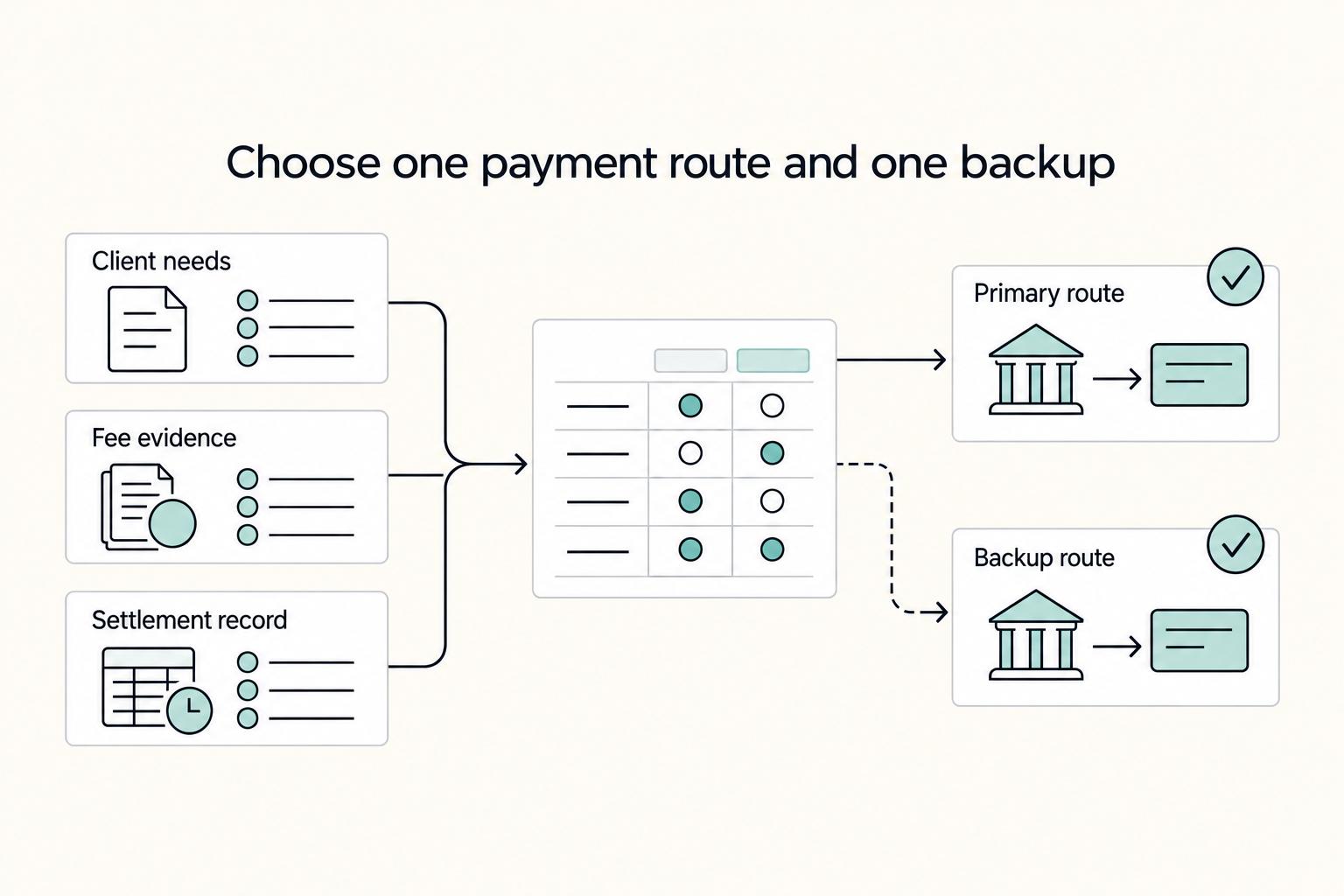
Razorpay vs Skydo is a cashflow and risk decision, not a brand contest. Razorpay allows international payments, but it is not always presented as a complete cross-border solution. The practical question is which route gives you more predictable INR outcomes.

The Freelance Payment Penalty: A Modeled Audit of Platform Fees, FX Spreads, and Payout Delays
The money rarely disappears through a single, easy-to-spot fee. The real loss is stacked. A marketplace takes its commission, a processor adds a charge for international cards, a bank or payment company converts the currency at a spread, a platform holds the funds before release, and a wire sheds a little to intermediaries on the way in. Each layer looks defensible on its own, but the worker feels the combined result as a smaller deposit and a later payday.