
Quick Answer
List bills and due dates, check usable cash and reserved amounts, then choose funded autopays with alerts. For optional savings, use a scheduled amount that fits your cash plan or a receipt-based transfer capped by what remains after obligations and reserves. If your bank cannot enforce a conditional rule, review it manually before transferring. Minimum credit-card autopay is a fallback, not an interest-free repayment plan.
Automate personal finances around actual cash and due dates#
Freelance income can arrive in uneven amounts and at uncertain dates. Automation can reduce repeated actions, but it still needs enough money in the right place when a payment runs. Start with due dates and a cash forecast, then decide which steps can run automatically and which require a check.
A common failure mode: timing mismatch, not forgetfulness#
If you invoice clients, you can do everything "right" and still feel squeezed when cash-in timing and cash-out timing do not match. That mismatch creates stress and rushed decisions you would never make on a calm Tuesday.
Say you schedule bill pay perfectly, then a client goes quiet. You start floating essentials on a card, delay a tax set-aside, and pause automatic savings you meant to keep consistent. Nothing about that chain comes from bad character. It usually comes from a setup that assumes regular pay timing.
Use expected receipts in your forecast with uncertainty and a delay scenario. They are not spendable bank cash. Build transfer rules around money actually available after known commitments, rather than treating every optimistic invoice date as a deposit.
One framework: decision order + guardrails + exceptions#
Run personal finance automation like a tiny finance team.
1) Set a decision order (your default "what gets funded first"). Cover high-consequence obligations first, then stability, then growth.
| Priority | What it covers | Automation stance |
|---|---|---|
| 1 | Bills with penalties or service risk | Use automation that prioritizes these from a dedicated bills pool |
| 2 | Buffer and tax parking | Fund before discretionary transfers |
| 3 | Automatic savings and investing | Only after Priority 1 and 2 stay intact |
| 4 | Nice-to-haves | Automate last, cancel fastest |
2) Add guardrails (so automation can't surprise you).
- Keep a buffer floor and treat it like a policy, not a vibe.
- Separate "money to spend" from "money to protect."
- Trigger savings transfers from paid and cleared inflows, not from invoice send dates.
3) Plan for exceptions (so you stop improvising under stress). Create a short script for late payments, partial payments, and surprise outflows. Decide what pauses first, what stays live, and what you review manually.
If you want a concrete tool-and-workflow layer after this mindset shift, use Automating Your Freelance Finances: A Guide to Tools and Workflows.
What does "automate personal finances" mean when your income is irregular?#
When your income arrives in lumps, "automate personal finances" is less about clicks inside an app and more about setting up repeatable workflows plus a way to verify they actually ran. For founders, freelancers, and self-employed professionals with irregular income, it can feel like a second job, especially when you are juggling late invoices, partial payments, and timing weirdness.
Define the action, trigger and outcome you will check. A note or spreadsheet can be sufficient for personal planning; formal double-entry bookkeeping belongs where your business recordkeeping needs it. Keep a company's money distinct from personal spending and use lawful salary, distributions or reimbursements as applicable.
Two kinds of automation (and why one can break freelancers)#
Treat these as different tools in your financial system, because they fail in different ways. Bill automation helps you stay on schedule. Cash-flow automation helps you avoid moving money before it has actually arrived.
| Automation type (how this guide uses the term) | What it controls | Best for | Primary failure mode |
|---|---|---|---|
| Bill automation | Recurring or scheduled payments | Rent, insurance, minimum debt payments | You schedule it, but cash arrives late, so you trigger fees or interest |
| Cash-flow automation | Transfers you run based on what has actually hit your accounts | Automatic savings, tax set-asides, investment automation | You move money too early, then you reverse transfers or scramble to cover obligations |
If you only automate bill pay, you still carry a lot of manual decision-making. With irregular income, money management often means tracking inflows from multiple sources, moving money for taxes, staying on top of bills, and deciding what is safe to spend. That "safe to spend" decision never disappears, so you have to operationalize it.
A two-lane model (clean, repeatable, audit-friendly)#
One practical approach is to run two lanes so each lane has one job.
- Lane A (Fixed-date lane): Put predictable obligations on a schedule, and fund that lane first with a buffer so timing noise does not leak into essentials.
- Lane B (Event-trigger lane): Tie automatic savings and transfers to cash events you can verify, such as "deposit posted," not "invoice sent."
Example: a platform says a client has paid but settlement is held. The expected receipt can remain in the forecast, while optional transfers wait for available funds. A bills reserve helps only to the extent it actually covers the obligations due before the receipt arrives.
Build your "what if money doesn't land?" plan on day one. Assume a payment can arrive late, get held, or get reversed. Reality check: if one delayed client payment could push you into late fees or high-interest debt, install safeguards before you trust any set-and-forget flow.
If you want a deeper dive, read The Best Personal Finance Apps for Freelancers.
Prepare your cash map before enabling transfers#
Gather recent transactions, your current balances and a bill list before configuring a new automation. This preparation helps reveal timing gaps; there is no established 15-minute task or 90% failure-prevention result.
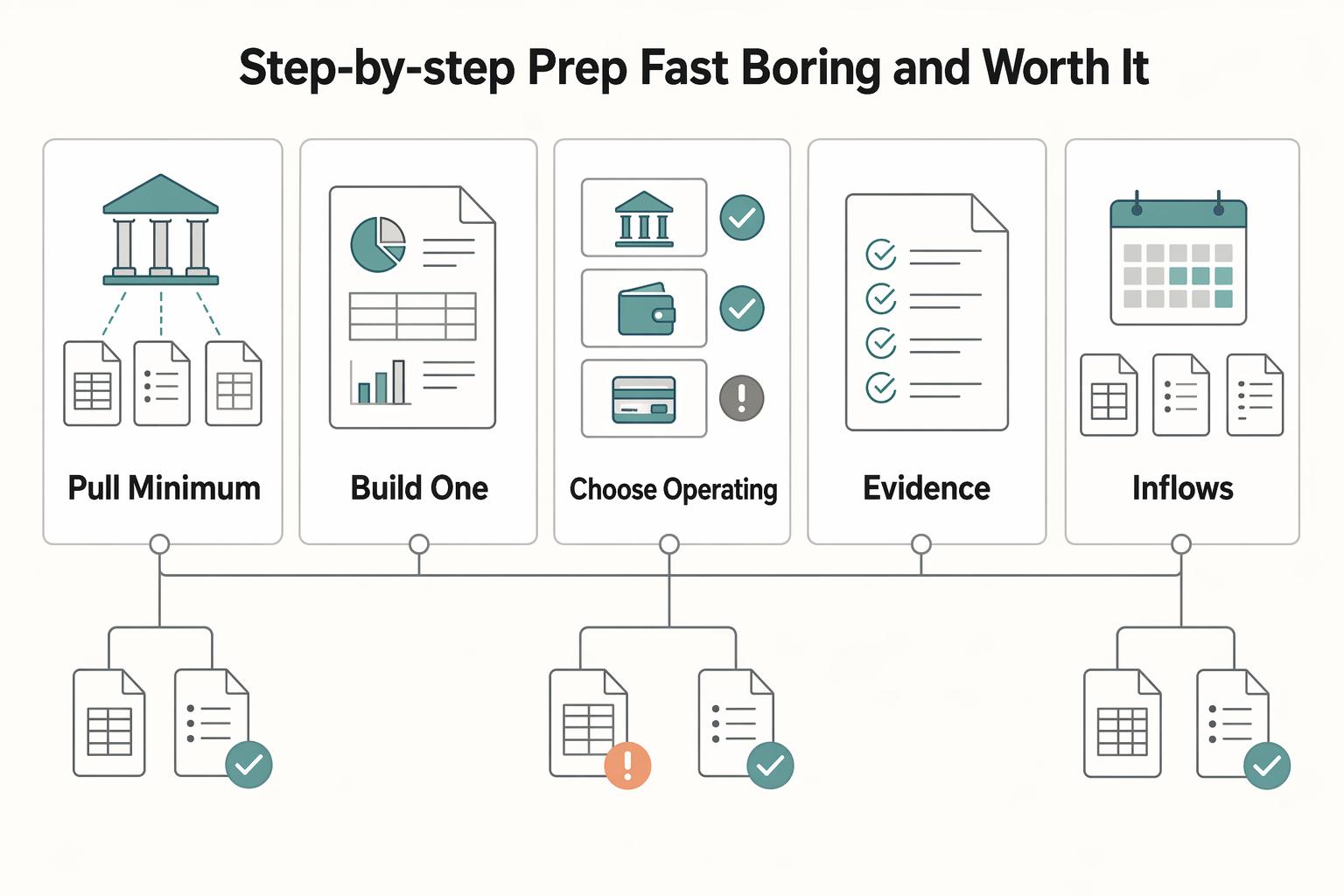
Step-by-step prep (fast, boring, and worth it)#
Step 1: Pull your minimum data set (one export beats ten guesses). Grab recent transaction history from the accounts you actually use, plus your current list of bills. Don't aim for perfection. Aim for coverage.
| Prep step | What to prepare | Why it matters |
|---|---|---|
| 1. Pull your minimum data set | Recent transaction history from the accounts you actually use, plus your current list of bills | One export beats ten guesses, and the goal is coverage |
| 2. Build a one-page money map | Inflows, outflows, and risk items | Shows which inflows you can trust quickly, which items must never miss, and what can trigger late fees or Penalty APR |
| 3. Choose your operating accounts | Bills role, buffer role, spending role, and optional landing role | Uses separation, not complexity |
| 4. Record commitments and rules | Due dates, amounts, transfer limits, alerts and any relevant client payment terms | Separates personal outgoings from expected business receipts; optional supporting documents stay easy to find |
- Transaction history: deposits, transfers, card payments, bank fees, refunds.
- Bill list: payee, due date, minimum due (especially for credit cards), and payment method.
Step 2: Build a one-page "money map." Make this a single doc or note you can keep open while you wire automations.
| Lane | What to list | What you're looking for |
|---|---|---|
| Inflows | Client payment methods (ACH, card, international transfer) and typical clearing timing in your world | Which inflows you can trust quickly versus ones you should treat as "pending" |
| Outflows | Fixed obligations (rent, insurance, minimum debt payments) vs variable spending | Which items must never miss, and which you can pause |
| Risk items | Anything that can trigger late fees or Penalty APR | The "do not mess this up" list your system protects first |
Step 3: Choose your operating accounts (separation, not complexity). If you want simple separation, assign accounts "roles" like this:
- Bills role: pays fixed obligations.
- Buffer role: holds stability cash and tax parking.
- Spending role: daily discretionary.
- Optional landing role: receives client payments first.
Check your bank's actual personal-account eligibility, fees, transfer limits, available-balance definition and automation features. A business banking product is not automatically suitable for personal bills. Several accounts can add costs and complexity; labeled budget buckets may be sufficient.
Step 4: Keep useful payment and automation notes#
- Personal rule note: bill payee, amount or range, due date, debit source, alerts and how to stop or change the instruction.
- For freelance income, keep relevant contract and invoice payment terms with the business records. They inform the forecast; they are not prerequisites for every personal savings transfer.
Identify upcoming due dates, essential amounts and any already committed transfers. If the information is incomplete, start with reminders or manual checks for the affected action rather than relying on an unsupported automatic amount.
A posted receipt may still be returned, refunded or disputed. Check the provider's available balance and relevant reversal exposure; there is no point at which your personal confidence alone makes all payment risk disappear.
What should you automate first (without overdrafts) if cash is uneven?#
Prioritize essential obligations and evaluate the cash needed for them. Use autopay only where it is funded and its timing is understood. For credit cards, minimum autopay can provide a missed-payment fallback, but paying only the minimum can leave interest and slow repayment. A full statement payment can avoid interest on new purchases where the applicable grace-period conditions are met.
Compare the cost of debt and your liquidity needs before making discretionary investment transfers. The aim is to reduce repeated decisions without hiding a funding shortfall or locking needed near-term money into investments.
Step 1: Use a risk-first checklist (not aspiration-first)#
Run this list in order. Treat it like an operator's runbook, not a motivation poster.
- Identify essential obligations and consequences of a missed payment, including your actual card minimum and due date.
- Reserve a cash cushion suited to your expenses, income timing and possible reversals.
- Assess additional debt repayment, savings and investment goals against liquidity and risk.
- Review optional spending and subscriptions when funds are tight.
Example: a client invoice slips. If you automated investing before you automated minimum bills, you just turned a timing issue into a fee problem.
Step 2: Convert the checklist into rules (so the system runs itself)#
Write a rule you can check: amount or cap, debit account, trigger, reserved amounts and notification. Avoid vague instructions such as transfer whatever looks spare, especially if the bank cannot see your bills or tax reserves.
- Choose a funded debit source for bills; it can be a separate account or a carefully maintained budget bucket.
- Calculate obligations and reserves before optional transfers, without double-counting a transfer between your own accounts as new income.
- If cash falls below the level you set for the next commitments, reassess optional transfers and upcoming payments. Verify whether the bank can enforce that condition or you must intervene manually.
Step 3: Choose fixed-date vs event-trigger automation (use the right tool)
| Automation type | Best for | Trigger | Operator default |
|---|---|---|---|
| Fixed-date | Rent, utilities, minimum debt payments | Calendar date | Use dates when timing is predictable |
| Event-trigger | Set-asides and savings sweeps | When income arrives | Use triggers when income timing varies |
A delayed-receipt scenario tests whether your reserve can bridge the gap. If it cannot, change the transfer plan, seek a lawful payment arrangement where needed or reduce new commitments. Automation alone cannot solve insufficient cash.
For tool ideas once sequencing works, use Automating Your Freelance Finances: A Guide to Tools and Workflows.
Control where money lands, where obligations pull, and when transfers trigger#
Build finance automation by controlling where money lands, where obligations pull from, and when transfers trigger, then verify each link with a simple check. With sequencing in place, the next step is wiring a setup you can run calmly. This is how you manage cash flow without letting a late client payment or messy account structure create avoidable chaos.
Step-by-step: turn each automation on in order, bills before savings#
Step 1: Map income accounts. Use the account setup appropriate to your business and legal structure; there is no need to force every permitted receipt into one bank. Reconcile across accounts using stable references, net amounts and currency. A transfer from business to personal funds needs the correct treatment.
| Step | Action | Check |
|---|---|---|
| 1 | Choose where to reconcile income | Match paid invoices to actual deposits, using existing accounts and a clear ledger |
| 2 | Protect obligations with an account or accurate budget bucket | Available money and accurate budget buckets cover upcoming obligations |
| 3 | Configure funded payments and alerts | Check amount, processing lead time, manual-payment interaction and first payment outcome |
| 4 | Add a buffer transfer with a hard floor | Confirm the provider actually supports conditional stops; otherwise monitor and intervene manually |
| 5 | Set aside an estimated tax amount where applicable | Use a separate account or accurate budget bucket; adjust the estimate to actual liability |
| 6 | Automate savings and investing last, using a portion of cleared inflows | A delayed receipt is tested against actual reserves; optional transfers are capped accordingly |
| 7 | Install an audit loop | You can prove where money went if a payment gets reversed or a dispute hits |
Step 2: Protect reserved money. A Bills account can separate obligations from daily spending, but two accounts are not mandatory. A budget bucket can work if you maintain it accurately. Understand account fees, transfer lead time and whether another debit can use the same funds.
Step 3: Configure funded bill payments. Distinguish bank bill-pay instructions you send from debits the payee pulls. Select the amount and timing, confirm how an existing manual payment affects autopay and check the first outcome. Minimum credit-card autopay is a fallback; full statement payment or an additional repayment plan may be appropriate where affordable.
Step 4: Set a cash reserve. Choose a level based on actual obligations and timing scenarios, not a universal number. Keep it available for its intended purpose. If the bank does not offer a balance-based stop, use a smaller scheduled transfer with alerts and manual review, or make the transfer yourself.
Step 5: Reserve for tax where applicable. Use an estimate based on your jurisdiction, taxable income and payment dates, revising it as facts change. A percentage of gross receipts is only a planning device, not the tax calculation. A labeled reserve or separate account can help; do not count it as both emergency cash and spendable surplus.
Step 6: Assess optional savings and investing. Cap transfers by the cash remaining after obligations and chosen reserves. Near-term money may need an accessible cash reserve; investments can fall in value and may take time to sell or withdraw. Being above a buffer floor does not automatically make every investment suitable.
Step 7: Install an audit loop. Block time for reconciliation and periodic rules review. Check: you can prove where money went if a payment gets reversed or a dispute hits.
Your "safe default" wiring map#
| Component | Job | Automation trigger | Verification check |
|---|---|---|---|
| Income records | Reconcile receipts | Actual posted payment | Invoice and deposit match |
| Bills provision | Protect upcoming obligations | Due dates and available funds | An account or budget bucket shows what is reserved |
| Buffer and tax | Track chosen cushion and applicable tax estimate | Receipt and liability review | Amounts remain visible without requiring more bank accounts |
If you transfer to investments before a delayed receipt arrives, selling them to fund bills may involve loss or delay. Model the gap first. A more conservative transfer cap can reduce exposure, but it cannot guarantee every expense remains funded.
How do you automate savings (and investing) when client payments are unpredictable?#
Automate savings around money you actually receive, not around a fixed calendar date. Many people set up automation so that each time they get paid, a portion is automatically deposited into savings or investments. If your income is irregular, build in simple guardrails so transfers do not get ahead of your cash flow.
Step-by-step: the "slice-of-receipts + pause rule" setup#
A receipt-based transfer can fit irregular income, but a percentage alone is not a safety cap. Check whether your provider supports that trigger and exclude transfers between your own accounts, refunds owed, tax reserves and funds already committed to bills. A manual transfer after review is a valid alternative.
| Rule | What it says | Purpose |
|---|---|---|
| Use a percentage mindset | Take a consistent slice of whatever comes in, when it comes in, and translate that into your transfer amount | Fits uneven income better than a fixed monthly number |
| Add a pause condition | Temporarily stop discretionary transfers when your buffer is under pressure | Protect essentials first, then savings, then investing |
| Use a conditional flow | Build the chosen cushion; consider investing only from surplus after obligations, tax provisions, relevant debt and near-term liquidity needs | Check investment suitability and risk tolerance before scheduling |
If using a scheduled transfer that must be adjusted manually, set a reminder before the provider's change cutoff. Do not assume a later balance check will stop a debit already processing. Verify the result after making the change.
Step 2: Add a rule that pauses savings when stability drops. A pause condition is a rule that temporarily stops discretionary transfers when your buffer is under pressure. The point is to protect essentials first, then savings, then investing, so automation does not create a new problem you have to unwind manually.
Step 3: Use a two-stage flow (simple, durable).
- Stage 1 (stability): Build the cushion appropriate to your income timing and obligations.
- Stage 2 (optional investing): Use actual surplus only after reviewing obligations, taxes, relevant debt, near-term liquidity and investment suitability. Reaching a buffer target alone does not authorize a transfer.
Use this as an illustrative decision table, with checks tailored to your cash plan.
| Situation | Savings action | Investing action | Operator check |
|---|---|---|---|
| Buffer below floor | Pause | Pause | Bills still clear without pulling from savings |
| Above chosen reserve | Transfer only up to actual surplus | Assess suitability and near-term needs separately | Include pending debits, tax and reversal reserves before deciding |
Cadence: match your invoice reality (not a paycheck fantasy)#
An automated savings plan can move money automatically at a frequency you choose (once a month, biweekly, weekly). Pick a cadence that matches how you actually get paid and how often you're willing to check in and adjust.
An emergency reserve depends on essential costs, income volatility and the shocks you want to absorb. No fixed one-to-three-month range fits everyone. Keep money needed soon accessible, and assess debt costs and investment risk separately from whether an automatic deposit is convenient.
Avoid the trap where "set it and forget it" becomes the goal. Your goal is financial system reliability.
Using savings for a genuine emergency is not itself a failure. If frequent bill payments require reversing planned transfers, reassess the amount, timing and reserve assumptions.
For deeper tooling workflows, see Automating Your Freelance Finances: A Guide to Tools and Workflows.
For freelance income, accurate invoices support collection, but an invoice tool does not configure personal bank rules. Keep the business workflow linked to your cash forecast.
Safeguards that make automation safe: policy gates, buffers, and auditability#
Use alerts, transfer caps and a way to check outcomes. These controls reduce some errors; they do not guarantee available funds or prevent every reversal. Only configure rules the provider actually offers.
Step-by-step: install gates + auditability (operator-grade)#
Choose manual review for unusual optional transfers or other consequential actions. A threshold is your own planning choice and must be supported by the provider if you expect it to block execution. It does not automatically detect fraud, and must not make required bills late while waiting for an unnecessary approval.
Add pause conditions that stop discretionary moves when any of the following happens:
- Buffer drops below your floor.
- You see an unusually large outflow you did not plan.
- You spot potential chargeback exposure (for example, a large card payment from a new client).
Add useful references when the provider allows them. They help identify transactions, but you can also reconcile using transaction ID, date, amount and account.
- Optional memo example: InvoiceID | Purpose | Category; keep only appropriate information in fields that others may see.
- Link business documents where relevant without requiring an NDA or separate proof pack for ordinary personal transfers.
Use bank exports or accounting connections suited to your recordkeeping needs. Check actual permissions, refresh timing and errors; a stale tool balance is not confirmation that the bank can fund a debit.
A unique reference helps detect duplicates but does not prevent them. For automated receipt rules, use provider-supported duplicate protection or processed-event tracking. Before retrying an uncertain transfer, check its actual status; do not count a repeated notification as a second receipt.
| Control | Risk it can reduce | Implementation and limit |
|---|---|---|
| Approval threshold | Mistyped or unauthorized transfers | Review above a chosen limit; review does not guarantee fraud detection |
| Pause condition | Optional transfers worsening a cash shortfall | Use provider-supported conditions, or monitor manually; no guarantee against overdrafts |
| Useful references | Difficulty matching a receipt or transfer | Retain available transaction IDs and relevant invoice references; a memo helps tracing but does not prevent duplicates |
Step 4: Add a card-heavy client safety rule (chargeback-aware)#
For card-funded receipts, assess possible refunds, disputes and provider debits when deciding how much cash to keep available. A posted bank deposit is spendable subject to account terms, but does not erase your obligation to cover later reversals. Reserve based on actual exposure, not an invented waiting period or a feeling of confidence.
Practical check: you should be able to answer, without guessing, "What happens if funds get held or returned?" Your default response: pause discretionary transfers, protect bill pay, document the event, and reconcile deposits against invoice IDs in your next weekly audit.
When things go wrong: late payments, holds, chargebacks, and bad terms (recovery protocols)#
Treat exceptions as normal operations, and route them through a written protocol so your personal finance automation does not collapse under stress. Safeguards prevent a lot of damage. Protocols are what you run when reality still breaks the plan, because it will.
Step-by-step: run the right protocol for the failure mode#
Step 1: Classify the problem (late, pending/failed, or disputed). Do not guess. Decide which bucket the event belongs in, then run the matching checklist.
| Failure mode | What it means operationally | Your safe default next move |
|---|---|---|
| Client pays late | Timing breaks your plan | Reforecast your next obligations, then choose what to delay (not what to "hope" for) |
| Payment pending/failed (held/returned) | You can't treat it as received yet | Confirm the payment status and next steps with your processor and the client before you rely on it |
| Chargeback | A formal dispute risk | Treat it as disputed until it's resolved |
| "Bad paper" | Contract ambiguity creates cash risk | Tighten templates so billing and dispute handling follow a clearer path |
Step 2: Late payment protocol (income timing risk). Review your SOW and invoice terms, then enforce them consistently. Set a reminder schedule you actually run (not a one-off emotional email), and keep the tone factual: amount due, due date, payment link, and the next escalation step you already agreed to in writing.
Step 3: Pending/failed payment protocol (confirmation before action). If a payment is marked pending, held, or returned, treat it as unconfirmed until you understand what happened. Follow your payment provider's guidance, confirm status with the client, and document what you learn so you can act quickly if questions come up.
For a chargeback, confirm the disputed amount, provider instructions and response deadline. Collect relevant scope, delivery and payment evidence, including contrary facts. Good records support a response but do not guarantee a win.
Stripe's dispute documentation explains that the disputed amount and a fee are debited from the Stripe balance, and the issuer determines the outcome. Other providers and payment methods can differ. Do not issue a second refund or demand a duplicate payment while the original payment's outcome is unresolved.
Write decision rules for cash plan, escalation, and payment terms#
- If a client feels higher-risk, revisit how you structure billing and payment terms so expectations are clearer. Use this as your reference: A Strategic Consultant's Guide to Structuring a Retainer Agreement.
- Check payment methods, settlement timing and exception paths before relying on a receipt forecast. Where terms need to change, use the agreement and prospective negotiation rather than unilateral changes.
- Fix "bad paper" by standardizing your templates. Define acceptance, payment triggers, and a clear dispute process so you do not negotiate basics under pressure.
Practical check: write one decision rule for (1) when you update your cash plan, (2) when you escalate with a client, and (3) when you require tighter payment terms next cycle.
If a client stops responding after delivery, follow the actual collection and dispute process and assess the resulting cash gap. A written acceptance clause and organized folder do not guarantee payment or authorize stopping every obligation.
Worked example: cap the transfer by real surplus#
Assume an invented USD 2,000 receipt and USD 300 previously available cash. Pending bills before the next plausible receipt total 1,200. A tax estimate reserves 400 and a separate chosen timing cushion reserves 500. Available surplus is 2,300 − 1,200 − 400 − 500 = 200. A 15% savings rule suggests 300, so cap this transfer at 200 rather than sweeping the full percentage.
| Scenario | Available cash | Obligations plus reserves | Optional transfer |
|---|---|---|---|
| Receipt arrives | USD2,300 | USD2,100 | At mostUSD200 |
| Receipt delayed | USD300 | USD2,100 | USD0; funding gapUSD1,800 |
The delayed case cannot be fixed by pausing savings alone: there is already a 1,800 gap against the chosen obligations and reserves. Review the dates, whether the cushion can lawfully serve its purpose, essential spending and available payment arrangements. Tax funds and other committed funds are not free surplus. This example is a planning illustration, not a recommended tax rate, emergency reserve or investment allocation.
Conclusion: build a "get paid" system you can trust (and reuse every month)#
Review the setup after relevant changes in bills, income timing or account features. A useful automation saves repeated work while leaving you able to see the next due dates, actual funds and exceptions.
Treat marketing income claims as irrelevant to the safety of your own payment rules. The relevant evidence is whether the configured amount, timing and provider behavior fit your actual cash plan.
Your north star stays simple: obligations get handled, cash stays visible, and "growth" transfers happen only when you choose. Build something you can reuse every month and for every new client, because it runs on rules you can explain, not optimism.
If you want deeper tool and workflow ideas, pair this playbook with Automating Your Freelance Finances: A Guide to Tools and Workflows. You can also reference The Best Personal Finance Apps for Freelancers to compare features, but don't outsource judgment to an app.
A delayed receipt tests the limit of the system. If the reserve covers the gap, essentials may remain funded while optional transfers pause. If it does not, contact the relevant provider or creditor promptly to discuss available arrangements and revise the forecast. Do not claim that nothing can break.
Keep personal and business workflows connected through accurate records and lawful transfers, rather than adding payment infrastructure just for its own sake. Check account eligibility, privacy and the actual features before choosing tools.
Copy/paste checklist (use as an ops template, not a proven standard):
- Bills list updated and payment settings reviewed
- Available funds cover upcoming bills, with any chosen cushion tracked in accounts or budget buckets
- Simple pause rules defined for optional transfers when cash gets tight
- Separate set-aside for taxes (where applicable) and a clear rule for when money moves into it
- Optional savings and investment transfers are capped to actual surplus; debt, liquidity and investment suitability are reviewed
- Regular review cadence scheduled (invoices → deposits → transfers)
- Client terms verified in SOW/Retainer Agreement (payment timing, late fees, stop-work, issue resolution)
- Exception protocol written for delayed/failed payments (what pauses, what you document, who you contact)
Frequently Asked Questions
What should I automate first in personal finances if my income is irregular?
Start with a bill and cash map, then automate funded obligations with alerts. Minimum credit-card autopay can be a fallback, but it is not a complete repayment strategy and can leave interest. A separate Bills account is one option; an accurate budget bucket may also work.
How do freelancers automate finances without overdrafts or missed bills?
Track available cash, pending debits and reserved amounts before scheduling payments. Check processing lead times and alerts, and compare the actual bank result with your plan. Several accounts can help organization but neither account separation nor a no-overdraft-fee claim guarantees a bill is paid.
How do I automate savings when client payments are unpredictable?
Use an amount and timing suited to usable cash after obligations and reserves. A receipt-based trigger can help if the bank supports it; otherwise review manually. Cap the transfer and test a delay scenario. No rule guarantees coverage if the income gap exceeds your reserves.
What's the difference between automating bills vs automating cash-flow management?
Bill automation is basically scheduling payments on dates. A practical way to think about cash-flow management automation is that transfers (automatic savings, taxes, investing) only fire after you confirm cash actually arrived and stays available. That distinction can matter more than app features when you automate personal finances on irregular income.
How do I set up a repeatable monthly finance workflow I can audit?
Reconcile invoices to deposits, verify upcoming due dates, and review whether each automation should still run. Keep a checklist and money map. Use available transaction IDs and relevant invoice references to trace transfers; personal transfers need not carry a client name or invoice ID. References assist reconciliation rather than guarantee prevention. For deeper tooling and routines, use Automating Your Freelance Finances: A Guide to Tools and Workflows.
How do I protect myself from chargebacks and payment holds as a creator or freelancer?
Keep enough liquidity for the exposure you assess, follow provider deadlines and preserve accurate evidence. Posted funds can still be reversed or debited for a dispute. Check status before any retry or separate refund; strong records do not guarantee the issuer's decision.
Do I need multiple bank accounts (e.g., Mercury + Ally Bank) to automate safely?
No. Separate account roles can be represented by accounts or accurate budget buckets, depending on fees, eligibility and how well you track reserves. A business banking product is not automatically a personal-banking recommendation. Multiple banks or a particular brand pair is not a condition of sound automation.
Try a related tool
Researched and edited by the Gruv editorial team. Gruv builds cross-border billing, payouts, and finance-operations software for global businesses.
Sources
Educational content only. Not legal, tax, or financial advice.
Related Posts

Automating Freelance Finances Without Losing Cashflow Control
Automate repeated administrative steps while keeping invoice, payment, settlement and available-cash records distinct. A scheduled invoice saves work; it does not guarantee collection or make funds available.

The Best Personal Finance Apps for Freelancers
If you are choosing among the best personal finance apps freelancers can use, start with payment risk, not popularity. The goal is simple: keep cash flow visible enough to act early when income slows or bills stay fixed.
A Strategic Consultant's Guide to Structuring a Retainer Agreement
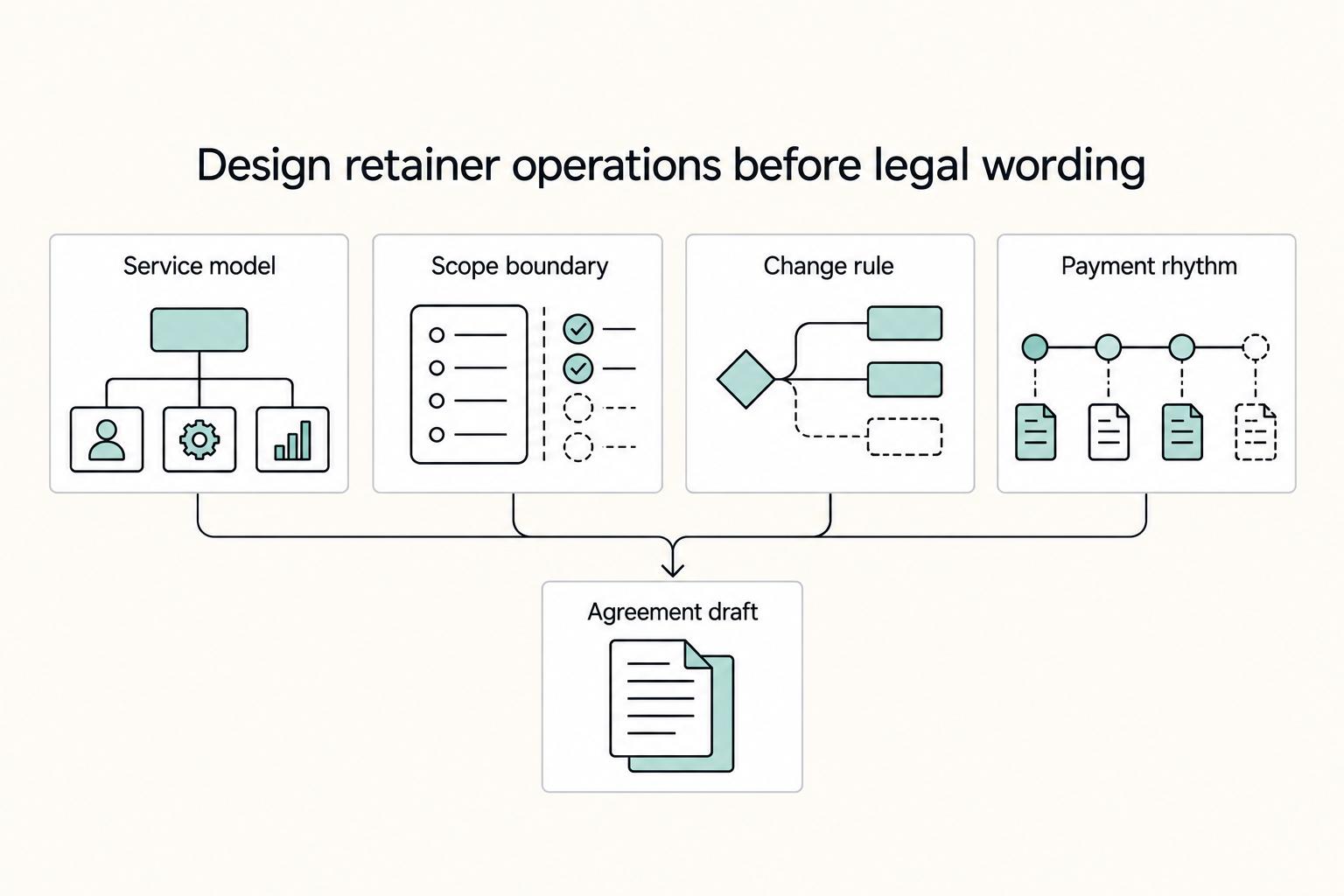
A consulting retainer should give you recurring revenue and the client a clear service commitment. Define what the fee buys before agreeing to it: a set of deliverables, a block of time, reserved advisory access or a bounded combination. That choice keeps an extra request from quietly becoming unpaid work.