
Quick Answer
Yes. A hubspot lead qualification workflow helps you protect calendar time by scoring inbound contacts, checking required qualification fields, and routing each record into Proposal-Ready, review or nurture, or Unqualified paths. In practice, you set rules first, then automate branch actions like status updates and task creation only for stronger-fit leads. Keep thresholds provisional until recent contacts confirm the model is separating fit from noise.
What Poor Screening Costs and How to Measure It#
Step 1: Treat qualification as a calendar decision, not a sales theory. If you work alone, every low-fit inquiry steals time from delivery, client communication, and the work that actually gets paid. Poor screening is not just annoying. It creates proposal overhead, constant context switching, delayed project work, and a pipeline that can look full while still underperforming.
A HubSpot lead qualification workflow matters because manual inbox triage can fail in a predictable way: you spend hours on people who will never buy while better-fit prospects wait, drift, or disappear.
Step 2: Calculate your exposure using your own numbers. Do not guess. Pull your last 10 to 20 inbound leads and run this quick cost check:
- Add your average first-response and back-and-forth time
- Add your average discovery time
- Add your average proposal or scope-writing time
- Add your current hourly value
- Mark how many of those leads were clearly low-fit in hindsight
Your checkpoint is simple: if low-fit leads are regularly reaching calls or proposals, your filter is too late. A common miss is counting only meeting time and ignoring the cost of switching back into delivery after every half-qualified conversation.
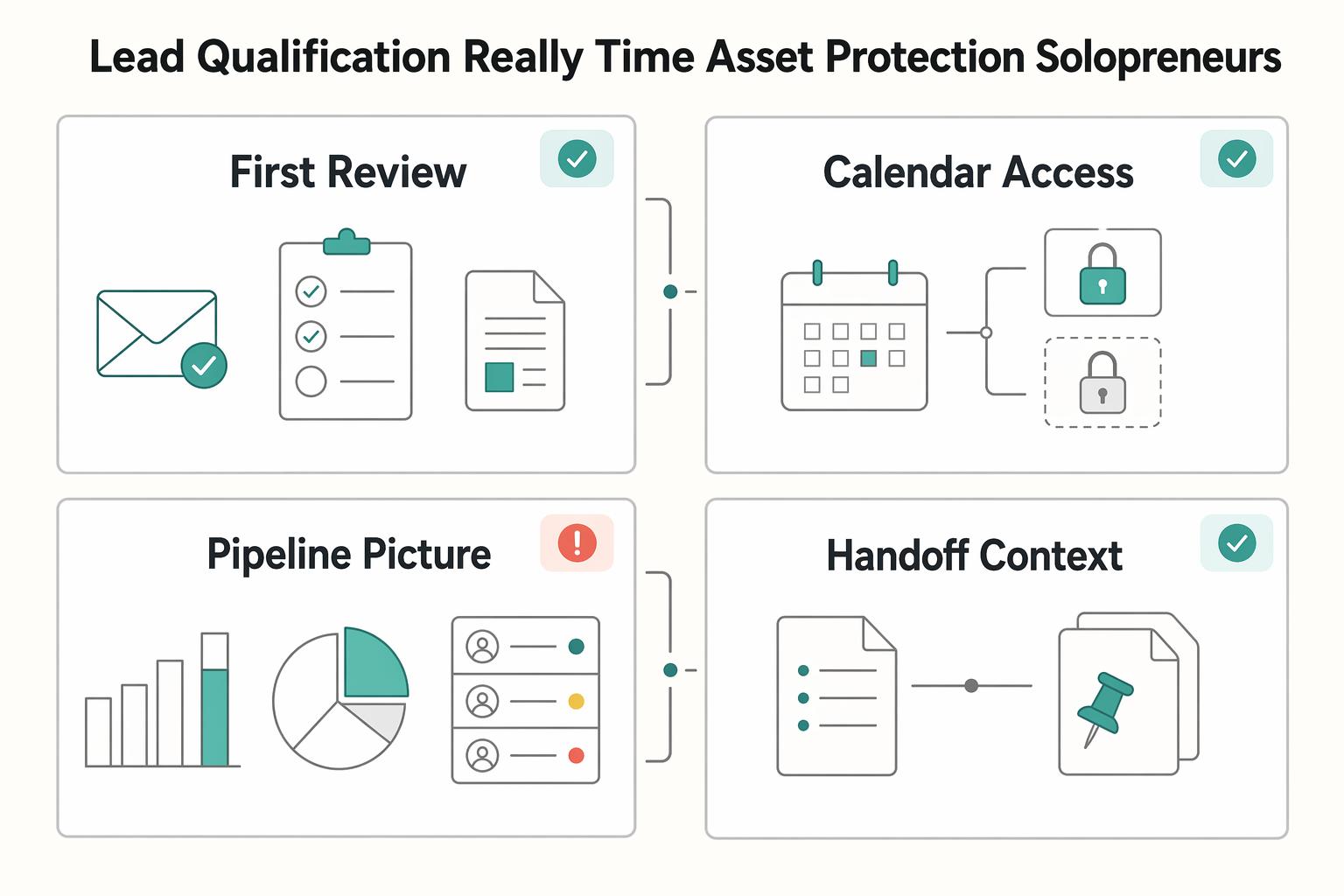
| Decision point | Reactive inbox handling | Automated qualification-first handling |
|---|---|---|
| First review | You read and sort every inquiry manually | Form data and rules sort before you engage |
| Calendar access | Prospects can reach your time early | Time is reserved for stronger-fit leads |
| Pipeline picture | High volume can hide weak quality | Routing makes fit clearer earlier |
| Handoff context | Notes live in email threads or memory | Ready prospects can be routed with context |
Step 3: Decide what earns your attention. Automation should route ready prospects with context, not just move records around. If you use HubSpot AI workflow actions where available, check what actually happened inside the CRM through audit cards that show modified properties and qualification activity. That check matters because automation can reduce manual work, but it does not fix weak criteria or messy data.
Keep the build order simple: define your qualification criteria, configure scoring, then automate routing.
You might also find this useful: How to Get a National Insurance Number (NINO) in the UK.
The Three Pillars of Your Automated Gatekeeper#
A reliable qualification workflow in HubSpot runs in this order: define fit, score signals, then route every lead to a clear next step. Change that order, and you usually automate inconsistency instead of reducing it.
| Pillar | Main focus | Outcome |
|---|---|---|
| Define fit | Use signals you can capture consistently at inquiry stage | Establishes what earns your time |
| Score signals | Apply positive and negative scoring together | Prioritizes outreach by intent and mismatch |
| Route every lead | Branch to immediate follow-up, nurture, or manual review | Gives each contact a clear next step |
Pillar 1: Define what earns your time#
Start with a short list of signals you can capture consistently at inquiry stage. For most solo operators, role, company profile, budget fit, urgency, and process clarity are enough to build a practical first version.
| Bucket | What it covers | Input check |
|---|---|---|
| Fit criteria | Signals that match your ideal client profile | Use in automation only if the input path is dependable |
| Disqualifiers | Signals that reliably indicate poor fit | Use in automation only if the input path is dependable |
| Buying readiness signals | Signals that show real momentum, not just curiosity | Use in automation only if the input path is dependable |
Use three buckets:
- Fit criteria: signals that match your ideal client profile
- Disqualifiers: signals that reliably indicate poor fit
- Buying readiness signals: signals that show real momentum, not just curiosity
For each signal, confirm where it lives (property/field) and how it gets populated (form, enrichment, or manual review). If a signal has no dependable input path, keep it out of automation for now.
Pillar 2: Score intent and mismatch together#
Lead scoring means assigning value so you can prioritize outreach. In practice, you need positive and negative scoring together, or high activity from poor-fit leads can still crowd your queue.
Keep your first scoring model simple, explainable, and adjustable:
| Signal type | Why it matters |
|---|---|
| Role/job title matches your buyer | Increases relevance and decision authority |
| Company profile matches your target | Improves fit before calendar time is spent |
| Meaningful engagement | Indicates active interest, not passive browsing |
| Budget mismatch | Predicts friction and low conversion odds |
| Unclear urgency or vague need | Often creates long, low-value cycles |
| No clear buying process | Increases follow-up drag and uncertainty |
Validate this policy against recent leads before routing automation goes live. If the leads you would actually prioritize do not rise to the top, adjust scoring first.
Pillar 3: Route every lead so nothing stalls#
Use a clear enrollment trigger, such as a new form submission or a contact added to a target list. Then branch by qualification outcome: high-fit leads to immediate follow-up, lower-fit leads to nurture, and ambiguous leads to a defined manual-review path.
For the ambiguous branch, set explicit ownership and next action so no contact is left unprocessed. At minimum, assign an owner, create a task, and set a qualification status that can be tracked. Then test with sample leads to confirm each path ends with an owner, action, and status.
Build the scoring policy first, then implement the workflow logic around it.
If you want a deeper dive, read Value-Based Pricing: A Freelancer's Guide.
Step 1: Build Your "Red Velvet Rope" Policy with HubSpot Lead Scoring#
A practical starting point is to subtract for bad-fit evidence first, then add points for genuine readiness. This order helps keep weak leads from looking stronger than they are if activity is rewarded before you check whether the buyer, budget, and situation actually fit your offer.
This is the strategy part of your setup, and it usually deserves most of your attention before you touch automation. A lead scoring model is only useful if it changes what you do with incoming leads. Rush into configuration, and you can end up with a score that looks smart but drives nothing.
Subtract for bad-fit evidence#
Start with the signals that protect your time. Negative scoring should reflect mismatch, not just low enthusiasm. The goal is to push obvious poor-fit inquiries down the queue without turning one weak clue into an automatic rejection.
| Signal | Why it can indicate poor fit | Review note |
|---|---|---|
| Company profile falls outside your target client range | Strong interest may not fix a structural mismatch between the buyer and your offer | Validate this by segment before you make it heavy. A profile that is wrong for one service line may still fit another. |
| Stated budget is clearly below your workable minimum | Budget mismatch can create early friction and stalled conversations | Treat this as a strong signal, but confirm your form wording is clear so people are not guessing. |
| Problem statement is too vague to assess | If the need is unclear, it is harder to judge relevance or urgency | Do not hard disqualify on this alone. Pair it with another weak signal such as no timeline or no decision context. |
| No visible buying process or no realistic timeline | Lack of process can mean longer follow-up cycles with less movement | Use these together before you reject. One missing field is often incomplete form behavior, not true low fit. |
The red flag here is over-filtering. Validate assumptions by segment, not just instinct. If one audience commonly arrives early in its buying process, a vague first inquiry may be normal for that segment and should lead to review, not removal. Your checkpoint is simple: look at recent leads you eventually wanted to speak with and make sure your negative rules would not have buried them.
Reward readiness, not curiosity#
Positive scoring should reflect buying readiness and execution fit. Give more weight to signs that a real decision can happen and that the work can succeed, not just signs that someone clicked around your site.
| Signal | Why it can indicate readiness | Review note |
|---|---|---|
| Contact appears to have decision authority or clear influence | You are more likely to get a real yes, no, or next step from someone who can move the work forward | Do not rely on title alone. Some titles look senior but have little purchasing authority. |
| Problem is specific and clearly described | Clarity often means the buyer understands the issue and can evaluate your solution | A detailed brief is usually more useful than generic engagement like opens or casual visits. |
| Timeline is realistic and named | A stated timeframe shows intent and helps you judge whether the opportunity is active | Reward realistic timing, not artificial urgency. "ASAP" without context is not strong evidence. |
| Implementation context is clear | Knowing team constraints, current tools, or delivery conditions can improve execution fit | This is especially useful if your service requires client-side input, access, or approvals. |
If you use engagement at all, keep it light. Page visits and email opens can support the picture, but they should not outweigh authority, problem clarity, timeline realism, or implementation context.
Calibrate the tiers before you automate#
Do not set fixed cutoff bands by gut feel and move on. Build provisional tiers, test them against a recent sample of won and lost leads, then write in the real thresholds only after the pattern holds.
A practical sequence looks like this:
- Define provisional buckets such as disqualify, manual review, and priority follow-up.
- Score recent won and lost leads using the draft rules.
- Check whether the leads you would want to talk to rise above the rest.
- Adjust weights, then document each bucket's routing threshold as pending sales-ops verification until it is confirmed.
This is the verification point that matters most. If your priority bucket still fills with poor-fit inquiries, your positive signals may be too generous. If your review bucket hides leads that later closed, your negative logic may be too aggressive. Once the score reliably separates fit and readiness, you can use it as a routing criterion in the next step, alongside inputs like form submissions, lifecycle stage, or lead properties.
For a step-by-step walkthrough, see How to Use ClickUp's API to Automate Project Creation from a HubSpot Deal.
Step 2: Build the Workflow That Puts You in Control#
Your workflow should triage high-intent leads the same way every time, not act as a catch-all intake. Keep low-intent or incomplete submissions out of this flow and send them to a separate nurture path so your main routing stays reliable.
Build the triage sequence#
- Set enrollment trigger first.
Enroll only submissions from your highest-intent inquiry entry point, and only when the record has enough qualification detail to be scored with your Step 1 model. If key context is missing, route that record to a lighter nurture workflow instead of this triage.
- Branch by calibrated score rules, not fixed guesses.
Use these branch criteria once your Step 1 calibration is verified:
- Proposal-Ready path: use the Proposal-Ready threshold you calibrated in Step 1 - Review or nurture path: use the review range you calibrated in Step 1 - Disqualify path: use the Disqualify threshold you calibrated in Step 1
- Attach operational actions to each branch.
- Proposal-Ready: assign owner, set highest-priority lead status, create follow-up task, and send an internal notification with score, source, problem summary, timeline, and any budget or implementation context. Response window: set an SLA you can consistently meet. - Review or nurture: set review/nurture status, assign owner only when manual review is needed, and enroll in the correct nurture or review path. - Disqualify: set disqualified status, stop direct sales-touch actions, and send close-out or low-touch nurture messaging if that fits your process.
- Define clear exit criteria.
End workflow enrollment when the lead is handed off, moved to nurture, marked unqualified, or manually advanced. Clear exits reduce conflicts and prevent records from bouncing between automations.
| Path | Trigger condition | Automated action | Manual effort required |
|---|---|---|---|
| Proposal-Ready | Score meets your calibrated Proposal-Ready threshold | Assign owner, update lead status, create task, send internal alert, apply your defined response window | High |
| Review or nurture | Score falls in your calibrated review range or submission lacks key context | Update lead status, optionally assign owner, route to nurture or review queue | Medium |
| Disqualify | Score meets your calibrated Disqualify threshold | Update lead status, suppress direct sales follow-up, send close-out if used | Low |
Reliability check before launch#
Workflows help automate handovers and keep routing consistent, but reliability drops fast when multiple automations edit the same record. Validate this flow before you trust it in production.
| Check | Confirm | Note |
|---|---|---|
| Sample records | Owner assignment, status update, task creation, and internal notification work for each path | Validate the flow before trusting it in production |
| Automation conflicts | No other automation also changes owner, lead status, or nurture enrollment in a conflicting way | Check for overlap before launch |
| Review cadence | Set the review cadence your process can sustain | Confirm cadence before launch |
| Ownership rotation | Reporting logic keeps lead counts usable when ownership rotates | Verify this if ownership rotates between people |
- Test sample records for each path and confirm owner assignment, status update, task creation, and internal notification.
- Check for conflicts with other automations that also change owner, lead status, or nurture enrollment.
- Document the review cadence your process can sustain.
- If ownership rotates between people, verify your reporting logic so lead counts stay usable.
We covered this in detail in How to Use HubSpot for Sales Pipeline Management.
Beyond MQLs & SQLs: A Simplified Funnel for the Solopreneur#
Use your funnel to answer one operational question: does this lead deserve your immediate attention right now? MQL/SQL labels can still be useful, but they are too broad on their own when only 44% of MQLs may have real conversion potential.
Keep HubSpot custom lead statuses, but make each one a clear decision with strict entry and exit rules.
| New status | Enter when | Exit when |
|---|---|---|
| Engaged Lead | High-intent submission is received, and the lead is in your calibrated review range or missing required qualification fields | Score reaches your calibrated Proposal-Ready threshold, drops to your calibrated Disqualify threshold, or missing details are collected and re-scored |
| Proposal-Ready Lead | Score meets your calibrated Proposal-Ready threshold and record has minimum action context (problem, timing, and budget note if you collect it) | You open a deal, return the lead to review based on new information, or stop pursuit due to a core fit failure |
| Unqualified | Score meets your calibrated Disqualify threshold or a clear disqualifier appears (for example, no workable budget) | A new qualifying signal appears and you re-score based on current data |
Then map your current statuses by meaning, not by legacy naming.
| Default HubSpot status | New status | Automation behavior | Owner action |
|---|---|---|---|
| Net-new/open inquiry | Engaged Lead | Route to nurture or review, no urgent task, no direct sales alert | Review only flagged or incomplete records |
| Working/sales-ready | Proposal-Ready Lead | Assign owner, update status, create follow-up task, send internal alert with score + qualification notes | Respond within your SLA and decide on opportunity creation |
| Not pursuing/bad fit | Unqualified | Suppress sales-touch actions and keep out of active follow-up | No active pursuit unless a new qualifying event occurs |
Add one guardrail for edge cases: if an unqualified or stalled contact re-engages, move them to Engaged Lead first, clear stale tasks, and require a fresh score check before promotion. A fresh high-intent form submission or a repeat behavior pattern (such as pricing-page visits three times in 30 days) can be your re-entry trigger.
When these statuses reflect real attention decisions, your reporting becomes cleaner because the labels represent operational truth, not just better terminology.
Related: The Best CRMs for Freelancers to Manage Client Relationships.
Conclusion: Apply the Same Qualification Rules, Then Review Them Weekly#
You do not move from operator to CEO by chasing every inquiry faster. You do it by deciding in advance which contacts deserve your time and letting HubSpot apply those rules the same way every time. That is the real value of the qualification setup you just built.
The practical shift is straightforward. Time improves because low-fit or incomplete records are less likely to land in your calendar by default. Focus improves because your follow-up starts from your qualification score, required fields, and clearly defined status stages, not from whoever emailed last. Predictability improves only if you review the right signals: which records reached your high-intent stage, which were routed to nurture, and whether the current conversion trend is verified before you use it to adjust routing. Tracking matters more than simply collecting data.
The difference from your old process should be obvious when you review it. In a reactive, inbox-led setup, every message feels urgent, missing fields get ignored, and broken branches quietly push you back into manual intervention. In a rules-based qualification process, each contact is checked against the same criteria, weak fits are filtered earlier, and your attention goes where the evidence is strongest. That does not guarantee revenue, and it will not stay accurate without maintenance, but it is a better operating model than making qualification calls from memory.
Use your next weekly review cycle to keep it trustworthy:
- Confirm scoring rules by checking 10 recent contacts and verifying the score still matches real fit and intent.
- Validate routing paths by testing known records and confirming status updates and routing logic fired correctly.
- Update qualification criteria when you spot repeated missing fields, status drift, or a pattern in wins and losses.
This pairs well with our guide on How to Write a Scope of Work for a HubSpot Implementation Project.
Try a related tool
Researched and edited by the Gruv editorial team. Gruv builds cross-border billing, payouts, and finance-operations software for global businesses.
Sources
Includes 7 external sources outside the trusted-domain allowlist.
- se.rit.edu/~swen-640/papers/newman_closed_category.pdftrusted
- bland.ai/blogs/automated-lead-qualificationexternal
- blog.glaremarketing.co/beyond-the-basics-a-simple-hubspot-lead-scor...external
- blog.hubspot.com/marketing/email-content-generationexternal
- calendly.com/blog/how-to-qualify-leads-in-salesexternal
- community.hubspot.com/t5/CRM/How-Can-I-Automate-Lead-Scoring-and-A...external
- community.hubspot.com/t5/CRM/Best-Practices-for-Lead-Qualification...external
- digitalapplied.com/blog/hubspot-breeze-ai-agent-workflows-2026-...external
Educational content only. Not legal, tax, or financial advice.
Related Posts

Value-Based Pricing for Freelancers Under Real Payment Risk
Value-based pricing works when you and the client can name the business result before kickoff and agree on how progress will be judged. If that link is weak, use a tighter model first. This is not about defending one pricing philosophy over another. It is about avoiding surprises by keeping pricing, scope, delivery, and payment aligned from day one.

Best CRM for Freelancers Who Need Reliable Client Follow-Up
If your client work is solid but your admin lives across email, notes, calendar alerts, and a spreadsheet, your CRM choice will succeed or fail on operations, not features. That is why so much advice on the **best crm for freelancers** misses the real issue. The main risk is not choosing a tool with too few buttons. It is choosing one that looks polished in a demo but still lets follow-ups slip when work gets busy.

How to Get a National Insurance Number (NINO) in the UK
Start with a simple sequence: check whether you already have a National Insurance number, submit one first application only if you need it, then keep your NINO, UTR, and share code in separate lanes. Many setup problems come from document mix-ups rather than difficult legal edge cases.