
Quick Answer
Start by locking ICP, MQL, and SQL rules inside the CRM, then enforce one two-way handoff SLA with required fields: owner, response expectation, first activity timestamp, and outcome reason. Review 10 recently touched records each week and fix definition or routing gaps before adding campaigns or automation. Use one shared scorecard for MQL-to-SQL, opportunity creation, closed-won contribution, and new subscription revenue/ARR, while keeping team activity metrics in diagnostic views.
Align sales and marketing in SaaS without enterprise overhead#
For your first month, do less than you think. If you want to align sales and marketing in a SaaS team without adding enterprise overhead, start by tightening definitions, handoffs, and CRM hygiene before you add scoring models, routing rules, or another dashboard.
This is an operations problem before it is a meeting problem. If both teams cannot inspect the same record and agree on what happened, who is handling it, and what the next revenue-relevant step is, later reporting will keep turning into debate.
Step 1 Write definitions where people actually work#
Put your qualification definitions in the CRM, not a slide deck or Slack thread. You do not need perfect language on day one. You need qualification to be visible, inspectable, and easy to update when reality pushes back on your first draft.
Keep each definition tight enough that two people can review the same record and usually make the same call. For each stage, write three things: what must be true to enter it, what should happen next, and what moves it back out. Then assign one person to own wording and version updates, even if both teams approve changes.
On each lead or account record, agree on a small shared set of status details that are always visible without digging. A common failure mode is a stage update with no visible context. Marketing reads that as sales ignoring the lead. Sales reads it as marketing sending junk.
Step 2 Validate one handoff path and one revenue reporting path#
Once definitions are visible, pressure test the path from qualified interest to revenue reporting. You do not need a heavy process map. You do need one handoff path people can explain in a sentence, one consistent way to record revenue outcomes, and one disposition trail that stays with the record.
This matters because reporting can drift long before volume does. If one rep marks a record as worked, another leaves it untouched, and a third records outcomes differently, your conversion numbers stop meaning much. The fastest fix is boring: document where responsibility changes hands and make sure each change leaves a visible trace on the record.
Use this rule in week one: if your team cannot review five recent records and agree on each record's current state and next action, your baseline is not stable enough for more automation.
| Lightweight alignment you should implement now | Overhead to defer until baseline is stable | Why |
|---|---|---|
| One written qualification definition in the CRM | Detailed scoring formulas across many signals | Loose definitions make automation move bad leads faster |
| One simple handoff path and a visible disposition trail | Complex routing logic with many exceptions | You need accountability before you need sophistication |
| One consistent revenue reporting path | Multiple custom paths or layered attribution views | A single shared revenue view prevents reporting disputes |
| One shared record review habit on recent leads | Extra dashboards for every team | Clean records beat more charts early on |
Step 3 Run the minimum viable process and verify it weekly#
Your first version needs only a few moving parts. Keep qualification criteria in one place in the CRM. Name one owner for definition updates and stage hygiene. Make one handoff point visible. Use one short set of disposition options across both teams, and review recent records once a week.
Then run a simple verification routine. Pull ten leads or opportunities touched in the last seven days. Check whether each record has enough visible context to explain its current state and next action. Then look for pattern failures: records sitting between stages, recycled leads with no reason, and outcomes logged in inconsistent ways.
If you find disagreement, do not solve it with more tooling yet. Fix the definition, the handoff rule, or the record habit first. That is how you keep spend efficient and avoid drifting into vanity metrics before the process is trustworthy.
Once this base is clean, you are ready for the next layer: profile customers, segment audiences, activate intent-based audiences, and measure what actually works. You might also find this useful: How to use Paddle to handle sales tax and VAT for a SaaS product sold globally.
What good alignment looks like in week-to-week operations#
Good alignment shows up in your records each week, not in the number of sync meetings you run. You should be able to open recent leads and opportunities and explain qualification, ownership, and latest outcome without extra backstory.
Step 1 Apply one qualification lens on every record#
Use the same decision order every time: fit, intent, buying context, then disqualifier. Fit checks match quality, intent checks whether there is a real signal, buying context checks whether there is a realistic path forward, and disqualifier is the stop condition that prevents weak records from being pushed ahead.
| Order | Lens | What it checks |
|---|---|---|
| 1 | fit | Match quality |
| 2 | intent | Whether there is a real signal |
| 3 | buying context | Whether there is a realistic path forward |
| 4 | disqualifier | The stop condition that prevents weak records from being pushed ahead |
Your weekly test is consistency: if two people review the same records, they should usually reach the same call.
Step 2 Trace source to outcome inside the system#
You should be able to follow each record from source to current outcome in one place. A practical checklist is:
- lifecycle stage
- source attribution type
- current owner
- status history
- current outcome or latest disposition
One key checkpoint: your marketing automation, analytics, and CRM should actually connect. When they do not, the trail breaks, work becomes manual, and timely execution gets harder.
Step 3 Use disposition labels that hold up in QA#
Clear disposition labels keep reviews evidence-based and reporting usable.
| Check | Clear disposition taxonomy | Ambiguous statuses |
|---|---|---|
| Rep action | Shows what happened and what should happen next | Forces the next person to infer intent from notes |
| QA review | Makes acceptance, rejection, and recycle patterns easy to inspect | Hides failure patterns in free text |
| Reporting | Supports cleaner source-to-outcome analysis | Creates noisy counts and recurring reporting disputes |
Before you move to SLA design or scorecards, review 10 recently touched records. If you cannot explain why each one advanced, stalled, recycled, or closed using only the record, your operating baseline is not ready yet.
Prepare your inputs before day one#
Start with evidence, not process changes. Before you adjust stages, SLAs, or campaigns, prepare your inputs the way you would for a CRM migration: extract, clean, map, and validate so sales and marketing can review the same records and reach the same conclusion.
Step 1 Pull only the inputs you need to start#
Use the minimum set that gives both teams shared, reviewable evidence.
| Input | Priority | What you pull | Why it matters | Who confirms it |
|---|---|---|---|---|
| Recent CRM baseline | Required to start | Export for your current analysis window | Shows lifecycle movement, leakage, and disagreement points in real records | CRM admin or ops owner, plus one sales lead and one marketing lead |
| One-page GTM baseline | Required to start | Current channel mix, CAC pressure points, and stage ownership | Prevents ownership gaps from being hidden by campaign changes | GTM lead or team managers |
| Tools and owners map | Required to start | CRM, marketing automation, reporting source, and a named owner for each | Surfaces compatibility gaps and orphaned data before reporting decisions | System owner and reporting owner |
| Kickoff evidence pack | Required to start | Balanced accepted/rejected slice plus a won/lost slice | Gives both teams one shared record set for review and QA | Sales manager and marketing manager |
| Existing velocity or dashboard snapshots | Helpful but optional | Current trend views, if already available | Adds context, but is not a blocker if record-level exports are clean | Reporting owner |
Step 2 Export the CRM baseline with a field checklist#
Freeze a baseline for review, then keep that extract stable while you align definitions.
Current analysis window pending operating/source verification.
Pull these fields (or closest equivalents):
- source
- lifecycle stage history and current stage
- qualification changes (including your MQL/SQL equivalent labels, if used)
- current owner and ownership changes
- latest outcome notes (rejected, recycled, won, lost)
Before analysis, do basic data prep: remove obvious duplicates, apply your retention rules, and map fields consistently. Then validate with edge cases (multiple owner changes, recycled records, missing source). If edge cases are unclear, treat the baseline as incomplete and fix it before scorecards.
Step 3 Apply one attribution-quality tag and build the kickoff pack#
Use one attribution-quality tag on each record for this workflow:
- Measured: captured directly by a system
- Self-reported: stated by the buyer
- Inferred: derived by your team from context or behavior
Then assemble the kickoff evidence pack using only records you can verify as clean: a balanced accepted/rejected slice plus a won/lost slice. Each record should show the attribution-quality tag, stage outcome, current owner, and a one-sentence decision reason.
Proceed only when both teams can classify the same records the same way without extra interpretation. If not, pause and fix inputs first. Related: How to Create a Sales Funnel for Your Freelance Services.
Lock ICP and stage definitions before changing campaigns#
Do not increase budget, automation, or lead volume until your CRM definitions hold up on real records. If marketing marks a lead qualified and sales rejects it without clear record evidence, fix definitions first and campaigns second.
Use your accepted and rejected records to test whether each definition is enforceable in the CRM, not just whether it sounds reasonable in a meeting.
| Control | Definition is enforceable | Definition is still ambiguous |
|---|---|---|
| ICP fit | Fit criteria are explicit (firmographic fit, problem relevance, buying context) and each criterion maps to a usable field or status | Fit is inferred from notes, memory, or channel assumptions |
| Disqualifiers | Exclusion flags are named, selectable, and applied consistently on rejected records | "Bad fit" is inconsistent or captured as vague free text |
| MQL stage entry | Entry requires observable record evidence and required properties | Records enter MQL from volume pressure or one-off judgment |
| SQL stage entry and exit | Handoff evidence is visible in-record, with standardized reject/recycle outcomes | SQL changes happen without inspectable evidence or clear outcomes |
| KPI tracking and dashboard checks | Lead conversion tracking and dashboard views use the same locked stage definitions | Dashboard movement comes from relabeling, not actual performance |
Step 1: Lock ICP and disqualifiers as field-backed rules. Define your fit and exclusion framework in plain language, then map every criterion to a field or status your team can actually use. If a rule cannot be captured in the record, it is not operational yet.
Step 2: Define MQL and SQL with observable entry and exit evidence. Set lifecycle rules so stage movement requires visible properties and clear outcomes. This keeps handoff decisions reviewable from records instead of opinion.
Step 3: Verify before scaling. Run a bad-fit rejection check in the review window your current operating records support, then set the campaign pause trigger from verified source or leadership records before using it in reporting.
Keep KPI tracking focused so dashboards support decisions instead of creating debate. Track lead conversion clearly, and pair it with long-term value indicators in the same reporting logic.
If you need implementation detail inside the CRM, use How to Use HubSpot for Sales Pipeline Management. For broader go-to-market context, see How to Build a 'Glocal' Marketing Strategy for Your SaaS Product.
Set lead handoff SLAs and a QA loop that catches leakage#
Use a two-way SLA in your CRM so a single record shows who owns the handoff, what happens next, and how outcomes are logged. If that record cannot stand on its own in an audit, leakage is hard to catch early.
Step 1: Make responsibilities explicit in required fields and allowed values. Set the SLA as record rules, not verbal expectations.
- Marketing: hand off only when the locked entry rule is met, and complete required handoff fields.
- Sales: act within your verified response expectation and log the first qualifying activity.
- Record owner: keep the record complete enough that another teammate can audit it without outside context.
For each handoff record, require and validate:
ownerresponse expectationfirst activity(with timestamp)outcome reason(if rejected or recycled, use allowed values, not free text)
Step 2: Run QA with a field-quality comparison, not opinion.
| Handoff control | Field present and usable | Field missing or ambiguous | Leakage symptom | Immediate fix path |
|---|---|---|---|---|
| Owner | One clear owner at handoff | Blank/shared/unclear owner | Lead sits untouched or ownership confusion | Require owner before stage change; fix routing |
| Response expectation | Visible expectation on record | Exists only in docs or memory | Late follow-up cannot be audited | Add one record-level expectation field/status |
| First activity | Logged qualifying activity with timestamp | Vague notes or inconsistent logging | No proof that handoff was worked | Define qualifying activity types; enforce logging |
| Rejection reason | Allowed values tied to locked rules | Catch-all text dominates | Root-cause review breaks down | Replace vague values; clean recurring bad entries |
| Recycle path | Reason code + re-engagement owner + review state + next action | "Not now" with no path | Viable leads disappear | Require all recycle fields before save/exit |
Step 3: Escalate repeated misses only after the trigger and cadence are verified. When misses repeat, confirm the current trigger and review rhythm from operating, source, or leadership records before documenting them in the SLA.
- Miss trigger: Current miss trigger pending operating/source verification.
- Review cadence: Current review cadence pending operating/source verification.
Treat this as risk mitigation: make misses visible early enough to correct them.
Step 4: Make recycle a recovery workflow, not a dead end. Before moving a lead to recycle, require four decisions on the record:
- reason code
- re-engagement owner
- review state
- next action
Then sample recycled records and confirm those four items are complete and usable by another teammate. If they are not, tighten the allowed values and required fields before scaling volume.
If you need implementation help inside your CRM, How to Use HubSpot for Sales Pipeline Management is the right follow-on. Related reading: Content Marketing for B2B SaaS That Holds Up Under Real Work.
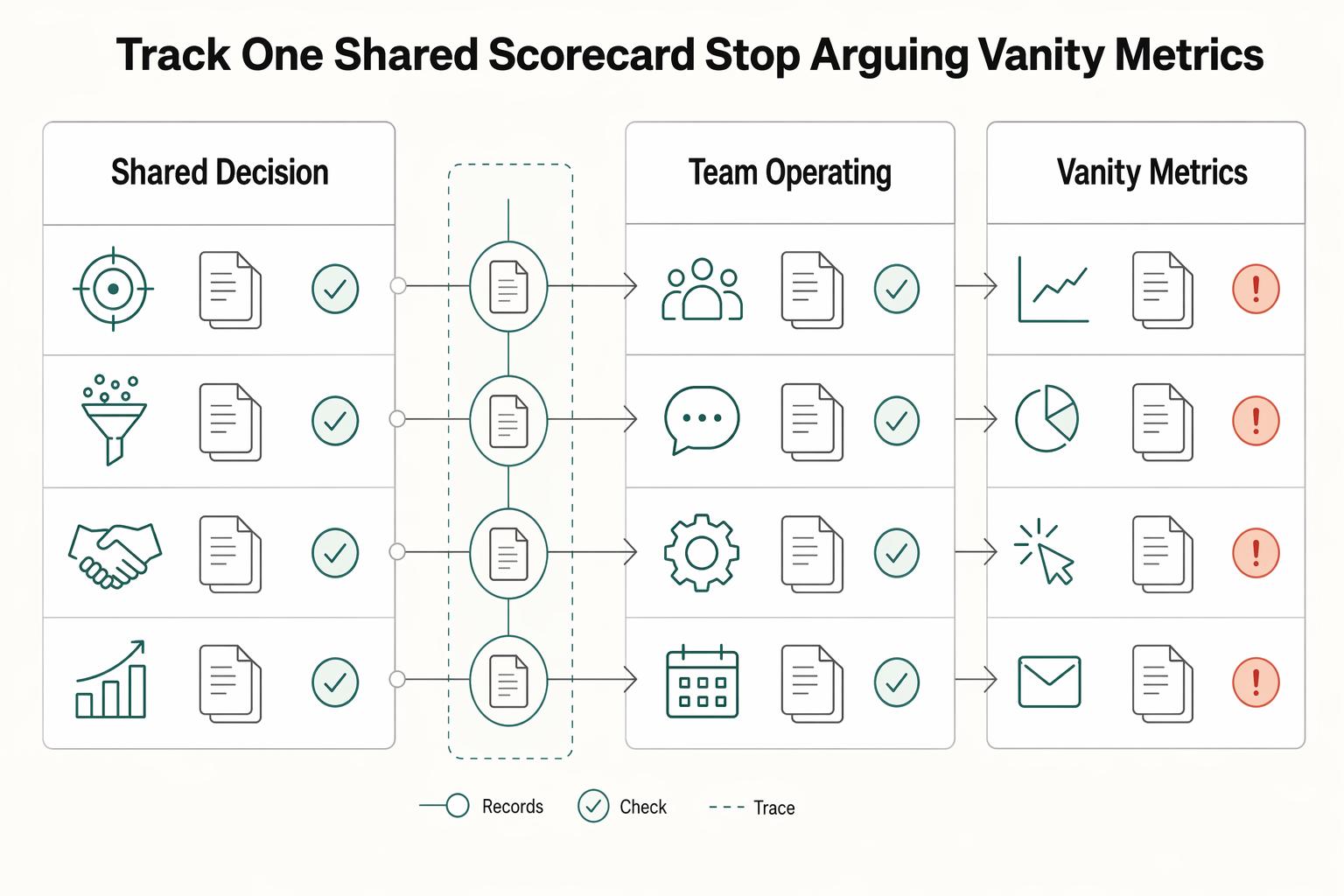
Track one shared scorecard and stop arguing from vanity metrics#
Use one shared scorecard for decisions, then use team metrics only for diagnosis. If sales and marketing are reading different reports, you will drift back to opinion and blame.
Step 1: Run one shared scorecard from shared data. Track shared pipeline metrics in one CRM-plus-marketing-automation view, so both teams can inspect the same account history and interaction trail. Keep the shared scorecard focused on joint outcomes such as MQL-to-SQL conversion, opportunity creation from accepted leads, closed-won contribution, and new subscription revenue/ARR.
Set ownership clearly: one ops/revenue owner maintains report definitions and field labels, sales keeps opportunity updates current, and marketing keeps source and campaign fields clean at creation and handoff. In weekly review, open a recent won deal, lost deal, and recycled lead, then confirm stage history, source fields, opportunity updates, and booking records tell one consistent story.
| Metric group | Examples | Use this for | Don't use this for |
|---|---|---|---|
| Shared decision metrics | MQL-to-SQL conversion, opportunity creation, closed-won contribution, new subscription revenue/ARR | Weekly joint decisions on qualification, handoff quality, and pipeline health | Isolating one rep, one campaign, or one channel owner |
| Team operating metrics | Reply rate, meeting-set rate, form conversion rate, rep activity volume | Local troubleshooting after a shared metric changes | Claiming revenue impact on their own |
| Vanity metrics | Raw lead volume, impressions, traffic, call count without outcome context | Monitoring reach/activity spikes | Budget, routing, or lead-quality decisions |
Step 2: Apply one quality-vs-volume rule. If lead volume rises while conversion quality or downstream revenue signals weaken, fix qualification and handoff before increasing top-of-funnel activity. Review accepted and rejected records, check structured reasons, and compare those records with opportunity updates before you scale campaigns.
Step 3: Make attribution disputes resolvable from fields, not opinions. Label attribution inputs by evidence strength (measured, self-reported, inferred) in your fields, then create matching report views. Use measured views for hard decision moments, and broader views for directional context. That keeps debates anchored to traceable records instead of interpretation.
Run a weekly operating cadence and a monthly reset#
Use a two-level cadence: weekly for one concrete process decision, monthly for fit and quality checks before you scale channels. If you cannot tie each decision to a visible CRM field, filter, or dashboard tile, you are managing by opinion instead of evidence.
Step 1 Run a weekly decision loop#
Keep the weekly review tight and repeatable: check the shared scorecard, inspect SLA misses and rejection patterns, decide one fix, and define exactly how you will verify impact next week.
| Cadence step | What you review | Decision output | Owner handoff |
|---|---|---|---|
| Weekly scorecard check | Shared pipeline movement in your CRM + marketing automation view | Select one change worth investigation | RevOps confirms definitions and pulls sample records |
| Weekly SLA + rejection review | Missed follow-up and structured reasons across accepted/rejected records | Approve one process fix (routing, criteria, required fields, or source rules) | Sales or marketing owner updates the live rule/field |
| Weekly verification setup | The exact field, filter, or dashboard tile tied to that fix | Lock next-week pass/fail check | RevOps logs action and keeps reporting comparable |
Your control question each week: can both teams inspect the same complete interaction history? If not, fix that first.
Step 2 Use the monthly reset as a fit-and-quality gate#
Run the monthly reset as a quality gate before additional channel spend. Review source-to-stage conversion patterns, rejection reasons, and small accepted/rejected record samples by channel to test whether fit is improving or drifting. If volume rises while acceptance quality or downstream opportunity creation weakens, hold scaling and correct qualification or handoff first.
Step 3 Put RevOps in charge of control hygiene#
Assign one RevOps owner to control definition changes, reporting hygiene, and action tracking. This is your control layer: silent edits to stage labels, source taxonomy, or dashboard logic can break month-over-month comparability even when the meeting cadence looks disciplined.
This pairs well with our guide on How Solo SaaS Operators Use RevOps to Stabilize Revenue.
Fix the mistakes that keep small SaaS teams stuck#
You will not fix misalignment with more software if ownership, CRM habits, and measurement are still loose. Treat this as an operating-discipline problem first, because these mistakes compound over time.
Step 1 Check ownership before you change software#
Treat RevOps as a capability, even if one person carries it. Before you add tools, confirm one owner can quickly show three things in the CRM: current stage and qualification definitions, where SLA misses are logged, and the active rejection-reason list.
Use this ownership check:
- who approves definition changes for stages and qualification
- where missed follow-up or SLA exceptions are logged
- how rejection reasons are updated, retired, and kept visible in records
If any of this lives in chat threads, private docs, or stale spreadsheets, your process is drifting. Spot-check one accepted lead and one rejected lead to confirm both records show consistent fields, history, and reason labels.
Step 2 Keep only the checkpoints your team will actually use#
Keep the light process that protects handoff quality, and cut anything that makes daily CRM use worse.
| Must-keep checkpoints | Enterprise overhead to avoid |
|---|---|
| One shared definition for key stages | Team-specific stage meanings that conflict |
| One visible CRM log for SLA misses | Side trackers reps do not use daily |
| Structured rejection reasons in CRM | Free-text reasons you cannot review reliably |
| Revenue-system measurement | Channel-only reporting that can "win the click but lose the buyer" |
If your dashboard shows activity but not clear movement toward revenue outcomes, you are measuring a channel, not the system.
Step 3 Hold motion steady for one review cycle#
Do not change ICP, handoff rules, and messaging at the same time and judge results immediately. Hold those core choices steady for one full review cycle, then evaluate outcomes. If results are weak, fix execution before you change strategy again.
After ownership, process, and measurement are stable, optional deeper reading on tooling is here: How to Use HubSpot for Sales Pipeline Management.
We covered a related operating model in Channel Sales for SaaS Without Losing Control.
Use this 30-day checklist to launch your alignment cadence#
Use this month as a launch framework, not proof of full alignment. Your goal is to make decisions from CRM evidence and a shared dashboard, not from memory or activity volume.
| Phase goal | Required CRM artifacts | Decision checkpoint | Owner |
|---|---|---|---|
| Define | 3-5 persona records, ICP notes, written MQL/SQL entry rules, one exception owner | Can one person open a lead and explain fit, qualification reason, and next owner/action without extra context? | One accountable revenue owner |
| Instrument | Required handoff fields, acceptance/rejection reasons, owner, next action date, cadence notes, shared dashboard | Do accepted and rejected leads show the same core fields and history trail? | CRM owner with sales and marketing leads |
| Review | Recurring sample of accepted/rejected handoffs, SLA miss log, rejection pattern notes, joint-metric dashboard views | Can you show repeat issues with record evidence, not opinions? | Sales lead and marketing lead |
| Adjust | Updated stage rules, persona filters, routing logic, cadence updates, documented compliance rules | Did one specific change reduce rejections, stale leads, or unclear ownership in the next review cycle? | Same accountable revenue owner |
-
Define. Start with personas before sequence design. For each persona, capture typical budget, decision timeline, communication style, and top challenges, then set a measurable goal for each persona and cadence. Keep goals concrete, for example
15 discovery calls per monthwith SaaS companies in the$1-10 million annuallyband, not vague volume goals. -
Instrument. Build the evidence layer in your CRM before pushing speed. Each routed lead should show stage, owner, qualification reason, acceptance/rejection reason, and next action date. For outreach, document the planned multi-channel pattern;
8-12steps across about15-21 dayscan be a starting structure, then adjust based on results. -
Review. Compare a small set of accepted and rejected handoffs side by side. Keep the shared dashboard centered on joint outcomes, such as conversion and progression quality, rather than raw activity counts. If outreach is unstructured, expect wasted time and budget with weak handoff quality.
-
Adjust. Change one thing at a time and write it back into CRM rules. Tighten persona filters when rejection patterns show poor fit, fix routing when leads stall, and add compliance rules directly into cadence setup when they apply.
If HubSpot is your stack, use this as your implementation handoff: map written lifecycle-stage rules to the stages you run, require key handoff properties at stage changes, and build shared views for accepted, rejected, and stale handoffs. For deeper setup, use How to Use HubSpot for Sales Pipeline Management.
For a step-by-step walkthrough, see How to Create a Sales Playbook for Your SaaS Team.
Frequently Asked Questions
What does sales and marketing alignment mean in a SaaS business?
It means your teams use shared ICP and qualification definitions, align on revenue-focused KPIs, and rely on connected systems so handoffs are checkable in the CRM. You do not have real alignment if marketing marks a lead qualified, sales rejects it, and nobody can explain the rule behind either decision. A quick check is to review one accepted lead and one rejected lead and confirm both are evaluated against the same definitions and clearly show ownership and outcome reasons.
What are the first five actions to align sales and marketing in a small SaaS team?
Start by agreeing on shared ICP, MQL, and SQL definitions. Set a weekly cross-team sync, use a unified dashboard, and track shared outcome metrics like MQL-to-SQL progression, pipeline velocity, and revenue contribution instead of volume-only targets. Then make sure reporting connects lead source activity through to closed revenue so both teams are working from the same system view. Your verification step is simple: one person should be able to open the CRM and dashboard and explain current definitions, recent acceptance or rejection patterns, and what changed after the last sync.
How should we define MQL and SQL so handoffs are consistent?
Define MQL and SQL as explicit entry and exit rules both teams agree on, not loose labels like "engaged" or "hot." If sales and marketing disagree on lead quality, stop debating in general terms and review a small batch of recent accepted and rejected leads together. Rewrite the rule in plain language until both sides can apply it the same way. The checkpoint is whether a rep can open a new handoff and quickly see why it qualified now, who owns the next action, and why it was rejected if it comes back.
Which KPIs should both teams share, and which should stay team-specific?
Use shared KPIs for outcomes that require joint behavior, such as MQL-to-SQL conversion, pipeline velocity, and closed-won revenue contribution. Team-level activity metrics can still help local execution, but they should not override shared outcome metrics. If a volume target starts hurting qualification quality, treat that as a warning and check whether MQL-to-SQL conversion is dropping because sales input is missing from qualification decisions.
How often should sales and marketing meet, and what should that meeting cover?
Weekly syncs are a practical baseline if you want issues to surface before they compound. Keep the agenda tight: accepted versus rejected leads, qualification disputes, dashboard signals, and what changed in messaging or channel mix. You know the meeting is useful when it ends with one concrete correction to definitions, routing, or reporting, not just commentary.
What is the difference between Revenue Operations and sales marketing alignment?
Alignment is the day-to-day working agreement between sales and marketing on definitions, handoffs, and shared outcomes. RevOps is often used as the broader operating layer that maintains consistent definitions, systems, and reporting across the revenue process. In smaller teams, you can start with alignment first and assign clear ownership for maintaining definitions, dashboards, and exception handling as you grow.
How can we improve lead handoff quality without buying a complex tech stack?
Start inside the CRM and reporting tools you already use. Make sure each handoff clearly shows qualification context, ownership, and next-step outcome, then review a sample in your weekly sync. A common failure mode is attribution blind spots, where leads move forward but the journey is not clear enough for sales follow-up. If that is happening, prioritize cleaner tracking and connected reporting from lead source or ad click through to closed revenue.
Try a related tool
Researched and edited by the Gruv editorial team. Gruv builds cross-border billing, payouts, and finance-operations software for global businesses.
Sources
Includes 8 external sources outside the trusted-domain allowlist.
- automationstrategists.com/blog/crm-migration-checklistexternal
- averi.ai/guides/how-to-scale-your-marketing-without-h...external
- demandbase.com/blog/saas-sales-operational-cadenceexternal
- directiveconsulting.com/blog/blog-saas-seo-mistakesexternal
- factors.ai/blog/customer-profiling-and-segmentationexternal
- fullcast.com/content/how-to-use-ai-lead-scoring-to-improv...external
- highspot.com/en-gb/blog/sales-and-marketing-alignmentexternal
- improvado.io/blog/sales-and-marketing-alignmentexternal
Educational content only. Not legal, tax, or financial advice.
Related Posts

Digital Nomad Health Insurance Comparison for Long-Stay Moves
Use focused time now to avoid expensive mistakes later. Start with a practical `digital nomad health insurance comparison`, then map your route in [Gruv's visa planner](/tools/visa-for-digital-nomads) so we anchor policy checks to your real plan before pricing pages pull you off course.

Build a Freelance Sales Funnel You Can Run in One Hour a Week
Start smaller than you want. Your freelance sales funnel should survive a normal delivery week, not a rare week when you happen to have extra energy. If you cannot maintain it without pushing client work aside, it is not usable yet.
How to Use HubSpot for Sales Pipeline Management
HubSpot can feel like overkill if you set it up as though you are running a sales team. For a business of one, the real question is simpler: do you need tighter control over follow-up and client records, or will a bigger tool mostly add admin you will not maintain?