
Quick Answer
Yes, use an ai co-pilot for freelancer burnout as a tiered operating system, not a generic assistant. Keep Tier 1 for admin drafts, Tier 2 for scope and pricing support, and Tier 3 for compliance monitoring. Then set hard review checkpoints for the IRS substantial presence test (31-day and 183-day counts) and FBAR filing exposure ($10,000 aggregate value, April 15 due date, automatic extension to October 15). Final approval stays with you.
--- You've built a successful Business-of-One. Clients across continents want your expertise, you charge premium rates, and you control your own schedule. By the usual measures, you're doing well. So why are you still so exhausted?
Often, the client work itself is not the problem. It is the constant, unbilled second job of acting as your own CFO, legal counsel, and global compliance officer. That low-level anxiety wears down even experienced solo operators.
Most advice misses this. It focuses on shaving a few minutes off email or meetings while ignoring what wakes you up at 3 a.m.: one expensive compliance mistake. One miscount of your physical presence days, one incorrectly formatted international invoice, or one missed foreign bank account disclosure can create serious consequences. A non-willful failure to file a Foreign Bank and Financial Accounts (FBAR) report, for instance, carries a penalty of up to $10,000 per violation.
So this is not mainly a productivity problem. It is a structural risk problem, and standard tools are mostly silent where the stakes are highest. The shift that matters is not from manual work to faster work. It is from automating tasks to automating safety.
This article lays out a 3-tier framework for turning AI from a simple assistant into something closer to a Chief Risk Officer. The goal is not just to save time. It is to reduce the compliance and financial risks that consume your attention, so you can run your business with more focus and less background stress.
Decide what AI automates, what it supports, and what you own#
If you feel exhausted even when client delivery is on track, the pressure may be unmanaged operational risk, not just raw output. This 3-tier framework helps you decide what AI should automate, what it should support, and what you still need to own.
A useful AI setup under burnout pressure is not one all-purpose tool. It is a way to triage work, protect margin, and control risk.
| Tier | Scope | Typical tools | Decision ownership | Failure impact | Escalate when |
|---|---|---|---|---|---|
| Tier 1 | Repetitive admin | General AI assistants, schedulers, inbox/text helpers | You spot-check outputs | Low: mostly time loss, minor rework | The task starts affecting money, client terms, or filing deadlines |
| Tier 2 | Revenue and delivery choices | AI drafting + spreadsheets, proposal analysis, forecasting support | You make final calls | Medium: margin loss, scope creep, client friction | Gains are inconsistent, quality drops, or judgment matters more than speed |
| Tier 3 | Compliance, legal, and threshold monitoring | Compliance-focused tools, rules-based trackers, documented review workflows | You retain ownership, often with advisor input | High: missed filings, penalties, residency/tax exposure | A rule, threshold, jurisdiction, or source document is unclear |
Apply it in 3 steps#
Start with the stress loops that keep resurfacing, then assign each one to the lowest tier that can handle it safely.
- List your five most common stress loops from the last 90 days using plain labels such as "cross-border invoice errors," "tax day counts," or "late proposal follow-up." If a pain point includes a legal threshold, due date, or government rule, start it in Tier 3.
- Map each pain point to the lowest tier that can handle it safely. Put routine, repeatable tasks in Tier 1. Keep judgment-heavy work in Tier 2, where AI gains can vary and quality tradeoffs can appear. Keep high-stakes items in Tier 3, where you still own the decision.
- Assign one concrete workflow per tier. For example, use Tier 1 for meeting notes or invoice drafts, Tier 2 for proposal review, and Tier 3 for monthly threshold checks. For Tier 3, verify exact triggers and dates, including the IRS substantial presence test (31 days and 183 days) and FBAR thresholds and deadlines ($10,000 aggregate account value, April 15 due date, automatic extension to October 15).
If your setup creates extra review loops or duplicate entry, simplify it. The next three sections break down each tier as an implementation layer, moving from admin relief to margin protection to risk control.
If you want a deeper dive, read How Freelancers Use AI Without Scope, Compliance, or Payment Chaos.
Tier 1: The AI Intern - Automating the "Admin Tax"#
Use Tier 1 to reduce daily admin drag, not to make judgment calls. Keep it to repeatable tasks that you can review quickly before anything goes out. If a task can affect money, scope, terms, or client commitments, move it out of this tier. This layer is for handing off repeatable work so your attention stays available for client delivery and human judgment.
| Use case | Input | Output | Manual review |
|---|---|---|---|
| Draft email replies | Full thread, your goal, and 2-3 rules such as tone, deadline, and whether to confirm, decline, or ask a question | A short reply draft plus a one-line summary of the ask | Names, dates, deliverables, attachments, and any sentence that sounds more certain than you intend |
| Propose scheduling options | Availability window, meeting length, time zone, and no-book blocks | Three plain-language time options you can paste into a client message | Time zone conversion, meeting length, date format, and conflicts with travel days or holidays |
| Turn meetings into follow-through | Transcript or notes from the meeting | A short recap with decisions, action items, owners, and due dates you can send quickly | Every owner and due date against your notes |
| Mode | Typical time demand | Typical error risk | Attention load |
|---|---|---|---|
| Manual workflow | Highest | Lower when you are focused, but inconsistency can rise when tired | Highest because you draft, schedule, and track everything yourself |
| AI-assisted workflow | Lower | Moderate, because polished drafts can miss context | Lower if you review before sending |
| Fully automated workflow | Lowest upfront | Highest for client-facing mistakes, missed nuance, and wrong assumptions | Lowest daily, but cleanup can spike |
Draft email replies. Use AI here as a first drafter, not a closer.
Input: full thread, your goal, and 2-3 rules such as tone, deadline, and whether to confirm, decline, or ask a question. Output: a short reply draft plus a one-line summary of the ask. Manual review before sending: names, dates, deliverables, attachments, and any sentence that sounds more certain than you intend. If the email touches fees, scope, legal terms, or commitments, rewrite it yourself.
Propose scheduling options. This is a good automation fit because the work is repetitive and easy to verify.
Input: availability window, meeting length, time zone, and no-book blocks. Output: three plain-language time options you can paste into a client message. Manual review before sending: time zone conversion, meeting length, date format, and conflicts with travel days or holidays. Polished scheduling text can still be technically wrong.
Turn meetings into follow-through. Use AI to turn messy notes into a clean recap, then check the details before anything is sent.
Input: transcript or notes from the meeting. Output: a short recap with decisions, action items, owners, and due dates you can send quickly. Manual review before sending: every owner and due date against your notes. If the transcript is messy or scope changed during the meeting, do a full manual pass.
Set intern operating rules. Keep the checklist short:
- Approved tasks: email drafts, calendar options, meeting recaps, note cleanup
- Review checkpoints: names, numbers, dates, attachments, owners, due dates
- Escalation triggers: pricing, contracts, scope changes, conflict, ambiguity, or missing context
- Governance rule: use approved accounts only so convenience does not become Shadow AI risk
Run a weekly check on what you delegated, what needed fixing, and what should not be automated. Track those fixes over time so you can see which tasks are worth keeping here. Tier 1 should lower friction and free mental bandwidth. Margin protection and compliance risk belong in the next tiers.
This pairs well with our guide on Choosing Embedded Finance for Freelance Platforms With an Operations-First Scorecard.
Tier 2: The AI Manager - Automating Profit & Workflow#
Once daily admin is under control, the next problem is margin leakage. Tier 2 is where you protect revenue by tightening scope control, pricing, and cash follow-through.
| Workflow | Input | AI output | Human decision |
|---|---|---|---|
| Scope control before work starts | Your proposal or SOW, recent client emails, meeting notes, and examples of past requests that became unpaid work | Unclear language to fix, likely change requests, and a short approval note covering deliverables, timeline, and fee impact | Whether the request is in scope, what it costs, and whether work pauses until approval is documented |
| Standardize pricing logic | Cost floor, target utilization, effort range, complexity, client industry, urgency, demand signals, known alternatives or competition, and recent win-loss notes | Price range, explicit assumptions, and a fallback reduced-scope option if price is challenged | Anchor price, minimum acceptable price, and allowed concessions |
| Post-invoice finance ops | Invoice amount, issue date, due date, payment method, billing contact, payment status, and reserve rules | Reminder drafts by aging stage, paid and overdue lists, reconciliation suggestions, and prompts to record payments and reserves | When to send reminders, when to pause work, and when a case needs a tailored human message |
Track this tier in your weekly operating metrics: unpaid scope changes, quote consistency, overdue invoices, and after-hours rework on money decisions.
Run this tier in order. Tighten contract change handling first, standardize pricing logic second, then automate post-invoice finance operations. If you automate collections before scope and pricing are controlled, you may collect faster on weak deals.
Tighten scope control before work starts. Use AI to flag scope risk before work begins.
Input: your proposal or SOW, recent client emails, meeting notes, and examples of past requests that became unpaid work. AI output: unclear language to fix, likely change requests, and a short approval note covering deliverables, timeline, and fee impact. Human decision: whether the request is in scope, what it costs, and whether work pauses until approval is documented.
Keep one written change trail even if the request started in chat or on a call. One failure mode is letting a draft "sure, no problem" response go out before pricing the change.
If you work with EU B2B contracts, you can also check payment-term language here. Contractual periods generally should not exceed 60 calendar days unless expressly agreed and not grossly unfair. Treat that as a jurisdiction-specific check, not a global rule.
Standardize pricing logic with explicit inputs. Your pricing gets more defensible when every quote uses the same input structure.
Input: cost floor, target utilization, effort range, complexity, client industry, urgency, demand signals, known alternatives or competition, and recent win-loss notes. AI output: price range, explicit assumptions, and a fallback reduced-scope option if price is challenged. Human decision: anchor price, minimum acceptable price, and allowed concessions.
If the recommendation cannot show assumptions, do not use it in a live quote.
| Pricing dimension | Guess-based pricing | Evidence-based pricing |
|---|---|---|
| Inputs | Last rate, intuition, perceived client budget | Cost, demand, competition/alternatives, complexity, capacity, win-loss history |
| Negotiation posture | Easier to discount because rationale is thin | Stronger rationale; clearer scope/price trade-offs |
| Margin protection | Hidden effort and revision risk often go unpriced | Assumptions and scope boundaries are explicit before commitment |
| Review cadence | Ad hoc, usually after a bad outcome | Scheduled weekly/monthly review vs close rate and realized margin |
| Benchmark targets | Not defined | Set team baseline and update after validation |
If you need a deeper reset, Value-Based Pricing: A Freelancer's Guide complements this step.
Automate post-invoice finance ops. After scope and pricing are stable, automate the follow-through on cash operations.
Input: invoice amount, issue date, due date, payment method, billing contact, payment status, and reserve rules. AI output: reminder drafts by aging stage, paid and overdue lists, reconciliation suggestions, and prompts to record payments and reserves. Human decision: when to send reminders, when to pause work, and when a case needs a tailored human message.
Weekly verification should reconcile sent, due, overdue, and paid invoices with your accounting records. Keep a clear record trail: invoice, reminder history, payment confirmation, and bookkeeping entry. A failure mode to watch is silent automation that duplicates reminders, misses failed links, or records payment without a matching invoice.
Add lightweight governance so profit gains do not create new risk. Keep governance simple but explicit. AI can draft, but it should not approve contract changes. It can recommend prices, but it should not send quotes unsupervised. It can draft collections messages, but it should not send service-pause language without review.
Define exceptions up front. Missing inputs, disputed scope, out-of-range discounts, and payment mismatches should all route to you. For higher-stakes decisions, retain four things for auditability: input data, AI recommendation, your final decision, and a short accept or override reason.
Watch workload signals too. AI can improve productivity in some settings, but it can also increase work intensity. If your exception queue or evening review load starts climbing, narrow the use cases until oversight is sustainable.
Related: A Freelancer's Guide to Dealing with Burnout.
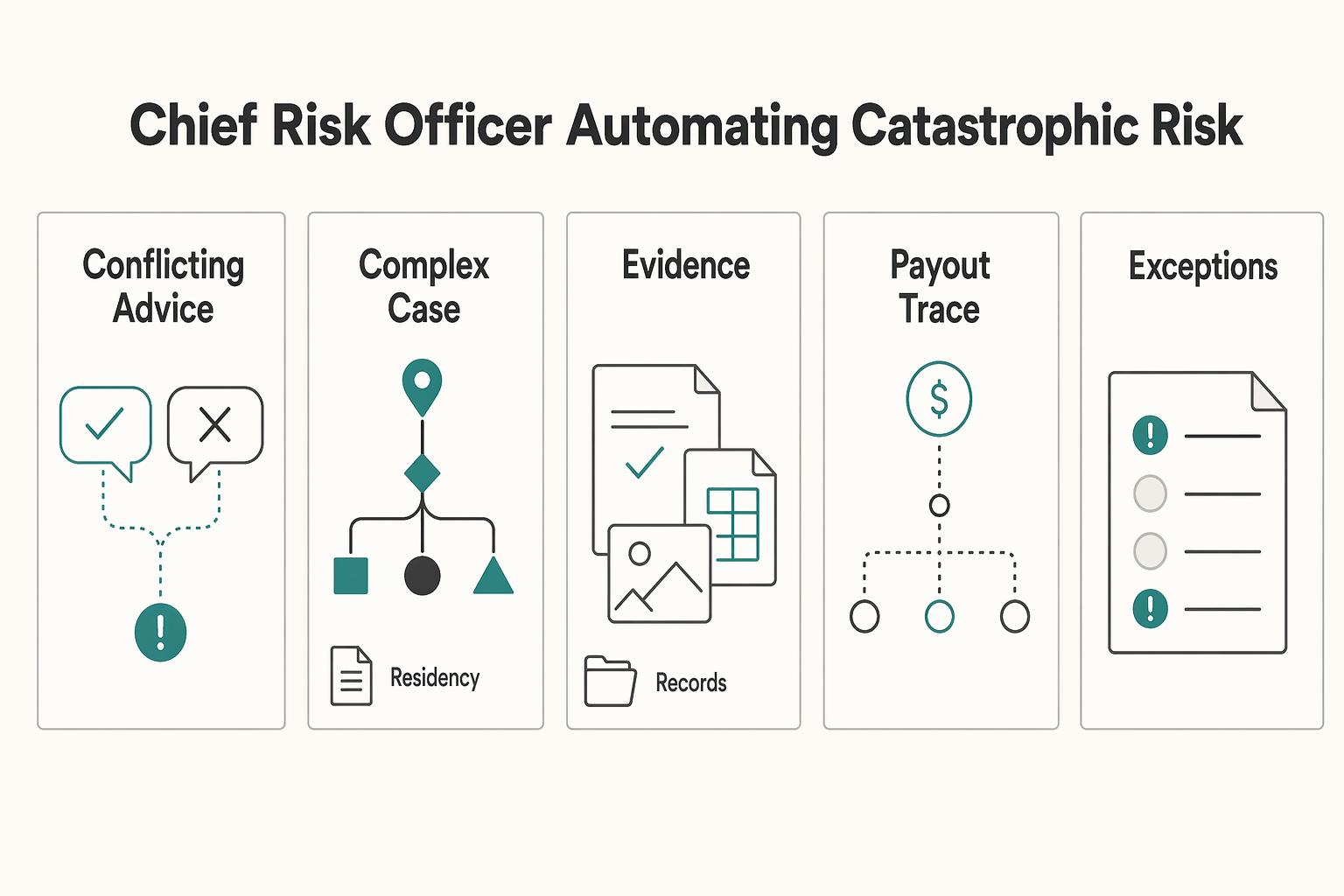
Tier 3: The AI Chief Risk Officer - Automating Catastrophic Risk#
This tier is for catching high-impact compliance risk early. It does not replace legal or tax judgment. Use it for structured monitoring, evidence-based alerts, and clear escalation when human review is required.
| Monitoring block | Data inputs | Alert types | Human review |
|---|---|---|---|
| Monitor residency exposure | Travel calendar, entry or exit records where available, booking records, and advisor-approved monitoring rules | Approaching threshold, missing trip evidence, conflicting travel records | Verify the day count, confirm the current rule version, then decide whether to adjust plans or escalate to a licensed advisor |
| Check cross-border invoicing before sending | Client legal details, client country or tax status on file, service type, currency, your entity details, and invoice draft | Ready, blocked, or needs evidence | Confirm client and tax details from records, approve or correct the draft, then send |
| Oversee tax-reporting exposure | Bookkeeping balances, bank or payment account summaries, ownership or entity details, advisor-provided reporting categories | Early warning for an approaching threshold or unclassified account; action required for a possible crossing, missing statement, or inconsistent records | Confirm balances and statements, then escalate to a licensed tax advisor when a filing duty may exist |
Before you start, keep the setup narrow and explicit so outputs stay reliable over time.
- Trusted inputs only: travel or calendar records, invoice and client records, bookkeeping or account summaries, and advisor-approved rules
- Jurisdiction limits: monitor only named countries or regimes you actively operate in, and mark the rest out of scope
- Event-driven triggers: run checks on new trips, new clients, new invoices, and month-end close instead of relying on one long prompt
- Auditability gate: if an alert cannot show the source record that triggered it, do not act on it
| Monitoring approach | Reliability expectations | Audit trail quality | Escalation readiness |
|---|---|---|---|
| Manual monitoring | Depends on your consistency and process discipline | Often thin unless you document every check | Can become late and reactive |
| Generic AI | Fast for drafting and summarizing, but output quality can drift without strict controls | Inconsistent traceability and reasoning detail | Weak unless you enforce structured evidence capture |
| Compliance-first AI | Better fit for repeatable checks when approved rules and controls are explicit | Strong when logs include inputs, rule version, alert, and your decision | Stronger because exceptions can be routed with evidence |
Monitor residency exposure. Use this block to track presence risk, not to ask AI for final legal conclusions.
- Data inputs: travel calendar, entry or exit records where available, booking records, and advisor-approved monitoring rules
- Rule checks: compute day counts from trusted records and compare them to maintained rules. Current residency threshold pending official/source-record verification.
- Alert types: approaching threshold, missing trip evidence, conflicting travel records
- Human review action: verify the day count, confirm the current rule version, then decide whether to adjust plans or escalate to a licensed advisor
Check cross-border invoicing before sending. Use it to catch invoice mistakes before they turn into compliance or payment problems.
- Data inputs: client legal details, client country or tax status on file, service type, currency, your entity details, and invoice draft
- Rule checks: validate required fields against your maintained rule set. Current invoicing rule requirement pending official/source-record verification.
- Alert types: ready, blocked, or needs evidence
- Human review action: confirm client and tax details from records, approve or correct the draft, then send
Oversee tax-reporting exposure. Use this block for ongoing threshold and category monitoring, plus missing-document detection.
- Data inputs: bookkeeping balances, bank or payment account summaries, ownership or entity details, advisor-provided reporting categories
- Rule checks: monitor totals, account types, categories, and document completeness against approved rules. Current tax reporting threshold pending official/source-record verification.
- Alert types: early warning for an approaching threshold or unclassified account, versus action required for a possible crossing, missing statement, or inconsistent records
- Human review action: confirm balances and statements, then escalate to a licensed tax advisor when a filing duty may exist
Keep governance lightweight and repeatable. The process should be boring on purpose:
- Review source connections monthly and after any change to banking, booking, invoicing, or accounting tools
- Keep each rule set scoped to named jurisdictions you actively use
- Re-verify monitored thresholds and invoicing rules on a fixed cadence, for example quarterly, and when your advisor flags a change
- Escalate when you see a possible threshold crossing, conflicting records, a new jurisdiction, or any rule the system cannot tie to a verified source
Tier 3 exists to help you stay ahead of risk with evidence, then make faster, better-informed human decisions.
We covered this in detail in A Freelancer's Guide to Occam's Razor for Problem-Solving.
Before you automate anything else, run your next 12 months of travel through the Tax Residency Tracker. That can help you spot residency-threshold risk before you book.
The Trust Deficit: Why a Generic AI is a Liability#
If a tool cannot earn your trust, it should not drive your compliance decisions. For high-stakes work, trust means inspectable evidence and clear limits, not a fluent answer.
Demand verifiable support. A polished answer with links is not enough for filing, classification, or cross-border questions. Model providers explicitly warn that outputs can be wrong, misleading, or missing sources, and should be treated as drafts that you verify before acting.
So when you ask, "Do I need to file this?" or "Is this invoice compliant for this client country?", require more than a conclusion. You need the source record, the rule version, jurisdiction scope, and confidence limits. Without that, you cannot verify the answer before you act.
Test real compliance failure modes. Generic AI can break on multi-condition decisions because it may oversimplify them.
- It can miss filing triggers by skipping key conditions. For example, FBAR uses an aggregate foreign-account test over $10,000 at any point in the year, with timing tied to April 15 and automatic extension to October 15.
- It can misclassify obligations when a rule is multi-factor. U.S. worker-classification analysis is based on the totality of circumstances, not one shortcut factor.
- It can give stale guidance if rule updates are not maintained. U.S. DOL rule context changed in 2024 and again with a 2026 NPRM, so update discipline is not optional.
| Evaluation point | Generic AI | Compliance-First AI to look for |
|---|---|---|
| Source transparency | May answer without sources, or with sources that still need manual checking | Ties each output to the triggering record and maintained rule |
| Update discipline | May not reflect current rule context | Shows jurisdiction scope, rule version, and last review date |
| Audit trail | May be limited to chat history unless additional logging is configured | Logs inputs, rule applied, alert, timestamp, and decision outcome |
| Escalation to human expert | May stop at an answer unless a review workflow is enforced | Flags uncertainty and routes edge cases to a qualified reviewer |
| Fit for high-stakes decisions | Useful for drafting/summarizing, with verification before action | Better for monitored pre-checks, with human approval before action |
Require oversight and override. For risk workflows, your setup should support supervision and override from the start. A practical test is to trace one alert end to end: trigger, applied rule, timestamp, reviewer action, and final disposition. If that evidence cannot be produced quickly, do not treat the output as decision-ready.
Vet before trust. Before trusting any co-pilot with compliance-sensitive tasks, confirm:
- It shows the exact source record behind each alert
- It states jurisdiction, rule version, and last review date
- You can override outputs and escalate to a qualified human
- It keeps usable logs beyond a chat transcript
- Important outputs are verified before action
AI can assist, but qualified humans still approve.
You might also find this useful: How Much Should a Freelancer Save for Taxes? A Monthly Reserve Rule and Quarterly True-Ups.
Conclusion: Scope each tool, set checkpoints, keep human sign-off#
If you want less operational stress, do not ask one tool to do every job. Set a clear 3-tier boundary. Use a general assistant for task support, use an embedded copilot for monitored in-context work, and require human sign-off for anything tied to filings, contracts, payments, or cross-border obligations.
Prompt-based assistants are useful for drafting, summarizing, and routine admin cleanup. Copilots are most useful when they work inside your actual process and can suggest or act with live context. For high-stakes actions, keep human-in-the-loop control so the tool drafts or flags, and you approve.
Choose the right scope for each tool. Separate work into three buckets: low-risk tasks, monitored workflow tasks, and approval-only tasks. Treat chat-style tools as assistants for notes, email drafts, invoice descriptions, and first-pass summaries. Treat embedded, context-aware tools as copilots when they connect to the systems where the work happens.
Make this a 3-5 year operating choice, not a short demo decision. Before you subscribe, confirm the exact integrations required for useful output. If those connections are weak or missing, you will still end up doing manual checks anyway.
Define review checkpoints before you automate alerts. Decide what the tool may monitor and what evidence it must show with each alert. For routine support, a rough draft can be enough. For tax, travel, reporting, billing rules, or client obligations, require each alert to point to the exact date, amount, record, or document behind it.
Two practical failure modes to watch for are output that is hard to verify against records and inconsistent response latency that breaks your flow. If a tool slows urgent decisions, move it to background checks and queued review instead of real-time control.
Keep a compact evidence pack ready: signed agreements, invoice templates, billing details, travel logs, account statements, and transaction exports. If an alert references a legal trigger, verify the current rule and threshold before acting.
Keep final approval human for high-stakes actions. For filings, contract sign-off, payment releases, tax treatment, and any action with legal exposure, require explicit approval before finalization. Copilot-style drafting can speed preparation, but approval should stay with you.
Apply the same standard to data handling. If client or financial data is involved, verify where data is processed, whether it leaves your environment, and whether it is used for training.
Choose tools by scope, set review checkpoints tied to real records, and keep human sign-off for high-stakes actions. That is how you reduce operational anxiety, protect focus, and grow more sustainably.
For a step-by-step walkthrough, see The 'AI Co-Pilot' for Global Compliance: A Product Vision.
If you want a cleaner operating setup for client billing and global money movement where supported, review Merchant of Record for freelancers.
Frequently Asked Questions
How much can AI actually do for burnout?
Use AI to reduce specific operational strain, not as a guaranteed burnout fix. In one cited study summary of around 800 developers over three-month periods, there were no meaningful improvements in pull request cycle time or throughput, and no evidence the assistant reduced burnout. For your workflow, treat an ai co-pilot for freelancer burnout as a tool for concrete checks, not broad well-being promises.
When is a generic assistant good enough, and when is it a liability?
Use a generic assistant for low-stakes drafting, note cleanup, and routine summaries. For filings, invoice compliance, travel-related obligations, or contract decisions, treat generic output as draft text only. In those cases, use a compliance-first setup with guardrails and a clear human escalation path.
Can AI help you stay ahead of tax and travel obligations?
It can help with monitoring tasks if you feed it verified records and use it for monitoring, not legal interpretation. Give it your travel logs, account records, client details, and invoice history, then have it flag threshold and filing-window checks that must be verified against official/source records before use. Each alert should point back to the exact dates, balances, or documents that triggered it.
Can it help with invoicing and bookkeeping without creating new errors?
Yes, this is a practical use case when your tools are disconnected. AI can automate cross-system handoffs, "if this happens there, do that over there," and run anomalous-information checks before accounting, reconciliation, and journal-entry stages. Start with one end-to-end invoice test and confirm that key fields stay correct in every downstream system.
What documents should you keep ready so the tool can help without guessing?
Keep a small evidence pack: signed agreements, invoice templates, billing or tax details, travel logs, account statements, and transaction exports. If you work across borders, add a simple client note with country, entity name, and payer or payee details. The less the tool has to infer from scattered chat context, the easier it is to catch false alerts and misses during review.
What usually goes wrong when freelancers hand too much to AI?
A common failure is not just a wrong answer, but a wrong answer that looks complete and gets used without review. The same cited study summary reported 41% more bugs for users of one coding assistant, which is a useful reminder that fluent output can still raise defect risk. Keep review and override steps in your process for any high-stakes decision.
How do you choose between a useful co-pilot and a stressful one?
Choose tools with guardrails, anomaly checks, usable logs, and explicit uncertainty handling. Avoid products that promise vague productivity gains but cannot show the underlying record behind an alert. Use AI safely: verify source currency, protect sensitive data, and require human review before filing or contract sign-off decisions.
Try a related tool
Researched and edited by the Gruv editorial team. Gruv builds cross-border billing, payouts, and finance-operations software for global businesses.
Sources
- acquisition.gov/far/part-43trusted
- airc.nist.gov/airmf-resources/airmf/3-sec-characteristicstrusted
- airc.nist.gov/airmf-resources/playbooktrusted
- cdc.gov/niosh/stress/about/index.htmltrusted
- dol.gov/agencies/whd/flsa/misclassification/rulemakingtrusted
- dr.lib.iastate.edu/bitstreams/867924e2-7fb6-4587-8c62-884097c23...trusted
- ecfr.gov/current/title-29/subtitle-B/chapter-V/subcha...trusted
- ftc.gov/news-events/news/press-releases/2023/04/ftc-...trusted
Educational content only. Not legal, tax, or financial advice.
Related Posts

Value-Based Pricing for Freelancers Under Real Payment Risk
Value-based pricing works when you and the client can name the business result before kickoff and agree on how progress will be judged. If that link is weak, use a tighter model first. This is not about defending one pricing philosophy over another. It is about avoiding surprises by keeping pricing, scope, delivery, and payment aligned from day one.
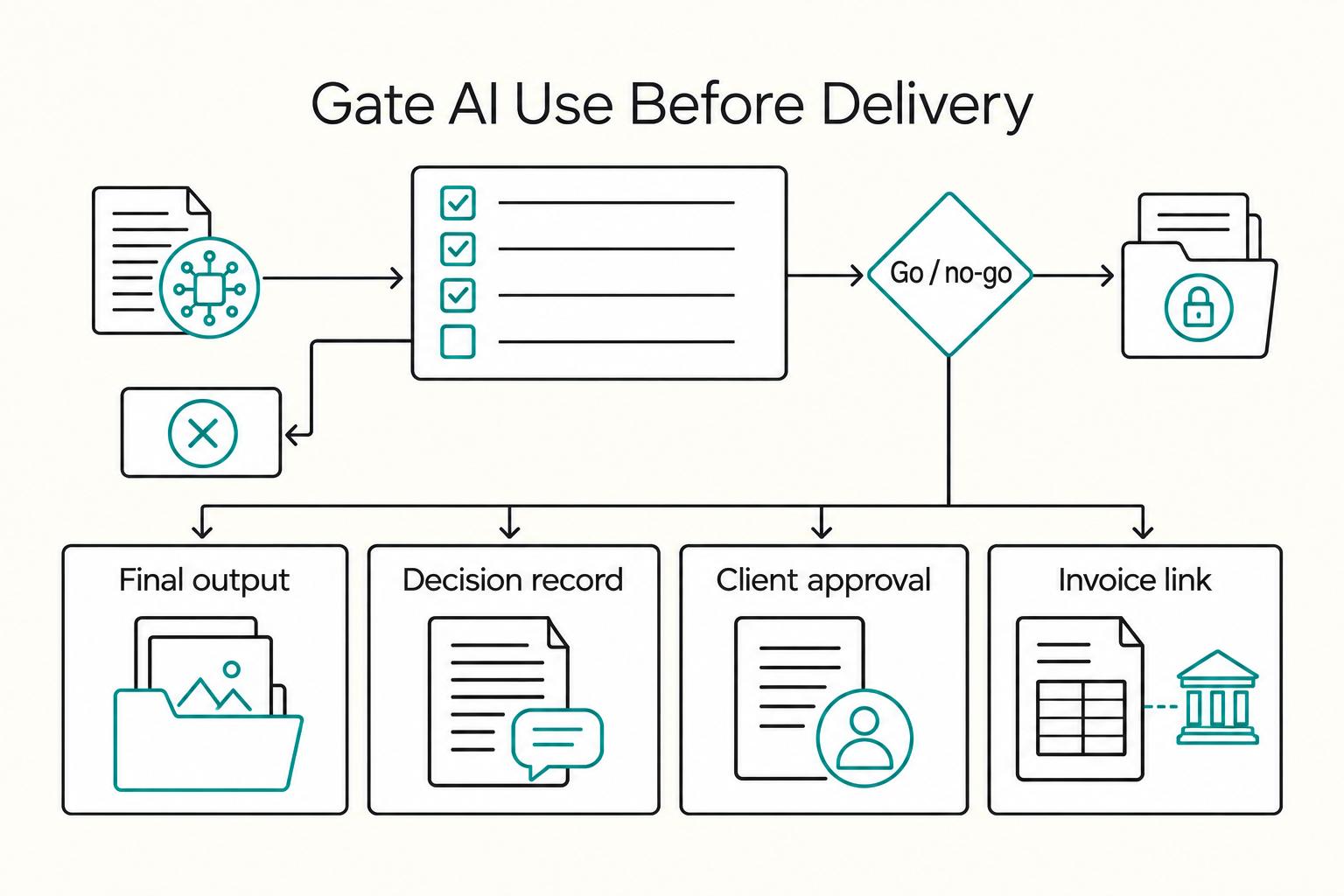
How Freelancers Use AI Without Scope, Compliance, or Payment Chaos
If you are hunting for more **AI tools for freelancers**, stop and put controls in place first. One practical setup is `Acquire -> Deliver -> Collect -> Close-out`, with each AI action checked through `Data`, `Client Policy`, `Quality`, and `Money`. If a tool has no named job, no clear data boundary, and no record you can retrieve later, it probably does not belong in your stack.

A Freelancer's Guide to Dealing with Burnout
**If you are dealing with freelance burnout, you need a better system, not another motivation speech.** Over the next 7 days, you can run a practical reset to decide what to stop, what to protect, and what to review regularly. The goal is momentum you can sustain, even when energy is low.