

Quick Answer
Use Webflow for the site and CMS, with a written SOW for deliverables, revisions, approvals and handoff. Choose the current plan against content and traffic needs, separate subscription billing from your service fee, and price new requests before building them.
Build a Webflow freelance business that runs like a system#
If you want webflow for freelance designers to pay like a business rather than a string of one-off builds, you need three things working together: a way to accept only the right projects, a repeatable delivery path, and controls for the moments when scope and risk start drifting. By the end of this guide, you should have a practical way to qualify leads faster, run one clear approval path, and reduce the chance of mid-project expansion quietly hurting your margin.
Webflow is not the missing piece on its own. The platform helps you move quickly, launch well, and build, analyze, and optimize sites from one place. The harder part is deciding what you will and will not take on, then making every client move through the same path once they say yes.
| Part | Concrete operating action | Expected outcome |
|---|---|---|
| Decision model | Check project fit before discovery: does the client want the kind of site you sell, can they handle content in Webflow CMS after launch, and are they asking for extras that push you into plugin chaos or custom work you do not want? | You decline bad-fit work earlier and spend more time on projects you can deliver cleanly. |
| Delivery playbook | Put scope in one written document, use one approval path, and define the handoff. If the site includes editable collections, make CMS ownership part of the handoff instead of an afterthought. | Fewer ambiguous requests, cleaner reviews, and a handoff the client can actually use. |
| Risk controls | Set payment timing, revision boundaries, and change approval in writing before production starts. Keep legal and compliance checks on your kickoff list, including any required forms or local thresholds you still need to verify. | Less unpaid rework, fewer invoicing surprises, and a clearer record if a dispute starts. |
A good fit check is more practical than it sounds. If the buyer needs a site they can keep updating after launch, Webflow CMS is a strong signal that the project can be maintained by the client after handoff. If the request depends on a stack of extra tools, unclear ownership, or "we'll figure out features later," that is your warning sign. Webflow's own guidance points away from design-only bottlenecks and plugin chaos. So should your process.
Here is one sequence you can follow when scope expands in the middle of a build. Say a client approved a portfolio site, then asks for "just one more" gated resource library after the homepage is already in review:
- Stop and restate the new request in writing.
- Compare it against the current scope document and approval record.
- Mark it as in scope or out of scope before any new production starts.
- If it changes timeline, price, or handoff, send a written change note and get approval.
- Only then update the build queue and next invoice.
That sequence often matters more than speed. Once you start building first and clarifying later, you can lose control of both schedule and trust.
By the end of this section, keep these outputs:
- A short project-fit checklist for discovery calls
- One scope and approval document for every build
- A change-control rule for mid-project requests
- A kickoff checklist with legal and compliance checkpoints for tax/VAT thresholds, required client tax forms, and governing jurisdiction, each verified against source records before use
You might also find this useful: A Guide to Font Licensing for Freelance Designers.
What is Webflow for freelance designers in practice?#
After your fit check, make one clear split: use Webflow for site production, and keep your business controls outside the platform. In practice, this works best when you treat Webflow as the visual builder with CMS and hosting, while you own scope, approvals, contracts, and handoff rules.
| Operating part | Platform capability (Webflow) | Business control layer (you) |
|---|---|---|
| Visual build | Build custom, responsive pages visually | Define deliverables, revision limits, and acceptance criteria in the SOW |
| CMS structure | Create collections, dynamic pages, and scalable content structure | Assign content entry ownership, approval ownership, and post-launch edit permissions |
| Publish and turnover | Host and publish the site | Complete launch-readiness checks: 301 redirects, SEO meta tags, Open Graph, image optimization, accessibility, and performance before handoff |
| Client operations | Site-plan billing handoff through client payments where eligible | Keep your design-service fee, milestones and support terms in your own agreement |
Treat Webflow as visual tooling over real HTML, CSS, and JavaScript, not a replacement for web fundamentals. You still need working judgment on box model, flexbox, grids, and class naming, or your scope decisions will drift. The common miss is simple: you quote a clean marketing site, then realize too late that CMS ownership and editable collections were never defined.
Before kickoff, keep a minimum operating stack and enforce it every time. Write the SOW, finalize the design contract, and align your site policies and intake language with how you actually collect leads and communicate. In the SOW, assign owners for content, approvals, and handoff training. If CMS ownership or launch-readiness checks are still vague, do not lock fixed pricing yet.
Pre-project checklist#
- Log the lead source and requested site type.
- Confirm project fit against your offer before discovery expands.
- Map the CMS structure and assign content-entry ownership.
- Draft the SOW with deliverables, exclusions, timeline, and approval flow.
- Finalize the design contract before production starts.
- Align intake, privacy, and communication terms with the real client journey so trust and compliance expectations are clear.
Related: The Best Website Builders for Freelancers.
Is Webflow the right foundation for your business model?#
Use a pre-discovery yes/no screen and decide before the call: yes (Webflow-first), yes with boundaries (hybrid), or not yet. The decision is usually clear when you test project scope, skill coverage, and acceptance of scope controls up front.
Webflow is positioned for custom, scalable websites without writing code, so it is strongest when the first release is a site and CMS workflow. It is weaker when buyers expect open-ended app behavior or undefined technical work inside one fixed proposal.
| Scenario | Best match | Delivery risk | Handoff complexity | Support burden |
|---|---|---|---|---|
| Webflow-first | Site and CMS delivery with clear ownership and approvals | Lower when scope and ownership are defined before build | Manageable with one documented handoff path | More predictable when post-launch work stays in agreed scope |
| Hybrid stack | Webflow for the public site/CMS, with separate specialists for app logic or other specialized work | Medium if phase boundaries are documented | Higher because ownership spans multiple delivery layers | Shared across named owners, so responsibilities must be explicit |
| Not a fit right now | Buyer wants one team/tool to absorb undefined technical exceptions and ongoing custom requests | High while scope is still moving | High when approval and ownership paths are unclear | High until engagement structure is reset |
If React-heavy features or server-dependent behavior are likely, do not treat Webflow as the entire delivery scope by default. Scope Webflow as the marketing/CMS layer, then define app logic as a separate phase with separate assumptions, estimates, and signoff.
Paste this into intake#
- Is the first release primarily a website rather than an application?
- Does the client want editable CMS content after launch?
- Are required skills covered now by you or named specialists, including copywriting where needed?
- Will the client accept fixed deliverables, revision limits, and paid change orders for new requests?
- If custom app logic appears, will they accept a separate phase or technical partner?
- Is there one decision-maker or a named approval path?
- Who owns the Webflow account, and who accepts the required Privacy Policy and Terms of Service at signup?
- If this is enterprise-oriented, is the buyer ready for a contact-sales route and longer internal approvals?
If scope controls, ownership, or technical boundaries are still a no, pause before fixed pricing.
Route legal and contract risk before proposal#
Run one contract-routing check before you send numbers: contracting entity, authorized signer, invoicing entity, governing law, dispute venue or jurisdiction, privacy/data terms, and production-account ownership at launch. Verify governing law, venue, jurisdiction, and privacy/data documents from contract source records before use. If any item is unknown, route it for legal review before proposal.
Enterprise signals matter here. Webflow uses a separate contact-sales path for enterprise-oriented buyers, which often means more stakeholders and internal teams. In that case, position yourself as an external specialist within a defined scope, not automatically as the sole end-to-end owner.
Keep one qualification file per lead: intake answers, scope decision, CMS ownership notes, named specialists, and the SOW version tied to those inputs. If the file does not support a Webflow-first or hybrid path, re-scope or decline.
Package services clients actually buy and can approve fast#
Package your offer around buyer intent and verified Webflow plan fit so clients can approve quickly and scope stays enforceable. In practice, keep three lanes: a small site launch, a structured content build, or ongoing optimization support.
| Package | Choose this when | Deliverables | Approval criteria | Exclusions | Change-order trigger (separate phase) | Post-launch support |
|---|---|---|---|---|---|---|
| Starter site | Client wants a landing page, personal site, portfolio, or MVP without CMS editing | Agreed page list, approved design direction, Webflow build, launch checks, handoff notes | Final page count matches SOW, approved content is supplied, structure matches approved scope, no CMS requested | Blog/resource library setup, structured content, advanced integrations, app behavior, ongoing edits | Any CMS request, page/template expansion beyond SOW, new integrations, migration work, custom behavior | Short handoff window only; extra edits move to support add-on |
| Content site | Client wants blogs or SEO pages built with structured content and plans to edit after launch | CMS structure, collection templates, agreed static pages, content model, launch checks, editor handoff | CMS fields/templates match approved model, sample entries tested, editing responsibility approved | New collection types after approval, custom app logic, undefined legacy migration, unlimited CMS population | Added collections/items/templates beyond approved model, new integrations, custom behavior, migration not in scope | Limited bug-fix/training block only if listed in SOW |
| Growth support | Client already has a live site and wants ongoing improvements within a bounded lane | Prioritized monthly task list, agreed update categories, reporting cadence, small in-scope changes | Work matches agreed categories and monthly capacity | Full redesign, net-new architecture, large CMS remodel, custom code projects, emergency work outside coverage | Any redesign/architecture change, large CMS restructure, out-of-lane urgent work | Recurring support only inside package limits |
Tie each package to a real Webflow checkpoint#
Before proposal, confirm the needed Site plan and Workspace plan. This is a scope checkpoint, not an admin detail.
| Site plan | When it fits | Stated details |
|---|---|---|
| Basic | Simple sites without CMS | Current plan card: 300 static pages and 10GB bandwidth |
| Premium | Content-rich sites with CMS | Select CMS and traffic capacity against the client’s actual content model; record the chosen limits in the proposal |
| Team or Enterprise | Additional governance, scale or organization needs | Contact sales and agree scope, permissions and support requirements |
Use the plan card as your boundary:
- For a simple site without CMS, confirm Basic fits the page and traffic requirements.
- For structured content, choose a CMS-capable plan and record collection, item and traffic limits for the selected configuration.
- For a client with an existing subscription, check its actual plan and limits rather than assuming it matches today’s new-plan cards.
Record the billing frequency, who pays Webflow charges and any add-ons. Check the current checkout total before committing to a hosting allowance in your proposal.
Make change-order rules visible before kickoff#
Put change-order triggers in both the package summary and the SOW. If a request crosses package boundaries, pause that request and issue a change order or separate phase before work continues.
Use a one-page pre-proposal terms checklist#
Map each package to:
- Package name
- Chosen Site plan and Workspace plan checkpoint
- Deliverables and exclusions
- Approval path
- Post-launch support limits
- Account owner at launch
- Billing cadence assumption
- Who accepts Webflow Privacy Policy and Terms of Service at signup
Then map those terms into your contract clauses for payment, termination, liability, governing law, and data handling.
For confidentiality and data documents:
- Attach an NDA when the client will share nonpublic strategy, customer lists, financials, or unreleased materials before project contract signature.
- Route a DPA review when work includes processing personal data on the client's behalf, or access to forms, CRM entries, or marketing data beyond normal site setup.
This pairs well with our guide on A guide to 'Antifragile' thinking for building a resilient freelance business.
Where will your Webflow clients come from every month?#
Treat client acquisition as two separate systems: platform pull captures active demand, and independent push creates future demand. Keep one qualification standard across both, but track them with different goals and workflows.
| Channel | Primary intent | Qualification signal at intake | Response cadence | Sales handoff rule |
|---|---|---|---|---|
| Platform pull | Capture buyers already searching | Scope is often incomplete at first, so fit must be confirmed quickly | Check and respond on a consistent schedule | Send qualified inquiries straight to pre-discovery screening |
| Independent push | Generate demand through referrals, outbound, and proof-led content | Interest appears earlier, so qualification usually needs more shaping | Prospect and publish weekly on a fixed rhythm | Move only engaged leads into pre-discovery screening |
| Community listening (Reddit + Webflow community) | Collect real language, objections, and buying questions | Research input only, not a direct lead source by itself | Review regularly; use lightly for promotion if at all | Feed insights into FAQ updates, proposal wording, and objection handling |
Before booking discovery, use this pre-discovery qualification checklist:
- Service-fit boundary: Is this inside your packaged offer, or drifting into custom app work or undefined migration?
- Buyer readiness: Can they name decision-maker, budget range, and launch window?
- SOW readiness: Will they work from a written SOW before production?
- Contract acceptance: Will they sign a contract before work starts?
- Ownership and billing handoff: Who owns the site at launch, and do they expect direct billing transfer in Webflow?
If you plan to use client payments, confirm operational fit early: it is available on Freelancer and Agency Workspace plans; the invited client cannot already be a member of your Workspace; only 1 client per site can be attached at a time; and you can have up to 10 pending payment requests per Workspace. These checks help you avoid handoff and onboarding issues. This pays Webflow site costs; invoice your design and support fees separately under your own agreement.
Need the full breakdown? Read A Guide to Calendly for Freelance Scheduling.
Price and scope with contract controls that prevent margin leaks#
Before proposal signoff, lock scope in writing and route every request through one of three paths: baseline package, add-on module, or change order. This is the simplest way to protect your margin and avoid unpaid work.
Your SOW should be your commercial source of truth. For each line item, confirm four fields before approval: what is included, what the client must provide, what triggers repricing, and what commercial action follows.
| Path | Included scope | Client responsibility | Change trigger | Commercial action |
|---|---|---|---|---|
| Baseline package | Fixed deliverables and approval flow priced in the proposal | Provide content, approvals, and dependencies listed in the SOW | New pages, late template additions, new integrations, or accelerated timing | Reprice or remove the added work from launch scope before work continues |
| Add-on module | A clearly bounded extra outcome sold with the base package | Provide the inputs and decision access required for that module | Requests beyond the module definition or assumptions | Quote and approve the add-on separately, then attach it to the SOW |
| Change-order path | No additional work by default; only a process to evaluate changes | Approve revised scope, fee, and timeline in writing | Any request outside the signed SOW or after approvals are locked | Pause that change until written approval is complete |
Use explicit controls for the three leak patterns that most often create unpaid work:
- Late template additions: treat as out-of-scope and send through the change-order gate.
- Integration assumptions: define client responsibilities and written exclusions in the SOW.
- Accelerated timeline requests: treat rush timing as a commercial change, not goodwill.
If you offer ongoing support, state the monthly capacity, response hours, recurring fee and cancellation terms. If you offer an introductory price, state its duration and the later price clearly. Your forecast should use the recurring fee and realistic delivery effort.
Pre-kickoff clause check#
Use your Design Contract as a practical checklist before work starts:
| Clause | Confirm | Negotiation risk |
|---|---|---|
| Ownership and transfer | When assets, access, and usage rights transfer, and what remains yours | Client assumes ownership before payment or before third-party license clearance |
| Governing law and jurisdiction | Where disputes would be handled | A venue that is too costly or impractical for you to defend |
| Termination | How either side can end the project and what happens to fees, work in progress, and access | A vague exit process that turns pauses into payment disputes |
| Liability and indemnity | That obligations stay proportionate to risks you control | Broad promises tied to client content, third-party tools, or business outcomes |
Reusable deal sequence#
- Freeze scope in the SOW.
- Issue the proposal with base, add-on, and change-order terms aligned.
- Review ownership, dispute, termination, and liability clauses.
- Get written approval on the exact documents you will execute against.
- Kick off only after contract signature and payment conditions are met.
For a step-by-step walkthrough, see The Best Project Management Tools for Freelance Designers.
How do you prevent payment and compliance surprises as you grow?#
Separate the checks needed to issue a correct invoice from those needed to receive payment. Agree billing details and payment terms before work starts, then complete any applicable payer or provider onboarding. A missing tax form or portal approval can delay payment; it does not automatically prevent issuing an invoice or starting work.
| Trigger | Action | Who confirms it | Effect to record |
|---|---|---|---|
| Provider requests identity or business checks | Complete the applicable checks and match account details to the invoicing entity | Account owner and provider | Whether that payment route is usable; do not imply every invoice or project is blocked |
| Payer requests tax-status documentation | Confirm which documentation applies to your status and the payment | You and the payer’s AP or tax team | Any withholding or payment-processing effect, separate from invoice issue |
| VAT treatment unclear | Determine the applicable treatment and required invoice wording | You using current guidance or an adviser | Issue a compliant invoice within applicable deadlines |
| Client site billing handoff | Agree who pays the Site plan and add-ons; check request acceptance | You and client | Webflow subscription billing, separate from your service invoice |
Payment delay prevention#
Run this pre-invoice check every time:
| Issue | Required action | Effect to assess |
|---|---|---|
| Missing tax documentation | Ask AP which form applies and complete it promptly | Payment processing or withholding under the applicable rules |
| Unresolved withholding status | Clarify how gross fee, withheld amounts and payment records will be handled | Payment and reconciliation; preserve invoice deadlines |
| Unclear VAT treatment | Resolve required tax details and wording | Correct invoice issue within legal deadlines |
| Incomplete payer onboarding | Confirm payment-route readiness and agree a workable deposit date | Payment schedule; escalate a delay before committing delivery capacity |
Do not hold every invoice by default. Keep correct invoicing and statutory deadlines moving while resolving payment-onboarding issues, and tell the client promptly if the agreed payment route is unavailable.
Collect only the client data you need. Where you process personal data on the client’s behalf, put the required processing terms and instructions in place before that processing starts. At handoff, agree who keeps project records and how access and retention are handled.
Execute a 30/60/90-day Webflow operator plan#
Run your first 30/60/90 days as phase gates, not a motivation plan. Move forward only when each phase has clear outcomes, validation, and operating cadence; if the system is vague, delivery drifts and handholding increases.
Use an artifact-first rule: complete the documents and checks before you scale activity. For a Webflow freelance business, that means you can show exactly what gets signed, what you can invoice, and what compliance path you are following before work expands.
| Phase objective | Required artifacts | Blocked actions if missing | Owner check |
|---|---|---|---|
| Phase 1: define entry to delivery | Current design contract template, current SOW template, privacy page, terms page | Do not send custom proposals or kickoff links until contract and SOW reflect current scope, approvals, and payment path | You confirm every proposal uses one contract path and your site policies match the data you collect |
| Phase 2: standardize sensitive intake | NDA path for confidential briefs, DPA path for projects where you process personal data on client instructions, intake form with required billing and project fields | Do not start discovery or accept client files if the agreement path is unclear | You confirm each lead has one signed agreement path, with no side promises in email or chat |
| Phase 3: control invoicing and exceptions | Billing details, applicable tax documentation, invoice treatment, approved scope changes and payment-route status | Resolve invoice defects and unapproved added work; separately track any payment-processing block | Check that invoices remain timely and accurate while payment issues have a named next action |
Treat Webflow policy acceptance as a real gate, not a footer detail: Webflow states that account signup means agreement to its Privacy Policy and Terms of Service. Apply the same discipline to your own privacy and terms pages so your intake, portfolio, and client portal reflect what you actually do now.
Cross-border rush request#
For a rush request, confirm the scope, approval owner, agreed deposit and payment-route readiness. Ask which tax documentation applies and resolve invoice treatment promptly. If a required deposit cannot arrive in time, agree a revised start date; do not turn unrelated filing or platform-onboarding checks into a blanket ban on the project.
Weekly drift-control routine#
Run one founder review each week with pass/fail checks:
- Channel mix: Pass if qualified leads come from more than one source and you can name the latest qualified lead from each. Fail if one source carries the full pipeline.
- Signed agreement path: Pass if every active project has one signed contract route, with NDA or DPA used only when triggered. Fail if approvals exist only in email.
- Scope changes: Pass if every added request has written approval before work starts. Fail if extras are delivered from chat messages.
- Data handling: Pass if client data access follows documented instructions and retention handling. Fail if files, form entries, or exports sit in untracked locations.
This routine keeps your practice operating as a system instead of sliding back into ad hoc decisions. Related reading: A Guide to Client-First Development in Webflow.
Run your freelance practice like an operating system#
Treat this as a weekly operating routine, not a one-time setup. Give each layer one control, one failure signal, and one required action so problems surface before they become unpaid work, client confusion, or invoice cleanup.
| Layer | Weekly control | Failure signal | Required action |
|---|---|---|---|
| Acquisition | Review each new inquiry for source and fit before discovery | You cannot see which channels produce qualified leads, or you keep taking bad-fit calls | Log source, qualify or decline, and keep referrals separate from other inbound |
| Delivery | Check each active project against current scope and feedback cycle | New requests arrive in chat, or feedback no longer matches the agreed build | Pause work, reconcile the request with the current agreement, and update the project record before continuing |
| Legal | Confirm the contract is drafted and matches live project status | Work starts before signatures, or the agreement no longer matches delivery | Stop kickoff or the next milestone until the agreement and record match |
| Finance | Review invoice status and billing notes before the next milestone | You are unsure what was invoiced, approved, or held | Issue invoices at agreed triggers within applicable deadlines; separately chase payment or resolve a processing delay |
Keep one source of truth for each client job. Update it at three trigger points: when a lead becomes a real opportunity, when organized feedback cycles change the work, and when billing or account details change. Treat legal setup steps as real gates, including platform terms acceptance during account creation.
Exception handling#
When a request falls outside the normal path, do not improvise. Use one of these paths and document it before any off-process work starts:
- Approve when the request clearly fits the current agreement and feedback cycle.
- Re-scope when it changes deliverables, timeline, or payment; record the request, revised scope, updated timeline or fee, and written approval first.
- Decline when the request creates unmanaged risk or sits outside your offer.
Use a safe default: review these four layers weekly, identify the single biggest bottleneck, and improve that one step before the next review. For a related workflow reference, see Best Freelance Portfolio Tools for a Website You Can Keep Updating.
Frequently Asked Questions
Is Webflow a good starting point for freelance designers?
Yes, if you treat it as a client delivery business, not just a site builder. Webflow's own freelance guidance recommends putting a design contract at the center because it sets expectations and keeps deliverables aligned with what the client wants. If you are still comparing your stack, A Guide to the Best No-Code Tools for Freelancers can help you choose more deliberately. Next step: define one starter offer and pair it with one contract and one SOW before you send another proposal.
Where can I find Webflow freelance clients besides the Webflow marketplace?
Use the marketplace or directory as one channel, then build independent demand through referrals, outbound outreach, and authority content. Webflow's freelance guide treats finding work as a major hurdle, so assume one source will not be enough for long. Track every qualified lead by source so you can see which channel actually produces signed work, not just calls. Next step: add a required "lead source" field to your intake form and fill it in for every new prospect.
How should I price Webflow freelance projects without undercharging?
Price from written deliverables, not from your optimism. Before you quote, lock four things in the SOW: what is included, what is excluded, how many revision rounds are covered, and what triggers a paid change order. The useful checkpoint here is the same one buyers use when evaluating developers: pricing model and deliverables should match clearly enough that both sides can test whether a request still fits scope. Next step: take your last proposal and highlight every promise that is not tied to a deliverable, limit, or approval step.
What should be in a Webflow freelance contract to reduce risk?
Keep the core agreement plain and specific: scope, payment terms, timeline, ownership, and how changes get approved. Your main verification check is simple: your contract and SOW should say the same thing about deliverables, approvals, and payment triggers. Next step: compare your current template against your last three projects and fix any clause that you keep overriding by email.
How do I prevent scope creep and late-payment issues on client work?
Tie work to signed scope and invoice at the agreed triggers: an advance deposit, a defined milestone or a recurring support date. State any acceptance conditions and preserve applicable invoice deadlines. Price extra requests, adjust timing and get written approval before starting that added work. Keep the approval record with the SOW so billing reflects the terms both sides agreed.
Can a Webflow freelance business scale beyond solo projects?
Yes, but only after you standardize the parts you repeat on every job. Use the same kickoff questions before every project, keep a version-control habit for edits and approvals, and define a post-launch support plan so handoff does not turn into unpaid cleanup. If you skip those controls, more leads just create more exceptions. Next step: write a one-page delivery checklist that covers kickoff, build, QA, handoff, and support.
What compliance and tax documents do I need for cross-border clients?
Confirm which tax documentation applies to your status and payment with the payer, and verify invoice requirements for the relevant jurisdictions. Keep payer identity, requested documentation and invoice treatment in the client record. Distinguish a payment-processing or withholding issue from the duty to issue a correct, timely invoice.
Try a related tool
Researched and edited by the Gruv editorial team. Gruv builds cross-border billing, payouts, and finance-operations software for global businesses.
Sources
Includes 3 external sources outside the trusted-domain allowlist.
Educational content only. Not legal, tax, or financial advice.
Related Posts
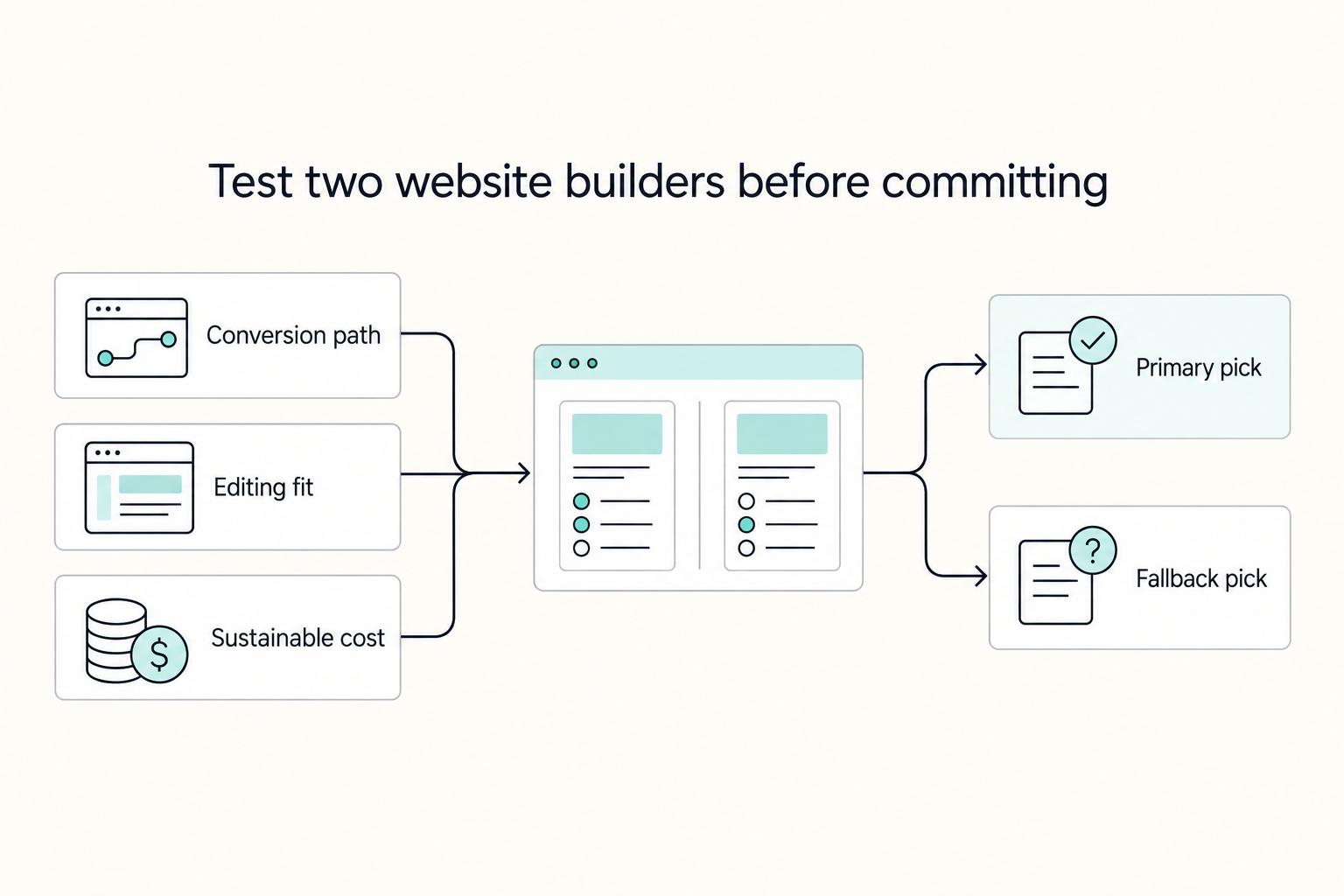
The Best Website Builders for Freelancers
If you are trying to choose the **best website builder for freelancers**, stop looking for a universal winner. The right pick is the one that fits your conversion path, your editing habits during busy client weeks, and a budget you can actually sustain.

Best No-Code Tools for Freelancers Who Need Clean Handoffs
Choose for maintainability first. If you do repeat client work, the right no-code tools are the ones you can still explain, hand off, and troubleshoot a year later. A strong demo matters far less once real client data, deadlines, and day-to-day edits show up.

The Freelance Payment Penalty: A Modeled Audit of Platform Fees, FX Spreads, and Payout Delays
The money rarely disappears through a single, easy-to-spot fee. The real loss is stacked. A marketplace takes its commission, a processor adds a charge for international cards, a bank or payment company converts the currency at a spread, a platform holds the funds before release, and a wire sheds a little to intermediaries on the way in. Each layer looks defensible on its own, but the worker feels the combined result as a smaller deposit and a later payday.