

Quick Answer
Use loom for freelancers as a decision workflow, not just a recording app. Record context, send it in the client’s working channel, request a specific written decision, and log the outcome in one project record before execution. Keep each video tied to one owner and one next step so feedback does not sprawl across chat, comments, and inbox threads. Starter usually fits lean updates, while Business becomes practical when plan limits or repeated retakes disrupt approvals.
Stop repeating yourself and start running a client communication system#
If you use Loom as a one-off recording app, you can keep re-explaining the same decisions. Treat it as a simple four-step client communication setup instead: capture, route, confirm, and track.
That shift matters because, as your client load grows, you can become the bottleneck if communication is not repeatable. In practice, the communication system sits in the operating layer that lets you increase output without adding people. For you, that means every recorded update should end in a visible handoff, not another loose thread. You may not need a tool tutorial first. You need a rule for what happens after you hit record.
| Layer | Use it when | Minimum acceptable output | Failure risk if skipped |
|---|---|---|---|
| Capture | A topic is easier to show than describe, or nuance will get lost in text | Short recording that states context, what changed, the decision needed, and the next step | The client gets partial context, asks for another meeting, or comments on the wrong thing |
| Route | The update needs to reach the person who can act on it | Send the recording into the channel the client already monitors, with a one-line summary and clear owner | Good feedback sits in the wrong inbox or no one knows who should answer |
| Confirm | Work should not continue on assumptions | Written reply that approves one option, answers one question, or states "hold" | You start revising against implied feedback and create avoidable scope arguments |
| Track | A decision affects delivery, timing, or version history | One logged note with the final choice, owner, and date in your project tracker or client file | You lose a clear record of the decision and repeat the same conversation next week |
The minimum bar is intentionally low. A useful async update is not a polished presentation. It is a concise recording plus a written decision ask. If the recording does not name the decision out loud, and the message does not ask for a specific reply, the handoff is not finished.
Use one simple checkpoint before you send: could someone who was not on a call answer these three questions after watching? What is being reviewed, what choice is needed, and who acts next? If not, re-record or tighten the message. This is also where timestamped feedback helps. If the client wants changes inside the clip, ask them to reference the exact moment instead of sending broad reactions you have to interpret.
The failure mode is not that video did not work. It is extra documentation without an actual decision. One cited account described spending 2 hours writing meeting minutes and then getting zero feedback. Async recording only helps if you pair it with a required response and a visible record of the outcome.
Here is a handoff path you can copy and adapt. A client drops a Slack message at 4:20 p.m.: "Can we change the homepage hero and add another testimonial?" You record a short walkthrough showing the current hero, the proposed change, and whether the testimonial request fits the agreed scope. You reply in the same Slack thread with the recording and this approval ask: "Please reply with Option A or Option B. Also confirm whether the testimonial addition is approved as part of current scope or should be queued for the next round." The owner is the client contact who can approve content changes. Your next action is explicit: no homepage revision starts until that written reply lands, then you log the choice in your tracker.
That is one practical way to use Loom as a freelancer. The recording carries context. The message carries ownership. The written reply carries approval. Your tracker carries memory.
The rest of this guide builds on that same sequence. You will see what a reliable async setup looks like in practice, when to record versus write versus call, how to structure approvals, and how to stand the whole process up quickly. If your main friction is delayed replies across regions, the next useful read is How to Manage Client Communication Across Different Time Zones.
Related: Microsoft 365 for Freelancers Who Need Client-Ready Operations.
What does a reliable async communication system look like for freelancers?#
A reliable async system means each client update ends in a clear decision, even when you and your client are not online at the same time. Use the same four-step flow every time: record context, route to the approver, archive the approval, and track the decision. If one step is missing, a 5-minute question can easily become a 15-minute meeting or a scattered message trail.
| Layer | Trigger to use | Owner | Required artifact |
|---|---|---|---|
| Record | The issue is easier to show than explain in text, or time-zone scheduling would slow progress | You | Short recording with context, your recommendation, and one explicit decision request |
| Route | A specific person must review or approve | You | Recording link posted in the client's primary working channel, plus a one-line summary and named approver |
| Archive | The reply affects scope, delivery, or version history | You | Written approval captured in one agreed location (project notes, client folder, or tracker) |
| Track | The decision changes next actions, owner, or timing | You, unless another owner is explicitly assigned | Decision-log entry with final choice, owner, date, and next step |
Set channel governance early so feedback does not split across tools: one place for context, one place for decisions, and one place for status. You can deliver through email or chat, but keep approvals out of mixed inboxes, DMs, and voice notes. Before sending, check three things: what is under review, which reply format is valid, and who acts next.
Audit your SOP#
Audit the handoff, not just the recording quality. Rework usually starts when context and approval get separated.
| Step | What to do | Key detail |
|---|---|---|
| Brief | State the objective, scope boundary, and definition of done | Include the scope boundary |
| Review | Show only the relevant screen or file and request one decision | Request one decision |
| Approval | Require a specific format | Approve A / Approve B / Hold |
| Handoff | Copy the exact approval into your decision log before new work begins | Log it before new work begins |
Before: a quick message asks for a homepage hero change and an extra testimonial, but no one confirms whether the testimonial is in scope. After: you send a short Loom, request Option A, Option B, or Hold, and wait for written scope confirmation in that same thread before execution. That is how this setup protects scope instead of creating more admin. If delayed replies across regions are the main blocker, read How to Manage Client Communication Across Different Time Zones. If you want a deeper dive, read Value-Based Pricing: A Freelancer's Guide.
Should you choose Loom Starter or Loom Business for your workflow?#
Start with Starter if your client communication is mostly short, low-risk updates. Move to Business when approvals, editing, privacy, or branded delivery become part of how you get decisions without extra meetings.
Choose based on workflow risk, not feature hype. Both plans list the same core integrations, including Slack, Jira, GitHub, Gmail, Upwork, and Notion embed, so the real question is whether plan limits or controls are helping your capture, route, archive, and track system.
| Workflow area | Best fit workflow | Early warning sign | Default action |
|---|---|---|---|
| Recording length and volume | Starter: short updates that stay within current Starter caps. Business: approval and handoff flow where limits interrupt clarity. | You split one decision into multiple clips or remove useful videos to stay inside limits. | Verify current plan limits/features, then choose the lowest plan that does not break your approval flow. |
| Revision-heavy feedback | Starter: re-recording is still faster than editing. Business: you need editing controls to salvage near-final walkthroughs. | Small mistakes force full retakes and slow turnaround. | If retakes are becoming recurring delivery drag, switch to Business. |
| Client-facing presentation | Starter: internal or informal updates are enough. Business: proposal, approval, and handoff videos need stronger polish. | You hesitate to send videos because presentation quality is not client-ready. | Use Business for client-facing decision moments. |
| Privacy and workspace control | Starter: baseline sharing is acceptable for the work. Business: access control and workspace defaults are part of your client requirements. | You rely on manual link-sharing workarounds for sensitive updates. | Move to Business before the next sensitive review cycle. |
Before you make a plan decision, verify Loom's live pricing page. Third-party pricing pages can conflict, so treat Loom's own page as the source of truth.
Run this decision test on your next approval cycle: if you can explain the change, show evidence, recommend an option, and ask for a clear written decision in one short take, Starter likely still fits. If you keep stitching multiple short clips or re-recording near-finished walkthroughs you should be editing, Business is the safer operational choice.
Use these upgrade triggers in your SOP:
- Condition: limits force you to delete or avoid storing useful client videos. Response: move to Business or narrow what you record, then re-check archive quality.
- Condition: approval-critical walkthroughs are repeatedly split because of recording constraints. Response: upgrade before the next scope or sign-off phase.
- Condition: recurring retakes from minor mistakes slow delivery. Response: move to Business and use editing controls for revision cycles.
- Condition: client work needs stronger access control or branded presentation. Response: use Business for those accounts instead of manual exceptions.
Re-check plan fit on a regular cadence, for example quarterly, and any time your client mix, revision load, or confidentiality needs change. For a step-by-step walkthrough, see A Guide to Form 1099-K for Freelancers Using Payment Apps.
How do you record a client brief that gets approvals without another call?#
Your brief should do one job: move the client from review to a written decision. If your video explains the work but does not name the decision owner, decision deadline, and scope-change path, you have an update, not an approval request.
Loom can help you send a clear video artifact without scheduling another live meeting, but the decision structure still has to be explicit. When you are using Loom under client pressure, keep each recording focused on one decision and pair it with a written ask that is hard to misread.
| Brief block | What you include | Why it helps approvals |
|---|---|---|
| Objective | The outcome or problem this request addresses | Keeps the review focused on purpose, not preferences |
| Scope boundary | What is included and what is out of scope | Reduces assumption-driven rework |
| Rationale | Why you recommend this option | Gives context for a yes, no, or revision |
| Requested decision | One clear ask: approve, revise, or reject | Prevents vague "thoughts?" replies |
| Decision owner | The person authorized to decide | Avoids stalled group commentary |
| Decision deadline | The checkpoint for receiving a decision | Keeps work moving with a visible handoff point |
| Scope-change path | What happens if new work is requested | Keeps new requests from blending into current scope |
| Next step | Who executes after the decision and what happens next | Turns approval into action |
Pair the recording with a written decision block#
Do not send the video by itself. For every approval request, include these items in the message or project doc:
| Artifact | What to include |
|---|---|
| Video link | Clear title and version label |
| Decision ask | One sentence |
| Response format | Approve / Revise / Reject |
| Owner handoff | Name who acts next after the decision |
Before sending, open the link exactly as your client would and confirm supporting files load correctly. If the brief includes sensitive material, verify you are on the correct site and that HTTPS is shown before sharing.
Add supporting artifacts, not just technical references#
Use supporting artifacts that match the deliverable: draft files, annotated screenshots, source docs, issue links, change logs, or contract excerpts. If a reviewer could ask, "What am I comparing this against?", include that artifact now. A common failure mode is discussing one version in the video while linking another in the message.
Example approval chain: you send a short walkthrough, state the objective, show the change, and ask for one written decision. In the same written block, you include the link, response format, decision owner, deadline, and scope-change path for new requests. The client replies in writing, you execute the named next step, and the decision trail stays clear if questions come up later.
That is the outcome to aim for: clear execution, visible traceability, and tighter scope control. If you want a companion planning workflow, see A guide to 'Bullet Journaling' for freelancers and Browse Gruv tools.
Build your handoff and feedback loop across the tools clients already use#
To reduce feedback drift and approval delays, give each channel one job and log every decision in one written record.
Use Loom for visual context and async review, then route decisions into your record. A shareable Loom link lets clients review on their own time, and video comments can keep follow-up questions tied to the same walkthrough. If feedback is split across comments, chat, and inbox threads without a final decision log, execution slows down.
| Step | Best channel type | Required handoff artifact | Decision owner | Failure mode if skipped |
|---|---|---|---|---|
| Context and walkthrough | Loom | Shareable Loom link with version label and clear ask | You prepare; client reviewer responds | People react without the same visual context |
| Discussion and clarifying questions | Client chat thread or Loom comments | Link back to the same Loom | Named reviewer or project contact | Feedback fragments and repeats |
| Approval or change request | Single decision log in your project doc | Written entry with status, date, and next action | Client-side decision owner | Work starts from vague "looks good" replies |
| Delivery handoff | Shared file or delivery folder | Final asset link plus acceptance check | Client approver or receiving stakeholder | Wrong file or wrong version gets reviewed |
Set a hard rule for your single source of truth#
Treat your decision log as official. Log anything that changes scope, timing, approval status, version, or next action the same day. Keep quick reactions, scheduling, and minor clarifications in chat, but move them to the log if they change what you will build or bill for.
Before sending a handoff, run a quick check: confirm your Desktop app or Chrome extension is ready, record your screen when visual context matters, and open the shared link as the client would. If a visual detail matters, mark it on-screen instead of describing it loosely.
Use the same handoff card every time#
Use this checklist in every handoff so responses stay consistent:
- Loom link and version label
- Scope state: in scope, pending review, or proposed change
- Approval request: approve, revise, or reject
- Acceptance criteria in plain language
- Decision owner and deadline
- Escalation path if no response by deadline
Set a channel-transition policy early: keep pre-contract communication in the acquisition channel, then move delivery, feedback, and approvals into your delivery channels once work starts. Write that transition down so "quick requests" do not become untracked work.
When a late change arrives in chat, triage it before you build:
- Acknowledge the message.
- Link the current Loom, or record a short new walkthrough if context is missing.
- Restate the request as either in-scope feedback or a proposed change.
- Log that decision request in your single source of truth.
- Wait for written approval before execution.
If you skip this conversion step, you end up managing every message thread yourself instead of running a clean delivery loop.
Need the full breakdown? Read A Guide to 'Deep Work' for Freelancers.
Set risk controls so async communication does not create scope creep#
Set approval gates before execution, then let the workflow enforce them so extra asks and vague feedback do not turn into unpaid rework. In practice, that means you do not start work from a message alone.
Use recorded updates for context, not authorization. A quick 3-5 min Loom walkthrough can clarify what changed, but you only proceed after a written decision is captured in your project hub, shared doc, email thread, or ticket record. That is what creates an audit trail instead of a scattered chain of "can you also..." requests.
Build approval gates that are hard to bypass#
Run the same four-part control every time:
- Trigger: the event that creates a decision point, such as first build approval, milestone review, or a new request
- Required proof: the exact artifact needed, such as a written approve/revise decision linked to the video and version label
- Owner: one named client contact who can decide
- Default action: what happens if proof does not arrive
Use hold work as the default action. This is an operating rule, not a legal requirement: if approval is missing in the agreed written channel, you pause execution and restate what decision is pending.
Set the boundary early. A pre-signing contract walkthrough video can serve as the shared record of scope and limits, and structured milestone videos plus required video revision requests strengthen your dispute record later.
| Control type | Trigger | Required proof | Owner | Default action | What you do next |
|---|---|---|---|---|---|
| Execution gate | Brief approved or milestone ready to start | Written approval linked to recording and version label | Named client approver | Hold work | Reply with the exact pending decision and deadline |
| Change request gate | New ask changes scope, timeline, or deliverables | Written change decision in email, ticket, or project hub | Budget or project owner | Hold change | Reclassify the ask as in-scope feedback or proposed change, then wait |
| Decision record gate | Approval, rejection, or revision appears in chat/comments | Decision logged in the single record | You log it; owner confirms if needed | Escalate, then hold if unresolved | Update the record the same day and link source context |
Keep channel roles explicit so both sides know where each item belongs: Loom for visual context, Slack/chat for quick questions, email for formal scope decisions, and a project tool such as Asana for progress tracking.
Handle sensitive information before you record#
Use a short pre-record checklist every time: close unrelated tabs, remove personal or client-only data from view, confirm the correct file version, and decide whether the topic is safe to show on screen. If sensitive details are involved, mask or replace them before capture.
If your project involves regulated data, add a plain-language compliance note to your communication policy only after you verify current requirements for that client, jurisdiction, and toolset. Do not rely on assumptions or generic templates.
When pressure is high, follow this path step by step: receive the change request, link or record the relevant walkthrough, classify it as feedback or scope change, request written approval from the named owner, and log the outcome in the decision record. If no decision arrives, hold work.
Related: How to Create a Communication Policy for a Remote Team.
Your one day implementation checklist for loom for freelancers#
Run this as a one-client pilot in one workday so you can validate the workflow before scaling it.
| Block | Objective | Exact deliverable | Approval checkpoint | Fallback if client does not respond |
|---|---|---|---|---|
| Morning | Finalize setup and templates | Record one internal test Loom in the right mode for the task (screen + camera, screen-only, or camera-only). Prepare your brief, feedback, and handoff templates. | You verify audio, framing, and the exact file/tab and version label shown on screen before anything is sent. | Do not send client-facing updates. Fix setup issues, re-record, and recheck the visible artifact/version. |
| Midday | Standardize an audit-ready send format | Use one reusable message format: Loom link, project artifact link, decision owner, and next action. | Every message points to one source of truth, for example an Asana task, shared doc, or calendar item. | Hold execution and resend in the required format. Treat video as context until a written decision is logged. |
| Afternoon | Run the three-video pilot on one live workstream | Send one brief video, one feedback video, and one handoff video, each tied to the live project record. | The client can identify what changed, what decision is needed, and where to reply in writing. | Pause work, restate the pending decision, and wait for written confirmation in the agreed channel. |
| End of day | Decide if the process is ready to expand | Complete a scorecard on clarity, turnaround, and revision friction from the pilot. | Templates captured decisions cleanly enough to repeat. | Update templates the same day, then retest before adding more clients. |
Three videos to test today#
Use the same structure in all three videos so clients can scan and respond faster.
| Video type | Checklist items |
|---|---|
| Brief video | Objective, scope boundary, artifact shown on screen, decision owner, required written decision, your verified response SLA |
| Feedback video | What changed, why it changed, version label, exact response format, your verified response SLA |
| Handoff video | Final files, acceptance checkpoint, asset location, next action, your verified response SLA |
Keep one rule non-negotiable: every send links the Loom recording and the project artifact in the same message. If you cover timeline context in kickoff, show the exact timeline or calendar item on screen so the deliverable is unambiguous. Review friction points at the end of the day, update templates immediately, and expand only after this pilot meets your bar.
You might also find this useful: UAE Golden Visa for Freelancers and the Green Visa Decision Guide.
Run one system each week and confirm decisions in writing#
You do not need a new process for every client. Run one system each week: capture the update, route it through the client's normal written channel, confirm the decision in writing, and track the next action in the same project record.
Set expectations first. Add a short time-zone and communication section in your proposal or kickoff note, because clients may assume you are available during their business hours unless you state otherwise. Keep status updates async with written notes, shared dashboards, and concise Loom videos, and reserve live meetings for high-value conversations in your overlap window.
Use the same handoff format each time: Loom link, artifact link, version label, one decision request, one approval owner, and the exact written reply you need. The video explains context; the written decision in the project channel is the approval record that lets work move forward.
Consume and decide scorecard#
| Signal | How you verify it | Immediate corrective action |
|---|---|---|
| The update can be consumed without a call | The handoff includes the video, artifact, scope boundary, and clear decision ask | Re-record a shorter version and remove status-only commentary |
| Decision ownership is explicit | One approval owner is named in the written request | Follow up with that owner directly and restate the decision request |
| The decision is usable | A written yes/no/change decision is logged where the project is tracked | Pause the next scoped task until the written decision is recorded |
If a decision is missed, escalate in order: follow up with the named owner, resend the original video and artifact, restate the exact decision needed, and point to where they must reply in writing. If confirmation still does not arrive, state that blocked work is paused until written approval is received. That keeps scope controlled and your process professional.
Related reading: A Guide to Healthy Snacking for a Productive Workday.
Frequently Asked Questions
How should you actually use Loom for freelancers day to day?
Use it as the recording layer, not the approval record. Record the brief, feedback, or handoff, then route the decision back to a written channel with a named decision owner and one source-of-truth doc or task. Before you send anything client-facing, test that your screen, camera, and voice are all captured. If the client has not confirmed in writing, do not start the next scope item.
Which Loom plan should you choose?
Choose based on where the friction is. If you work inside Upwork Messages, Upwork states Loom there is free for everyone, no matter the account type, and you can record and share from the message thread itself. Outside Upwork, review Loom’s current plans and choose based on the workflow needs you actually have right now.
What should your client brief include if you want approval without another call?
Keep the video short and make the written ask even shorter. Show the exact artifact on screen, state the objective, name the scope boundary, explain what decision you need, identify the decision owner, and point to the source-of-truth doc where the client should reply. If you skip the boundary or the owner, you invite open-ended feedback. A good rule is one video, one decision, one written approval gate.
When should you send a Loom video instead of booking a live call?
Send a recorded message when you need to explain context clearly and let the client watch on their own time. It works best when there is one main decision and one owner who can reply in writing. Book a live call when async back-and-forth is likely to slow alignment or leave the decision unclear. If the issue needs a meeting, book one fast instead of forcing async. If you need alternatives for live sessions, see The Best Video Conferencing Tools for Client Meetings.
Can this reduce meetings without creating confusion?
Yes, if you replace low-value status calls with decision-focused videos and keep the written approval gate in place. Loom is built for quick video messaging, and you can share a link that people watch on their own schedule, but clarity still depends on your structure. The red flag is using video for everything. If every update becomes a recording with no owner, no next action, and no written reply path, you have just moved the confusion into another format.
Which features matter most for client work?
Start with capture and sharing, because those determine whether clients can review the work without friction. You need to be able to record your screen, camera, and voice together when the project calls for it, then send a link cleanly in the channel the client already checks. After that, evaluate additional features only if they solve a real problem in your process. Do not pay for polish before you have verified that your brief, feedback, and handoff videos consistently point back to the right project record.
What tools pair best with Loom for feedback, tracking, and handoffs?
Pair it with the tool where the decision already lives. That can be an email thread, a shared doc, a project task, or Upwork Messages if that is where the client relationship is managed. If you use Upwork, the practical advantage is that recording and sharing can happen right inside the message thread, which removes extra app switching. Whatever stack you use, keep the evidence pack tight: Loom link, artifact link, version label, decision owner, and the exact written response you need.
Try a related tool
Researched and edited by the Gruv editorial team. Gruv builds cross-border billing, payouts, and finance-operations software for global businesses.
Sources
Includes 1 external source outside the trusted-domain allowlist.
- cn.edu/wp-content/uploads/2024/08/2024-25-Undergrad...trusted
- copyright.gov/policy/moralrights/full-report.pdftrusted
- hed.nm.gov/uploads/documents/CCNS_Catalog_V31.pdftrusted
- iese.edu/media/research/pdfs/ESTUDIO-137.pdftrusted
- oasis.library.unlv.edu/cgi/viewcontent.cgitrusted
- ofac.treasury.gov/faqs/updatedtrusted
- open.mitchellhamline.edu/cgi/viewcontent.cgitrusted
- 6figurecreative.com/youre-the-bottleneck-heres-the-fix-the-multi...external
Educational content only. Not legal, tax, or financial advice.
Related Posts

Value-Based Pricing for Freelancers Under Real Payment Risk
Value-based pricing starts with the client’s expected benefit and willingness to pay. It still needs a deliverable, scope and payment agreement you can perform. Use a discovery phase when the benefit or effort is too uncertain to support a defensible quote.

Best Video Conferencing Tools for Freelancers in Client Meetings
Pick one primary meeting platform now, then write down when you will make exceptions. For most freelancers, consistency beats feature chasing because clients notice execution more than brand. They remember whether the link worked, whether you could manage the room, and whether decisions were easy to recover afterward.
How to Manage Client Communication Across Different Time Zones
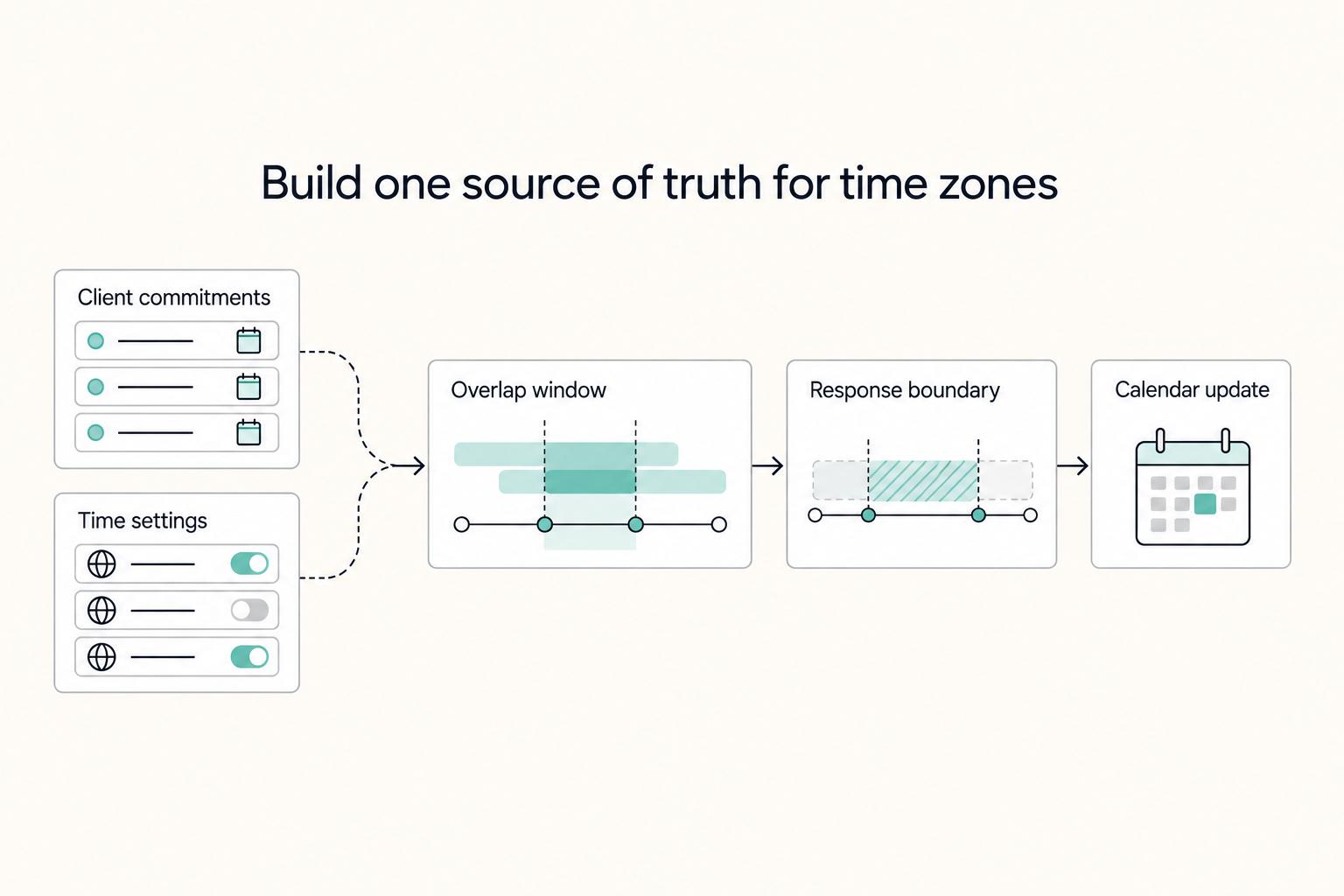
You can get better control of client time zones with a short setup pass. Stop treating timing as a courtesy issue and treat it as a written operating choice. The goal is simple: clearer rules, fewer delays, and fewer boundary problems because everyone knows which local time controls scheduling, what counts as urgent, and when a reply is actually due.