

Quick Answer
Start with linked clients, projects, tasks, billing and knowledge records. Keep sales, delivery and payment statuses separate, reconcile invoice amounts and gross receipts to the ledger, test permissions as a guest, and add automation only after a manual workflow works.
Build Your Freelance Operating System in Notion Without the Mess#
If your workspace feels busy but fragile, you do not need more pages. You need one connected system. Treat your freelance business like a business-of-one and use Notion as the control layer that connects client decisions, delivery, and billing in one place.
Notion works best when every core "thing" in your business has one canonical record. Everything else should be a view of that record. Start lean, keep one source for each record, and let your dashboard show what needs action this week.
A few terms, kept simple:
- Connected workspace: one home where you write, plan, and run operations together.
- Notion template: a prebuilt page you can add to your workspace and customize.
Start with a small workspace or a suitable template, then check the current plan’s limits before relying on guests, permissions or automations. Templates can supply proposal and invoice-tracking structure; they do not validate your billing or access rules.
A practical setup uses five linked records.
- Clients for relationship context and decision history
- Projects for delivery scope, milestones, and status
- Tasks for execution ownership and deadlines
- Billing for invoice state and proof of work
- Knowledge for reusable SOPs, checklists, and lessons learned
When you capture meeting notes, link them directly to the project and the next task. That keeps important decisions from turning into lost follow-ups.
| Operating area | What to set up first | Checkpoint that keeps it clean |
|---|---|---|
| Client operations | One client record per account | Every active project links to a client |
| Delivery | One project board with clear statuses | No task sits without an owner |
| Money admin | One billing view with invoice state | Review billing due under the agreement, including advances, milestones and earned time |
For a late scope request, open the agreed proposal and decision notes. Separate correction of work already owed from new work, agree any price and schedule change before doing it, then update the project and billing record. An internal status change does not amend the client’s agreement.
If you want to tighten your pipeline next, use How to Build a Sales Pipeline for Your Freelance Business. Connect those stages back to this system.
The Operating Model That Keeps Notion Useful at Scale#
Use Notion to coordinate client, project and billing decisions. Keep the accounting ledger, issued invoices and provider transaction records authoritative for financial amounts and payment evidence.
The difference between a clean system and a Notion graveyard is operating rules. Set those rules early so the workspace stays reliable as volume grows.
Define the core terms you will actually use to make decisions:
- Single Source of Truth: one shared canonical record, not competing copies.
- Client Management Dashboard: a dashboard-style view that helps you track relationship status and next decisions.
- CRM: a system for managing interactions with current and potential clients.
- Knowledge Management: the process of creating, storing, using, and sharing SOPs, checklists, and delivery lessons.
| Component | Job in your system | Rule to keep it clean |
|---|---|---|
| Client Management Dashboard | Track relationship status and next decision | Keep one record per client account |
| CRM | Track pipeline movement and deal context | Use clear lifecycle stages and one owner per deal |
| Knowledge Management | Reuse proven workflows and assets | Link SOPs to project types, not random pages |
| Invoice Tracker and Time Tracking | Track work evidence and billing readiness | Link billing and optional time records to the correct client and project |
Create Relation properties between the relevant databases and link the actual records. A Rollup aggregates a selected property across those relations; missing links can make totals incomplete. These features show connected information, but do not automatically issue invoices or advance delivery statuses. Add an optional Time Entries database only if you bill or review hours.
Run a regular operator review from your dashboard to catch drift early. Filter for overdue tasks, unbilled approved work, and stalled approvals. For each flagged item, assign exactly one next action before you end the review.
When a client questions an invoice, you should be able to open one client record and trace the linked scope notes. Check the related time entries, then respond with context instead of scrambling. If you want to refine your CRM approach, read The Best CRMs for Freelancers to Manage Client Relationships.
Should You Start With a Template or Build From Scratch?#
Choose a template when its existing fields and handoffs fit your work. Build a small custom setup when that is simpler than removing someone else’s structure; either approach should pass the same client-to-project-to-billing test.
| Checkpoint | Question |
|---|---|
| Project Proposal steps | Can this setup cover your core Project Proposal steps without constant workarounds? |
| Client Management Dashboard | Can your Client Management Dashboard keep only the fields you review each week? |
| Sales handoffs | Can you map your sales handoffs into delivery and then into invoice steps cleanly? |
| Unused properties | Can you remove unused properties fast, or do you keep fighting the template? |
The goal is focus, not customization. Pick the path that reduces maintenance while you are still shipping client work.
A Notion template is a prebuilt structure you can duplicate and adapt. Compare proposal, client, invoice and time-tracking layouts by whether their fields support your actual decisions. Remove unused views before adding new complexity.
| Option | Best fit | Main risk | Decision signal |
|---|---|---|---|
| Start with template | Your process still changes week to week | You inherit fields and views you never use | You need a working freelance dashboard this week |
| Build from scratch | Your delivery and admin steps stay consistent | You spend too long designing before shipping work | You already run stable sales pipeline and invoice steps |
Before you commit, run the fit test above and see how quickly you can strip fields, simplify the dashboard, and move a deal into delivery without workarounds.
Two traps to test for are a dashboard that hides the next action and a template search that delays real work. Try a representative project before committing, and stop customizing once the needed handoffs are visible.
If you run a service with repeatable steps, start from a lean template, trim hard, and evolve only after real friction shows up. If your workflow already runs with clear handoffs, build a custom system around those handoffs from day one. For pipeline structure details, see How to Build a Sales Pipeline for Your Freelance Business.
What Should a Minimum Viable Notion Setup Include?#
Start with clients, projects, tasks, billing and knowledge, linked where useful. Update each record that actually changed; a relation alone does not synchronize different lifecycle statuses.
This is the line between a bunch of pages and a system. Lock the minimum structure first. Earn every extra database later.
Use five core databases, or fewer for a small practice. Clients own relationship context; Projects own delivery scope; Tasks own execution; Billing tracks issued invoices and receipts; Knowledge holds reusable procedures. Time Entries is an optional sixth database. Give records stable identifiers so similarly named clients or invoices are not merged.
| Database | Core purpose | Useful properties and links |
|---|---|---|
| Clients | Relationship and decision history | Stable client ID; contact; pipeline status; Projects relation |
| Projects | Agreed scope and delivery | Project ID; Client relation; owner; scope version; delivery status |
| Tasks | Execution and follow-up | Project relation; assignee; due date; task status |
| Billing | Invoice and receipt tracking | Invoice ID; Client/Project relations; currency; total; credits; gross receipts; fee; due date; ledger link |
| Knowledge | Reusable procedures | Topic; project type; owner; version; access level |
Create linked views for active delivery, upcoming billing and overdue invoices. Filters select what a view displays; they are not a substitute for access permissions. Keep internal billing and tax records private, share only the required client material, and test access as the guest. Check inherited permissions and broader grants as well as the page you share.
Worked example: client C-001 Blueco has project P-014 and invoice INV-014 for $1,000. Link the same client/project records, then record a confirmed $400 gross receipt with a $12 fee: outstanding is $600, bank proceeds are $388. A fee is not extra client debt. With multiple receipts or currencies, use the accounting ledger’s reconciled totals and references rather than adding unlike amounts in a rollup.
Add a few reusable records early so you reduce rework:
- A project template that preloads scope, assumptions, and acceptance fields.
- An onboarding checklist that sets kickoff steps and communication rules.
- A closeout checklist in your knowledge base so you capture lessons, assets, and follow-ups.
For a new project, duplicate the template, set the actual client relation, owner, dates and scope version, and create or link its tasks. Check the dashboard before relying on it. A copied checklist does not create every related record or configure an automation for you.
If you want operational pages to stay focused on delivery, keep Professional Resume and Software Projects Showcase / Portfolio content in a dedicated showcase area. If you want stronger knowledge workflows next, read The Best Note-Taking and Knowledge Management Apps for Freelancers.
How Do You Run Client Work From Proposal to Payment in One System?#
Connect sales, delivery and billing records while keeping their statuses separate. An active project can have a paid advance and an unpaid later invoice at the same time.
This is where the setup stops being a dashboard and starts running work. Shared definitions and consistent statuses reduce ambiguity and keep delivery and invoicing on track.
Use sales stages such as qualified or won, delivery stages such as active or awaiting feedback, and billing states such as draft, issued, partially paid or settled. Each state needs its own evidence and next action.
| Stage | Owner question | Exit rule |
|---|---|---|
| Qualification and scope | What is offered and to whom? | Record scope and decision notes; agreement may arise through authorized acceptance, not only a signature |
| Approved and active | What work and payment triggers were agreed? | Assign scope version, owner and dates; bill an advance if the agreement requires it |
| Review and waiting | Who owes the next action? | Separate client feedback from freelancer corrections and record due dates |
| Issued / partially paid / settled | What was billed and what receipt actually cleared? | Reconcile invoice totals, credits and gross receipts; close delivery separately |
Make launch criteria non-negotiable inside your Client Management Dashboard. Set the required fields before work starts:
- Proposal approval status
- Delivery scope summary and exclusions
- Owner responsibilities for client and internal actions
- Billing basis and tracked-time approach
If hours affect billing, link time entries to the project and record date, duration, agreed rate, approval where required, and invoice reference. Reconcile invoiced entries against the issued invoice; a checkbox alone cannot prevent duplicate billing. Fixed fees, advances and earned time should follow their own agreed triggers.
Log revision requests against the current scope. Correct defects or included revisions already owed; obtain agreement on price, timing and scope for additional work before adjusting the invoice. Keep that approval linked to the change record.
Add exception rules so the system prompts action instead of collecting passive notes. Set reminders for stalled approvals, scope creep flags, and unpaid invoice follow-ups.
Distinguish “awaiting client feedback” from “revision due from me” and attach an owner and next-action date to each. For pipeline design, see How to Build a Sales Pipeline for Your Freelance Business.
How Do You Keep the System Audit-Ready as You Grow Across Borders?#
Link the records needed for finance and tax review, and separate actual payment prerequisites from later filing obligations.
If you are taking cross-border work, you do not want compliance to live in scattered docs and half-remembered inbox threads. Keep evidence linked to the same client and project records you use to run delivery.
You can start from Freelance Templates or Notion Marketplace layouts, but do not let template convenience fragment records. Keep one canonical client record and one project record. Link compliance evidence so your project and CRM views point back to the same facts.
Build a documentation and payment-check table#
For each check, record its source, applicability, owner, deadline and evidence. Hold a transaction only where the actual provider, law or agreement requires it. FBAR or FEIE review is not a universal condition for paying an invoice.
| Check | Applicability and evidence | Owner | Record | Payment implication |
|---|---|---|---|---|
| Provider verification | Actual entity/address requirements for this product | Ops | Restricted evidence link; state; deadline | Follow the provider’s specific requirements |
| VAT review | Applicable transaction/customer VAT rules and VIES result | Finance | Number; result; check date; next action | Resolve tax treatment; no universal payment block |
| Payer tax forms | Appropriate W-9 for US person or W-8 form for foreign payee as applicable | Account owner | Request basis; status; secure form link | Apply actual reporting/withholding rules |
| Tax filings | Separate FBAR/FEIE applicability and filing calendar | Tax owner | Due date; preparer; next action | Not a general invoice-payment prerequisite |
Run a monthly documentation cadence#
At monthly review, reconcile invoice and payment records, check overdue documentation and calendar applicable filing dates. A VIES result supports an applicable VAT check; an invalid result can reflect registration or system issues and is not by itself a blanket reason to stop payment.
| Item | What to track |
|---|---|
| FBAR exposure | Covered US persons: financial interest in/signature authority over foreign accounts with aggregate value above $10,000 at any time; check exceptions |
| FBAR deadlines | Keep the April 15 due date, automatic extension to October 15, and related records for five years from the due date visible |
| FEIE | Check foreign tax home plus bona fide residence or qualifying physical presence and Form 2555; FEIE does not by itself exclude self-employment tax |
| Country and program rules | Confirm operational and tax requirements with official guidance and qualified advisors before acting |
Use the table above as your monthly checklist, and keep one plain-language note in your playbook: country coverage and program rules vary, so confirm operational and tax requirements with official guidance and qualified advisors before acting.
Run a 14-Day Rollout to Lock Structure, Automation, and Governance#
If you're running a two-week sprint, use this 14-day rollout to lock structure first, automation second, and governance before go-live.
Treat this like a launch sprint, not an ongoing redesign. The goal is a stable core you can run every week.
Days 1 to 10 build your operating core#
Use Notion Marketplace freelance templates as benchmarks, then simplify hard. Keep one Client Management Dashboard that drives your views instead of scattering logic across pages.
| Window | Target outcome | Operator moves |
|---|---|---|
| Days 1 to 3 | Stable architecture and naming | Pick one naming standard for clients, projects, invoices, and tasks. Keep one canonical database per object and connect records with relations. |
| Days 4 to 7 | Working lifecycle logic | Test relations, amounts and statuses with a copied or synthetic project. Configure only supported automations with a named owner, then test missing links, duplicate actions and failures before using them in live work. |
| Days 8 to 10 | Governance rhythm installed | Add review routines and reconciliation checks. A recurring template can create a review record; do not assume it will trigger another database automation. |
Most database automation creation requires a paid plan and full database access. Free users can create Slack notification automations and use existing template automations with editing restrictions. Check the current plan, and keep a manual checklist fallback. Notion also documents that automations do not trigger other automations, including from a recurring template.
Days 11 to 14 harden controls and set go-live boundaries#
Close the sprint with a risk checklist inside Knowledge Management, then decide what ships now.
| Control area | Confirm |
|---|---|
| Contracts | Agreement/authorized acceptance evidence, scope version and change-request path |
| Billing evidence | Applicable advance, fixed-fee or time billing evidence; issued invoice, gross receipts and approval history |
| Payment checks | Actual provider/contract requirements, separate from tax filing deadlines |
| Knowledge capture | Handoff notes, reusable SOP updates, and closeout summary |
| Permissions and exports | Test a guest account, restricted forms and an export; document how to recover records |
Export a sample database and its linked evidence to a secure location. Notion supports Markdown/CSV and HTML exports, but reuploading an export does not instantly recreate the workspace. Check that the required pages and files are included, and document a practical recovery procedure before treating an export as a complete backup.
If a client asks for a same-day status call after a revision, you should be able to open one record. Check scope history, billing evidence, and the next action. Answer without cleanup work.
Finish with a go-live list that labels each item as mandatory now, defer until workload grows, or triggered by volume or risk. That rule keeps the system lean while you scale.
Use Notion Like an Operator, Not a Collector#
Keep one coordinating record per client, project and invoice in Notion. Use linked views to answer recurring questions, with the ledger and payment provider supplying authoritative financial evidence.
Run your workspace like a control room. In Notion, every database item is its own page, so keep detail in the record where the work is tracked. Use views to see the same underlying data from different angles rather than duplicating it across scattered docs.
Use this operator filter before you add anything:
- Add a database only when it supports a recurring decision. Remove unused views after dependency checks; retain required underlying records.
- Add a view only if it answers a recurring question. For example: what is late, unbilled, or blocked this week?
- Add relations (and rollups where useful) before extra pages. Link clients, deals, delivery, and invoices so context travels with the work.
- Add database templates for repeated workflows. Standardize kickoff, review, and closeout records with less manual setup.
- Keep legal and tax actions outside Notion. Store records in Notion, then complete legal, tax, and compliance steps in the proper external process.
Trim unused template views and fields after checking dependencies and retention duties. Archive records you must retain rather than deleting them because they no longer drive a dashboard decision.
When a client asks for status, milestone, and payment state, the bar is simple: open one linked record, confirm owner, scope, and invoice state, then respond without cleanup work. Build the minimum viable system, review it weekly, and expand only when your workload proves the need.
Frequently Asked Questions
What is the best Notion setup for freelancers?
Use one Client Management Dashboard as the control center, backed by linked databases for clients, projects, tasks, billing, and knowledge. The constraint is simple: one record per client, one record per project, one record per invoice, and everything else is a filtered or sorted view.
What should a freelancer track in Notion every week?
Track what changes decisions: pipeline stage changes, active deliverables, unbilled work, upcoming invoices, and blocked approvals. Use filtered views so you can answer those questions quickly without copying data into new pages.
Is it better to use a template or a custom dashboard in Notion?
Choose a template if its fields fit your service and it saves setup time. Choose a small custom dashboard if that avoids unnecessary structure. Test actual sales, delivery and billing handoffs before deciding; a stable workflow does not require migrating away from a useful template.
How do I organize freelance admin in Notion without creating clutter?
Separate operations from showcasing. Keep client and delivery operations in your main workspace, and keep portfolio assets like a Professional Resume in a dedicated area. Use linked views instead of copied databases so you surface context without creating conflicting records.
Can Notion handle freelance business management end to end?
Notion can coordinate CRM, delivery, invoice tracking and knowledge capture. Use your invoice/accounting system for authoritative billing and records, and the provider’s confirmed transactions for payment state. Filing taxes, submitting forms and making transfers require the relevant external process.
How do I connect client pipeline, project delivery, and invoicing in one workspace?
Connect Sales Pipeline records to projects with relation properties, then connect projects to Invoice Tracker and Time Tracking entries. Use linked views and clear status fields so ownership stays visible as work moves through stages. If you want deeper CRM choices, review The Best CRMs for Freelancers to Manage Client Relationships.
What records should I keep in Notion for cross-border payments and tax prep?
Link contracts, approvals, invoices, receipts and work evidence. Track applicable W-9 or W-8 form status using secure restricted storage, rather than putting sensitive forms in a client-shared database. FBAR concerns covered US persons with financial interest in or signature authority over foreign accounts exceeding $10,000 in aggregate at any point, subject to exceptions; it is a separate filing review, not a payout gate.
Try a related tool
Researched and edited by the Gruv editorial team. Gruv builds cross-border billing, payouts, and finance-operations software for global businesses.
Sources
Includes 2 external sources outside the trusted-domain allowlist.
Educational content only. Not legal, tax, or financial advice.
Related Posts

Best CRM for Freelancers Who Need Reliable Client Follow-Up
If your client work is solid but your admin lives across email, notes, calendar alerts, and a spreadsheet, your CRM choice will succeed or fail on operations, not features. That is why so much advice on the **best crm for freelancers** misses the real issue. The main risk is not choosing a tool with too few buttons. It is choosing one that looks polished in a demo but still lets follow-ups slip when work gets busy.
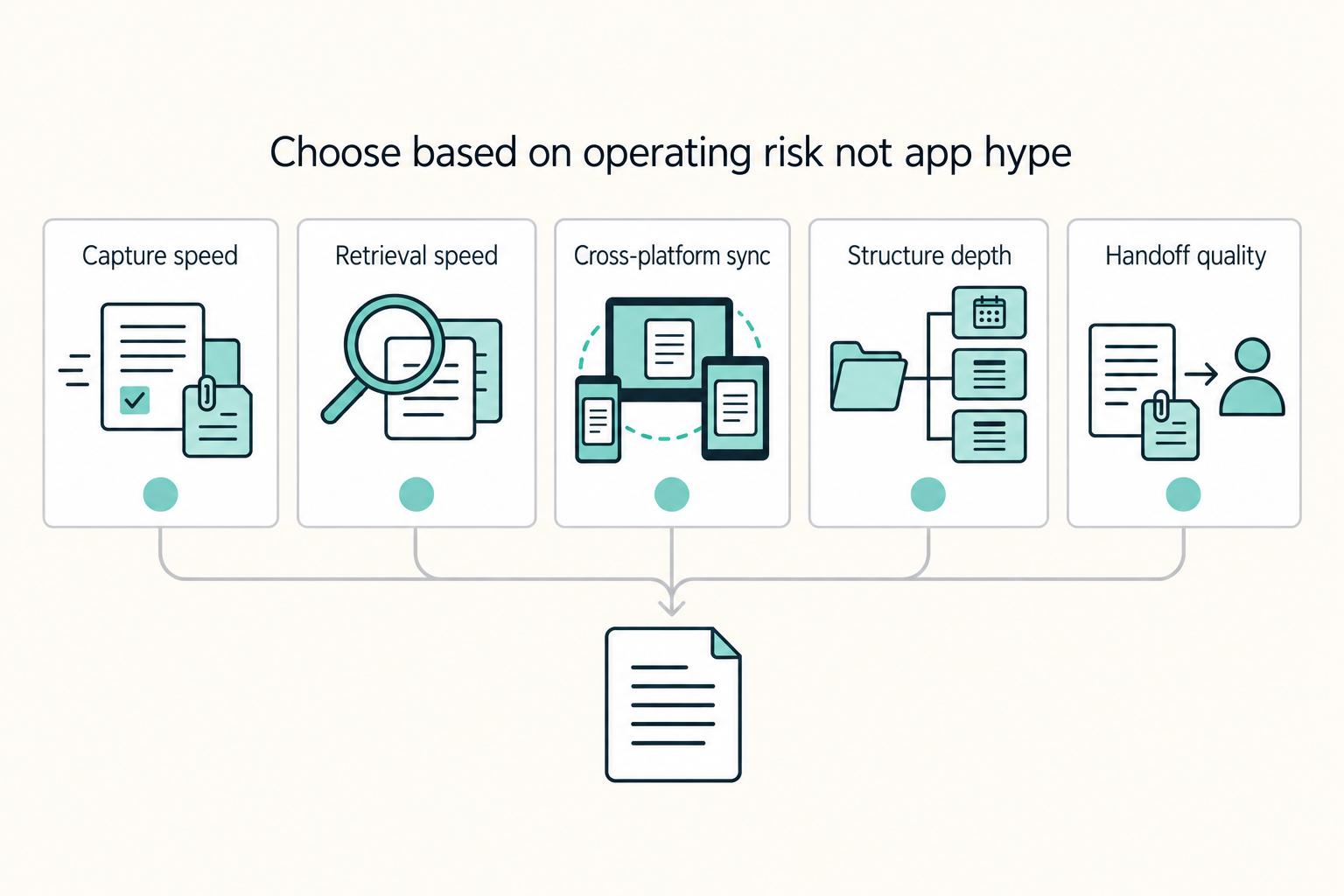
The Best Note-Taking and Knowledge Management Apps for Freelancers
Make this decision in one sitting, then move on. One primary note app, used as the default place for client decisions, follow-ups, and reference notes, does more to cut missed details, messy handoffs, and tool churn than another week of comparing screenshots ever will.

How to Build a Sales Pipeline for Your Freelance Business
Before you turn this into a detailed freelance pipeline playbook, pause for a source-quality check. The available evidence here is a [Scribd listing](https://www.scribd.com/document/958783827/The-FP-a-Handbook) for **FP&A Handbook: Financial Planning Guide**, not a verified, fully reviewed operations standard.