
Quick Answer
Canadian freelancers use Form T2125 when they have business or professional self-employment income to report on a personal T1 return. Keep T4 employment income separate, organize records by activity, and report only amounts you can trace to source documents. If treatment is unclear, use conservative classifications, confirm current-year CRA dates, and get a review before filing instead of guessing.
Start Here if You Want a Low-Stress T2125 Filing#
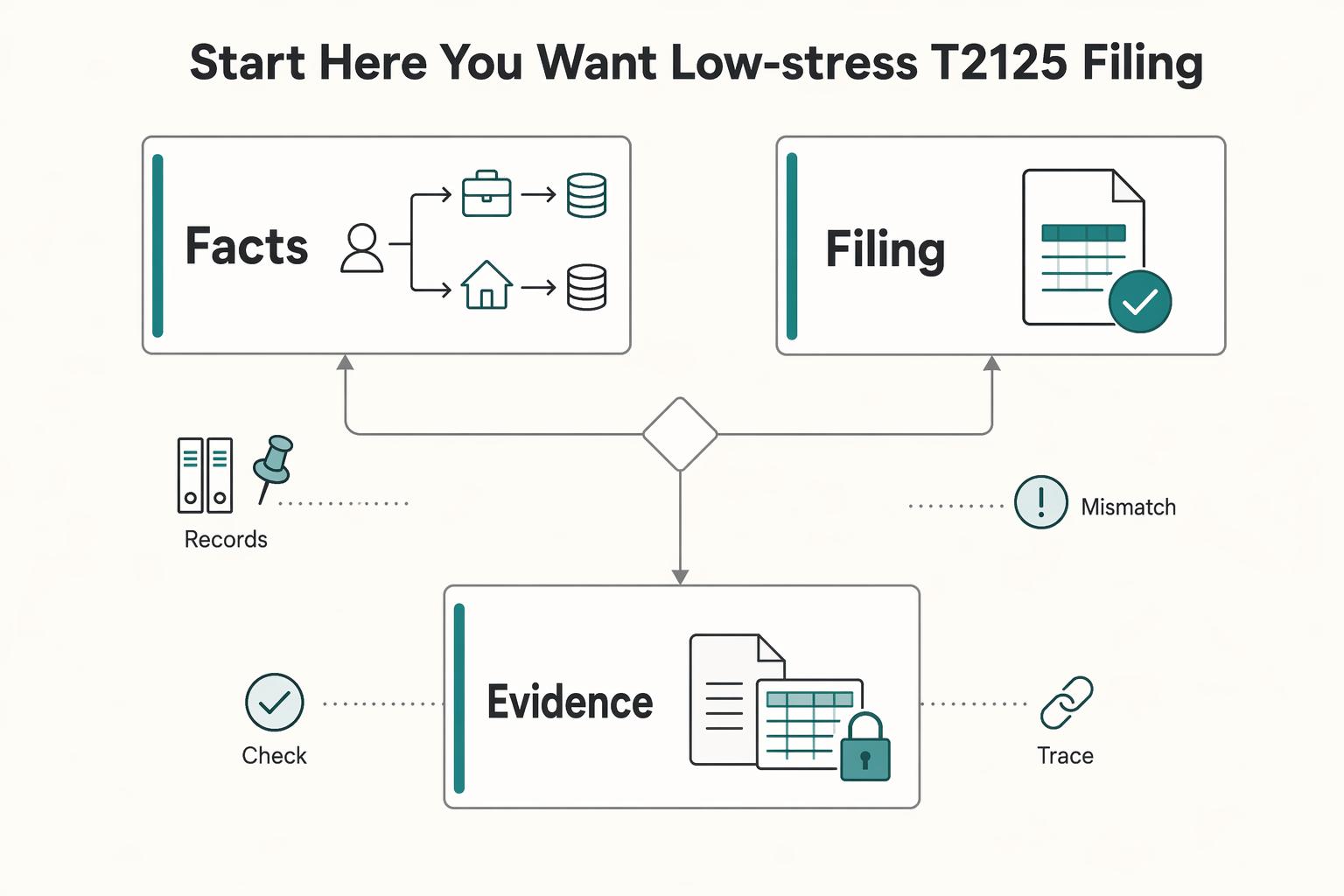
Low-stress T2125 filing comes from sequence, not speed. Start by separating employment income from self-employment income, then take positions you can support from records rather than memory. If you earned self-employment income, you will usually need to file a tax return, and many freelancers report that business or professional income using Form T2125 as part of a personal return. Conservative choices here do more than keep the file tidy. They make final review faster and reduce the chance of avoidable corrections later.
This guide is for freelancers and consultants with self-employment income, including people who also receive T4 income. The first practical move is simple: keep those streams apart before you enter any amounts. When employment and business records get piled together and sorted only at the end, classification gets messier, totals become harder to check, and the last review takes longer than it should.
Work through the rest of this article in order:
- Confirm whether your income profile points to a T2125 filing path this year.
- Decide how you will separate different activities before entering totals.
- Build your evidence pack before you start drafting.
- Classify income and expenses with written reasoning when facts are mixed.
- Run the final checks and escalate early instead of guessing.
A small setup step now saves a lot of time later. Create two folders, one for T4 slips and one for self-employment records. Inside the self-employment folder, add subfolders for income, expenses, and unresolved items. Then open a running sheet with four columns you will use throughout the process: date, amount, category, and supporting record. That simple structure does most of the heavy lifting because it gives you one place to trace every decision from source document to reported total.
If a payment or receipt is unclear, tag it unresolved and keep moving. Do not force a decision just to clear the list. Unresolved items are normal, especially when you have mixed client work, reimbursements, or small payments that do not fit neatly on first review. The better habit is to park the item, keep the evidence with it, and come back once the rest of the file is sorted.
Keep one timing point in view from the start: filing timing and payment timing may differ. Confirm the current-year CRA dates before you submit or pay, and keep those dates visible in your planning notes while you prepare the return. That way, deadline decisions stay tied to the actual work instead of turning into a last-minute scramble.
What Form T2125 Actually Does in Your Tax Return#
Treat T2125 as the calculation engine for your self-employment reporting, not just a data-entry page. It turns business records into reportable numbers for your Federal Income Tax and Benefit Return by capturing business or professional income, related expenses, and the gross-to-net calculation that flows into the rest of the return.
Its formal name matters because it tells you what belongs on the form: Statement of Business or Professional Activities. That is the boundary. Self-employment business or professional activity belongs here. T4 employment income does not. Once you keep that distinction clear, the rest of the form becomes easier to understand.
People usually get stuck when they treat the form as a list of numbers to fill in at the end. In practice, you are showing how your records become totals, and how those totals become net business or professional income for the year. That is why the file needs a clear trail from source document to final number. If that trail is weak, the form feels confusing even when the math is straightforward.
Older notes can add noise here. If you still see references to T2124 or T2032, treat them as historical labels. Current filing uses T2125 as the combined form. Keeping that in mind helps when you inherit an old checklist or reopen a prior-year template that uses language which no longer matches the current filing form.
Activity boundaries matter just as much as line entries. If you have both business income and professional income, complete separate T2125 forms for each rather than blending them together. That keeps each income and expense stream distinct and makes later review much easier.
If treatment is unclear, check Guide T4002 and CRA filing guidance before you finalize anything. CRA also instructs filers to download the form instead of opening the link directly in a browser, and to use Acrobat Reader 10 or later. That is a small technical point, but it is worth following because it avoids preventable form issues.
For broader context on mobile work and taxes, see our guide to a defensible 2026 filing plan.
Decide if You Need Form T2125 This Year#
Make this call before you enter a single number. Whether T2125 belongs in your return this year determines how you organize records, classify payments, and review the final package. If that first decision is wrong, the rest of the work usually has to be redone.
| Income profile | First action |
|---|---|
| Only T4 employment income | Start with the employment filing path, then confirm you have no business or professional income to report on T2125. |
| T4 plus freelance or consulting income | Confirm whether T2125 applies before drafting amounts. |
| Partnership-related income | Verify treatment before posting any totals. |
A quick scenario check usually clarifies the path. If you had salary all year and no self-employment activity, you may stay in the T4 lane on your first pass. If you had salary plus even a small consulting stream, verify T2125 treatment early instead of waiting until the return is almost finished. That early decision keeps your records organized around the right question from the start.
For sole proprietors, CRA guidance points to completing the applicable T2125 areas and lines for business or professional income. If partnership income is involved, verify the treatment before you start moving amounts into the form. The goal here is simple: lock your filing position first, then build totals that match it.
Run this checkpoint now:
- List each income source and label it T4 employment or self-employment.
- Flag any payment you cannot classify on the first pass.
- If you are a sole proprietor, confirm your reporting path in Guide T4002.
- If partnership details affect income treatment, pause and verify before drafting amounts.
One rule keeps this clean: do not reuse last year's assumptions without checking this year's income mix. A small change in how you were paid can change the right filing path, even when the work itself looks similar.
Once you know the form applies, the next decision is structural: how many separate activity files you need before you start building totals.
Decide How Many T2125 Forms You Must File#
The practical default is one T2125 per business or professional activity. That approach keeps the file cleaner, gives each activity its own logic, and reduces the chance that income and expenses from different lines of work start running together.
Separate activities are usually easier to justify when they differ by service type, client profile, or cost structure. If unlike activity lines get merged too early, the totals may still add up, but the reasoning behind the allocations gets weaker. Shared costs become harder to explain, income labels lose precision, and later review turns into reconstruction work.
The common failure mode here is expense blur. Only the business portion of costs belongs on T2125, while personal portions stay out. If all activity lines are combined before you sort them properly, shared costs often get spread without clear reasoning. The result is a file that looks complete on the surface but becomes difficult to defend once you have to explain how each number was built.
For sole proprietors, align your prep with Guide T4002 by organizing records by activity first, then completing the applicable T2125 areas and lines for business or professional income. That order matters because it keeps each activity internally consistent before anything is rolled up into the return as a whole.
Use this checkpoint before filing:
- Write a one-line description for each activity.
- Assign each invoice stream to one activity only.
- Group expenses by activity, then document any shared-cost allocation.
- Remove personal portions before entering deductible amounts.
- Confirm each activity file can stand on its own if reviewed.
If two activities still cannot be separated cleanly, stop and get a review before you submit. Early review is usually faster than trying to amend a return later because the original filing blended categories in ways that are hard to unwind.
A good habit is to keep a short decision note inside each activity file. One sentence is enough. State why the activity was treated as separate and what records support that call. When you revisit the file later, that note saves time because you are not trying to remember a decision you made months earlier.
If you need a simpler place to organize your records while you work through that split, you can browse Gruv tools.
Build Your Filing Evidence Pack Before You Touch the Form#
Build your evidence pack before you open T2125. This is what makes the rest of the process feel controlled instead of improvised. Every number you plan to report should be traceable from a source record to a running total and then to the line you enter on the form.
| Item | Minimum support |
|---|---|
| Income entry | Date, amount, payer, and supporting record |
| Expense entry | Supporting documentation and a short business-purpose note |
| Running totals | Match the records you plan to report |
| Amount without support | Remove it or hold it for review |
| Random trace test | Pick 3 income entries and 3 expense entries and trace each one from the source record to your running sheet and back |
Track two streams throughout the year: income and business expenses. Do not rely on slips alone to represent total income, and do not assume the form will remind you what belongs where. Your own records need to carry the load, especially when slips are incomplete or when payments arrive in ways that do not line up neatly with the categories you use in your return.
A good evidence pack is not fancy. It is simple, consistent, and easy to follow. Keep one folder for income support, one for expenses, and one for unresolved items. Name files to mirror the entries on your running sheet so matching is immediate during review. The more obvious the naming is, the less time you waste cross-checking later.
Before you start entering anything, make sure the basics are in place:
- Each income entry has a date, amount, payer, and supporting record.
- Each expense entry has supporting documentation and a short business-purpose note.
- Running totals match the records you plan to report.
- Any amount without support is removed or held for review.
Then do one more pass before you draft totals. Pick three random entries from income and three from expenses. Confirm each one can be traced from the source record to your running sheet and back again. That small test tells you whether your filing pack is actually usable. If the trace breaks, fix the structure now instead of patching it at the end when you are already under deadline pressure.
This step does more than shorten final review. It also helps you catch quiet mistakes early, such as duplicate entries, missing support, or a category choice that no longer makes sense once you look at the record again. When the evidence pack is solid, the form itself becomes a much narrower task.
With that support in place, you can move into classification without having to decide everything from memory.
Classify Income Correctly When You Have Mixed Client Work#
Classify first, then total. Mixed client work is manageable when each payment has a clear lane before year-end posting and when you write down the lane rules once and use them consistently across the file.
Keep T4 income outside T2125 and keep freelance or consulting income inside the T2125 lane. That sounds obvious, but mixed work creates edge cases quickly. Small miscellaneous payments, one-off consulting invoices, and items that resemble reimbursements are where classification mistakes often start because they seem too minor to matter. They matter because small inconsistencies are hard to spot once everything is rolled into year totals.
For reimbursement-like or pass-through items, document treatment before netting anything. Record the incoming amount, link the support, and note how you handled it. If you wait and try to net from memory near filing time, you create reconciliation problems, especially when several transactions tie back to one client expense or when the payment description is vague.
Use consistent labels across your spreadsheet, bank notes, and draft entries so the form language and the support match. If the bank note says one thing, your running sheet says another, and the draft form uses a third label, review slows down and the chance of double counting or omission goes up. A simple naming rule avoids that.
Before moving totals into the form, run this check:
- Every T4 amount stays outside T2125 income totals.
- Every self-employment payment has a dated source record.
- Reimbursement-like and pass-through items have written treatment notes before netting.
- Small amounts are still captured.
- Bucket totals match your running sheet and account statements.
Keep two timeline triggers visible in the same sheet while you work. If self-employment income crosses $30,000, trigger a GST/HST registration review. If you are self-employed, keep the June 15 filing marker visible so classification is finished before final drafting starts. Both reminders are useful because they connect your classification work to decisions that can affect the rest of the filing process.
If any other income type appears, do not leave that mapping for final assembly. Treat it as its own review point. Once income is in the right lane, expense classification becomes much more reliable because you are no longer trying to clean up both sides of the file at once.
Classify Expenses With Conservative Rules That Survive Review#
Start with support, not with the label you want to use. Expense classification is really a documentation exercise. If a cost cannot be tied to income-earning business or professional activity with records, hold it out until the support is complete.
CRA defines a business as an activity intended to be carried on for profit, with evidence to support that intention. That framing is useful because it keeps the question grounded. You are not asking whether a cost feels business-related in a general sense. You are asking whether the record, the purpose, and the activity line support putting that amount into the return.
Use CRA language consistently in your notes. In CRA reporting, professional activities are treated as a separate business category. Keep your file clear about what is business activity, what is professional activity, and what is personal. Then use that same wording across receipts, spreadsheets, and draft entries. Consistent language reduces interpretation drift when you reopen the file weeks later and need to remember why you classified a line the way you did.
Working buckets are helpful, but the bucket name is not proof. For mixed personal and business costs, document the allocation method and use a conservative business portion when the split is uncertain. A short note beside the line is often enough if it explains the business purpose and how the business share was determined. If you cannot explain the split in a sentence or two, that is a sign the line needs another look.
Before posting expense totals, use this checkpoint:
- Every line has a dated source record.
- Every line has a short business-purpose note.
- Mixed-use lines have a written allocation method.
- Unclear lines are excluded until support is complete.
- Totals reconcile to your records.
One useful review pattern is to scan for lines that were edited more than once. Repeated edits usually signal unresolved classification logic, not just harmless cleanup. Move those lines to a review list and decide them deliberately instead of leaving silent changes inside your final totals.
If a line is unusual or hard to classify, flag it for separate review instead of forcing a quick answer. Quick answers feel efficient in the moment, but they create downstream cleanup because the rationale was never written down. That is exactly the kind of gap that turns a clean file into a confusing one.
As a final quality check, compare category totals in your sheet with category totals in the draft form. Any mismatch should be explained by a documented adjustment, not by memory. Once expenses are stable, you can handle the high-judgment categories like home office and vehicle claims without stretching.
Handle Home Office and Vehicle Claims Without Stretching#
Be especially conservative with home office and vehicle claims. These categories can be useful, but they weaken the whole file if the support is thin or the calculation cannot be recreated later. If the record trail is weak, reduce the claim or leave it out.
Keep dated records for each line and note how you arrived at each amount. You should be able to reproduce the number from your notes and source records without relying on memory. If treatment is unclear, flag the line for review instead of forcing it into a category that seems close enough.
If foreign-currency transactions are part of the claim, keep transaction-date conversion notes and CAD values with the source record so the totals can be reproduced. In one T2125-related filing example, the records included exported annual statements and transaction-date CAD conversions. That is the right mindset here: if you cannot rebuild the number cleanly, the support is not finished.
Use this checkpoint before submission:
- Home office and vehicle totals tie back to dated source records.
- Foreign-currency lines include conversion notes and CAD values.
- Unclear or mixed-use lines are documented and flagged for review.
- Final T2125 entries match supporting sheet totals.
A simple test catches weak lines quickly: ask whether another person could recreate your number from your notes and attached records. If the answer is no, improve the note or hold the line until the support is complete.
Once those categories are under control, the remaining work is mostly about careful form handling and avoiding technical mistakes.
Fill and Submit the Form Without Preventable Technical Errors#
Use one controlled draft from first entry through submission. Technical mistakes are rarely interesting, but they are one of the easiest ways to create avoidable confusion. A single working file keeps your final package coherent and makes the last verification pass much easier.
Use CRA Form T2125 and carry that same file through final review. Give it a clear name so older drafts do not get mixed into the submit-ready version, and keep one brief version-history note if you make late changes. That small habit pays off when you reopen the folder later and need to know which file actually became the filed statement.
Keep the form's role explicit while you review entries. T2125 is the Statement of Business or Professional Activities used by sole proprietors to report business or professional income on a personal return. If category wording is unclear, confirm it against Guide T4002 before you finalize anything. That is often faster than trying to infer the right treatment from an old spreadsheet label.
A short pre-filing routine helps keep the process calm. Review identity fields first, then activity separation, then totals. Last, reopen the exact file you plan to file and make sure it matches your latest support sheets. That final reopen matters because it catches the common problem where the right numbers exist, but they are sitting in a different draft than the one about to be submitted.
Use this quality check before finalizing the statement:
- Identifiers are complete and consistent with your return profile.
- Activity separation matches how records were prepared.
- Category totals match supporting schedule totals.
- The final saved file is clearly labeled and dated.
- You reopened the exact file you plan to file and confirmed the entries.
Keep one final copy set in a single filing folder: the completed T2125, the supporting schedule used for totals, and the key records behind those totals. When everything lives together, follow-up is much easier because you are not rebuilding the file from scattered documents after the return has already gone out.
After submission mechanics are under control, the remaining risk is usually timing: deadlines, payment planning, and record retention.
Manage Deadlines Payments and Record Retention#
Treat filing and payment as separate deadlines. This is where otherwise careful filers often create unnecessary problems. If you expect a balance owing, plan the payment side early instead of treating it as something to settle once the return is finished.
| Timing point | Reference | Implication |
|---|---|---|
| Filing | June 15 | Common planning reference; confirm current-year CRA dates with CRA guidance before acting |
| Payment of amounts owing | April 30 | Common planning reference; plan the payment side early instead of waiting until the return is finished |
| Current-year dates | Confirm current-year dates with CRA guidance | Do not treat June 15 and April 30 as a blanket rule for every year |
| If payment is likely to be late relative to April 30 | Treat as a decision point | Payment timing can still create interest exposure |
A common planning reference is filing by June 15 and paying amounts owing by April 30. Do not treat that as a blanket rule for every year, and confirm current-year dates with CRA guidance before acting. The key point is sequencing: payment planning should happen before your filing package is finalized, not after. That way you can make decisions with the calendar in view instead of reacting to it at the end.
Because T2125 reports business or professional income and expenses, every amount should be traceable. Your retention setup should make it easy to move from a reported line back to the source document without searching across multiple folders or devices. If you cannot do that quickly, the file is not really finished.
Keep a retention folder that includes:
- Client invoices supporting income totals.
- Business receipts for claimed expense categories.
- Bank statements tracing deposits and payments.
- Expense records exported from bookkeeping tools.
- Category support sheets mapping totals to T2125 lines.
- A final saved copy of the submitted statement package.
If you run more than one activity, keep those records separate in the same way you prepared separate forms. Record-level separation is what makes form-level separation believable. It also saves time if you need to revisit one activity without reopening the entire filing file.
One more risk check belongs here: if payment is likely to be late relative to April 30, treat that as a decision point, not an afterthought. Filing later may still be on track, but payment timing can still create interest exposure. That is why deadlines and retention belong in the same section. Good records help you file correctly, but good timing helps you avoid problems that correct records alone cannot fix.
If the file stops being straightforward anywhere in this process, that is the moment to escalate.
Escalate Early When Your Case Stops Being Straightforward#
Do not force a clean-looking return when important lines still depend on assumptions instead of documents. At that point, escalation is not extra polish. It is basic risk control.
Common triggers include multiple activities, unclear expense allocations, partnership complexity, or other uncertain tax treatment. None of these automatically means the filing is unmanageable. What matters is whether the unresolved item has a clear document trail and a calculation you can explain. If it does not, you are no longer deciding between two neat options. You are guessing, and that is the point where review becomes worth it.
Use one rule: if a figure cannot be explained with a source document and a clear calculation, get a review before filing your T1 General. If unresolved items remain as key deadlines approach, escalate immediately rather than trying to push them through in a final rush.
Partnership entries deserve particular care. Confirm how transferred amounts should be reported and verify the income-type mapping before submission. When the mapping is wrong, the problem is not just the wrong total. The bigger issue is that there is usually no clean decision trail showing how the amount got there.
Give your reviewer a focused handoff pack:
- Completed draft return package.
- Evidence folder with invoices, receipts, bank statements, and allocation notes.
- Open-questions list with the decision needed for each item.
- Category mapping sheet tying totals to reported lines.
- References already used.
A good handoff question is short and specific. State the line, the uncertainty, and the two possible treatments you considered. That format helps the reviewer answer faster and reduces back-and-forth because the decision point is already framed clearly.
If you are globally mobile, state your residency position clearly before review so income is reported in the right scope. Final filing should wait until high-judgment lines are supported by records or professional advice.
Your Next Step Before You File#
At this stage, the main question is not whether the return looks finished. It is whether every number is defensible from record to return. Submit only amounts you can support, and treat unclear items conservatively.
Run this final pass once, end to end:
- Confirm filer type first. If you are a sole proprietor, complete all applicable areas and lines on Form T2125.
- Rebuild income from source documents. If no T4A was issued, report income from invoices and deposit records.
- Recalculate the core result. Gross revenue minus eligible expenses should match the net self-employment income or loss in your T1 draft.
- If partnership amounts apply, map T5013 amounts carefully before transfer: Part 5 amount 5A and the correct box type 116, 120, or 122.
- Keep payment and filing decisions separate. If you expect a balance owing, paying after April 30 can trigger interest even when filing is later.
As you work through the list, mark each line pass, hold, or escalate. Pass means fully supported and ready. Hold means support exists but needs one more check. Escalate means the line still depends on an assumption or an unresolved classification question. That three-part label is useful because it forces a real decision on each issue instead of letting uncertain items hide inside the draft.
If a line still feels uncertain, reduce the claim or hold it back and escalate early. Fixing a weak filing later usually creates more work than deciding carefully now, especially when records have to be reconstructed after the fact or when the original reasoning was never written down.
For final review, keep one compact evidence pack: completed T2125 draft, income support, expense support, and a line-to-document map. Add a short note of unresolved items and the action taken on each one so there is no ambiguity at submission time.
Final gate before filing: if a number cannot be explained with a clear document trail, do not submit it yet. Clean records and clear decisions are what make the return accurate, explainable, and easier to defend. For a year-end control pass, use How to Conduct a Yearly Financial Review for Your Freelance Business as the companion check before you lock the return.
Frequently Asked Questions
Do freelancers in Canada always need Form T2125?
No. T2125 applies when you had business or professional activity to report as part of a T1 return. If you had only employment income, it may not apply. Some partnership situations also need separate verification.
When do I file and when do I pay if I am self-employed?
Treat filing and payment as separate deadlines. A common planning reference is filing by June 15 and paying amounts owing by April 30, but confirm current-year CRA dates before acting. If you expect a balance owing, plan the payment side before the return is finished.
Do I file one Form T2125 or multiple forms for different activities?
Use a separate T2125 for each business or professional activity. That keeps income, expenses, and shared-cost reasoning clearer by activity. If you still cannot separate activities cleanly, get a review before filing.
Which expense categories are most commonly used on T2125?
Common categories mentioned here include advertising, office supplies, motor vehicle costs, business-use-of-home expenses, and professional fees. Use a category only when the amount is business-related and supported by records. If treatment is uncertain, leave the line out until the support and reasoning are complete.
Can I claim home office and motor vehicle expenses at the same time?
Both can appear in the same filing, but neither should be claimed casually. Each needs its own dated records, notes, and calculation trail. If one category is weakly supported, do not let the other justify it.
What records should I keep in case the CRA asks for support?
Keep invoices, receipts, bank statements, expense records, category support sheets, and a final saved copy of the statement package. Organize them so each reported amount can be traced back to a source document. If you run more than one activity, keep those records separated the same way you separate the forms.
Try a related tool
Researched and edited by the Gruv editorial team. Gruv builds cross-border billing, payouts, and finance-operations software for global businesses.
Sources
Includes 5 external sources outside the trusted-domain allowlist.
- canada.ca/en/revenue-agency/services/tax/businesses/to...external
- canada.ca/en/revenue-agency/services/tax/businesses/to...external
- turbotax.intuit.ca/tips/t2125-tax-form-declare-income-and-expen...external
- turbotax.intuit.ca/tips/t2125-tax-form-declare-income-and-expen...external
- waveapps.com/blog/how-to-file-self-employment-taxes-canadaexternal
Educational content only. Not legal, tax, or financial advice.
Related Posts

Digital Nomad Taxes in 2026 With a Defensible Filing Plan
With digital nomad taxes, the first move is not optimization. It is figuring out where you may be taxable, where filings may be required, and what proof supports that position.

Ho Chi Minh City Digital Nomad Guide for a 30-Day Move (2026)
Ho Chi Minh City is a strong base if your priority is keeping work momentum while relocating. You get density, plenty of places to work from, and a social scene that can help you settle quickly. It is a weaker fit if your best days depend on calm streets, easy walking, and long stretches of quiet. In practice, Saigon tends to reward people who want convenience and activity more than retreat pace.
How to Build an Email List for Your Freelance Business
As the CEO of your business-of-one, you need a repeatable system you can actually run.