
Quick Answer
CI/CD for SaaS should be adopted in stages, not all at once. Launch with baseline controls that reduce release risk, then expand automation as your failure cost, team load, and compliance needs grow. The article’s core framework is to pair delivery speed with explicit change control, tested rollback, and a usable audit trail so you can ship confidently without avoidable surprises.
You need CI/CD that protects your business not just your deploy speed#
You are not choosing between speed and safety. You are choosing how much business risk each release can carry. As the CEO of a business-of-one, your release process is part of your risk strategy.
If you spend time in SaaS operator communities, you see the same dilemma: ship now to learn fast, but avoid the release that breaks onboarding, billing, or customer trust. That tension is normal in SaaS development. In practice, CI/CD is not a status symbol. It is a control system for reliable software delivery.
This guide gives you a 10-minute decision framework to choose the right CI/CD depth for your current stage. You will decide what to automate now, what to keep behind manual approval, and what to add later as risk and complexity rise. You do not need maximum automation on day one. You need clear decisions, safe defaults, and fewer avoidable surprises.
A reality check helps. In a 2024 outage analysis citing a 2023 survey, 54% of respondents said their most recent significant outage cost more than $100,000, and 16% reported costs above $1 million. Do not react with fear. React with design discipline. Strong DevOps execution is not just about throughput. DORA research links delivery performance metrics to broader organizational outcomes, too.
Many explainers stay high-level. This one stays practical. You will get concrete operating choices for CI/CD, including where your tooling fits, how to set guardrails, and how to scale governance without slowing to a crawl.
For this guide, professional delivery means:
- Change control is the approval and policy layer before production changes.
- Predictable rollback means you can quickly redeploy a previously known good revision.
- Audit trail is a chronological record that lets you reconstruct what changed, who changed it, and what happened next.
Scenario: you push a checkout update, error reports spike, and support tickets rise. With change control, rollback readiness, and an audit trail, you contain impact fast, explain decisions clearly, and protect trust while you fix the root cause.
What does CI/CD actually mean for a one-person or small SaaS team?#
For a small team, CI/CD means you automate quality checks early and automate releases only as far as your risk controls can handle.
The goal is not "process." The goal is a repeatable system that reduces surprises while you keep shipping. In plain terms, CI/CD for SaaS is a risk-management loop. You integrate code regularly, run checks before changes land, and release with controls that let you recover when something breaks. Faster shipping is a byproduct. Control is the point.
Define the terms before you pick tooling#
| Term | What it means for your workflow | Operator decision it drives |
|---|---|---|
| Continuous Integration | You regularly integrate new code into a central repo, often with automated checks before merge. | What checks must pass before any code reaches main. |
| Continuous Deployment | Every change that passes the production pipeline ships automatically. | Whether you trust pipeline checks enough to remove manual release intervention. |
| Change control | You assess risk, authorize changes, and schedule releases deliberately. | Who can approve production-impacting changes and when. |
| Audit trail | You keep chronological activity records so you can reconstruct events quickly. | What evidence you must log for each release decision. |
| Hosted CI servers | Your pipeline runs on cloud-hosted or managed CI/CD infrastructure. | Whether you optimize for cloud scalability with hosted CI or keep more self-management in-house. |
How this looks in a small SaaS team#
If you use GitHub Actions, you can validate pull requests and deploy merged changes through the same CI/CD platform. If you use Jenkins, you get an open-source automation server with broad plugin flexibility for build, deploy, and automation workflows. Both can support professional delivery when you define clear checks and ownership.
Scenario: you ship a billing update. CI runs before merge, high-impact changes follow explicit change control, and the release schedule is intentional. If something goes sideways, you review the audit trail, reconstruct what happened, and fix the root cause without guessing.
Use this decision rule:
- Start with CI gates before merge.
- Use automatic production deploys only when pipeline checks prove reliable.
- Keep change control and audit trail requirements explicit from day one.
Can you launch a SaaS without full CI/CD?#
Yes, you can launch a SaaS without full Continuous Deployment, but you should launch with minimum CI/CD controls that match customer exposure.
Launching is not the moment for perfect automation. It is the moment for simple controls that prevent risky merges, catch broken releases early, and give you a clear rollback path.
Use an exposure gate for launch decisions#
Make the launch call based on impact, not ego. If a bad release can hit billing, onboarding, or customer trust, start with straightforward guardrails in GitHub Actions.
| Exposure area | Minimum control before launch | Why it matters |
|---|---|---|
| Billing and checkout | Branch protection plus required status checks | You prevent unverified code from reaching protected branches. |
| Onboarding and auth | Post-deploy smoke tests | You catch obvious breakage right after deployment. |
| Customer-facing production | Manual deployment review before release (when enabled) | You keep human judgment for high-impact promotion decisions. |
| Incident response | Predefined rollback triggers and approvals | You recover faster when a deployment fails. |
Manual, ad hoc delivery increases inconsistency and human error. As operational load grows, that risk compounds.
Start with Stage 0 and define upgrade triggers#
For a solo founder, Stage 0 in GitHub or GitHub Actions should include:
- Protected main branch rules.
- Required checks before merge.
- Automated smoke tests in the pipeline.
- Manual production approval before deploy (when enabled).
- A rollback plan with trigger criteria and approval conditions.
Scenario: you ship a pricing-page change before a campaign. Smoke tests pass, then live behavior breaks a key flow. You trigger rollback using preset criteria, document the event, and restore service without improvising under pressure.
Do not wait for Reddit consensus on the perfect CI/CD stack. Context drives the right answer. Upgrade from basic controls to deeper Continuous Deployment when failure cost rises or failed deployment recovery time stays too slow. If recovery visibility feels weak, tighten monitoring with The Best Tools for Monitoring Application Performance (APM).
Which CI/CD setup fits your stage and risk tolerance?#
Pick the CI/CD setup that matches your current risk profile and team capacity, then add complexity only when policy or scale requires it.
Start with the simplest model that meets today's delivery and governance needs. Then adjust as scope, customer impact, and compliance requirements grow.
Compare the common setups#
| Setup | Setup effort | Governance needs | Operational overhead | Best stage fit |
|---|---|---|---|---|
| GitHub Actions | Lower with managed runners; higher with self-hosted runners | Varies by policy scope | Low for hosted runners, higher if you run self-hosted runners | Teams that need faster speed to value |
| Jenkins | Medium to high, because it is self-managed | Varies by policy scope and internal controls | High, because your team owns server operations | Teams that can own platform operations |
| CloudBees CodeShip | Not a durable default for new adoption | Not ideal for new rollouts | Not ideal for new rollouts | Legacy environments only, because CodeShip reaches end-of-life on 2026-01-31 |
Use the same four criteria every time#
When you choose between hosted CI servers and self-managed CI, use one repeatable checklist:
| Criterion | Article guidance | Relevant model |
|---|---|---|
| Speed to value | Managed CI/CD usually gets you running faster because it abstracts infrastructure setup | Managed CI/CD |
| Team capacity | Self-hosted CI/CD demands hands-on platform skill and steady ownership | Self-hosted CI/CD |
| Security boundaries | Self-managed infrastructure keeps assets inside your security perimeter when policy requires tighter control | Self-managed infrastructure |
| Maintenance burden | If you run self-hosted runners in GitHub Actions, your team owns OS and software updates | Self-hosted runners |
Ken Muse, Staff DevOps Architect at GitHub, offers a practical rule: "If self-hosting is necessary, consider a hybrid approach and use self-hosted runners just for the specific workloads where they are needed."
If only part of your pipeline needs strict isolation, run hybrid CI/CD. Keep the control plane managed for most workloads, then route specific sensitive jobs to self-managed compute.
Scenario: you ship a standard web release and a policy-sensitive integration in the same week. Most jobs stay in managed GitHub Actions, the sensitive workload runs on self-hosted runners, and you protect both delivery speed and compliance confidence.
What is the minimum viable CI/CD pipeline for durable SaaS operations?#
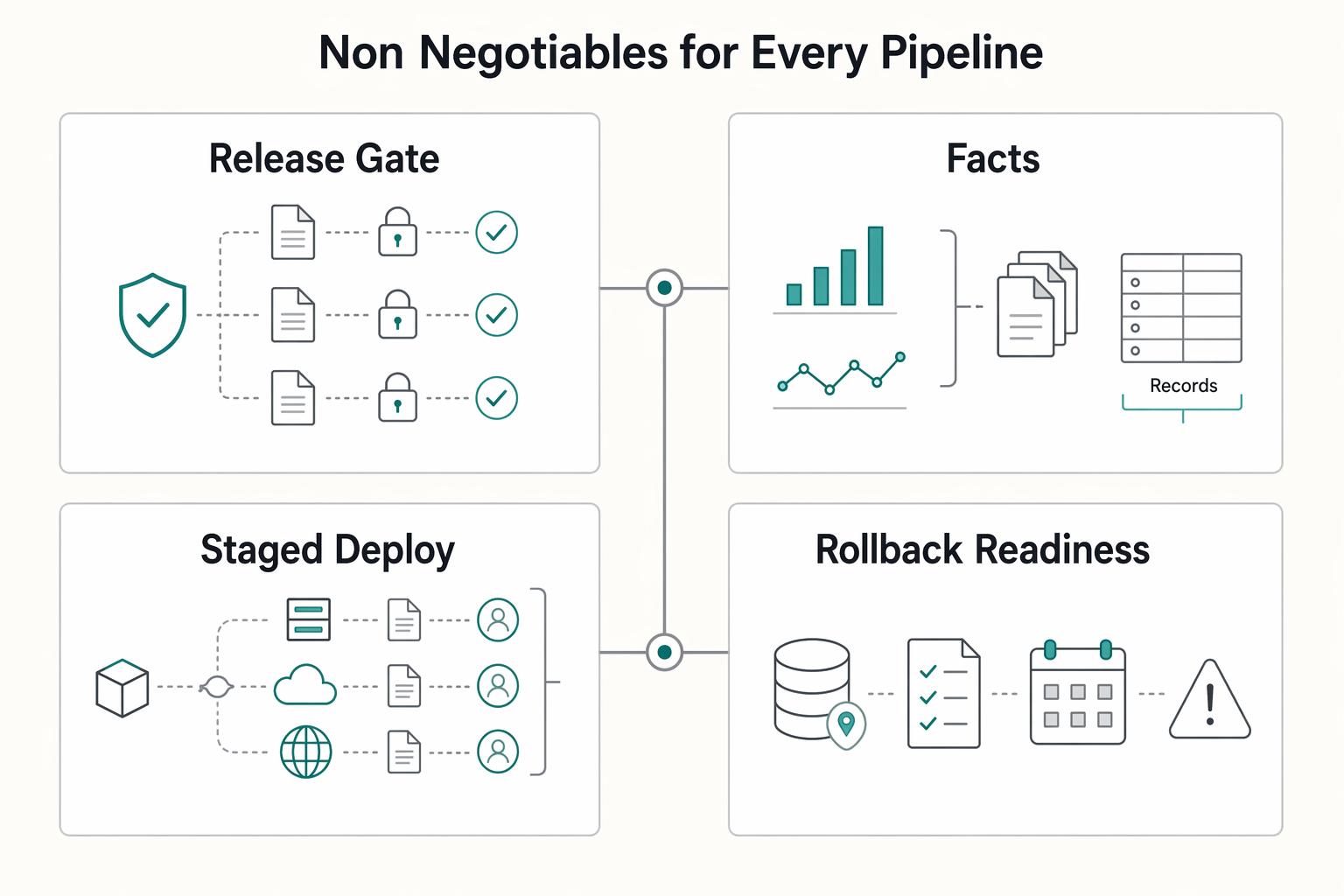
A minimum viable CI/CD pipeline for SaaS operations includes hard quality gates, verified build integrity, staged releases, and a tested rollback path.
Once you pick a setup model, define what every release must pass before production. This is where CI/CD stops being "tooling" and becomes your system for safer delivery.
Treat the minimum as required capabilities, not optional polish. Run it in GitHub Actions or Jenkins, but keep the control pattern consistent.
Non negotiables for every pipeline#
| Control | Minimum implementation | Why it protects the business |
|---|---|---|
| Lint and test gates | Block merges or deploys until required checks pass | You catch defects before customers see them |
| Build artifact integrity | Record verifiable provenance for artifacts | You can prove what you built and what you shipped |
| Staged deploy flow | Promote through staging before production, with explicit approval gates | You reduce blast radius and keep change control real |
| Rollback readiness | Predefine and test a rollback workflow that restores the last known good version | You cut recovery time when a release fails |
A staged pipeline in Jenkins can start with Build, Test, and Deploy, then expand to staging and production with human approval between steps. In GitHub, deployment protection rules can enforce manual approval, wait timers, or branch restrictions before production jobs run.
Add failure controls and evidence by default#
Use release flags to separate code deployment from feature exposure. Use canary-style rollout so you expose a new version beside the stable version before full promotion. Then log every incident and tie it to your audit trail.
Standardize deployment evidence in GitHub or Jenkins for every production push:
- Commit ID
- Actor
- Environment
- Test status
- Approval record
Scenario: a checkout update passes tests, reaches staging, and triggers errors for a small canary group. You disable the flagged feature, run rollback, and review logs that show who approved, what changed, and when. That is not just engineering hygiene. That is business reliability.
How do you make CI/CD audit-ready as your SaaS grows?#
Make audit readiness a daily change-control practice, not a quarterly documentation scramble.
At this stage, "works" is not enough. You want releases that are explainable under scrutiny, whether the question comes from an auditor, an enterprise buyer, or your own post-incident review.
Build change control into every production path#
Treat change control as a required workflow in your CI/CD platform, with named approvers and policy gates before production jobs run.
| Change-control practice | Article requirement |
|---|---|
| Approvers | Assign explicit approvers for each protected environment and keep ownership current |
| Release notes | Require release notes for every production change with a risk summary, rollout plan, and rollback owner |
| Pre-deploy gates | Enforce pre-deploy gates for approval, branch policy, and timing windows when risk is high |
| Self-approval | For high-impact environments, avoid self-approval so the release decision gets a second set of eyes |
In GitHub Actions, you can set required reviewers on protected environments, and one required reviewer can approve a waiting deployment job. Keep this focused on high-impact environments so delivery stays fast where risk stays low.
Link traceability, access control, and compliance scope#
Your audit trail should connect pull request, commit, build, and release records. When someone asks what happened, you should be able to answer with linked records, not memory.
| Control area | Minimum record | Operating outcome |
|---|---|---|
| Delivery traceability | PR, commit, build, and release links | You can reconstruct how work reached production |
| Least-privilege access | Minimum permissions per user, process, and environment | You reduce unnecessary access and credential exposure |
| Environment separation | Distinct dev, staging, and production boundaries with gated secrets where supported | You limit blast radius and tighten approval discipline |
Scenario: a customer reports a regression after release. You follow trace links, confirm who approved the deployment, check whether environment-specific secret access was gated by approval, and scope impact quickly.
Compliance scope varies by country, sector, and customer contract. PCI DSS applies to entities that store, process, or transmit cardholder data, and HIPAA responsibilities can apply to covered entities and business associates under contract. Confirm requirements with your legal or compliance advisor and your platform vendor docs before you enforce policy across every environment.
Your 30-day implementation checklist for cleaner releases and fewer surprises#
Run CI/CD as a four-week operating sprint: lock merge quality first, then resilience, then governance, then optimization.
Turn the controls into a weekly execution rhythm your team can run without debate. The goal is to reduce preventable surprises, speed recovery, and make release decisions cleaner.
Week-by-week checklist#
| Week | Focus | Operator checklist |
|---|---|---|
| Week 1 | Merge and production gates | Define your release branches. In GitHub, enable branch protection so protected branches require an approving review and passing status checks before merge. In GitHub Actions, add production deployment protection rules so a manual approver must release. In other CI/CD tools, mirror the same intent with explicit approval before production jobs run. |
| Week 2 | Resilience under pressure | Write one rollback runbook per service with trigger conditions, owner, and exact execution steps. Where it fits your risk profile, add deploy-freeze rules for high-risk windows. Tag incidents with a consistent release identifier so your timeline maps directly to change control records. |
| Week 3 | Governance you can explain | Centralize deployment logs in one searchable location. Standardize a release template with commit ID, approver, environment, test status, and rollback owner. Validate your audit trail end to end by tracing one recent release from pull request to deployment event to incident record. |
| Week 4 | Throughput and stack fit | Review build duration and failure trends, then remove the single biggest bottleneck first. Where it fits, trial parallel test pipelines to reduce CI build time. If you evaluate hosted CI servers, include lifecycle risk in the decision because CloudBees CodeShip reaches end-of-life on January 31, 2026. |
Ownership rule for the month#
Use one operating rule throughout this plan: you build it, you run it. If one person ships and another person handles fallout, release quality drifts fast.
Scenario: a small team pushes a late fix on a busy day. The release owner follows the checklist, gets approval, and can roll back without a handoff.
Use this weekly script:
- Pick one service, then complete the current week before widening scope.
- Review one failed deploy and one successful deploy every Friday, then update your checklist.
- Track failure trends with your monitoring stack and tighten signals using The Best Tools for Monitoring Application Performance (APM).
Build your CI/CD system once then scale it with confidence#
Scale CI/CD in stages with explicit controls, and you will protect trust while you keep shipping. You now have clear answers on launch readiness, automation timing, and stack choices. Run a repeatable operating rhythm that fits your current risk, then raise depth only when your delivery signals support it.
Start with small, reversible changes. That lowers blast radius and gives you faster recovery when something breaks. Keep change control visible in every release by naming an owner, capturing approval, and linking deployments to relevant incident learnings. In GitHub Actions, use deployment protection rules and branch restrictions for production paths. Keep those controls focused: each environment allows up to six deployment protection rules and up to six required reviewers.
Then evolve with intent. Use Continuous Integration to keep quality checks tight on every merge. Expand toward Continuous Deployment only when recovery is stable and rollback friction is low. If a service carries higher customer risk, add canary rollout steps to limit user impact before broad release.
Use this durable devops cadence:
- Review incidents on a regular cadence, then tighten one weak control.
- Run a rollback drill and a lightweight game day so response steps stay current.
- Write a short postmortem for meaningful incidents, then assign one prevention action.
- Update your release template whenever a failure reveals a missing field.
Scenario: you prepare a high-impact release before a busy customer window. You keep the manual gate, deploy to a small slice first, watch signals, and roll back fast if behavior drifts. That is professional software delivery.
Next step: map your current workflow against this checklist, mark your top two gaps, and bring in expert input where program or market requirements vary.
Frequently Asked Questions
Do I need `CI/CD` before launching my first `SaaS` product?
You do not need full Continuous Deployment on day one. You do need a baseline for customer-facing releases: protected branches, required status checks, and a manual production approval gate. Start there, then expand automation as release risk and team load grow.
What is the minimum `Continuous Integration` setup for a solo founder using `GitHub Actions`?
Set one protected release branch in GitHub and require passing status checks before merge. Run a small GitHub Actions workflow on every pull request for linting, tests, and build validation. Keep production approval manual until your failure rate and recovery process stay consistently predictable.
When should I move from manual deploy approvals to full `Continuous Deployment`?
Use a stability and velocity scorecard, not a gut call. Track four signals together: deployment frequency, lead time for changes, change failure rate, and time to restore service. If rollbacks show up often, treat that as a warning and keep manual approvals while you fix release quality.
Should I use `hosted CI servers` or run `Jenkins` myself?
Choose hosted first when you need speed and limited ops overhead; GitHub, for example, offers hosted virtual machines for workflows. Choose Jenkins or other self-managed runners when policy or network boundaries require tighter control. Own that tradeoff fully, since self-managed infrastructure also makes you responsible for patching and software updates.
What does `hybrid CI/CD` look like in practice for security-sensitive teams?
Hybrid CI/CD splits your pipeline across environments by risk. A common pattern runs standard build and test jobs in hosted infrastructure, then runs sensitive steps on private infrastructure or self-hosted runners. This model helps when security constraints require isolation, but it does not replace compliance design or contract-specific controls.
Which `rollback` controls matter most for small SaaS teams?
Keep rollback simple, fast, and owned. Maintain a clear rollback process and use it consistently when a release fails. Track rollbacks as part of your change failure signal so your devops process improves each cycle.
How do I prove `change control` and `audit trail` quality to enterprise customers?
Show one complete release record from pull request through deployment steps, with approvals and test results attached. Keep deployment logs organized so you can answer who changed what, when, where, and why. If you rely on custom deployment protection rules in private or internal repos, confirm your GitHub plan supports that capability before you promise it in security reviews.
Try a related tool
Researched and edited by the Gruv editorial team. Gruv builds cross-border billing, payouts, and finance-operations software for global businesses.
Sources
Includes 1 external source outside the trusted-domain allowlist.
Educational content only. Not legal, tax, or financial advice.
Related Posts
Value-Based Pricing for Freelancers Under Real Payment Risk
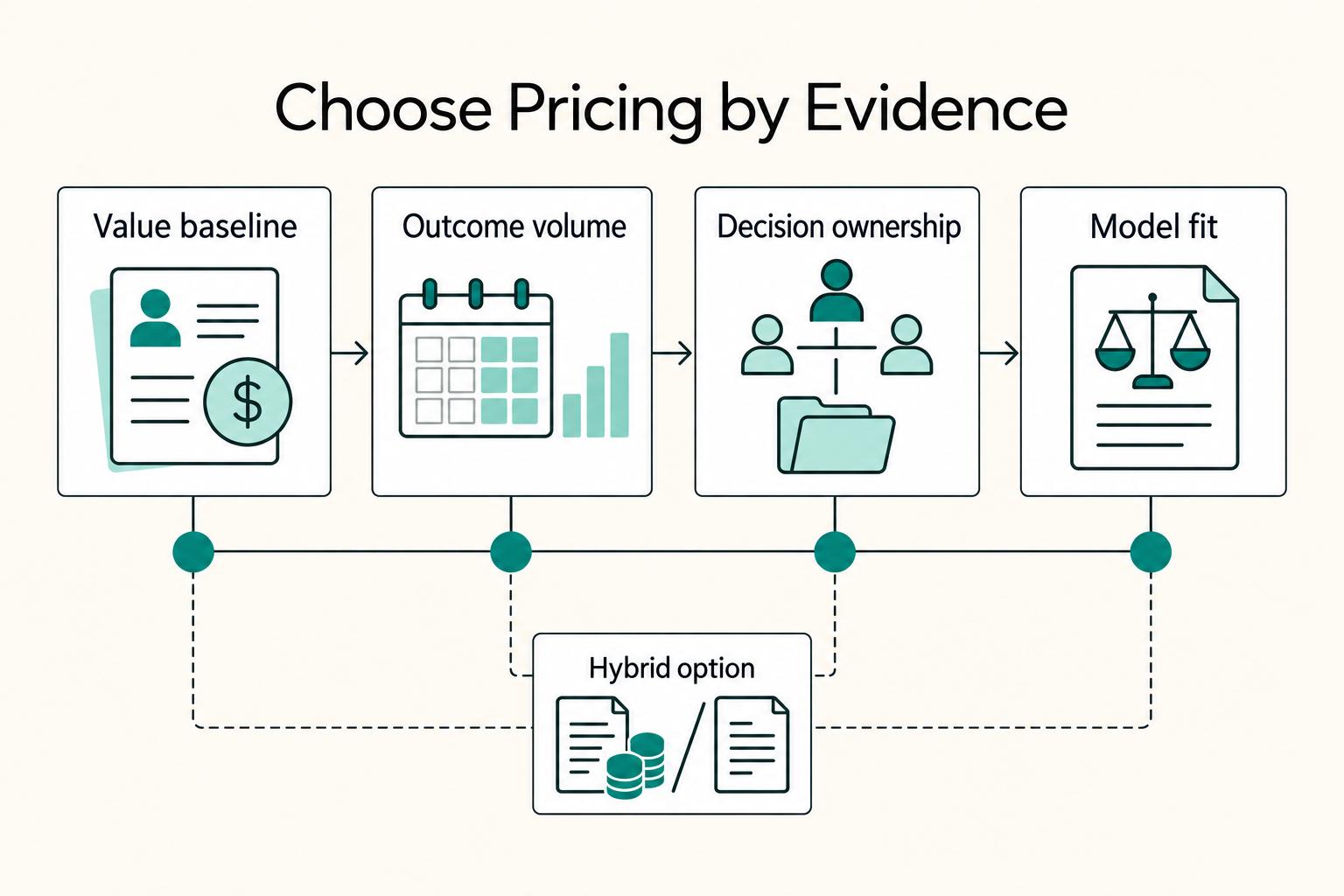
Value-based pricing works when you and the client can name the business result before kickoff and agree on how progress will be judged. If that link is weak, use a tighter model first. This is not about defending one pricing philosophy over another. It is about avoiding surprises by keeping pricing, scope, delivery, and payment aligned from day one.
How to Calculate ROI on Your Freelance Marketing Efforts
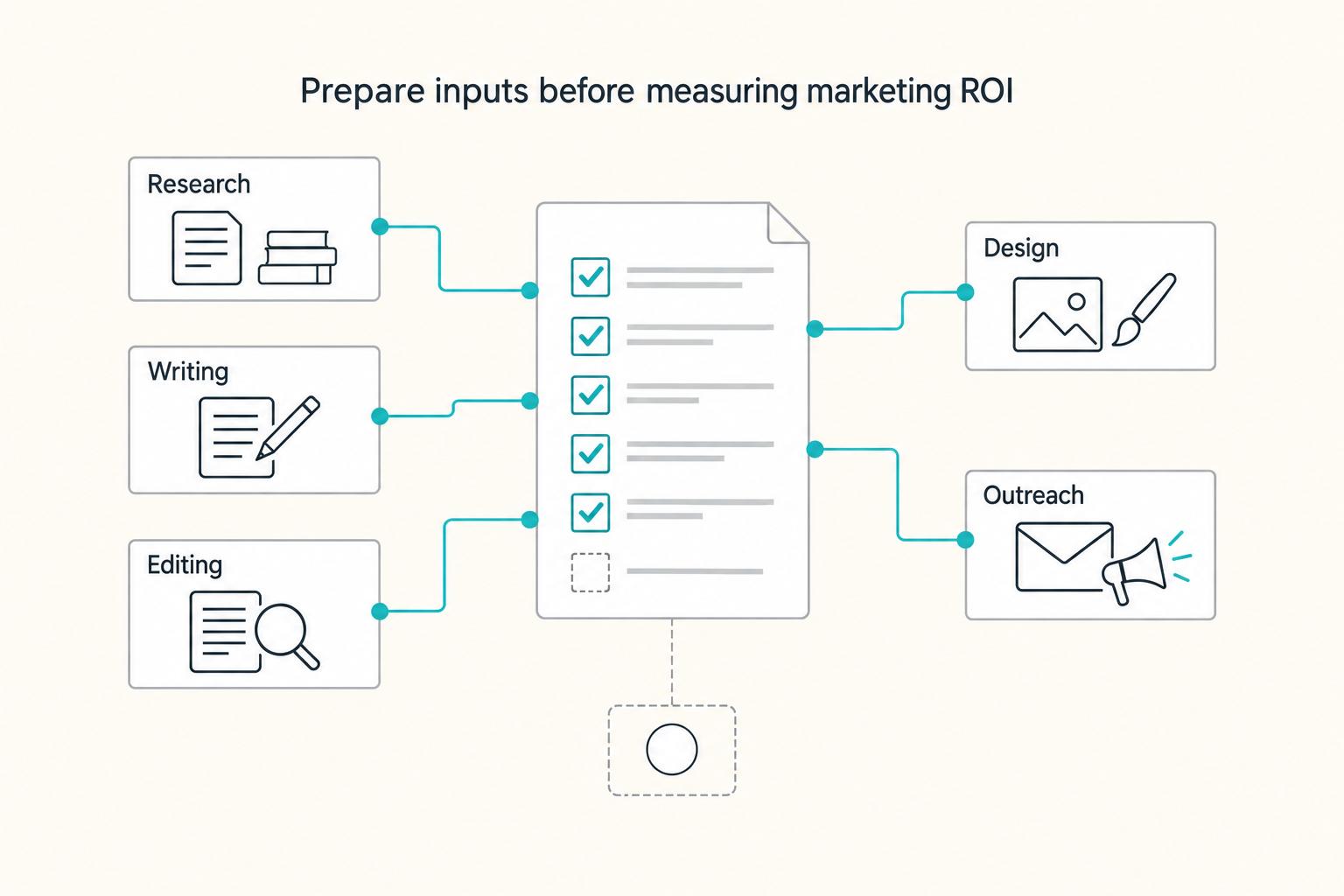
If you want ROI to help you decide what to keep, fix, or pause, stop treating it like a one-off formula. You need a repeatable habit you trust because the stakes are practical. Cash flow, calendar capacity, and client quality all sit downstream of these numbers.
Best APM Tools for Small Teams That Need Reliable Incident Triage
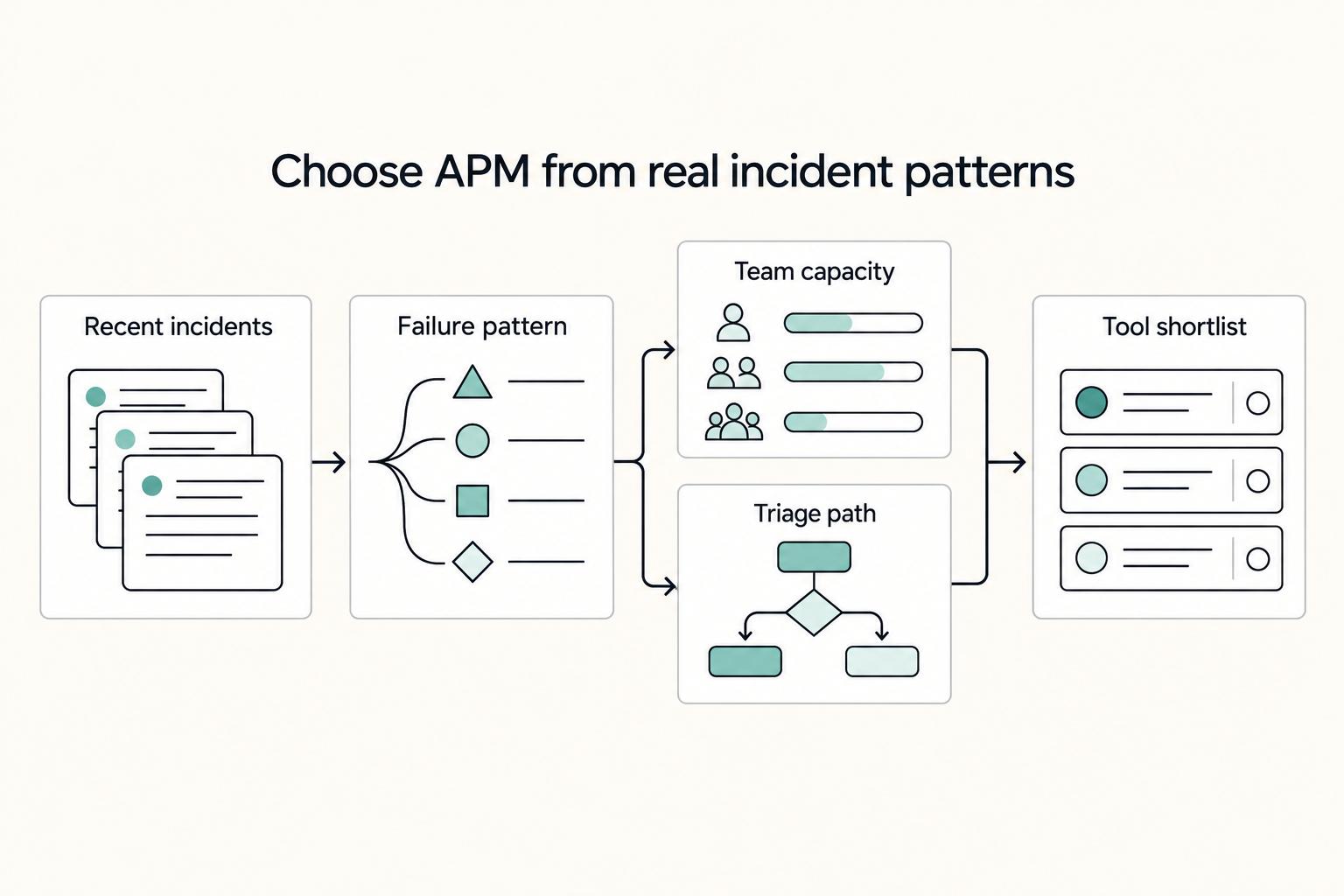
If you are comparing the **best apm tools**, pause the generic rankings and ask a harder question: what can you operate cleanly with the time and attention you actually have? The right choice depends less on who won a roundup and more on your incident pattern, your operator bandwidth, the onboarding effort you can absorb, and how costs behave as telemetry grows.