
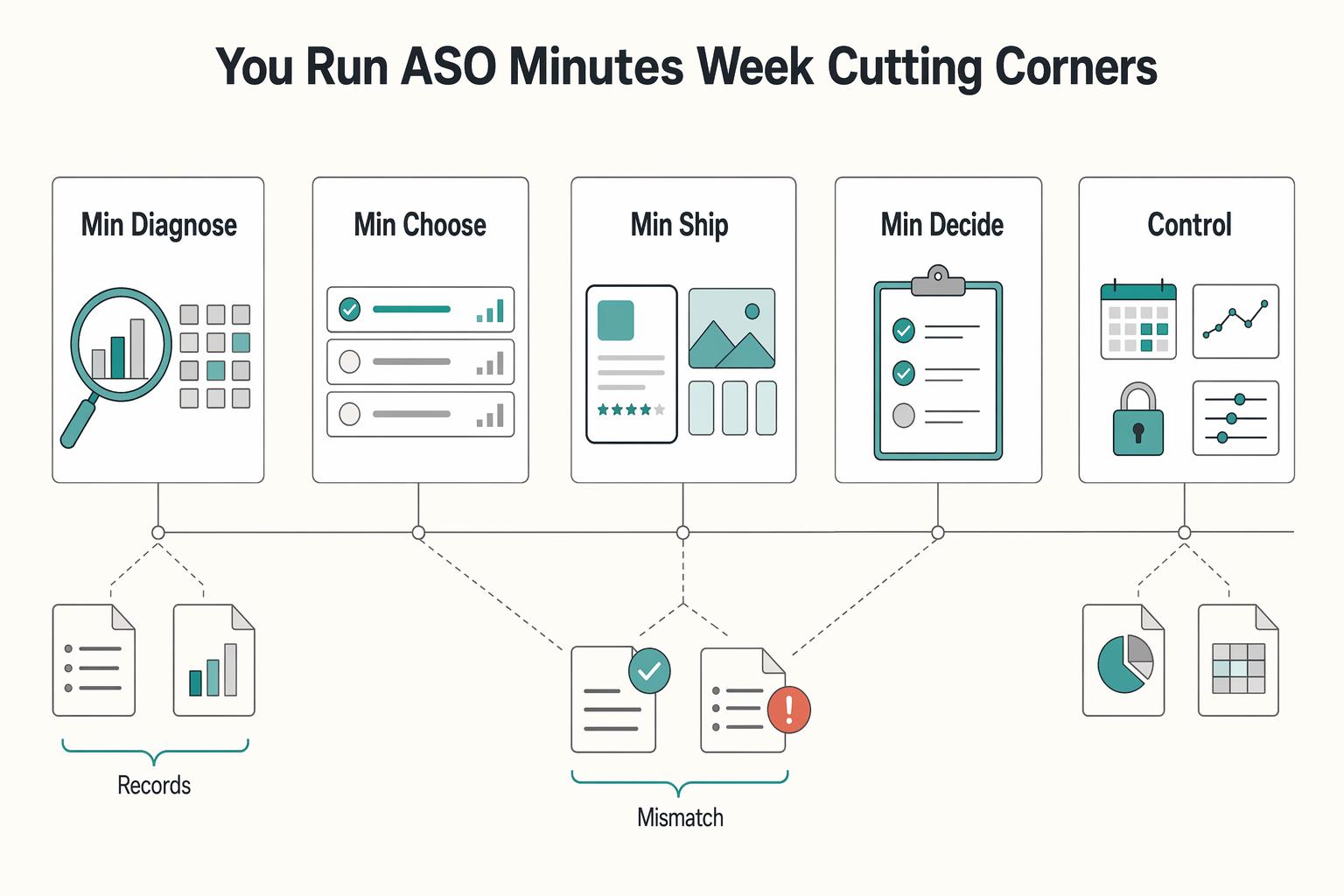
Quick Answer
Run ASO as a weekly operating loop, not a burst campaign. In this app store optimization guide, the practical method is to pick one hypothesis, ship one controlled listing edit, measure a primary outcome with a guardrail, and log the decision before touching the next variable. Keep Apple App Store and Google Play workstreams separate, verify current console limits before release, and require a prewritten rollback trigger so poor changes are contained quickly.
Stop Guessing and Run ASO Like an Operator#
ASO works when you treat it like a recurring operating practice, not a burst of edits when installs dip. If you are working solo or with one helper, keep it to four controls you can actually manage: metadata, creative, experimentation, and risk. Think of this as a practical four-part ASO stack with a simple report card for execution.
| Control | Core practice | Key guardrail |
|---|---|---|
| Metadata control | Repeat research, prioritization, metadata targeting, and measurement; keep separate working drafts for Apple App Store and Google Play | Verify current character limits before publish and keep a record of why wording changed |
| Creative control | Match store assets to the promise in your metadata; use one owner, one hypothesis, and one primary conversion question per asset set | Compare new screenshots, icon, or video against the live version and save the prior asset set for quick restore |
| Experiment control | Run one active test lane per storefront; isolate one variable and log the date it went live | Wait until you can review the result before starting the next test |
| Risk control | Expect some ambiguity because ATT, AdAttributionKit, and Privacy Sandbox limit user-level attribution | Roll back to the last approved version first, then review what changed |
- Metadata control
Own a keyword cycle you can repeat: research, prioritization, metadata targeting, measurement. That order matters because it forces you to decide what you want to rank for before you touch copy. Keep separate working drafts for the Apple App Store and Google Play. Confirm current field limits with each platform before publish. The goal is simple: cleaner targeting and a record of why each wording change was made.
- Creative control
Your job here is not to make the page prettier. It is to state one message clearly and package it into store assets that match the promise in your metadata. For a small team, that usually means one owner, one hypothesis, and one primary conversion question per asset set. Before you upload anything, compare the new screenshots, icon, or video against the live version and save the prior asset set so you can restore it quickly if needed. Judge creative by listing performance, not internal opinion.
- Experiment control
Run one active test lane per storefront. That is not an Apple or Google rule. It is a practical rule that keeps results readable. The anti-pattern is easy to spot: you change screenshots, title wording, and value proposition in the same week, then try to explain movement after the fact. Do not do that. On Apple App Store and Google Play, isolate one variable, log the date it went live, and wait until you can review the result before starting the next test.
- Risk control
Measurement is less forgiving than it used to be. On iOS, ATT and AdAttributionKit limit user-level attribution. On Android, Privacy Sandbox also limits user-level attribution. That means you should expect some ambiguity and avoid stories built from thin data. If a listing change hurts performance, your first move is not deeper speculation. It is a rollback to the last approved version, followed by a review of what changed.
Minimum governance kit#
You do not need a complicated process to stay disciplined. Keep these four items in one simple document:
| Item | What it includes |
|---|---|
| Decision log | storefront, date, variable changed, baseline, outcome, keep/iterate/revert |
| Hypothesis template | "If we change X for Y audience or query theme, we expect Z to move because..." |
| Pre-launch check | correct storefront, correct asset order, approved copy, prior version archived |
| Rollback trigger | one primary metric, one guardrail, and one review date chosen before launch |
If you remember only one rule from this guide, make it this: one storefront, one active test lane, one logged decision at a time. That is how you learn what actually worked. For a step-by-step walkthrough, see A Guide to App Store Submission for iOS.
Selection Criteria That Separate Useful ASO Advice From Noise#
Use this as a strict go/no-go filter before any listing change: if you cannot define the test, owner, rollback, and evidence, do not ship it. That is how you keep the one-test-lane rule useful instead of noisy.
| Criterion | Your evaluation prompt and required output | What to verify in Apple App Store | What to verify in Google Play | When to defer |
|---|---|---|---|---|
| CRO impact | Ask: what exact search intent or install friction are you improving? Output: one-sentence hypothesis, baseline metric, owner. | Verify your core promise appears in indexed metadata and creative. Apple App Store does not index the long description for keywords. Confirm current field constraints from the official source. | Verify title, short description, long description, and creative support the same intent. Google Play indexes the long description; do not turn this into keyword stuffing. Confirm current field constraints from the official source. | Defer if you cannot name the audience, query theme, or conversion problem. |
| A/B testing confidence | Ask: can you isolate one variable against the live version? Output: test variable, review date, evidence source. | Verify only one meaningful element changes and archive the live version for rollback. | Apply the same one-variable rule and archive the live version before publish. | Defer if the change bundles copy, screenshots, and value proposition at once. |
| Implementation effort | Ask: can you ship without skipping QA, copy review, or asset checks? Output: publish owner and pre-launch checklist. | Verify asset order, metadata placement, and Apple-specific field behavior. | Verify description updates, graphics, and localization are ready together. | Defer if the change depends on missing design, unreviewed copy, or rushed localization. |
| Review risk | Ask: does this rely on policy-sensitive claims or ranking manipulation? Output: risk note and rollback condition. | Reject black-hat style ranking tactics and unsupported claims. | Reject the same class of tactics, including manipulative description edits. | Defer if the tactic depends on ranking guarantees, policy gray areas, or "secret" hacks. |
| Documentation burden | Ask: can you prove why you changed it and what outcome decides keep or revert? Output: hypothesis, owner, rollback trigger, evidence source. | Save prior metadata and assets, log live date, and log what evidence you will review. | Do the same, with the current listing archived before launch. | Defer if there is no decision-log entry or no clear revert path. |
Use a simple rejection filter: cut any tactic that is untestable, non-reversible, policy-sensitive, or sold with guaranteed ranking language. That includes black-hat habits and obvious keyword stuffing. ASO is not just app-store SEO for rankings; it is visibility plus conversion, and weak tactics usually hurt real listing quality.
If you run this solo, prioritize in this order:
- Fix intent alignment.
- Improve conversion assets.
- Run experiments only after you log the baseline metric, assign one owner, and set the rollback condition.
This order matters because storefront behavior differs. Apple reports that 65% of App Store downloads follow a keyword search, and Apple App Store does not index the long description for keywords. Google Play does index the long description, and some sources cite 2-3% keyword density as a signal, but treat that as guidance, not a reason to write robotic copy. Keep your evidence pack lean: current listing snapshot, baseline metric, draft change, owner, and a restore-ready prior version. This pairs well with our guide on How to Get Your App Featured on the App Store.
Which Store Rules Actually Change Your ASO Decisions#
Use one message spine across stores, then package it differently per storefront. Apple App Store, Google Play, and Microsoft Store do not behave the same, so copy-paste ASO creates noisy tests and weak decisions.
| Storefront | Optimize first | Do not copy from another store | Signal that determines success | Decision changed by this rule |
|---|---|---|---|---|
| Apple App Store | Prioritize search-facing metadata and conversion assets first (title/description/keyword fields plus strong visuals and messaging). Confirm current field limits from the official source. Apple is cited here as not indexing the long description for keywords. | Do not port Google Play long-description keyword tactics and expect Apple search lift. | First check visibility for your target search intent, then check installs and listing quality signals such as ratings and reviews. | Put keyword intent into Apple's search-facing metadata. Treat long-description edits as clarity/conversion work, not keyword ranking work. |
| Google Play | Prioritize title, short description, and full description together, then align visuals and messaging. Confirm current field limits from the official source. Google Play reportedly indexes the long description. | Do not copy Apple constraints so rigidly that you underuse Google Play's description space. Also do not force robotic repetition because a source mentions a 2-3% density range. | Success is better discoverability for the intended query theme without hurting listing conversion quality. | Write for relevance and readability together. If the description reads like stuffing, revise before release. |
| Microsoft Store | Prioritize clean metadata and conversion basics, then verify current Microsoft listing fields and asset requirements before shipping. Confirm current field and asset limits from the official source. | Do not assume Apple or Google rules map directly to Microsoft. | Success is clearer qualified visibility and install performance on Microsoft after the change. | Only run Microsoft updates when you have storefront-specific QA ownership and measurement, not leftover assets from another store. |
Operationally, define one shared value proposition first: who it is for, what problem it solves, and what proof you can show. Then adapt the packaging by storefront for metadata, creative assets, localization, and your test plan. Localization should adapt keywords, descriptions, and visuals by market, not just translate text.
Use this pre-launch check before any cross-store push:
- Confirm the same core message appears in all storefronts, even when wording and asset order differ.
- Run a policy-risk pass for manipulative patterns, including stuffing-style copy or unsupported claims.
- Assign a QA owner per storefront, archive the live version, and log a rollback trigger per store.
The main risk is not just weaker ranking. It is false learning: one template ships everywhere, stores react differently, and you cannot isolate what actually changed performance.
You might also find this useful: A Guide to Creating a 'Digital Will' for Your Online Assets.
Best ASO Moves You Can Ship First This Quarter#
Start with your bottleneck, not a generic checklist: if visibility is weak, run a discoverability move first; if visibility is stable but installs are weak, fix conversion assets first and log that result before you touch keywords again.
| Bottleneck signal | First move | Required owner | Stop or continue rule |
|---|---|---|---|
| Low qualified visibility for the searches you care about | Keyword architecture reset | ASO owner or founder | Continue only if visibility improves and installs/ratings trend do not slip |
| Search visibility exists, but your listing message is inconsistent | Metadata clarity rewrite | Copy owner with storefront QA | Stop if copy becomes repetitive, mixed, or unclear |
| Product page views are steady, installs are weak | Visual conversion overhaul | Creative owner plus storefront QA | Continue if install rate improves; stop if the new assets weaken message clarity |
| Ratings trend is weak, or score is below about 4.0 stars | Ratings and reviews operations loop | Support or product owner | Continue only if review quality improves without manipulative prompting |
| Team disagreement is blocking execution | Structured testing | One experiment owner | Stop if more than one major variable changes, or if you have not confirmed current experiment limits with the platform |
- Keyword architecture reset
Use this when people are not finding your app for the jobs it actually solves. Prioritize storefront keyword metadata fields first, and keep wording tight where character space is constrained (for example, one source cites a 30-character iOS title limit). Avoid this as your first move when page views are fine but installs are lagging.
- Metadata clarity rewrite
Use this when your listing fields tell different stories and users cannot quickly understand the value. Your outcome target is clearer relevance at the search-to-listing handoff; many downloads are estimated to happen right after search, so message clarity matters immediately. Main risk: keyword-heavy copy that reads unnaturally and hurts trust.
- Visual conversion overhaul
Use this when discoverability is acceptable and conversion is the leak. Focus first on icon, screenshots, and preview assets so your core promise is obvious above the fold. A source example reports possible conversion lift in the 10-30% range from visual updates, but treat that as directional, not guaranteed.
- Ratings and reviews operations loop
Use this when trust signals are suppressing traction, especially below about 4.0 stars. The goal is better review quality over time, not quick cosmetic changes. Main risk: trying to patch ASO copy while the product issue driving complaints stays unresolved.
- Structured testing
Use this when you have opinions but no clean evidence. Run controlled listing experiments only when you can isolate one variable and define stop rules before launch. Confirm current Apple App Store and Google Play testing capabilities and limits from the official source. We covered this in detail in The Best Tools for App Store Optimization (ASO).
Comparison Table for Picking the Right First Move#
Choose one row based on your bottleneck, run only that move, and log the result before you touch anything else. A common failure mode is shipping discovery, creative, and trust changes together, then not knowing what changed performance.
Store search is a major discovery channel, with sources commonly citing either over 60% or about 65% of App Store downloads starting from search. So keyword and metadata work matter most when visibility is the bottleneck; if views are already steady, prioritize conversion or trust first.
| Move | Choose it when | Primary metric | Required owner | Evidence needed before launch | Working signal | Pause or revert when | Store note |
|---|---|---|---|---|---|---|---|
| Keyword architecture reset | Qualified visibility is weak for the jobs your app actually solves | Target-term visibility and store search impressions | ASO owner or founder | Current query list, baseline visibility snapshot, mapped target intents, and for Apple a short list validated through Search Ads where possible | Target-term visibility improves without installs or ratings trend weakening | New terms bring irrelevant traffic, install rate drops, or keyword mapping turns into guesswork | Apple and Google Play use different ranking signals. Apple keyword strategy should not depend on long description indexing; Google Play does index long description text |
| Metadata clarity rewrite | Search impressions exist, but the listing message is fragmented | Product page conversion rate (store view to install) | Copy owner with storefront QA | Baseline listing captures, approved message hierarchy, banned-claims check, and side-by-side Apple/Google Play copy review | Conversion improves without more confused reviews or support tickets | Copy becomes stuffed, robotic, or overpromises the app experience | Portable across both stores, but field behavior differs: Apple long description has limited keyword-ranking value; Google Play long description still affects discoverability |
| Visual conversion overhaul | Product page views are steady and installs are weak | Install conversion rate | Creative owner plus app store QA | Archived old asset set, one chosen visual angle, proof assets match in-app experience, and rollback files ready | Conversion improves after a source-verified minimum test window or after enough volume for a directional read | Assets confuse the core promise, hurt conversion, or create listing-experience mismatch risk | Portable across both stores, but review risk increases when screenshots, video, or marketing text overstate what the app does |
| Ratings and reviews operations loop | Trust is the blocker and complaint themes repeat | Average rating trend and review-theme quality | Support or product owner | Tagged complaint log, response owner, known issue list, and review-prompt copy check to avoid manipulative language | Review themes shift from defect-heavy toward product-fit feedback over a longer cycle | You increase prompting without fixing the issue driving negative reviews | Portable across both stores; treat this as product/support work first, not a metadata shortcut |
| Structured testing | Internal debate is blocking progress and you have at least two plausible options | Lift on one tested variable tied to conversion or discoverability | One experiment owner | One hypothesis, one variable, prewritten stop rule, baseline snapshot, and current store experiment capability and limits confirmed with the platform | Directional result on the tested variable without a secondary quality drop | More than one major variable changes, setup is unverified, or results are too noisy to trust | ASO is long-term and experiment-driven. Verify current Apple and Google Play testing options before launch instead of assuming prior setup still applies |
The evidence column is a control, not paperwork. It helps prevent false positives: for keyword resets, keep a clean intent map and use Search Ads as an Apple-side validation input when possible; for visual updates, archive the previous asset set so rollback is real.
Run one more checkpoint before submission: review risk. Rejections or delays can come from listing-experience mismatch, privacy-label issues, or marketing language that crosses store rules, and that lost momentum has a real cost.
Execution rule for each change lane: one active change lane, one logged hypothesis, one documented next action. Keep the timing field unresolved in your test doc until you verify the current minimum test window against the tool and your traffic volume. If you want a deeper workflow lens, read A Freelancer's Guide to LinkedIn Marketing.
What Does a Compliance Aware ASO Workflow Look Like in Practice#
Once you choose a change lane, run ASO for control, not speed: make one contained change, measure it, then keep, iterate, or revert.
- Prioritize. Before you touch the listing, write one hypothesis: storefront, one field or asset, user intent, and one KPI that should move.
- Ship. Release through verified live controls, not memory. Keep the Apple test option and Google Play rollout setting unresolved in your release doc until you confirm current console options.
- Measure. Track one goal metric and one risk metric. If views are steady but installs are weak, treat conversion as the lead read. On iOS, focus on the first two screenshots and readable screenshot text, since a 2026 ASO source says screenshot text may also influence discovery.
- Decide. Log a plain-language decision: keep, iterate, or revert. Do not stack another major metadata or creative change before this is recorded.
- Document and repeat. Record what changed, who approved it, what happened, and what happens next so reactive edits do not become noise.
| Sign-off check | Owner | Pre-launch criteria |
|---|---|---|
| Hypothesis quality | Strategy owner | One variable, one KPI, baseline captured, current store testing option verified |
| Policy fit | Copy or creative approver | Listing and visuals match the in-app experience; claims and positioning reviewed before submission |
| Rollout control | Release operator | Current rollout controls verified; pause/stop path documented before launch |
| Rollback readiness | Release operator + decision owner | Trigger, owner, immediate action, and decision-log format written before launch |
| Workflow control | Apple App Store | Google Play |
|---|---|---|
| Testing option | Confirm the current Apple test capability from the official source | Confirm the current Google Play test capability from the official source |
| Staged rollout behavior | Confirm the current Apple staged rollout behavior from the official source | Confirm the current Google Play staged rollout behavior from the official source |
| Pause/stop lever | Confirm the current Apple pause/stop lever from the official source | Confirm the current Google Play pause/stop lever from the official source |
| Review-risk checkpoint | Verify listing-to-product match and any policy-sensitive claims before submission | Verify listing-to-product match and any policy-sensitive claims before submission |
Use this four-line rollback template every time: trigger condition, owner, immediate action, decision log entry. If conversion drops versus baseline or review sentiment worsens, the owner acts first, then logs date, metric movement, suspected cause, and next decision time. Need the full breakdown? Read A Guide to Google Play Store Submission for Android.
How Do You Run ASO in 60 Minutes a Week Without Cutting Corners#
Run this as a focused weekly operating cycle: diagnose, choose one change lane, ship with storefront checks, then log a clear decision. A 60-minute pass can work when you keep scope tight and avoid stacked edits.
With 3.5 million apps in Google Play and over 2 million in the Apple App Store, consistency matters more than occasional bursts. Treat ASO as ongoing iteration, not a one-time cleanup.
| Weekly block | What you do | Apple checkpoint | Google Play checkpoint | Why it matters |
|---|---|---|---|---|
| 15 min: diagnose signals | Open App Store Connect and Google Play Console side by side. Review traffic, conversion, and ratings trend, and keep the current Apple and Google conversion labels pending analytics verification until you copy the live labels from each console. | Verify current conversion label and definition before week-over-week comparison. | Verify current conversion label and definition before week-over-week comparison. | You compare direction, not raw percentages that may be based on different definitions. |
| 15 min: choose one lane | Pick one lane only: title, keywords, description, icon, screenshots, or ratings/reviews. If traffic is steady but installs soften, prioritize a conversion-focused lane. | Mark if the issue looks Apple-specific or shared. | Mark if the issue looks Google-specific or shared. | One variable protects signal quality. |
| 20 min: ship with checks | Update one field or one asset set, confirm listing-to-product alignment, and verify the live publishing path before submission. Re-check reused tactics before applying them. | Confirm current submission/review touchpoint for that exact change. | Confirm current publishing/approval path for that exact change. | You reduce preventable risk before launch. |
| 10 min: decide and log | Record one decision: keep, iterate, revert, or keep observing. Log asset name, change date, baseline window, owner, and next review date. | Record the metric label exactly as shown in App Store Connect. | Record the metric label exactly as shown in Google Play Console. | Next week starts from evidence, not memory. |
Cross-store comparison is where teams lose clarity. Conversion rate is installs after users see or visit your listing, but the basis can differ by store, so verify each console's current definition first. Then compare trendlines: if one storefront weakens while the other stays flat, treat it as storefront-specific; if both weaken after the same creative shift, review the listing message and assets first.
High traffic with weak installs is a common failure mode, and it often means listing elements are blocking the install decision. Start your hour with diagnostics, not default creative refreshes.
| Weekly execution constraint | Apple App Store | Google Play |
|---|---|---|
| Testing controls | Confirm current live test controls and labels from the official source. | Confirm current live test controls and labels from the official source. |
| Review friction | Confirm the real submission/review path before timing decisions. | Confirm the real publishing/approval path before timing decisions. |
| Release control levers | Define stop path before launch: one owner, one trigger, one action. | Define stop path before launch: one owner, one trigger, one action. |
Pause new experiments if either storefront has an unresolved incident: unexplained post-change conversion drop, rising negative review themes, or an open policy/review issue. Proceed only when your baseline window is stable, metric definitions are verified, and the change is truly single-variable.
Use this weekly decision-log line: date | storefront | hypothesis | one change lane | metric label as shown in console | baseline window | proceed or pause | rollback trigger | next check date. Related: How to Use SEO to Attract High-Quality Freelance Clients.
Build a Durable ASO System You Can Trust#
You build a durable ASO system by running the same weekly loop every time: choose one hypothesis, ship one controlled change, decide keep/iterate/revert, and log the decision before you open new work.
| Priority | What to do | Guardrail |
|---|---|---|
| Discoverability first | Start with one search-intent hypothesis and package one message spine differently by storefront rules | On Apple App Store, prioritize indexed metadata and creatives first; on Google Play, keep the long description readable for humans; confirm current field limits and asset counts from the official source |
| Conversion second | Change one conversion element at a time: icon, first screenshot, video, or core copy | Confirm your baseline window before publish and define a rollback trigger before the change goes live |
| Release control always | Run a trust and policy gate before each listing update; check metadata integrity and keep review handling clean and non-manipulative | Confirm Google Play declarations are current, including IARC content rating/target audience and Data Safety; keep written documentation for copyrighted materials, sports logos, or public-figure images |
-
Discoverability first. Start with one search-intent hypothesis tied to ASO's three pillars (keyword rankings, conversion rate optimization, and discoverability features). Package one message spine differently by storefront rules instead of copy-pasting one listing. On Apple App Store, the long description is not indexed for keywords, and Apple is cited as saying 65% of downloads follow a keyword search, so prioritize indexed metadata and creatives first. On Google Play, treat the long description as part of discoverability, but keep it readable for humans. Confirm current field limits and asset counts from the official source.
-
Conversion second. When traffic is stable enough to read, change one conversion element at a time: icon, first screenshot, video, or core copy. Confirm your baseline window before publish, and define a rollback trigger before the change goes live. If you change title, screenshots, and review prompts together, you lose signal and cannot make a clean decision.
-
Release control always. Before each listing update, run a trust and policy gate. Check metadata integrity (listing claims match the product), keep review handling clean and non-manipulative, and confirm Google Play declarations are current, including IARC content rating/target audience and Data Safety. If you use copyrighted materials, sports logos, or public-figure images, keep written documentation.
Durable system checklist
- One hypothesis at a time
- One controlled storefront-specific change
- One measurable outcome
- One keep, iterate, or revert decision
- One dated log entry before the next update
Related reading: How to create 'Wireframes' for a mobile app.
Frequently Asked Questions
What is ASO in plain English?
ASO helps more people find your app in a store and choose to install it. In practice, that means improving concrete listing parts such as your title, keywords, description, icon, screenshots, and other metadata so visibility, conversion, and organic downloads have a better chance to move. A practical next step is to pick one listing element, record the current conversion label and baseline window in your console, then change only that one element.
Why does ASO matter if you already run paid acquisition?
Paid traffic gets people to the listing, but the listing still has to earn the install. If your message or creatives are weak, you can pay for attention and still lose the decision at the store page, which may show up as traffic without matching install lift. Treat paid and store-page work as connected but separate: keep your acquisition campaign stable, improve one listing lane, and log whether the install rate changed after the edit.
How does ASO differ between Apple App Store and Google Play?
The strategy stays the same: one focused change, one measurable outcome, one documented decision. Execution changes because Apple has stricter manual-review dynamics that can reduce testing flexibility, while Google Play is more open and automated, which can speed testing but puts you in a more crowded market. | What changes | Apple App Store | Google Play | What stays consistent | |---|---|---|---| | Review dynamics | Stricter, manual-review environment | More automated review flow | Plan for real publish timing before you test | | Keyword handling | Limited indexed fields | Keyword density matters across the listing | Write for relevance, not stuffing | | Creative role | Screenshots and videos affect conversion in store-specific ways | Screenshots and videos also shape discovery and conversion differently | Tailor assets per store and measure the result separately | Do not copy one metadata set into both stores and assume it will behave the same. Before you ship, verify current field limits and the current publish path in each storefront, then note any store-specific constraint in your decision log.
Which ASO factors matter most when you are starting out?
Start with the parts most likely to change either relevance or install intent: core text, screenshots, icon, and review quality. Ratings, reviews, installs, and usage activity are all cited as factors that can influence ranking, but you will often get clearer early signal from tightening message clarity and creative fit. A good first move is to fix the listing promise before you chase more traffic, because high listing traffic with weak installs can be a common failure mode.
How do ratings and reviews affect ranking and conversion?
They matter because both quality and quantity of reviews and ratings are cited as influencing factors. They can also shape whether a person trusts the app enough to install. Review your recent negative themes, group them by issue, and document whether the fix belongs in product, screenshots, or listing copy before you ask for more volume.
How often should you update your title, description, or visuals?
Do not update on a fixed calendar just because a week passed. Update when you have a clear hypothesis, a stable enough baseline to read, and a single change lane you can measure without mixing causes. If you change the title, screenshots, and review prompt at once, you lose signal quality, so log the asset name, change date, and rollback trigger before you publish.
What is the practical difference between SEO and ASO?
SEO improves visibility on the web, while ASO aims to improve visibility and conversion inside app stores. They are related, and ASO is often described as the app-store equivalent of SEO, but the surfaces, ranking signals, and conversion steps are different. If you want the web-side version of the discipline too, read How to Use SEO to Attract High-Quality Freelance Clients, then keep your app work separate by documenting store-specific tests in its own log.
Try a related tool
Researched and edited by the Gruv editorial team. Gruv builds cross-border billing, payouts, and finance-operations software for global businesses.
Sources
Includes 8 external sources outside the trusted-domain allowlist.
- adjust.com/resources/guides/app-store-optimizationexternal
- apptweak.com/en/aso-blog/what-is-app-store-optimization-a...external
- asoleap.com/ios/marketing/aso/how-much-does-professional...external
- businessofapps.com/marketplace/app-store-optimization/research/...external
- dogtownmedia.com/aso-2-0-advanced-app-store-optimization-stra...external
- kurve.co.uk/blog/complete-app-store-optimization-guide-a...external
- mobileaction.co/blog/how-to-increase-app-conversion-rateexternal
- openforge.io/app-store-optimization-aso-for-b2b-appsexternal
Educational content only. Not legal, tax, or financial advice.
Related Posts

LinkedIn for Freelancers Who Want a Predictable Client Pipeline
Treat LinkedIn as two jobs you run at the same time: a credibility check and a conversation engine. If you only chase attention, you can get noise. If you only send messages, prospects may click through to a thin profile and hesitate.

How to Use SEO to Attract High-Quality Freelance Clients
**Build your *seo for freelancers* around qualified leads, not raw traffic: tighten who you target, what you prove, and how you gate inquiries.** You're the CEO of a business-of-one. Your marketing job isn't "get more attention." It's "get the right work, predictably, without turning your calendar into a sorting machine."

A Guide to Creating a 'Digital Will' for Your Online Assets
**Treat your digital assets and online accounts like a business continuity control, because losing access can stall operations when timing matters.** Digital assets can include social accounts, messages, and cloud-stored documents, and even basic questions like "What will happen to your Facebook account when you die?" are not always operationally clear in the moment.