
Quick Answer
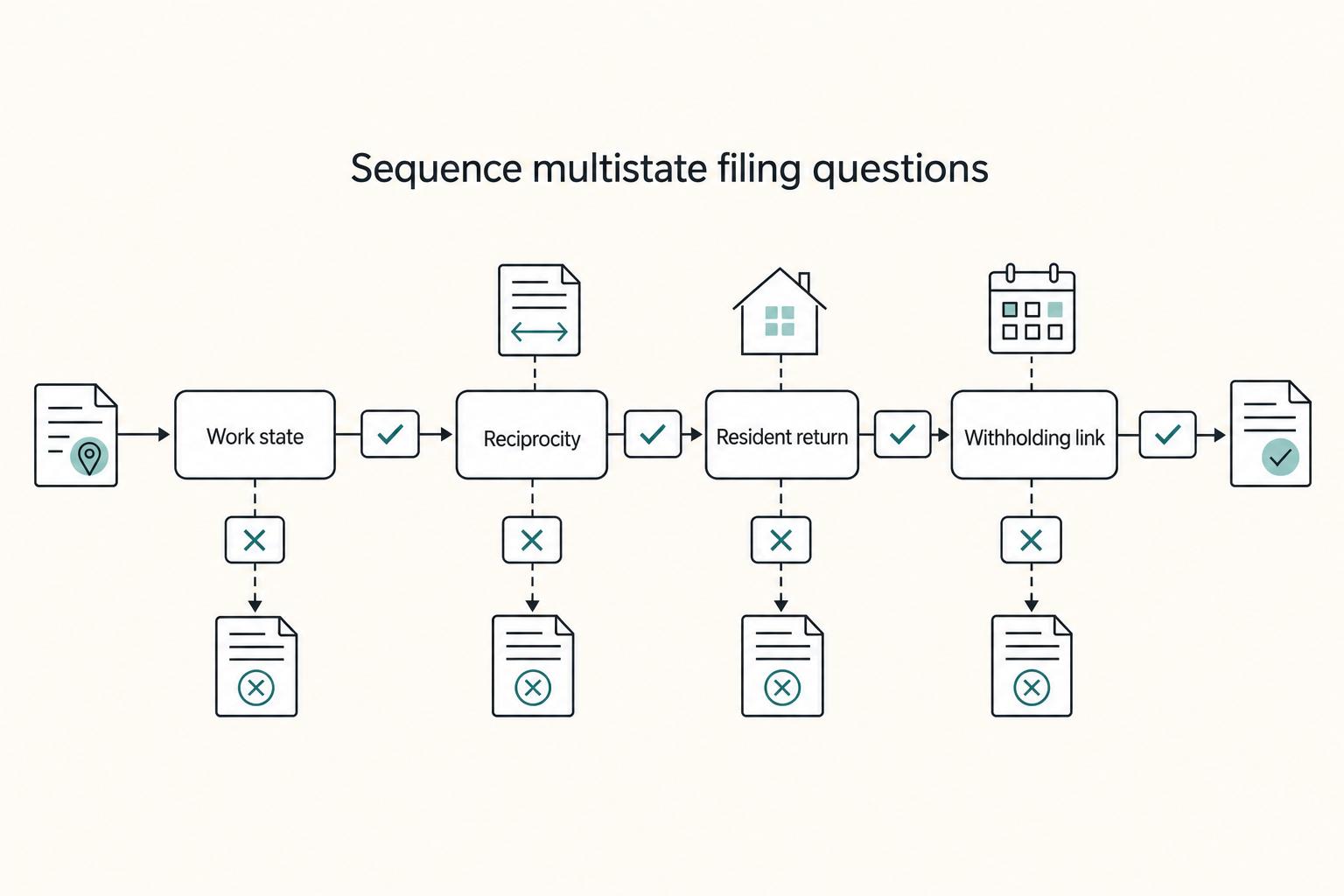
Start with residency classification, then map every state where you physically worked before opening tax software. For filing taxes in multiple states remote work situations, the safest sequence is to check reciprocity and COE exposure, complete nonresident returns first, and then finish the resident return using any credit for taxes paid to another state. Use W-2 or payroll withholding as supporting evidence, not the final rule, and reconcile those entries against your location records. If more than one reasonable filing position remains, escalate.
Filing taxes in multiple states as a remote worker without guesswork#
If you worked from more than one state during the year, the safest path is a documented, state-by-state process, not a shortcut.
This guide is for U.S.-based freelancers and consultants whose work crossed state lines. That might mean travel, a midyear move, or living in one state while working in another. The goal is practical: give you a repeatable process and clear points where it makes more sense to escalate than to guess.
Set this boundary early: there is no one-size-fits-all multi-state answer. State tax rules vary by jurisdiction, including differences in effective dates, exemptions, and threshold calculations, so broad summaries are not enough on their own. Treat each state as its own rule set.
Use this process throughout:
- build your facts first, including where you lived, where you worked, and when
- match those facts to each state's own forms and instructions
- escalate when your situation spans multiple states or the signals conflict
This lowers stress and risk because it replaces assumptions with checkpoints. Verify uncertain points on the relevant state revenue pages, and treat unverified secondhand guidance as unresolved until you can confirm it.
If your records are thin, rebuild the year before you prepare returns. A basic timeline with locations, invoices, travel support, and withholding records will do more for accuracy than jumping straight into forms. If you want a deeper dive, read Moving From Hourly to Project-Based Rates.
Learn the tax terms that control your filing decisions#
These terms are your decision map. They tell you which returns to file, which state entries to verify, and where double-tax relief may apply.
Resident and nonresident returns#
A resident state tax return is your home-state return. A nonresident state tax return is filed in a state where you earned income but did not live. Some remote workers need both. If no tax reciprocal agreement applies, you may need a resident return where you live and a nonresident return where the income is taxed.
So "I only live in one state" is not enough on its own. If you physically worked in another state, check that state for a nonresident filing obligation before assuming your home-state return covers everything.
State tax nexus means a real tax connection#
State tax nexus is your tax connection to a state based on your remote-work facts. In practice, that often starts with where you lived and where you physically worked, but state rules vary, and some convenience-style rules can tax out-of-state work based on the employer's state.
That distinction can change the outcome. Keep a day-by-day log of where you worked by state, then compare it with the states showing up in your tax records.
Withholding is a clue, not the final answer#
State income tax withholding is tax taken through payroll and shown in the state section of Form W-2. It is useful evidence, but the withholding location does not automatically match your final state tax liability.
A common problem is stale payroll setup after your work location changes. Before filing, compare your W-2 and pay-stub state withholding with your work-location log.
A credit for taxes paid to another state can reduce double taxation when two states tax the same income. Treat it as relief, not permission to skip a required nonresident return.
You might also find this useful: A Guide to Filing Back Taxes as a US Expat (Streamlined Procedure).
Use a fast decision map to identify which state returns you likely owe#
The quickest way to a likely filing posture is to work in this order: resident state, physical-work states, reciprocity, then COE. Start with where you lived and where you physically worked, not just where your employer is based or where withholding showed up.
Run the yes or no sequence in this order#
Work through the sequence in order. The point is to get to a filing posture you can support before choosing forms.
- Identify your resident state, or states, for the year.
Your state of residence generally can tax your income no matter where it was earned, so the resident return is usually your anchor return.
- List every state where you physically performed work.
Even occasional remote, hybrid, or travel work can trigger nonresident filing, withholding, and payment duties in many states. Use a day-by-day work-location log as a key input.
- Check for a tax reciprocity agreement between your resident state and each work state.
Reciprocity is meant to prevent double taxation, but do not assume it applies without checking state guidance.
- Check whether the employer state may apply a Convenience of Employer (COE) rule.
COE can create two-state taxation when work outside the employer state is treated as by choice rather than necessity.
Before you file, apply these practical rules:
- If you physically worked in a state, test nonresident filing there before assuming credits solve it.
- If no reciprocity and no exemption applies, plan for resident plus nonresident filings, then apply a credit for taxes paid to another state if both states tax the same income.
- If your only connection is employer-state withholding, verify whether COE or other sourcing rules explain it before you decide your filing posture.
Common patterns and likely filing posture#
| Scenario | Likely return pattern | What to verify before filing |
|---|---|---|
| One resident state + one different work state | Usually resident + nonresident return | Whether reciprocity applies, and whether both states tax the same income so a resident-state credit is available |
| Multiple temporary work states | Resident return + one or more nonresident returns | Days worked and income by state, since state triggers differ |
| Employer-state withholding but no physical work there | Resident return, or resident + employer-state nonresident return if COE or other sourcing applies | Whether the employer state applies COE, and whether withholding matches actual liability |
Where people make the wrong call#
One common error is treating withholding as the final answer. It is not.
Another mistake is assuming a credit for taxes paid to another state lets you skip the nonresident analysis. Usually it does not. Credits are relief after you determine that both states tax the same income.
COE is another area that needs a direct check. If it may apply, review the employer state's rules before deciding no nonresident return is needed. For a deeper walkthrough, see Convenience of the Employer Rule for New York and Other Sticky States.
Use one verification checkpoint before you commit#
Before you commit, verify each branch of your map against the relevant state tax agency pages. Confirm the residency definition, nonresident filing trigger, and any reciprocity or wage-sourcing rule.
Use a simple evidence pack: a day-by-day work-location log, payroll withholding records, and dates worked in each state. If guidance is unclear, treat that as a risk flag and verify further before filing.
Determine your residency status before you touch any tax software#
Make your residency classification first. If you get resident, part-year resident, or nonresident wrong, you can pick the wrong return type and carry that error through the whole filing.
Classify the year before the income#
Start with the year pattern, then decide the filing posture:
- resident (often full-year)
- part-year resident (for example, in California, if you lived inside and outside the state during the year)
- nonresident with state-source income (for example, California-source income)
New York explicitly says to determine resident, nonresident, or part-year status before deciding whether you must file. California uses the same core split. In California, a part-year resident may be someone who lived inside and outside the state during the year, and a nonresident is someone who is not a California resident.
In California, that classification changes what is taxed. Part-year residents are taxed on worldwide income received during the resident period, while nonresidents are taxed on California-source income. So moving out midyear does not automatically end exposure if you still physically perform services in California during a nonresident period.
Build the fact file before opening tax software#
Before you open tax software, build a simple working residency file, such as:
- full-year address timeline
- exact move dates
- lease, housing, or occupancy records tied to those dates
- state-specific indicators from the relevant state tax agency
Check for internal consistency across your address timeline, work-location records, and payroll facts. If those conflict, your residency posture may change.
Federal status is not a substitute for state analysis#
Your Internal Revenue Service (IRS) filing status or a completed federal return does not replace state residency analysis. New York and California both require state-level residency classification, so validate status directly against the relevant state guidance before preparing a resident return.
Use a pause rule when facts are mixed#
If your facts are mixed or disputed, pause before you prepare a resident return and validate them against state guidance first. In California, residency is a facts-and-circumstances analysis, and FTB Publication 1031 is a core reference for residency and taxability. FTB also does not issue written opinions on whether you were a California resident for a specific period, so your documentation matters.
If your facts support part-year or nonresident treatment there, use the return type that matches, including Form 540NR where applicable.
This pairs well with our guide on A Guide to State Unemployment Insurance (SUI) for Remote Companies.
Build a defensible evidence pack for where work happened#
Use one consistent record set before tax prep so your federal return and any state filings tell the same income story. Start with a minimum file you can actually maintain.
Start with a minimum file you can maintain#
Start with a simple monthly file you can actually keep up with, and expand it only if needed. At minimum, keep:
- records of money you receive from your work
- expense receipts
- an optional timeline of when and where work was performed, for your own consistency checks
- any supporting business documents you already have
At the federal level, the IRS point is straightforward: keep records and receipts during the year, save expense receipts, and keep records of income received.
Reconcile your records before filing#
Before you enter anything into software, reconcile your income records against invoices, payment records, and any withholding records you have. This helps you catch mismatches early and keeps your filing narrative consistent.
Do not rely only on client forms. You must report all income even if you do not receive Form 1099. If you work as an independent contractor, you may have to pay estimated taxes as part of the same process.
Use Schedule SE as a federal consistency check#
If you are self-employed, tie your business income records back to Schedule SE (Form 1040), which is used to calculate self-employment tax on net self-employment earnings. IRS guidance describes self-employment tax as 15.3% total, made up of 12.4% Social Security and 2.9% Medicare.
Schedule SE is a federal check, not a state sourcing rule. Use it to confirm that the income totals behind your federal self-employment reporting match your books and receipts. If net self-employment earnings are $400 or more, this checkpoint matters even more.
Turn these records into one working file before you start the returns. If useful, keep that file in your Tax Residency Tracker.
Compare reciprocity, credits, and COE so you know which rule actually helps you#
The order matters here. Classify your filing status first, then apply the rule that affects your withholding and filing path. Income may be taxed where you live and where you work. New York also explicitly says to first determine whether you are a resident, nonresident, or part-year resident.
| Mechanism | What it changes | Withholding behavior | Return impact | Cash-flow and documentation |
|---|---|---|---|---|
| Tax reciprocal agreement | Confirm with the relevant state tax authority for your specific state pair | State- and payroll-specific | Do not assume it automatically removes nonresident filing requirements | Keep payroll records and any reciprocity election or confirmation |
| Credit for taxes paid to another state | Gives resident-state relief for income also taxed by another state | Income can still be taxed in both your residence state and your work state | Return obligations depend on each state's resident/nonresident rules | Relief is generally capped at home-state tax on that income |
| Convenience of the Employer (COE) rule | Can source wages to the employer-office state even when work is remote | Employer-office-state withholding may continue under COE treatment | Can create tax in both states if no offsetting credit is available, depending on state rules | Rules differ by state; review telecommuting guidance and keep work-location documentation |
COE can create remote-worker surprises, especially when no offsetting credit is available. Here, the COE states are Connecticut, Delaware, Nebraska, New York, and Pennsylvania. Arkansas is not confirmed. COE details are not uniform, so check the specific state's telecommuting rules before assuming the same treatment across states.
The practical takeaway is straightforward: start with resident, nonresident, or part-year classification. Then treat reciprocity, credits, and COE as separate, state-specific rule checks before you decide your filing approach.
Handle COE exposure with concrete if-then rules#
For COE exposure, treat New York as a state-specific rule check and do not copy that logic to other states without state-issued guidance.
| Situation | Action | What to keep or verify |
|---|---|---|
| Employer's primary office is in New York | Run a New York-specific review before relying on work-location logs alone | New York flags the telecommuting-from-outside-New-York scenario for specific filing review |
| Employer office is in New York | Classify residency first | Determine resident, nonresident, or part-year resident status; if you maintained a permanent place of abode for more than eleven months and spent 184 days or more in New York, that residency analysis can be as important as COE |
| Remote work was employer-required | Keep written records about why telecommuting was arranged | Save policy language, office-closure notices, and employer communications that explain employer need |
| Remote work was optional | Increase verification | New York wage treatment can depend on why telecommuting was arranged, so confirm with New York's official tax guidance before finalizing your position |
| States other than New York, including Pennsylvania, Arkansas, Delaware, or Nebraska | Do not assume New York mechanics apply | Confirm treatment directly with the relevant state tax agency |
| COE and physical-work sourcing conflict | Document your filing position | Keep a short memo with the states involved, employer-office facts, day counts by location, and the state guidance you relied on |
The common failure mode is applying one state's telecommuting treatment to another. When the facts are unclear, verify with the relevant state guidance before you decide your filing position.
Need the full breakdown? Read Filing Back Taxes as a US Expat: A Guide to the Streamlined Procedures.
File in the right order to avoid double counting and missed credits#
When more than one state is involved, filing order is a practical control. A common workflow is to finish each nonresident state tax return first, then complete your resident state tax return using those finalized sourcing numbers.
Start with the state that is sourcing the income#
This is a practical sequence, not a universal legal requirement. It helps you carry finalized sourcing amounts from one return into the next.
California shows why the sequence matters. Nonresidents are taxed there on California-source income, including services physically performed in the state. If that applies to you, finalize the sourcing math first, then carry those results into your resident return.
If you need a concrete support file, use Form 540NR and keep your allocation worksheet with it:
CA Workdays / Total Workdays = % Ratio % Ratio x Total Income = CA Sourced Income
Reconcile withholding before you calculate any credit#
Treat state income tax withholding as an input to verify, not proof of final sourcing. Before filing, match each withholding entry to the state income you are actually reporting.
For California entries, use MyFTB to review withholding information and confirm it matches your return inputs. For New York, determine return type first (resident, nonresident, or part-year resident) before letting withholding boxes drive the filing path.
Apply credits using finalized return data#
If your resident state allows a credit for taxes paid to another state, build it from finalized nonresident and resident return amounts, not estimates.
Keep support by state: the nonresident return, filed or final draft, the sourcing worksheet, workday and location logs, and proof of tax paid or withheld.
Do a final tie-out before you submit#
As a final QA check, tie out totals across your resident return, nonresident return, and sourcing worksheet. Differences can be valid, but you should be able to explain them through sourcing, residency, or allocation.
If a number does not reconcile, pause and document the reason before filing. This catches quiet errors like duplicated income, missing sourced workdays, or a credit built from estimates instead of final nonresident numbers.
For a step-by-step walkthrough, see A Deep Dive into the US-Mexico Tax Treaty for Remote Workers.
Fix withholding mismatches before they become penalties#
Treat withholding as a checkpoint, not proof of where income was sourced. A common failure mode is overpaying one state through payroll withholding while still owing another state where you physically performed the work.
Run this review twice: once midyear and again before you file. Compare state income tax withholding by state against your work-location log, then flag any state where withholding does not roughly track where services were actually performed.
- pull year-to-date withholding by state from payroll
- total workdays by state from your calendar, travel records, and location log
- for each state, ask whether withholding follows physical work location or just an employer or payroll location
- if they do not match, document it now with payroll reports, location logs, and your allocation worksheet for your nonresident and resident returns
Use California as the model for high-friction cases#
California is a useful model when the facts are messy because it forces you back to sourcing first and withholding second. Nonresidents are taxed on California-source income, including services physically performed in California, and part-year residents are taxed on worldwide income during residency and California-source income during nonresidency.
Use the FTB workday method as your core check:
CA Workdays / Total Workdays = % Ratio % Ratio x Total Income = CA Sourced Income
If withholding and this allocation do not align, resolve it before filing Form 540NR.
Decision rule when you expect a balance due#
If your reconciliation shows a likely underpayment on California-sourced income, plan a payment instead of waiting for year-end filing pressure. Do not assume withholding will fully clean this up.
For California administration, check MyFTB early to review payments, balance due, and withholding information. If payment is needed, Web Pay lets you schedule a payment date up to one year in advance.
Related: The Best Laptops for Digital Nomads in 2026.
Know when this becomes a professional-help case#
If your facts still support more than one reasonable filing position after the withholding review, treat this as a professional-help case. Common escalation patterns are contested residency facts or federal international positions that affect how income is reported.
If your residency and work-location narrative is hard to document clearly, escalate before filing.
When domestic and international rules start overlapping#
Escalate quickly when your U.S. filing overlaps with federal claims like the Foreign Earned Income Exclusion and foreign tax credit. These are not just extra forms. They can change how income is reported and what documentation you need.
For FEIE, the IRS standard is specific: you must be a qualifying individual with foreign earned income, and you still file a U.S. return reporting that income. Under the physical presence test, the threshold is 330 full days in a 12-month period in foreign country or countries, with a foreign tax home. Missing 330 full days means the test is not met, including for illness, family issues, vacation, or employer instructions, except limited adverse-condition waivers such as war or civil unrest.
The bona fide residence test requires bona fide foreign residence for an uninterrupted period that includes an entire tax year. For calendar-year taxpayers, that is January 1 through December 31. Living abroad for about a year does not automatically satisfy this test. If you are aligning foreign residence and FEIE in the same year, that is a strong signal to escalate.
Foreign tax credit details that create hidden errors#
If you are claiming a foreign tax credit, review Form 1116 before you assume software will handle every detail. The form requires a separate Form 1116 for each category of income, and when taxes were paid to more than one foreign country or U.S. territory, a separate column and line for each country or territory. You also check only one category box on each Form 1116.
What to hand over if you escalate#
Bring a clean evidence pack so your preparer can make decisions faster and with fewer assumptions:
- address and move timeline
- day-by-day work-location log
- payroll reports and withholding detail
- prior-year tax returns
- travel records showing days in and out of the United States
- any draft FEIE or Form 1116 work already prepared
- foreign tax statements, payment receipts, and country-by-country amounts
Related reading: How to Handle Taxes on Income from Multiple Countries.
Take the low-stress route and file with defensible records#
The lowest-stress path is the one you can document: use your actual location facts, your mapped filing approach, and records you can produce on request. Generic shortcuts can break down when your dates, payments, or state touchpoints differ.
Do these three steps in writing:
- Finish your decision map from your residency facts, work locations, and open rule questions.
- Build one tax folder per state with the records behind your filing position.
- Verify unresolved points on the official page for the state agency that administers that tax before you file.
Your folder does not need to be fancy, but it does need to be coherent. Keep drafts, payment records, any work-location support you plan to rely on, and a short note explaining the position you are taking. If you use Gruv for invoicing or payouts where supported, export those transaction records into the same folder to make reconciliation easier.
Use one quick verification check before relying on any guidance: confirm that you are on the right agency and the right tax type. For example, California CDTFA pages are for sales and use tax annotations, but that does not automatically make them the right source for an individual income-tax sourcing question.
Treat incomplete records as a real failure mode. In IRS Publication 1101, which is a different program context, missing items submitted later are not considered during technical evaluation, and failing to update a prior-year application may lower technical scores or lead to ineligibility. The lesson carries over: stale or partial files are harder to defend.
You do not need perfect certainty to move forward. You need a documented position, reconcilable records, and direct verification from the right official pages when something is unclear.
If you want cleaner reconciliation at filing time, use Gruv Payouts where supported and keep exported transaction records in the same folder as your tax workpapers.
Frequently Asked Questions
Do remote workers always have to file two state tax returns?
No. Whether you file one state return or both a resident and nonresident return depends on your state pair, where you physically performed services, and whether reciprocity applies. Start by confirming reciprocity, because that can change the filing path.
Can two states tax the same income, and how does relief usually work?
Yes. Overlap can happen when one state treats you as a resident while another taxes income tied to work performed there. A reciprocity agreement can prevent some overlap for wages, but reciprocity is not the default across states. If there is overlap, verify each state's treatment before assuming relief will apply.
What does a tax reciprocal agreement change in practice?
In practice, reciprocity can shift wage taxation to your state of residence. That may simplify withholding and may reduce the chance that you need a nonresident wage filing for that work state. Because less than half the states have reciprocity agreements, always verify the exact state pair.
When does the Convenience of Employer rule apply?
This comes up when you work in a different state than your employer for convenience rather than necessity. In that setup, physical work location alone may not settle state-tax exposure. Treat it as a higher-risk issue and confirm the state’s rule before finalizing your filing position.
If I worked in multiple states during the year, which return should I prepare first?
There is no universal filing order that fits every multi-state case. A safer approach is to map income and withholding by physical work location first, then prepare returns with those facts reconciled across states. Do not assume software flow is enough without checking the state-by-state inputs.
What records do I need to prove where I physically worked?
This guide does not set one required document list. Keep a consistent evidence trail that matches dates, locations, and withholding records so your work-location story is coherent. The goal is consistency across your work-location and payroll records, not a perfect single document.
When should I stop self-filing and hire a tax professional?
Escalate when more than one reasonable filing position still exists after your reciprocity, location, and withholding checks. Common triggers are unresolved convenience-rule exposure, multiple states with different threshold rules, or facts that are hard to document cleanly. Cross-state compliance can get complicated quickly, and unmanaged complexity can create filing and withholding problems.
Try a related tool
Researched and edited by the Gruv editorial team. Gruv builds cross-border billing, payouts, and finance-operations software for global businesses.
Sources
Includes 1 external source outside the trusted-domain allowlist.
- ftb.ca.gov/file/personal/residency-status/part-year-and...trusted
- ftb.ca.gov/file/personal/residency-status/index.htmltrusted
- gao.gov/assets/gao-22-106016.pdftrusted
- irs.gov/businesses/small-businesses-self-employed/ma...trusted
- irs.gov/businesses/small-businesses-self-employed/se...trusted
- tax.ny.gov/pit/file/nonresident-faqs.htmtrusted
- taxpayeradvocate.irs.gov/wp-content/uploads/2026/01/ARC25_PurpleBook.pdftrusted
- ttlc.intuit.com/community/state-taxes/discussion/is-this-doa...external
Educational content only. Not legal, tax, or financial advice.
Related Posts
Moving From Hourly to Project Rates Without Hurting Cashflow
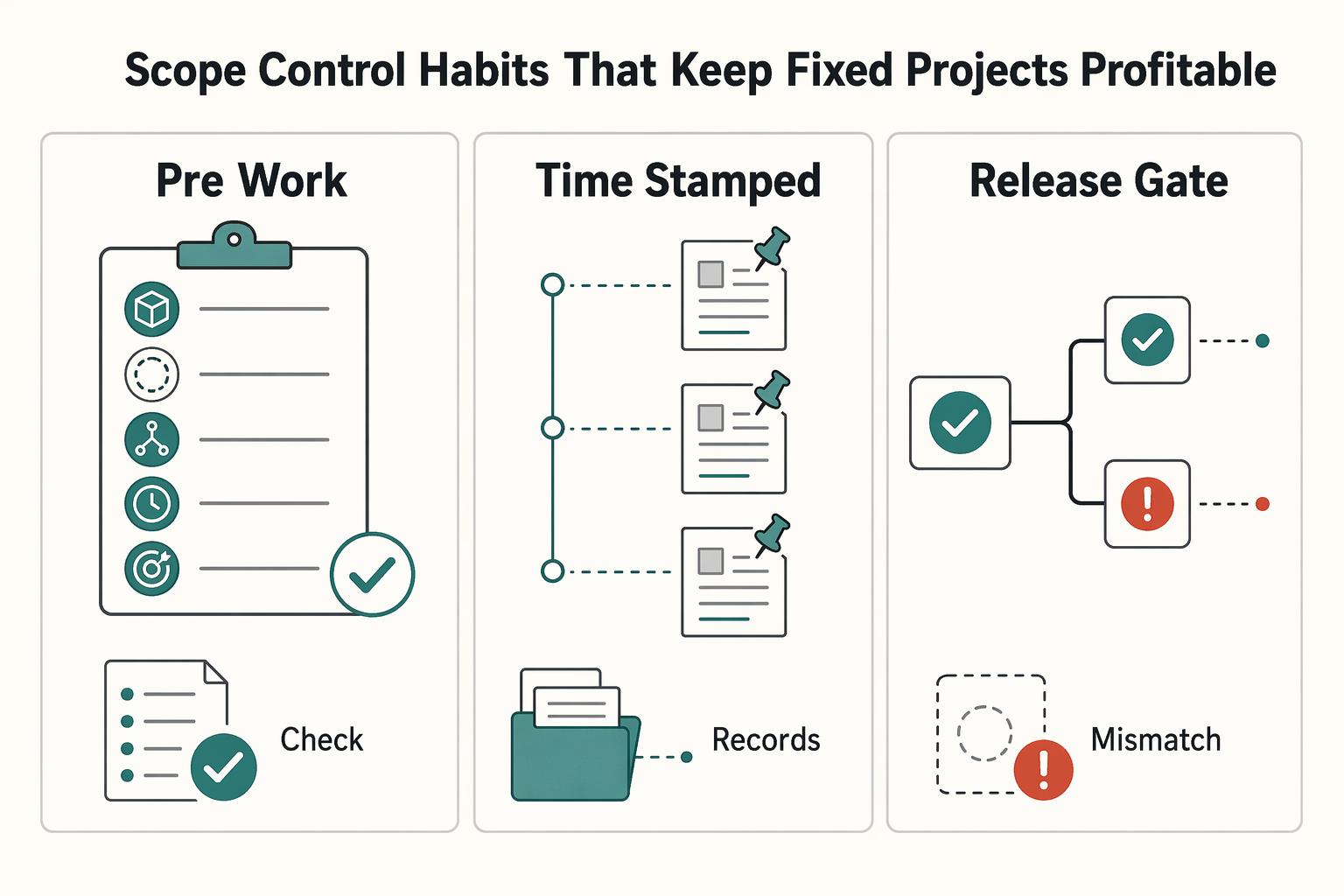
The right pricing model matches uncertainty and cashflow risk. It should fit how clearly the work can be defined, approved, and defended, not just what you are used to selling. Hourly billing gives you room to work while requirements are still moving. Fixed project pricing gives the client stronger budget clarity once deliverables are stable enough to pin down.
The Best Laptops for Digital Nomads in 2026
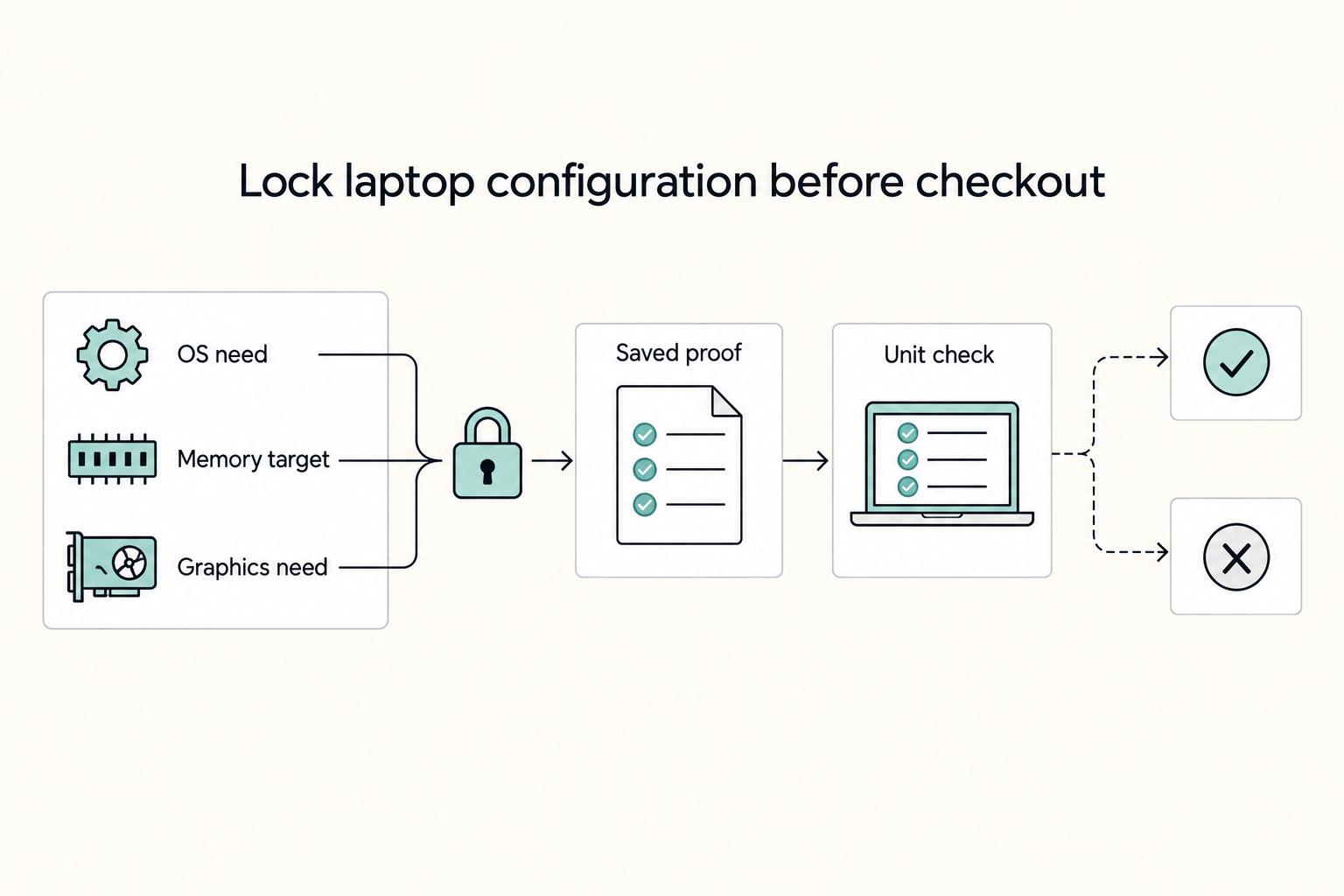
If you want smoother travel days and fewer support headaches, start with proven laptop families instead of whatever is newest. For most people working remotely, the right machine is a light, dependable one that handles documents, calls, research, and browser-heavy work without fuss. Move up only when your week regularly includes sustained CPU or GPU load such as long exports or local builds.

The Freelance Payment Penalty: A Modeled Audit of Platform Fees, FX Spreads, and Payout Delays
The money rarely disappears through a single, easy-to-spot fee. The real loss is stacked. A marketplace takes its commission, a processor adds a charge for international cards, a bank or payment company converts the currency at a spread, a platform holds the funds before release, and a wire sheds a little to intermediaries on the way in. Each layer looks defensible on its own, but the worker feels the combined result as a smaller deposit and a later payday.